

Page 1
5 GHz airMAX® ac Radio with
InnerFeed® Technology
Model: LBE-5AC-Gen2
Page 2
Introduction
Thank you for purchasing the Ubiquiti Networks®
LiteBeam®5AC Gen 2 radio. This Quick Start Guide is
designed to guide you through installation and also includes
warrantyterms.
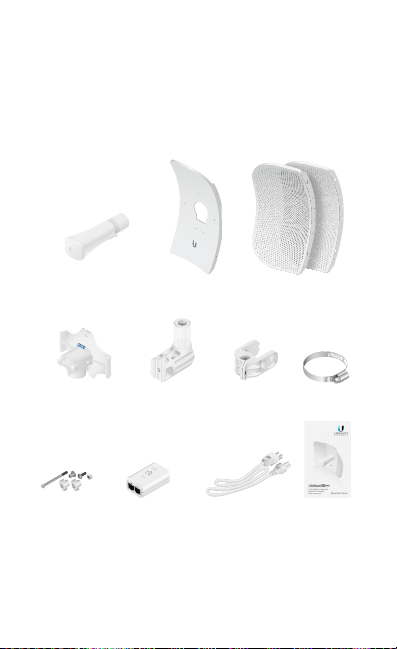
Package Contents
Antenna Feed Center Reflector
Feed Receiver Azimuth Mount Elevation Mount Metal Strap
Knob Kit Gigabit PoE (24V, 0.3A)
with Mounting Bracket
Products may be different from pictures and are subject to change without notice.
TERMS OF USE: Ubiquiti radio devices must be professionally installed. Shielded Ethernet
cable and earth grounding must be used as conditions of product warranty. TOUGHCable™ is
designed for outdoor installations. It is the customer’s responsibility to follow local country
regulations, including operation within legal frequency channels, output power, and Dynamic
Frequency Selection (DFS) requirements.
Panel
Side Reflector Panels
(Qty. 2)
Power Cord Quick Start
Guide
Page 3
Installation Requirements
• 7 mm socket wrench or screwdriver
• Shielded Category 5 (or above) cabling should be used for
all wired Ethernet connections and should be grounded
through the AC ground of the PoE.
We recommend that you protect your networks from
harmful outdoor environments and destructive ESD events
with industrial‑grade, shielded Ethernet cable from Ubiquiti
Networks. For more details, visit www.ubnt.com/toughcable
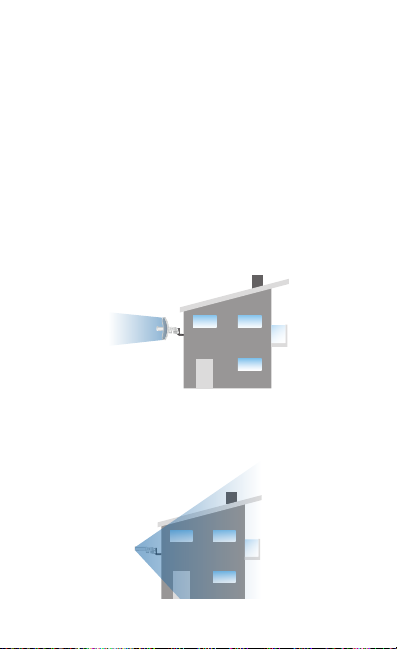
Application Examples
The LiteBeam AC mounted outdoors with the reflector
installed provides directional outdoor coverage (gain
reflector‑dependent).
The LiteBeam AC mounted outdoors without the reflector
installed provides outdoor‑to‑indoor coverage using the 3 dBi
Antenna Feed only.
Page 4
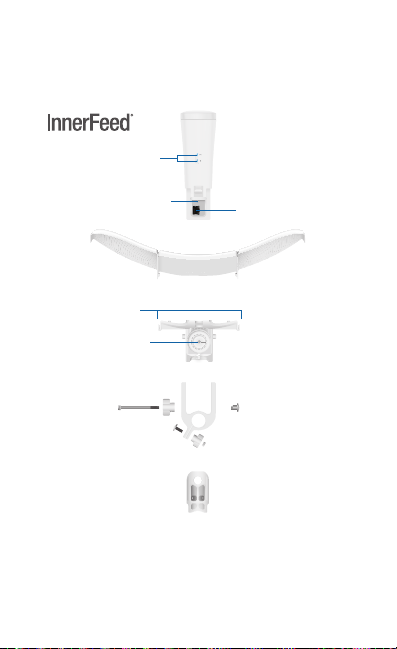
Hardware Overview
Azimuth Mount
Bottom View
Technology
Securing Arms
Reset Button
Port Cover
LEDs
Ethernet Port
Antenna Feed
Reector Assembly
Feed Receiver
Elevation Mount
Page 5
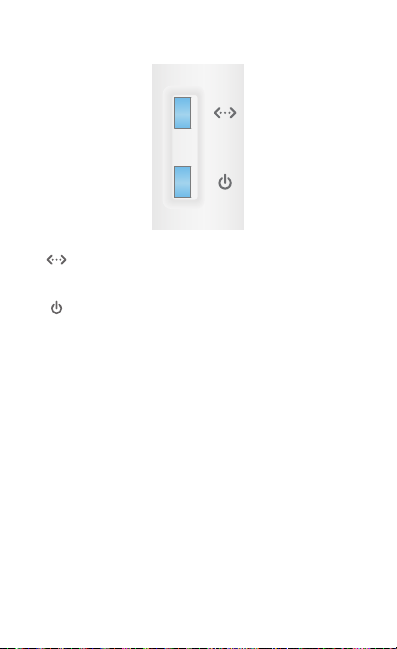
LEDs
Ethernet The LED will light steady blue when an
active Ethernet connection is made and flash when
there is activity.
Power The LED will light blue when the device is
connected to a power source.
Button
Reset To reset to factory defaults, press and hold the Reset
button for more than 10 seconds while the LiteBeamAC is
poweredon. The LiteBeam AC may also be reset remotely
using the auxiliary Reset button located on the bottom of the
Gigabit PoEadapter.
Port
Ethernet Supports 10/100/1000 connections and passive PoE.
This port should be connected to the LAN and DHCP server.
 Loading...