

Page 1
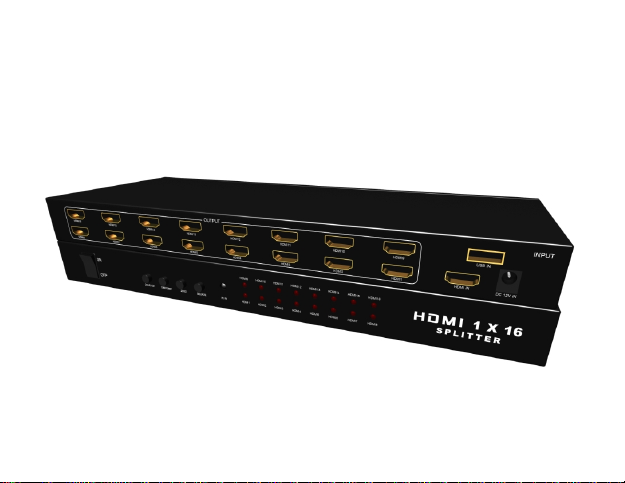
HDMI 1x16 Splitter
With USB multimedia player
User manual
Page 2

Thank you for purchasing this product. For optimum performance and safety, please read these
instructions carefully before connecting, operating or adjusting this product. Please keep this manual for
future reference.
n Introduction
The 1x16 HDMI Splitter use a single HDMI source or USB Multimedia source, accessing to
multiple HDMI sinks. The Splitter allows one HDMI devices to be split easily to sixteen HDMI
compatible monitors or projectors. The Splitter can also be placed at the end of a long HDMI cable to
regenerate the HDMI signal. It offers HD video solution for super market; shopping Mall; HDTV, STB,
DVD and projector factory; data control center; information distribution; conference room presentation;
education and training, corporation show room, luxurious house, etc.
n Features
1. HDMI input signal split to 16 HDMI sink devices.
2. Support deep color 30bit, 36bit, 48bit.
Page 3

3. Support USB Multimedia Play,
a) Video Format support MPEG1/2/4, RM,RMVB,MOV
b) Audio format:WMA,MP3
c) Images file format: JPEG,BMP,PNG
4. Digital audio format, as DTS-HD/Dolby-true-HD/LPCM 7.1/DTS/Dolby-AC3/DSD.
5. Support input up to 15m, AWG26 HDMI standard cable, output up to 15m AWG26 cable.
n Package
1. HDMI Splitter 1to16 x 1
2. 12V DC Power Supply adaptor x 1
3. Remote controller x1
4. Operation Manual x 1
Page 4

n Specifications
Frequency Bandwidth 2.25Gbps (single link)
HDMI Splitter Input/Output Ports 1 x HDMI Female input port
1 x USB Female input port
16 x HDMI Female output port
Power Supply 12V/3A DC
ESD Protection Human Body Model: ± 8kV (air-gap discharge)
± 4kV (contact discharge)
Dimensions (mm) 115(W) X 270 (D) X 45 (H)
Chassis Material Aluminum
Operating Temperature 0˚C ~ 40˚C / 32˚F ~ 104˚F
Storage Temperature -20˚C ~ 60˚C / -4˚F ~ 140˚F
Relative Humidity 20~90% RH (non-condensing)
Page 5
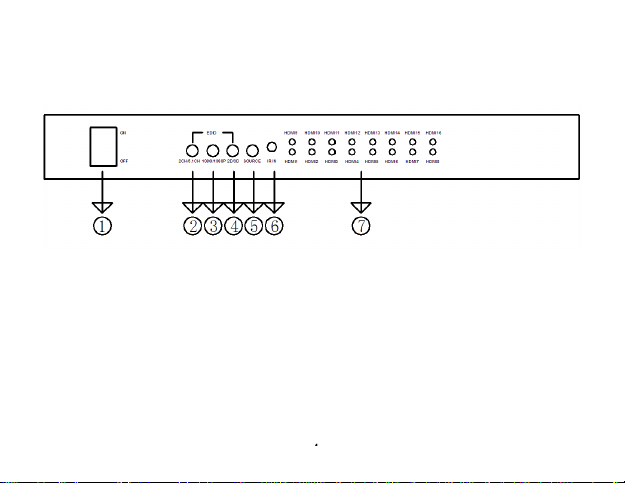
n Operation controls and Fuctions
Front Panel
1. POWER SWITCH: Power ON\OFF Switch.
2. 2CH/5.1CH: Select Audio between 2.1 channel and 5.1 channel.
3. 1080I/1080P:Select Video between 1080i and 1080p
4. 2D/3D: Select Video between 2D and 3D
5. SOURCE: Select input from HDMI or USB
6. IR IN: Remote control signal receive when in USB Multimedia Play mode.
Page 6
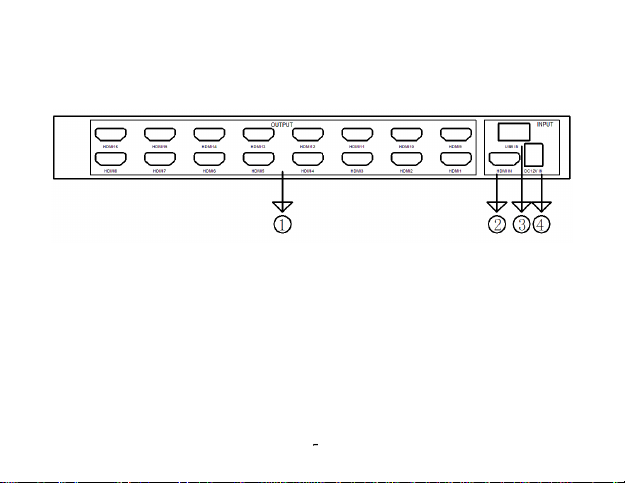
7. HDMI Indicator :When the TV plug in, The corresponding indicator will be light
Rear Panel
1. HDMI OUTPUT: HDMI Output port 1~16.
2. HDMI INPUT: HDMI input port .
3. USB INPUT:USB Input port
4. Power: Plug the 12VDC power supply into the unit and connect the adaptor to AC wall outlet
Page 7
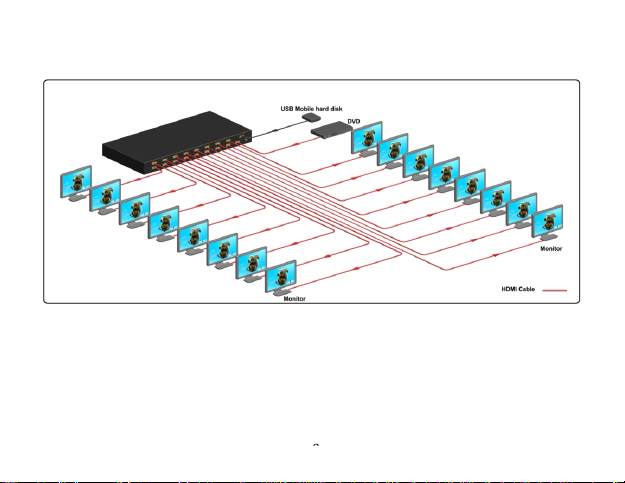
n Application Example
Attention: HDV-816A support USB input,HDV-816B no USB fuction.
 Loading...