

Page 1
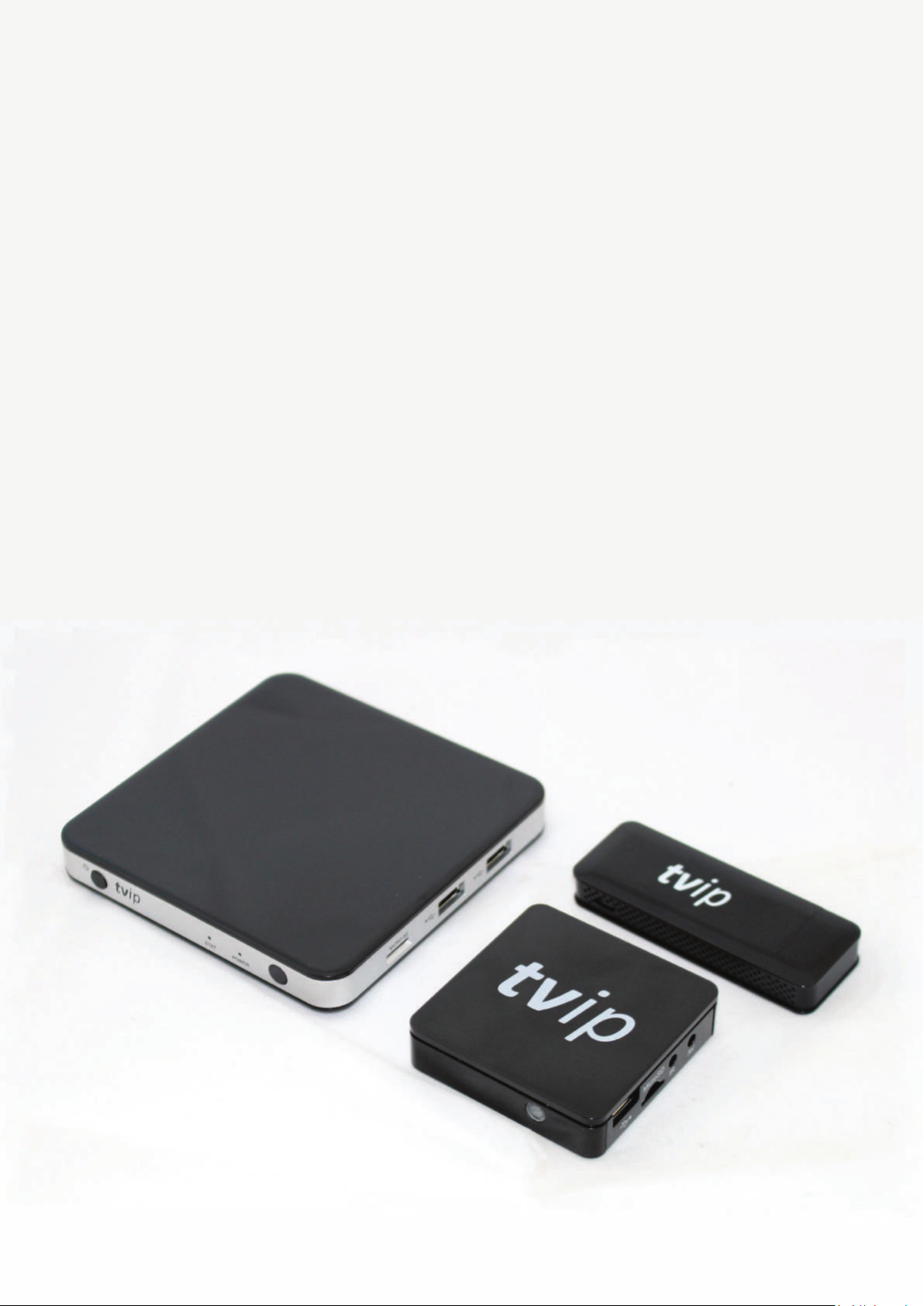
TVIP S-Box
User manual
For Mediacenters
v.410, v.412, v.415, v.610, v.612, v.615,
v.500 lite, v.500, v.500 dual, v.600, v.602, v.605,
v.422 and v.425
Page 2

Overview
Mediacenters TVIP (STB) are designed to play IPTV (Digital television over IP) with standard difinion (SD)
and high difinion (HD) resoluons.
There is an USB port that allows connecon of addional devices such as keyboard, mouse, external hard
drive, etc.
Slot for MicroSD card greatly extends the capabilies of theMediacenter.
Mediacenter allows to playback video from external hard drives, USB-flash drives, MicroSD memory cars,
as well as from shared network folders on a PC.
The recording funcon will keep your favorite TV translaons for later viewing. Scheduled recording
funcon makes Mediacenter one of the most funconal. Parental control can block certain channels
from unauthorized viewing with a password.
Mediacenter sengs
The manufacturer recommends an end consumer to setup and connect the Mediacenter exclusively
with the help of technical specialists of the sellers’ company for opmal and safe use of all TVIP Mediacenter’s funcons.
Important
When unpacking the product, you must handle it with care, do not drop, shake and prevent from other
impact.
The product is designed to be placed on plane surface horizontally. Do not place the product on a slippery
surface, on the place where the product may vibrate, fall and be damaged the way that annuals
the warranty.
Do not place the product on the surface which may be heated, for example, on video player or amplifier,
and do not install anything on top surface of the product. Do not cover the product.
The product should be used with the power adapter supplied by the manufacturer only. The power supply
is equipped with a plug that is designed for power outlets in a country of Mediacenter use. If you need
to connect the product in another country or region, with other parameters of electric power, the power
supply, approved for use in other areas should be obtained from the media center’s manufacturer. During
operaon the external power supply is heated. If the external power supply unit gets hot, immediately
unplug the product and contact your supplier for a replacement.
When using products for viewing plasma screens, do not put the picture on pause for more
than 5 minutes, it can lead to “burnout” of pixels on the screen. This is not a defect in the product, but
the design features of plasma screens. The manufacturer is not liable for any damage to TV due to such
reasons.
Connecng to TV
Use HDMI cable to connect the Mediacenter to your TV for the best possible video and audio quality.
Connect IR-receiver to operate from the remote controller.
Also you can use MicroSD memory card and connect the external device through USB port.
WiFi is available not for all models, details on the website and in the catalog.
Page 3
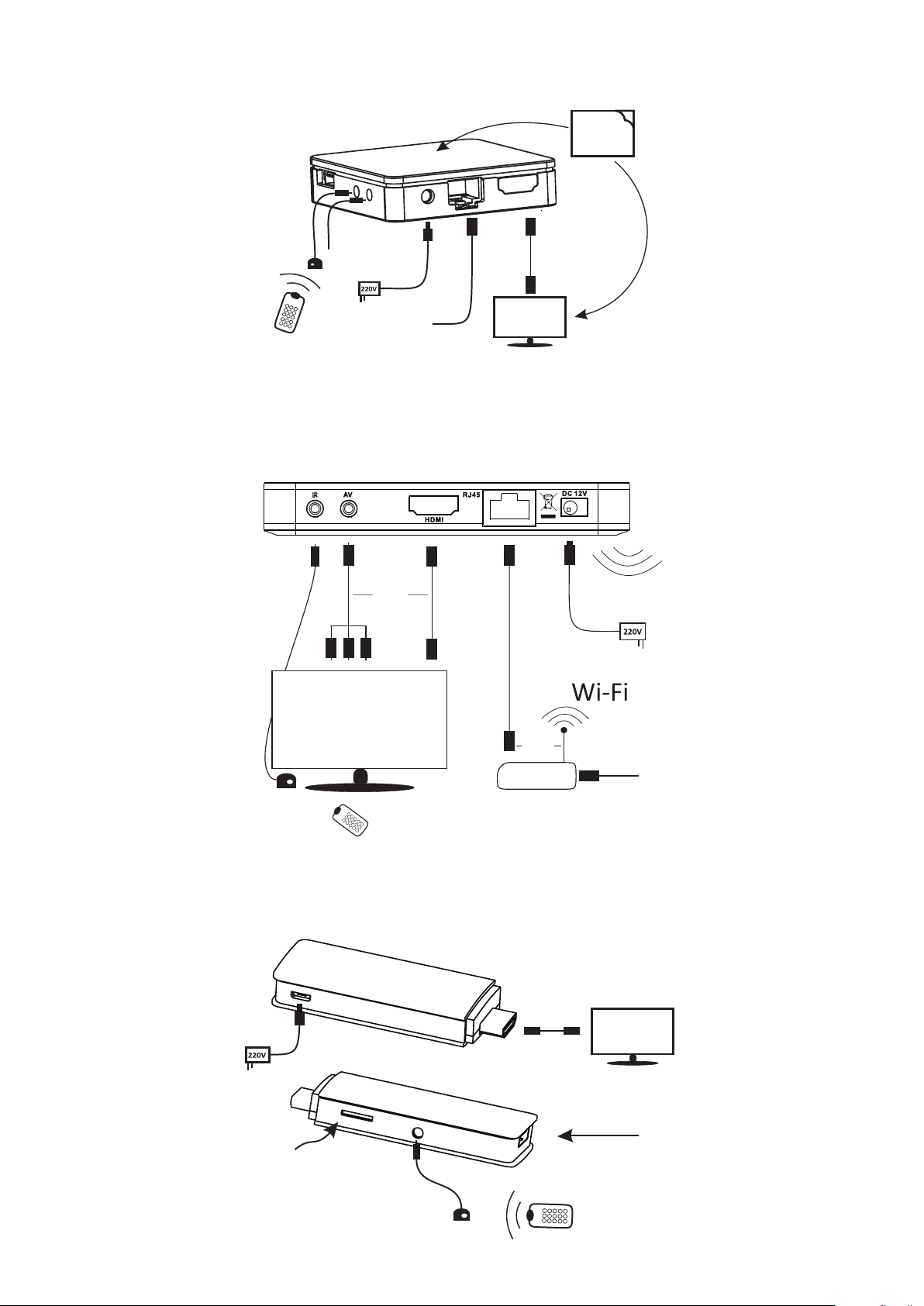
TVIP S-Box v.410, v.412, v.610, v.612 and v.615
Double-side
tape
AVIR
Internet
provider/Wi-Fi
TVIP S-Box v.500 lite, v.500, v.500 dual, v.600, v.602 and v.605
TVIP S-Box v.422 and v.425
or
or
MicroSD
Card
USB
IR
Page 4
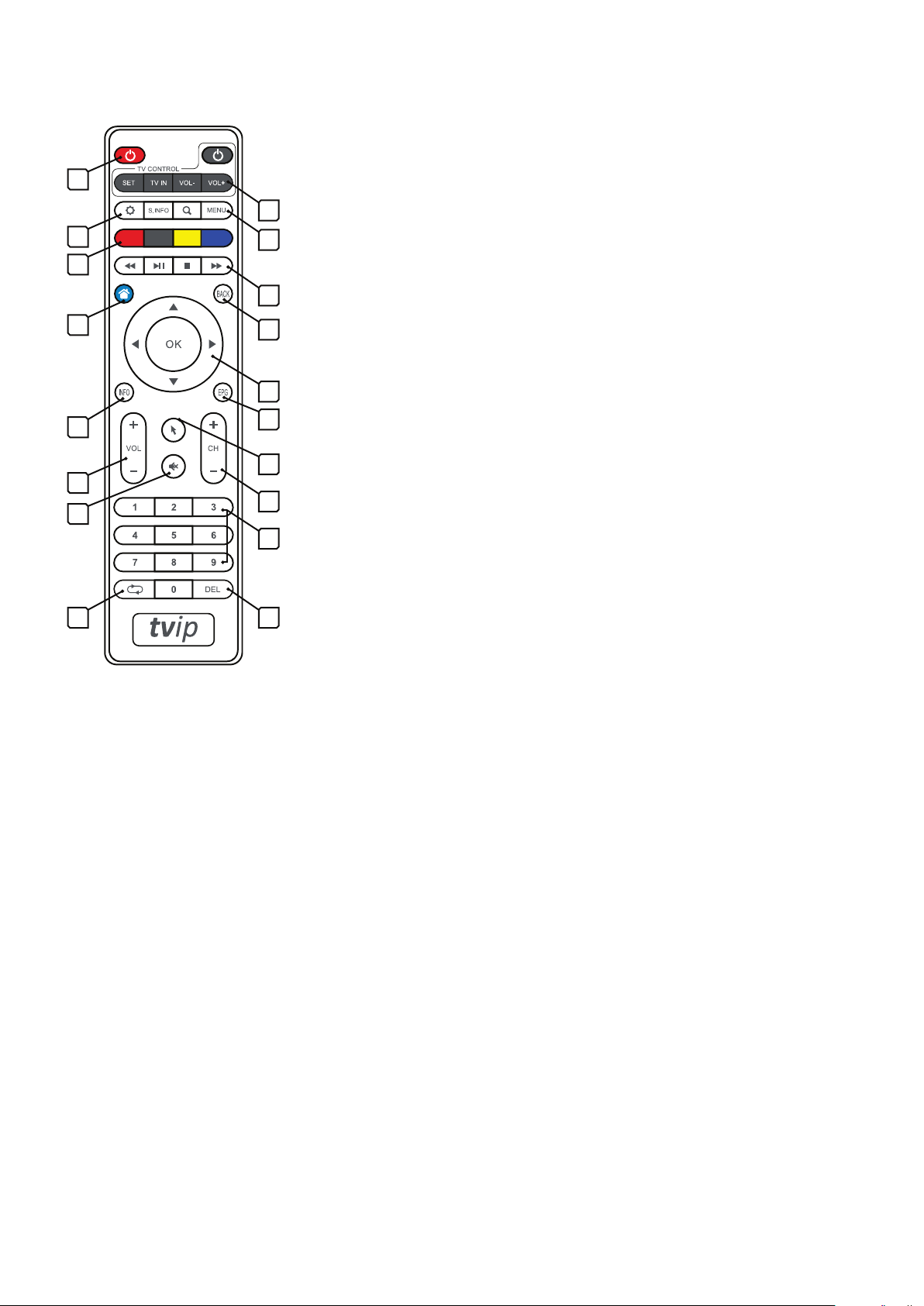
Using remote control
1
2
3
6
7
10
12
14
4
5
8
9
11
13
15
16
1. Mediacenter power on/standby.
2. Programmable TV control (learning group)
З. Sengs
4. Menu
5. Playback and pause control (TimeShi)
6. Block of funcon keys
7. Main menu (home page)
8. Return
9. Navigaon keys
10. Context informaon key
11. Electronic program guide
12. Volume control
13. Virtual mouse/keyboard control
14. Mute on/off
15. Channel switching
16. Block of digital keys
17. Previous channel
18. Delete
1817
Remote control programming
1. Press «SET» buon on the Mediacenter’s remote control and hold it for 2 seconds unl red LED
becomes bright. Now remote control is ready to be programmed.
2. Press any buon from “Learning group” which you want to program, and red LED starts to blink.
3. Place two remote controllers facing each other at 1 cm distance, press and hold the buon
for 2 seconds on the TV remote control, which you want to teach your media center.
4. Aer three quick flashes and when the red LED lights up constantly, programming of remote control’s
buons on the Mediacenter is completed.
5. Repeat these acons of programming for all buons that are necessary.
6. To complete the programming process and to save new sengs of the remote control of the Mediacenter , press buon «SET». The red LED should turn off. The remote control is ready to use.
 Loading...