

Page 1
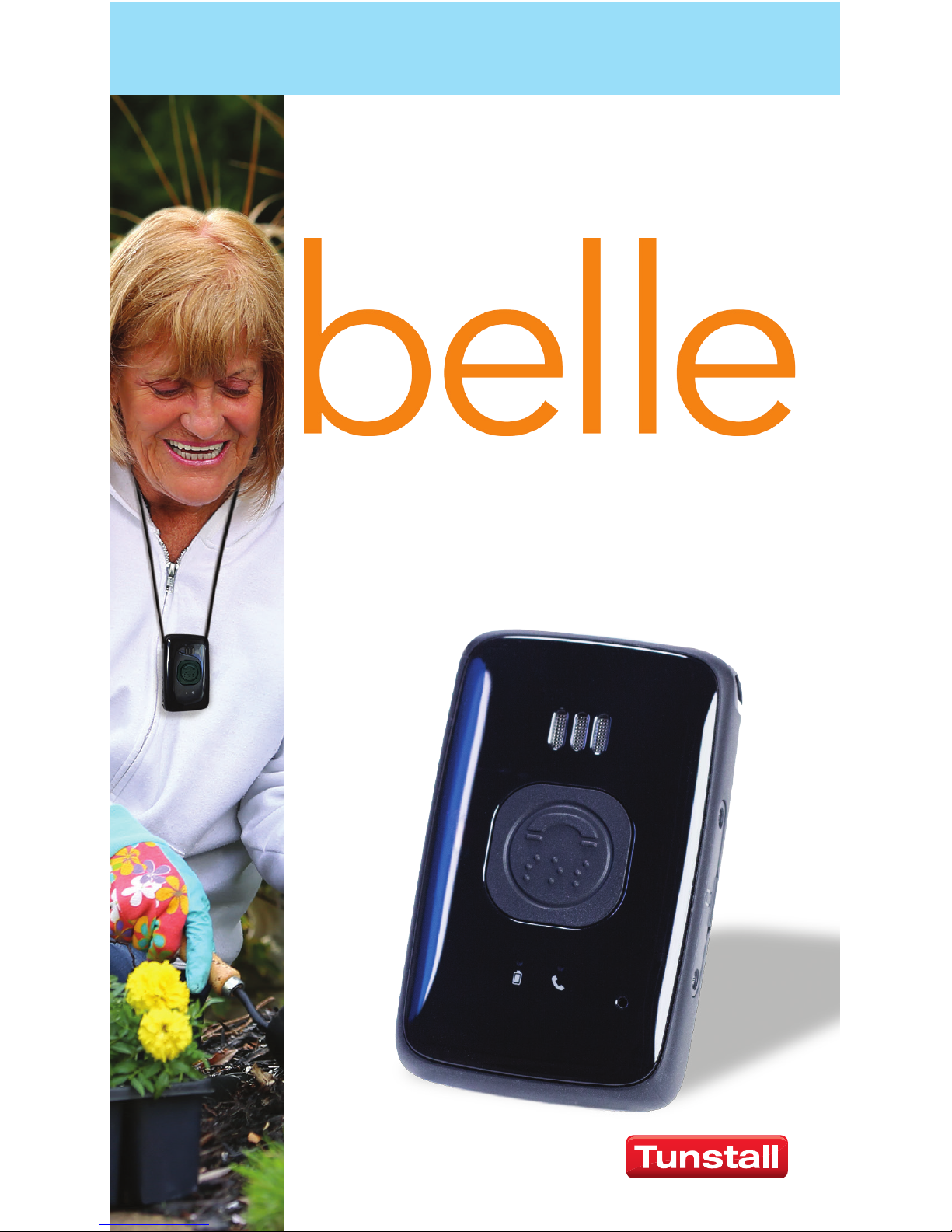
freedom.
security.
go with condence!
USER GUIDE
®
Page 2
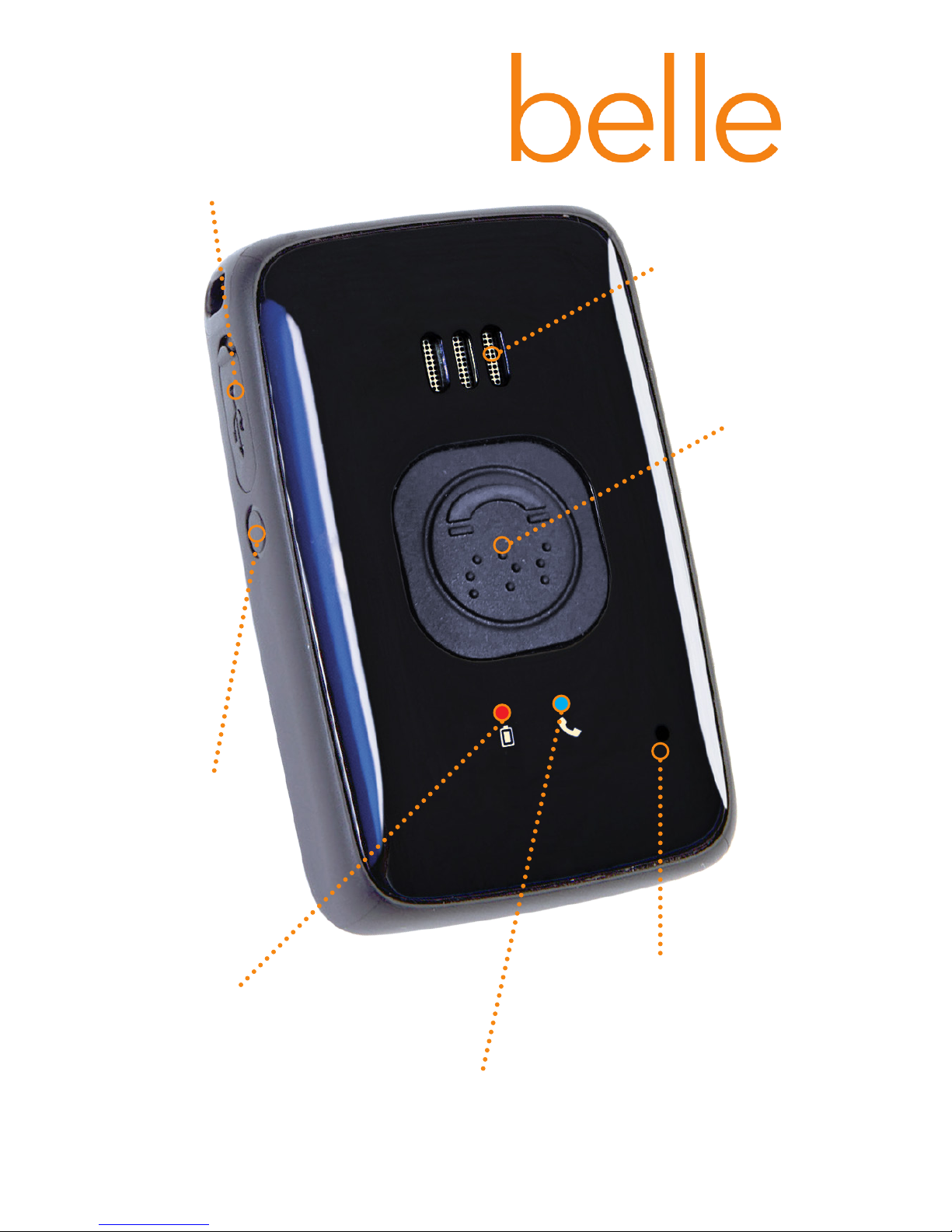
red battery light
blue call light
call
button
diagnostic
port*
reset
button
speaker
microphone
*Warning - do not open. Connecting a cable to or exposing this
port may damage your device. This is not a charging port.
®
Page 3
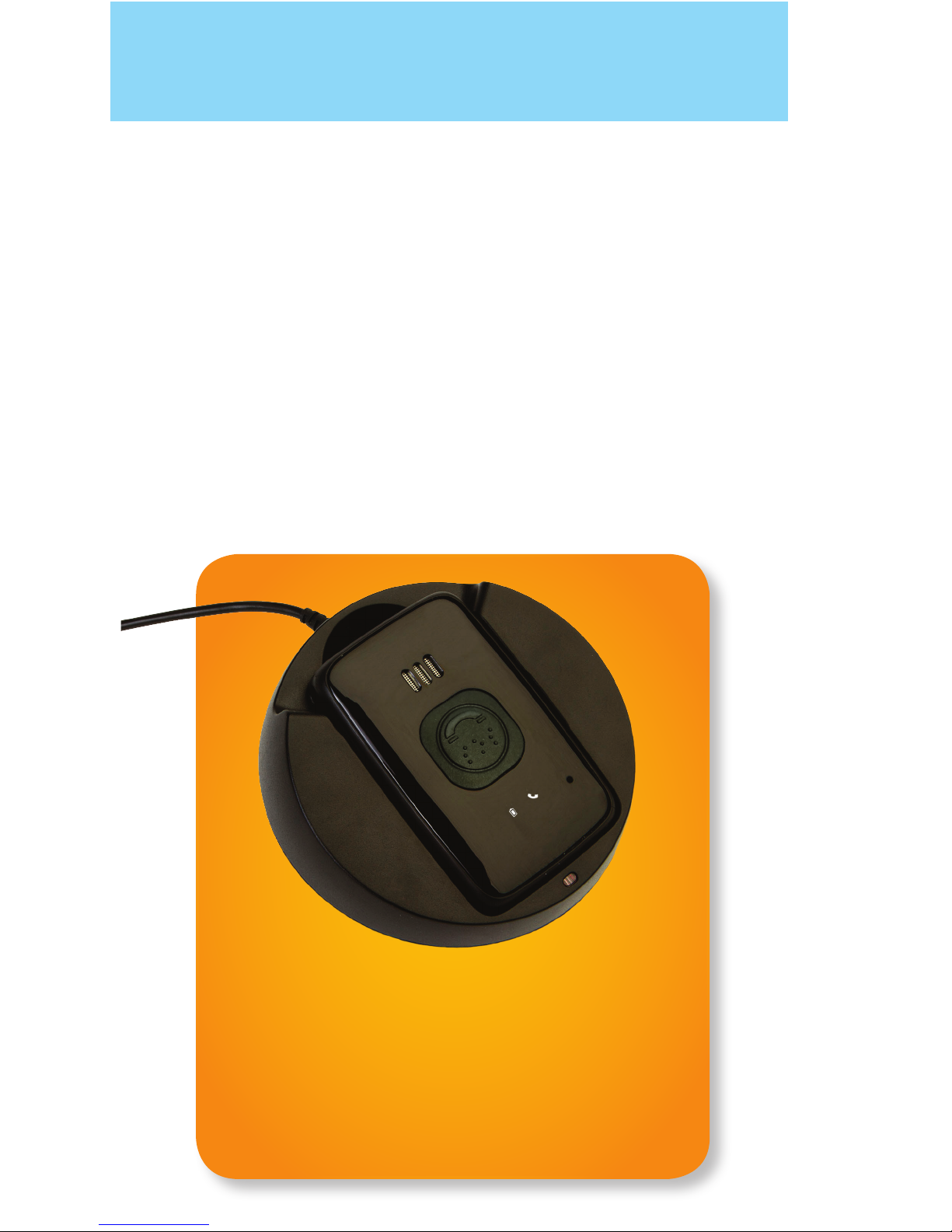
1. Charge the belle® on the charging cradle for 4
hours before rst use.
2. Place a call to the Response Center by pressing
and holding the call button until the small call
light on belle® turns blue.
3. Conrm that you are activating the belle® with the
operator.
QUICK START INSTRUCTIONS
IMPORTANT:
charge the belle® on
the cradle for 4 hours
before rst use
Page 4

CHARGING PROCEDURES
*If AT&T service is not available in the location where the call is placed
the device will attempt to call 911 directly using an alternate GSM cellular
service. If there is no GSM cellular coverage, the call will not be completed.
Plug in the charging cradle and place belle® into the
cradle.
• belle ® is in the process of charging when the
small, red battery light on the device is ashing.
• belle® is fully charged when the small, red
battery light on the device is solid.
• Remember, it is normal for the small, red
battery light on belle® to be off when the
device is not in the charging cradle.
HOW TO CALL FOR HELP
1. Press and hold the call button until the small call
light on belle® turns blue.
2. After a short delay, you will hear tones or ringing.
3. The Emergency Response Center Operator will
answer the call. *
4. The Emergency Response Center Operator can
send emergency personnel or your designated
responders to help you as needed.
Page 5
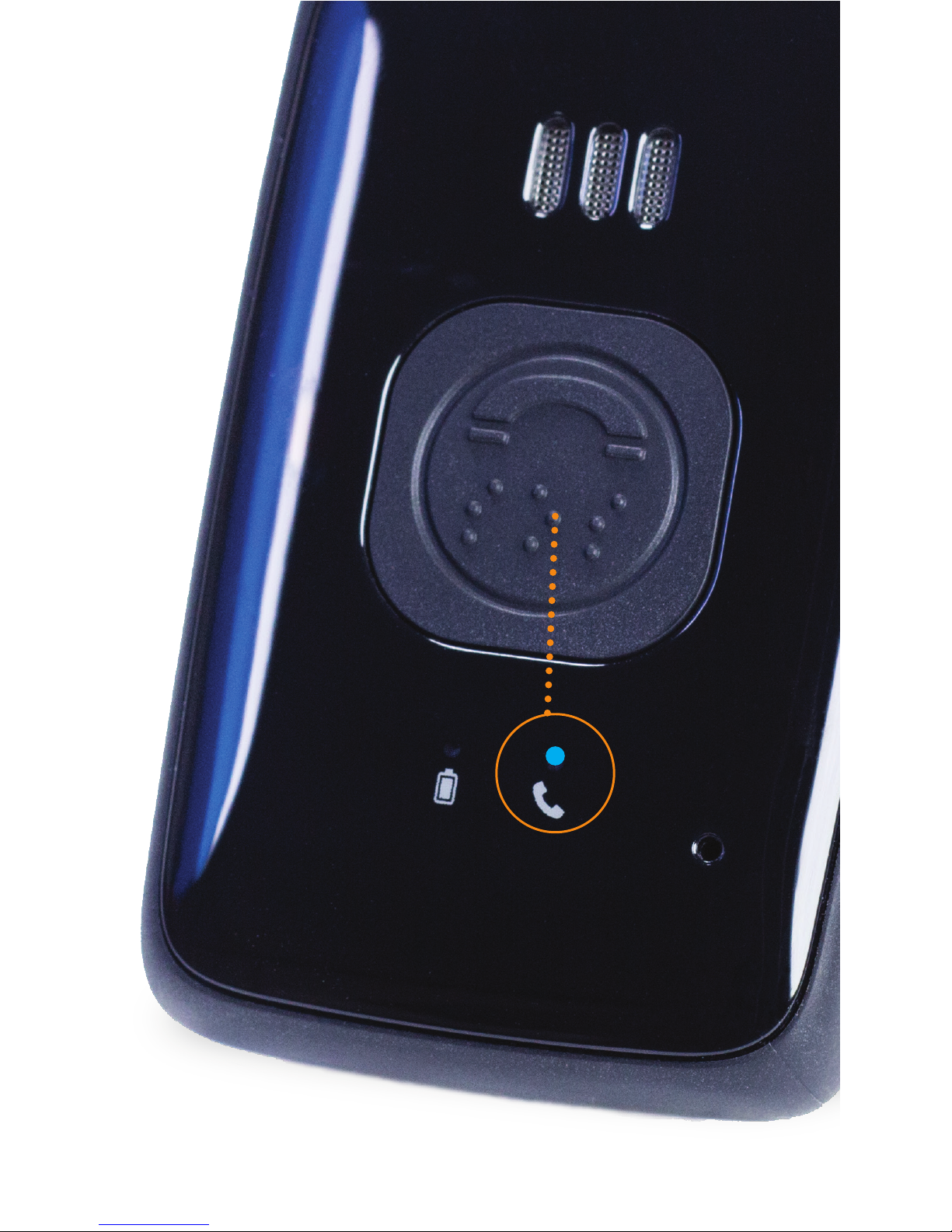
press and hold
call button
call light will
turn blue
Page 6

RESET BUTTON
The Reset button is the small circular button on the
left hand side of the device. Pressing the Reset button
will immediately terminate an in-progress call. This
action is not recommended as it limits our Operator’s
ability to contact you via the device. If you accidentally
activate the belle® it is preferred that you let the call go
through and simply inform the Operator that you are
OK and no help is needed.
Important - If you accidentally press the Reset button
during an emergency call, simply press the Call button
again to initiate a new call to the Emergency Response
Center.
TESTING
1. To test, press and hold the call button
until the small call light on belle® turns blue.
2. After a short delay, you will hear tones
or ringing.
3. The Emergency Response Center Operator will
answer the call. *
4. Tell the Emergency Response Center Operator
you are testing.
We recommend that you test belle® monthly.
*If AT&T service is not available in the location where the call is placed
the device will attempt to call 911 directly using an alternate GSM cellular
service. If there is no GSM cellular coverage, the call will not be completed.
Page 7
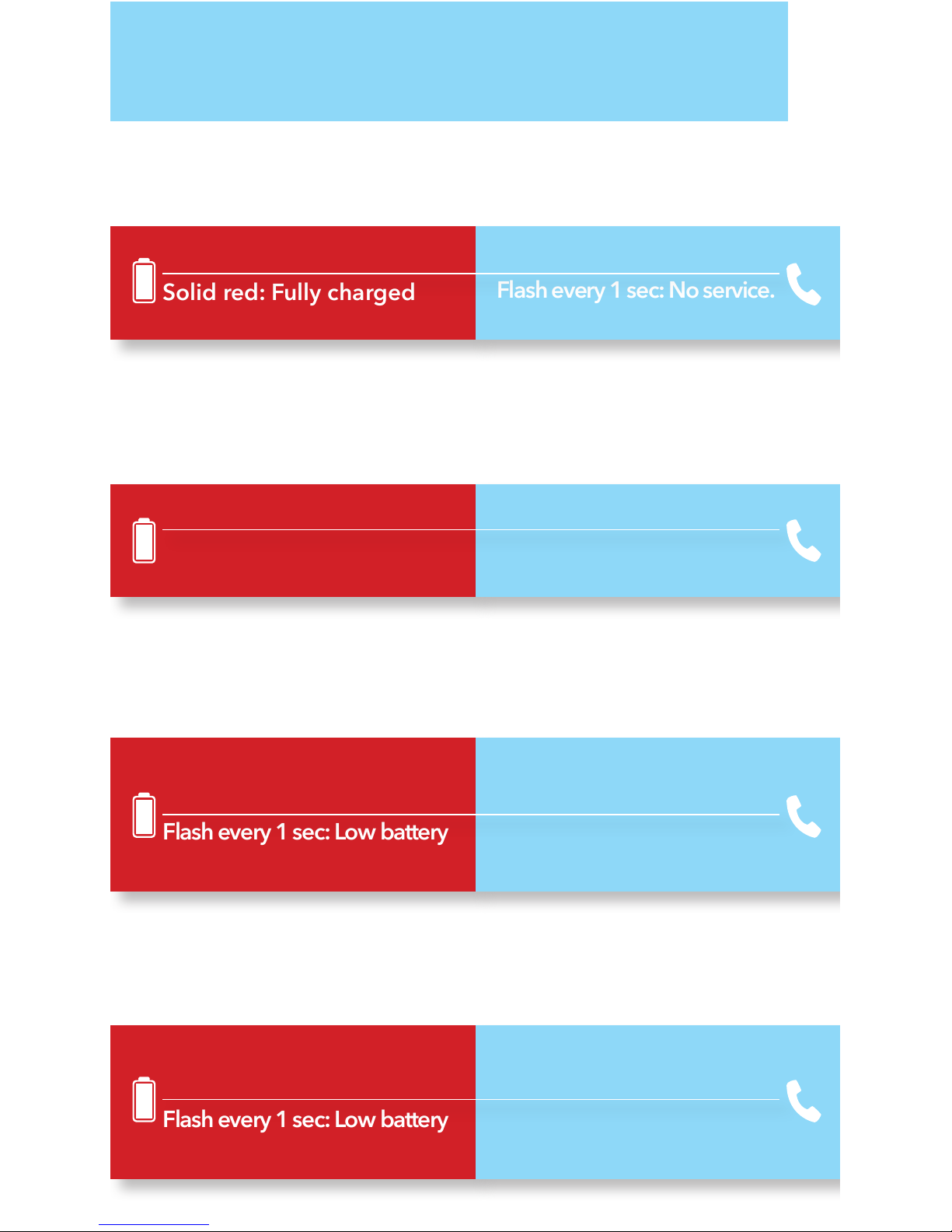
INDICATOR LIGHTS
While on the charger:
Battery/Red Phone/Blue
Flash every 2 sec: Charging
Solid red: Fully charged
Flash every 5 sec: Normal
Flash every 1 sec: No service.
Contact Support Line.
Solid red for 8 seconds then
off: Normal
Flash every 1 sec: Low battery
Solid blue: Normal
Solid blue briey, then off: No
Service. Contact Support Line.
During a call:
Battery/Red Phone/Blue
Solid red for 3 seconds then
off: Normal
Flash every 1 sec: Low battery
Flash every 5 sec for 5 min
then off: Normal
Immediately after a call is completed:
Battery/Red Phone/Blue
Off: Normal
Off: Normal
Battery/Red Phone/Blue
Off the charger in Standby/Ready Mode:
Page 8

How often should I test my belle®?
It is recommended that you test your belle® once a
month.
What if I press the belle’s button by
accident?
If you press the button by accident, simply tell the
Operator that you did not intend to press the button
and that no help is needed.
How often should I charge my belle®?
It is recommended that the belle® be placed on the
charger each night when you go to bed. This will
ensure the belle® always has a full charge.
Will the belle® interfere with my medical
equipment?
The belle® is essentially a cell phone. If you have
a pacemaker, review your pacemaker materials
regarding interaction with cell phones and take the
same recommended precautions. Always consult with
your physician.
FAQ
Page 9

Can the belle® be worn in the shower?
Yes, the belle® can be worn in the shower. However, it
is not designed to be submerged in water.
When would the belle® device dial 911
instead of going to the Emergency
Response Center?
A belle® device may dial 911 if it is an area without
AT&T cellular coverage. In areas without AT&T
coverage, belle® devices use other GSM coverage
available to dial 911 directly. If there is no GSM
cellular coverage available, the call will not be
completed.
FAQ
Page 10

Coverage:
This product requires that there be adequate AT&T
3G cellular coverage to work properly. It is important
to test the device to know if it works in your area.
Remember that your surroundings (environmental
and topographical conditions) may also affect your
coverage.
Charging:
Your device’s rechargeable battery may last up to 30
days per charge*. It is recommended that you place
belle® in the charging cradle near your bed every
night so your device is always fully charged.
Failure to recharge belle® will result in the device not
being able to function properly.
*30 day battery life based on standard operation and may vary with
activity level.
BY USING THIS DEVICE, YOU ACKNOWLEDGE AND ACCEPT THE FOLLOWING INFORMATION.
Page 11

Shower-Safe:
belle
®
is shower-safe, but should not be submerged.
Pacemakers:
Individuals with pacemakers should review their
pacemaker materials regarding interaction with cell
phones, and take the same precautions the materials
recommend for this device.
Page 12

The Heart of Connected Care®
Tunstall Americas
36-36 33rd Street, Suite 103
Long Island City, NY 11106
Customer Support Phone: 877-788-2112
MA-16-0018 Rev 2.0
belle
®
is a trademark of Freeus, LLC. All Rights Reserved.
The Heart of Connected Care® is a registered trademark of Tunstall Americas.
®
 Loading...