

Page 1

Waterproof Scale
Technical Manual
Page 2
S29 Series Technical Manual
- 2 -
Manufacturer Taiwan Scale Mfg. Co., Ltd
Model
S29
Report No
ASZ091201012S-2
Applicable
Standards
IP67
Taiwan Scale Mfg. Co., Ltd.
282, Sec.3, Hoping W. Rd.
Taipei,
Taiwan
TEL:886-2-23068203
FAX:886-2-23044354
e-mail: [email protected]
W & P Scales Mfg. (Kunshan) Co., Ltd.
No. 99 Shunchang Road
Zhoushi, Kunshan
Jiangsu
China
TEL:86-512-57669080
FAX:86-512-57669100
e-mail: [email protected]
Copyright by Taiwan Scale Mfg. Co., Ltd. All rights reserved. No part of this
publication may be reprinted or translated in any form or by any means without the
prior permission of Taiwan scale.
Taiwan Scale reserves the right to make changes to the technology, features,
specifications and design of the equipment without notice.
All information contained within this publication was to the best of our knowledge
timely, complete and accurate when issued. However, we are not responsible for
misimpressions which may result form the reading of this material.
Visit our Website at: www.taiwanscale.com
Page 3

S29 Series Technical Manual
- 3 -
CONTENTS
1. PRECAUTIONS… … … ……………………… … … … … …………………..4
2. INSTALL A T I O N ……….……………………… … … … … ………………….5
3. PARTS DESCRIPTION….....................................................................6
4. OPERATION……… … … … … … ……………………………… … … … … ...8
5. PARAMETER……… … … … … … … … …………………………………… ..9
6. CALIB R A T ION…………… … … ………………… … … … ………………. . 1 0
7. ERROR D ISPLAY……… … … ……………………… … … …… … … ……11
8. DRAW I NG …… … …… … … … … … … … … … … … … … … … … … … … … . 12
PARTS NA M E … … ……………………………… … … … … … ………….. 12
9. SPECI F ICATION S……………… … ……………… … ……………… … . .. 15
DIMENSION… … … … … … …………………………… … … … … ……….. 15
LOAD CEL L SPECIFICATI ON. ..… ………………… ……… …………… 16
Page 4
S29 Series Technical Manual
- 4 -
1. PRECAUTIONS
Avoid installing the scale in direct sunlight, which may cause discoloration.
Avoid overloading that could cause damage to the scale.
If the scale is not to be used for a long period of time, remove all batteries from
the battery compartment to avoid leakage.
Avoid stack materials on the scales, when scale is not in use.
Avoid unsuitable tables. The tables or floor must be rigid and not vibrate. Do
not place near vibrating machinery.
Avoid unstable power sources. Do not use near large users of electricity such
as welding equipment or large motors.
Do not mix the type of batteries. Replace all the batteries at the same time.
Only use original S29 adaptor, other could cause damage to the scale.
When the scale is used with an adaptor, the does not conform to IP-67
protection.
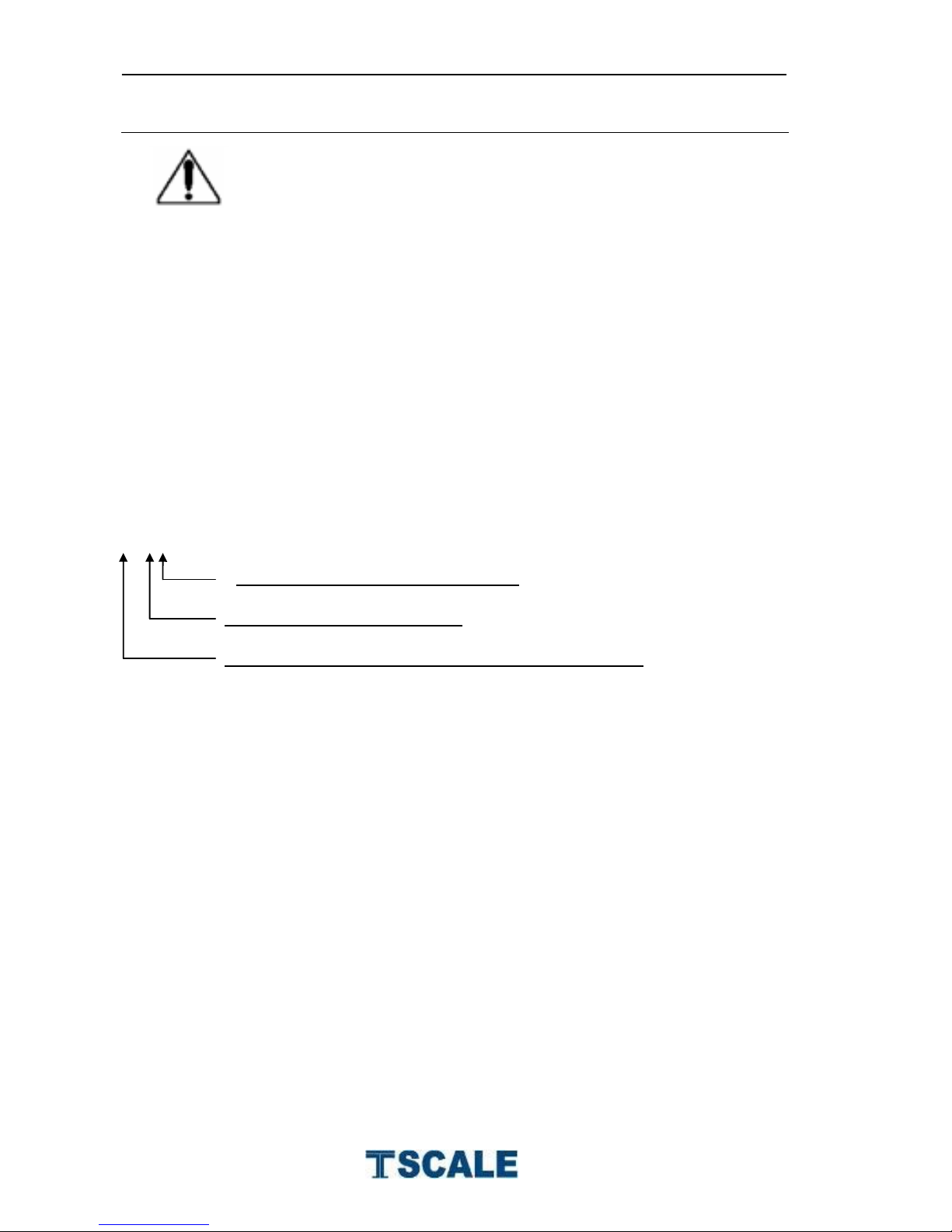
IP 6 7
Protected against immersion of water:
Protected against entry of dust
IPCode (International Protection Rating) of IEC 60529
Page 5
S29 Series Technical Manual
- 5 -
2. INSTALLATION
Unpacking
Carefully take the balance out of its package, make it sure its not damaged and all
accessories are included.
Accessories,
1. Balance
2. Adaptor
3. Pan
4. Product manual
Keep the packaging material for your future use.
Level Adjusting
Place the scale on a table.
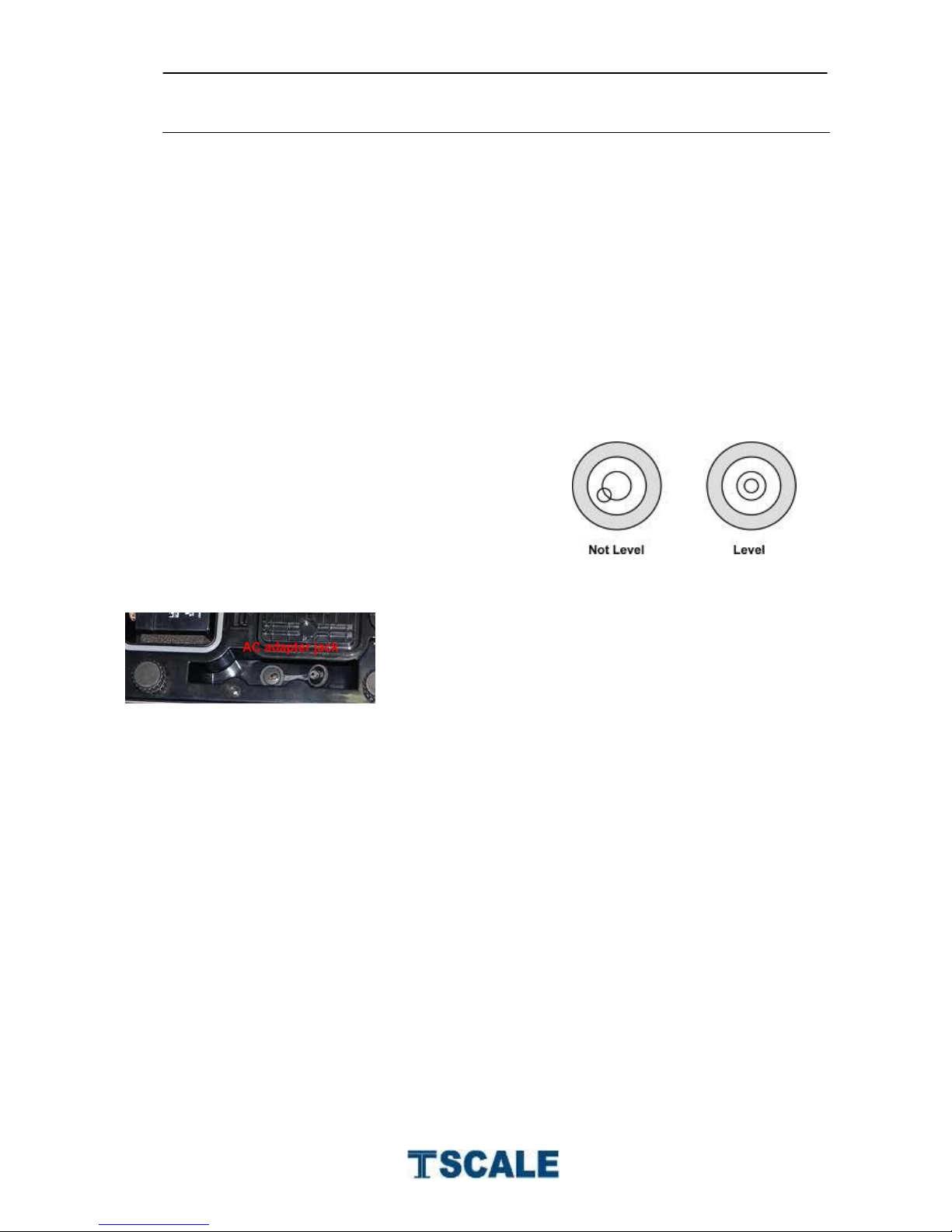
Check the water mark. If, bubble is not centre
adjust the leveling feet until reach centre. Check
the level when you change the location.
Charging Battery
To charge the battery insert the adaptor pin to jack.
Adaptor simply plug into the mains power. The
scale no needs to be turned on.
The battery should be charged for 12 hours for full
capacity.
Left side of the display there is an LED to indicate the status of battery charging.
When the scale is plugged into the mains power the internal battery will be
recharged. If the LED is green, the battery has a full charge. If it is red, the
battery is nearly discharged and if yellow, the battery is being charged.
Do not use any other type of power adaptor than the one supplied with the
scale.
Verify that the AC power socket outlet is properly protected.
Note: Please charge the battery before using the scale for the first time
Page 6
S29 Series Technical Manual
- 6 -
3. PARTS DESCRIPTION
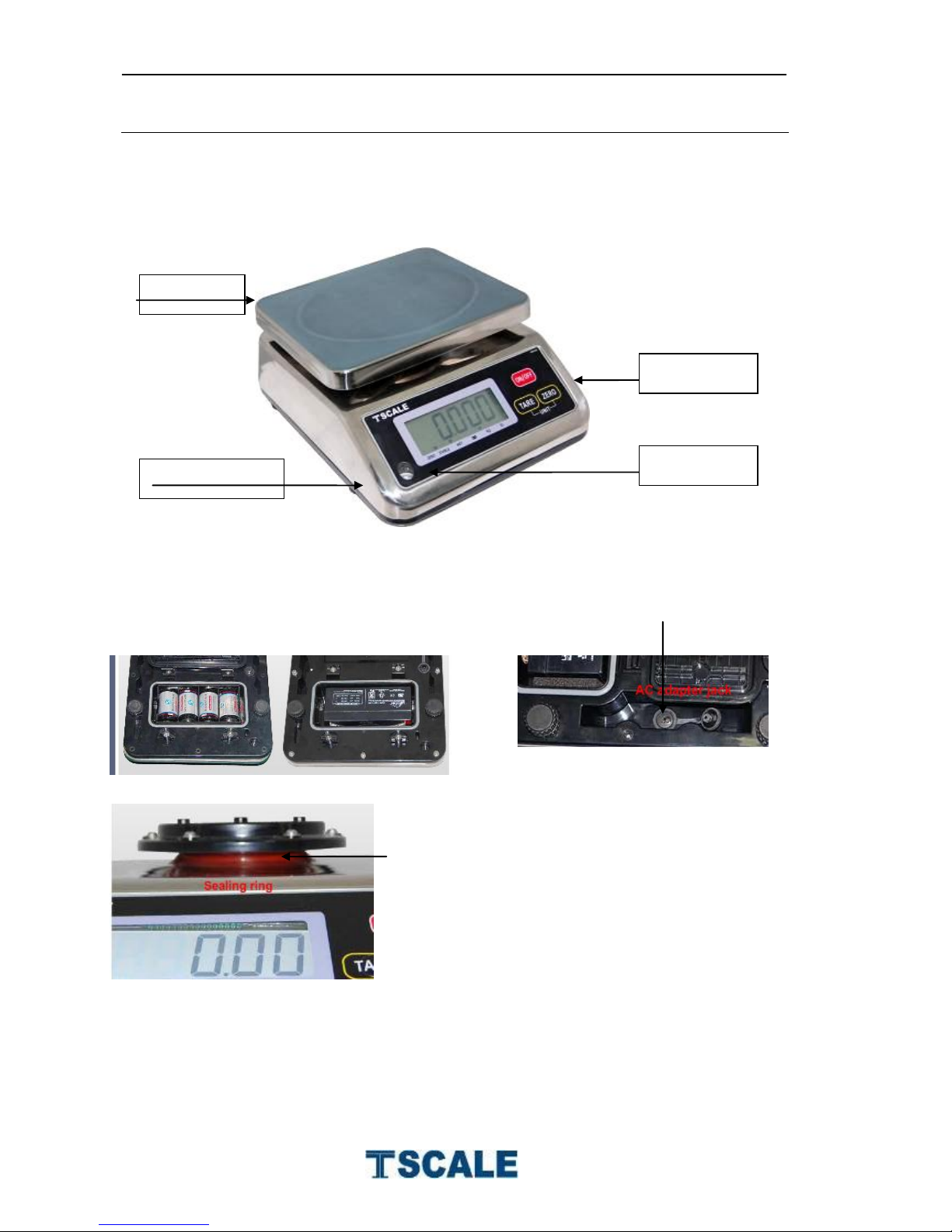
Optional Dry and Rechargeable Battery Adaptor jack
Sealing Ring
Platform
Leveling Feet
Key board
Spirit Level
Page 7
S29 Series Technical Manual
- 7 -
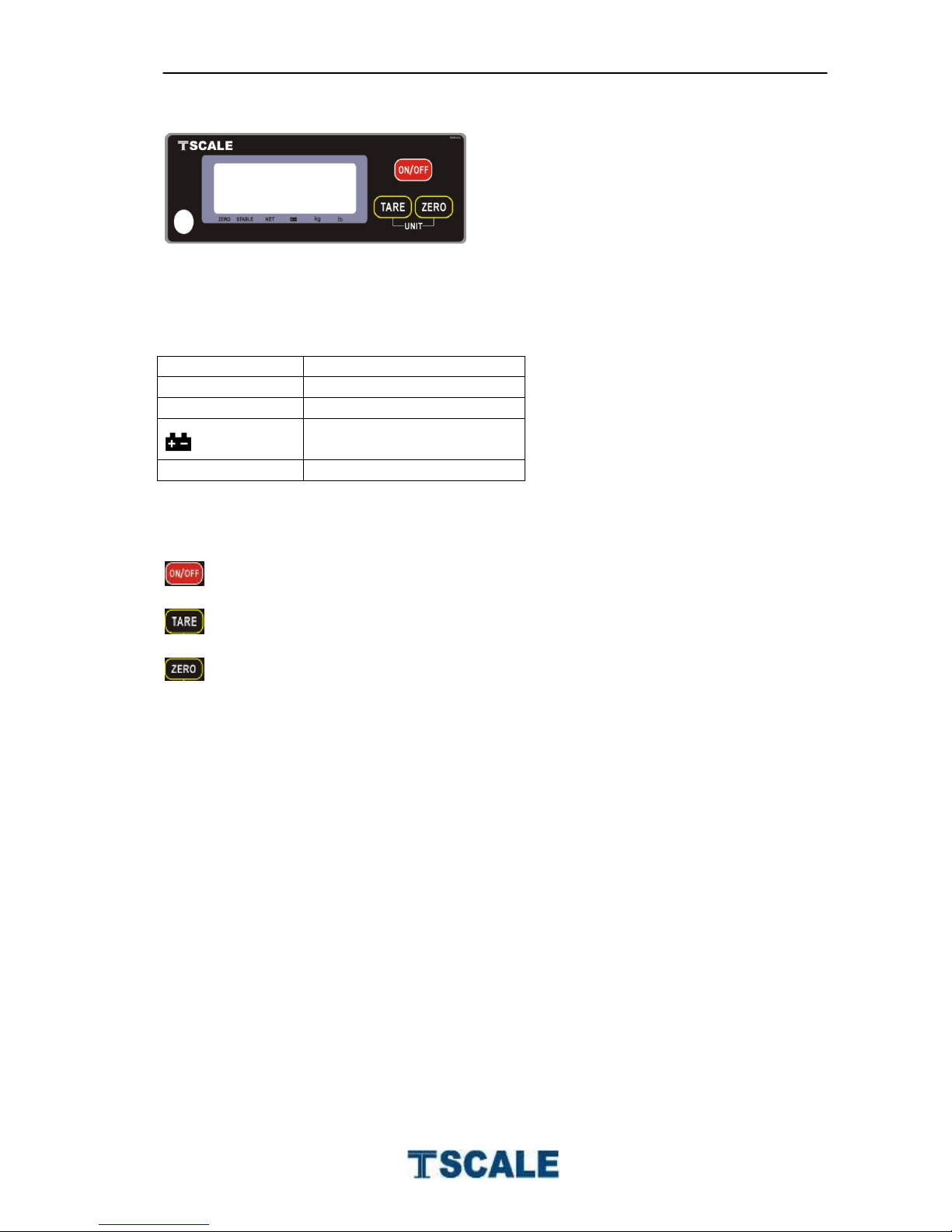
Key Board
Weight Display
Zero
Zeroing Display
Stable
Stable Display
Net
Net Weight Display
Low Battery
Lb / kg
Current Weighing Mode
Keys
: Turns the scale power On / Off
: Subtracts weight of container
: Sets display to Zero
Page 8
S29 Series Technical Manual
- 8 -
4. OPERATION
Initial Start-up
Warm-up time of 15 minutes stabilizes the measured values after switching on.
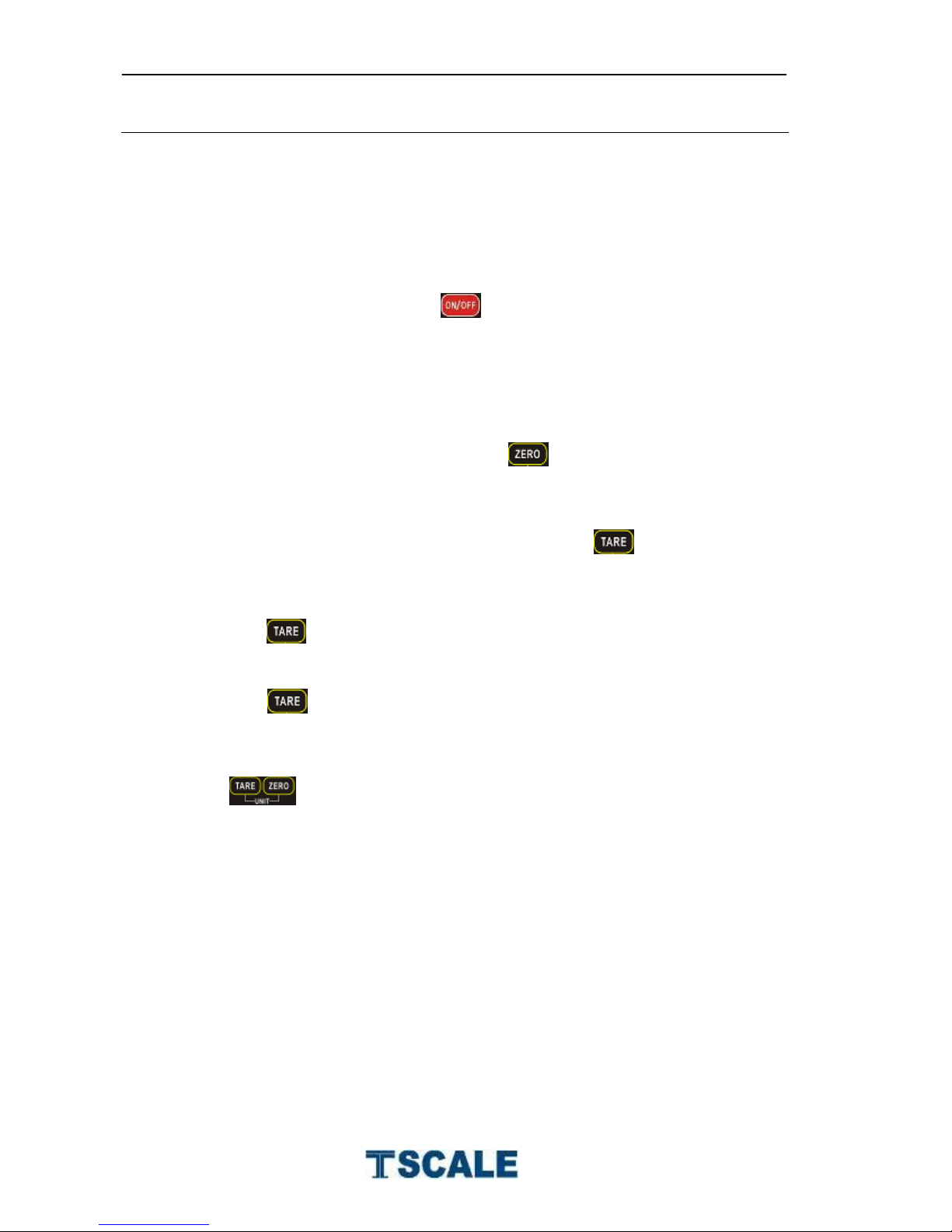
1. Power ON/OFF
. Switch on the scale by pressing . The display is switched on and the
self test is started.
If you want to switch off press the key again.
2. Zero
Environmental conditions can lead to the balance exactly zero in spite
of the pan not taking any strain. However, you can set the display of
your balance to zero any time by pressing key and therefore
ensure that the weighing starts at zero.
3. Tare
The weight of any container can be tared by pressing button so that with
subsequent weighing the net weight of the object being weighed is always
displayed.
Load weight on the pan.
Press key. Zero is displayed, and tare is subtracted.
Remove weight from the platform. Tared weight is displayed. It can
set only one tare value. It can display with a minus value.
Press key. Zero is displayed, tare weight is cleared.
4. Unit
Press both keys in the weighing mode to change the
weighing unit kg / lb
Page 9
S29 Series Technical Manual
- 9 -
5. PARAMETERS
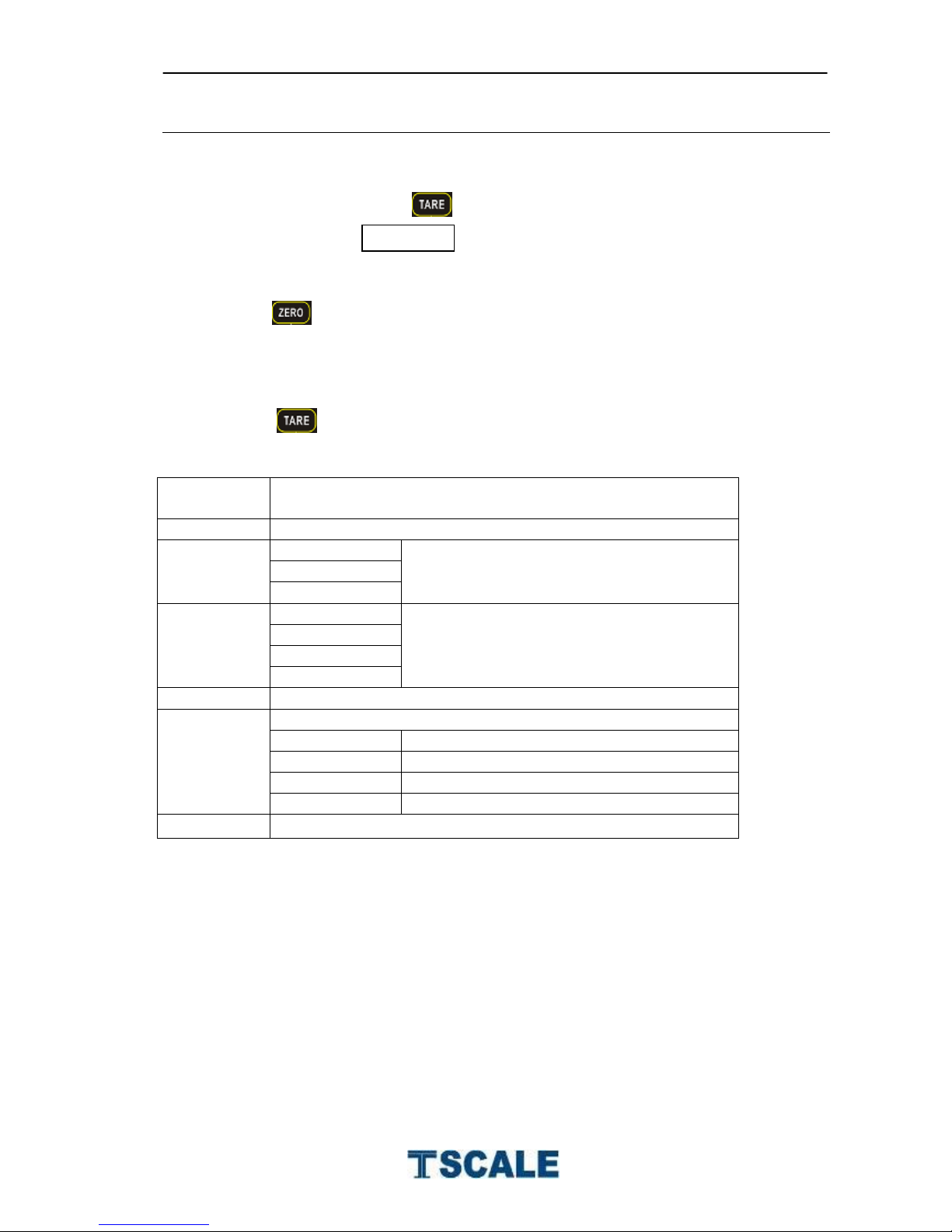
Enter the Menu
Turn on the scale. Press during that start up until display will be shown
Enter the Selected Menu
Press , it can confirm which will be shown displayed.
Select the Menu
Press , it can choose menu block one by one.
Menu
Description
F1 cal
Calibration
F2 res
3 000
Set Resolution
6000
dual
F3 cap
3 kg
Set Scale Capacity
6 kg
15 kg
3 0 kg
F4 inp
Internal Counts
F5 0ff
Set automatic turn off the scale
3 min
Scale will be auto off three minutes later
5 min
Scale will be auto off five minutes later
15 min
Scale will be auto off 15 minutes later
off
Auto off function disable
Back
Back to weighing mode
Page 10
S29 Series Technical Manual
- 10 -
6. CALIBRATION
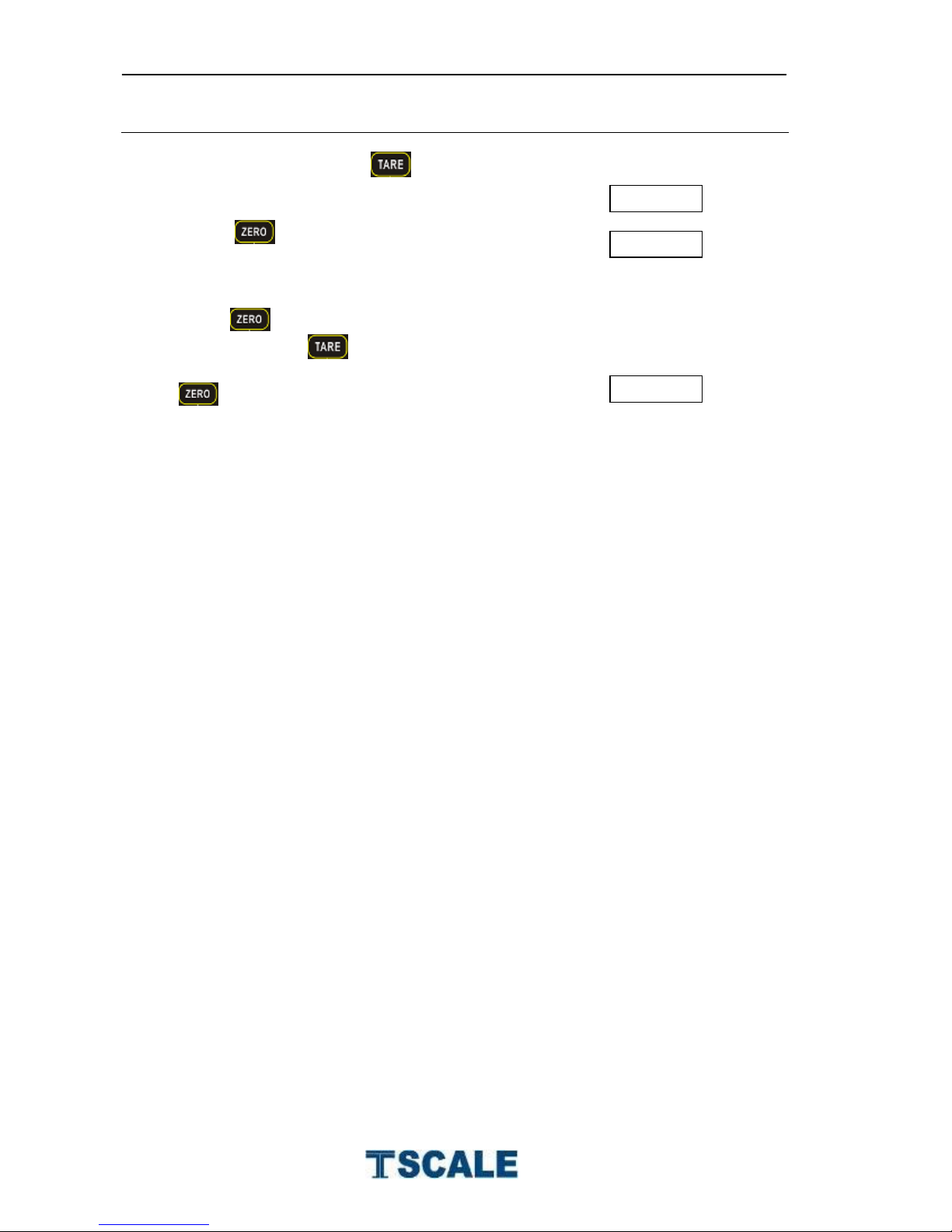
Turn on the scale. Press during that start up until display will be shown.
Press to confirm and display will be shown
Press , display will be shown current calibration weight value. If
necessary press to change the value and keep the weight on the
platform. After stable indicator on press
key to confirm.
Scale will be restart.
Incase display will show any error message or incorrect measurement, repeat
the calibration again.
Page 11
S29 Series Technical Manual
- 11 -
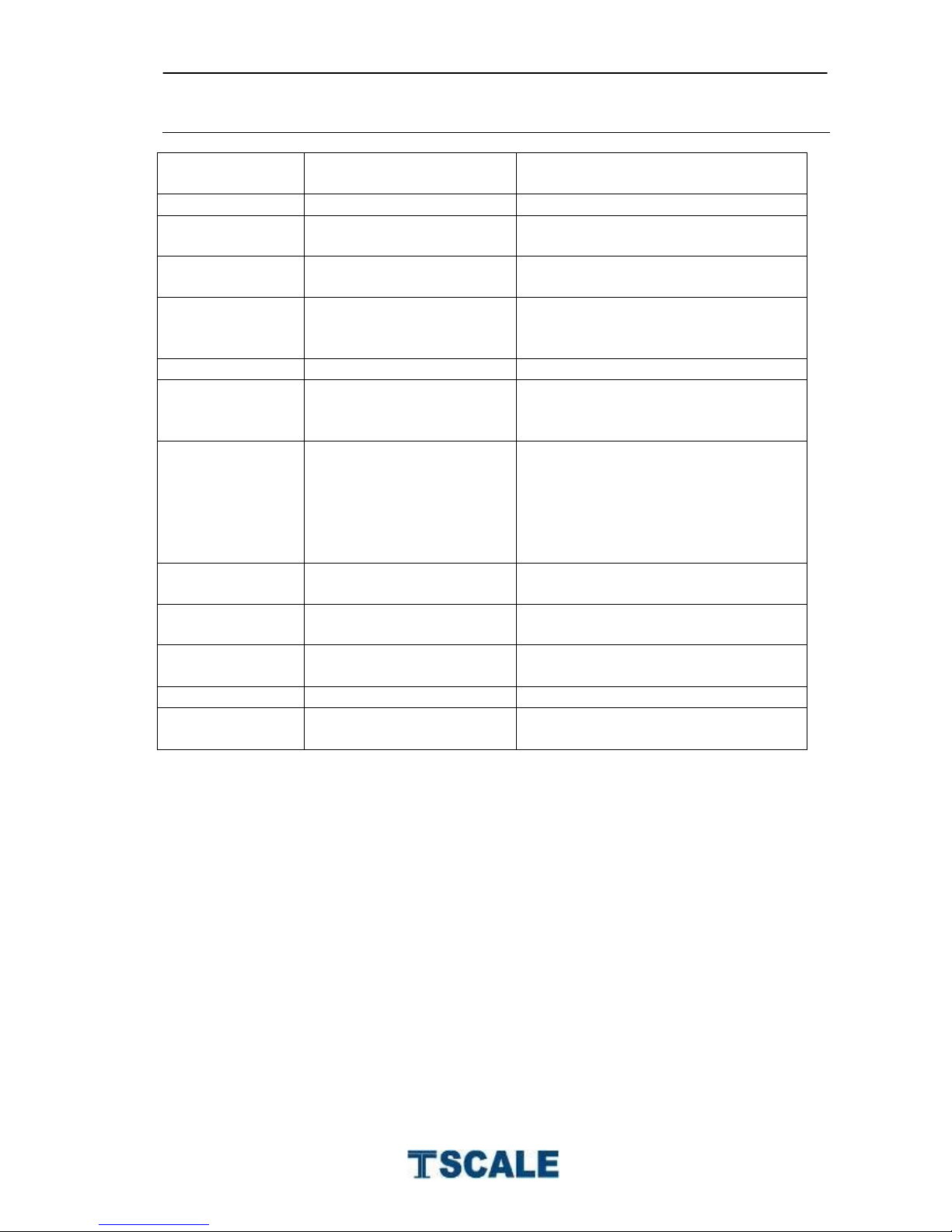
7. ERROR DISPLAY
Error Message
Description
Solution
-----
Maximum load exceeded
Unload or reduce weight
Err 1
Incorrect date
Enter the date by using format
“yy;mm:dd”
Err 2
Incorrect time
Enter the time by using format
“hh:mm:ss”
Err 4
Zero setting error
Zero setting range exceeded due
to switching on.(4%max)
Make sure platform empty.
Err 5
Key board error
Check the keys and connecter.
Err 6
A/D value out of range
Make sure platform empty and
check the pan is installed proper.
Check the load cell connectors.
Err 9
Unstable Reading
Check any air variation, vibration,
RF noise and touching some
where.
Check the load cell and
connecters.
Err 17
Tare out of range
Remove the load and restart scale
again.
--ol--
Over range
Remove the load.
Re calibrate
Fai l h /
fai l l
Calibration Error
Re calibrate
Err p
Printer error
Check the printer and settings
Ba lo /
lo ba
Battery low
Re charge battery, check the
voltages.
Page 12
S29 Series Technical Manual
- 12 -
11. DRAWING
Page 13
S29 Series Technical Manual
- 13 -
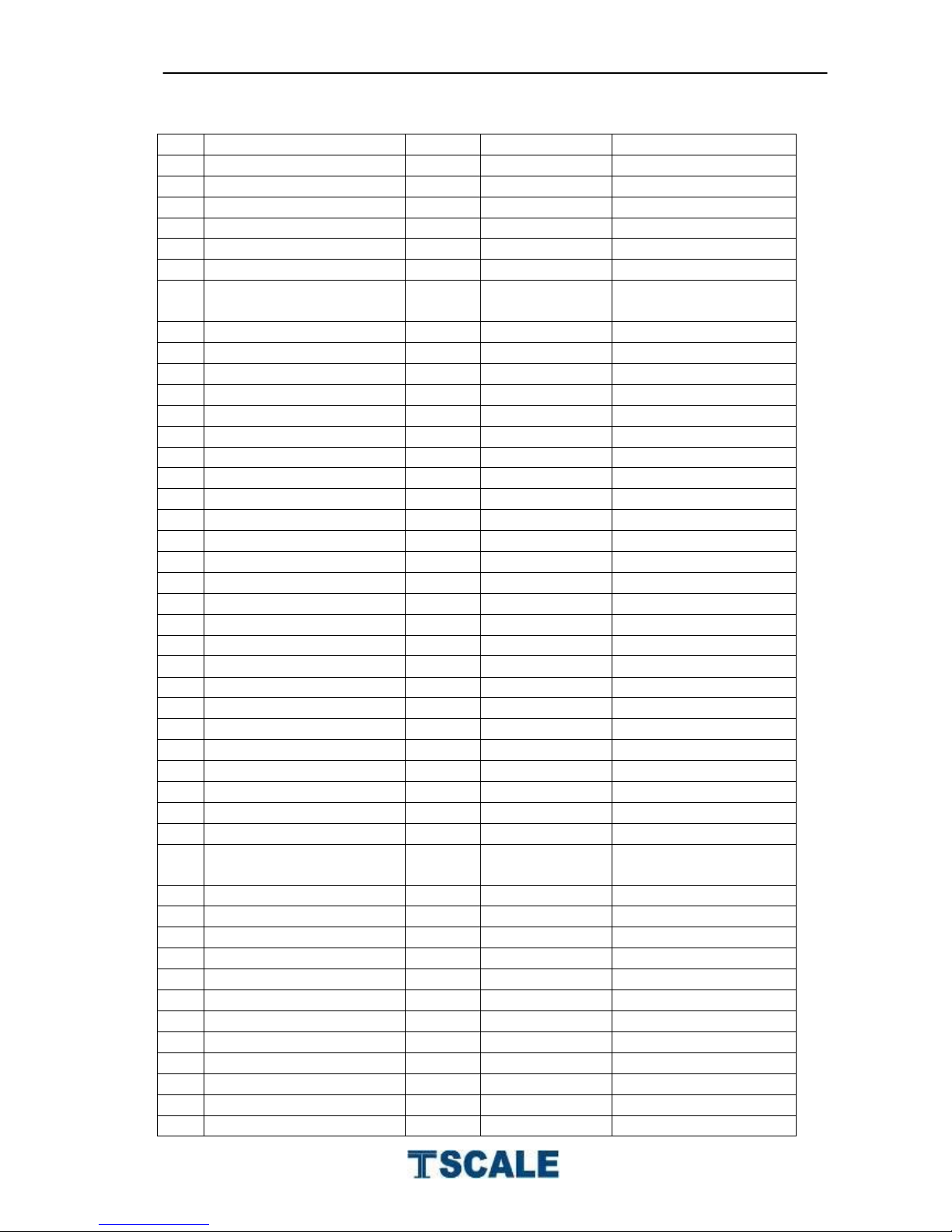
PARTS NAME
No
Parts Name
Qty
Material
Spec
1
SST Pan
1
SUS304
2 Screw with handle
2
SUS304
M6 3 Rubber 1
4
NBR
With waterproof glue
4
Rubber 2
2
NBR
With waterproof glue
5
Pan Support
1
SUS304
6 LCD Protection Sheet 2
1
PMMA
Optional
7
S29 Rear Display
Overlay
1
PC
Optional
8
Screw
9
SUS304
M3x10, optional
9
Insulative Washer
7
EDPM
Optional
10
Rear Display PCB
1 Optional
11
Name Plate
1
12
Top cover
1
SUS304
13
Star (+) Screw
4
SUS304
M4x6
14
Front Display PCB
1
15
Upper load cell bracket
1
Aluminum
16
Load cell
1
Aluminum
17
Hexagon Screw
4
SUS304
M4x16
18
Lower load cell bracket
Aluminum
19
Seal Rubber
1
Silicone
20
Bottom Cover
1
ABS
21
Battery Box
1
ABS
22
Battery
4
Size D
23
Battery Box cover
1
ABS
24
Battery box cover fixer2
2
ABS
25
Round Pan
1
ABS
26
Film fix circle 1
1
SUS304
27
Film
1
Silicon
28
Pan Spacer 3
2
NBR
29
Star (+) Screw
6
SUS304
M4x10
30
Spring Washer
24
SUS304
M4
31
Washer
22
SUS304
M4
32
Front Display Overlay
1
PC
33
Front Display
protection sheet
1
PMMA
34
Film fix circle2
1
SUS304
35
AD seal Box
1
ABS
36
Allen screws
4
SUS304
M6x20
37
Spring Washer
4
SUS304
M6
38
Hexagon Nut
4
SUS304
M4
39
Star (+) Screw
14
SUS304
M4x16
40
Washer
4
SUS304
M6
41
Level bubble
1 14.7mm
42
Self thread Screw
4
SUS304
4x8
43
Seal Rubber 2
1
Silicone
44
Screw
2
SUS304
M4x12
45
Battery box cover fixer1
2
ABS
Page 14

S29 Series Technical Manual
- 14 -
46
Foot fixer
4
ABS
47
Foot
4
PVC
48
Washer
8
NBR
49
Washer cover
8
SUS304
Page 15
S29 Series Technical Manual
- 15 -
12. SPECIFICATIONS
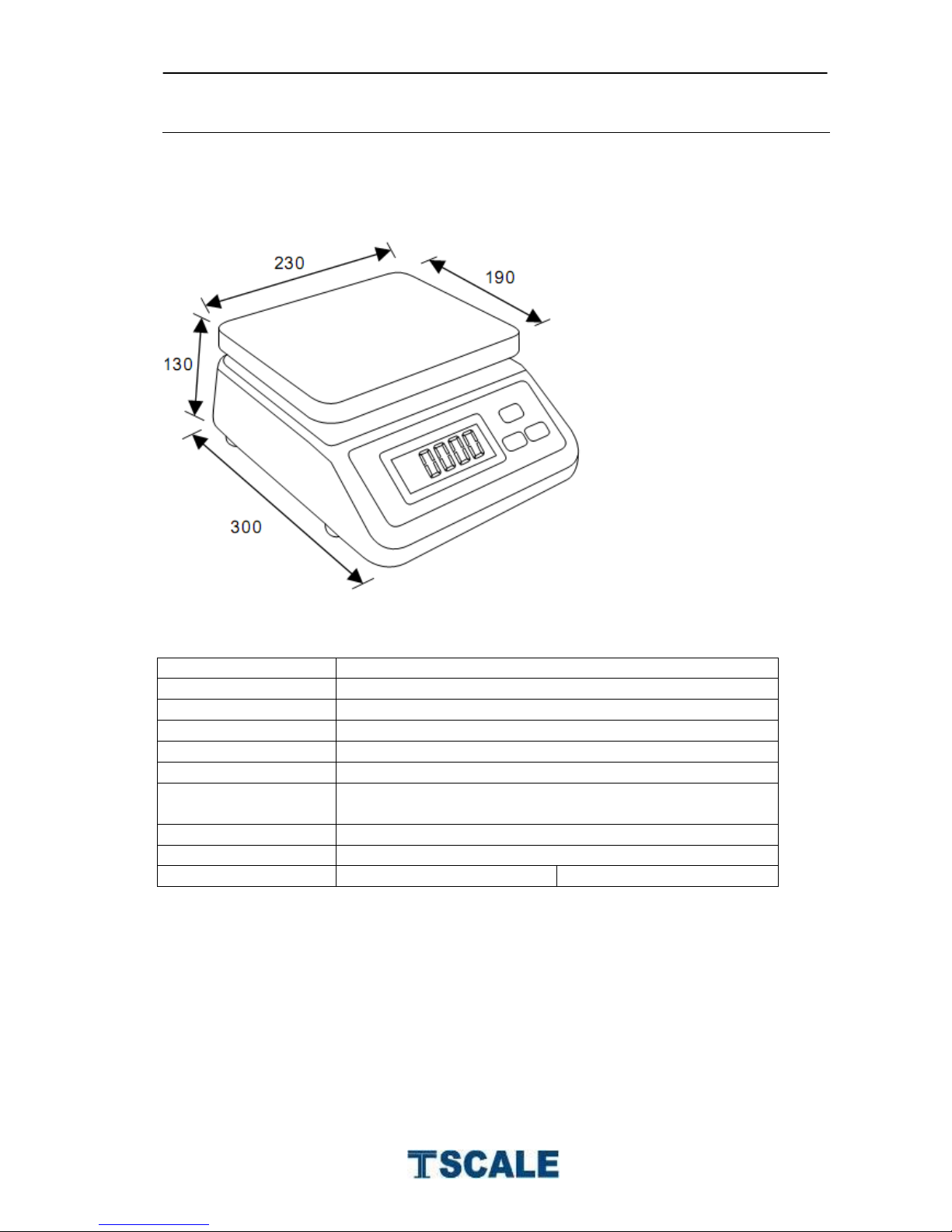
DIMENSION
SPECIFICATION
Model
S29
Capacity
3kg/6kg/15kg
External Resolution
3000/6000/Dual
Display
25mm LCD display with White back light
Dimensions
230mm x 300mm x 190mm
Keypad
Three keys
Operate
Temperature
0°C - 40°C / 32°F - 104°F
Power
Adaptor 9V/800mA, Battery 6V/3.4 AH
Internal Counts
Up to 60000
Weight
Dry battery cell 3.1kg
Lead Acid 4.2 kg
Page 16
S29 Series Technical Manual
- 16 -
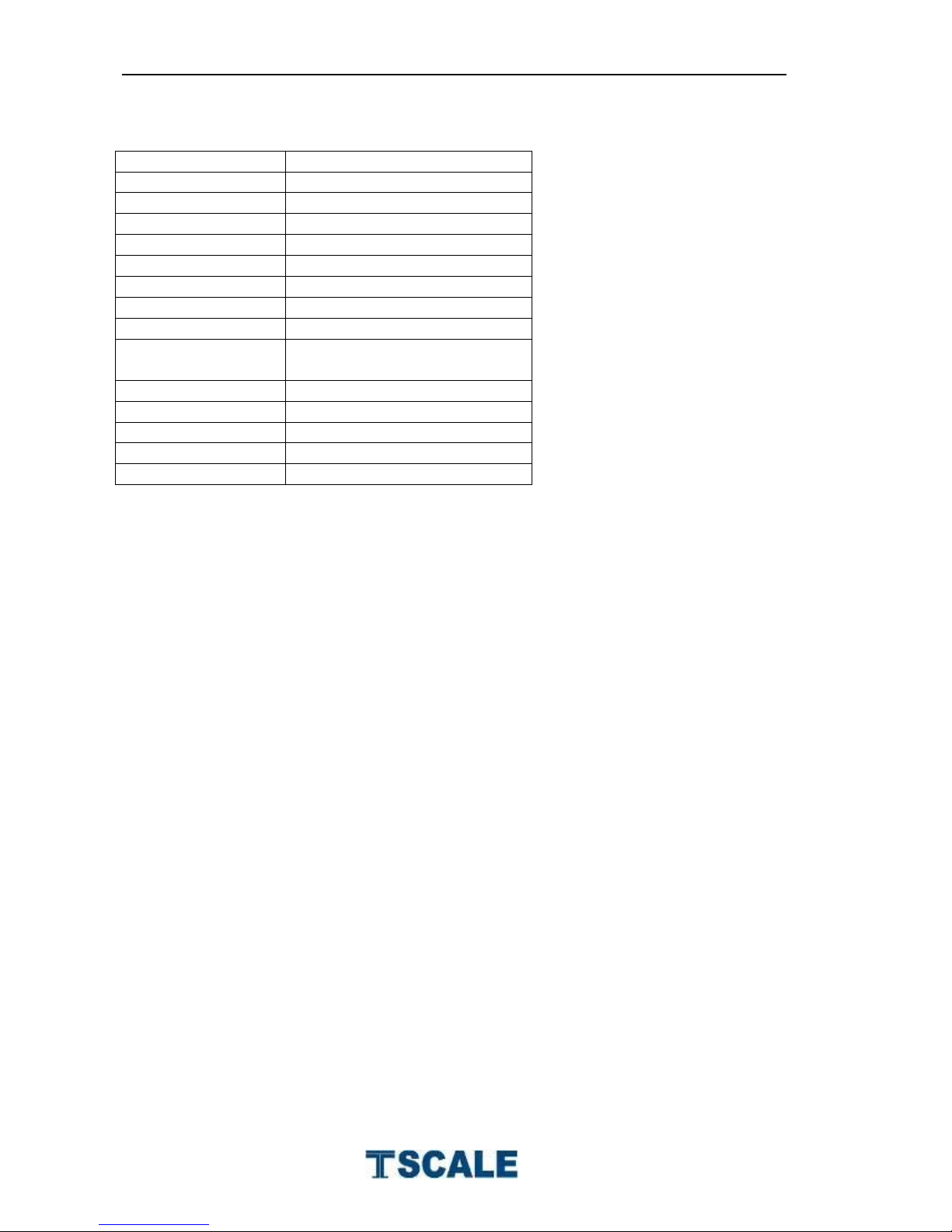
LOAD CELL SPECIFICATIONS
Model No
LC-A-L
Rated Capacity
3~45kg
Sensitivity
2.0±0.002mv/v
Excitation Voltage
15V
IP Level
IP67
Material
Aluminum
Cable
0.3~3m Φ 4mm
Input Resistance
405Ω ±5Ω
Out put Resistance
350Ω ±3Ω
Temperature
Range
-40°C ~ +80°C
Safe overload
150%F.S
Ultimate overload
200%F.S
Error
±0.02%F.S
Creep (30min)
±0.02%F.S
Zero Balance
±1%F.S
 Loading...