

Page 1
International Point of Sale: CornerStore POS
1
1-866-468-5767 or 201-928-0222 International Point of Sale |
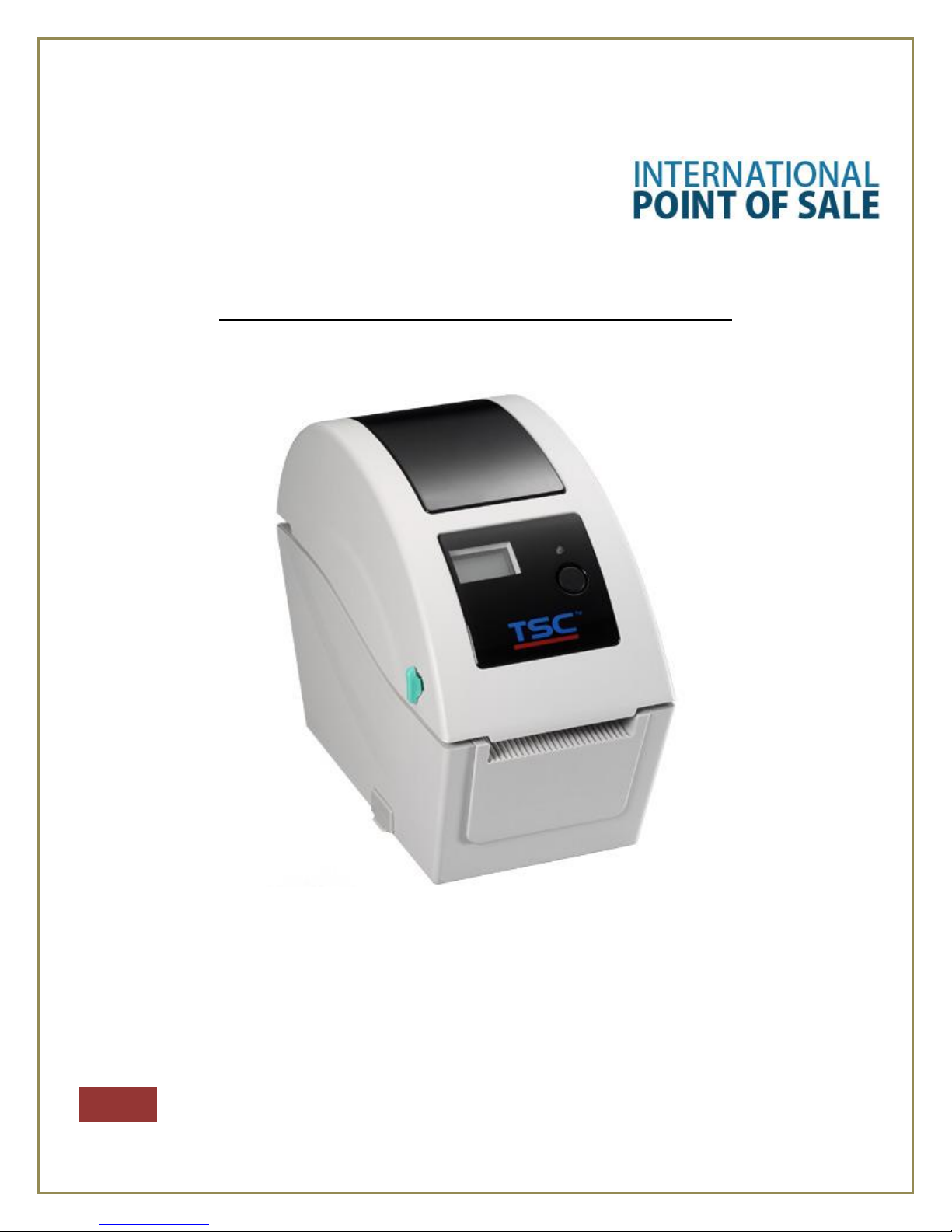
TSC TDP-225 Label Printer Installation and Printing Guide
This document will explain how to install the Zebra LP 2848 Label Printer up to your computer, and
Page 2
International Point of Sale: CornerStore POS
2
1-866-468-5767 or 201-928-0222 International Point of Sale |
then download Barcode Express to sync up with your CornerStore. Use Barcode Express to print out
labels for your entire inventory
Installing the TSC TDP-225 Driver
Step 1: Download the printer driver from the link under
http://cornerstorepos.com/downloads/hardware/TSC%20TDP%20225.zip
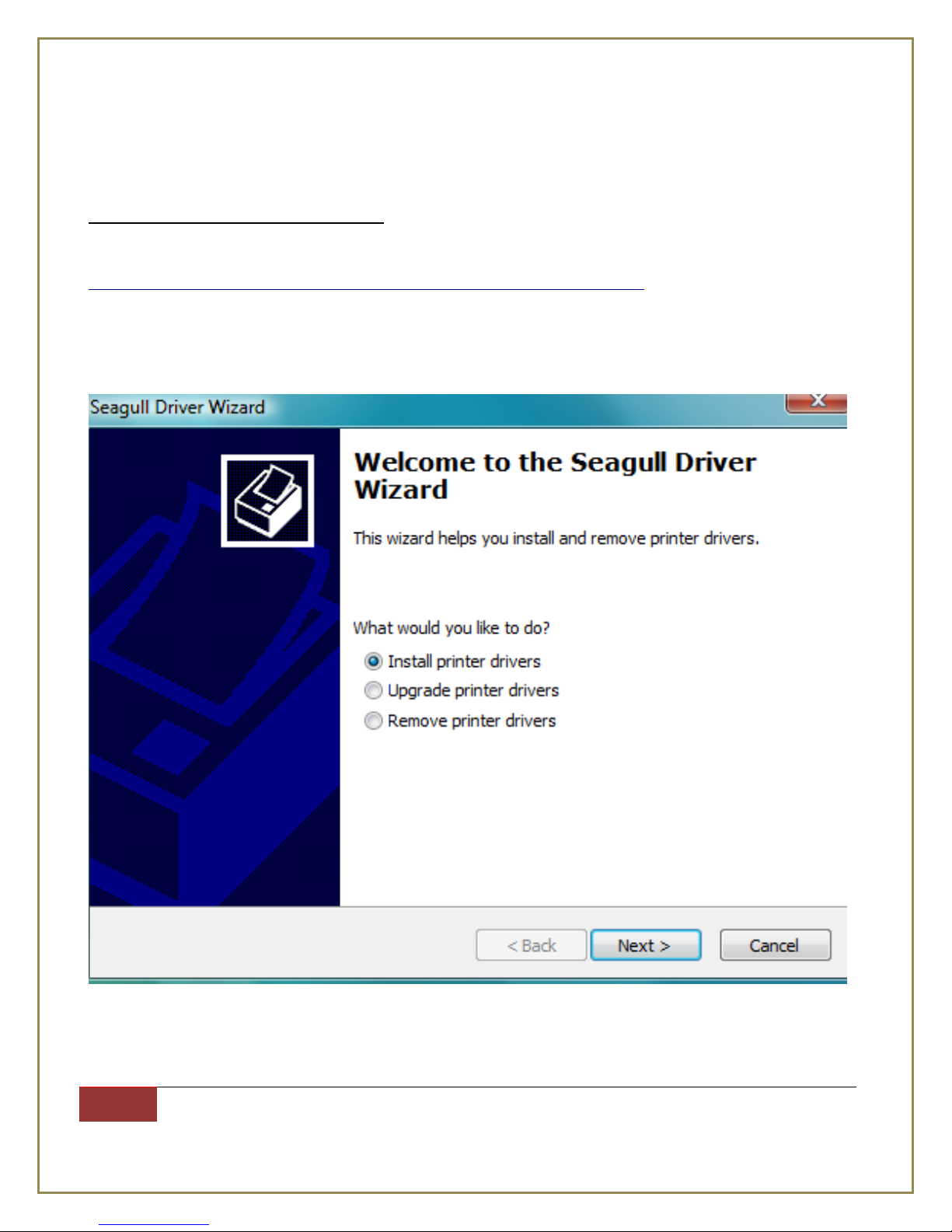
Step 2: Run downloaded “DriverWizard.exe” file
Step 3: Click Next
Page 3
International Point of Sale: CornerStore POS
3
1-866-468-5767 or 201-928-0222 International Point of Sale |
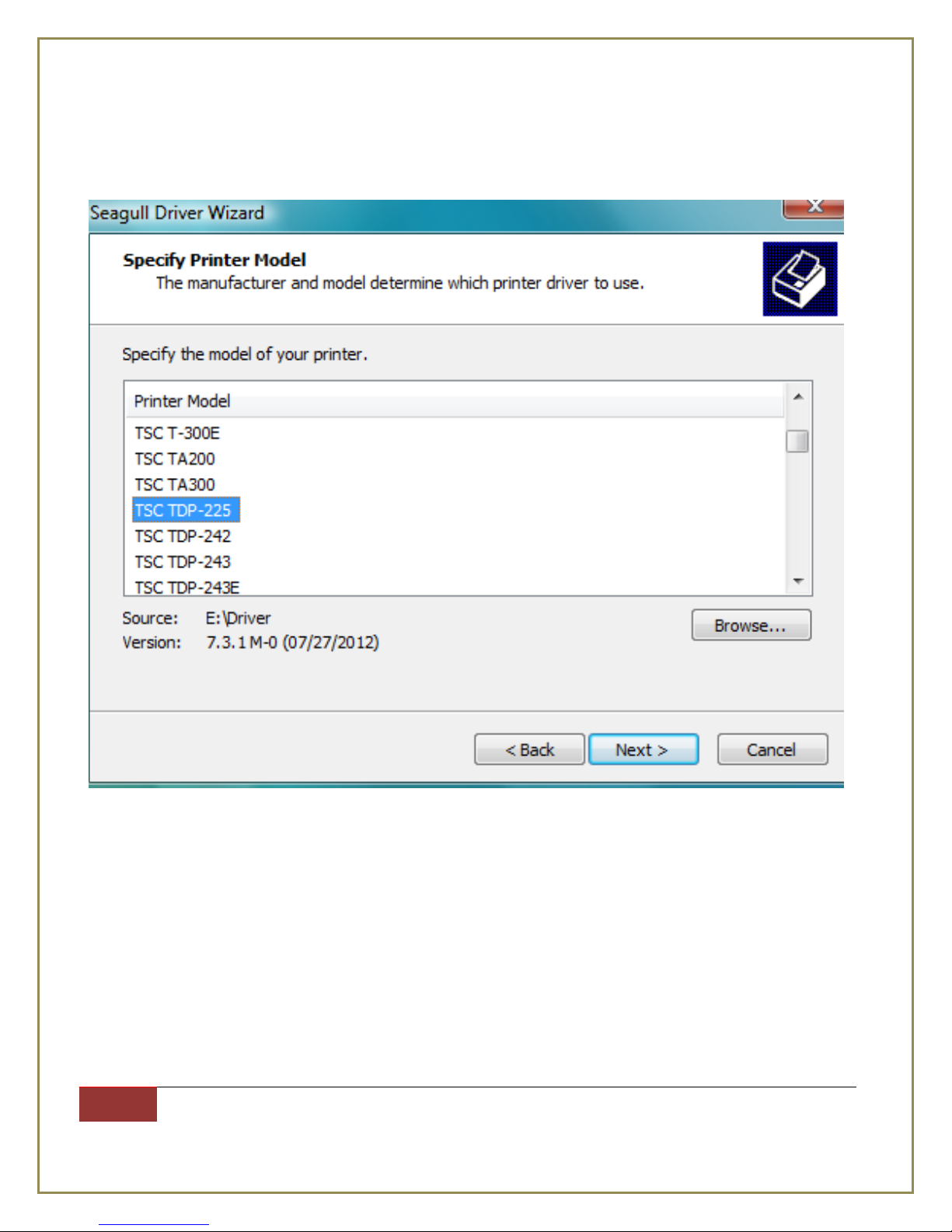
Step 4: Highlight TSC TDP-225 and click Next
Page 4
International Point of Sale: CornerStore POS
4
1-866-468-5767 or 201-928-0222 International Point of Sale |
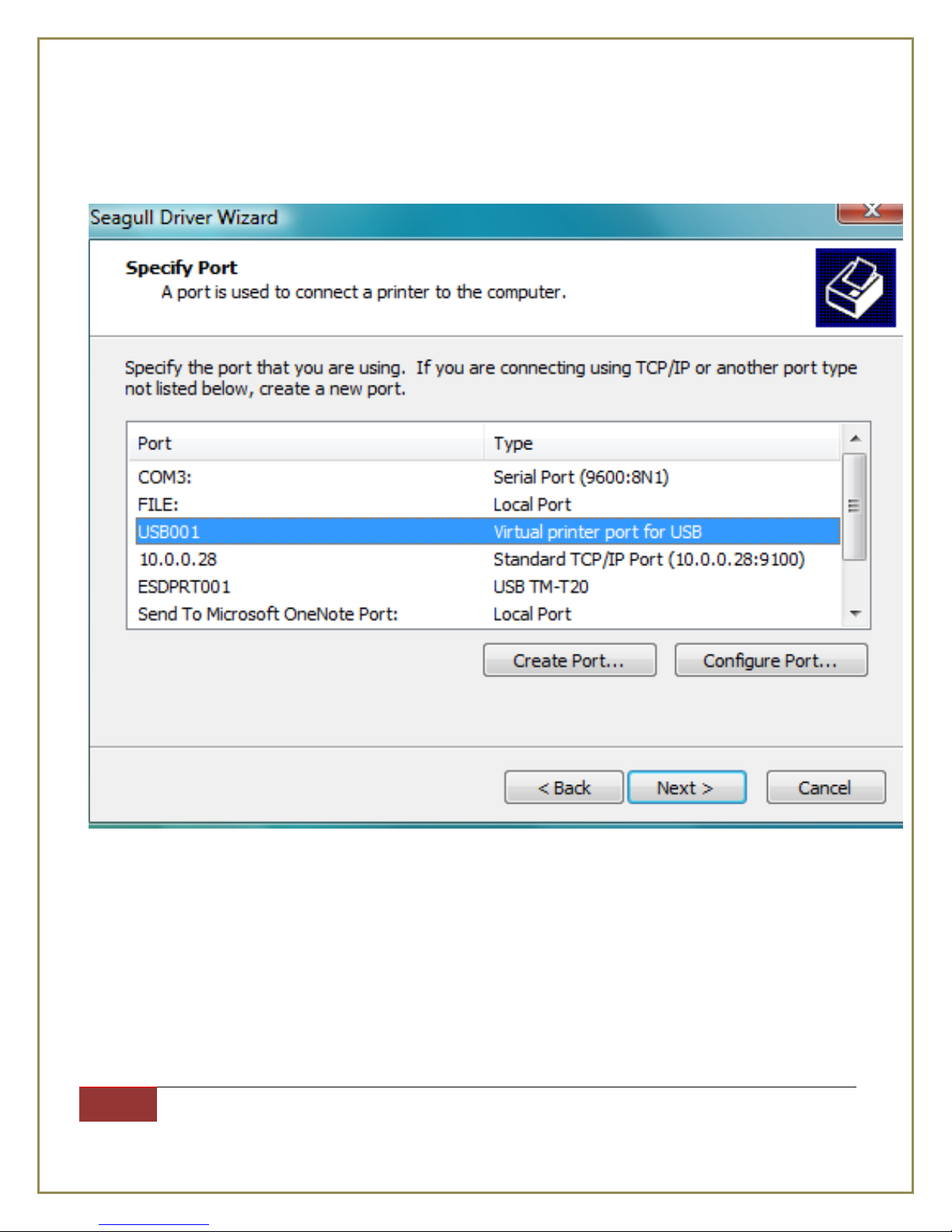
Step 5: Highlight a USB port and click Next
Page 5
International Point of Sale: CornerStore POS
5
1-866-468-5767 or 201-928-0222 International Point of Sale |
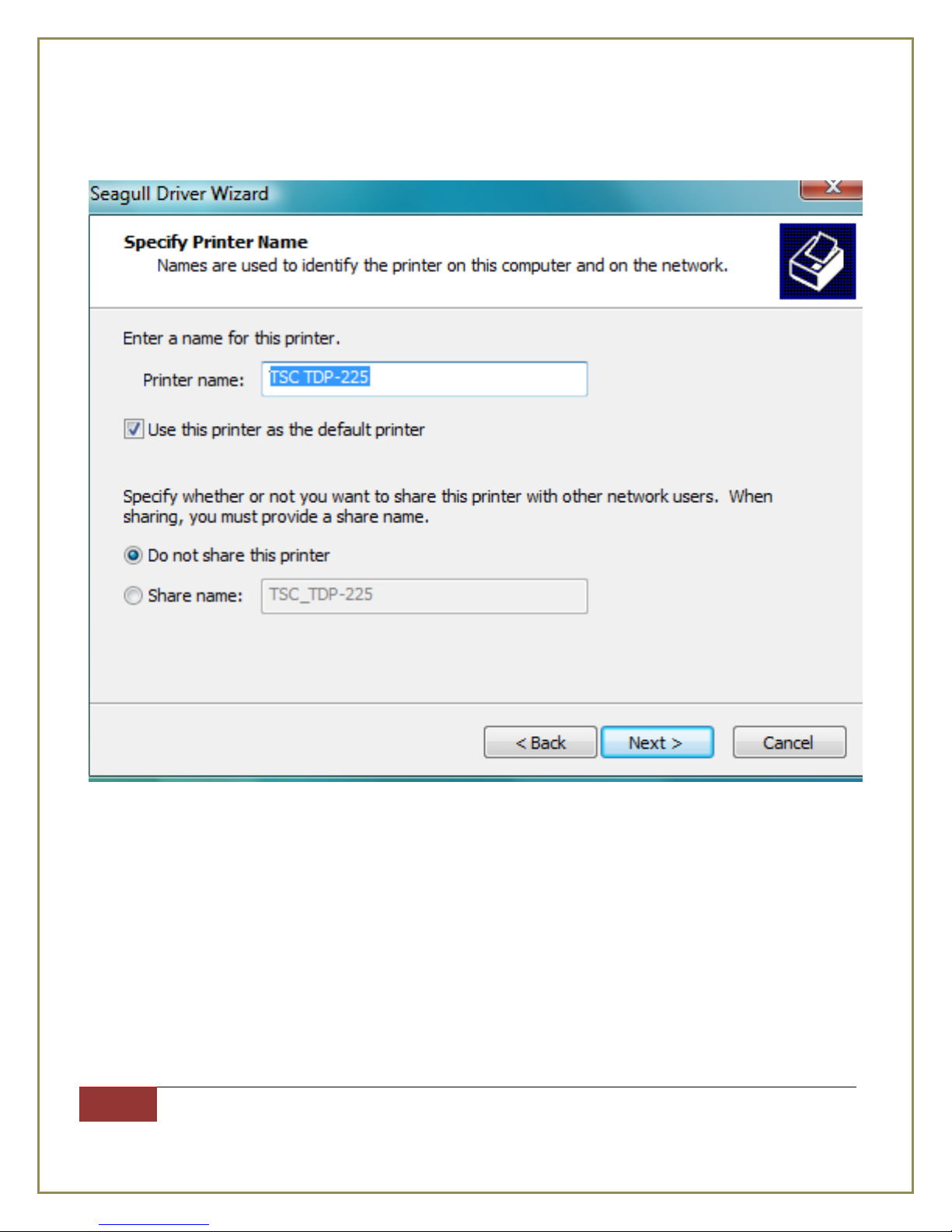
Step 6: Uncheck Use this printer as the default printer and click Next
Page 6
International Point of Sale: CornerStore POS
6
1-866-468-5767 or 201-928-0222 International Point of Sale |
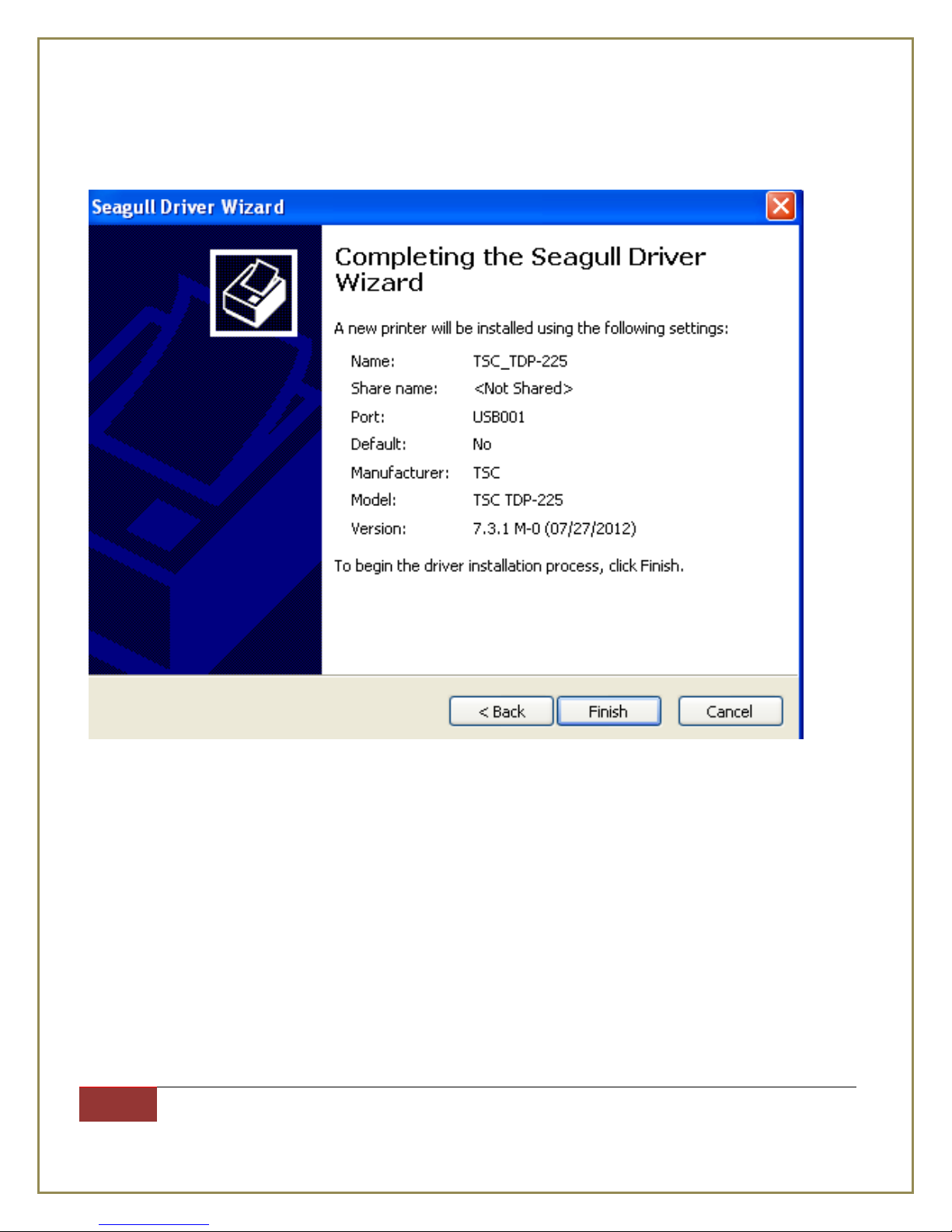
Step 7: Click Finish
When the process is done, the printer driver for TSC TDP-225 has been installed
Page 7
International Point of Sale: CornerStore POS
7
1-866-468-5767 or 201-928-0222 International Point of Sale |
Installing the Barcode Express Software
Now you need to download the label maker at
http://cornerstorepos.com/downloads/software/Barcode%20Express.msi
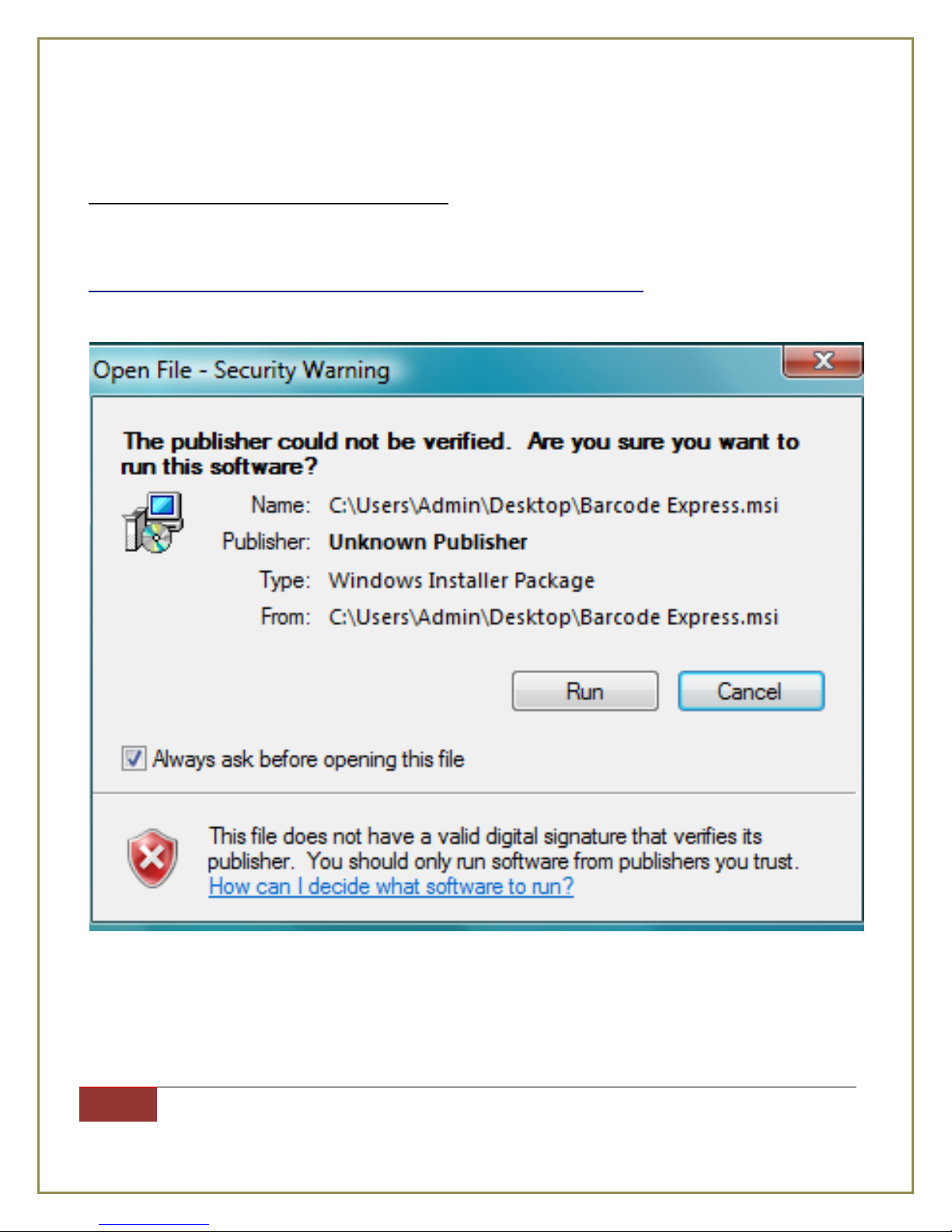
Step 1: Open downloaded file (Barcode Express.msi) and click Run
Page 8
International Point of Sale: CornerStore POS
8
1-866-468-5767 or 201-928-0222 International Point of Sale |
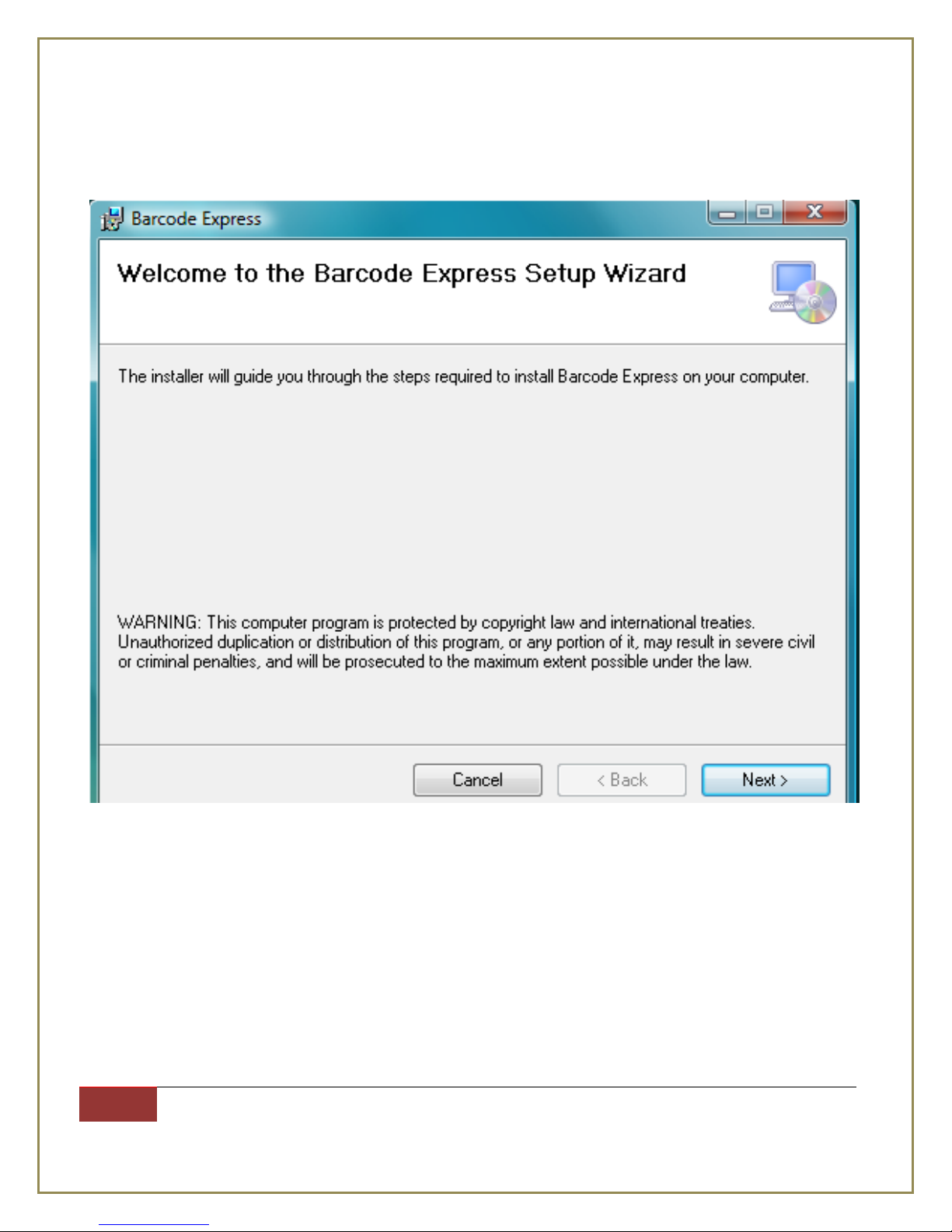
Step 2: Click Next
Page 9
International Point of Sale: CornerStore POS
9
1-866-468-5767 or 201-928-0222 International Point of Sale |
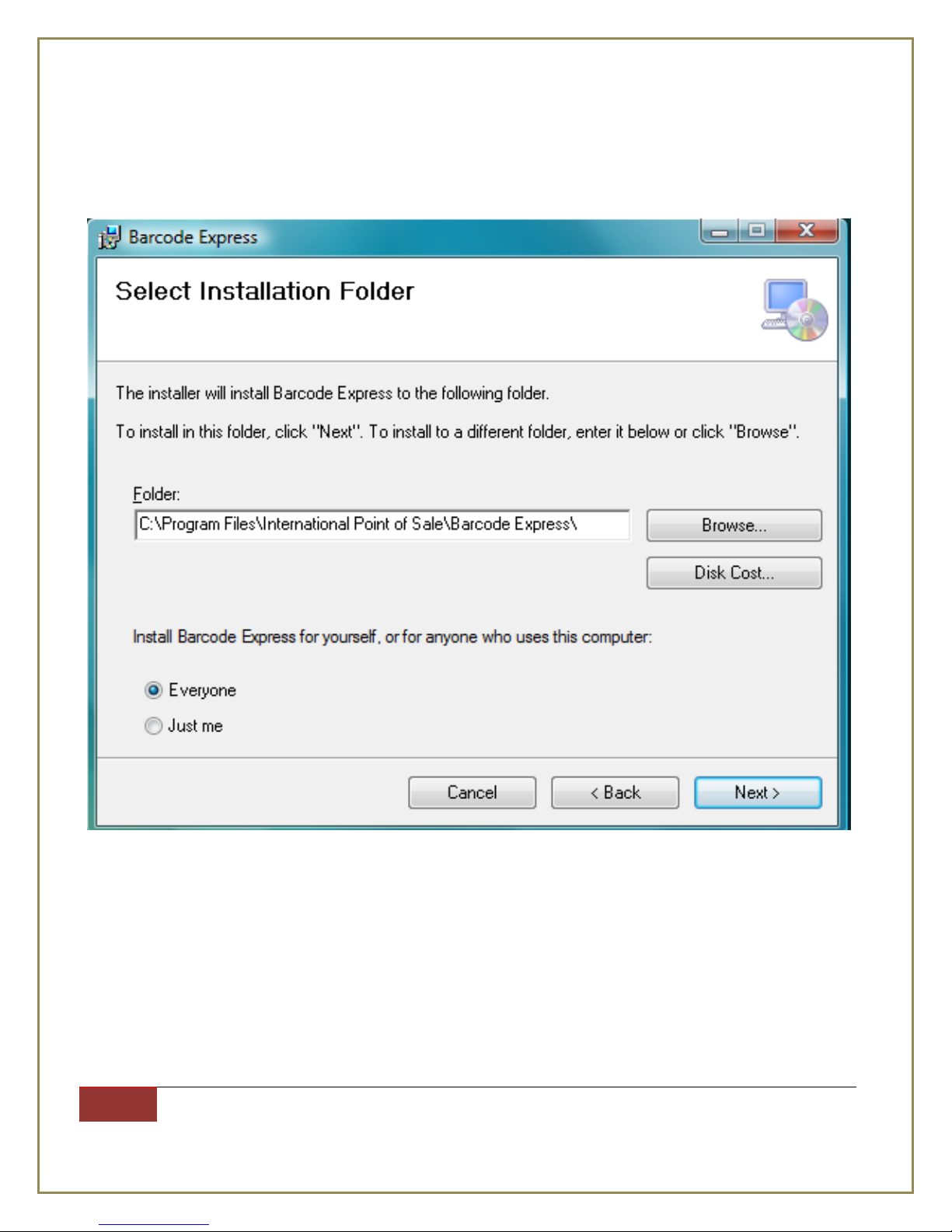
Step 3: check everyone then click Next.
Page 10
International Point of Sale: CornerStore POS
10
1-866-468-5767 or 201-928-0222 International Point of Sale |
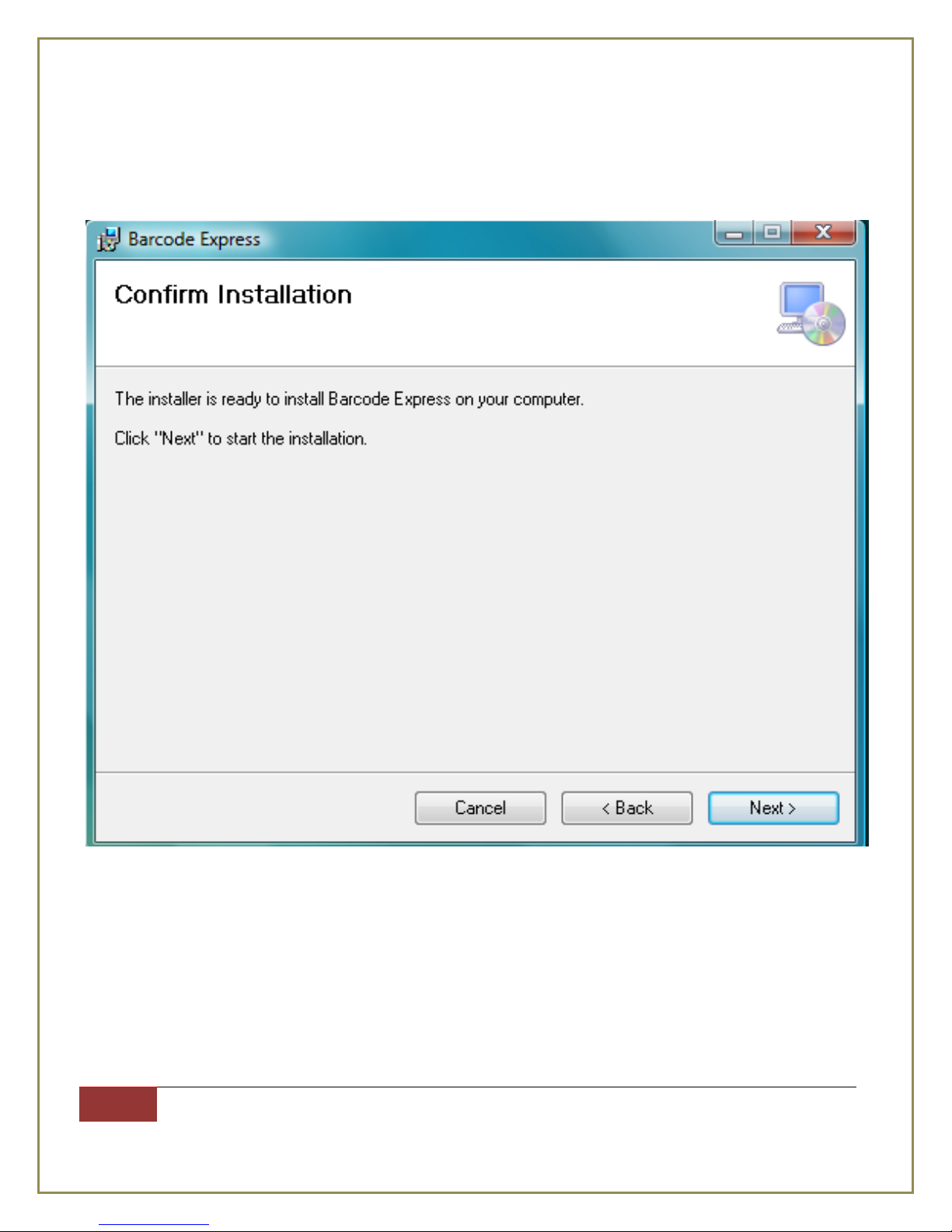
Step 4: click Next.
Page 11
International Point of Sale: CornerStore POS
11
1-866-468-5767 or 201-928-0222 International Point of Sale |
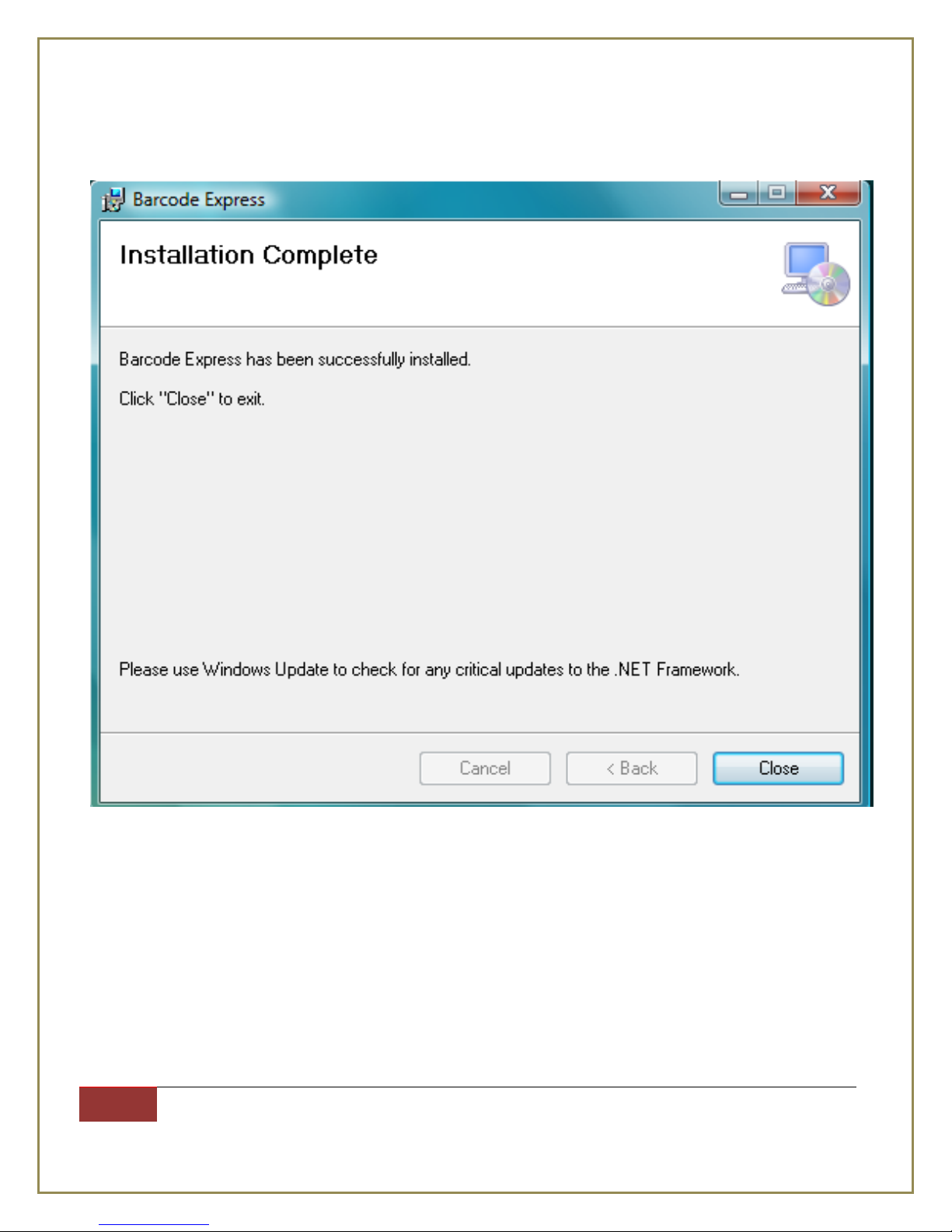
Step 5: click Close.
When you’re done, you should see a program on your desktop that says Barcode Express.
Note: Once printer has been installed open CornerStore -> Login into CornerStore -> Go
to Setup -> Hardware Setup -> Select Label Printer and select TSC TDP – 225 printers
from list of printer install onto your computer.
Page 12
International Point of Sale: CornerStore POS
12
1-866-468-5767 or 201-928-0222 International Point of Sale |
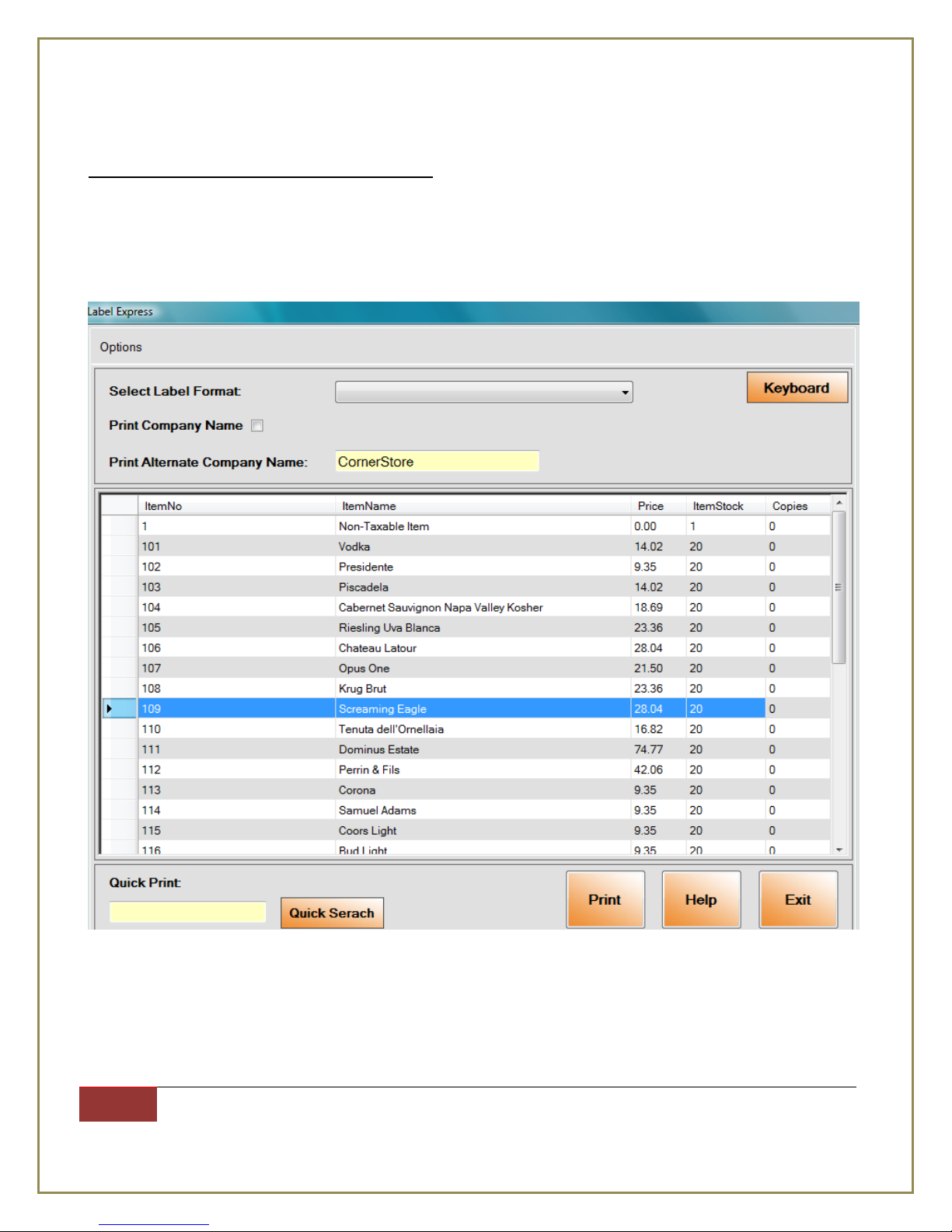
Printing a Label from Barcode Express
All items in your CornerStore inventory are already in Barcode Express.
To print out a label you can do the following
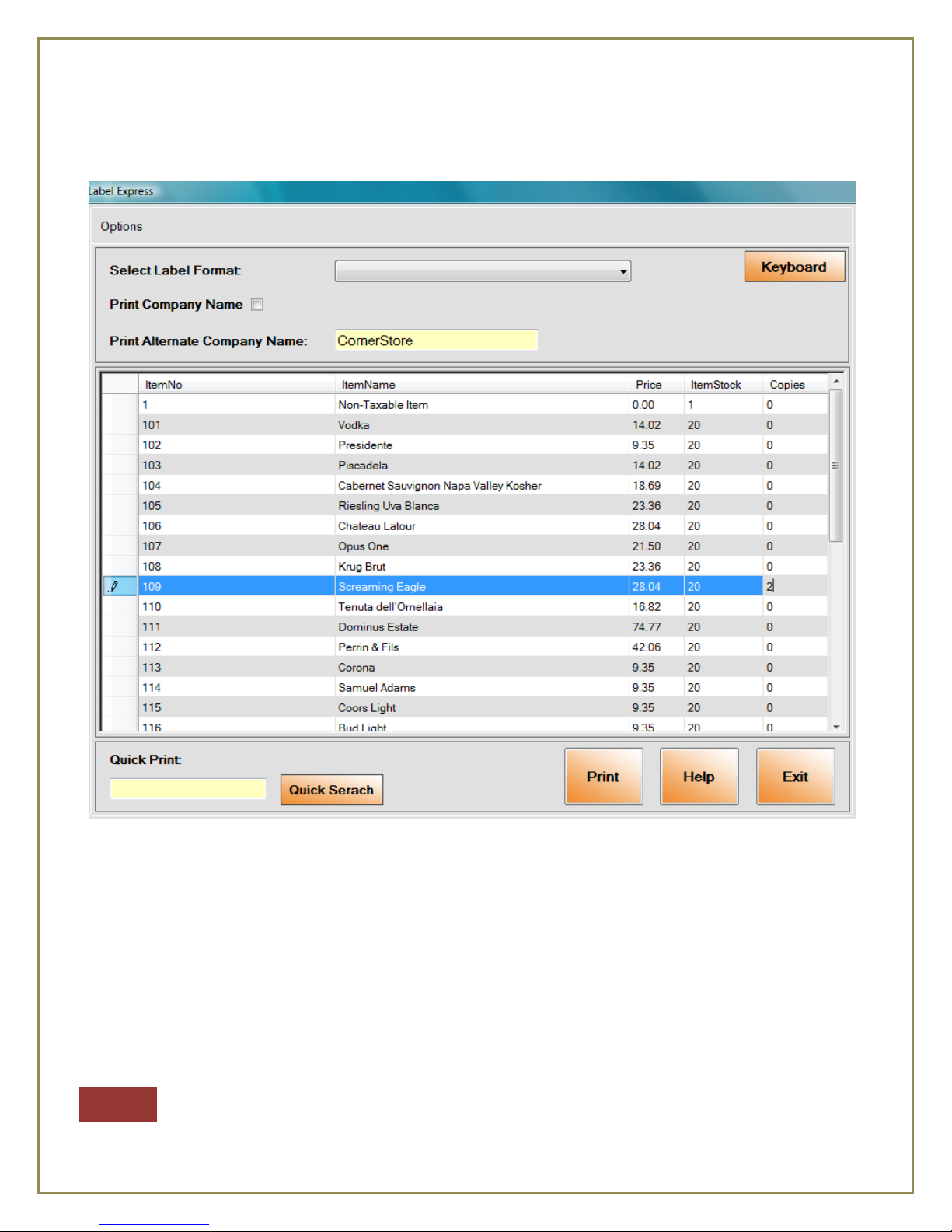
Step 1: Select the item you want, and then go to the Copies column corresponding to the item you
want and click on the 0 corresponding to the item you selected.
Page 13
International Point of Sale: CornerStore POS
13
1-866-468-5767 or 201-928-0222 International Point of Sale |
Step 2: Type in the number of labels you would like to print out.
(Note to user: You can repeat Steps 1 and 2 to print out labels for more than one item at a time)
Page 14
International Point of Sale: CornerStore POS
14
1-866-468-5767 or 201-928-0222 International Point of Sale |
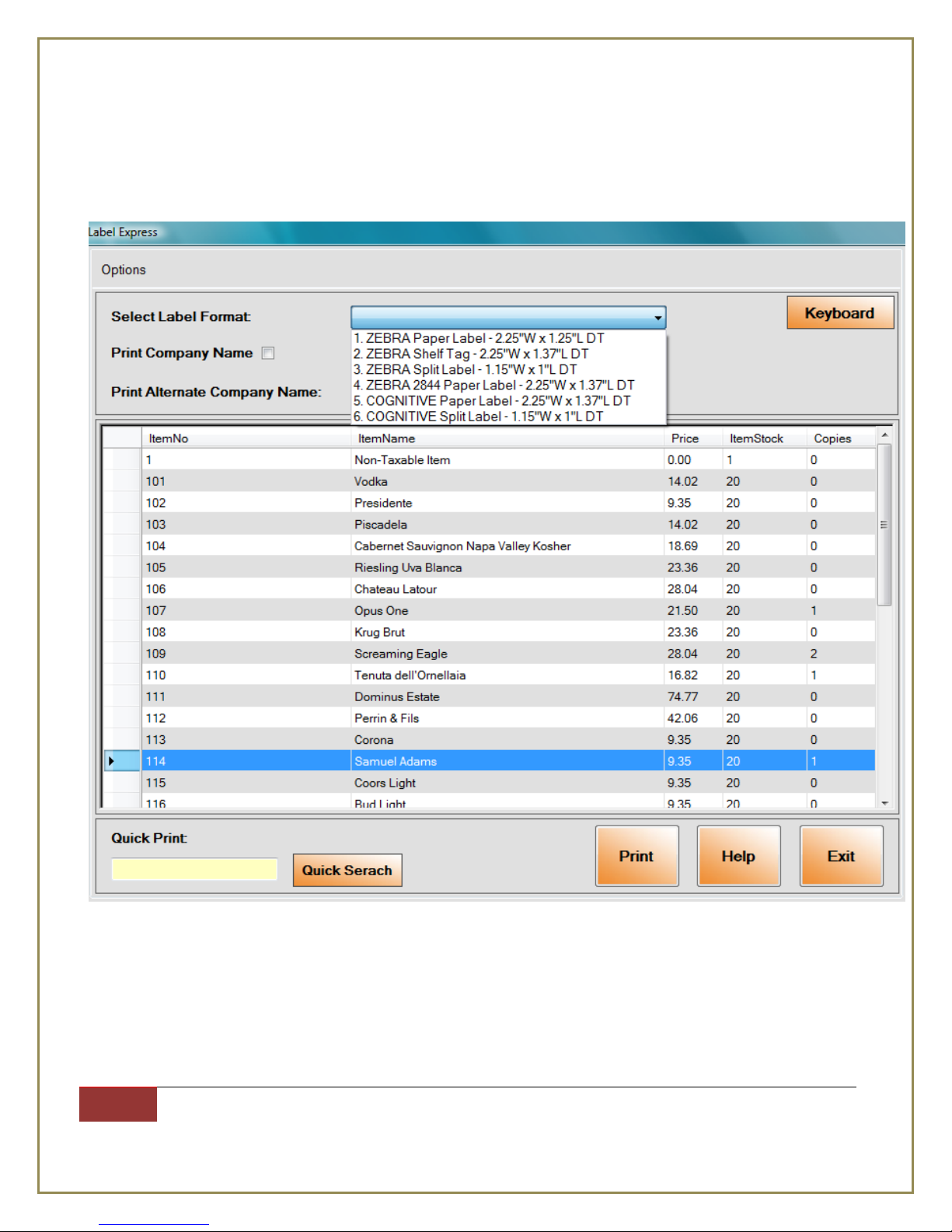
Step 3: On the drop down menu “Select Label Format” towards the top, choose what type of labels
you want to print out. (Note to user: Only select the “ZEBRA.....” options)
Step 4: After Selecting the type of labels you want to print, click on Print at the bottom
Page 15
International Point of Sale: CornerStore POS
15
1-866-468-5767 or 201-928-0222 International Point of Sale |
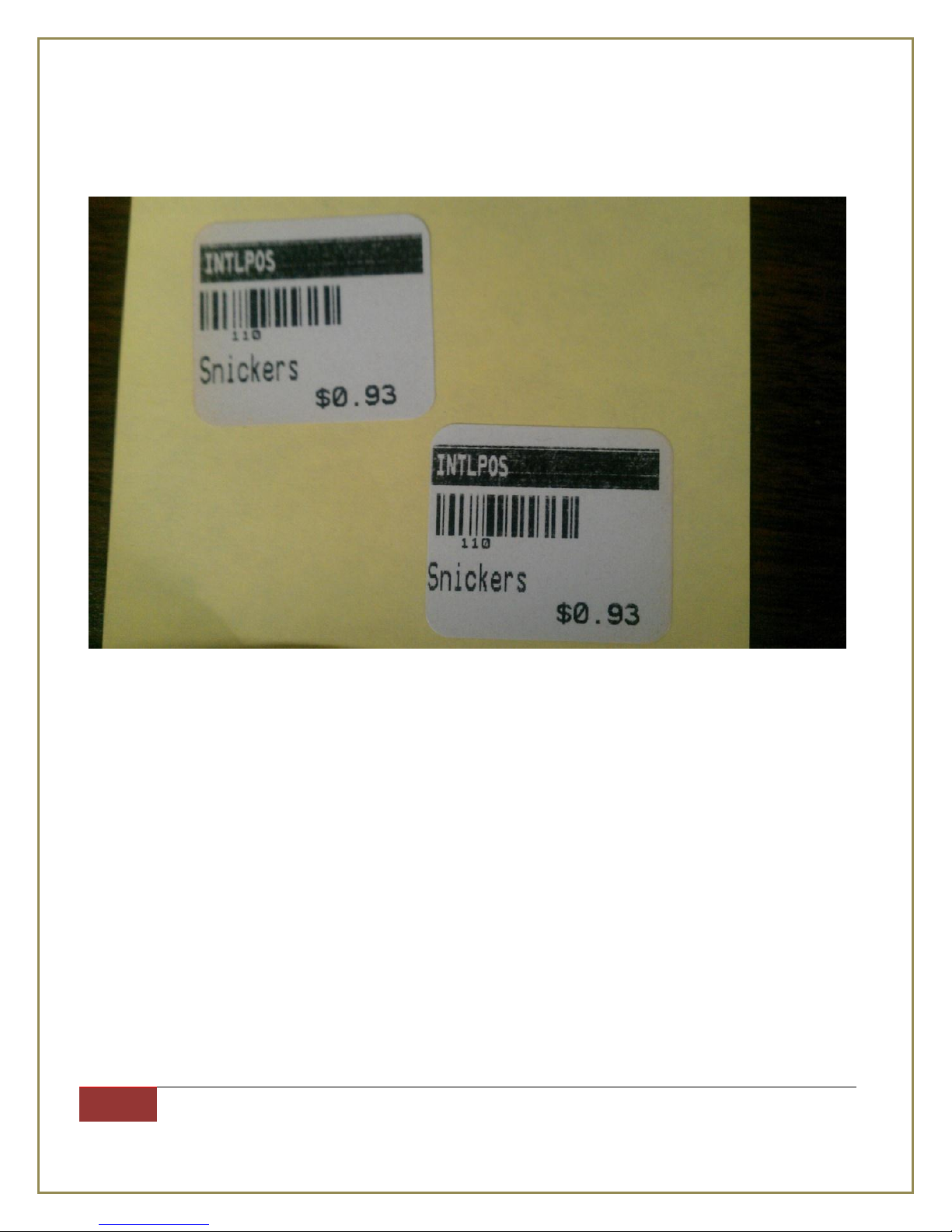
If you selected split label, it will produce two labels per (1) selection.
Split Label
Page 16
International Point of Sale: CornerStore POS
16
1-866-468-5767 or 201-928-0222 International Point of Sale |
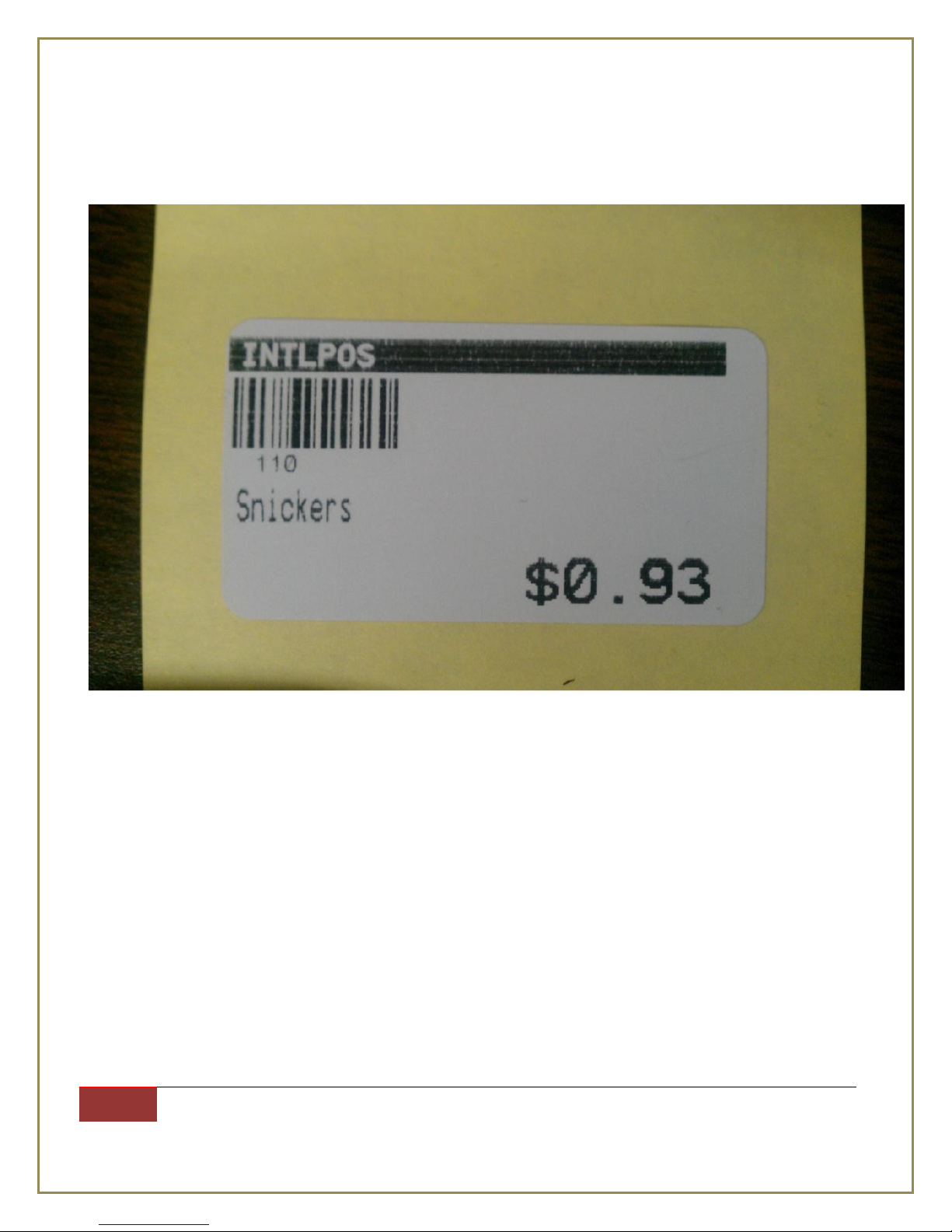
Regular Label
Things to note: The maximum item bar code number limit on split label is 12-14 characters. The
maximum item bar code limit on regular label is 30.
The price is viewed best when it’s in $X.XX or $XX.XX format
 Loading...