

Page 1
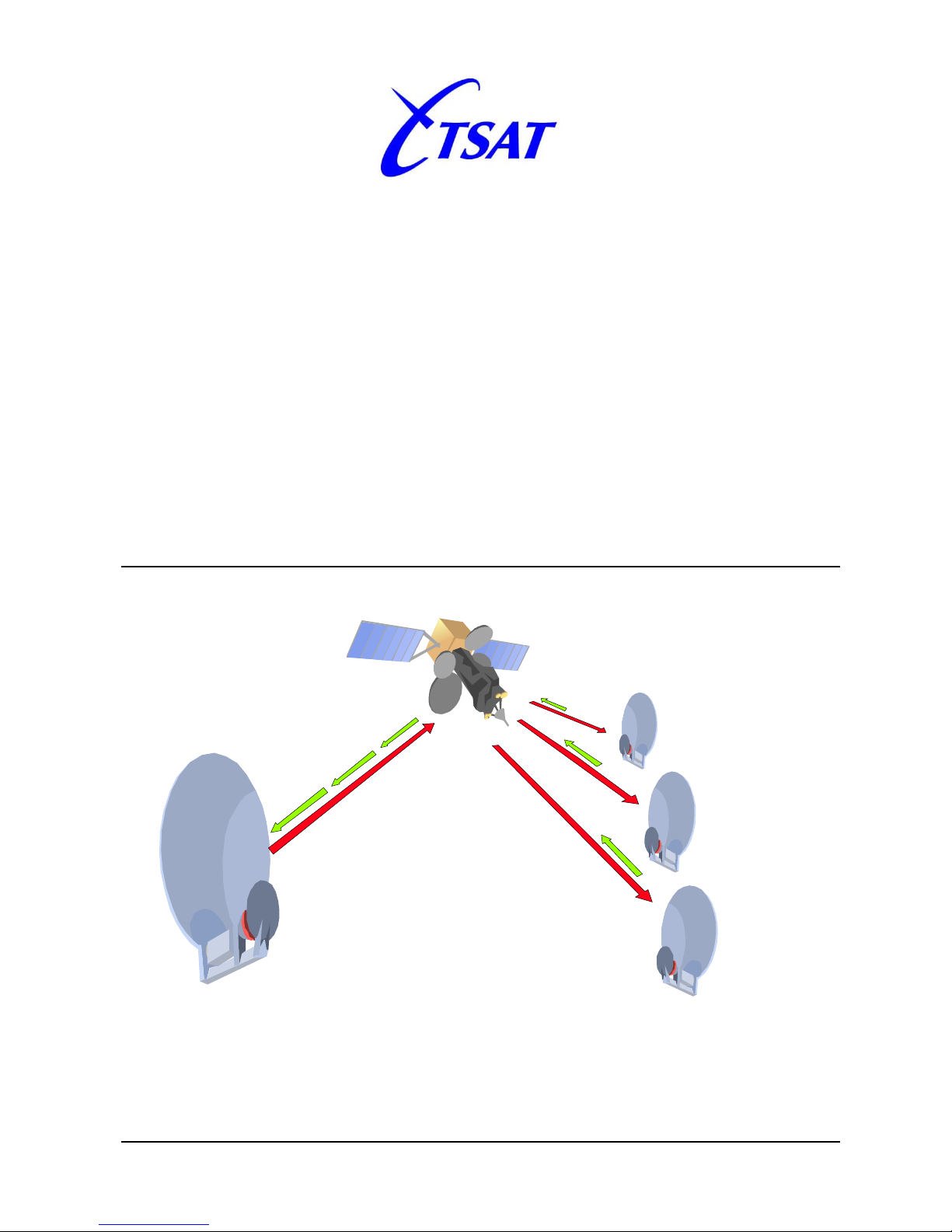
Product: DOC3010, Revision: 1.6.3
January 2013
Telemetry and data transfer via SATellite
TSAT 3000 Command Line Interpreter
Command Reference Manual
1.6.3
Page 2
Command Reference Manual
TSAT 3000 Command Line Interpreter January 2013 Page 2 of 41
Document Status
Product description: TSAT3000 Command Line Int er face Command Reference
Document
Revision
Date Bundle
Release
Description
1.0.0 2008.02.15 2.0.0 Initial revision
1.0.1 2008.03.13 2.0.0 Word and grammer corrections.
1.1.0 2008.11.27 3.1.0 Adding/updating commands for Release 3.1.0.
1.1.1 2008.12.01 3.1.0 Modified command description layout.
1.2.0 2008.12.09 3.2.0 Added commands for Release 3.2.0.
1.3.0 2009.07.02 3.6.0 Modified for Release 3.6.0
1.4.0 2009.12.09 4.0.0 Modified for Release 4.0.0
1.5.0 2011.06.24 4.3.0 Changed “net ping”
1.6.0 2011.10.20 4.4.1 New “sys rf tx level cal”
New “sys rf tx calibrate”
Changed “rf info”
1.6.1 2012.01.09 4.4.3 Changed “net ping”: Add [-I ifname] [-S srcAddr].
Described “net ifconfig”: [bits]
1.6.2 2012.10.12 4.7.2 New RIP [3.3.5] options: nosplithorizon + noinvalidate.
New RIP [3.3.5] command: “net rip debug [0-9]”.
1.6.3 2013.01.28 4.8.0 Changed RIP [3.3.5] options: noinvalidate.
New RoHC [3.3.4] command: “net sat hcmode [enable | disable | rx-only]”.
Page 3

Command Reference Manual
TSAT 3000 Command Line Interpreter January 2013 Page 3 of 41
Documentation Comment Form
TSAT AS encourages you to comment on the docum entation supplied with our products. This
information helps us to provide quality products to m eet your needs.
Edition Date: 28 January 2013
Product: DOC3010 Rev. 1.6.3
Please comment on the correctness, com plet eness, clarity, organisation and usefulness of the
manual.
If you find errors in the manual, please r ec ord the page numbers and describe the error s .
Thank you for your help.
Name___________________________________________________________________
Title_____________________________________________________________________
Company_________________________________________________________________
Address__________________________________________________________________
Phone (________)________________________________________________________
Further information about TSAT 3000 can be obtained from:
AV SatCom AS
P.O. Box 1
1330 Fornebu
NORWAY
Telephone: +47 / 66 77 44 40
Fax: +47 / 66 77 44 41
AV SatCom AS makes no warranty of any kind with regard to this material, including, but not limited to, the implied
warranties of merchantability and fitness for a particular purpose. AV SatCom AS assumes no responsibility for any errors
that may appear in this document. AV SatCom AS makes no commitment to update or to keep current the information
contained in this document. Specifications and procedures may change at any time without notice. No part of this
document may be copied or reproduced in any form or by any means without prior written consent of AV SatCom AS.
Brand names used in this document are the property of their respective owners. Company and product names are
trademarks or registered trademarks of their respective companies.
Page 4

Command Reference Manual
TSAT 3000 Command Line Interpreter January 2013 Page 4 of 41
Table of contents
1. SCOPE ................................................................................................................................................................ 5
2. COMMAND SYNTAX AND CONVENTIONS .............................................................................................. 5
3. CLI COMMAND DESCRIPTION .................................................................................................................. 6
3.1 GENERAL COMMANDS ........................................................................................................................................ 6
3.2 USER MANAGEMENT (USER) ............................................................................................................................... 7
3.3 NETWORK MANAGEMENT (NET) .......................................................................................................................... 8
3.3.1 Routes ......................................................................................................................................................... 8
3.3.2 Interface control ....................................................................................................................................... 11
3.3.3 Network debugging commands ................................................................................................................ 12
3.3.4 IP over satellite commands ...................................................................................................................... 15
3.3.5 RIP (Routing Information Protocol) control commands .......................................................................... 17
3.4 OPERATING SYSTEM (OS) .................................................................................................................................. 19
3.5 FILE SYSTEM (FILE) ........................................................................................................................................... 23
3.6 PARAMETER DATABASE (DB) ............................................................................................................................ 26
3.7 SOFTWARE UPGRADE (SW) ................................................................................................................................ 27
3.8 LOGS (LOG) ....................................................................................................................................................... 28
3.9 RF COMMANDS (RF).......................................................................................................................................... 29
3.10 SYSTEM COMMANDS (SYS) ............................................................................................................................. 30
3.10.1 DSP ........................................................................................................................................................ 30
3.10.2 Date/Time ............................................................................................................................................... 30
3.10.3 Analog to Digital / Digital to Analog converter control ........................................................................ 31
3.10.4 RF Synthesizer control ........................................................................................................................... 32
3.10.5 RX/TX Switch control ............................................................................................................................. 32
3.10.6 Automatic Gain Control (AGC) Control ................................................................................................ 33
3.10.7 Receive (RX) and transmit (TX) Level Control ....................................................................................... 33
3.10.8 Receive and transmit control. ................................................................................................................. 35
3.10.9 Block Up-Converter (BUC) Control....................................................................................................... 36
3.10.10 Low Noise Block (LNB) Control ........................................................................................................... 36
3.10.11 Kernel Boot Path Control .................................................................................................................... 37
3.10.12 Misc. commands. .................................................................................................................................. 38
4. COMMAND SUMMARY ............................................................................................................................... 39
Page 5
Command Reference Manual
TSAT 3000 Command Line Interpreter January 2013 Page 5 of 41
1. Scope
The purpose of this document is to des cribe the commands and parameters that are implemented
in the TSAT3000 Command Line Interf ace ( CLI ) .
2. Command syntax and conventions
The commands described in this document follow these notational conventions;
• Square brackets ( [ and ] ) ident ify an optional parameter. If you use an opt ional param et er ,
you specify the information within the brackets.
Unless the square brackets are in a bold typeface, do not enter the br ackets themselves.
• Angle brackets (chevrons) (< and > ) ar e used to denote a required parameter.
Each command and associated parameters are descr ibed in the following manner (fram ework with
dotted lines just for illustr at ion) ;
The executable command syntax you shall use on the command li ne is written
first.
Usage
field
Then a short text describing the result of t he c om m and when executed.
Release:
Limits the availability of this command to the bundle
releases written here. Commands wit h no Release f ield
works for all releases.
Parameter(s):
Parameter name
Function or value description
Example:
A demonstration of the executed command and output
Not all commands will have release information, parameters or examples.
Commands marked with DEBUG in the Usage field are not meant to be run by the Customer.
Debug commands might disturb the operation of the TSAT3000 m odem and display information that
only relates to installation, factory testing or fault-analysis by a TSAT - representative.
Important: The CLI is case-sensitive. All commands must adhere to the case
in its corresponding command description.
Page 6

Command Reference Manual
TSAT 3000 Command Line Interpreter January 2013 Page 6 of 41
3. CLI Command Description
3.1 General commands
exit or quit
Close an active telnet session.
reboot / [reset]
Reboots modem.
The reboot command attem pt s a graceful reboot by allowing tasks to shut
down properly before a system reboot.
(Release 3.0.x and earlier: The reset command will directly activate the reset
circuitry, and should only be used in the event that reboot fails.
history
Lists the previous executed commands.
cmdstat
Displays debugging information resulting from the last command executed by
the CLI.
Page 7

Command Reference Manual
TSAT 3000 Command Line Interpreter January 2013 Page 7 of 41
3.2 User management (user)
The TSAT3000 main unit has built-in user access cont r ol. This user access control prevents
unwanted access to the system.
Access to the system via the console port, Telnet and FT P ar e r estricted to the users registered in
the system.
user login
Changes current user after entering correct user name and password.
user who
Displays login information for the curr ent user.
user list
Displays login information for all register ed users.
user pwdgen <pwd>
This command is used to generate a clear-text encrypted password.
The takes a desired password as input <pwd> and c r eat es an encr ypted
password string. This password string is needed when a new user is to be
added to the system. (Details on how this is done can be found in the
document; DOC3030; TSAT 3000 User Guide, Configur at i on f iles )
Parameter:
<pwd>
New login password
Example:
OSLO [RT1]> user pwdgen tsat3000
Password: tsat3000 Encrypted password: ScSQcRQcSz
OSLO [RT1]>
Page 8

Command Reference Manual
TSAT 3000 Command Line Interpreter January 2013 Page 8 of 41
3.3 Network management (net)
3.3.1 Routes
net route
Lists the routes available in the routing table.
Example (R2.x.x):
OSLO [RT2]> net route
Destination/Pfx Gateway Flags RefCnt Use Proto Tos I/f
10.0.0.0/22 10.0.3.2 2000101 1 0 2 0 sat0
127.0.0.1 127.0.0.1 2200005 0 0 2 0 lo0
192.168.10.0/24 10.0.2.1 2010803 0 0 1 0 sat0
192.168.16.8/29 10.0.2.1 2010803 0 0 1 0 sat0
192.168.16.16/29 10.0.2.1 2010803 0 0 1 0 sat0
192.168.16.24/29 10.0.2.1 2010803 0 0 1 0 sat0
192.168.16.32/29 192.168.16.33 2000101 0 0 2 0 motfcc0
192.168.16.40/29 192.168.16.41 2000101 0 0 2 0 motfcc1
OSLO [RT2]>
Example (R3.x.x):
OSLO [RT3]> net route
INET route table - vr: 0, table: 254
Destination Gateway Flags Use If Metric
127.0.0.0/8 localhost UR 0 lo0 0
localhost localhost UH 8 lo0 0
192.168.0.0/24 link#3 UC 1 eth1 0
ethb link#1 UH 0 lo0 0
192.168.0.137 00:0f:1f:d9:d4:20 UHL 13024 eth1 1
OSLO [RT3]>
Page 9

Command Reference Manual
TSAT 3000 Command Line Interpreter January 2013 Page 9 of 41
net route add <dest. addr> <gw addr> < m ask> [ options…]
This command adds a network route to t he routing table.
The route only exist until the power of the main unit is cycled. Routes are added
to the routing table when the unit boots using the RouteAdd keys in the
[Network] section of the system.conf file.
Release:
R1.0.0 => R3.0.2
Parameters:
<dest.addr>
Destination address in internet dot notation (ex: 192. 168. 0.1).
<gw addr>
Gateway address in internet dot notation.
<mask>
Hexadecimal value representing the netmas k for the destination
address (ex: 0xFFFFFF00 for a 256 address network) .
[options…]
Multiple select for type of service and route flags .
“host” : Single address network (Use mask=0 for host
routes).
R2.x.x options only:
“lowdelay” : Minimize delay
“throughput” : Maximize throughput
“reliability” : Maximize reliability
“mincost” : Minimize monetary cost
Example (R2.x.x):
OSLO [RT1]> net route add 192.168.16.32 10.0.2.1 0xFFFFFF00
ROUTE ADD: IP Addr = 192.168.16.32 Gateway = 10.0.2.1 Mask = 0xFFFFFF00 Type of
service = 0x0 Route flags = 0x800
OSLO [RT1]>
net route add <destination/bit count _m ask> < gat eway addr> [options…]
net route add <destination> <netm ask addr > < gat ew ay addr > [ options…]
This command adds a network route to t he r out ing table.
The route only exists until the power of the main unit is cycled. Routes are
added to the routing table when the unit boots using the RouteAdd keys in the
[Network] section of the system.conf file.
Release:
R3.1.0 =>
Parameters:
<destination>
Destination address in internet dot notation (ex: 192.168. 0. 1).
<bitcount mask>
Netmask given as bitcount (ex: 192.168.0.1/24 for 256
address subnet ).
<netmask addr>
Netmask given in internet dot notation ( ex: 255. 255. 255. 0)
<gateway addr>
Gateway address in internet dot notation.
[options…]
“host”:
Single address network.
“hopcount” <value>:
Route prioritizing (metric)
Examples:
OSLO [RT1]> net route add 192.168.100.0/24 192.168.0.1
OSLO [RT1]>
OSLO [RT1]> net route add 192.168.100.0 255.255.255.0 192.168.0.1
OSLO [RT1]>
OSLO [RT1]> net route add 192.168.101.1/32 192.168.0.1 host
OSLO [RT1]>
OSLO [RT1]> net route add 192.168.101.0/24 192.168.1.1 hopcount 2
OSLO [RT1]>
Page 10

Command Reference Manual
TSAT 3000 Command Line Interpreter January 2013 Page 10 of 41
net route delete <dest. addr> <m ask> [ opt i ons… ]
Remove a network route from the rout ing table. The route will only be removed
as long as the modem is kept on (if route is persistent). If you want to rem ove
the route for good, you must m ake sure that the route is removed from the
Network section of the config uration file ‘system.conf’.
Release:
R1.0.0 => R3.0.2
Parameters:
<dest. addr>
Destination address in internet dot notation (ex: 192. 168. 0.1).
<mask>
Hexadecimal value representing the netmask f or t he des t inat ion
address (ex: 0xFFFFFF00 for a 256 address network).
[options…]
Multiple select for type of service and route flags .
“host” : Single address network (Use mask=0 for host
routes).
R2.x.x options only:
“lowdelay” : Minimize delay
“throughput” : Maximize throughput
“reliability” : Maximize reliability
“mincost” : Minimize monetary cost
Example (R2.x.x):
Assume the following route table entry:
Destination/Pfx Gateway Flags RefCnt Use Proto Tos I/f
192.168.16.0/29 10.0.3.1 3010803 0 0 1 0 sat0
The route can be removed by issuing the following CLI command:
OSLO [RT1]> net route delete 192.168.16.32 0xFFFFFF00
ROUTE DELETE: IP Addr = 192.168.16.32 Mask = 0xFFFFFF00 TOS = 0x0 Flags = 0x0
OSLO [RT1]>
If “Tos” is different from 0, you will have to add the correct option( s) to remove
the route.
net route delete <destination> [ opt i ons… ]
Remove a network route from the rout ing table. The route will only be removed
until power is cycled (if route is persistent). If you want to remove the route for
good, you must make sure that t he r oute is removed from the Network section
of the configuration file ‘system.conf’.
Release:
R3.1.0 =>
Parameters:
<destination>
Destination address in internet dot notation (ex: 192.168. 0. 1).
[options…]
“host”: Single address network
Example:
Assume the following route table entry:
Destination Gateway Flags Use If Metric
192.168.6.0/24 ethb UGS 0 lo0 2
The route can be removed by issuing the following CLI command:
OSLO [RT1]> net route delete 192.168.6.0
OSLO [RT1]>
Page 11

Command Reference Manual
TSAT 3000 Command Line Interpreter January 2013 Page 11 of 41
net route debug <state>
Display debug information for route t able m anipulation s.
Release:
R3.1.0 =>
Parameter:
<state>
“on”: Displays debug information.
“off”: Turns off display of debug inf ormation. (Default)
3.3.2 Interface control
net ifconfig [ifName address[/bits]]
Lists the current configur ation for the ethernet interfaces and the satellite
interface. The optional paramet er s can be used to set a new IP address for an
interface.
Parameters:
[ifName]
Valid interface names are “etha”, “ et hb” and “sat0”.
[address]
IP address in internet dot notation (ex: 192.168. 0. 1)
[bits]
Number of bits in network-mask (ex: /24)
net if [<up>/<down> <ifName>]
Mark an interface as ready to send and receive or as unresponsive.
If you omit the parameters you will get a list of information for all the network
interfaces, including the local loopback inter face “lo0”. (Replaced by net ifconfig)
Release:
R1.0.0 => R3.0.2
Parameters:
<up>
<down>
“up” means interface is set to be ready to send and receive,
“down” means interface is set to be unrespo nsive.
<ifName>
Interface name. Valid names are “etha”, ”ethb” and “sat0”.
net ifconfig [ifName state]
Addition to the previous net ifconfig command. Use to enable/ disable the
interface ifName using command “up” or “down”.
Release:
R3.1.0 =>
Parameters:
[ifName]
Valid interface names are “etha”, “ et hb” and “sat0”.
[state]
“up”:
“down”:
Interface is enabled.
Interface is disabled.
Page 12

Command Reference Manual
TSAT 3000 Command Line Interpreter January 2013 Page 12 of 41
3.3.3 Network debugging commands
RELEASE <= 4.2.0:
net ping <host> [numPackets] [options…]
Send ping packets to a host. Verify communication to a host.
Parameters:
<host>
IP address of device you want to reach.
[numPackets]
Number of ping requests ( 0 = forever)
[options…]
“silent” : Suppress output.
“dontroute” : Do not route packets past the local net work .
“nohost” : Suppress host lookup.
“debug” : Enables debug output.
Default timeout : 1000 ms.
Default size : 64 bytes
Default number of packets : 4.
RELEASE == 4.3.0 … 4.4.2:
net ping <host> [numPackets] [options…] [-w ms] [-l size] [-n count]
Send ping packets to a host. Verify communication to a host.
Parameters:
<host>
IP address of device you want to reach.
[numPackets]
Number of ping requests
[options…]
“silent” : Suppress output.
“dontroute” : Do not route packets past the local net work .
“nohost” : Suppress host lookup.
“debug” : Enables debug output.
[-w ms]
Millisec timout Default 3000 ms.
[-l size]
Size of ping packet Default 64 bytes.
[-n count]
Number of ping requests Default 4.
RELEASE >= 4.5.0:
net ping <host> [options…] [-w ms] [-l size] [-n count] [-I ifname] [-S srcAddr]
Send ping packets to a host. Verify communication to a host.
Parameters:
<host>
IP address of device you want to reach.
[options…]
“dontroute” : Do not route packets past t he local net work .
“nohost” : Suppress host lookup.
[-w ms]
Millisec timout Default 3000 ms.
[-l size]
Size of ping packet Default 64 bytes.
[-n count]
Number of ping requests Default 4.
[-I ifname]
Specify outgoing interface: sat0, eth0 or eth1.
[-S srcAddr]
Specify the address to use as source address when sending.
Page 13

Command Reference Manual
TSAT 3000 Command Line Interpreter January 2013 Page 13 of 41
net arp [flush]
Display link level ARP table.
Parameter:
[flush]
Empties the ARP table. (R2.x.x only)
net host
Lists the host table.
net ipstat
DEBUG
Displays IP statistics.
Release:
R1.0.0 => R2.x.x
net inetstat
DEBUG
Displays active internet connections information.
net poolstat
DEBUG
Displays statistics for the network stack’s data and system memory pool.
Page 14

Command Reference Manual
TSAT 3000 Command Line Interpreter January 2013 Page 14 of 41
net ethconfig <ifName> <[aut oneg on/ of f ] [speed 100/10] [ duplex full/half]> [debug]
By default both Ethernet interfaces uses aut onegotiation to find their speed and
duplex settings. This command enables you to forc e a different speed and
duplex setting to an Ethernet interface.
Parameters:
<ifName>
Valid interface names are “etha” and “et hb” .
[autoneg on]
Use autonegotiation to find speed and duplex settings.
[autoneg off]
Turn autonegotiation off.
[speed 100]
Use 100Mbps speed when autoneg. is off.
[speed 10]
Use 10Mbps speed when autoneg. is off.
[duplex full]
Use full duplex when autoneg. is off.
[duplex half]
Use half duplex when autoneg. is off.
[debug]
For debug purposes.
net ip forward [state]
DEBUG
Turn IP forwarding on/of f. Display current setting if st ate is omitted.
Add permanent setting to the configuration file.
Release:
R3.x.x =>
Parameters:
[state]
“on”:
“off”:
IP forwarding is enabled (Default).
IP forwarding is disabled.
net ip icmp redirect [<param> < val ue> [interface name]]
DEBUG
Test ICMP redirect settings. Add perm anent s et t ing to the configuration file.
Release:
R3.x.x =>
Parameters:
<param>
“send”
<value>
“2”:
“1”:
“0”:
“-1”:
Forward original message and send ICMP redirect message back to sender.
Drop original message but send ICMP redi rect message to sender.
Forward original message but drop ICMP redirect message to sender.
Drop original message and drop ICMP redirect message to sender.
<param>
“receive”
<value>
“1”:
“0”:
Accept and process inc oming ICMP redirect mes s ages.
Drop incoming ICMP redirect messages.
[Interface name]
“all” (default) or to override; specify “et ha”, “ethb” or “sat0”.
Page 15

Command Reference Manual
TSAT 3000 Command Line Interpreter January 2013 Page 15 of 41
3.3.4 IP over satellite commands
net sat config
Display actual IPSAT configuration.
net sat ver
Display module version information.
net sat status
Display IP over Satellite status.
net sat estatus
Display internal IPSAT s tatistics.
net sat hcstatus
Display RoHC statistics for I P over Satellite.
Release:
R4.0.0 =>
net sat hcmode <mode>
Get or Set RoHC mode for IP over Satellite
Release:
R4.8.0 =>
Parameter:
<mode>
“enable” : RoHC is enabled.
“disable” : RoHC is disabled.
“rx-only” : Receive RoHC, but don’t transmit RoHC packets.
net sat linkstate
Display satellite link state.
net sat routestate
Display satellite IP routes and options.
Page 16

Command Reference Manual
TSAT 3000 Command Line Interpreter January 2013 Page 16 of 41
net sat down
Set satellite IP interface to down state.
net sat up
Set satellite IP interface to up s t at e.
net sat debug [0-9]
DEBUG
Get or set debug level for IP over Satellite module.
Parameter:
[0-9]
Select degree of output (0 = m in, 9 = m ax).
net sat compmode <mode> <protocol list>
Get/set compression mode.
Parameters:
<mode>
“global” : Compression is enabled for all routes.
“perroute” : Compression can be enabled/disabled per route
“disable” : Compression is disabled.
<protocol list>
“ip” : General IP packet compression.
net sat compstat
Display compression statistics
Page 17

Command Reference Manual
TSAT 3000 Command Line Interpreter January 2013 Page 17 of 41
3.3.5 RIP (Routing I nf ormation Protocol) c ont rol commands
net rip route
Display the RIP routing table (for dynamic routes only)
Release:
R4.0.0 =>
net rip start
DEBUG
Starts RIP task.
Release:
R4.0.0 =>
net rip stop
DEBUG
Stops RIP task.
Release:
R4.0.0 =>
net rip config update
DEBUG
Update the RIP configuration based on the inter nal par am et er database.
Release:
R4.0.0 =>
net rip config display
Display the current RIP parameter set.
Release:
R4.0.0 =>
Page 18

Command Reference Manual
TSAT 3000 Command Line Interpreter January 2013 Page 18 of 41
net rip if <interface name> [ opt ions line]
DEBUG
Temporary add/reconfigur e RI P for interfaces etha/et hb/ s at 0.
Release:
R4.0.0 =>
Parameters:
<interface name>:
“etha”: LAN A Interface
“ethb”: LAN B Interface
“sat0”: Satellite Interface
[options line]:
First argument must be:
“broadcast”, “multicast” or “silent” (Multicast only for Ethernet interfaces)
Optional arguments:
“in-multicast”
Accept multicast input (Only for Ethernet interfaces)
“auth-simple=<pwd>”
Use authentication with text-based password
(Replace <pwd> with password)
“auth-md5=<pwd>”
Use authentication with MD5 password
(replace <pwd> with password)
“out-v1”
Enable RIPv1 output (default is RIPv2)
“in-v1”
“in-v2”
“in-no”
Change input mode between no input, RIPv1 or RIPv2
“metric=<num>”
Change default metric from 1 to <num>
(replace <num> with the new metric value)
“nopoison”
Use simple split-horizon instead of poisonous RIP.
“nosplithorizon”
Release R4.7.2 =>: Disable split-horizon. (Disable at
HUB:sat0 interface if RTs should learn other RT routes).
“noinvalidate”
Release R4.7.2 =>: Do not invalidate route on HUB (set
metric = INFINITE) when link to RT is DOWN. This
function is by default enabled – applicable for HUB sat0
interface only. RT switchover between two HUBs is
much faster when it is enabled.
Release R4.8.0 =>: Do not invalidate route on RT (set
metric = INFINITE) when link to another RT on the same
HUB is
DOWN. This function is by default enabled –
applicable for RT sat0 interface only.
net rip stats
Displays RIP statistics: packet count/dropped inbound and out bound, num ber of
socket errors inbound and number of routes in the packets received both
inbound and outbound. If authentication is enabled, the aut hentication part is
counted as a route.
Release:
R4.0.0 =>
net rip debug [0-9]
DEBUG
Get or Set RIP debug level: Log output to MODEM port.
Release:
R4.7.2 =>
Parameters:
[0-9]
Select degree of output (0 = m in, 9 = m ax).
Page 19

Command Reference Manual
TSAT 3000 Command Line Interpreter January 2013 Page 19 of 41
3.4 Operating system (os)
os mem info
Display current RAM memory usage.
os task list
Display status of system task(s).
os task info <tName/tID>
DEBUG
Display detailed system information f or a task specified either by task name or
ID.
Parameter:
<tName/tID>
Task name or task I D can be found by using command os task
list. Task names are listed under the Name colum n, ID’s are
listed under the TID column. The number s in t he TID column is
hexadecimal values, so prefix the value by “0x” if you want to
use it.
os task delete <tName/tID>
DEBUG
Delete a task ( USE WITH CAUTION !)
The deleted task will not be back before m odem is r eboot ed.
Parameter:
<tName/tID>
Task name or task I D can be found by using command os task
list. Task names are listed under the Name colum n, ID’s are
listed under the TID column. The number s in t he TID column is
hexadecimal values, so prefix the value by “0x” if you want to
use it.
os task stack [tName/tID]
DEBUG
Display stack usage for all tasks or just one specified task.
Parameter:
[tName/tID]
Task name or task I D can be found by using command os task
list. Task names are listed under the Name colum n, ID’s are
listed under the TID column. The number s in t he TID column is
hexadecimal values, so prefix the value by “0x” if you want to
use it.
Page 20

Command Reference Manual
TSAT 3000 Command Line Interpreter January 2013 Page 20 of 41
os task wdcheck [state]
DEBUG
Control watchdog task-alive check.
Release:
R2.1.4 => R2.x.x, R3.0.2 =>
Parameter:
[state]
“run”:
“stop”:
“suspend” [minutes]:
Task-alive check runs.
Task-alive check stops.
Task-alive check suspends x minutes.
os task wdinfo
DEBUG
Display watchdog setup information.
Release:
R2.1.4 => R2.x.x, R3.0.2 =>
os task svinfo
DEBUG
Supervisor task list information.
Release:
R2.1.4 => R2.x.x, R3.0.2 =>
os system module
DEBUG
Displays module memory placement information
os kernel ver
Displays kernel version information
os file chkdsk
Use this command to scan the disk f or er r ors. This test will also tell you the
number of files and folders c ur r ently in the file system, free and used space in
the file system, etc.
Release:
R3.2.0 =>
Example:
TSAT [RT1]> os file chkdsk
/flashdisk/ - disk check in progress ...
/flashdisk/ - Volume is OK
total # of clusters: 13,192
# of free clusters: 2,570
# of bad clusters: 0
total free space: 5,140 Kb
max contiguous free space: 4,196,352 bytes
# of files: 38
# of folders: 16
total bytes in files: 21,164 Kb
# of lost chains: 0
total bytes in lost chains: 0
TSAT [RT1]>
Page 21

Command Reference Manual
TSAT 3000 Command Line Interpreter January 2013 Page 21 of 41
os file diskinfo
DEBUG
Use this test command to get internal disk statistics. Information mainly
intended for TSAT support.
Release:
R3.2.0 =>
Example:
TSAT [RT1]> os file diskinfo
volume descriptor ptr (pVolDesc): 0xa5ab18
XBD device block I/O handle: 0x20001
auto disk check on mount: NOT ENABLED
volume write mode: copyback (DOS_WRITE)
volume options:
max # of simultaneously open files: 22
file descriptors in use: 0
# of different files in use: 0
# of descriptors for deleted files: 0
# of obsolete descriptors: 0
current volume configuration:
- volume label: NO LABEL ; (in boot sector: )
- volume Id: 0x0
- total number of sectors: 52,880
- bytes per sector: 512
- # of sectors per cluster: 4
- # of reserved sectors: 1
- FAT entry size: FAT16
- # of sectors per FAT copy: 52
- # of FAT table copies: 2
- # of hidden sectors: 4
- first cluster is in sector # 120
- Update last access date for open-read-close = FALSE
- directory structure: VFAT
- file name format: 8-bit (extended-ASCII)
- root dir start sector: 105
- # of sectors per root: 15
- max # of entries in root: 240
FAT handler information:
------------------------
- allocation group size: 2 clusters
- free space on volume: 5,263,360 bytes
TSAT [RT1]>
os file format
Formats the file system, erases all cont ent s from /flashdisk ar ea.
USE WITH CAUTION !!!
The Modem will not work correctly after this operation !
os file cache <usage>
DEBUG
Enable or disable file system cache (DosFS cache). Disabled by default.
NB: Use of file system cache is not recomm ended!
Release:
R4.0.0 =>
Parameters:
<usage>
“enable”: Use file system cache
“disable”: Do not use file system cache (def ault )
os file cache info [debug]
DEBUG
Display file system cache information when enabled.
Release:
R4.0.0 =>
Parameters:
[debug]
“debug”: Extended cache information
Page 22

Command Reference Manual
TSAT 3000 Command Line Interpreter January 2013 Page 22 of 41
os int phy [clear [pend]]
DEBUG
Displays statistics for Ethernet PHY interrupt s .
Parameter:
[clear [pend]]
“clear”: Erase all interrupt statist ics.
“pend”: Erase only pending statistics.
Page 23

Command Reference Manual
TSAT 3000 Command Line Interpreter January 2013 Page 23 of 41
3.5 File system (file)
file ls [-r] [directory]
List files in the file system.
Parameters:
[-r]
Recursive listing, displays contents from current directory
including subfolders.
[directory]
Display file contents in this directory.
file chdir <directory>
Change file system directory.
Parameter:
<directory>
New directory.
file delete <file>
Delete a file from the f ile system. USE WITH CAUTION !!!
Parameter:
<file>
Path and file name from your current dir ectory to the file you
want to delete.
file rename <oldName> <newName>
Change file name.
Parameters:
<oldName>
Path and file name to rename.
<newName>
Path and new file name.
Page 24

Command Reference Manual
TSAT 3000 Command Line Interpreter January 2013 Page 24 of 41
file bootfs start
Start BOOTFS access.
file bootfs stop
Stop BOOTFS access.
file bootfs list
List files in the BOOTFS file system.
file bootfs status
Display extended BOOTFS information.
file bootfs store
Store the BOOTFS file system to flash.
file bootfs format
DEBUG
Format the BOOTFS file system ( NB ! Er ases all k er nel files!)
System will not boot beyond System Manager without kernel file.
Page 25

Command Reference Manual
TSAT 3000 Command Line Interpreter January 2013 Page 25 of 41
file bootfs get <BOOTFS file> <fil e>
Copies a file from the BOOT FS file system to the kernel file system.
Parameters:
<BOOTFS file>
Name of file to copy.
<file>
Path and name for the copied file.
file bootfs put <file> < BO O TFS f ile>
Copies a file from the kernel file system to the BOOTFS f ile system.
Parameters:
<file>
Path and name for the file to copy.
<BOOTFS file>
Name of the copied file.
file bootfs delete <file>
DEBUG
Delete a file from the BOOTFS file system. USE W I TH CAUTION !!!
Parameter:
<file>
Name of the file to delete.
file bootfs attr <BOOTFS f ile> [ceBb]
Set file attributes.
Parameters:
<BOOTFS file>
File name
[ceBb]
Attributes:
c=compress, e=executable, B=boot, b=boot candidate
Set attributes by including the letter, rem ove att ribute by
omitting. A file must be executable to be boot or boot candidate.
Page 26

Command Reference Manual
TSAT 3000 Command Line Interpreter January 2013 Page 26 of 41
3.6 Parameter database (db)
db list
List database contents.
db status
Display status of database.
db debug [0-9]
DEBUG
Get/set debug level for database.
Parameter:
[0-9]
Select degree of output (0 = m in, 9 = m ax).
Page 27

Command Reference Manual
TSAT 3000 Command Line Interpreter January 2013 Page 27 of 41
3.7 Softw are upgrade (sw)
sw upgrade [option]…[ opt i on] <file> [out put Di r ]
Upgrade TSAT3000 software/firmware.
Parameters:
[option]
-f : Force update of config ur at ion files.
-i : Interactive mode
-l : List c ont ent s of an upgrade bundle
-u : Unconditional upgrade (all sw/fw modules are replaced)
<file>
Filename of upgrade bundle
[outputDir]
Optional output directory
sw debug [0-9]
DEBUG
Set debug level for the software upgr ade m odule.
Parameter:
[0-9]
Select degree of debug output , 0 = none / 9 = all.
sw info
Displays version, build, time and date for all software and f irm ware modules in
the TSAT3000 modem.
Example:
Registered SW / FW modules : 1
Module Name Version Build Time Date
----------------------------------------------------------------------------------------- KERNEL 2.0.4 480 14:08:09 Feb 11 2008
------------------------------------------------------------------------------------------
sw sysman upgrade <file name>
DEBUG
Manually upgrade the System Manager software required to boot up t he
modem.
Release:
R2.1.2 =>
Parameter:
<file name>
Name of System Manager file, normally “sysman.s3”.
USE WITH CAUTION !
(Do not use the file named “sysman_p.s3”! )
sw sysman info
Display information about the System Manager soft ware module( s) currently in
the modem.
Release:
R2.1.2 =>
sw sysman delete
DEBUG
Deletes the last System Manager software module. USE WITH CAUTION !! !
Command will ask if you really want to delete. Press ‘Y’ to delete, ‘n’ to abor t.
Release:
R2.1.2 =>
Page 28

Command Reference Manual
TSAT 3000 Command Line Interpreter January 2013 Page 28 of 41
3.8 Logs (log)
log cpu list <no>
Display log messages for the processor system.
Parameter:
<no>
Number of messages to display.
log cpu loop
Display log messages continuously. Ctrl-a to abort.
log dsp list <no>
DEBUG
Display log messages received from the DSP.
Parameter:
<no>
Number of messages to display.
log dsp loop
DEBUG
Display log messages continuously. Ctrl-a to abort.
Page 29

Command Reference Manual
TSAT 3000 Command Line Interpreter January 2013 Page 29 of 41
3.9 RF commands (rf)
rf info
Display status for the RF system.
A) BUC voltage, current and power consumption
B) LNB voltage, current and power consumption
C) TX L-band output level + calibration value(s)
Release <= 4.4.0: One calibration value – TXLevelCal
Release >= 4.4.1: Four calibration values – TXLevelCal_<freq>_<dBm>
D) RX L-band input level + calibration value
Page 30

Command Reference Manual
TSAT 3000 Command Line Interpreter January 2013 Page 30 of 41
3.10 System commands (sys)
3.10.1 DSP
sys dsp sysinfo modemstate [state]
DEBUG
DSP status control command
Release:
R2.0.0 =>
Parameter:
<state>
“enable”/”disable”: Enable/disable DSP modemstate log.
sys dsp load <dev> <file> [verbose]
DEBUG
Load and execute a DSP program.
Parameters:
<dev>
0 = DSP A, 1 = DSP B
<file>
Path and file name
[verbose]
Displays additional information when “verbose” is added.
sys dsp reset <dev>
DEBUG
Reset a DSP
Parameter:
<dev>
0 = DSP A, 1 = DSP B
3.10.2 Date/Time
sys time [hh:mm:ss]
Display or set system time
Parameter:
[hh:mm:ss]
Set hour, minute and seconds.
sys date [dd.mm.yy]
Display or set system date
Parameter:
[dd.mm.yy]
Set day, month and year.
Page 31

Command Reference Manual
TSAT 3000 Command Line Interpreter January 2013 Page 31 of 41
3.10.3 Analog to Digital / Di gital to Analog converter control
sys adc get <sampleCount> <raw/volt > < sam pl e1> …< sam pleN> [verbose]
DEBUG
Read output from the Analog to Digital Converter.
Parameters:
<sampleCount>
Number of requested samples.
<raw/volt>
“raw”: Output from the AD converter as a digital value. Range 0-FFFh.
“volt”: Output from the AD converter as voltage. Range 0-2.5V.
<sample1>…
<sampleN>
Channel numbers [0-7] on the AD converter.
[verbose]
Set debug output ON
Example:
Get all 8 channels on the AD Converter, represented as voltages.
CLI>sys adc get 8 volt 0 1 2 3 4 5 6 7
0.1483 0.3204 1.2347 0.0665 0.5145 0.5518 0.3650 0.0458
CLI>
sys adc status
Display LNB and BUC current power usage.
sys dac set <dev> <channel> <value> [power dow n] [latchdac]
DEBUG
Set Digital to Analog Converter values.
Parameters:
<dev>
Device number 0 or 1. There are 2 DAC’s in the system.
<channel>
Channel number 0-3. There are 4 channels on each DAC.
<value>
New DAC channel value 0-4095.
[powerdown]
“powerdown”: Shuts the DAC chip off.
[latchdac]
“latchdac”: Do not latch the new value until a command without
“latchdac” is executed.
Page 32

Command Reference Manual
TSAT 3000 Command Line Interpreter January 2013 Page 32 of 41
3.10.4 RF Synthesizer control
sys synth set <dev> <value>
DEBUG
Change configuration for the TX/RX synths.
Parameters:
<dev>
Device number 0-3. TX synths are 0-1, RX synths ar e 2-3.
<value>
A hexadecimal value constructed from new register value +
register number. If register value is 0x1b40 and register number
is 3, the resulting command value is 0x1b403.
sys synth get <dev> <reg>
DEBUG
Get register setting from a TX/RX synth.
Parameters:
<dev>
Device number 0-3. TX synths are 0-1, RX synths are 2-3.
<reg>
Register number 0-8.
sys synth default
DEBUG
Set default configuration to all synths.
sys synth range <dev> <synth type (rfx)> [ext end] [decimal]
DEBUG
Display TX/RX synth frequency range.
Parameters:
<dev>
Device number 0-3. TX synths are 0-1, RX synths ar e 2-3.
<synth type
(rfx) >
Choose “rf1” or “rf 2”.
[extend]
Display extended statistics.
[decimal]
Display the tuning margin in decimal instead of hexadecimal.
3.10.5 RX/TX Switch control
sys switch status <dev>
Displays Open load or errors detected by the switch.
Parameter:
<dev>
Device number 0-1.
sys switch get <dev> all
DEBUG
Displays all register values currently set in the switch.
Parameter:
<dev>
Device number 0-1.
Page 33

Command Reference Manual
TSAT 3000 Command Line Interpreter January 2013 Page 33 of 41
3.10.6 Automatic Gain Control ( AGC) Control
sys agc lock
DEBUG
Toggle the AGC lock on/off.
sys agc set <Kp> <Kn>
DEBUG
Set the factors that r egulates/controls the AGC loop.
Parameters:
<Kp>
Control loop factor (ex: 0.05)
<Kn>
Control loop factor (ex: 0.1)
sys agc get
DEBUG
Displays the factors that regulates/controls the AGC loop.
sys agc status
Display information about the AGC settings.
Presents AGC level, VGA0 and VGA1 DAC Word.
3.10.7 Receive (RX) and transmit (TX) Level Control
sys rf rx level [adjust]
Displays current RX level in dBm.
If “adjust” is used, t he RX s ig nal level will be adjusted to match 1. 1V out and the
necessary DAC word is returned. The “adjust” opt ion is used by TSAT AS
during preconfiguration and the DAC word is added to the configuration file
“hw.conf” under the ModemConfig section.
Parameter:
[adjust]
Factory option. Adjusts RX signal level to 1.1V out.
sys rf tx level [value]
Adjusts the DAC Wor d until the new level is reached and returns the DAC Word
(Release >= 4.4.1 will also display obtained TX level), or just displays the
current TX level if no argument is given.
Parameter:
[value]
New TX level in dBm.
Page 34

Command Reference Manual
TSAT 3000 Command Line Interpreter January 2013 Page 34 of 41
sys rf tx level cal <value>
Adjusts the DAC Word until the new level is reached and returns the obtaind TX
level and DAC Word – Using default calibration values. I . e. Detector = 25 dB/V.
The actual TX level (measured by Signal Analyser) will indicate the difference
between default detector values and actual detect or values on this unit.
To calibrate an unit:
1) Apply “sys rf tx cal -5” and “sys rf tx cal -25” at 950 MHz.
2) Apply “sys rf tx cal -5” and “sys rf tx cal -25” at 1450 MHz
3) Measure all 4 TX levels on SA, add cable loss, and include the
measured values in “hw.conf”.
To calibrate for a specific frequency:
1) Apply “sys rf tx cal -5” and “sys rf tx cal -25” at specific frequency.
2) Measure both TX levels on SA, add cable loss, and include the
measured values in “hw.conf”. Set 1450-calibration values equal the
950-calibration values.
Release:
R4.4.1 =>
Parameter:
<value>
New TX level in dBm.
sys rf tx calibrate [<950-5> < 950-25> [<1450-5> <1450-25>]]
Apply new TX level calibration values (as measured in command above), or just
display the current TX level calibration values if no argument is given.
If only two parameters are given, the 1450-calibrat ion will be set equal the 950-
calibration, and TX level control for this unit will only work correctly for one
frequency, but more corr ec t ly f or this specific frequency.
Release:
R4.4.1 =>
Parameter:
<950-5>
950 MHz, -5 dBm measured at SA + cable loss.
<950-25>
950 MHz, -25 dBm measured at SA + cable loss.
<1450-5>
1450 MHz, -5 dBm measured at SA + cable loss.
<1450-25>
1450 MHz, -25 dBm measured at SA + cable loss.
Page 35

Command Reference Manual
TSAT 3000 Command Line Interpreter January 2013 Page 35 of 41
3.10.8 Receive and transmit control.
sys rx signal <on/off>
sys tx signal <on/off>
sys rx ref <on/off>
sys tx ref <on/off>
sys rx power <on/off>
sys tx power <on/off>
sys tx reset <on/off>
DEBUG
Displays or sets the signal/reference/ power enable t o on or off.
Parameter:
<on/off>
“on”: Enables the output for RX / TX chain.
“off”: Disables the output for RX/TX chain.
sys rx status
sys tx status
Displays current signal/reference/power enable settings.
Page 36

Command Reference Manual
TSAT 3000 Command Line Interpreter January 2013 Page 36 of 41
3.10.9 Block Up-Converter ( BUC) Cont rol
sys buc <state>
Override the current setting and force the BUC power ON or OFF.
Parameter:
<state>
“on”: Turns BUC power ON.
“off”: Turns BUC power OFF.
“auto”: Override disable. System controls BUC stat e.
sys buc status
Display information about the BUC.
sys buc ptest [<avgCount> [<vlimi t > < climit>] ] [boe] [volt/curr]
DEBUG
Factory test command.
3.10.10 Low Noi s e Block (LNB) Control
sys lnb <state>
Override the current setting and force the LNB power ON or OFF.
Parameter:
<state>
“on”: Turns LNB power ON.
“off”: Turns LNB power OFF.
“auto”: Override disable. System controls LNB stat e.
sys lnb status
Display information about the LNB.
sys lnb ptest [<avgCount> [<vlim i t > < climit>] ] [boe] [ vol t /curr]
DEBUG
Factory test command.
Page 37

Command Reference Manual
TSAT 3000 Command Line Interpreter January 2013 Page 37 of 41
3.10.11 Kernel Boot Pa t h Cont rol
sys bootpath get
DEBUG
Displays current bootpath, if any.
sys bootpath set <path>
DEBUG
Override default boot path with new path. Modem will use <path> during next
reboot.
Parameter:
<path>
Path from “/f lashdisk/” (root-path) t o bin/ and exec/ directories to
boot from.
sys bootpath clear
DEBUG
Remove override path.
Page 38

Command Reference Manual
TSAT 3000 Command Line Interpreter January 2013 Page 38 of 41
3.10.12 Misc. commands.
sys info
Display system information.
sys verbose
Toggle verbose on/off. Adds debug output for cer t ain sys-commands when
verbose is on.
sys temp
Display temperature readings.
sys modem <state> [params…]
DEBUG
Sets modem in a specified state.
Parameters:
<state>
Valid states: “normal”, “on”, “off”, “altcw”, “cw”, “mod”
[params…]
Parameter list, specify all :
[txFreqInMHz symbolRate rolloff debug]
sys boardinfo
DEBUG
Lists board information stored in board EEPROMs.
Release:
<= R2.1.4, R3.0.0 <= R3.5.0
sys boardinfo assembly
DEBUG
Lists board information stored in board EEPROMs.
Release:
R2.2.0 => R2.x.x, R3.6.0 = >
sys boardinfo startup
DEBUG
Display event/test results from modem boot / s t ar tup.
Release:
R2.2.0 => R2.x.x, R3.6.0 = >
Page 39

Command Reference Manual
TSAT 3000 Command Line Interpreter January 2013 Page 39 of 41
4. Command Summary
Ch.
Command
Release
3.1
exit 3.1
quit 3.1
reboot
3.1
reset
3.1
history
3.1
cmdstat
3.2
user login
3.2
user who
3.2
user list
3.2
user pwdgen <pwd>
3.3.1
net route
3.3.1
net route add <dest. addr> <gw addr> <mask> [options… ]
R1.0.0=>R3.0.2
3.3.1
net route add <destination/bitcount mask> <gateway addr> [options…]
R3.1.0=>
3.3.1
net route add <destination> <netmask addr> <gateway addr> [options…]
R3.1.0=>
3.3.1
net route delete <dest. addr> <mask> [options…]
R1.0.0=>R3.0.2
3.3.1
net route delete <destination> [options…]
R3.1.0=>
3.3.1
net route debug <state>
R3.1.0=>
3.3.2
net ifconfig [ifName address]
3.3.2
net if [<up>/<down> <ifName>]
R1.0.0=>R3.0.2
3.3.2
net ifconfig [ifName state]
R3.1.0=>
3.3.3
net ping <host> [numPackets] [options…] [-w ms] [-l size] [-n count]
3.3.3
net arp [flush]
3.3.3
net host
3.3.3
net ipstat
R1.0.0=>R2.x.x
3.3.3
net inetstat
3.3.3
net poolstat
3.3.3
net ethconfig <ifName> <[autoneg on/off] [speed 100/10] [duplex full/half]> [debug]
3.3.3
net ip forward <state>
R3.x.x =>
3.3.3
net ip icmp redirect [<param> <value> [interface name]]
R3.x.x =>
3.3.4
net sat config
3.3.4
net sat ver
3.3.4
net sat status
3.3.4
net sat estatus
3.3.4
net sat hcstatus
R4.0.0 =>
3.3.4
net sat linkstate
3.3.4
net sat routestate
3.3.4
net sat down
3.3.4
net sat up
3.3.4
net sat debug [0-9]
3.3.4
net sat compmode <mode> <protocol list>
3.3.4
net sat compstat
3.3.5
net rip route
R4.0.0 =>
3.3.5
net rip start
R4.0.0 =>
3.3.5
net rip stop
R4.0.0 =>
3.3.5
net rip config update
R4.0.0 =>
3.3.5
net rip config display
R4.0.0 =>
3.3.5
net rip <interface name> [options line]
R4.0.0 =>
3.3.5
net rip stats
R4.0.0 =>
3.3.5
net rip debug [0-9]
R4.7.2 =>
Page 40

Command Reference Manual
TSAT 3000 Command Line Interpreter January 2013 Page 40 of 41
3.4
os mem info
3.4
os task list
3.4
os task info <tName/tID>
3.4
os task delete <tName/tID>
3.4
os task stack <tName/tID>
3.4
os task wdcheck [state]
R2.1.4=>R2.x.x, R3.0.2=>
3.4
os task wdinfo
R2.1.4=>R2.x.x, R3.0.2=>
3.4
os task svinfo
R2.1.4=>R2.x.x, R3.0.2=>
3.4
os system module
3.4
os kernel ver
3.4
os file chkdsk
R2.2.0=>R2.x.x, R3.2.0=>
3.4
os file diskinfo
R2.2.0=>R2.x.x, R3.2.0=>
3.4
os file format
3.4
os file cache <usage>
R4.0.0 =>
3.4
os file cache info [debug]
R4.0.0 =>
3.4
os int phy [clear [pend]]
3.5
file ls [-r] [directory]
3.5
file chdir <directory>
3.5
file delete <file>
3.5
file rename <oldName> <newName>
3.5
file bootfs start
3.5
file bootfs stop
3.5
file bootfs list
3.5
file bootfs status
3.5
file bootfs store
3.5
file bootfs format
3.5
file bootfs get <BOOTFS file> <file>
3.5
file bootfs put <file> <BOOTFS file>
3.5
file bootfs delete <file>
3.5
file bootfs attr <BOOTFS file> [ceBb]
3.6
db list
3.6
db status
3.6
db debug [0-9]
3.7
sw upgrade [option]…[option] <file> [outputDir]
3.7
sw debug [0-9]
3.7
sw info
3.7
sw sysman upgrade <file name>
R2.1.2=>
3.7
sw sysman info
R2.1.2=>
3.7
sw sysman delete
R2.1.2=>
3.8
log cpu list <no>
3.8
log cpu loop
3.8
log dsp list <no>
3.8
log dsp loop
3.9
rf info
Page 41

Command Reference Manual
TSAT 3000 Command Line Interpreter January 2013 Page 41 of 41
3.10.1
sys dsp sysinfo modemstate [state]
R2.0.0=>
3.10.1
sys dsp load <dev> <file> [verbose]
3.10.1
sys dsp reset <dev>
3.10.2
sys time [hh:mm:ss]
3.10.2
sys date [dd.mm.yy]
3.10.3
sys adc get <sampleCount> <raw/volt> <sample1>…<sampleN> [verbose]
3.10.3
sys adc status
3.10.3
sys dac set <dev> <channel> <value> [powerdown] [latchdac]
3.10.4
sys synth set <dev> <value>
3.10.4
sys synth get <dev> <reg>
3.10.4
sys synth default
3.10.4
sys synth range <dev> <synth type (rfx)> [extend] [decimal]
3.10.5
sys switch status <dev>
3.10.5
sys switch get <dev> all
3.10.6
sys agc lock
3.10.6
sys agc set <Kp> <Kn>
3.10.6
sys agc get
3.10.6
sys agc status
3.10.7
sys rf rx level [adjust]
3.10.7
sys rf tx level [value]
3.10.7
sys rf tx level cal <value>
R4.4.1=>
3.10.7
sys rf tx calibrate [<950-5> <950-25> [<1450-5> <1450-25>]]
R4.4.1=>
3.10.8
sys rx signal <on/off>
3.10.8
sys rx ref <on/off>
3.10.8
sys rx power <on/off>
3.10.8
sys rx status
3.10.8
sys tx signal <on/off>
3.10.8
sys tx ref <on/off>
3.10.8
sys tx power <on/off>
3.10.8
sys tx reset <on/off>
3.10.8
sys tx status
3.10.9
sys buc <state>
3.10.9
sys buc status
3.10.9
sys buc ptest [<avgCount> [<vlimit> <climit>] [boe (breakOnError)] [volt/curr]
3.10.10
sys lnb <state>
3.10.10
sys lnb status
3.10.10
sys lnb ptest [<avgCount> [<vlimit> <climit>] [boe (breakOnError)] [volt/curr]
3.10.11
sys bootpath get
3.10.11
sys bootpath set <path>
3.10.11
sys bootpath clear
3.10.12
sys info
3.10.12
sys verbose
3.10.12
sys temp
3.10.12
sys modem <state> [params…]
3.10.12
sys boardinfo
<=R2.1.4, R3.0.0<=R3.5.0
3.10.12
sys boardinfo assembly
R2.2.0=>R2.x.x, R3.6.0=>
3.10.12
sys boardinfo startup
R2.2.0=>R2.x.x, R3.6.0=>
 Loading...