

Page 1
ELEMENT
USER GUIDE
Page 2
Thanks for purchasing the ELEMENT E-Liquid Scale! This
User Guide is designed to get you up and running quickly
with your scale. Scales are precision instruments and
require proper care and skill to get the best results. If you
have questions or need support, visit us at http://www.
truweigh.com/support or scan the QR Code on the back of
this manual using your smartphone.
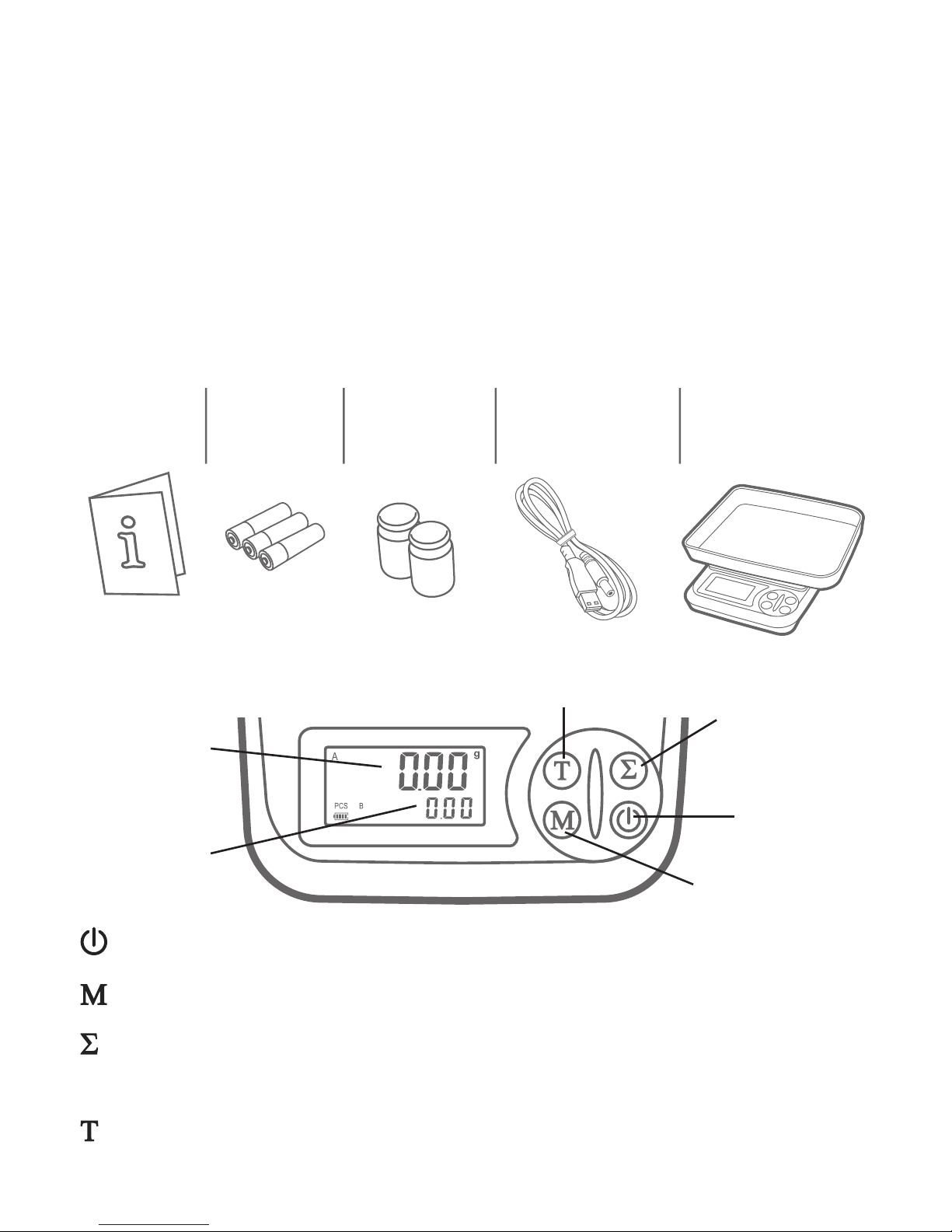
What’s In The Box
Key Descriptions
: ON/OFF - Turns the scale ON or OFF.
: MODE - Changes the weighing unit.
: TOTALIZE - Adds the current weight to the total weight
display. Hold to clear the total display.
: TARE - Zero’s the scale. Also subtracts the weight of an
empty container (see Tare Function).
ELEMENT
E-Liquid Scale
with Cover/Tray
Three AA
Batteries
Two 200g
Cal Weights
USB to 3.5mm
Power Cable
User Guide
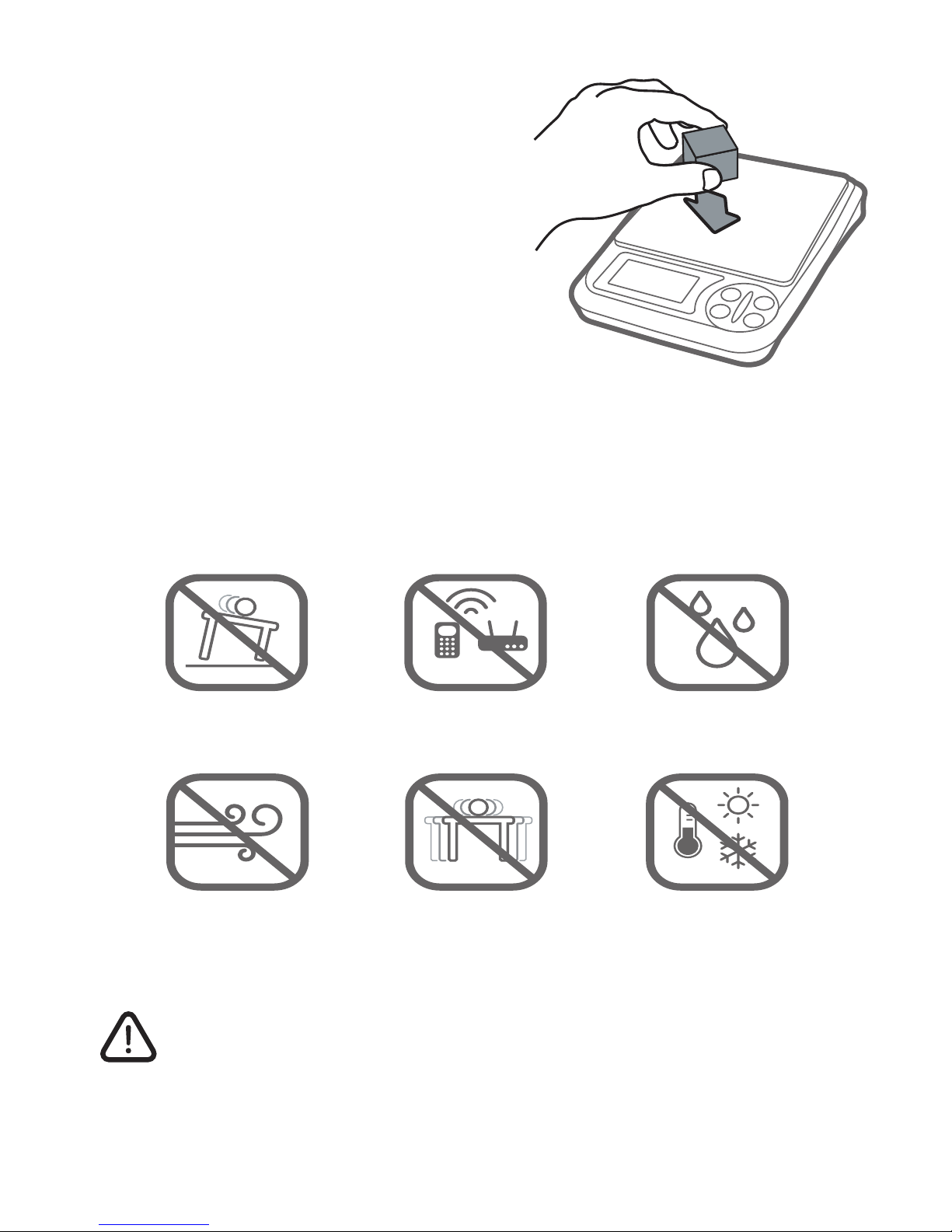
Interference
Radio Frequency
Interference
Unlevel Surfaces High Humidity
Air Currents Vibration Extreme Temps
Interference
TARE
MODE
ON/OFF
TOTALIZE
Current
Weight
Total
Weight
Page 3
Weighing Your First Item
1. Press the ON/OFF key to
turn the scale on.
2. Place the item on the
center of the weighing
platform.
3. Take your reading from
the display. You can press
the MODE key to convert
between weighing units.
4. The scale’s auto-o function will turn the scale o
after 3 minutes of inactivity by default. See Auto-O
for instructions on changing or disabling the timer.
Things To Avoid
Radio Frequency
Interference
Unlevel Surfaces High Humidity
Radio Frequency
Interference
Unlevel Surfaces
Air Currents
Radio Frequency
Interference
Vibration
High Humidity
Extreme Temps
E-Liquid Safety
Concentrated nicotine is highly toxic and can
cause illness or even death if handled improperly.
Be sure to double check your calculations
before mixing your own e-liquids and follow all
precautions listed by the supplier.
Page 4
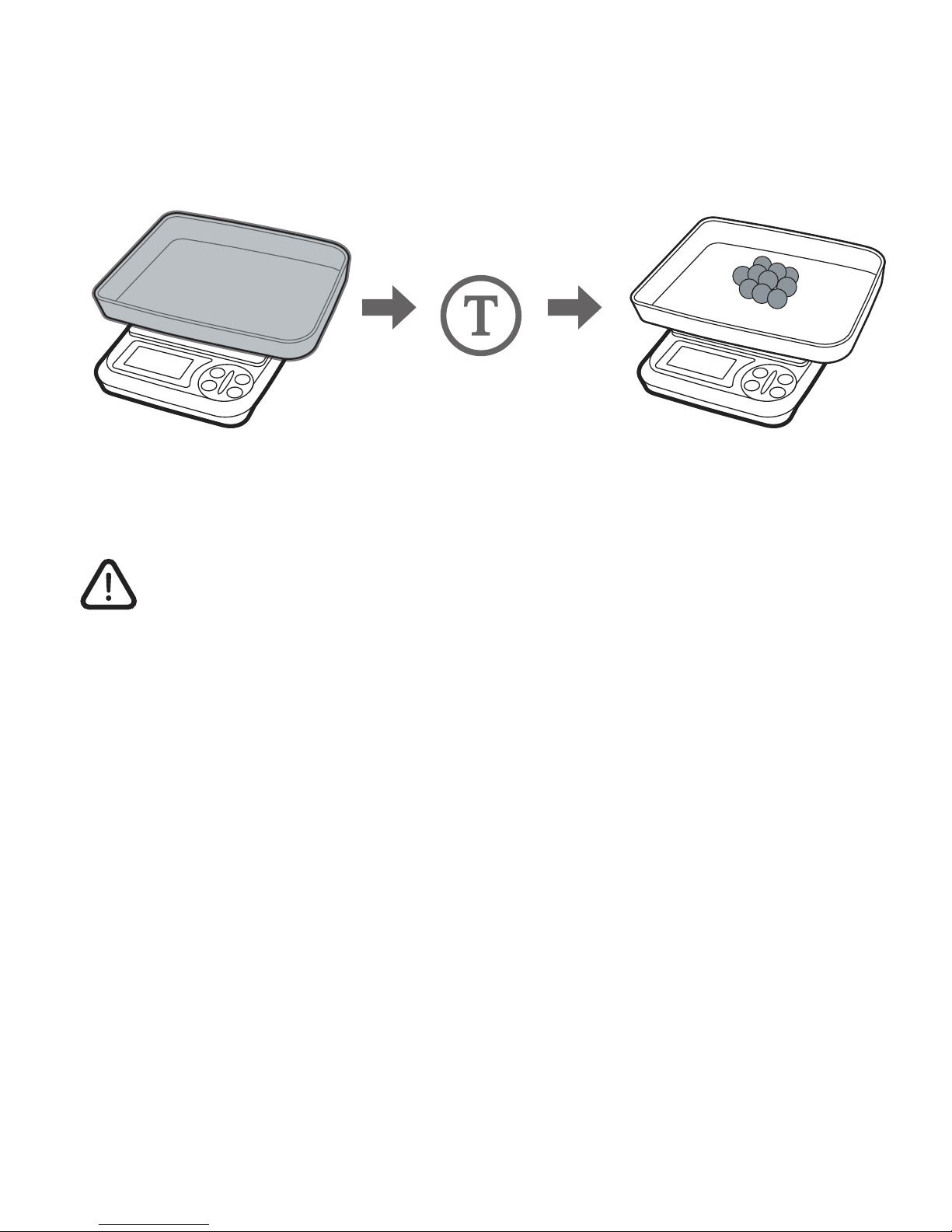
Tare Function
The Tare function allows you to subtract the weight of a
container so that the display only shows the weight of the
contents.
NOTE: The weight of the container will subtract from
the available capacity and leave a negative value on
the display once the weight is removed. Press the
TARE key again to return the display to zero.
Auto-Off
By default, the scale will auto-o after 180 seconds of
inactivity. To change or disable the auto-o timer:
1. With the scale o, press and hold the MODE key
then tap the ON/OFF key to turn the scale on.
2. While still holding the MODE key, tap the ON/OFF
key 5 times or until the display shows the current
auto-o setting, then release.
3. Press the MODE key to change the auto-o setting
between 180 sec,120 sec, 60 sec, or 0 sec (auto-o
disabled).
4. Press ON/OFF to turn the scale o when nished.
Press the TARE
key to subtract the
container’s weight.
Add items to the
container to see their
weight on the display.
Place an empty tray
or container on the
platform.
Page 5
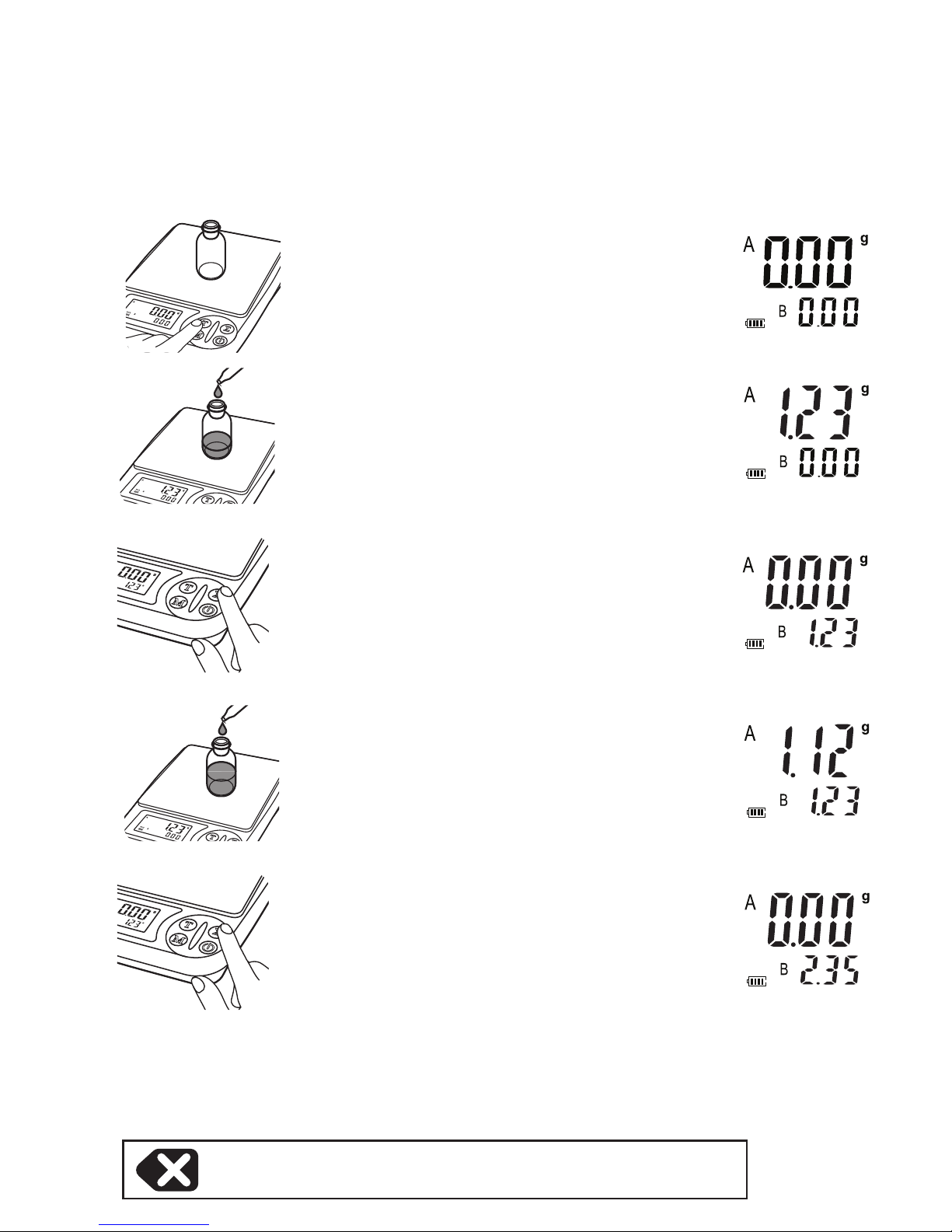
Totalization
The totalization feature allows you to obtain the sum of a
series of weight measurements. This is useful for e-liquid
mixing and weighing ingredients.
Place an empty container on
the platform and press the
TARE key to zero out current
weight.
Add the rst ingredient to the
container
Press the Totalize (Σ) key
to add the current weight
(A) to the total weight (B).
The current weight will then
reset.
Add the next ingredient to
the container
Press the Totalize (Σ) key
to add the current weight
(A) to the total weight (B).
The current weight will then
reset.
Repeat steps 4 and 5 for the remaining ingredients.
NOTE: The total weight may not exceed 500g.
To clear the total, hold Σ for ~3 sec.
1.
2.
3.
4.
5.
6.
Page 6
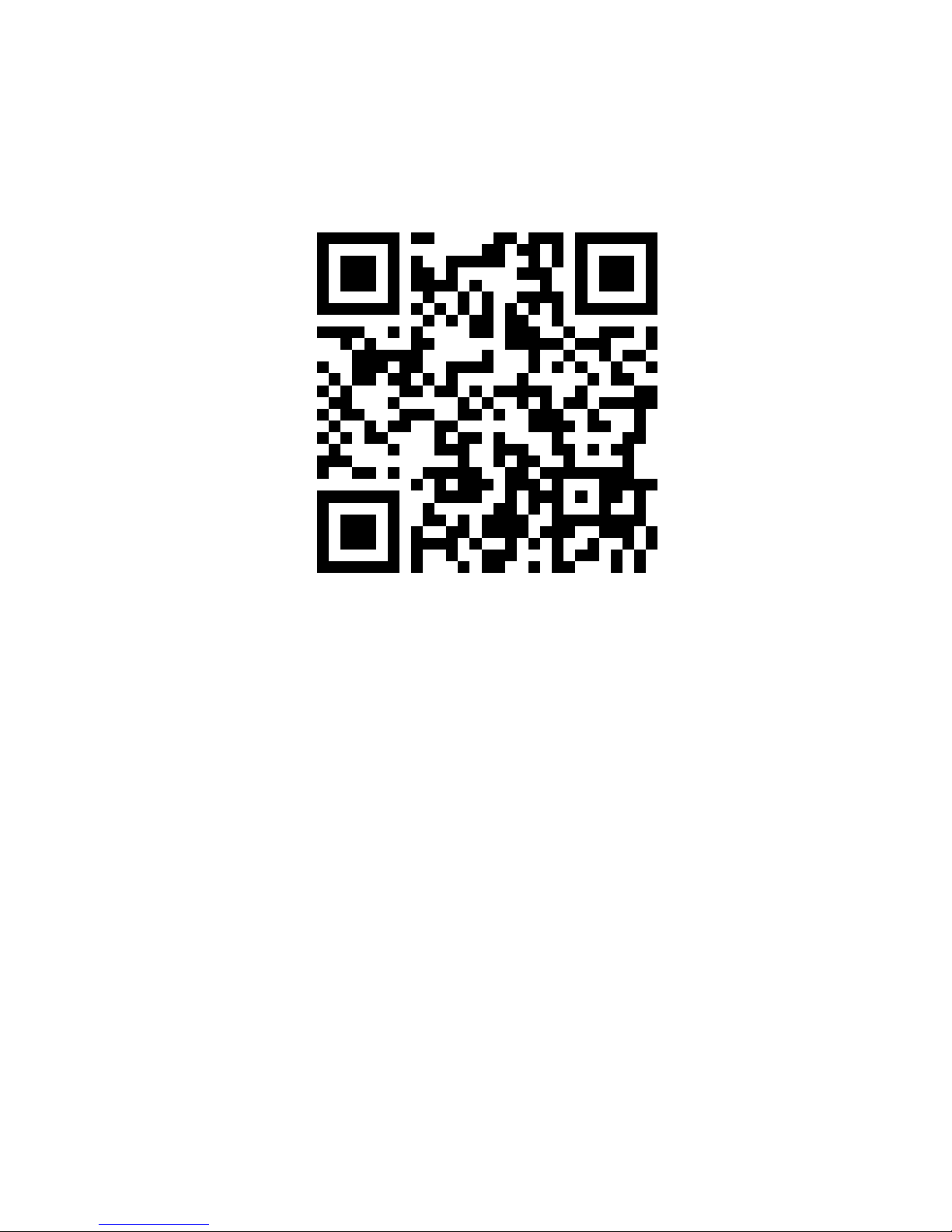
Online E-Liquid Calculator
Scan this QR code with your smartphone for an easy to
use online e-liquid calculator:
Or visit the URL below:
http://www.steam-engine.org/elscale
Accuracy
Your scale comes calibrated from the factory and most
users wont need to calibrate their scale for a long time.
You should check your scale’s accuracy periodically using
calibration weights and perform calibration if necessary.
NOTE: Only use trusted calibration weights. Household
items such as bottles and cans with weights printed on the
side are not suitable for checking accuracy as these values
are approximate and don’t include the container weight
(Net Weight).
Page 7
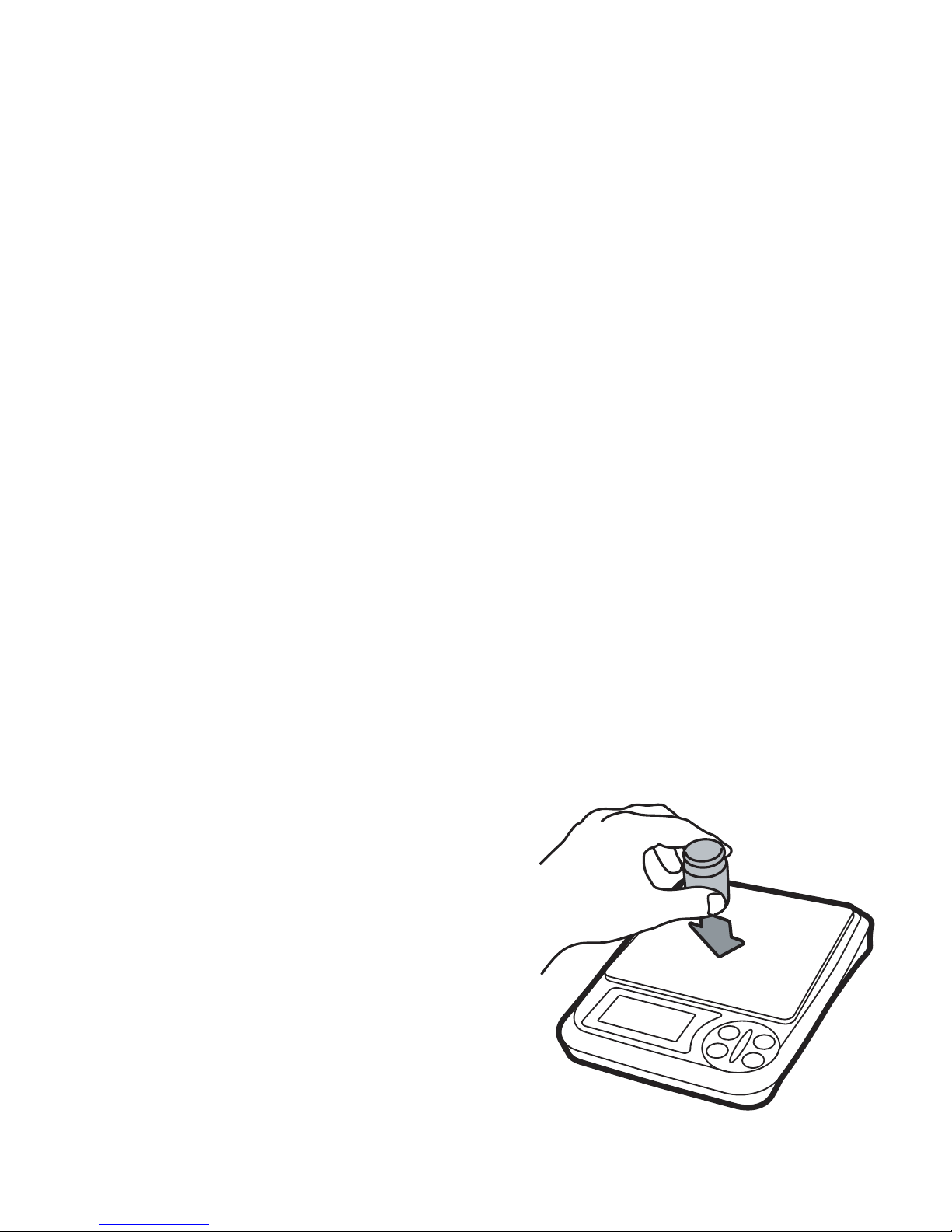
Calibration
Calibration adjustment is permanent and should only
be performed using accurate calibration weights that
match the requirements for your scale (see the chart
on back). Do not use coins or other household items
to calibrate.
1. Prepare two 200g calibration weights (included).
2. Find a at and level surface to perform calibration
and let the scale adjust to room temperature.
3. Press ON/OFF to turn the scale on and wait for the
scale to stabilize.
4. Press and hold the MODE key until the display
shows ‘CAL’.
5. Make sure nothing is on the platform then press
MODE to conrm the zero point.
6. The display will then ash “200g”.
7. Place a 200g calibration weight on the center of the
platform.
8. The display will then ash “400g”.
9. Place a second 200g
calibration weight (400g
total) on the center of the
platform.
10. The display will show
‘PASS’ then return to
normal weighing mode.
You may now turn the
scale o or continue
weighing.
Page 8
Specications
EL-500-01
Max Capacity
500 g / 17.627 oz / 16.075 ozt/ 321.51 dwt /
2500.00 ct / 7716 gn
Readability
0.01 g / 0.001 oz / 0.001 ozt / 0.01 dwt / 0.05 ct
/ 0.2 gn
Weighing
Units
g, oz, ozt, dwt, ct, gn
Dimensions
Overall: 4.8 in x 6.0 in x 1.4 in
Platform: 4.0 in x 4.0 in
Display: 0.8 in x 1.5 in
Calibration
Weight
200g, 400g (two 200g included)
Power
3 x AA Batteries or 5V DC USB to 3.5mm Adapter
(both included)
Warranty 10 Year Limited Warranty
For more information, including
weighing tips and support, scan
this code with your smartphone
Or visit us online at
truweigh.com/support/
 Loading...