

Page 1
Model 7365
7 Inch Analog Video Door Phone
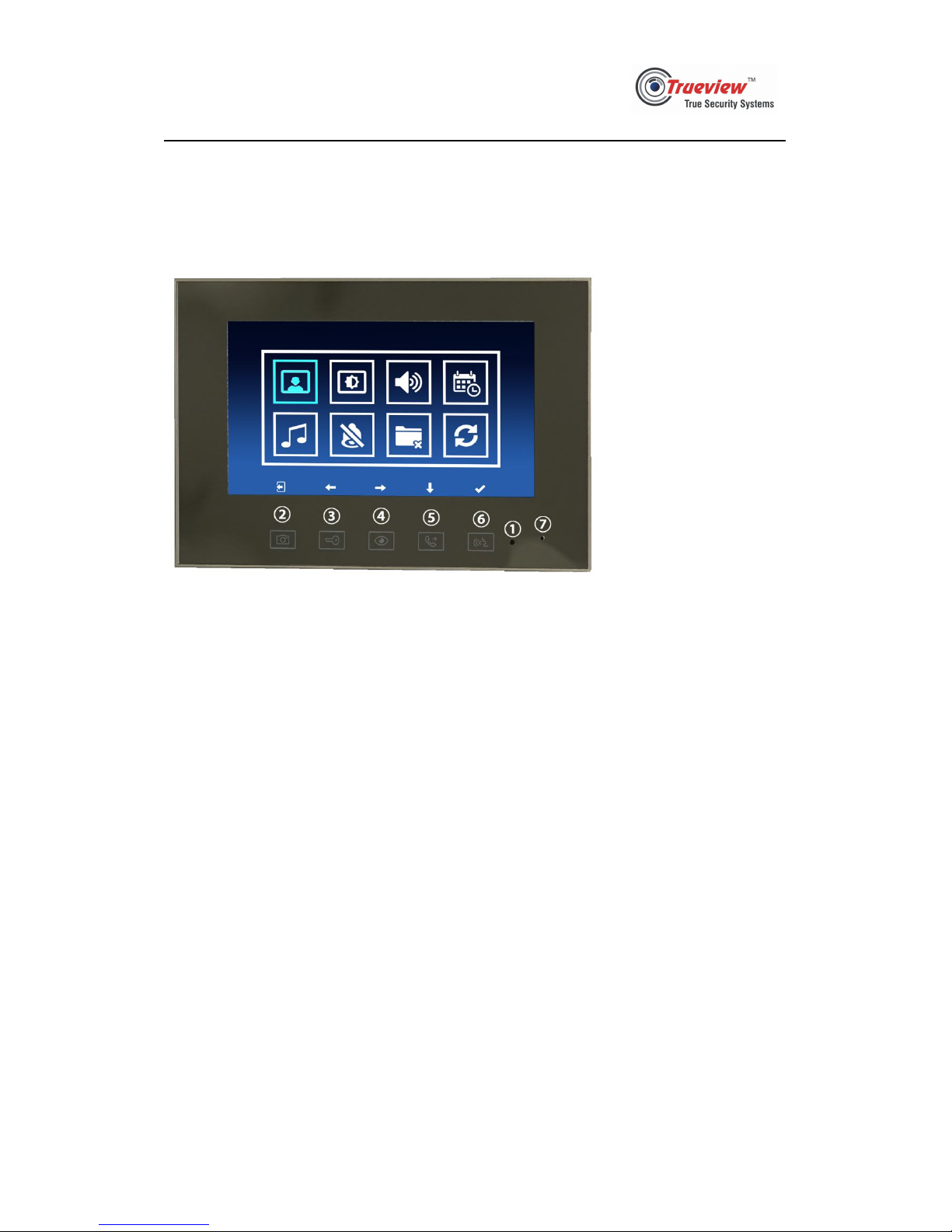
1. Outlook
① Red indicator light
② Photographing key
③ Unlock key
④ Monitor key
⑤ Call transfer key
⑥ Talk key
⑦ Mic
Notes: meanings of the indicator light
Red light: power supplied
Slowly flashing red light: talking and calling
Quickly flashing red light: being called
2. Features
-User Friendly GUI
-Can store 100 pcs
-5 ringtones
-Set Do-Not-Disturb period
-Support an extra CCTV Camera signal input( CVBS signal)
-In multi-monitors system, one monitor can call the others.
-In multi-monitors system, one monitor can transfer the call to other monitors.
3. Specifications
Display: 7inch LCD 1024*600
Power: DC 15V
Storage Temperature: -40℃~70℃
Operating Temperature:-20℃~55℃
Outline Dimensions: 220*138*20mm
Page 2

Model 7365
4. Operations
4.1 Call
Press the call button on outdoor panel, all the monitors in this system ring and
display the image outside the door. The call lasts 30s.
4.2 Monitor
4.2.1 When a monitor is standby, user can press monitoring key to see the image
from call panel and CCTV.
4.2.2 Monitoring lasts at most 60 seconds.
4.3 Talk
4.3.1 When the monitor is called, user can press talk key to start a conversation with
call panel. The talk lasts at most 40 seconds.
4.3.2 When user is monitoring through a call panel, user can press talk key to start a
conversation with call panel. This call lasts at most 40 seconds.
4.4 Unlock
When user is monitoring through a call panel, or user is talking with this call panel,
user can press unlock key to open the electric lock.
4.5 Intercom
4.5.1 In multi-monitors system, when a monitor is standby, user can press call
transfer key to call other monitors in this system. The calling monitor displays
“Calling others...” and the called monitors display “Incoming call...”. At this time,
user can press talk key of calling monitor to end the call and other users can press
talk key of called monitors to start the conversation. Then, called monitors display
“Connected.”.
4.5.2 The call status of calling monitor lasts at most 70 seconds. The called status of
called monitors lasts at most 30 seconds, and the talking status of called monitors
last at most 40 seconds.
4.6 Transfer
In multi-monitors system, when a monitor is called, or is talking with call panel, or is
monitoring through a call panel, user can press the call transfer key to let the call
panel call the other monitors. All monitors in this system ring. At this time, user can
press the talk key of the transferring monitor to close the monitor.
Page 3
Model 7365
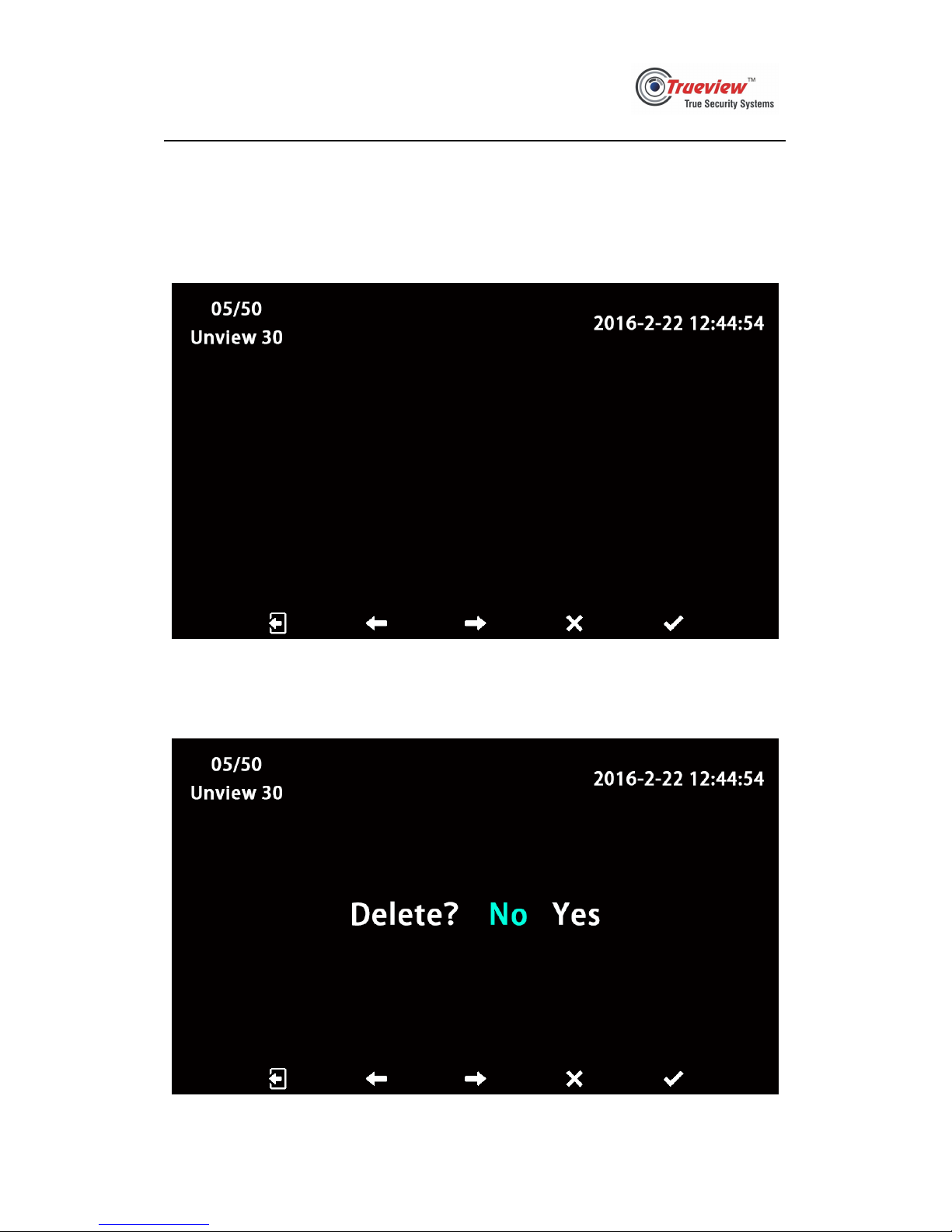
4.7 Check photos
4.7.1 When a monitor is standby, press photographing key to check photos. See pic
4.7.1 below, the 5 icons from left to right means “exit”, “previous”, “next”,
“delete”, “confirm”. On the top left corner, it shows the ordinal of current
photo, the amount of photos stored, and the amount of new photos.
Pic 4.7.1
4.7.2 User can press the key under “delete” icon to delete current photo. See pic
4.7.2 below, the 5 icons from left to right means “return”, “left”, “right”,
“cancel”, “confirm”.
Pic 4.7.2
Page 4
Model 7365
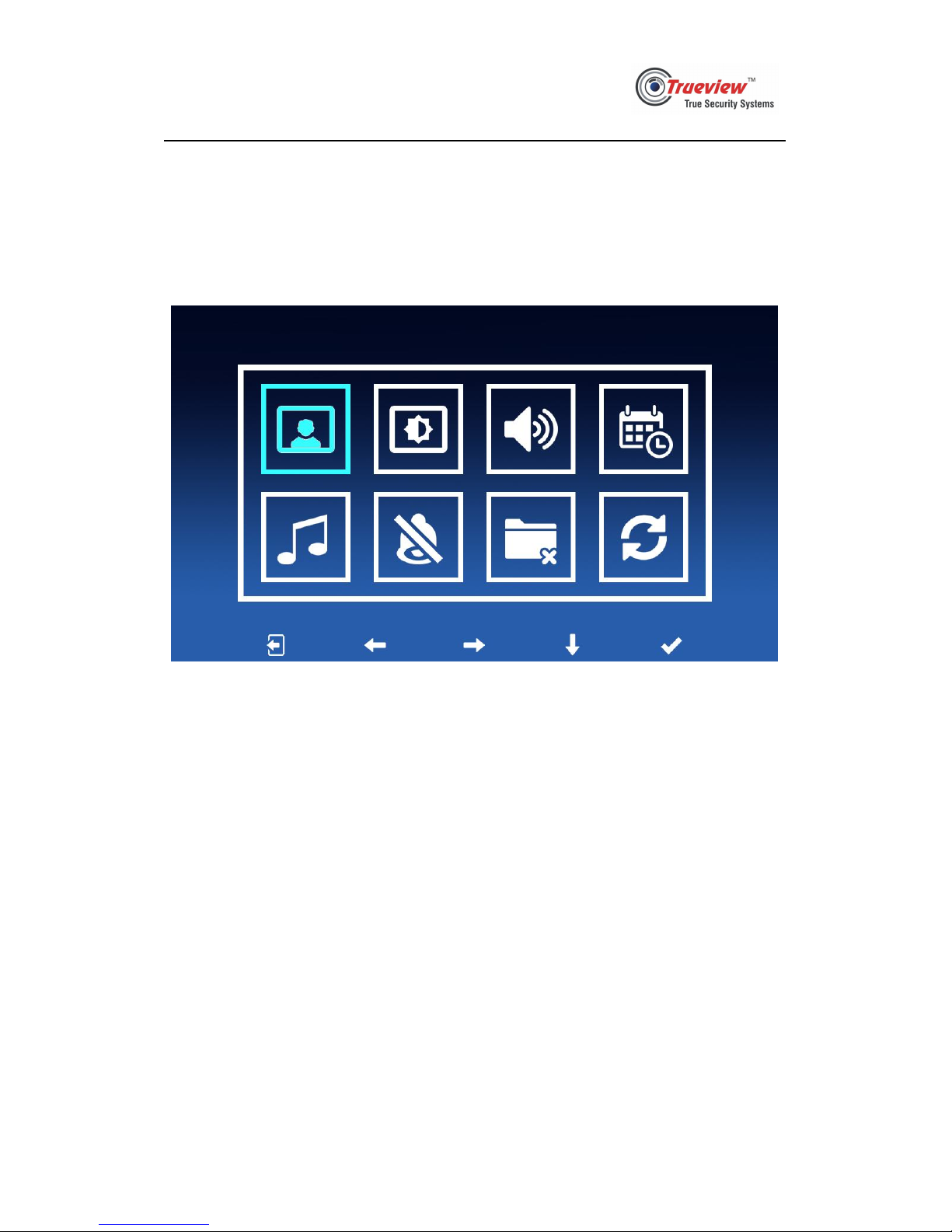
4.8 Settings
4.8.1 Long press monitoring key for 2 seconds to enter settings page. See pic 4.8.1
below, the 5 smaller icons from left to right means “exit”, “left”, “right”,
“down”, “confirm”. The eight bigger icons means “check photos”, “video
settings”, “volume settings”, “date & time settings”, “ringtone selection”,
“Do-Not-Disturb settings”, “delete all photos”, “restore to factory settings”.
Pic 4.8.1
4.8.2 When monitoring, being called, calling, user can long press talk key to
enable/disable Do-Not-Disturb function temporarily.
Page 5
Model 7365
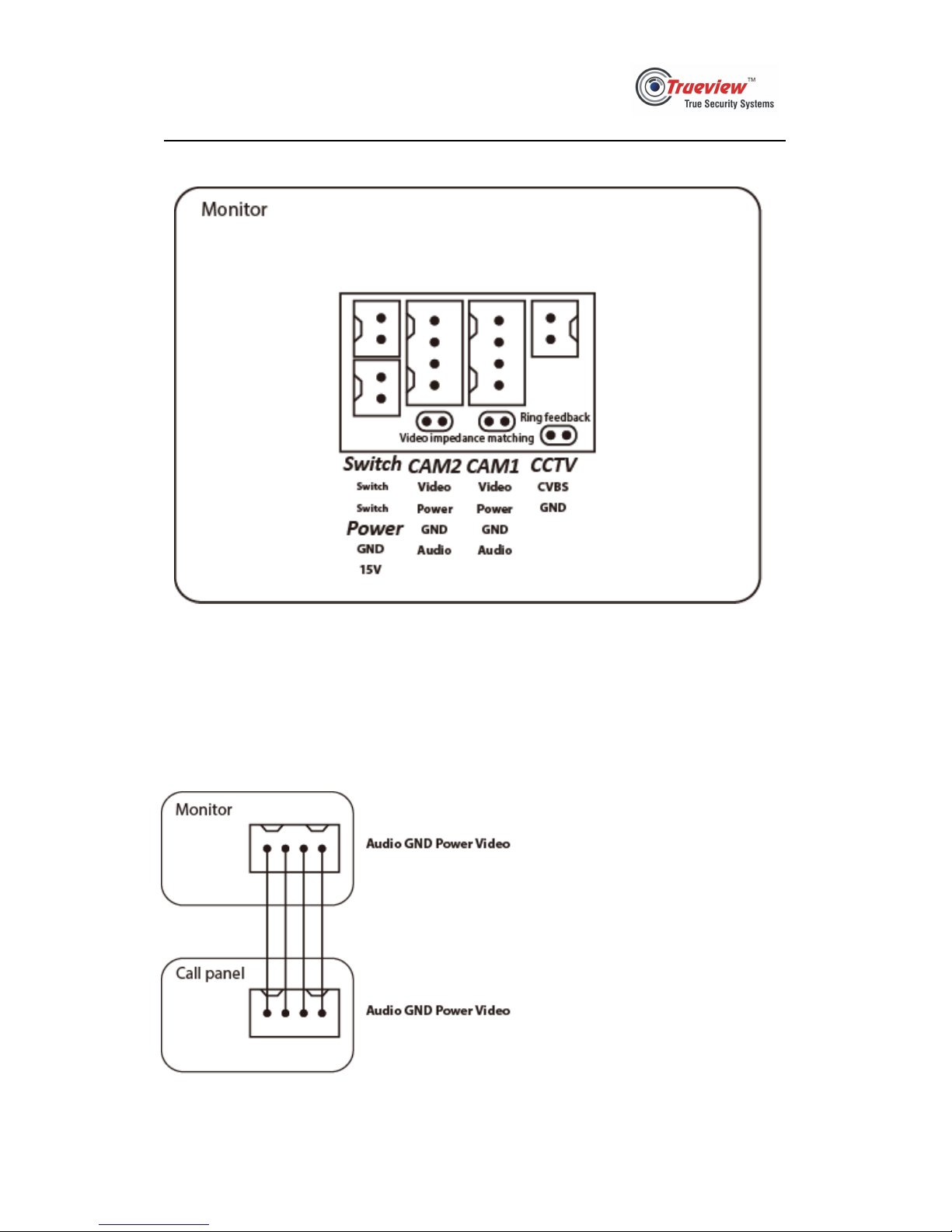
5. Wiring diagram
Power: 15V DC Input
CAM1: used to connect call panel 1
CAM2: used to connect call panel 2
CCTV: used to connect a CCTV video signal input (CVBS video signal)
Switch: can be used as the switch of CCTV
Page 6
Model 7365
Video Door Phone Villa Set
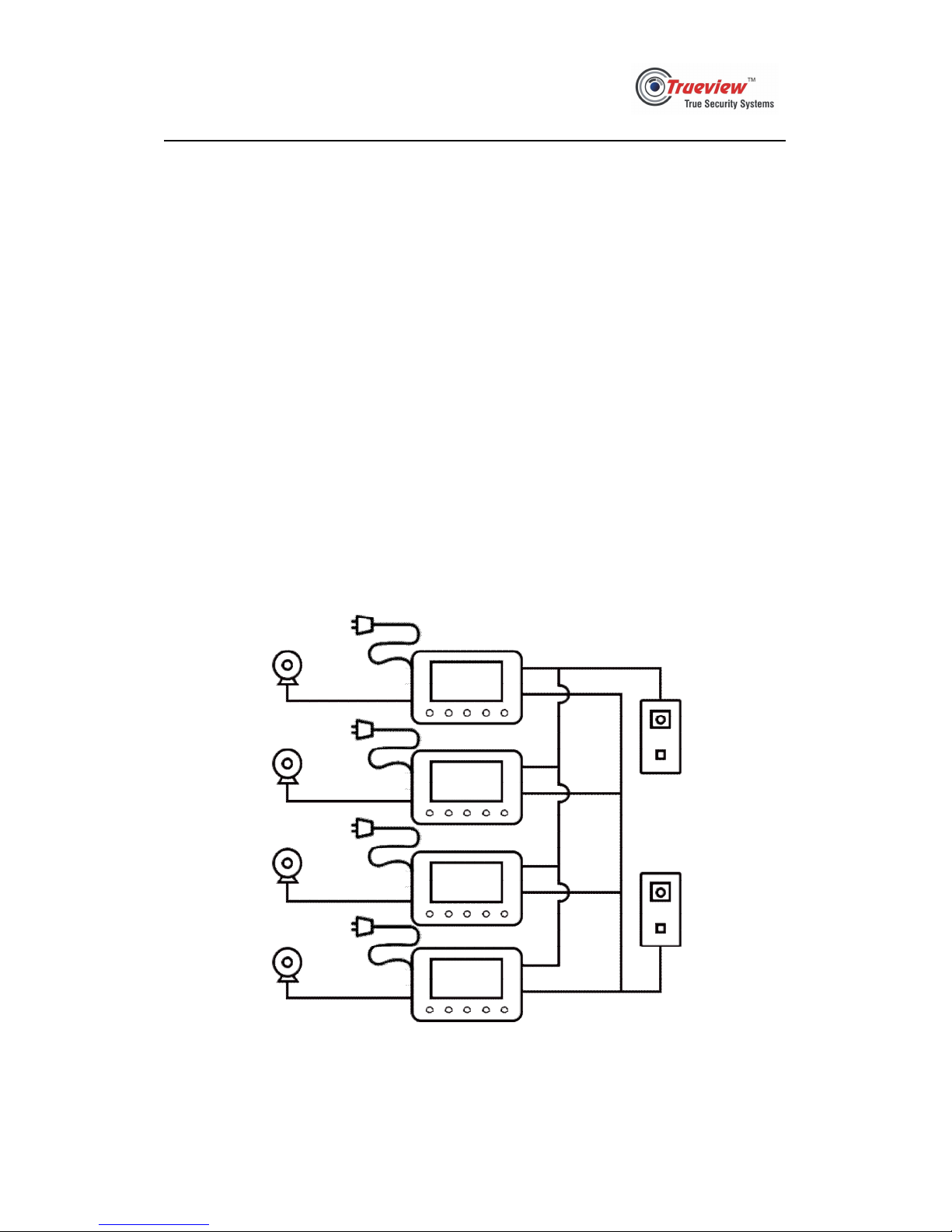
This system supports at most 2 outdoor panels and 4 Indoor
monitors.
Users may determine how many outdoor panels and indoor
monitors to be installed as their requirement.
Every indoor monitor has an access for an extra video
input.
Page 7
Model 7365
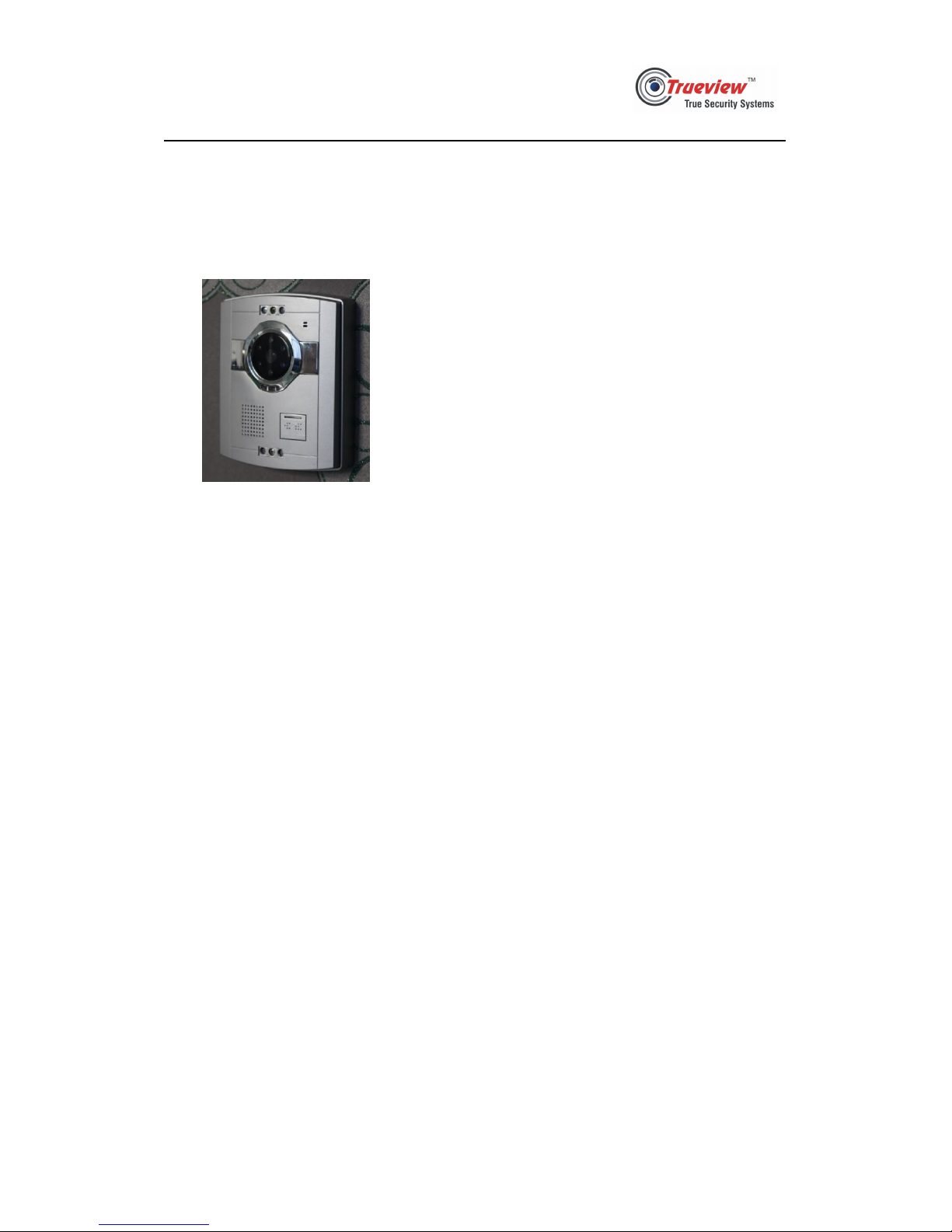
Outdoor Panel
 Loading...