

Page 1
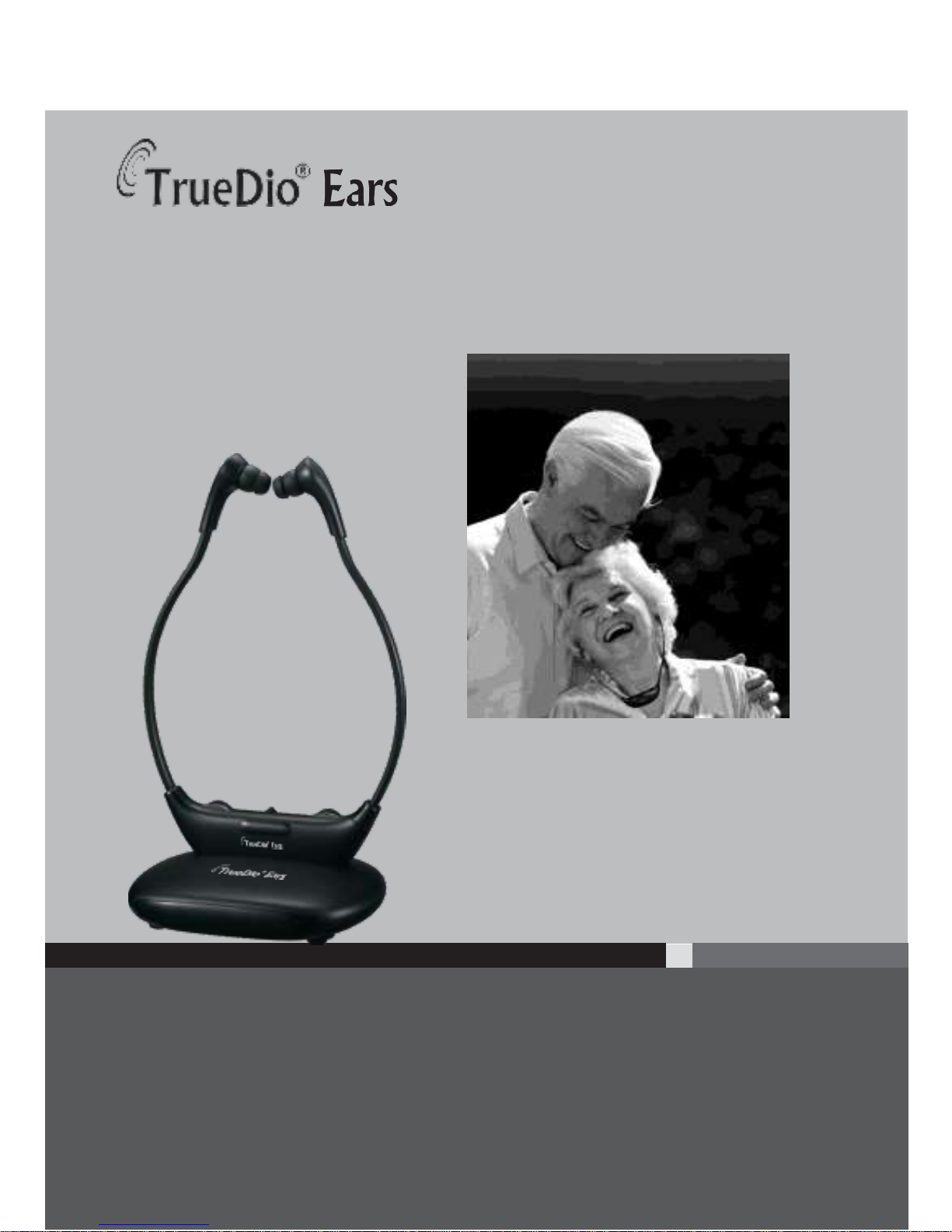
Wireless TV Headset System
TD-110 | Single Headset
TD-120 | Dual Headset
User Manual
TrueDio® Ears Wireless TV Headset System
INSTALLATION GUIDE
Telephone: (800) 991-6207 www.TruedioEars.com
TrueDio® brand owned and operated by LIBERTY Health Supply, LLC
Page 2

TrueDio® Ears User Manual
Contents
A. Safety Instructions
B. Main Features
C. Products Included in the Box
D. Part Functions
E. How to Setup
STEP 1 - Place and Connect Power to the Transmitter
STEP 2 - Use Analog Cables to Connect Transmitter to TV
STEP 3 - Charge Headset Prior to Use
STEP 4 – Power On and Use Headset
STEP 5 – Power Off Headset
F. Technical Specifications
G. Frequently Asked Questions - FAQ
H. Warranty Information
I. Users Notes
Page 3

TrueDio® Ears User Manual
A . SAFETY INSTRUCTIONS
Read all instructions completely and follow the safety instructions
before using the product.
1. When using this unit, basic safety precautions should always be
followed to avoid the risk of electrical shock or personal injury.
2. Store this user manual in a safe place for future reference.
3. Do not submerge or use the TrueDio® Ears near water or
moisture.
4. Protect the transmitter, AC adapter, and other cords from overheating
and keep clear of other prolonged abuse such as getting stepped on.
5. Only use authorized TrueDio® Ears accessories and adapters
with your TrueDio® Ears System. Warranty may be voided if
used with unauthorized accessories and adapters.
6. Set up and store TrueDio® Ears away from heat sources such as
fireplaces, appliances, etc.
7. Refer all troubleshooting and servicing problems to our certified
TrueDio® Ears Support Team. Warranty may be voided if system is
serviced by unauthorized personnel.
8. Clean with a soft, dry cloth.
WARNING: To reduce risk of fire or electrical shock, keep your TrueDio®
Ears safe from rain or moisture, and do not expose to outdoor elements.
Page 4

TrueDio® Ears User Manual
B. MAIN FEATURES
Listen to and enjoy TV sound clearly and comfortably without turning
up the volume and disturbing those around you!
1. Voice Clarifying Circuitry: Makes TV audio and dialogue
easier to understand by automatically reducing loud and unwanted
background sounds.
2. Balance Control: Located on the back side of the headset and
labeled “BAL”. You can adjust the volume of the right and left side
separately to make one ear louder than the other. Use the included
balance adjusting screwdriver to adjust the left and right volume
separately to your preferred level.
3. Volume Control: The convenient volume control wheel allows each
user to adjust the volume to his or her preferred level without disturbing
others.
4. Tone Control: The convenient tone control wheel allows
each user to adjust the tone to hea r the audio clearly during
frequency changes.
5. Rechargeable Transmitter: Allow approximately 3-5 hours of
charging time for headset to be fully charged.
6. Lightweight, Rechargeable Headset Receiver: Each
headset weighs only 1.94 ounces and provides up to 12 hours of
continuous listening when fully charged.
Page 5
TrueDio® Ears User Manual
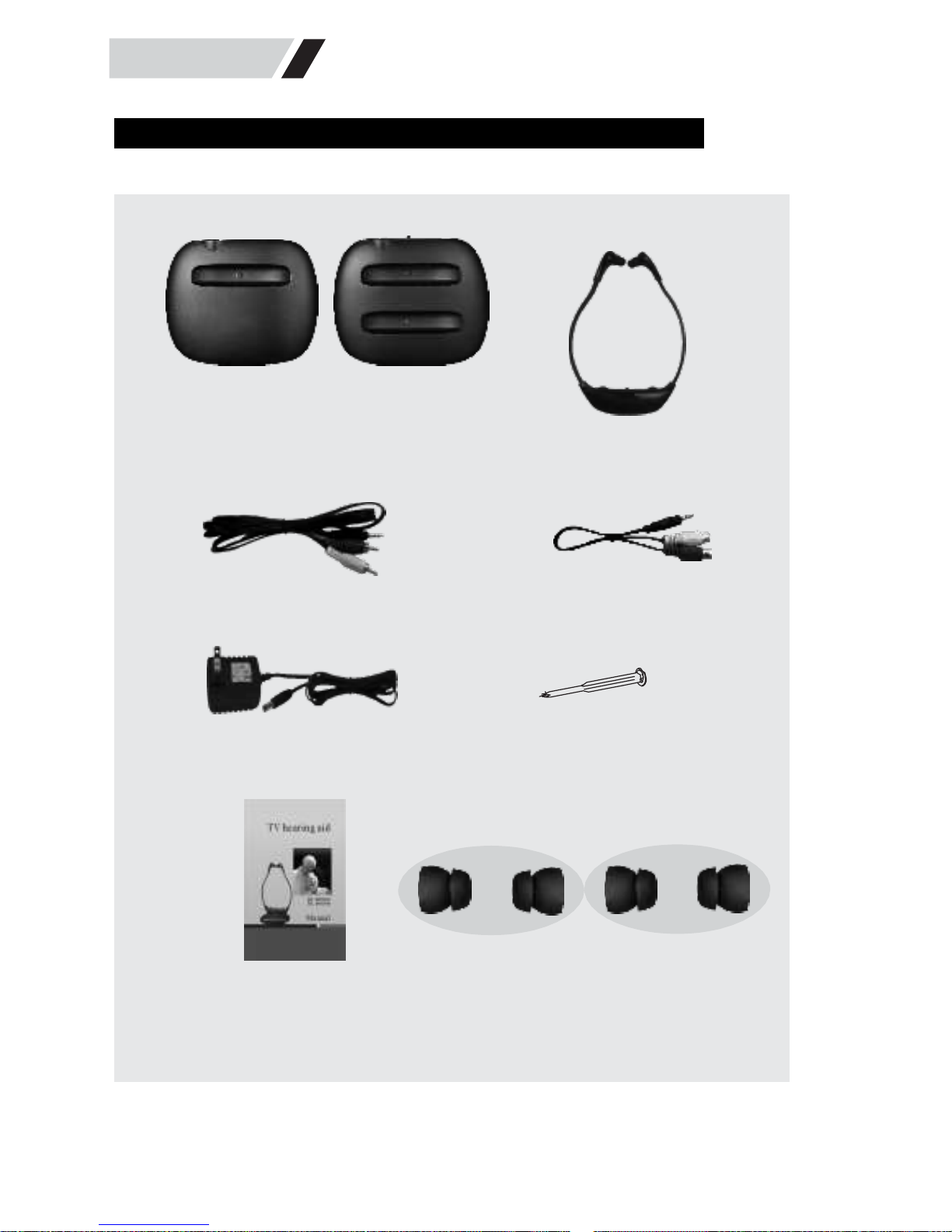
C . PRODUCTS INCLUDED IN THE BOX
TD-110
TD-120
TD-110
TD-120
TD-110\120
(for one receiver)
(for two receivers)
Transmitter
Headset Receiver
Long audio cables
Short audio cables
Power Adapter Balance Adjusting Screwdriver
User Manual Rubber Ear Tips (2 pair)
Note: Two (2) headset receivers are included with TD-120 purchase.
Page 6
TrueDio® Ears User Manual
D . PART FUNCTIONS
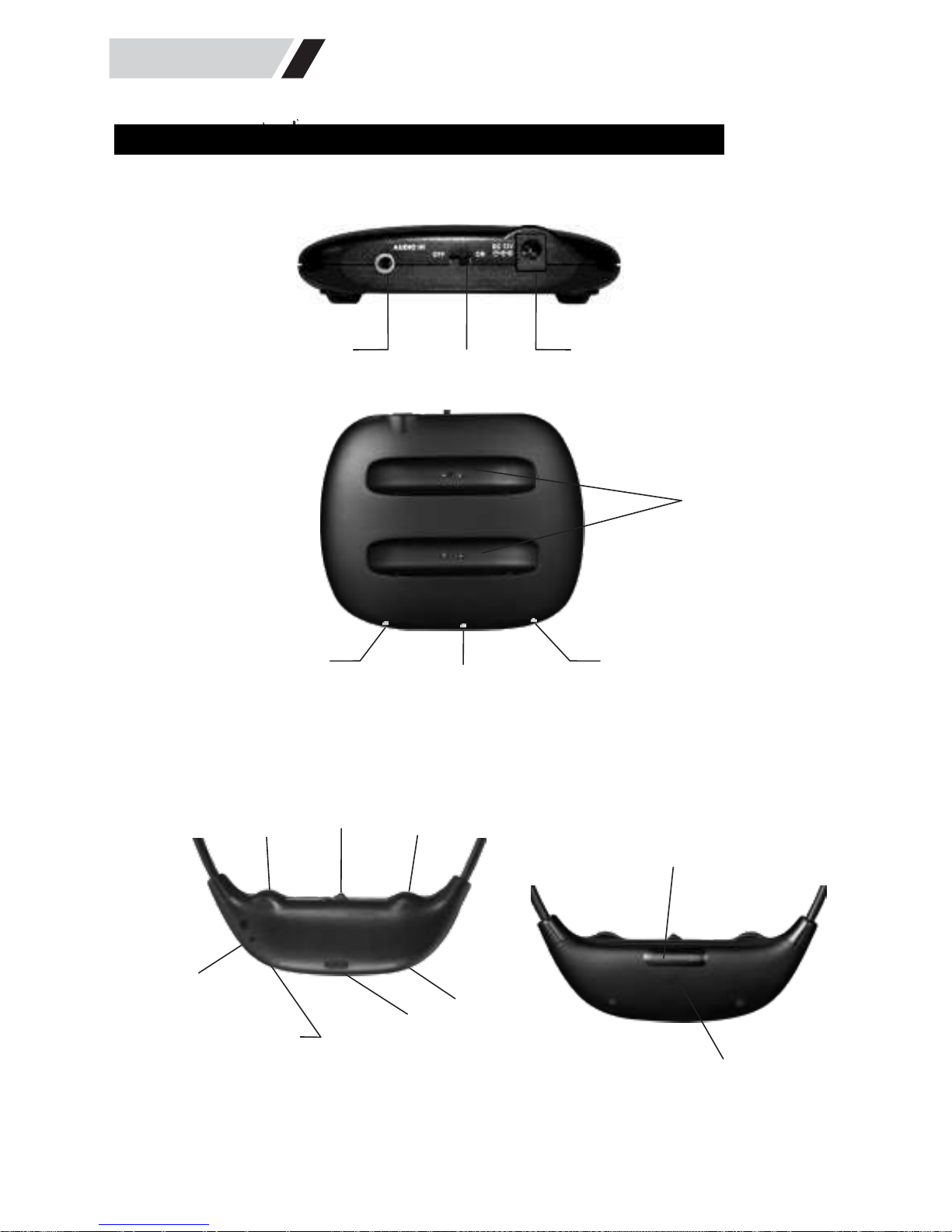
1. Transmitter
AUDIO IN
OFF/ON
DC12V
Charging dock
TD-120
Charging ind icator
Power ON indicator
Transmitter infrared transmitting
window (keep free from obstructions)
2. Headset Receiver
VOL
ON/ OFF TONE
Headset infrared
receiving window
(keep free from obstructions)
VOL
O
N
OFF
TONE
BAL
BAL
TD-1 10 \ 120
Balance function
LINE IN
MIC IN
Wired cable socket
Charging slots Power ON indicator
Page 7
TrueDio® Ears User Manual
E. HOW TO SETUP
STEP 1 - Place and Connect Power to the Transmitter
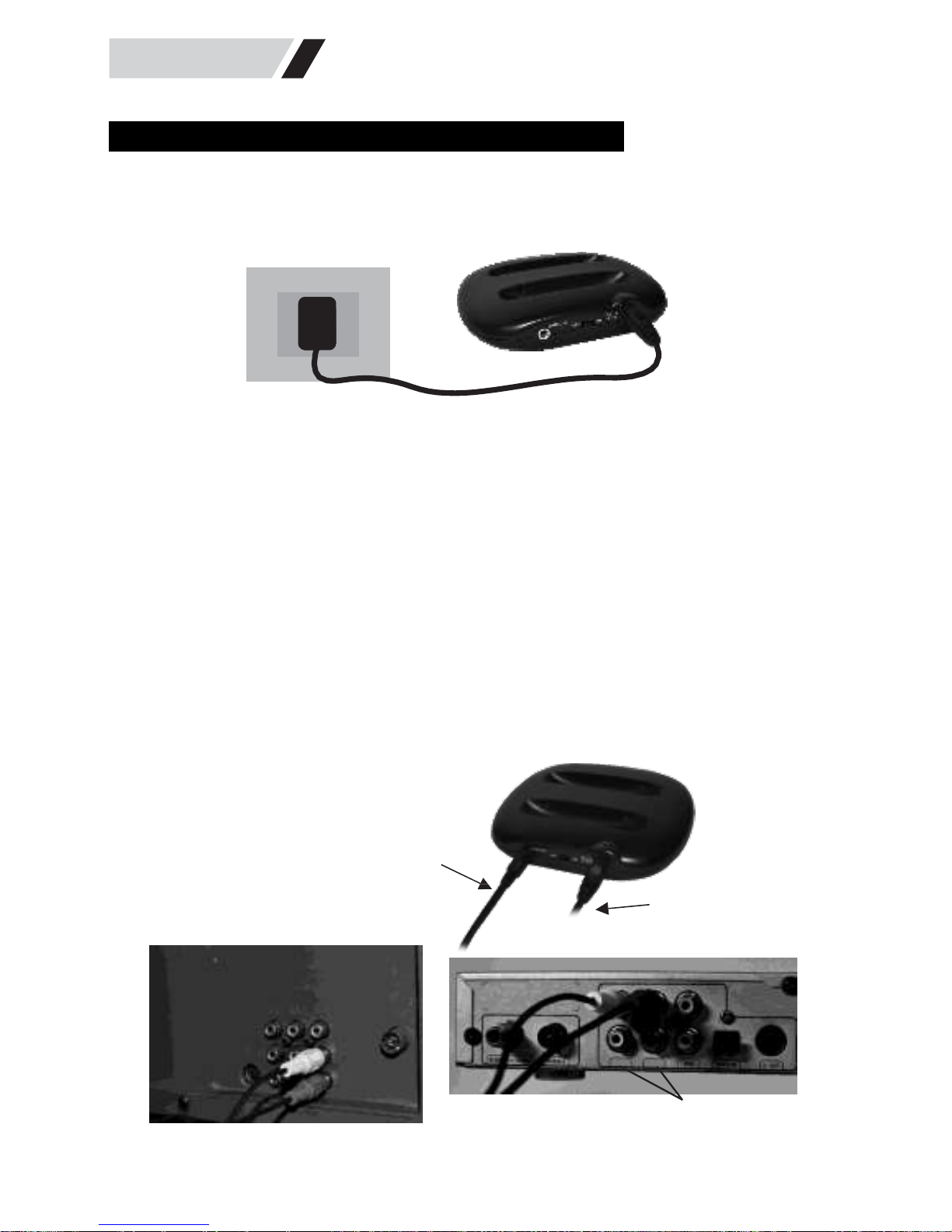
Connect and plug the power adapter into a nearby electrical outlet and plug the
other end of the power adapter into the “DC 12V” slot of the transmitter.
STEP 2 - Use Analog Cables to Connect Transmitter to TV
Connect the single-plug end of the audio cables (3.5mm plug) into the “Audio
In” slot of the transmitter. Next, connect the dual-plug ends (red & white male
ends) into the “Audio Out” ports located on the back or side of your television,
cable or satellite box.
Note: Check all sides of your television, cable or satellite box if you are unable to locate the
Audio Out ports on your device. Not all televisions have audio out ports. If your television
does not have audio out ports, please go to www.TrueDioEars.com and purchase the
TrueDio® Ears Digital to Analog Converter (Item # TD-DAC) or call (800) 991-6207 to
speak with a TrueDio® Representative.
Audio cable
Connect to AUDIO OUT
TV
ANT
audio out
Power adapter
Connect to AUDIO OUT
L
L
R
R
Audio out
Page 8
TrueDio® Ears User Manual
STEP 3 - Charge Headset Prior to Use
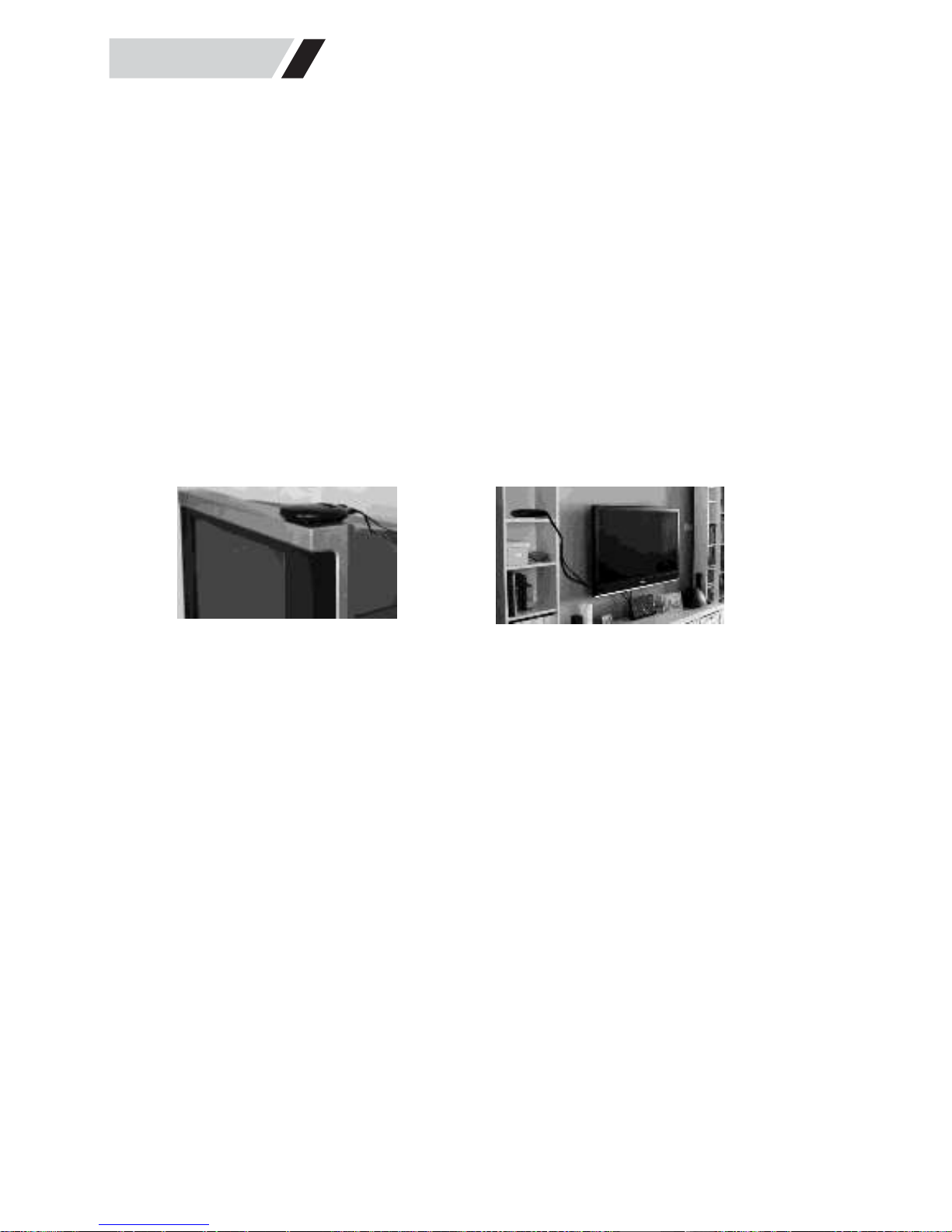
Verify that all plugs are securely in place and that the transmitter is
located in open space and free of obstructions blocking it from
sending its signal to your headset (example: behind television,
entertainment unit, etc.). Next, turn and power on your transmitter
by sliding power switch on the back of the transmitter to the “ON”
position. The red power indicator will light up confirming power is
on. Next, place your headset in the transmitter charging dock for
3-5 hours to fully charge the battery prior to use.
Note: To receive optimal reception, ideal setup and placement for the
transmitter is 3-5 feet above the ground with the transmitter pointed
directly towards the area the headset will be worn and used.
STEP 4 – Power On and Use Headset
Turn and power on your headset by sliding the power switch to the “ON”
position. The red power indicator will light up confirming power is on.
To receive optimal reception, direct and point the transmitter’s infrared
transmitting window toward the area you will be wearing the headset.
You are now ready to use your TrueDio® Ears! Simply adjust the volume
and tone to your preferred levels and enjoy!
Note: Always wear the headset with the TrueDio® Ears logo facing
outward so that the infrared receiving window can properly receive the
signal from the transmitter.
STEP 5 – Power Off Headset
Turn and power off your headset by sliding the power switch to
“OFF” position. The red power indicator light will turn off
confirming the power is off.
Page 9

TrueDio® Ears User Manual
F. TECHNICAL SPECIFICATIONS
1. Transmitter
Working voltage
12V±0.8V, 400mA
Working current
95±8mA
Standby current
10±4mA
Trans. frequency
2.3MHz
Signal input limiting volt.
≥400mV
Signal standby starting volt.
≥50mV
Signal input standby volt.
≤40mV
Signal input frequency
20Hz - 20KHz
Signal input range
120mV-1.5V
Li-ion battery recharging current
125±5mA
Transmission distance
≥10M
No signal standby time
60s±5s(when no signal put in, the
transmitter come into standby state
automatically)
2. Receiver
Working voltage
3.7V (3.2V~4.2V)
Static working current
19±3mA
Dynamic working current
≤45mA
Maximum working current of input
≤25mA
Input signal rage
100 mV~800 mV
Input Working current of MIC
≤20mA
Max. Gain of MIC
33dB
Receiving frequency
2.3MHz
Distortion
≤1%
S/N ratio
≥70dB
Maximum output power
800mV / 25mW
LI-ion battery charging time
3~4 hours
Working time
12 hours of continuous TV audio
Page 10

TrueDio® Ears User Manual
G. FREQUENTLY ASKED QUESTIONS - FAQ
Q1. Why am I hearing silence or no sound at all out of my headset?
First, check and confirm that all power and cable connections are securely in place.
Next, confirm that the power switch on both the headset and transmitter are turned to
the “ON” position and that the power indicator lights on both the headset and
transmitter are showing solid red.
If the transmitter power indicator light is off when powered “ON”, then the
transmitter is likely not plugged in securely. Check connections and try again.
If the transmitter power indicator light is on and showing red when powered
“ON” and you still hear silence, then there may be an object blocking the
transmitter from properly sending its signal to the headset. Remove all
obstructions and confirm that the transmitter is facing and pointed towards the
area you are wearing the headset. Relocate the positioning of the transmitter
if necessary.
If the headset power indicator light is off when powered “ON”, then the
headset battery is dead and will need to be recharged or replaced.
If the headset power indicator light is on and showing red when powered
“ON” and you still hear silence, then there may be an object blocking the
headset from properly receiving its signal from the transmitter. Remove all
obstructions and confirm that the transmitter is facing and pointed towards the
area you are wearing the headset. Relocate the positioning of the transmitter
if necessary
Q2. Why do I hear silence when I turn my head or turn around while wearing the
headset?
TrueDio® Ears operate on infrared or “line of sight” technology and will not transmit
its signal through obstructions such as walls, entertainment units, appliances, etc. In
order to receive optimal reception, keep the transmitter in open space 3 to 5 feet above
the ground and confirm that your headset’s infrared receiving window is facing and
pointed toward the transmitter and the transmitter’s infrared transmitting window.
Page 11

TrueDio® Ears User Manual
Q3. Why do I hear television audio when watching a DVD or video?
When the audio cords are plugged into BOTH the audio out port of a television AND
audio out port of a DVD player, you must turn and power off the device that is not is
use. In this example, to listen to the DVD audio you will need to power off the
television cable box.
Q4. How do I Charge the Headset?
To charge the headset, simply place the headset in the transmitter charging dock with
the headset logo facing towards the transmitter logo. The red charging indicator light
will turn red confirming the headset is charging.
H. WARRANTY INFORMATION
The TrueDio® Ears 6 month warranty will cover any manufacturing defects and other
product failures that occur within a 6 month period beginning from the original
purchase date. Repairs or replacement parts purchased and performed by nonauthorized personnel will void the warranty. The warranty does not cover damage due
to misuse or accidental damage by the user such as water damage, negligence, or
normal cosmetic damage from day to day use. Please read our full return policy at
www.truedioears.com/returns for full details.
CONTACT INFORMATION
Sales, Support &
Warranty Telephone | 800-991-6207
Fax Telephone | 877-991-8028
Sales, Support &
Warranty Email | [email protected]
Mailing Address | TrueDio® Ears
14044 W. Petronella Drive Suite 5
Libertyville, IL 60048
USA
Page 12

TrueDio® Ears User Manual
I. USER NOTES
 Loading...