

Page 1
REF: NRX1171105
Ist Floor
Amphenol Complex
Thanet Way
Whitstable
Kent
CT5 3JF
ENGLAND
Tel: (+44) (0)1227 275357 Fax: (+44) (0)1227 272932
e-mail: [email protected]
USER GUIDE
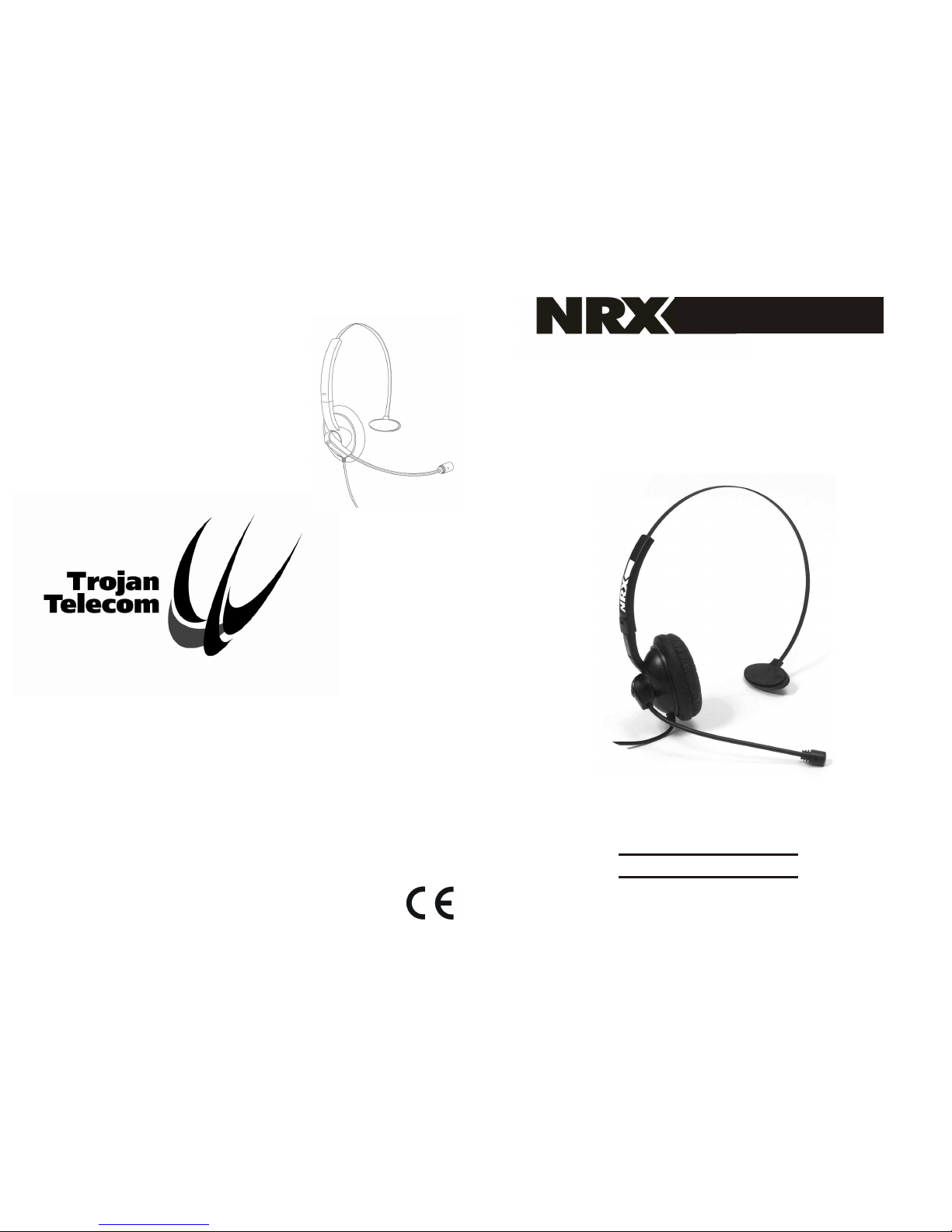
NRX HEADSET
ww
w.
-te
l
eco
m
.
c
omnrx
Page 2
1. HEADSET CONNECTION
2. USING THE HEADSET
2.1 Wearing The Headset
2.2 Adjusting The Microphone Position
2.3 Using The Quick Disconnect
2.4 Customising The Headset
3. In The Event Of Difficulty
4. WARRANTY
Contents
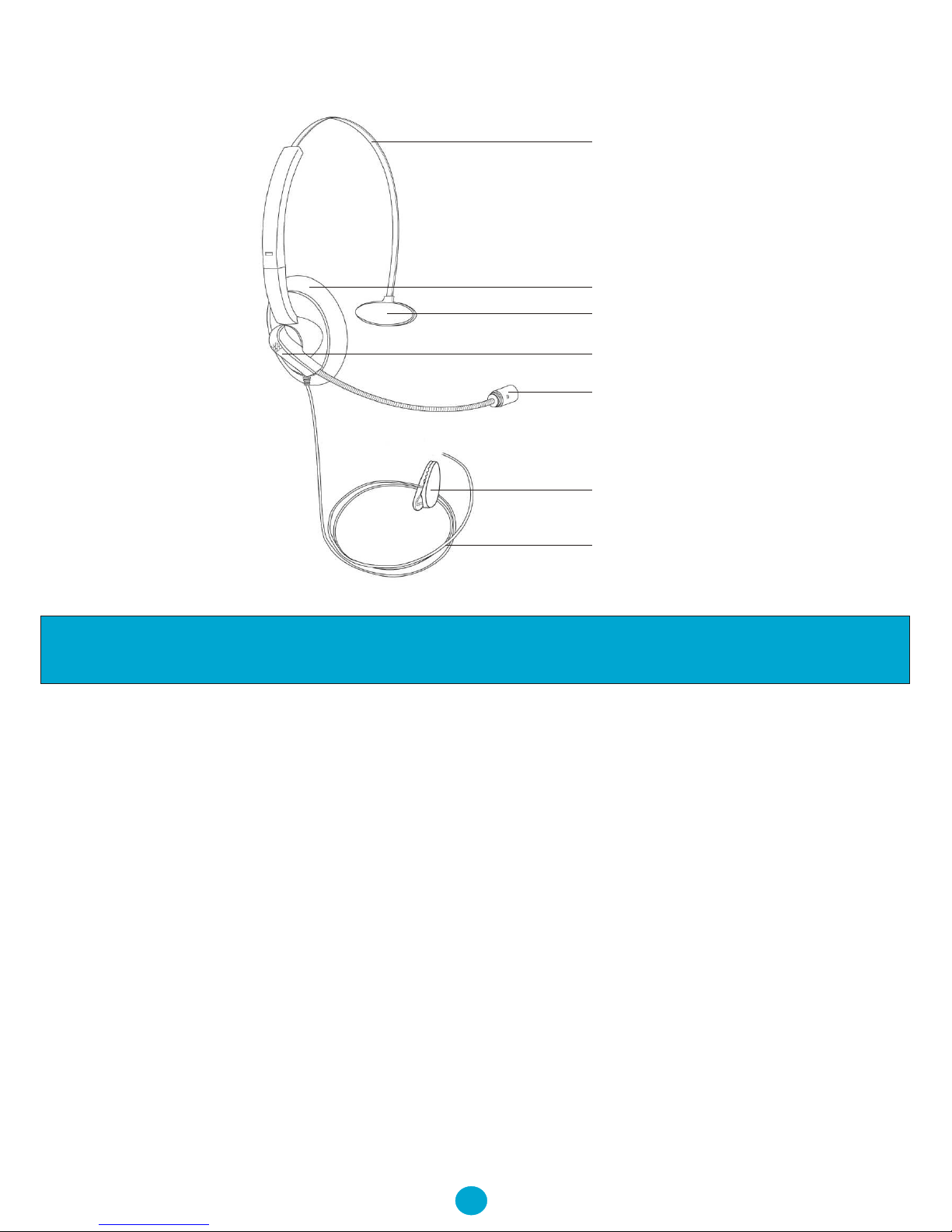
Your NRX Headset
1
Adjustable Headset Band
Ear Cushion
Rest Cushion
Custom Clip-On Moulding
Microphone
Clothing Clip
Headset Cable
Page 3
3
Headset Connection
Headset Connection
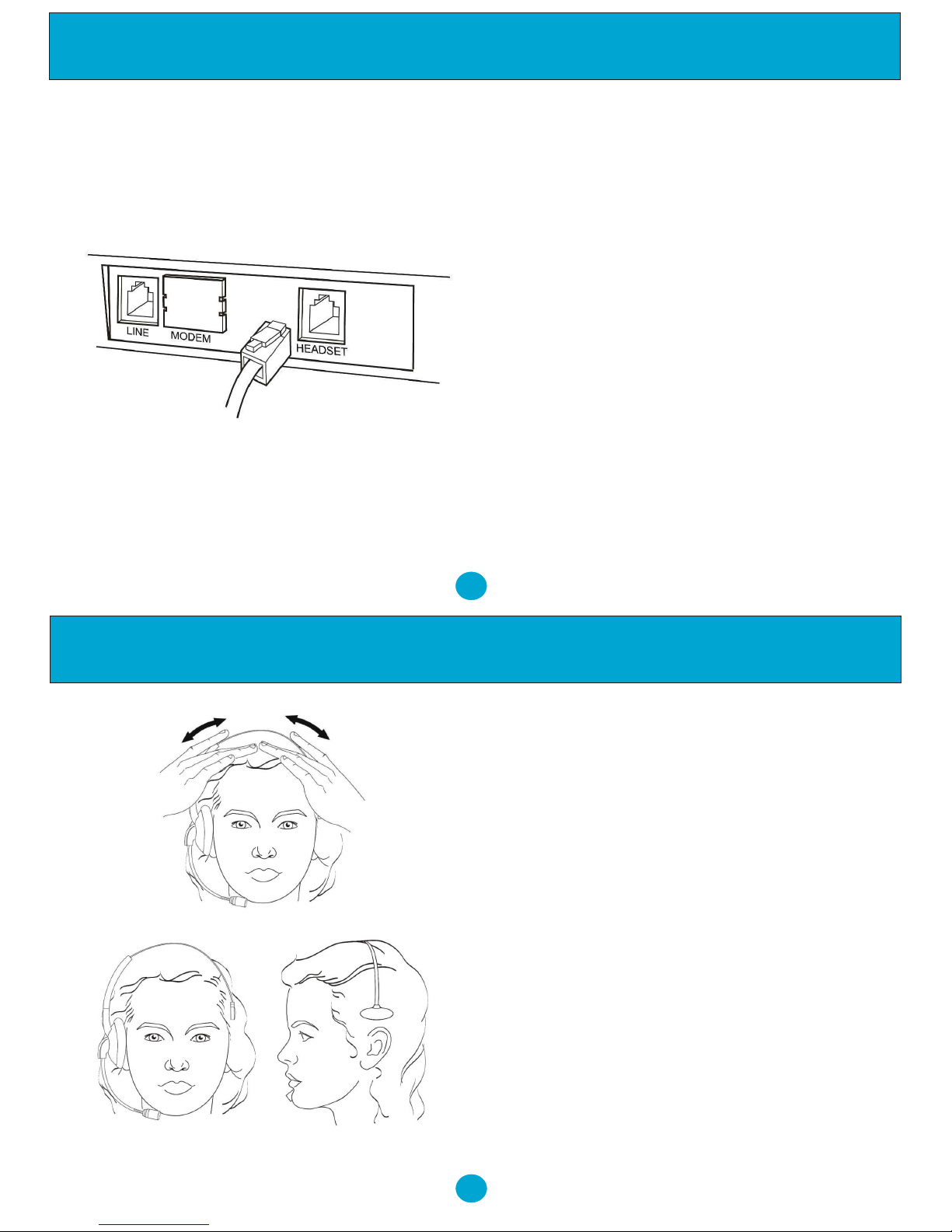
When using your NRX Headset on a
NRX Telephone, simply plug the headset
into the socket marked with the word
‘Headset’ which is located at the rear of
the telephone.
The NRX Headset may also be used on
other headset telephones, Amplifiers and
telephone systems but a different plug
may be required on the headset cable.
Even if the other product to which
connection is required has a standard
socket (RJ-11), the wiring to the plug
may still be different.
2
Using The Headset
Wearing The Headset
Both Foam and Leather ear cushions are
supplied with the NRX headset. You
should fit the type you prefer to the
receiver.
Put on the headset and adjust the length of
the headset band until the headset is
comfortable to wear.
The rest cushion is normally in the best
position for holding the headset when
positioned just above the ear on which the
receiver is not located.
Page 4
5
Using The Headset
Adjusting The
Microphone Position
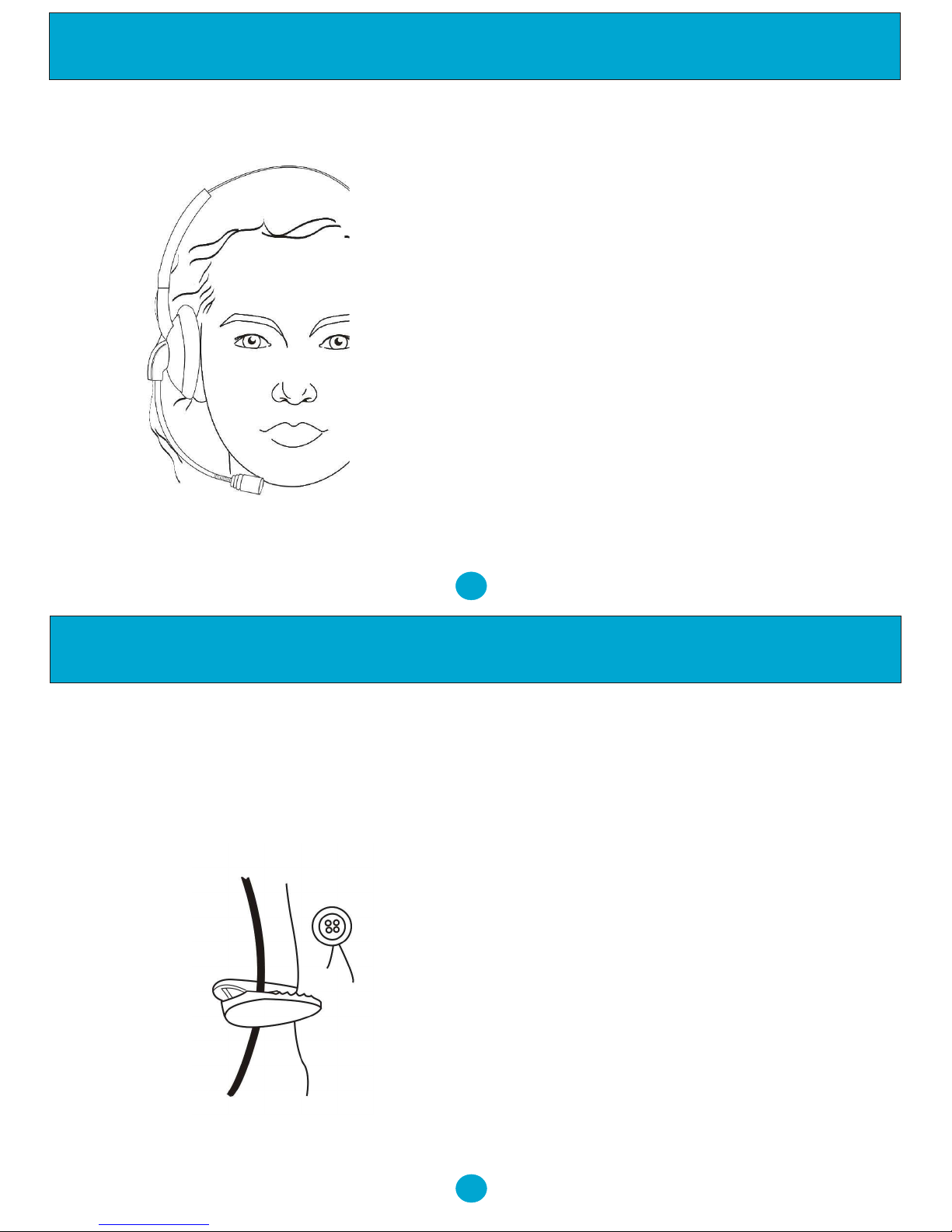
Hold the receiver firmly on the ear and
then adjust the flexible microphone boom
until you find the best position for the
microphone.
It is worth noting that it is best to set the
microphone about 1.5 “ from the corner
of your mouth as in this position any
breathing noise is minimised. Do not set
the microphone immediately in front of
your mouth as in this position breathing
noise is readily transmitted.
Ensure the microphone is positioned
pointing towards the face, otherwise the
send volume to any caller will be
somewhat low.
4
Using The Headset
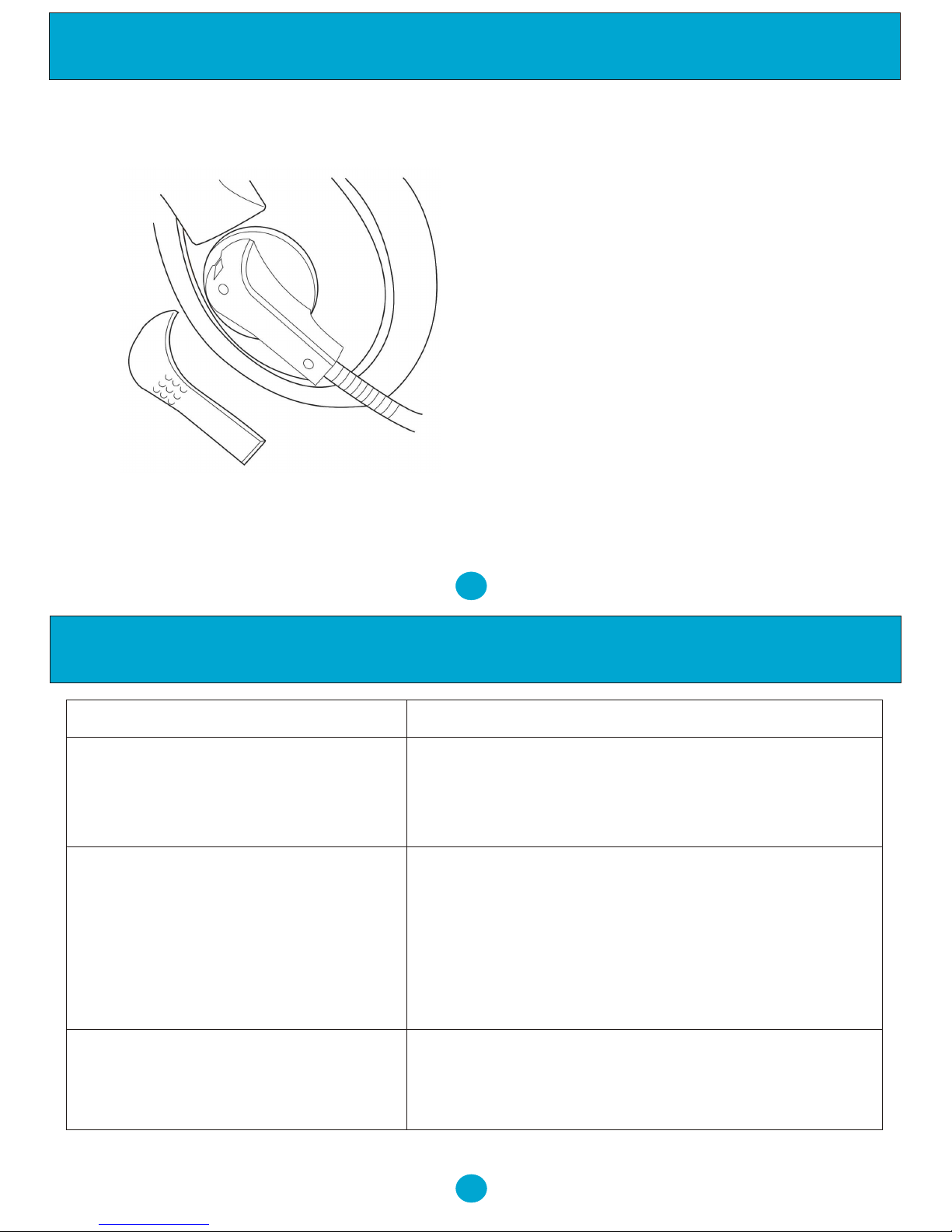
Using The Quick Disconnect
The NRX Headset is fitted with a Quick
Disconnect module. This allows the user
to put a call on hold and disconnect the
headset cable so that they can move
around freely without removing the
headset. The call can be continue by
simply reconnecting the headset.
To prevent the headset being pulled by the
headset cable a clothes clip is provided.
This clip should be clipped onto your
clothing in a suitable position to prevent
any tugging of the headset.
Page 5
7
Customising The Headset
In addition to the clip on moulding
matched to the colour of the headset,
four extra custom clip on mouldings are
supplied with the NRX Headset. These
are in different colours and can be used
to personalise your headset. Chose the
colour your prefer and clip onto the
headset.
6
Using The Headset
In The Event Of Difficulty
Problem Action
Incoming callers cannot Check that the quick
hear me properly Connected and that the microphone is
correctly positioned.
It is difficult to hear incoming Check that the quick disconnect is properly
callers connected and the receiver is positioned
over your ear.
Check any volume control on your
telephone is set to the correct level.
Headset feels uncomfortable Adjust the headset band for optimum
comfort.
disconnect is properly
Page 6
9
8
Warranty
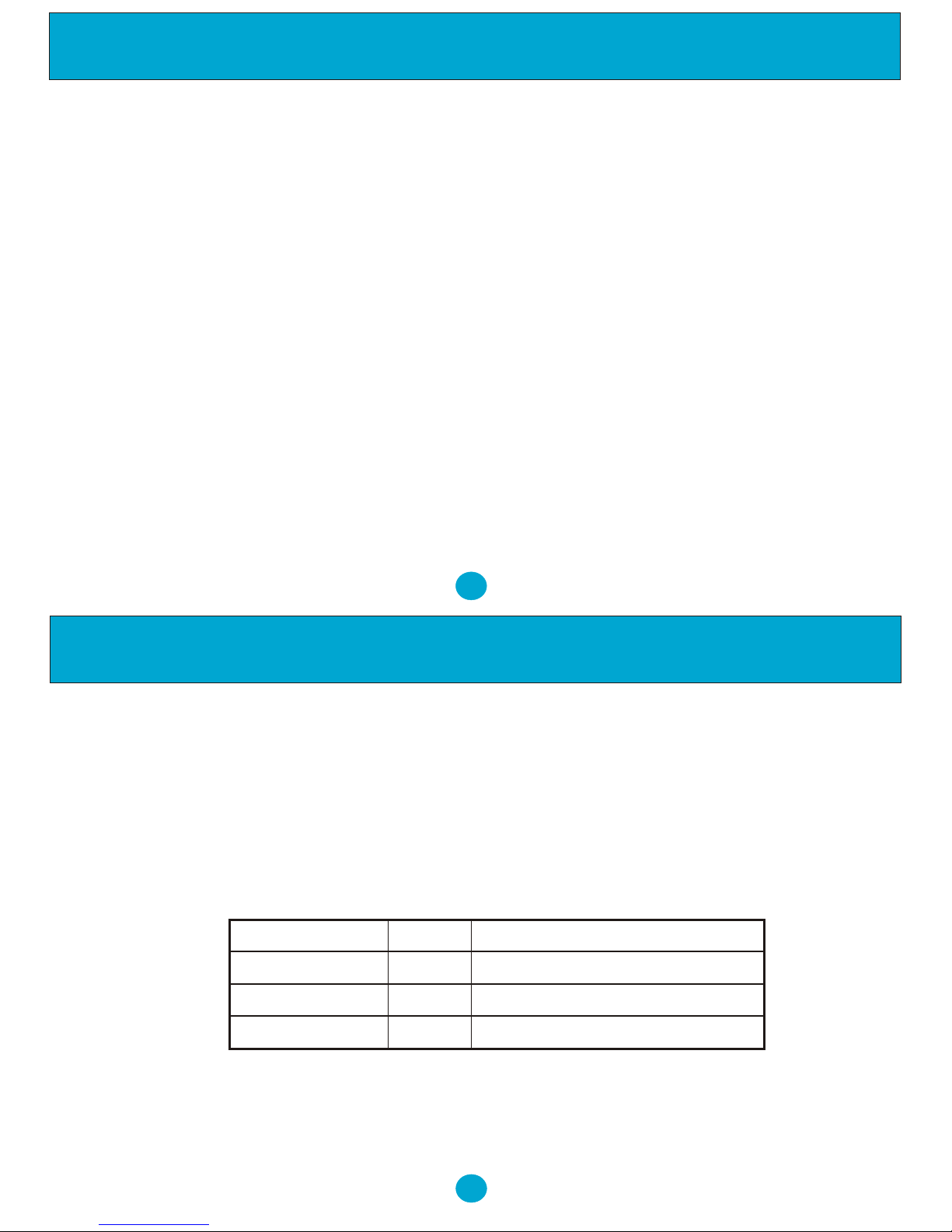
Date of Purchase
Model No Details of Fault
Returns Authorisation Form
Customer Details
Address: ................................. Tel No: ...................... Returns Auth No: .....................
................................................. Fax No: ......................
................................................. Account No: ..............
Trojan Telecom's full liability will extend to the cost of repair
or complete replacement of the returned item only.
7. WARRANTY
Trojan Telecom have built the NRX Headset to a high standard. Our warranty reflects our belief that during it’s working life you should not
experience any mechanical failures.
However, on the rare occasion a breakdown occurs, the NRX Headset is covered by a two year warranty.
Trojan Telecom will at all times use a sensible and supportive attitude towards warrantable returns, working with you in identifying ‘no
fault found’.
The following terms and conditions apply:
1) Where we find a genuine warranty failure, Trojan Telecom will replace the faulty instrument with a one-for-one replacement.
2) It is the responsibility of the user to return the faulty headset to Trojan Telecom. We ask you to cover this cost and we will return your
replacement headset at our expense.
3) We reserve the right to repair the faulty item or replace it with a similar headset of the same make.
4) Discontinued models under warranty will be replaced with a similar or more featured headset.
5) We reserve the right to charge for items considered to be chargeable under fair wear and tear.
6) User misuse or any modification carried out to the NRX headset by the customer is not considered a manufacturing fault or component
defect. Therefore it is not covered by the warranty.
7) Accidental damage such as liquid spillage or user damage will not be covered under the terms of the warranty.
8) When returning the headset please ensure you fully complete the returns authorisation form, failure to do so could cause you
unnecessary delay.
The terms of this warranty do not effect your statutory rights.
Warranty applies to UK customers only.
Faulty units should be returned to our service centre at the following address, together with the completed return form on the
opposite page.
SERVISCOMM
UNIT 2, RED BARNES WAY
McMullen Road, Darlington
DL1 2RR UK
Warranty
 Loading...