

Page 1
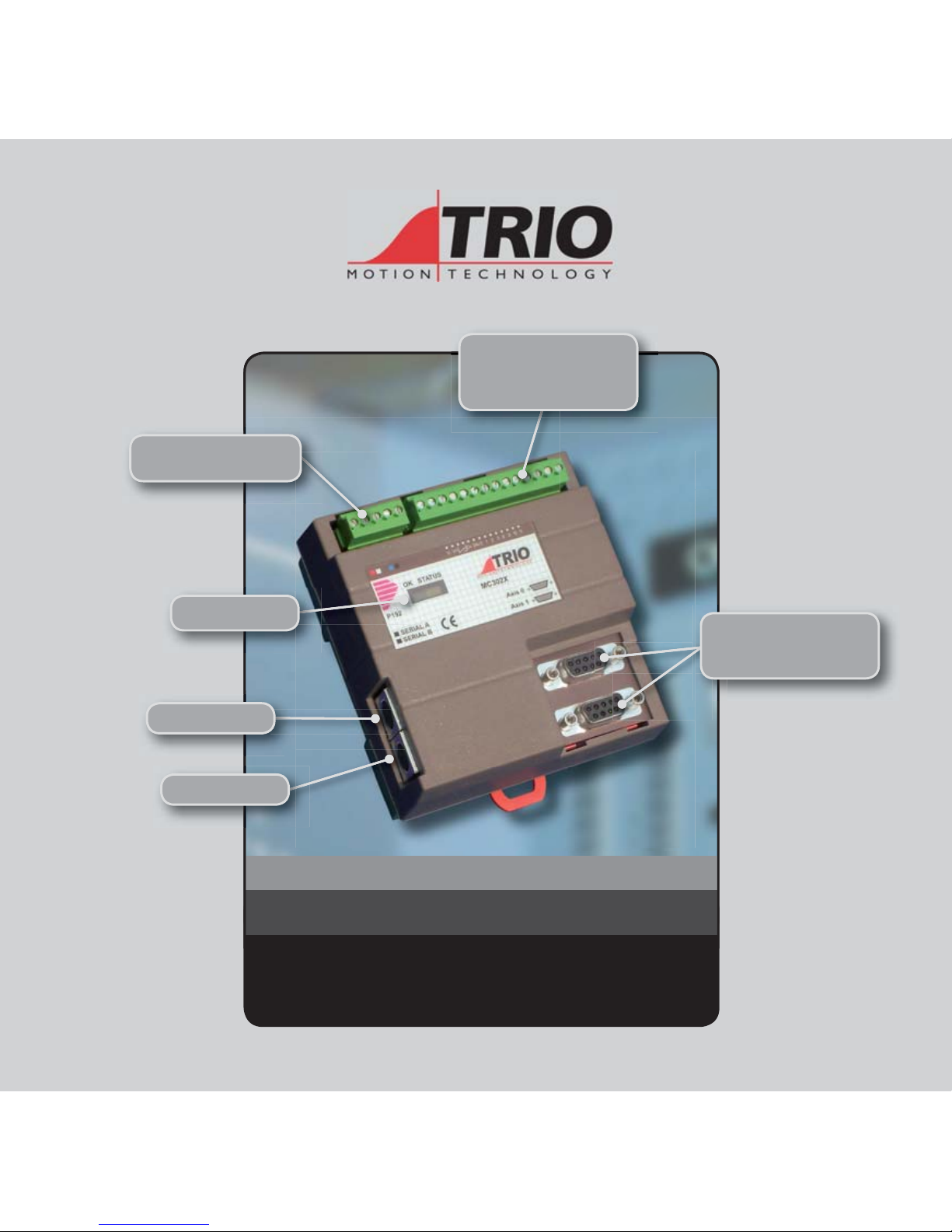
MO TION C OORDINAT OR
MC30 2X
Quick Connection Guide
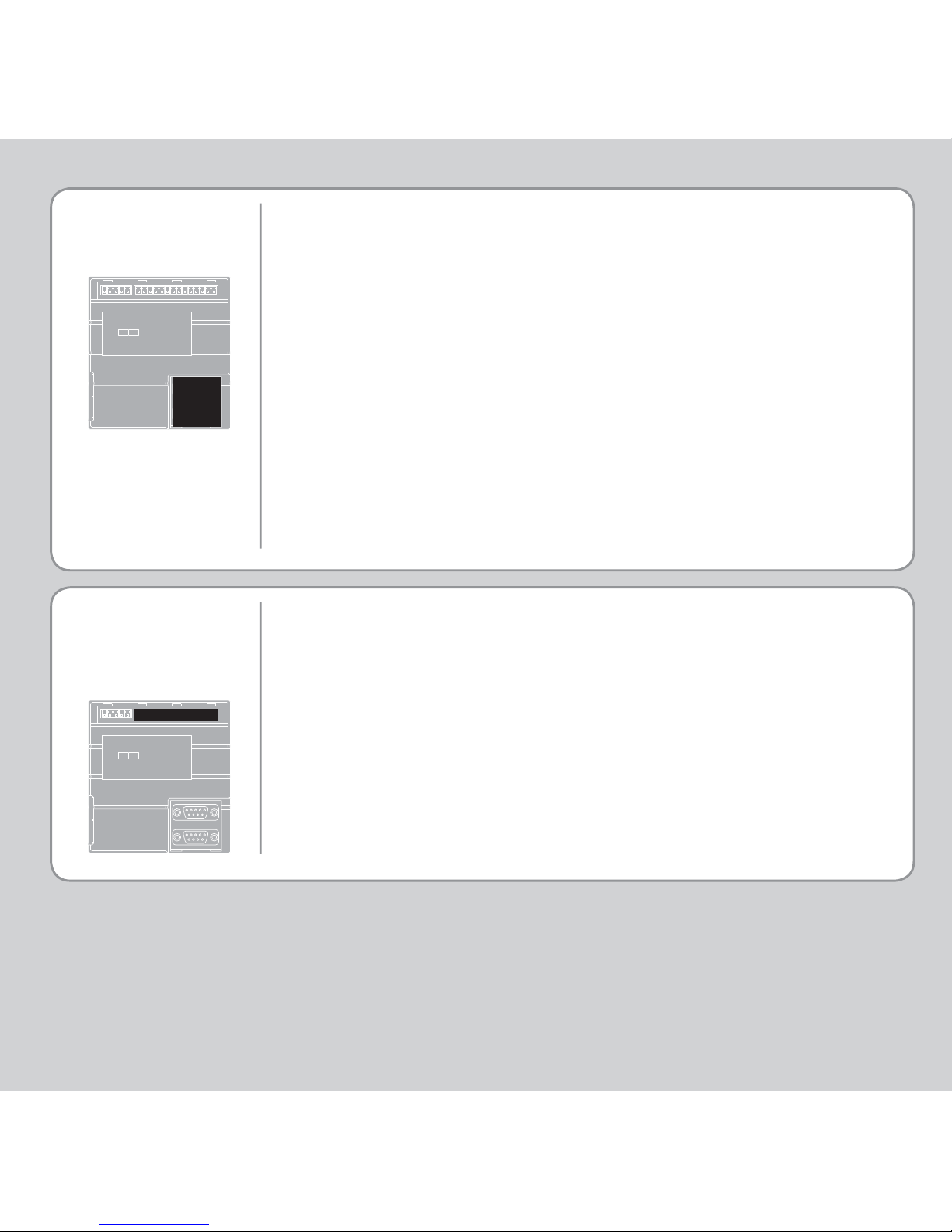
5 Way Connector
Power / CANbus
Axes 0-1
Encoder Inputs /
StepperOutputs
Signal LEDS
Serial A
Serial B
Analogue Output,
WDOG and
I/0 Connector
(Please refer to the Motion Coordinator Technical Reference Manual for Full Details)
Page 2
SERIAL
CONNECTIONS
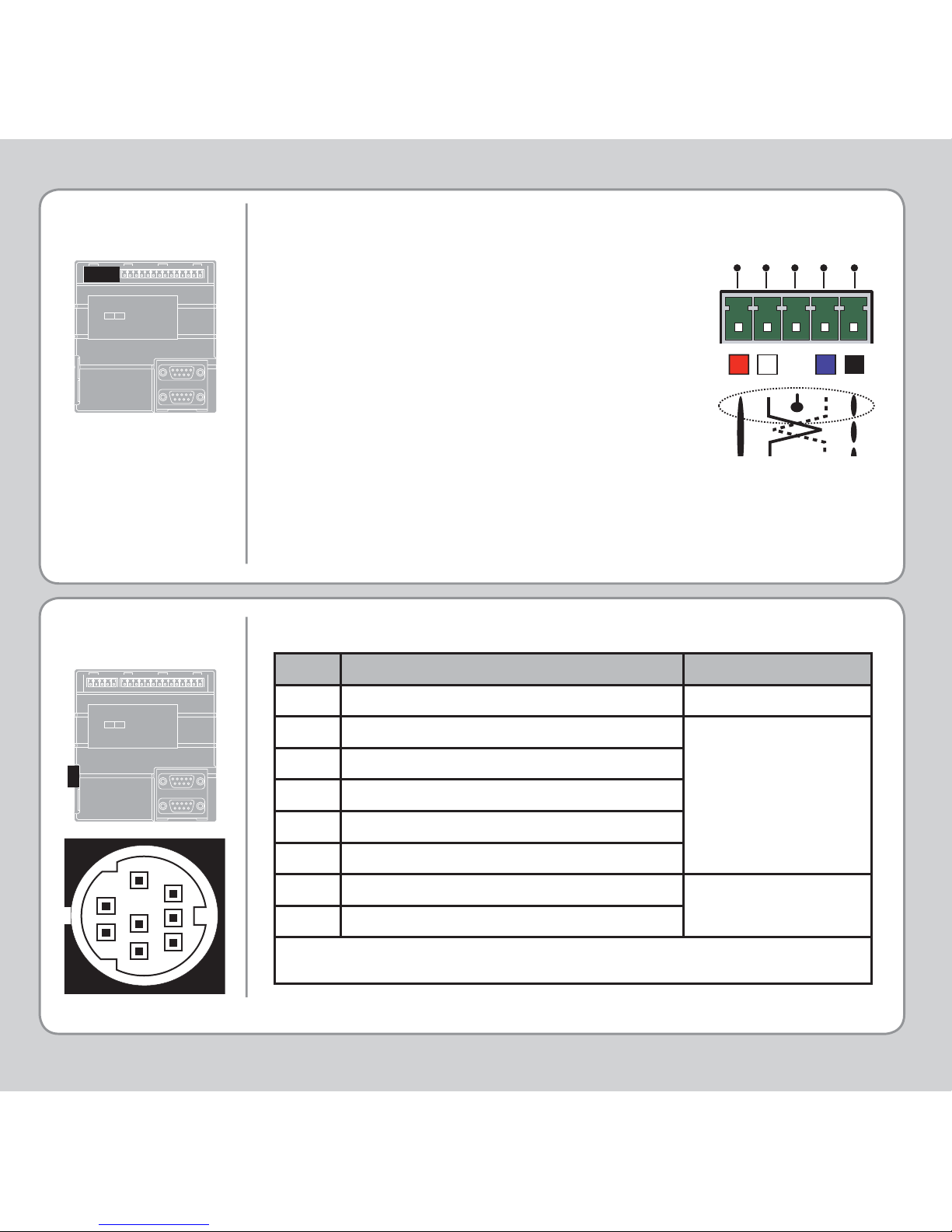
This is a 5 way 3.81mm pitch connector. The
connector is used both to provide the 24 Volt
power to the MC302X and provide connections
for I/O expansion via Trio’s P316 and P325 CAN
I/O expanders. A 24V dc, Class 2 transformer or
power source must be provided as this powers
the unit.
This 24 Volt input is internally isolated from the
I/O 24 Volts and the +/-10V voltage outputs.
The 24V (V+) and 0V (V-) MUST be connected
as they power the MC302X. The Shield MUST
also be connected to ground as it provides
the EMC screen for the Motion Coordinator.
The CAN connections are optional.
Pin Function Note
1No Connection
2No Connection
3RS232 Transmit
4RS232 0V Serial Port #0
5RS232 Receive
6No Connection
7No Connection
8No Connection
Note: Port 0 is the default programming port for connection to the PC running Motion
Perfect.
5-WAY
CONNECTOR
Serial Connector A
V+
SHIELD
CAN
-
L
CAN
-
H
V-
1
2
3
4
6
7
5
8
Page 3
SERIAL
CONNECTIONS
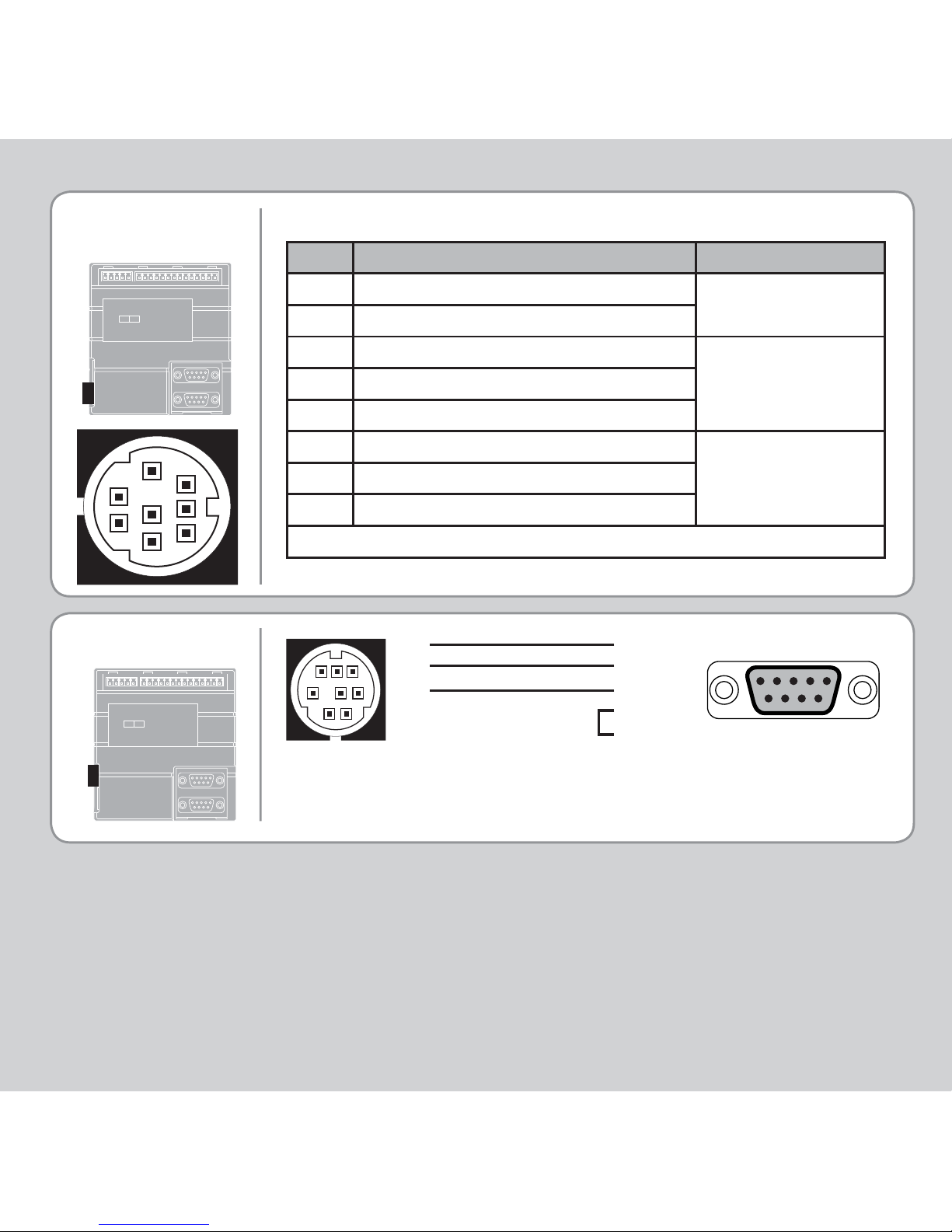
Pin Function Note
1 RS485 Data In A Rx+
Serial Port #1
2 RS485 Data In B Rx3RS232 Transmit
4RS232 0V Serial Port #1
5RS232 Receive
6No Connection
7 RS485 Data Out Z Tx- Serial Port #1
8 RS485 Data Out Y Tx+
Note: Option for port #1 to be either RS232 or RS485
Serial Connector B
1
2
3
4
6
7
5
8
SERIAL CABLE
Motion Coordinator to “AT” style PC with 9 pin serial connector
3
5
4
2 - Rx
3 - Tx
5 - Gnd
7 - RTS
8 - CTS
1
2
34
6758
5 4 3 2 1
9 8 7 6
Page 4
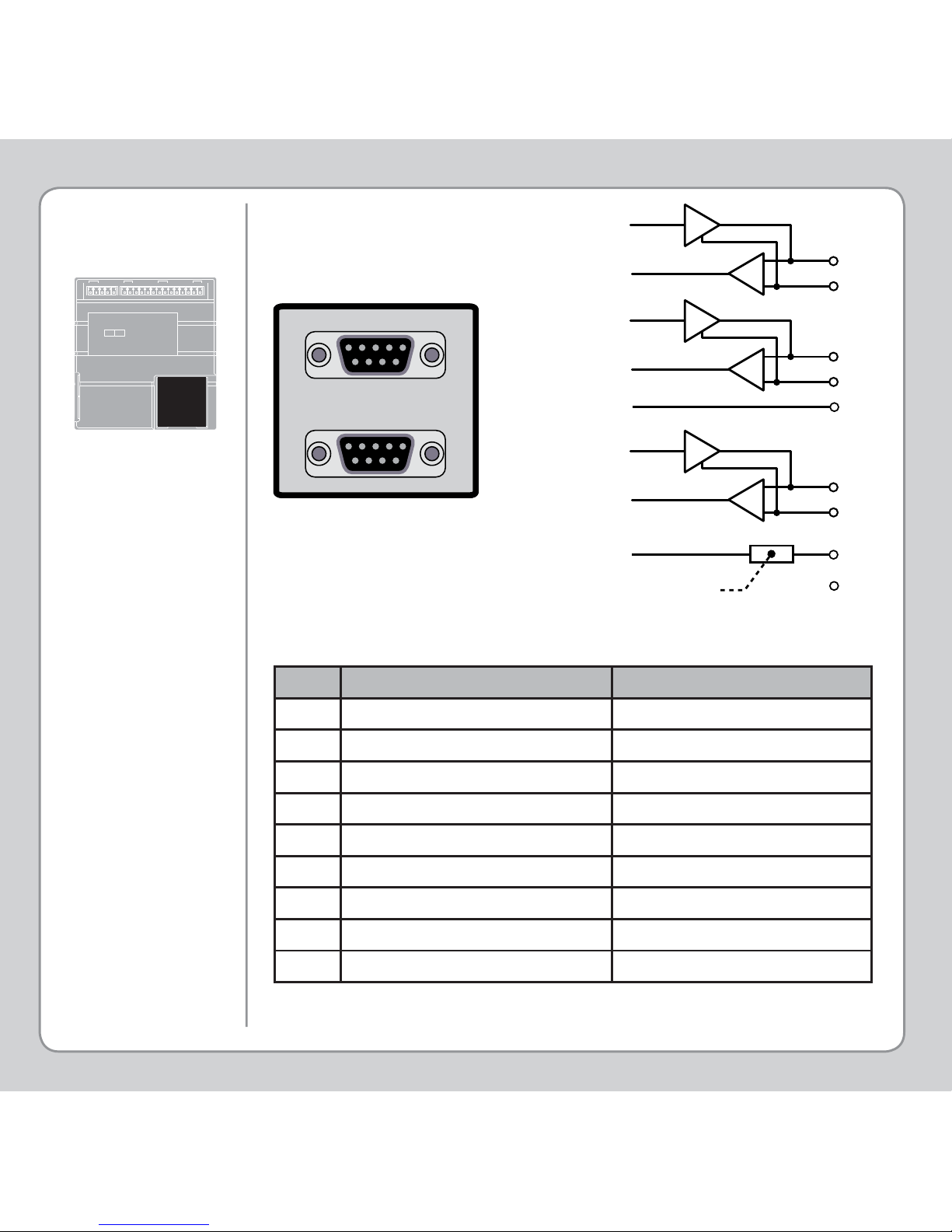
Current limit is 150mA total, shared between all outputs.
Pin Servo Axis Stepper Axis
1 Enc. A Step +
2 Enc. /A Step 3 Enc. B Direction +
4 Enc. /B Direction 50V 0V
6 Enc. Z Boost +
7 Enc. /Z Boost 85V 5V
9 Not Connected Not Connected
STEPPER OUTPUTS
/ ENCODER INPUTS
1
2
A
STEP
3
4
B
DIRECTION
6
7
Z
BOOST / ENABLE
5
0V
85v
9
NC
Current Limit
5 4 3 2 1
9 8 7 6
5 4 3 2 1
9 8 7 6
Page 5
STEPPER OUTPUTS
/ ENCODER INPUTS
(CONTINUED)
Default ATYPE Confi guration:
Axis 0: Voltage output servo axis with encoder feedback A TYPE AXIS(0)= 2
Axis 1 : Encoder feedback axis for synchronisation ATYPE AXIS( 1)=3
Stepper Confi guration:
Axis 0: Step and direction differential outputs ATYPE AXIS(0)= 1
Axis 1 : Step and direction differential outputs ATYPE AXIS(1)=1
Stepper/Encoder Confi guration:
Axis 0: Encoder feedback axis for synchronisation ATYPE AXIS(0)=3
Axis 1 : Step and direction differential outputs ATYPE AXIS(1)=1
Changes to ATYPE should be set prior to enabling the axes with WDOG=ON.
This statement should ideally placed in the STARTUP program. See user
manual for other ATYPE combinations.
An internal relay (Enable A and Enable B) is used to enable external
amplifi ers when the controller has powered up correctly and the system
and application software are ready. The amplifi er enable is a single pole
solid state relay with a set of normally open volt free “contacts”.
ALL STEPPER AND SERVO AMPLIFIERS MUST BE INHIBITED WHEN
THE AMPLIFIER ENABLE OUTPUT IS OPEN CIRCUIT
AMPLIFIER
ENABLE
(WATCHDOG)
RELAY OUTP UT
Page 6
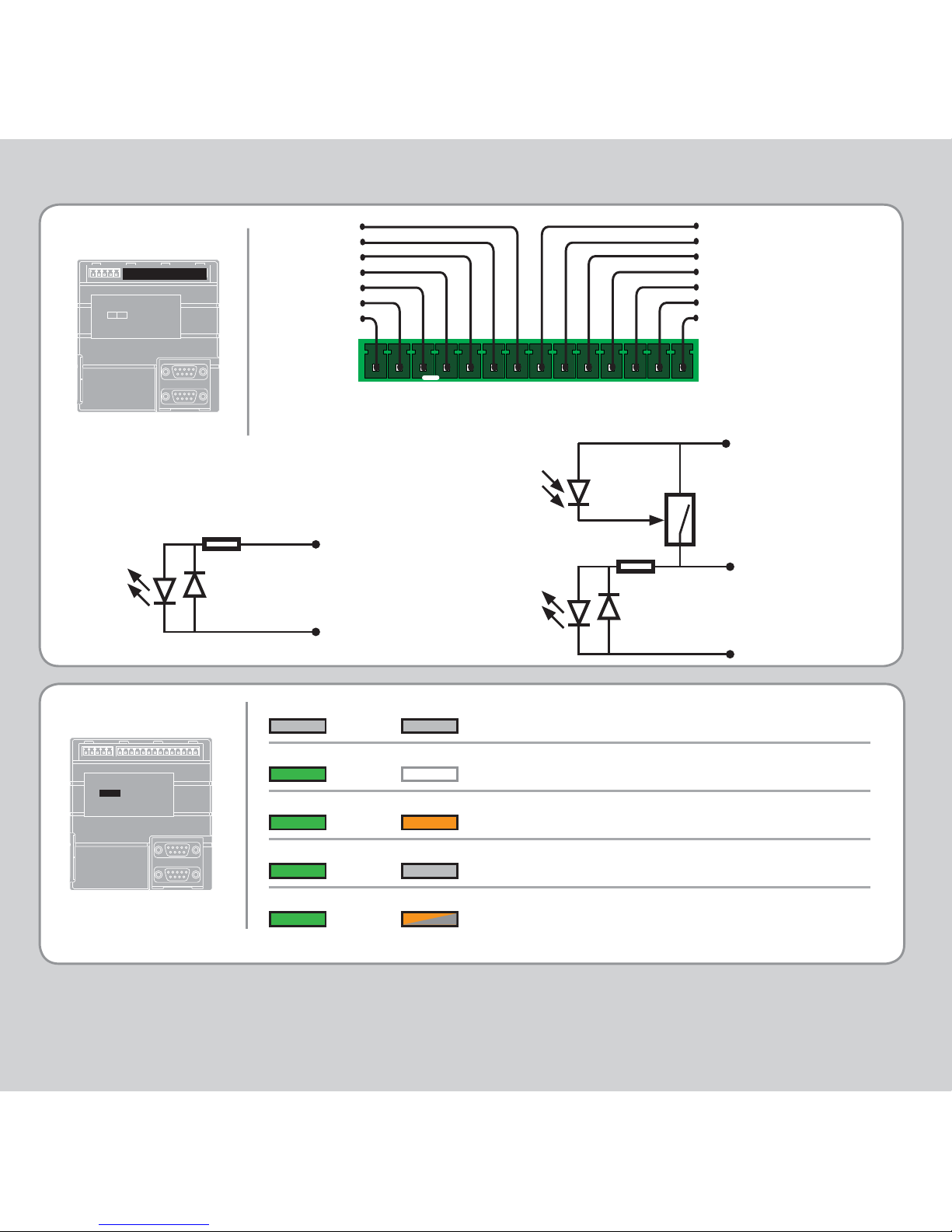
LED ERROR CODES
OK STATUS
No power or critical fault
Normal operation
Enable relay open
Enable relay energised
Error in motion system (fl ashing)
OK STATUS
OK STATUS
OK STATUS
OK STATUS
I/O C ONNE CTOR 1
I/O Connector
Analogue Output / WDOG / Inputs 0-3 / I/O 8-11
Enable A
Aout
Aout 0V
Enable B
I/O 0V
Input 0
Input 1
Input 2
Input 3
I/O 8
I/O 9
I/O 10
I/O 11
I/O 24V
Optical
Output
Control
Signal
Optical
Input
Signal
24V Pin
0V Pin
Protected
Switch
Input / Output Pin
6k8
Optical
Input
Signal
0V Pin
Input Pin
6k8
Page 7

Page 8

quick start v1.1-may 2007
Trio Motion Technology Ltd.
Shannon Way, Tewkesbury,
Glos. GL20 8ND. UK
Tel: +44 1684 292333
Fax: +44 1684 297929
Email: [email protected]
Website: www.triomotion.com
Trio Motion Technology LLC
1000 Gamma Drive, Suite 206,
Pittsburgh PA 15238, USA
Tel: +1 412 968 9744
Fax: +1 412 968 9746
Email: [email protected]
Website: www.triomotion.com
Trio Shanghai
Thompson Centre
228 Zhang Yang Road, A1105,
Pudong New Area, Shanghai,
200122, China
Tel/Fax: +86-21-58797659
HP: +8613816137446
Email: [email protected]
Website: www.triomotion.com
 Loading...