

Page 1

Page 1
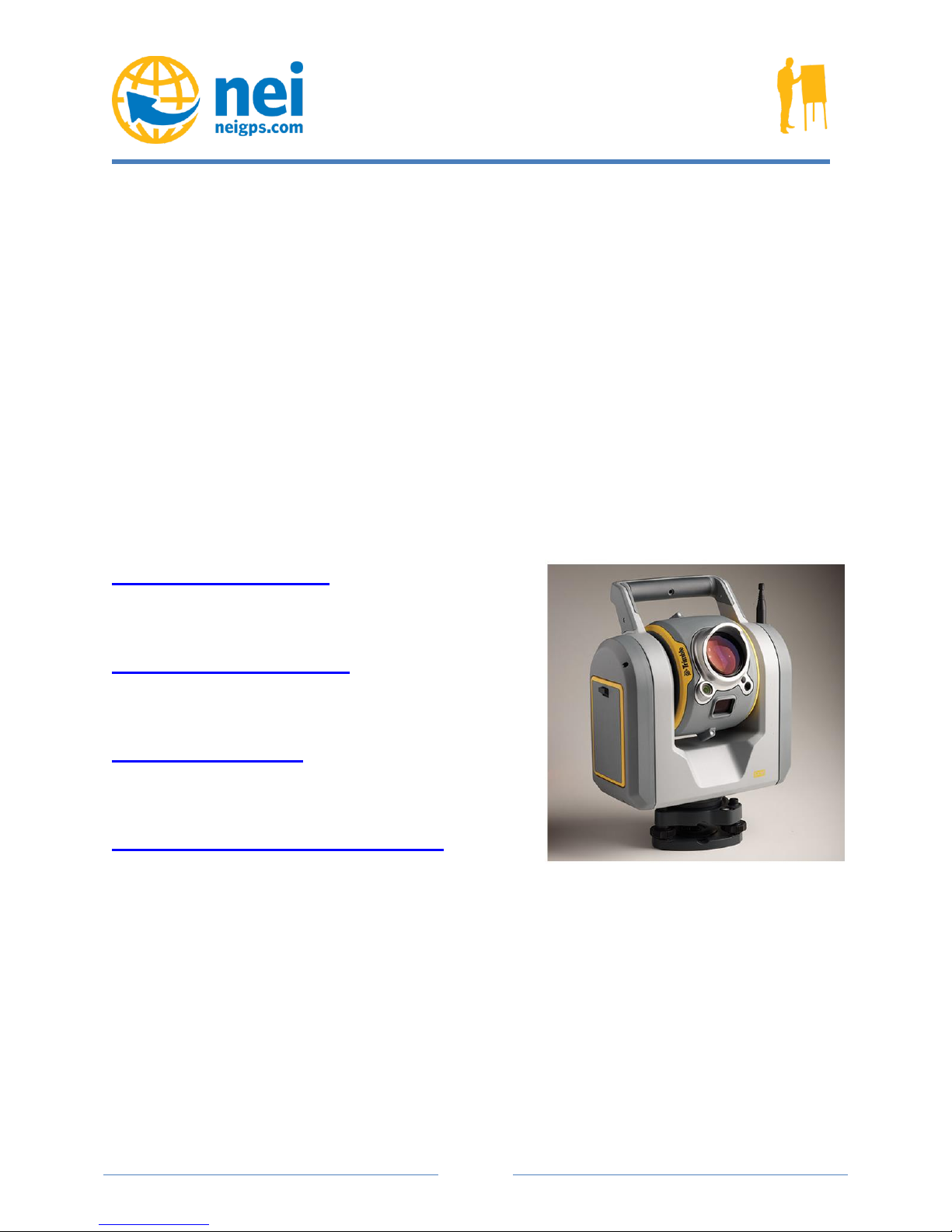
Trimble SX10 Scanning Total Station
Webinar Questions & Answers
What is the process to combine scan data from the Trimble SX10 scanning total station to my
survey data?
There are multiple ways to combine the scan data and the survey data.
The easiest way to combine scan data is for users to run the Trimble SX10 scanning total
station in a traditional total station workflow. By using the instrument in this manner, the scans
and survey data are automatically combined by the station setup routine. In this workflow there is
no need for scan data registration.
Non-registered scan stations can be registered to survey scans via cloud to cloud registration
using Trimble Business Center software.
Trimble Real Works® software offers additional capabilities for registering scans together,
including plane-based registration, and target based registration.
The SX10 doesn’t have an eye piece. Can I aim accurately without an eye-piece?
Yes. Instead of a traditional eyepiece we are using a calibrated group of cameras to accomplish
the pointing accuracy of the system. As an example, the images below show zoom level 6 (out of
8) of an SX10 scanning total station at effective 84x zoom and the 30x zoom optical lens of a
Trimble S7 total station. The Trimble SX10 scanning total station has two additional digital
zoom levels above level 6, which allows the instrument and controller to accomplish steps of 1”.
For a full overview of the different zoom levels, refer to the Trimble SX10 Scanning Total
Station User Guide.
There is no display. Why does this instrument not have a display?
The Trimble SX10 scanning total station is a fully robotic spatial station. All the functionality is
designed to use the instrument in the robotic capacity. All the controls and operations can be
accomplished through the connection to the tablet.
Page 2

Page 2
How big are the scan files?
Scan files will range in size depending on the number of points collected. But a basic rule of
thumb is approximately 50,000 points per 1 MB on the controller. For example, a Full Dome
scan inside a building containing 7.16–7.67 million points is approximately 140–150 MB.
Does the SX10 use the active auto lock technology that the other Trimble robots use?
There is no Active Tracking as you are familiar with on the old S Series. However, there is an
advanced camera based tracking system that gives very impressive tracking results. A real hands
on demo is where this shins. So basically, you will not be able to use the active properties of the
MT 1000, however you can still measure to the glass on the MT1000.
Since the camera is only 5 MP, can this system be integrated with an external HD camera
for stitching HD photos with the scan data?
At this time we do not have an automatic routine to stitch the images of an external camera with
our point clouds. Let me be very clear about the 5MP camera. There are actually 3 x 5MP
cameras each with a different FOV. The pixel spacing of our medium camera equals 4.4mm per
pixel at a distance of 50m whereas the highest density scan has a resolution of 6.25mm @
50m. Therefore the primary camera has the definition needed to capture all the higher
resolution. A full dome with that camera is 400+ images. But thank you for the feedback and I
will gladly discuss how we can accomplish that in Real works like we do already today.
In reference to the piling detail where you picked out the coordinate position of the bolt
hole, was that from the one scan location or multiple locations like the V10?
That example was using data from one station alone! With the V10 we needed two stations to
give us depth to the pixels. With the SX10 as long as you have Scan and images, the point cloud
can be your depth mask allowing you to do the virtual DR from a single station.
Page 3
Page 3
How often would the cameras need calibration?
The Tele camera is the only camera we currently allow calibration on. The other cameras
should not require calibration very often unless you have a significant bump or impact of your
instrument. At that case I would recommend the whole system. We are working to introduce an
automatic routine for the primary camera but the overview camera achieves the best calibration
with the production routine in the factory. No user calibration will improve that overview
camera.
Trimble SX10 webpage
Trimble SX10 Data Sheet
Trimble SX10 Video
Trimble Total Station Comparisons
Please contact NEI for more information regarding the Trimble
SX10 Scanning Total Station.
 Loading...