

Page 1
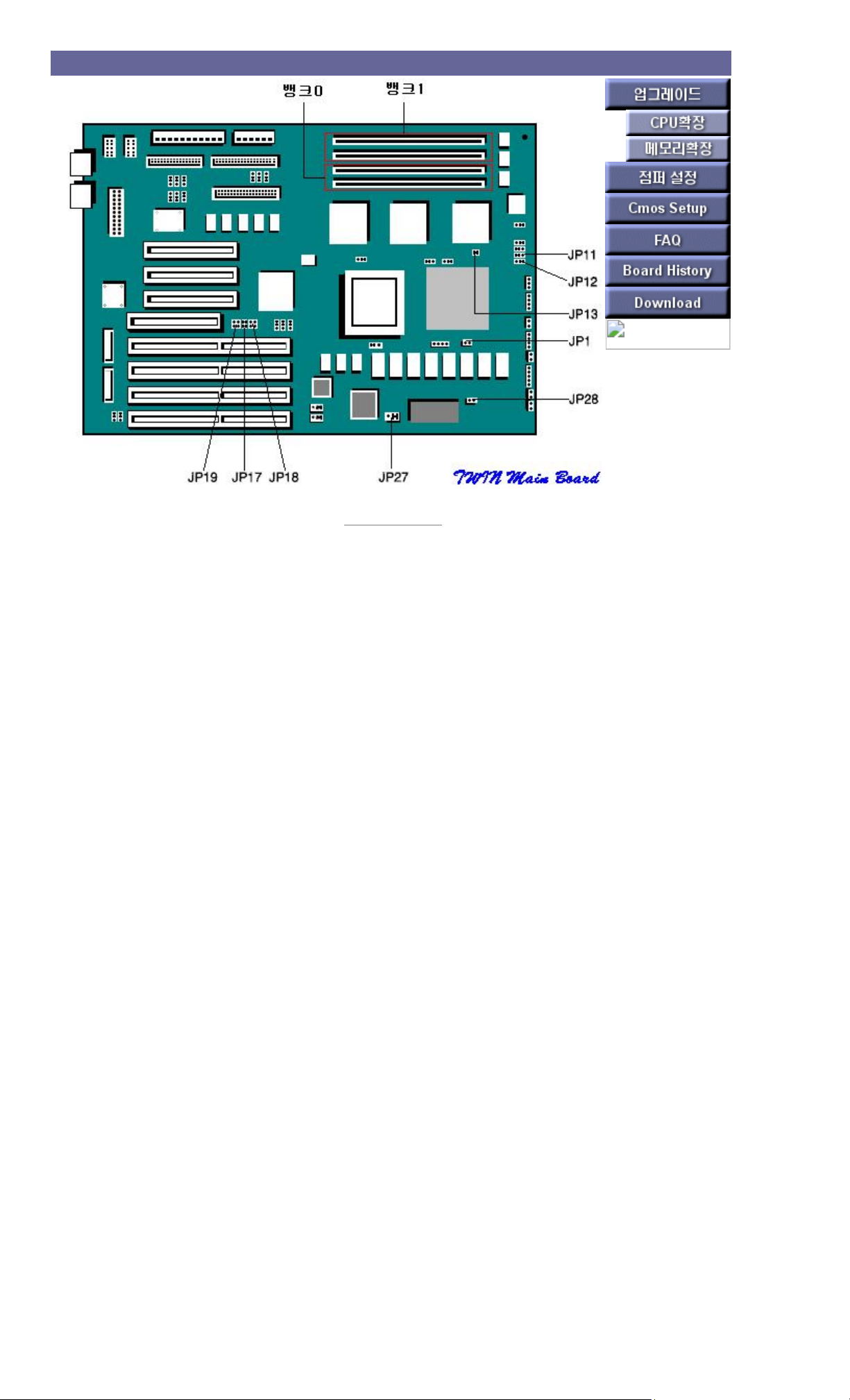
TWIN Main Board
[ Back to Previous ]
Page 2

TWIN jumper settings
setting contents jumper setting function
JP1
IN WRITE THROUGH
OUT WRITE BACK
ADDRESS PIPELINING SUPPORT
JUMPER SETTINGS
JP13
IN Using Address Pipelining
OUT Disable Address Pipelining
Clear CMOS RAM contents JP28
IN CMOS RAM Clear
OUT Do not Clear CMOS RAM
set password JP27
1-2 When using a password
2-3 If no password is used
Cache memory capacity setting
type: SOJ type
speed: 15ns
expansion: Up to 256 KB
jumper 0KB 128KB 256KB
J11 1-2 1-2 2-3
J12 1-2 2-3 2-3
Page 3

Twin Supportable CPU
Supports the following SPGA type CPUs
- Intel P54C(Pentium) 90MHz, 3.3V
- P54CT(OverDrive Processor), 3.3V
Page 4
TWIN memory settings
Cache memory capacity setting
type: SOJ type
speed: 15ns
expansion: Up to 256 KB
main memory
type: 72-pin SIMM module
speed: 70ns
Volume:
Available in 1MB, 2MB,4MB,8MB,16MB,32MB
-Single Density SIMM Module : 1MB, 4MB, 16MB
-Double Density SIMM Module : 2MB, 8MB, 32MB
expansion: up to 128MB
How to install
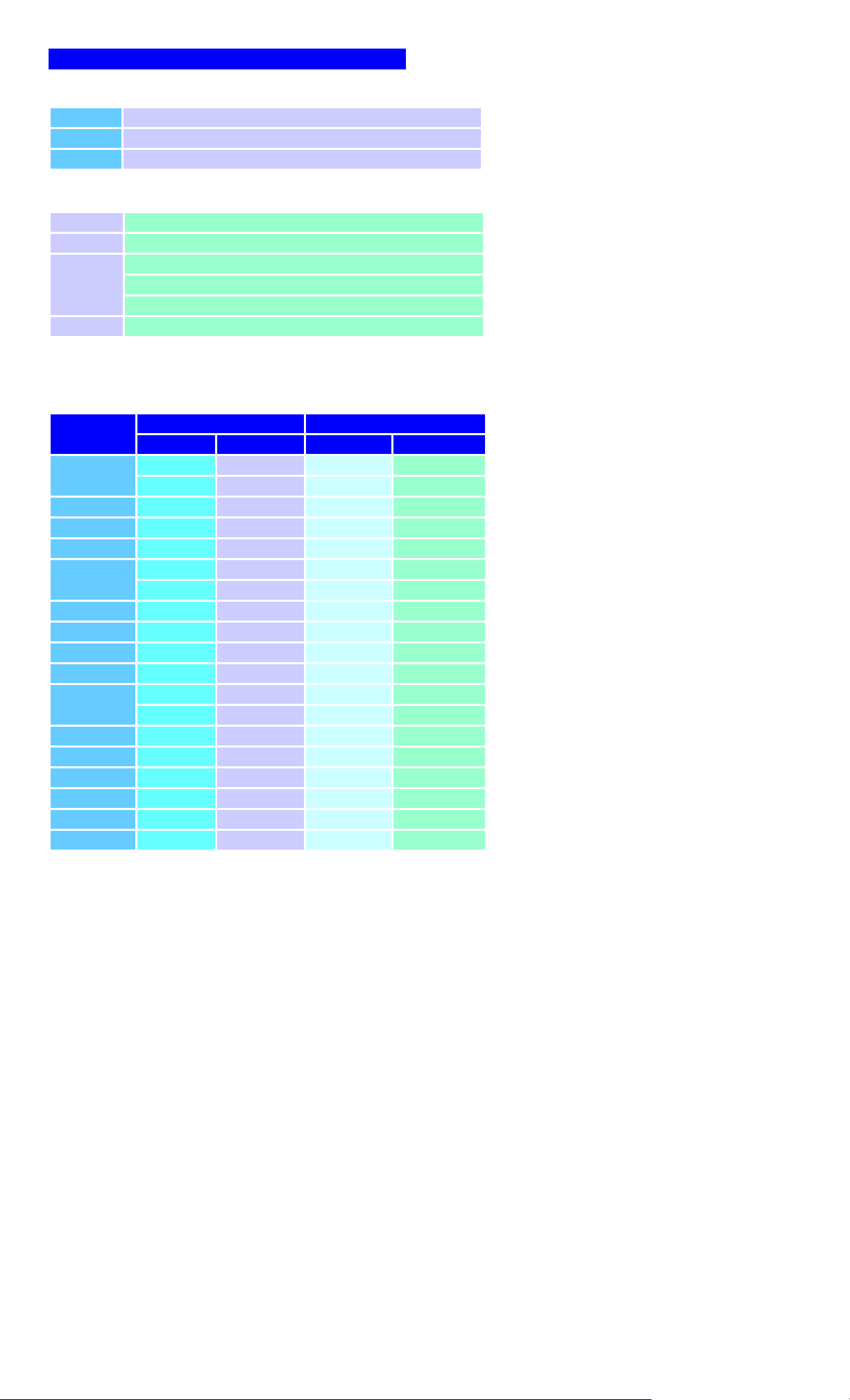
When installing two memories to [Bank 0 and Bank 1] (or [Bank 2 and Bank 3]), SIMM modules of the same type must be installed.
[Memory capacity] installed in [Group A] must be greater than memory capacity in [Group B].
memory size
bank 0 bank 1
(SIMM1) (SIMM2) (SIMM3) (SIMM4)
16M
4M 4M 4M 4M
8m 8m -- --
18M 1M 1M 8m 8m
20M 2m 2m 8m 8m
24M 4M 4M 8m 8m
32m
8m 8m 8m 8m
16M 16M -- --
34m 1M 1M 16M 16M
36m 2m 2m 16M 16M
40M 4M 4M 16M 16M
48M 8m 8m 16M 16M
64M
16M 16M 16M 16M
32m 32m -- --
66m 1M 1M 32m 32m
68M 2m 2m 32m 32m
72m 4M 4M 32m 32m
80M 8m 8m 32m 32m
96M 16M 16M 32m 32m
128M 32m 32m 32m 32m
Page 5
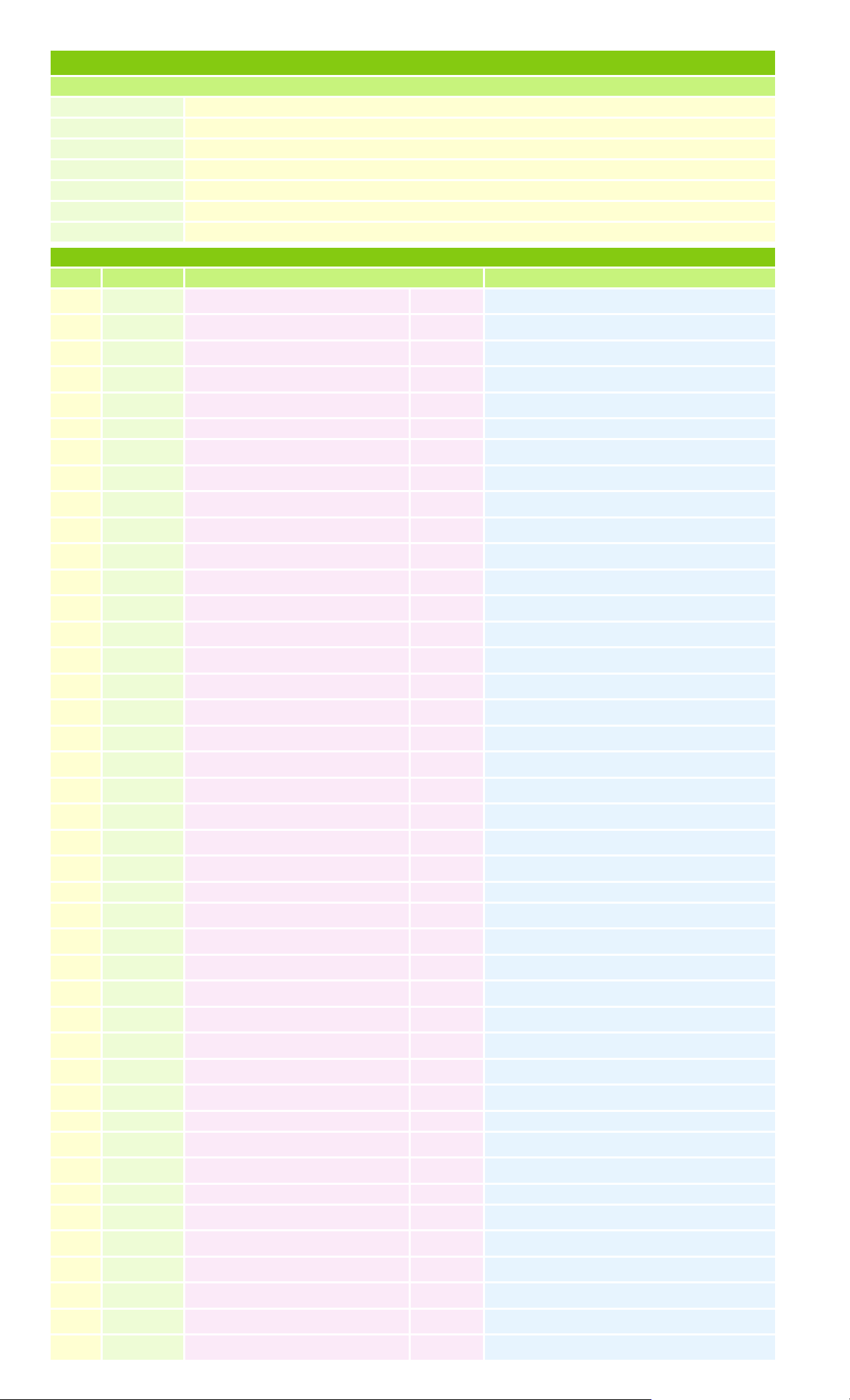
TWIN Main B/D CMOS SETUP
use key
Mouse click Point/Select item
Tab Select window
Enter Select item
Esc Return to previous level
Alt+H Help
Alt+Space Global exit
Curser keys Usual meaning
Press the DEL key during booting
Level 1 Step 2 Step 3 selection option
Setup Standard Date/Time
date, time setting
Floppy A
Not / 360K 5.¼, 1.2M 5.¼ / 720KB ½ / 1.44M ½
Floppy B
Not / 360K 5.¼, 1.2M 5.¼ / 720KB ½ / 1.44M ½
Master Disk
Not / 1~46 / User / ESDI / SCSI
Slave Disk
Advanced Quick Boot :Disabled Disabled, Enabled
Primary Display :VGA/EGA
System Boot CPU Speed :High
System Boot Up Sequence :A:, C: A: then C:, C: then A:
System keyboard :Present
System Boot Up Num Lock :On On, Off
Typematic Rate(Chars/Sec) :30
PS/2 Mouse Support :Enable Disabled, Enabled
Password Checking :Setup Setup, Always
Cache Memory :Both Disabled, Internal, Both
Adapter Shadow Cacheable
Enabled, Disabled
System BIOS Shadow Cacheable
Enabled, Disabled
ISA Video ROM C000, 32K
Enabled, Disabled
ISA Adapter ROM C800(CC00,D000,
D800,DC00), 16K
ISA Bus Master Installed
Yes. No
ISA VGA Frame Buffer Size
Disabled, 1MB, 2MB, 4MB
PCI VGA Palette Snooping
Enabled, Disabled
Adv HDD IDE Block Mode :Auto Disabled, 2,4,8,16,32,64 S/B(Sector/Block), Auto
IDE 32bit Transfer :Enabled Enabled, Disabled
Primary Master LBA Mode :Enabled Enabled, Disabled
Primary Slave LBA Mode :Disabled Enabled, Disabled
Secondary Ctrl Drive Present :None
Secondary Master LBA Mode :Enabled Enabled, Disabled
Secondary Slave LBA Mode :Enabled Enabled, Disabled
PCI IDE Card Present in
PCI IDE IRQ Connected to
Power Mgmt Power Management :Enabled Enabled, Disabled
Video Power Down :Enabled Enabled, Disabled
Timeout Value :15 Min 12min~75min
Peripheral Programming Mode :Auto Manual, Auto
Floppy swap A: B: :Enabled Enabled, Disabled
OnBoard FDC :Enabled Enabled, Disabled
OnBoard PCI IDE :Enabled Enabled, Disabled
Serial Port 1 :3F8H Disabled, 3F8H, 3E8H, 2E8H, 2F8H
Serial Port 2 :2F8H Disabled, 3F8H, 3E8H, 2E8H, 2F8H
Parallel Port :378H Disabled, 378H, 3BCH, 278H
Page 6

Parallel Port Mode :Normal Normal, Extended
Utility DetectMaster Automatically increases the capacity of the hard disk drive (C:, D:) connected to the Primary IDE connector.
DetectSlave (Hard drive connected to Secondary IDE connector is automatically recognized without setting)
Color Set Set-up screen color selection
Security Password
최대 6자리까지 입력 가능
Anti-Virus
부트 섹터에 Virus 감염이나 다른 테이타 엑세스가 'Write'되는 것을 막음
Default Original
셋업 변경 직전의 단계로 수정 함
Optimal
최적의 환경으로 자동 설정 기능(Standard, Utility, Password는 변경 안됨)
Fail-safe
사용자가 시스템을 사용하기 위한 가장 안정된 값을 자동으로 설정
 Loading...