

Page 1

Page 2
Dear consumer,
Thank you for your purchase of our Range Hood. Plese make
TECHNICAL SPECIFICATIONS
Model No.: TRI-RS-7475E1
Total power: 69W
Motor power: 65W
Led light: 2x2W
Voltage: 120V
Frequency: 60Hz
Filter: Aluminum filter
Control: Touch control
Page 3
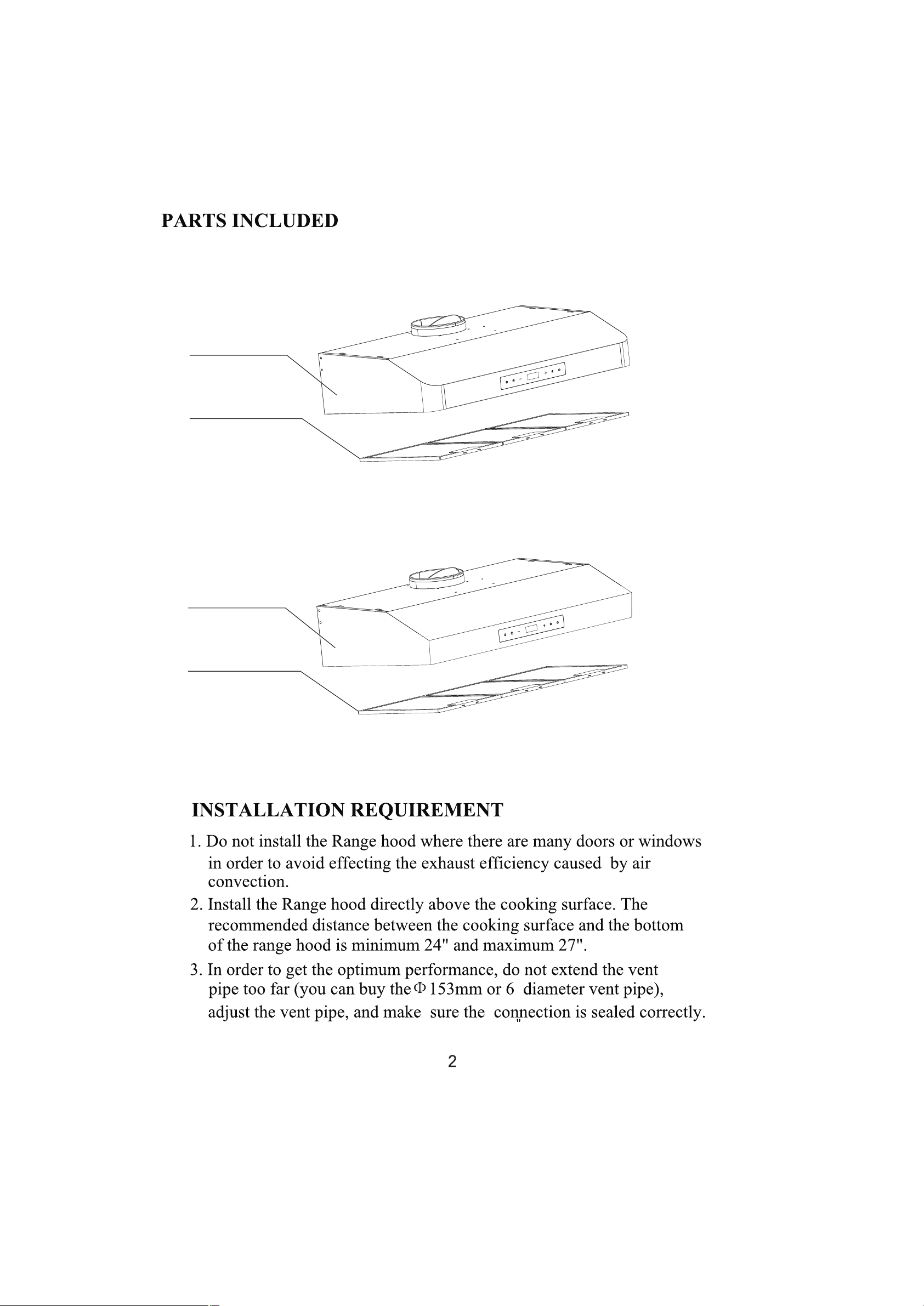
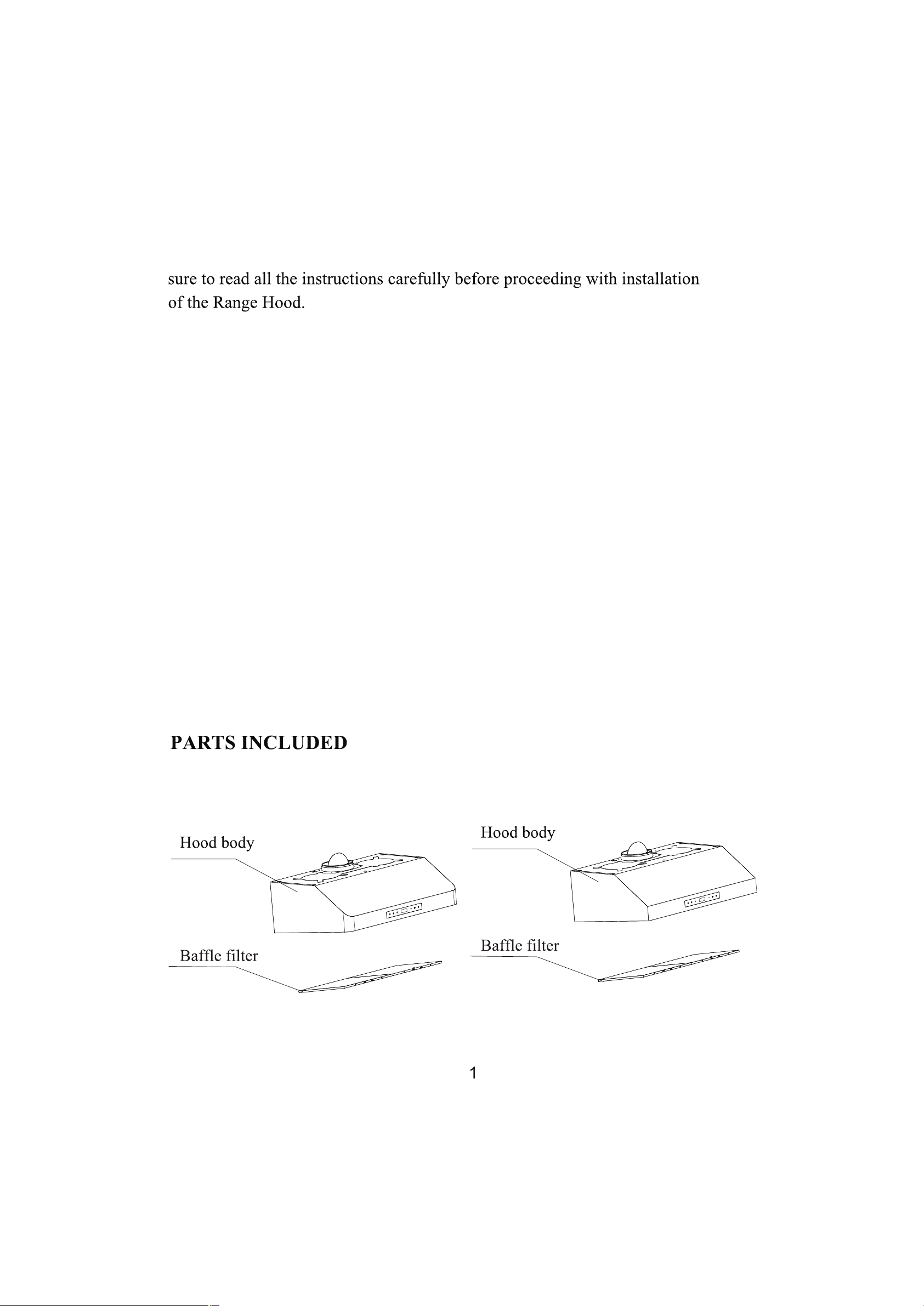
Hood body
Aluminum filter
Hood body
Aluminum filter
Page 4
29 .7"
12 .9"
Page 5
Page 6
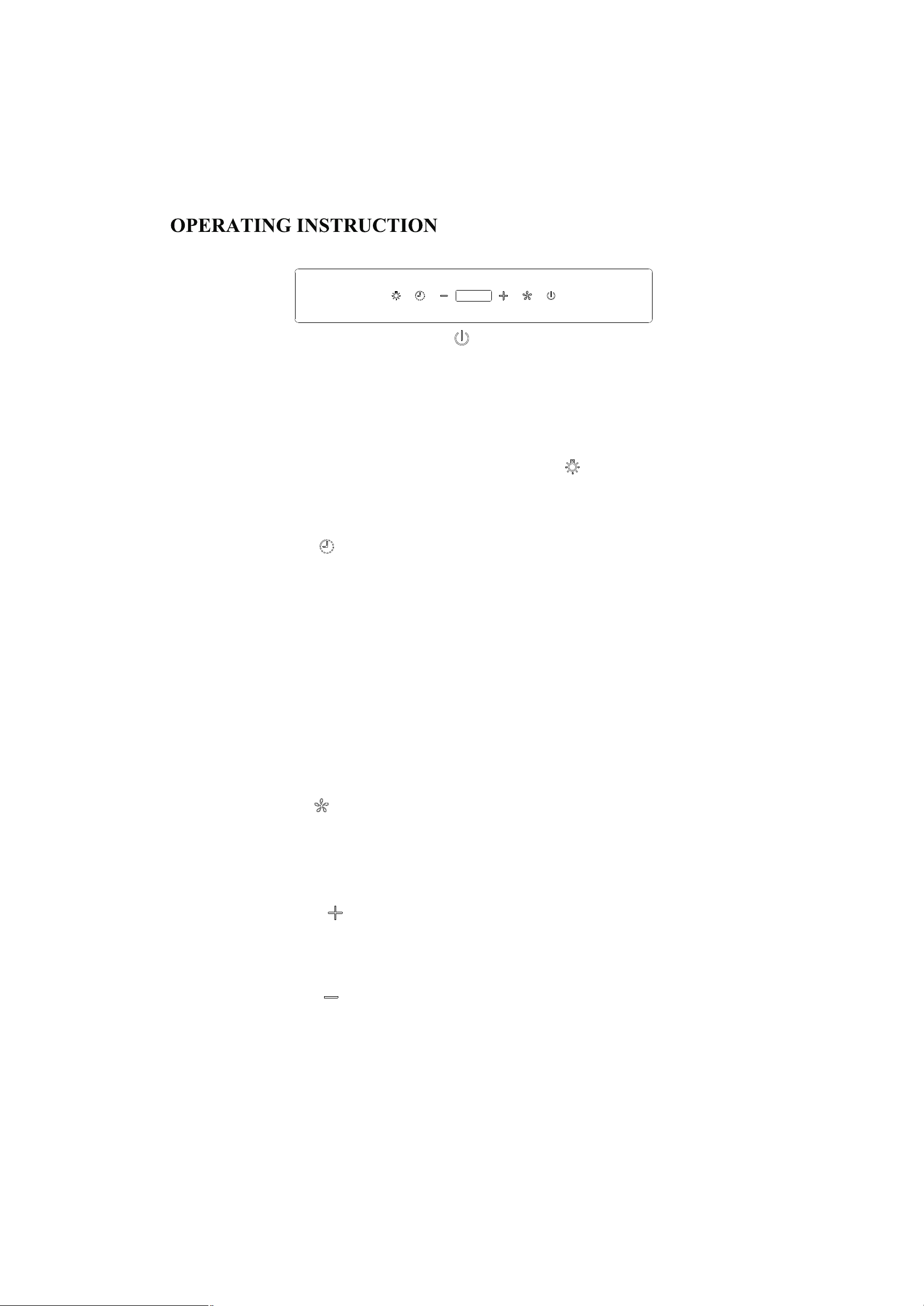
How to use the 3 speed soft touch control
1.On/Off
A. Press the On/Off key after power on" " all buttons will be on and enter into
standby mode.
B. In working mode, press the button once to turn off the hood with one minute
delay to turn off; Press twice to turn off the hood immediately.
2.Lighting
Separate controlling light,Press once to turn the light" "press the same button
again to turn off the light.
3.Timer
A.In working mode," "press this button to enter into delay turn off mode by 3
minutes, press again to set the delay time for maximum 59 minutes, it will
automatically starting work in 10 seconds after settled delay turn off time.
During delay turn off time, change of speeds will not influence the delay turn off
time. At the last countdown 3 seconds, it will buzz, turn off the hood and enter into
standy mode.
B.In the standby mode, press this button for 3 seconds, it will enter into setting
time mode, “+” button to set hour and “-” button to se t minute,After setting,
press this button and waiting for 10 seconds to save the settled time
4.Speed button
A. In standy mode, " "press this button to enter into high speed, and shows F3 on
the screen.
B. In working mode, touch this button to turn off the motor.
5.Speed up
A.In standby mode, " "press this button to start the hood from low speed, press
the same button again to enter into middle speed, and again to enter into high speed.
6.Speed down
A.In standby mode, " "press this button to start the hood from high speed, press
the same button again to enter into middle speed, and again to low speed.
5
Page 7
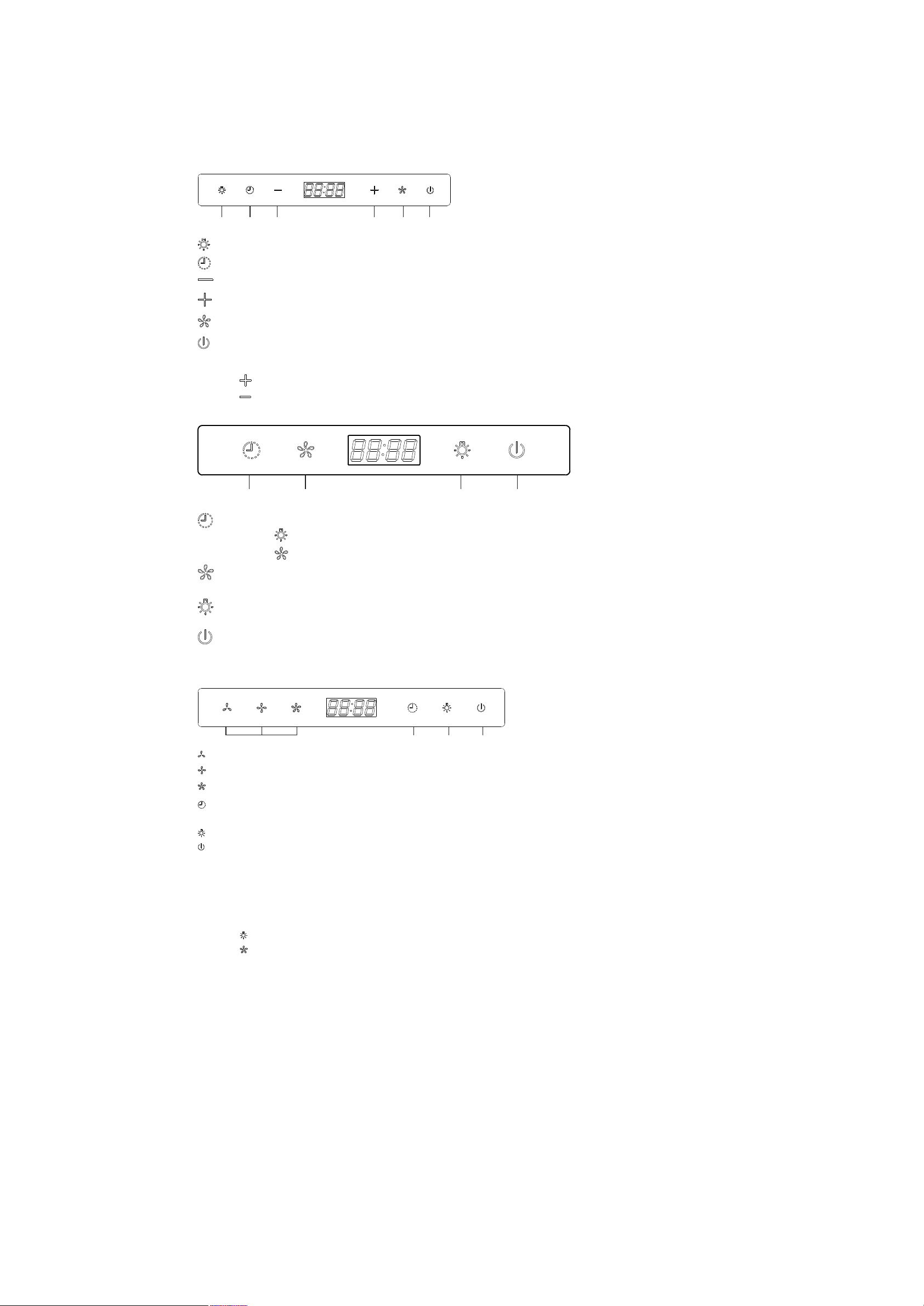
OPERATION INSTRUCTION
Light Tim er Speed d own Speed u p Max spe ed On /of f
Turn on and turn off the light
Set time
Speed down, from speed 3 to speed 1
Speed up, from speed 1 to speed 3
To start max speed
To turn on and turn off the power
Time setting: Press for approximately 3 seconds.
Touch (Speed up) to set hour.
Touch (Speed down) to set minute.
Timer Speeds Light On/off
Time setting: Press approximately 3 seconds to set time.
Touch (Light) to set minute.
Touch (Speed) to set hour.
Press once to get high speed, 2nd to get middle speed and 3rd to get low speed,
and recycle.
Touch to turn on/off the light.
In standby mode, press to get the hood on.
In working mode, press once to get one minute delay to turn off the hood, press
again to turn off immediately.
Set speeds Tim er Light On/ off
Touch to select LOW speed.
Touch to select MEDIUM speed.
Touch to select HIGH speed.
Timer setting: Touch 1 (one) time to set the timer by 1 minute.
The maximum setting is 60mins.
Touch (Light button) to set hour.
Touch to select off.
Touch 1 (one) time to sel ect OFF during operation mode.
The fan turns off automatically after 1 (one) minute.
Touch 2 (two) times to tu rn off the fan instantaneously.
CLOCK
Clock setting: Touch and hold for approximately 3 seconds.
Touch (Light button) to set hour.
Touch (High Speed button) to set minute.
6
Page 8
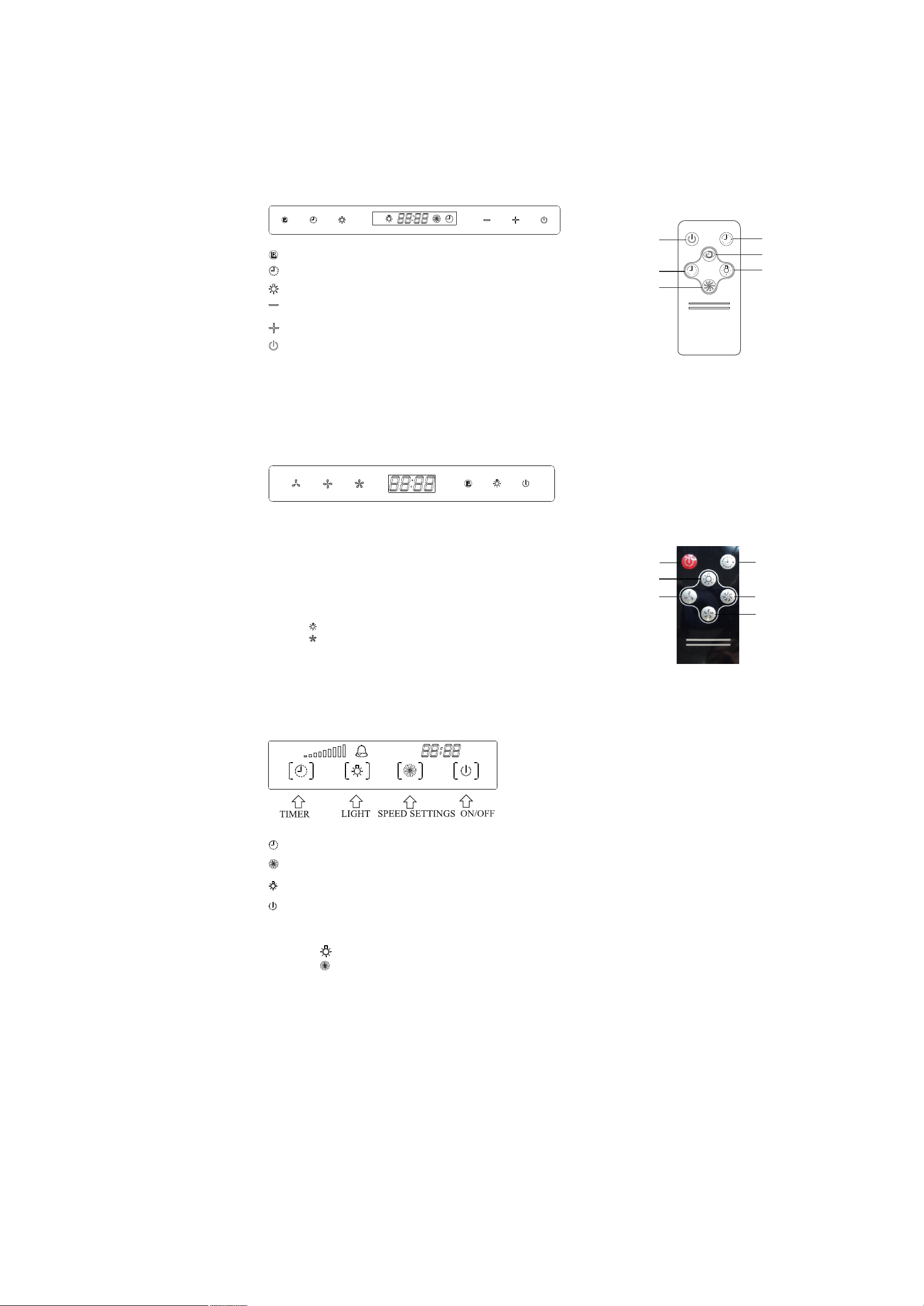
OPERATION INSTRUCTION
Remote receiv er
Press 3 seconds to en te r in to t ime setting mode, touch + a nd - t o se t ho ur a nd minute
Light: touch to t ur n on o r tu rn o ff the light
Speed down: Touch to operat e sp ee d fr om 3 -1.
Speed up: Touch to operate sp ee d fr om 1 -3 .
On/off: I n st an dby mode, touch once to ent er i nt o ti me r mode and by + or - to set delay
shut off ti me , to uch again to turn off i mm ediately.
Tim e se tt in g
Touc h On /o ff button to ente r in to t im e se tting mode,
then press + and - to s et h ou r an d mi nute.
A
A. Low spe ed : Touch to oper at e low speed on or off.
B. Mediu m sp eed: Touch to ope rate medium spe ed o n or off .
C. High sp ee d: Touch to con tr ol high speed on or o ff.
D. Recei ve r: Direct the rem ot e control towar d the receiver when u sing.
E. Light : Touch to turn on or tur n off th e light.
F. Del ay/Off/Time sett ing.
a. When the motor is w orking, press o nc e to start 1 minute d el ay turn
off mode, press ag ain to turn off immediate ly.
b. In stan db y mode, press ove r 5 seconds to start ti me setting mode.
Tim e se tting:
Touch (light) to se t hour.
Touch (high speed ) to set minute.
G. Remot e co ntrol to set time r:
When the motor is wo rking press onc e to s et 5 minutes dela y tu rn off ,
press ag ai n each time to set 5 mi nu tes more, maxim um 60 minutes.
C
B
D
E
F
A
B
C
A. Low spe ed
B. Middl e sp eed
C. High sp ee d
D. Recei ve r
E. Light in g
F. Del ay/off/Time set
F
E
A
D
E
F
G
C
B
Tim er setting: Press once to set 1 minute delay shut off. The maximum is 59 minutes.
Pres s once fo r high speed, 2nd time for middle speed, and 3rd tim e for low s peed, and recycle.
Pres s to turn o n or turn off the light.
When t he motor is working, press one to enter into 1 minute delay t urn off mode.
Pres s again to turn off the motor immediately.
Cloc k setting: Touch for approximately 3 se conds .
Touch (light button) to set hour.
Touch (Speed button) to set minute.
7
Page 9
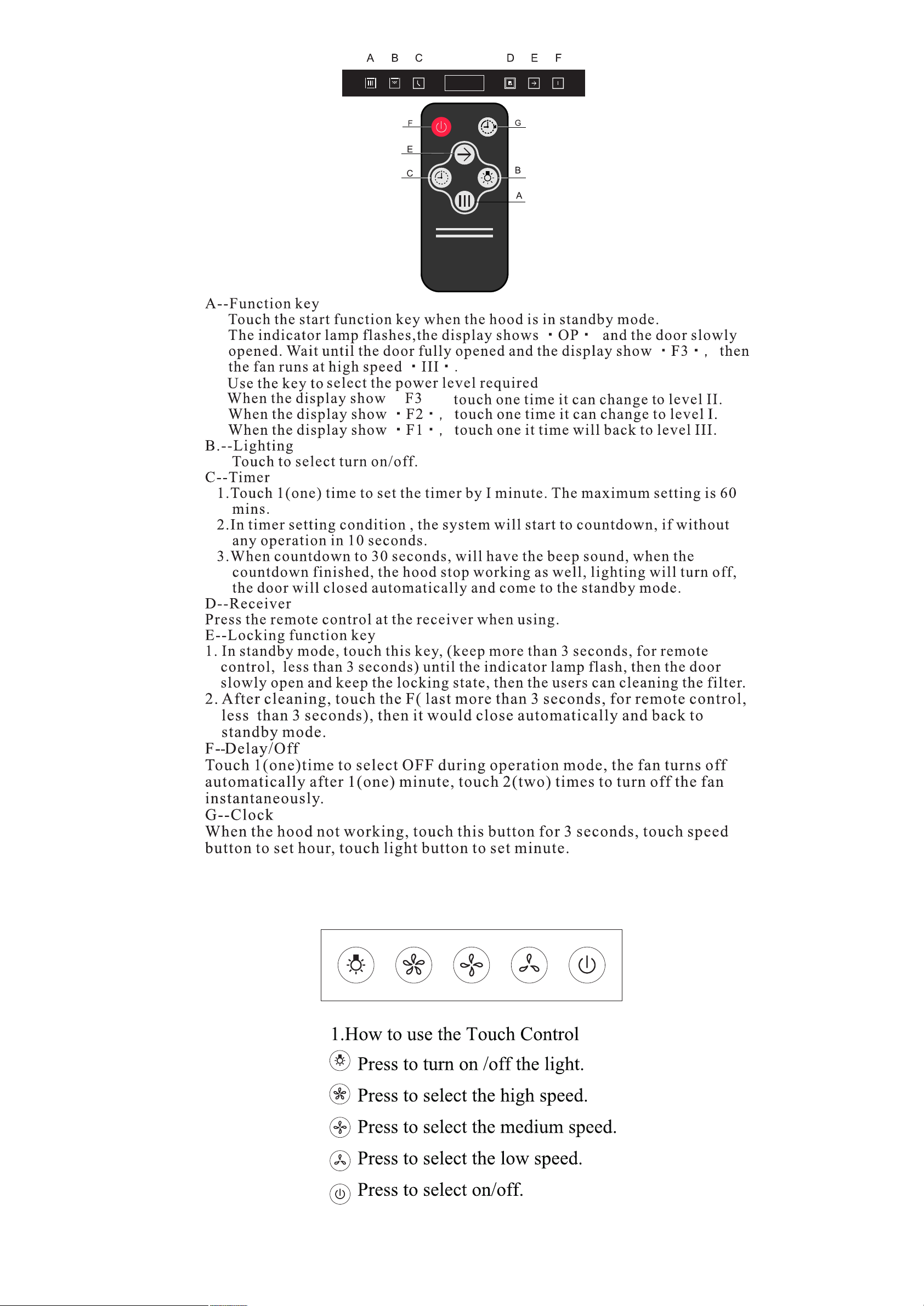
:
.
,
.
8
Page 10
range hood
9
Page 11
10
Page 12
11
Page 13
12
 Loading...