

Page 1
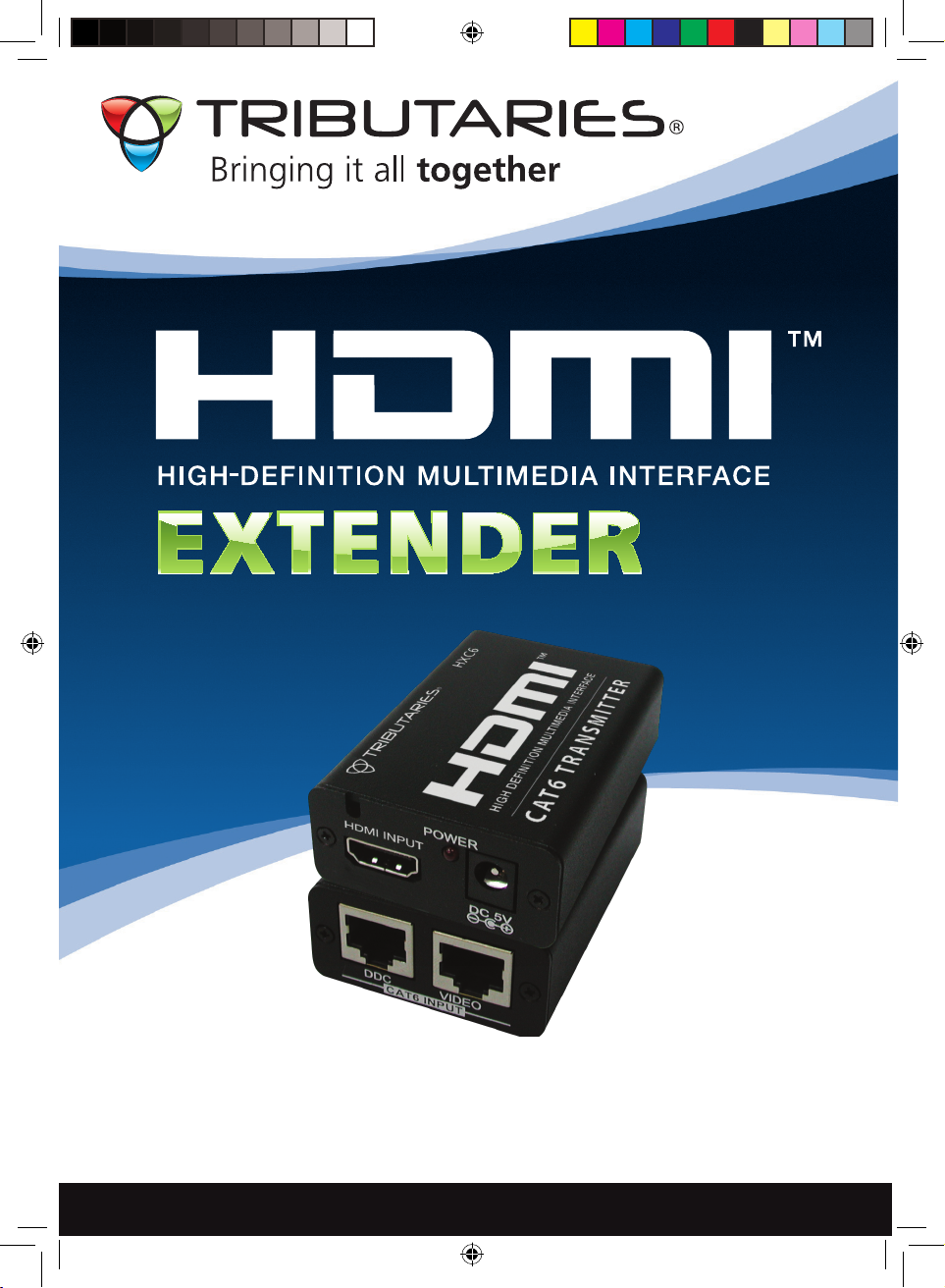
HXC6
Extends HDMI 140 feet
www.tributariescable.com
OVER CAT6
HXC6_manual.indd 1 4/13/09 9:48:40 PM
Page 2
OVER CAT6
HXC6
1. Introduction........…………………….....................….....………….......
2. Features..............................................................................................
3. Package Contents...............................................................................
4. Transmitter Operation Controls and Functions...............................
4.1 Front Panel...................................................................................
4.2 Rear Panel...................................................................................
5. Receiver Operation Controls and Functions.....................................
5.1 Front Panel..................................................................................
5.2 Rear Panel....................................................................................
6. Specifications......................................................................................
7. Connection and Installation..............................................................
8. Connection and Installation, with HXC6R........................................
9. CAT6/RJ45 Wiring Diagram................................................................
1. Introduction
The Tributaries HXC6 HDMI Extender over CAT6 is a fully digital product. Many
similar type units are actually analog; they convert the digital HDMI signal to
analog in the transmitter unit, send it to the receiver unit via CAT5E cable where
it is converted back to a digital signal. Not only is this an expensive design but
it also sacrifices performance by the repeated digital-to-analog and analog-todigital conversions.
Consisting of 2 units, a transmitter and a receiver, the Tributaries HXC6 can
extend an HDMI signal over CAT6 cables for a distance of up to 45 meters.
The installation of the Tributaries HXC6 is easy and quick. Simply place the
transmitter next to your HDTV source, such as a DVD player, and then place the
receiver close to your display. Complete the installation using Tributaries HDMI
Cables and 2 runs of CAT6.
1
2
2
3
3
3
4
4
4
5
5
5
6
1
HXC6_manual.indd 2 4/13/09 9:48:40 PM
Page 3

To double the maximum distance, add the Tributaries HXC6R Repeater
(Optional). This passive device can be inserted at the end of the appropriate
length of CAT6 cable run from the Tributaries HXC6 Transmitter unit. A similar
length of CAT6 can then be run to the Tributaries HXC6 Receiver unit. The
HXC6R supports all the features of the HXC6.
It is possible to substitute CAT5E cable for CAT6. However, the maximum
resolution capability will be limited to 1080p/8bit color, HDMI v1.2.
All units are HDMI v1.3 certified supporting 12 bit Deep Color and new lossless
compressed Digital audio; Dolby TrueHD®, Dolby Digital Plus and DTS®-HD
Master Audio with a bandwidth up to 225MHz.
2. Features
Compliant with HDMI 1.3, HDCP 1.1 and DVI1.1 standards.•
Supports digital video formats in Deep Color Mode at up to 36 bits (12bits/•
color).
New lossless compressed Digital audio (Dolby TrueHD, Dolby Digital Plus and •
DTS-HD Master Audio).
Supports CAT-6 cables.•
Supports equalization and re-clocking of the incoming TMDS data before re-•
transmitting.
Supports 1080p/8bit color up to 45 meters (90 meters using the HXC6R)•
Supports 1080p/12bit color up to 15 meters (30 meters using the HXC6R).•
Supports CEC bypass.•
Supports xvYCC Color Space.•
3. Package Contents
Transmitter •
Receiver•
(2) 5V DC power supply adaptor•
Owner’s Manual•
HXC6_manual.indd 3 4/13/09 9:48:41 PM
Page 4
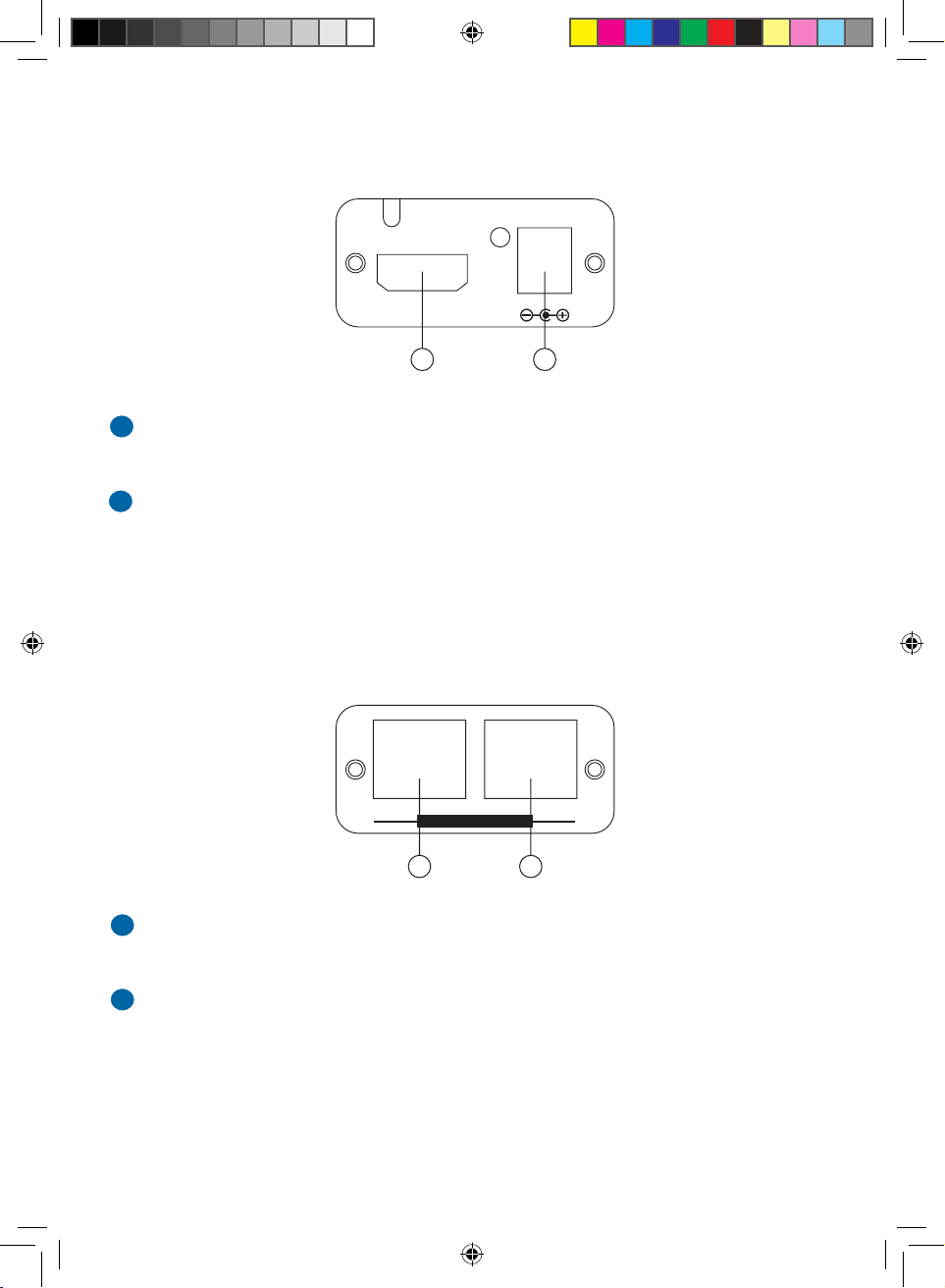
4. Transmitter Operation Controls and Functions
4.1 Front Panel
HDMI INPUT: Connect the HDMI input to the HDMI of your source equipment
such as a DVD player or set-top-box.
Power: Plug the 5VDC power supply into the unit and connect the adaptor to
AC wall outlet.
1
2
4.2 Rear Panel
DCC OUTPUT: Connect the DDC output to the DDC input of the receiver unit
using CAT5E or CAT6 cable.
Video OUTPUT: Connect the VIDEO output to the VIDEO input of the receiver
unit using CAT5E or CAT6 cable.
1
2
1 2
VIDEODDC
CAT6 OUTPUT
DC 5V
POWER
HDMI INPUT
1 2
HXC6_manual.indd 4 4/13/09 9:48:41 PM
Page 5
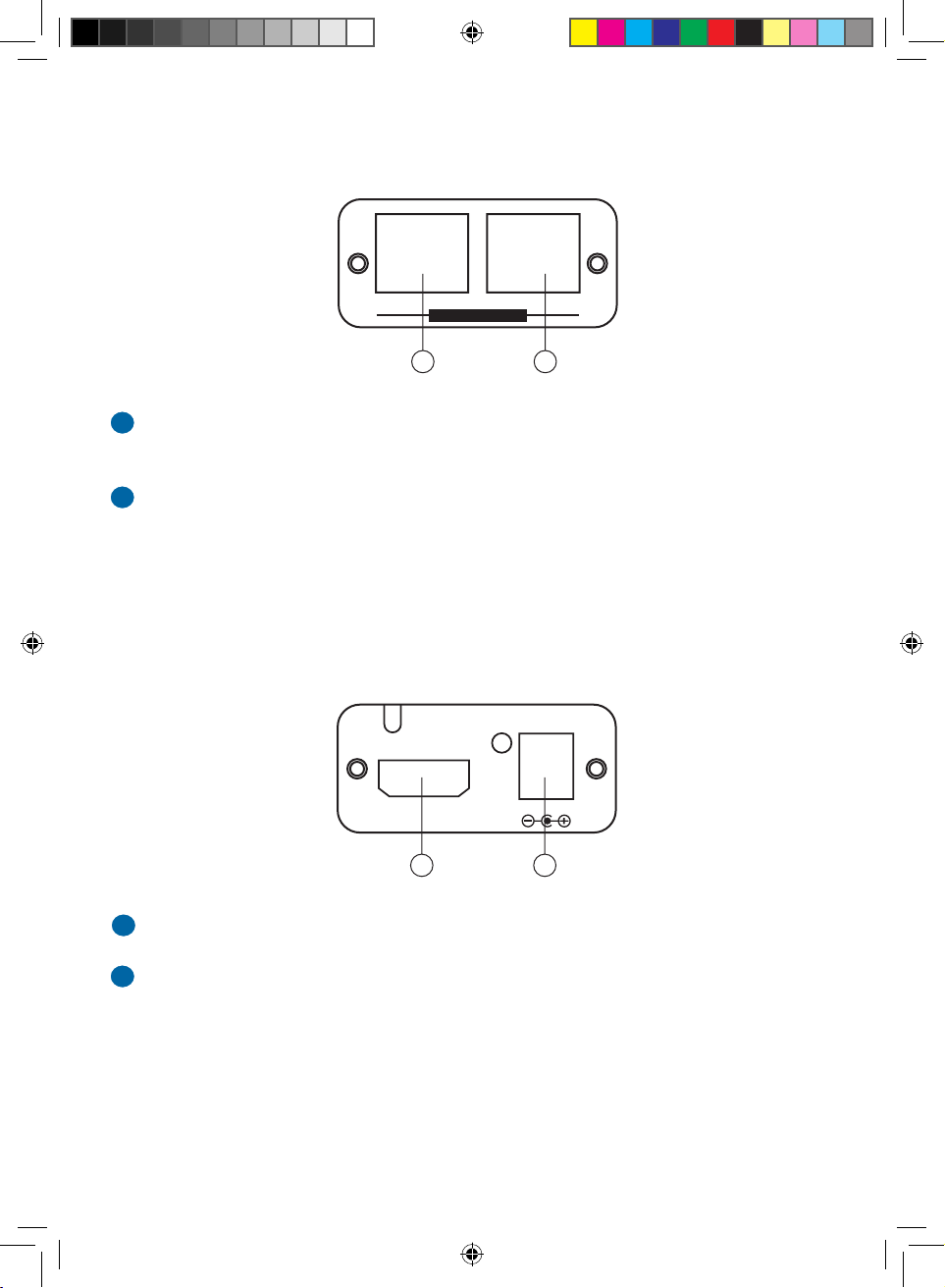
5. Receiver Operational Controls and Functions
5.1 Front Panel
HDMI OUTPUT: Connect the HDMI output to the HDMI input of your display.
POWER: Plug the 5VDC power supply into the unit and connect the adaptor
to AC wall outlet.
1
2
5.2 Rear Panel
DDC INPUT: Connect the DDC input to the DDC output of the transmitter unit
using CAT5E or CAT6.
VIDEO INPUT: Connect the VIDEO input to the VIDEO output of the
transmitter unit using CAT5E or CAT6.
1
2
1 2
DC 5V
POWER
HDMI OUTPUT
1 2
DDC
CAT6 INPUT
VIDEO
43
HXC6_manual.indd 5 4/13/09 9:48:41 PM
Page 6
6. Specifications
Supported resolutions: HDMI - 480i/480p, 576i/576p, 720p@50/60Hz, 1.
1080i@50/60Hz, 1080p@50/60Hz
Transmitter Input: 1 HDMI female connector2.
Transmitter Output: 1 x CAT-6 input for Video, 1 x CAT6 input for DDC3.
Receiver Input: 1 x CAT-6 input for Video, 1 x CAT6 input for DDC4.
Receiver Output: 1 HDMI female port5.
Power: Input 5V/2.6A DC Power Supply (US/EU standards, CE/FCC/UL 6.
certified).7.
Operating Temperature: 32°F (0°C) ~ 104°F (40°C)18.
9.
Weight: 6.8oz10.
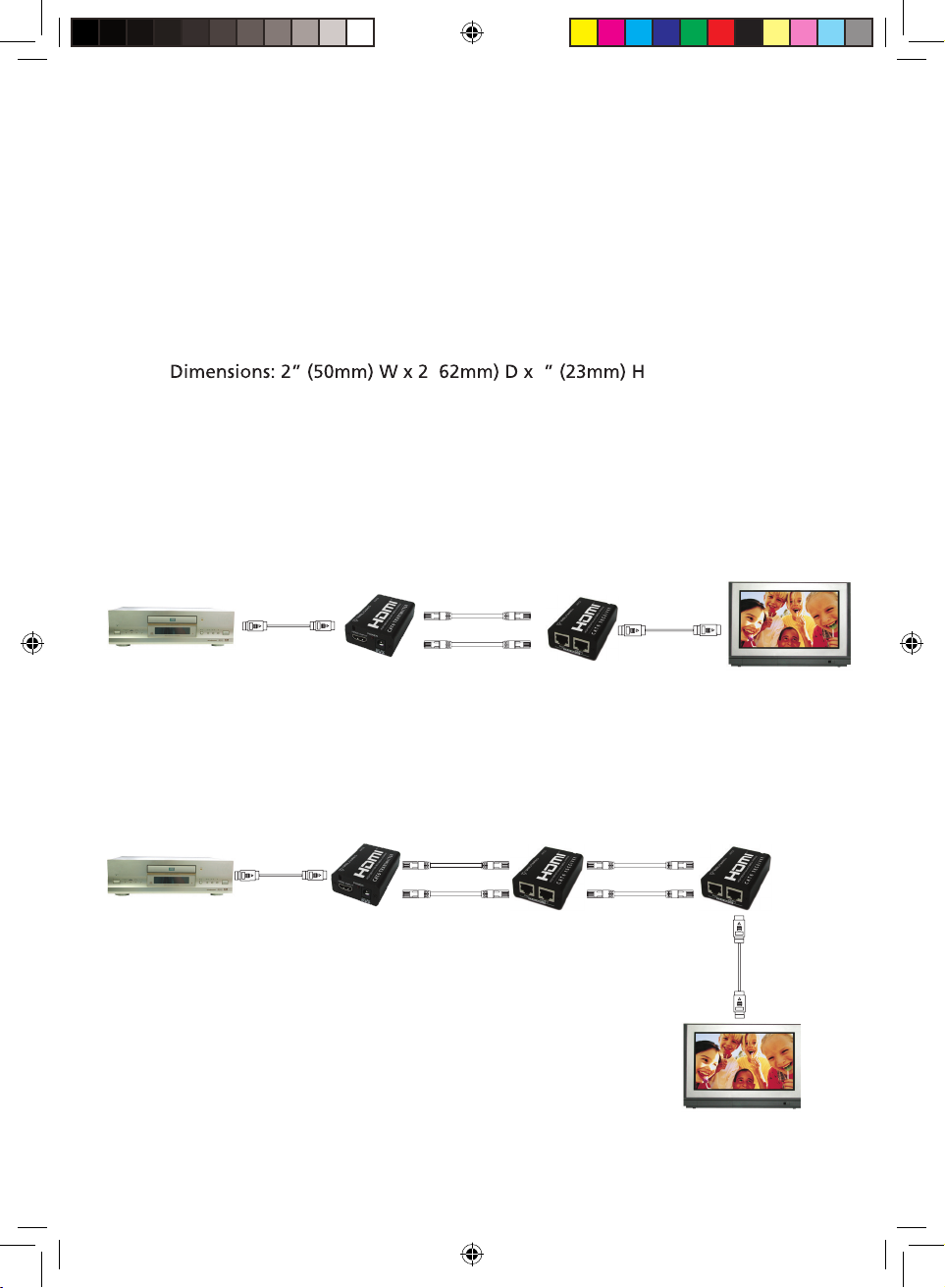
7. Connection and Installation
8. Connection and Installation with HXC6R
I
M
DH
I
M
DH
HDMI LCD TV
Transmitter Receiver
DVD PLAYER
HDMI
Cable
DDC
VIDEO
HDMI
Cable
I
MD
H
I
M
DH
CAT6
IMDH
I
M
D
H
HDMI LCD TV
Transmitter
Receiver
DVD PLAYER
HDMI
Cable
DDC
VIDEO
HDMI
Cable
I
M
D
H
I
M
D
H
CAT6
HXC6R
Repeater
DDC
VIDEO
CAT6
5
HXC6_manual.indd 6 4/13/09 9:48:41 PM
Page 7
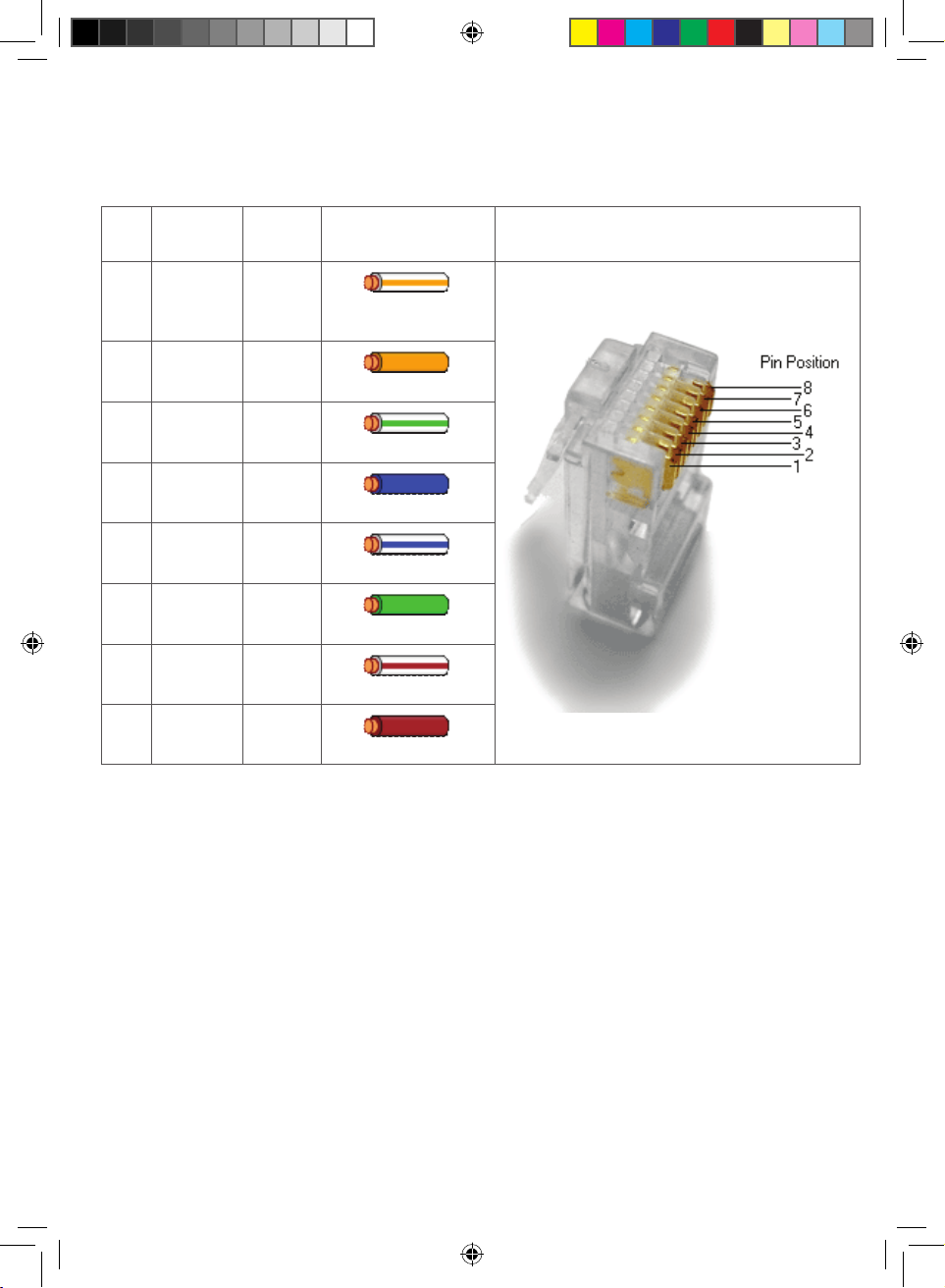
8. RJ45 Wiring Diagram
Pin
T568B
Pair
Wire T568B Color Pins on Plug Face (socket is reversed)
1 2 tip
white/orange
stripe
2 2 ring
orange solid
3 3 tip
white/green stripe
4 1 ring
blue solid
5 1 tip
white/blue stripe
6 3 ring
green solid
7 4 tip
white/brown stripe
8 4 ring
brown solid
HXC6_manual.indd 7 4/13/09 9:48:41 PM
Page 8

©2009 Gordon J. Gow Technologies, Inc. All rights reserved.
TRIBUTARIES® is a registered trademark of Gordon J. Gow Technologies, Inc. All other trademarks are
the property of their respective owners. As we continually strive to improve our products, TRIBUTARIES®
reserves the right to change product specifications without notice. The technical and other information
contained herein is not intended to set forth all technical and other specifications of TRIBUTARIES®
products. Additional information can be obtained on-line at www.tributariescable.com
Gordon J. Gow Technologies, Inc.
Orlando, FL 32809
www.tributariescable.com
HXC6_manual.indd 8 4/13/09 9:48:42 PM
 Loading...