

Page 1
Function menu setting operation description
1. Enter function setting mode.
Press [ON/OFF] to turn the power off, Press [MODE] first, then press [ON/OFF],
while keeping [MODE] pressed, the display will show A_ON or A_OFF.
2. Selection of auto backlight mode.
When the balance enter function setting menu. Press [MODE] key, the display
will show L_ON or L_OFF, press [ZERO], selection display L_ON, this
means auto backlight function active, press [ZERO] again, the display will
show L_OFF, this means auto backlight function inactive, i.e. shut off
backlight function.
3. Selection of auto shut off mode.
When the balance enter function setting menu. Press [MODE] key, the display
will show A_ON or A_OFF, press [ZERO], selection display A_ON, this
means auto shut off function active. Press [ZERO] again, the display will show
A_OFF, this means auto shut off function inactive.
4. Return to weighing mode.
Press [ON/OFF] to turn the power off, press [ON/OFF] again to turn on the
power and the scale return to the weighing mode.
USER’S MANUAL
MCT SERIES
Page 2
SPECIFICATIONS
Model number
Capacity
Division
MCT-1500
3.3LB
0.0001LB
MCT-3000
6.6LB
0.0002LB
MCT-7500
16.5LB
0.0005LB
MCT-15000
33LB
0.001LB
MCT-30000
66LB
0.002LB
Package
Standard carton: 27.5×19×21(cm3)
4 Units in one box: 64.5×38×36(cm3)
Operating Temperature
0-40℃(32-104℉)
Power source
Recharge batteries or AC/DC Adapter
10V/500mA
MCT SERIES MANUAL
Power on:
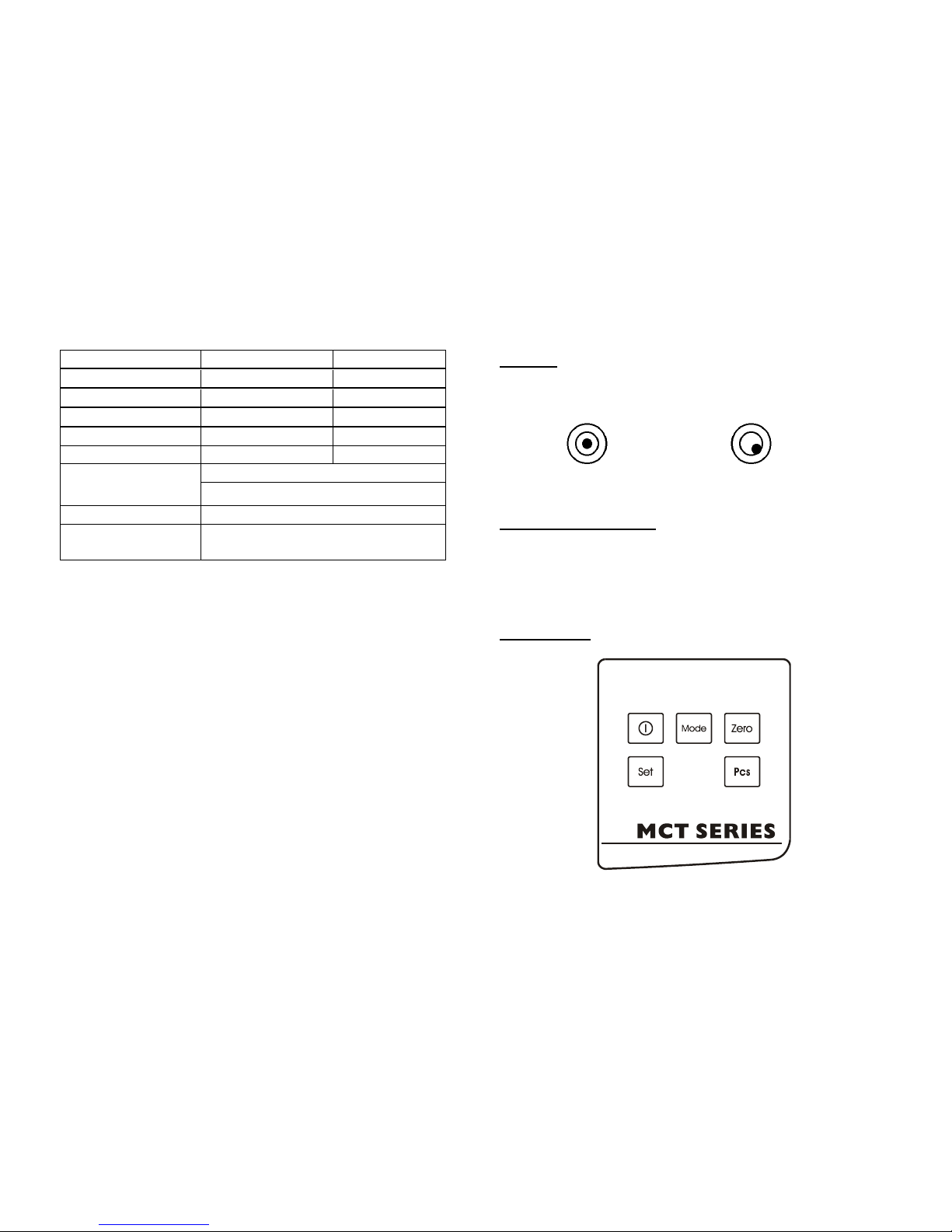
Place the scale horizontally and keep the bubble inside the bubble level aligned
with the red circle (See Fig.1).
Correct Incorrect
Fig.1
Function explanation:
1. ZERO INDICATOR turn on when scale is in zero position.
2.LO-BAT Indicator turn on when battery voltage is lower then normal operate
voltage.
KEYBOARD
Page 3
FUNCTION SETTING AND CALIBRATION
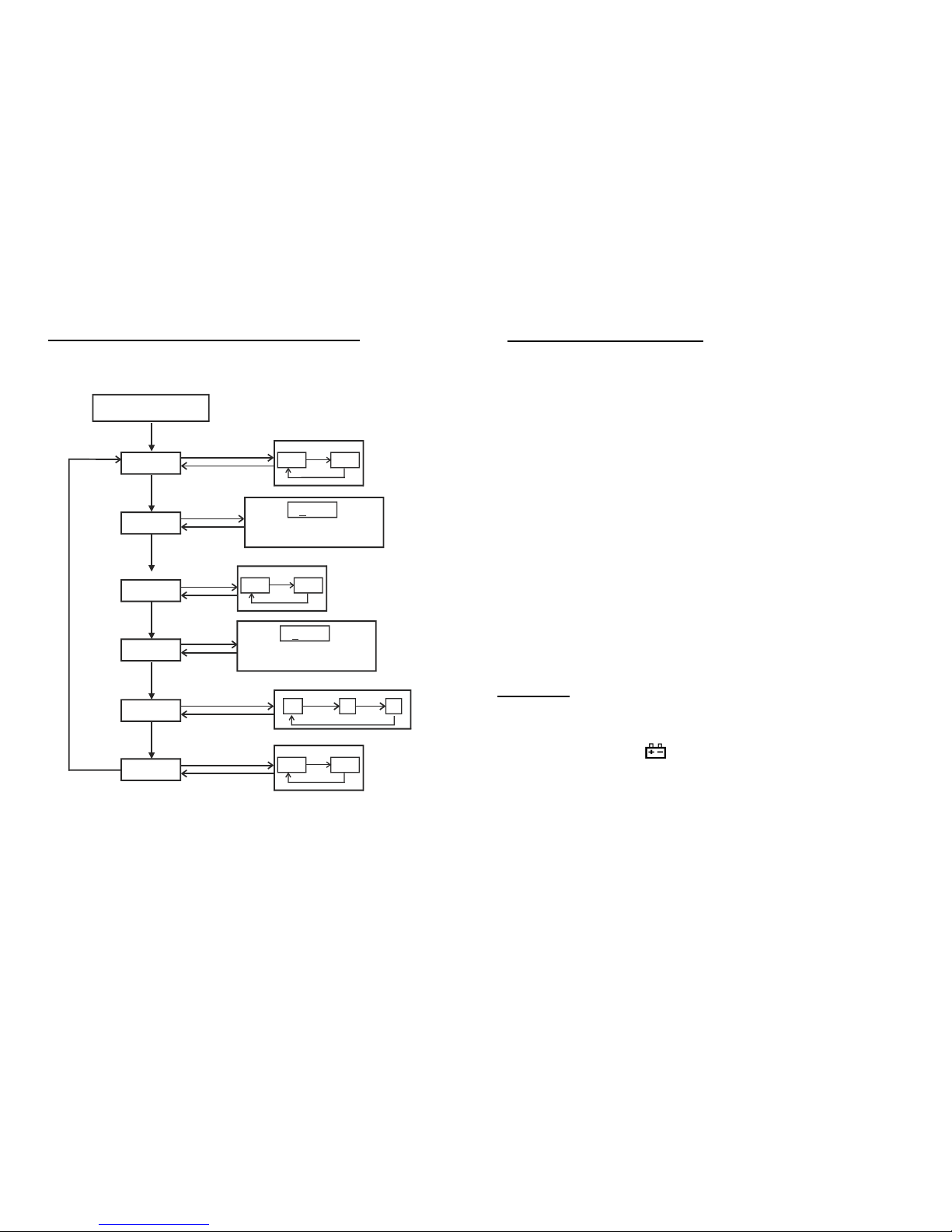
HOW TO CALIBRATION
Before entering calibration mode, the power is turn on for 1minute
1. Before entering calibration mode, press [ON/OFF] to turn the power on for
1minutes.
2. Enter calibration mode
Press [SET] first, then Press [ON/OFF], while keeping pressing [SET], the
display will show CAPu=, Press [PCS], the display will show CAL and then the
A/D value.
3. Calibration by the weight
Wait for the stable indicator to be displayed, Press [MODE] the display will show
the flashed calibration weight .
4. Place the calibration weight on platform. After the stable indicator is displayed,
then press [MODE], the display will show "-------"then the A/D value and now
calibration in finished.
5. Press [ON/OFF], turn off the power, press [ON/OFF] turn on the power again,
place the weight on the platform to make sure whether weighing is correct, if not,
repeat steps 2-5.
6. Return to weighing mode
Press [ON/OFF] to turn the power off. Press [ON/OFF] again to turn on the
power and the scale/balance return to the weighing mode.
REMARK
1. Place the scale horizontally and keep the bubble inside of bubble level aligned
with the red circle.
2. When the recharging sign“ ” turn on, please charge the battery immediately,
the time of charging is about eight to ten hours.
3. You must use the charger (adapter) supplied with the scale.
4. If after recharging and the battery does not last long, replace with new battery.
5. please charge the scale with the rechargeable battery matches. LCD indicator is
orange when charging and turns to green when finished.
CALU
CAL
DIV
0.5
CAPu
MODE
SET
ADC
SET
MODE MODE
1
2
CAP
MODE
SET
SET
Kg Lb
MODE
MODE
Pressed keep SET key
Turn the power on
MODE
0000
Press [MODE],flash digit move to right;
Press [ZERO],flash digit increases.
Kg Lb
MODE
MODE
SET
MODE
SET
MODE
SET
0000
Press [MODE],flash digit move to right;
Press [ZERO],flash digit increases.
SET
MODE
SET
MODE
SET
18 21
MODE
MODE
SET
SET
 Loading...