

Page 1
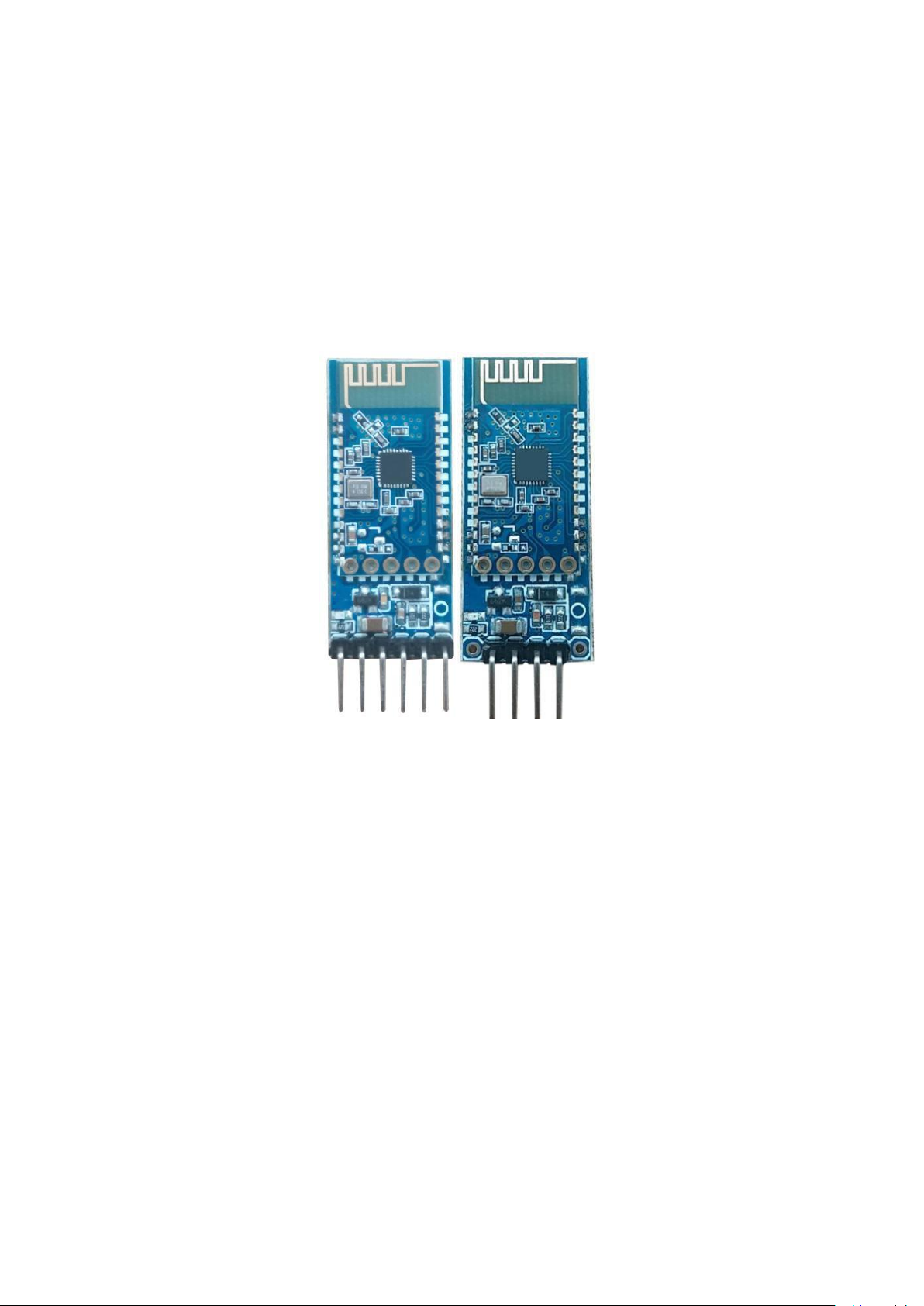
Bluetooth SPP Serial Port Transparent
Transmission Module
JDY-31 Bluetooth Backplane User Manual
Page 2

Version
Version
Date
Description
V1.2
2018-09-21
Release version
V1.3
2019-01-08
1. Solved the problem that V1.2 can not
connect to the computer
2. Added the MAC function of the output host
after the module is connected to the host.
3. Added AT+ENLOG command, the user can use
this command to open or block the boot,
connect, and disconnect the serial output
status.
Page 3

Product introduction:
Model
JDY-31
Working frequency
2.4GHZ
Communication Interface
UART
Operating Voltage
SMD type: 1.8-3.6V (3.3V recommended) with
backplane: 3.6-6V (recommended 5V)
Operating temperature
-40 ° C - 80 ° C
Antenna
Built-in PCB antenna
Transmission distance
30 meters
Master-slave support
Slave
Module size
19.6 * 14.94 *1.8 mm (length, width, height)
Bluetooth version
Bluetooth 3.0 SPP
STM soldering temperature
<260°C
Unconnected operating current
4.7mA
Current after BLE connection
7.3mA
Transmit power
8db (maximum)
Receiving sensitivity
-97dbm
SPP maximum throughput
16K bytes/s (android, windows)
1.
JDY-31 Bluetooth is based on Bluetooth 3.0 SPP design, which can support Windows,
Linux, android data transmission, working frequency 2.4GHZ, modulation mode GFSK,
maximum transmission power 8db, maximum transmission distance 30 meters, support
users to modify device name through AT command The baud rate and other instructions
are convenient and quick to use.
2. Applications:
JDY-31 is a classic Bluetooth protocol that can communicate with Bluetooth-enabled
computers (desktops, notebooks) and mobile phones (android). Can be applied
◆
Windows computer Bluetooth serial port transparent transmission
◆
Android Bluetooth serial port transparent transmission
◆
Smart home control
◆
Automotive ODB testing equipment
◆
Bluetooth toy
◆
Share mobile power, share weight
◆
Medical equipment
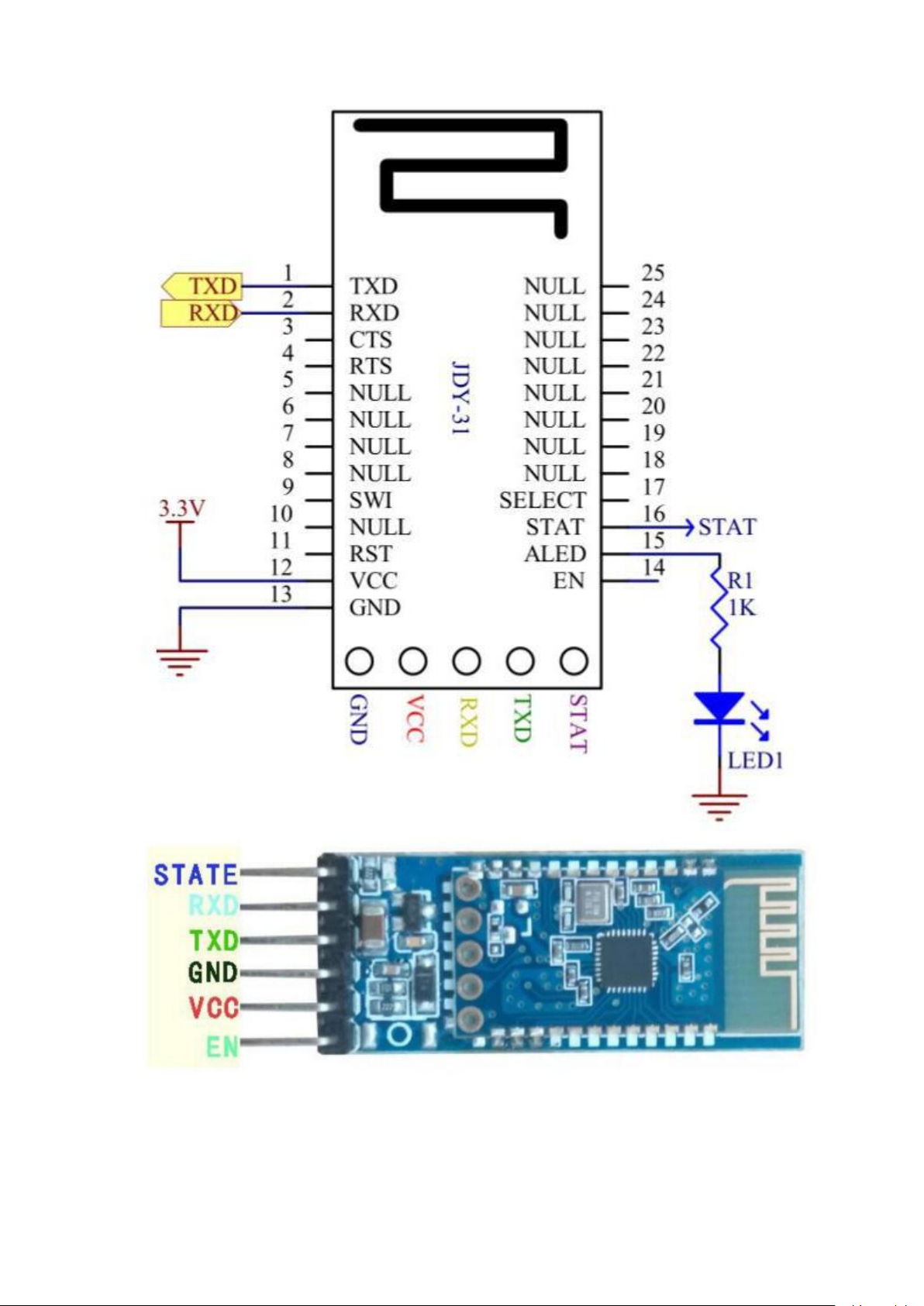
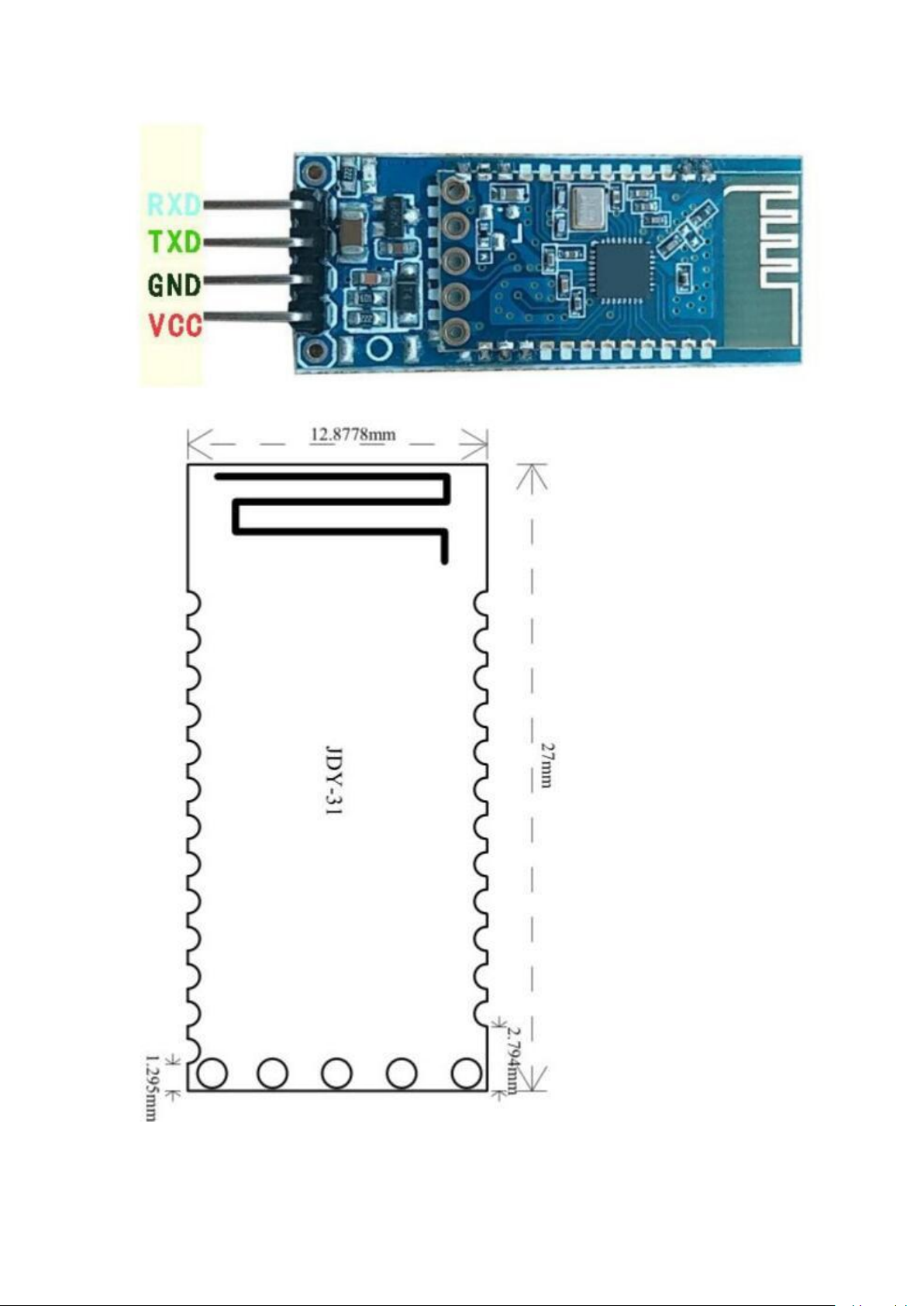
3. Pin function description
Page 4
Page 5
Page 6

Pin function description
STATE
Connection status pin (not connected low, high level after connection)
RXD
Serial input pin (TTL level)
TXD
Serial output pin (TTL level)
GND
Power ground
VCC
Power supply (support 3.6-6V)
EN
Vacant
Pin Number
Pin Function
Pin Function Description
1
TXD
Serial output pin (TTL level)
2
RXD
Serial input pin (TTL level)
3
CTS
4
RTS
5
NULL
6
NULL
7
NULL
8
NULL
9
SWI
10
NULL
11
RST
Reset (active low)
12
VCC
Power supply (1.8-3.6V)
13
GND
Ground
14
EN
15
ALED
Broadcast status pin (not
connected to flash, output high
level after connection)
16
STAT
Connection status pin (not
connected low level, output high
level after connection)
17
SELECT
18
NULL
19
NULL
20
NULL
21
NULL
22
NULL
23
NULL
24
NULL
25
NULL
Page 7

4. Serial AT instruction set
Num.
Command
Function
Default
1
AT+VERSION
version number
JDY-31-V1.2
2
AT+RESET
Soft reset
3
AT+DISC
Disconnected (valid in
connection state)
4
AT+LADDR
Query the MAC address of the
module
5
AT+PIN
Connection password
settings and queries
1234
6
AT+BAUD
Baud rate setting and query
9600
7
AT+NAME
Broadcast name setting and
query
JDY-31-SPP
8
AT+DEFAULT
reset
9
AT+ENLOG
Serial port status output
enable
1
Command
Response
Parameter
AT+VERSION
+VERSION=JDY-31-V1.2,Blueto
oth V3.0
NO
Command
Response
Parameter
AT+RESET
+OK
NO
Command
Response
Parameter
AT+DISC
+OK
NO
Command
Response
Parameter
AT+LADDR
+LADDR=<Param>
NO
Command
Response
Parameter
AT+BAUD<Param>
+OK
Param: (4 to 9)
AT+BAUD
+BAUD=<Param>
4: 9600
JDY-31 module serial port send AT command must be added \r\n
1.
Query the version number
2.
Reset
3.
Disconnect
Valid after connection
4.
BLE Bluetooth MAC Address
5.
Baud rate setting / query
Page 8

5: 19200
6: 38400
7: 57600
8: 115200
9: 128000
JDY-31 supports 128000 baud rate continuous data transmission and transmission, and does
Command
Response
Parameter
AT+PIN<Param>
+OK
Param: 4-digit password
Default PIN: 1234
AT+PIN
+PIN=<Param>
Command
Response
Parameter
AT+NAME<Param>
OK
Param: BLE broadcast
name
Longest: 18 bytes
AT+NAME
+NAME=<Param>
Command
Response
Parameter
AT+DEFAULT
OK
NO
Command
Response
Parameter
AT+ENLOG<Param>
OK
Param: 1 or 0
AT+ENLOG
+ENLOG=<Param>
1: Turn on the serial
port
status output
0: Turn off the serial
port
status output
Default: 1
not lose packets, the transmission speed can reach 16Kbytes per second.
SPP Bluetooth pairing password
6.
7.
Broadcast name setting / query
Reply to factory configuration
8.
9.
Serial port status output enable setting / query
 Loading...