

Page 1
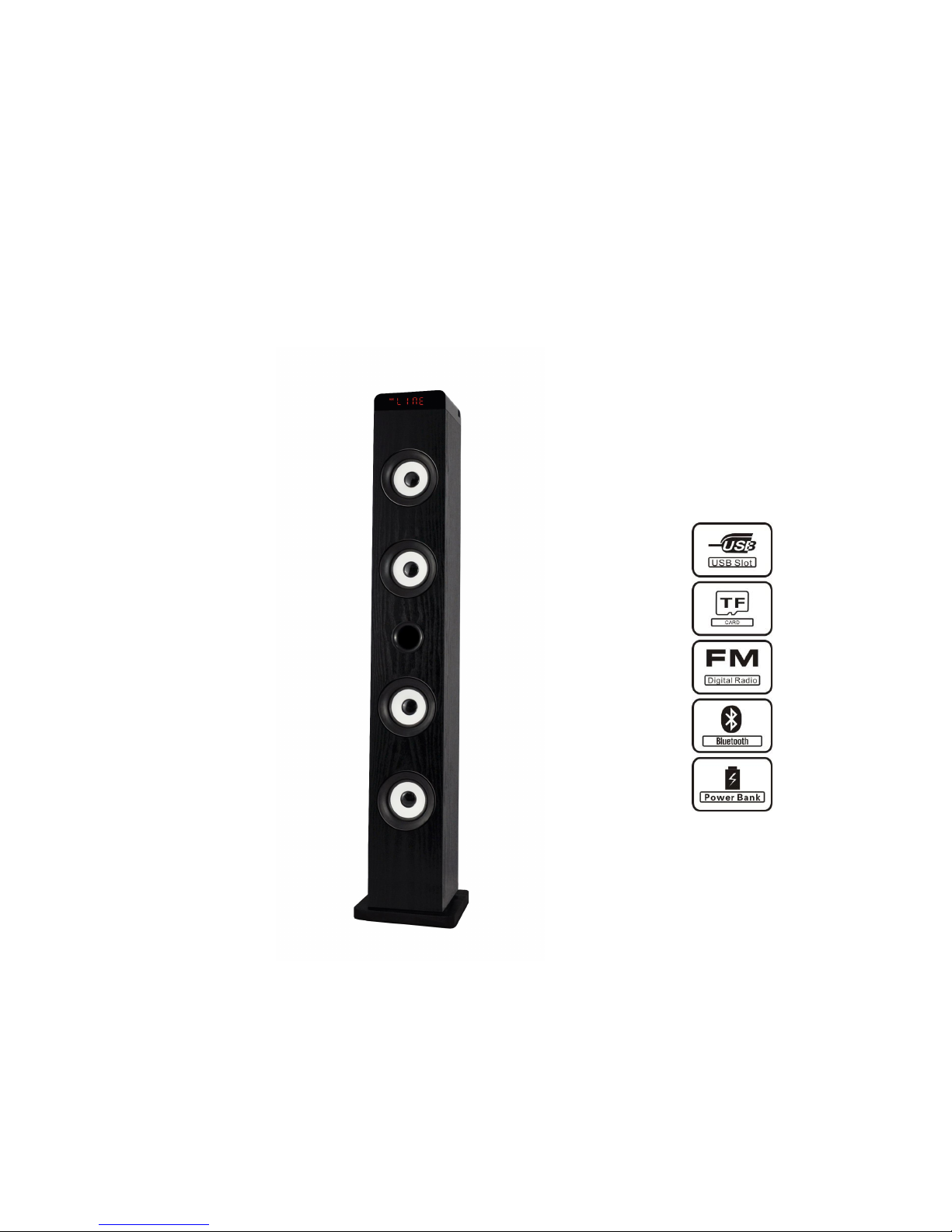
Bluetooth Tower Speaker
USER MANUAL
Model No.:TS-30P63F
Page 2

Safety Precautions
- If the charger cord is damaged, have it repaired by the manufacturer, its service or a
- The power supply must be replaced by a new one in case of malfunction, because this
- The charger is not intended for use by persons (including children) with reduced physical,
- Children should be monitored to ensure that they do not play with the charger.
- The charger should always be readily accessible.
- The device should not be exposed to dripping or splashing water.
- No objects filled with liquids such as vases shall be placed on the device.
- Always leave a minimum distance of 10 cm around the unit to ensure sufficient
- Open flame sources, such as candles, should not be placed on top of the device.
- The device is intended for use only in a temperate climate.
- CAUTION: Danger of explosion if battery is incorrectly replaced or not replaced by the
- The battery should not be exposed to excessive heat such as sunshine, fire or similar.
- Different types of batteries, new and used batteries should not be mixed.
- The battery must be installed according to the polarity.
- If the battery is worn, it must be removed from the product.
- The battery must be disposed of safely. Always use the collection bins provided (check
- At full volume, prolonged listening to the portable audio device may damage the user’s
- So we recommend not to listen to the portable audio device at high audio volume and no
Read these safety instructions before using your device and store them for possible future
reference.
similarly qualified person in order to avoid any hazard.
power supply is not repairable
sensory or mental capacity. Persons who have not read the manual, unless they have
received explanations by a person responsible for their safety and supervision should not
use this unit.
ventilation.
same type or equivalent.
with your dealer) to protect the environment.
hearing and cause hearing troubles (temporary or permanent deafness, hearing drone,
tinnitus, hyperacusis).
more than one hour per day at medium audio volume.
SWITCH OFF IN RESTRICTED AREAS
Switch the device off where the use of the device is not allowed or where there is a risk of
causing interference or danger, for example on board an aircraft, near medical equipment, fuel,
chemicals or blasting sites.
ROAD SAFETY COMES FIRST
Check the current laws and regulations regarding the use of this device in the areas where you
drive.
Page 3

•Do not handle the device when driving.
•Concentrate fully on the driving
• Radio signals could affect some of the car’s electronic systems such as the audio stereo and
alarm systems.
INTERFERENCE
All wireless devices are susceptible to interference which may affect their performance.
All our device conform to international standards and regulations, and if need be national ones,
with a view to limiting user exposure to electromagnetic fields. These standards and regulations
were adopted after the completion of extensive scientific research. This research established no
link between the use of the mobile headset and any adverse effects on health if the device is
used in accordance with standard practices.
AUTHORISED PERSONNEL
Only qualified people are authorized to install or repair this product
ACCESSORIES
Only use batteries, chargers and other accessories which are compatible with this equipment.
Do not connect incompatible products.
KEEP THE EQUIPMENT DRY
This equipment is not water proof. Keep it dry.
CHILDREN
Keep your device in a safe place, out of the reach of young children. The device contains small
parts that may present a choking hazard.
Specifications:
Bluetooth compatible version : 2.1+EDR
Frequency : 50Hz-20KHz
Working range : 10m
USB, TF card, FM radio, AUX-in, digital display
Rated voltage :DC15V, 30W
Power : 30W
1 remote control : 2 batteries AAA (not included)
Page 4
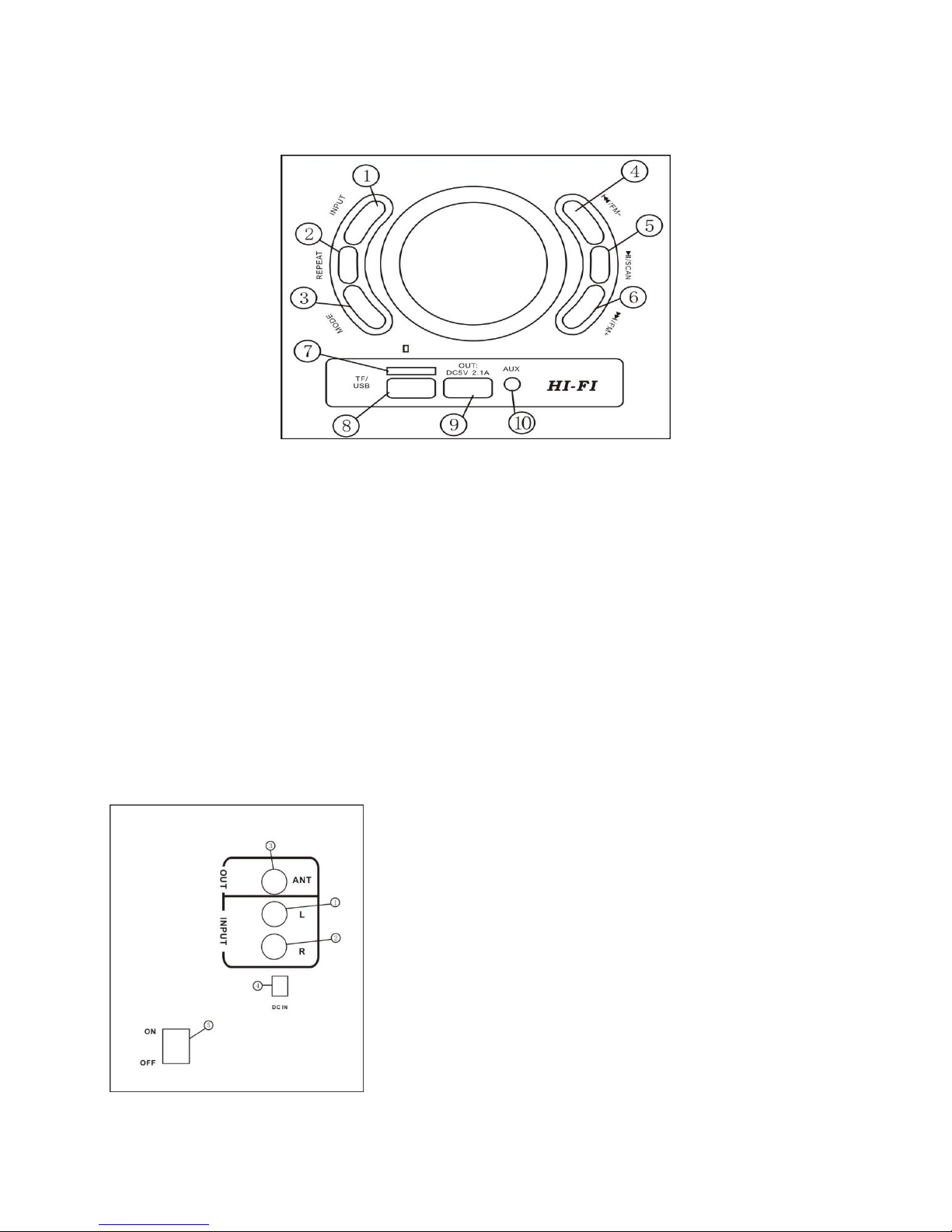
Instruction of keys
1. Audio Input sources select key
2. Repeat one song or all songs, when connecting with USB or TF card
3. EQ mode, including normal, rock, pop. Classic, jazz, country mode.
4. Previous song or FM program, press 3 seconds to decrease volume
5. Play and Pause, when FM input, press to scan FM programs. Press 3 seconds to change the
flash led lighting mode.
6. Next song or FM program, press 3 seconds to increase volume
7. TF card slot
8. USB slot
9. USB charging port for other device, like mobile, iPad, etc.
10. Aux 3.5mm line in jack
Rear Panel
Page 5
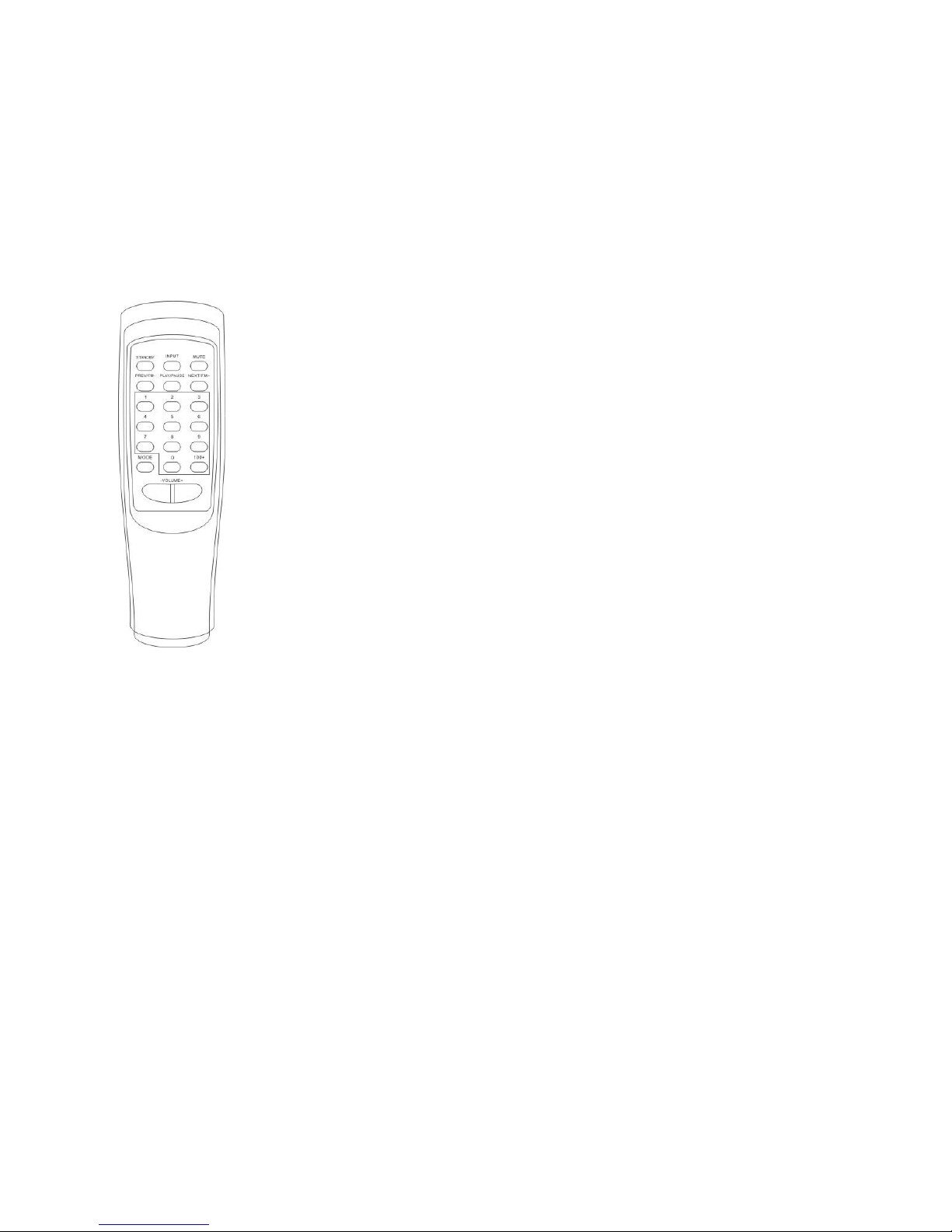
1.Input Left channe 1 RCA
STANDBY--Standby switch
INPUT------To select the input audio sources
MUTE------Mute switch
PREV------Previous song or FM program switch
PLAY/PAUSE------Play and pause switch,when FM input,press to scan FM
program.Press 3 seconds to change the flash led mode
NEXT------Next song or next FM program switch
VOL+ ------Volume enhance switch
VOL- ------Volume decrease switch
MODE------Selecting woofer,bass,treble,mic and echo switch
1-9/0/100+ ------Selecting music or FM program switch
2.Input Right channe 1 RCA
3.FM antenna out jack
4.DC power jack
5.ON/OFF power switch
How To Use The Remote Control
Operation
1.Please connect the sound sources and powers in accordance with the sketch map;
2.When all of the units are connected correctly, turn on the power switch;
3.Open your sound sources, then adjust the volume knobs of the different channels for a
satisfied personalized effect;
4.After your use, please turn off the power supply switches.
Page 6

FCC Caution.
(1)§ 15.19 Labelling requirements.
This device complies with part 15 of the FCC Rules. Operation is subject to the
following two conditions: (1) This device may not cause harmful interference,
and (2) this device must accept any interference received, including
interference that may cause undesired operation.
§ 15.21 Changes or modification warning
Any Changes or modifications not expressly approved by the party responsible
for compliance could void the user's authority to operate the equipment.
§ 15.105 Information to the user.
Note: This equipment has been tested and found to comply with the limits for a
Class B digital device, pursuant to part 15 of the FCC Rules. These limits are
designed to provide reasonable protection against harmful interference in a
residential installation. This equipment generates uses and can radiate radio
frequency energy and, if not installed and used in accordance with the
instructions, may cause harmful interference to radio communications.
However, there is no guarantee that interference will not occur in a particular
installation. If this equipment does cause harmful interference to radio or
television reception, which can be determined by turning the equipment off and
on, the user is encouraged to try to correct the interference by one or more of
the following measures:
-Reorient or relocate the receiving antenna.
-Increase the separation between the equipment and receiver.
-Connect the equipment into an outlet on a circuit different from that to which
the receiver is connected.
-Consult the dealer or an experienced radio/TV technician for help.
 Loading...