

Page 1
DualID II User Guide
Using key pad
1. Type pin code
2. Confirm with
3. Green light in LED3 indicates authorized ID
4. Begin operation.
Using RFID card
1. Present card in front of reader
2. A beep signal indicates correct reading of the
card
3. Green light in LED3 indicates authorized ID
4. Begin operation.
Info
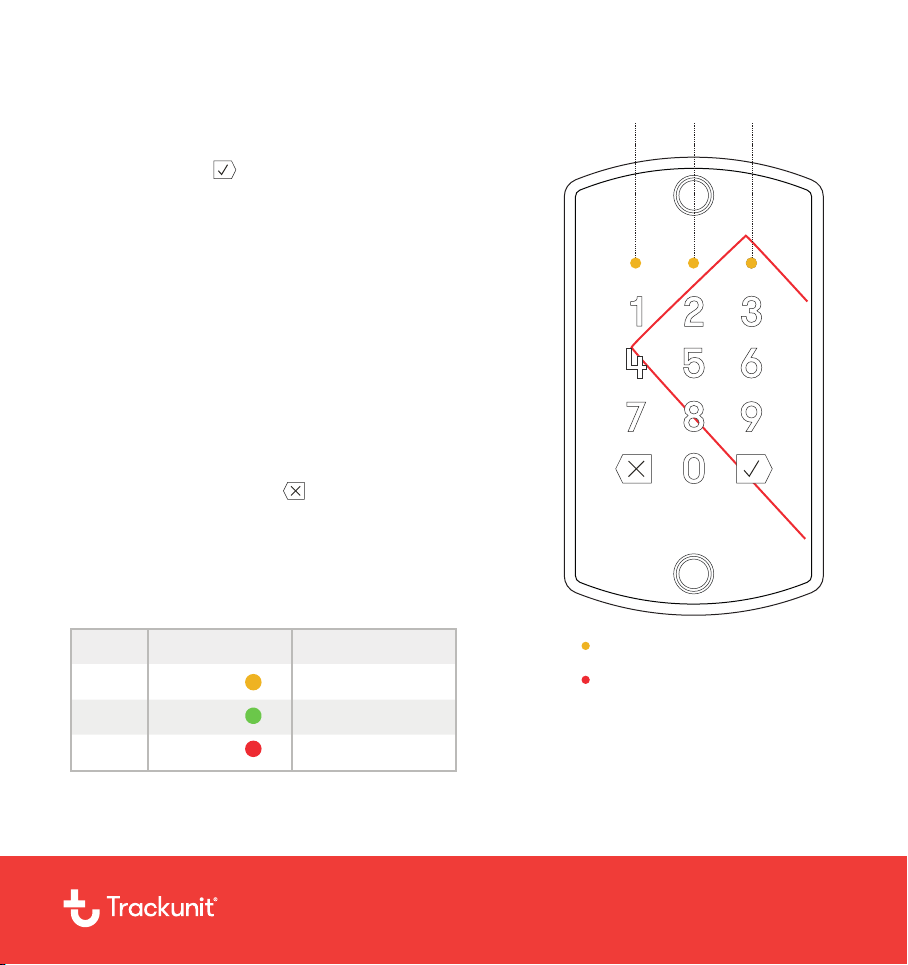
• LED1 indicates that the unit is powered
• Cancel key input with and start again
• Red LED3 indicates that the input is canceled
• Wait 10 seconds before commencing new pin input
• Don’t use RFID card and pin code simultaneously
• LED2 is not in use
LED
3
3
Color
Yellow1
Green
Red
Meaning
Power on
Approved ID
Canceled ID
1 2 3
LED
Keypad and RFID card
reader
7006.1101 V3
trackunit.com/support [email protected]
Page 2
DualID II Installation Guide
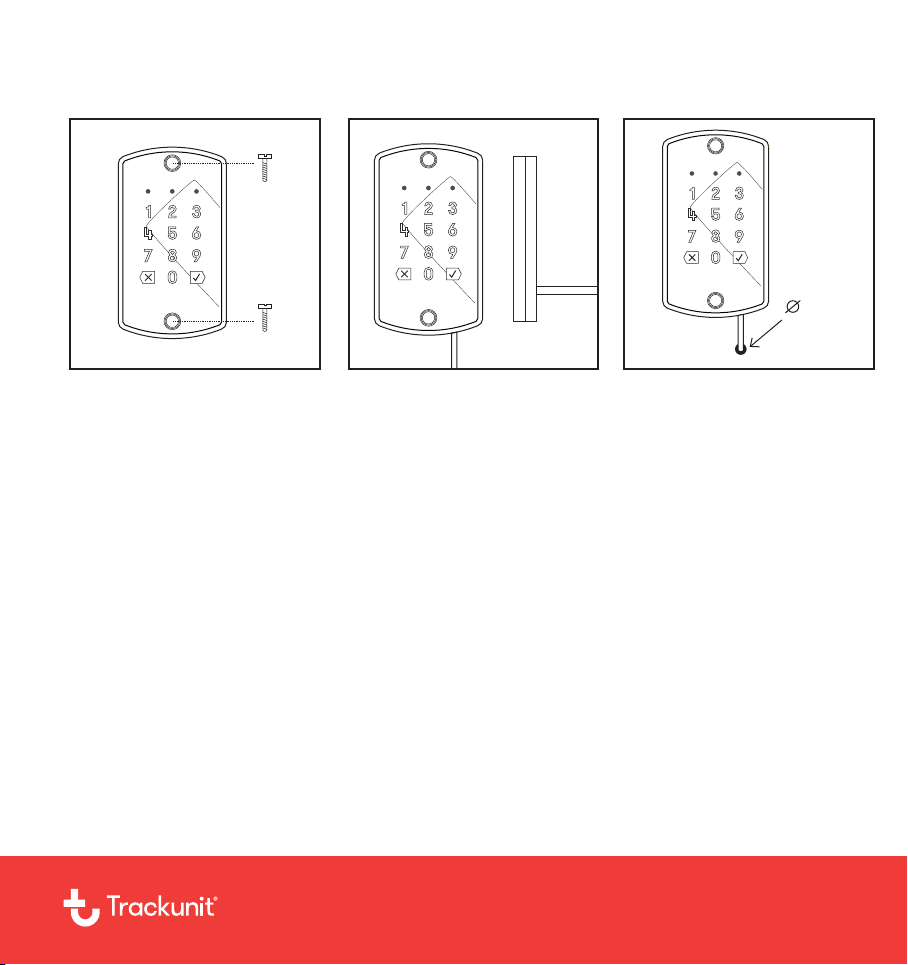
11mm
When mounting DualID II,
use screws compatible with
the surface on which it will
be attached.
The cable can be installed
in two different ways. It can
either go downwards or out
the back.
trackunit.com/support [email protected]
Drill a hole in the back
panel and pull the cable
through it. The minimum
diameter of the hole is 11
mm.
7006.1101 V3
 Loading...