

TrackNet Tabs, TABS Door & Window Sensor, TABS Motion Sensor, TABS Healthy Home Sensor Get Started
Page 1
Get Started
Page 2
12 Having trouble? Get technical support at tabs.io/support.
Set Up Your Hub
1. Turn on Hub
Plug in your Hub to the power
supply, and wait for the
power LED to stop blinking.
2. Download the App
Search for Tabs on the
Apple App Store or Google
Play Store.
3. Sign Up
Create a Tabs account,
and follow the in-app setup
instructions.
Page 3
2 Having trouble? Get technical support at tabs.io/support. 3
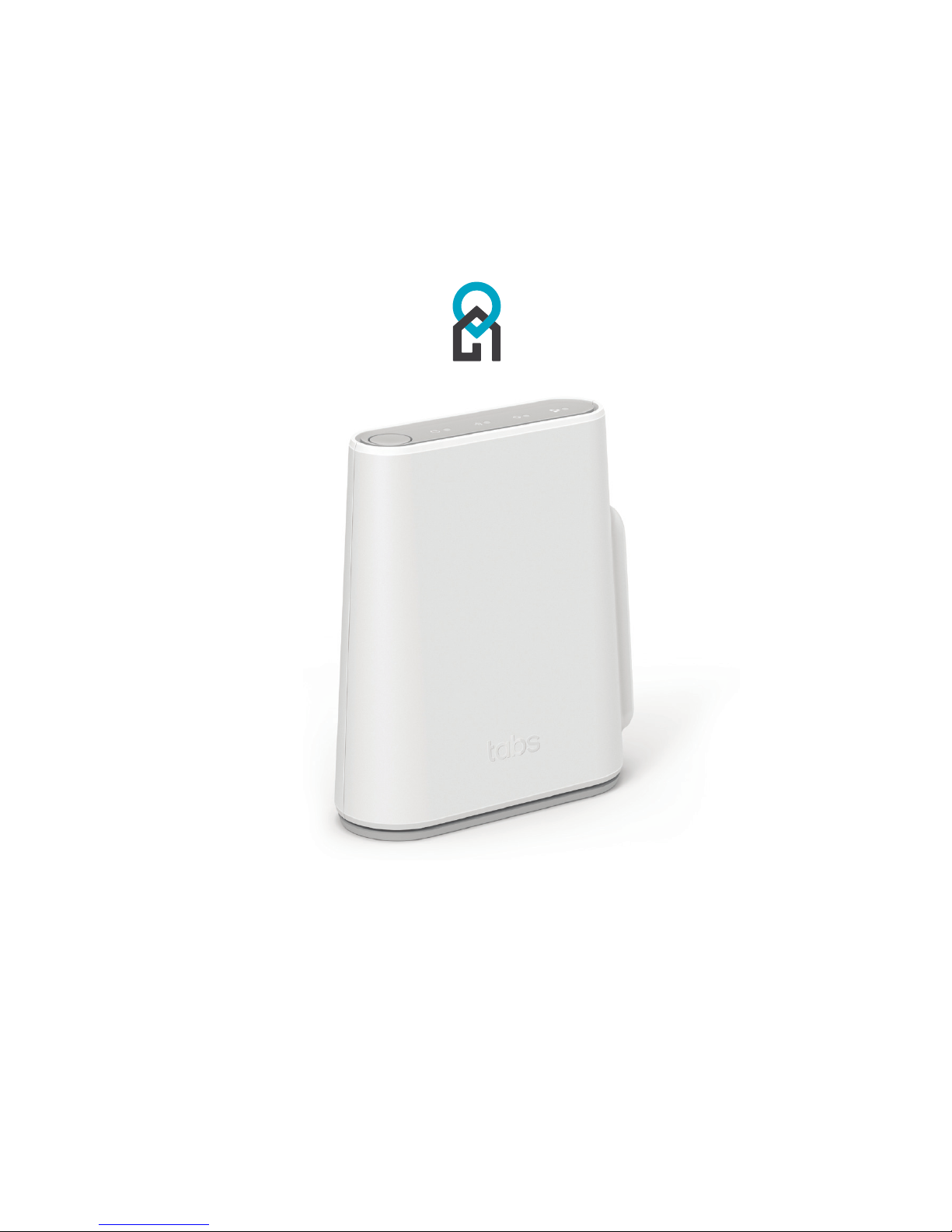
The Hub
The Hub is at the core of the easy-to-use
and infinitely expandable Tabs solution.
Connect ing the Hub to your home Wi-Fi
creates a hotspot for all of your Tabs devices.
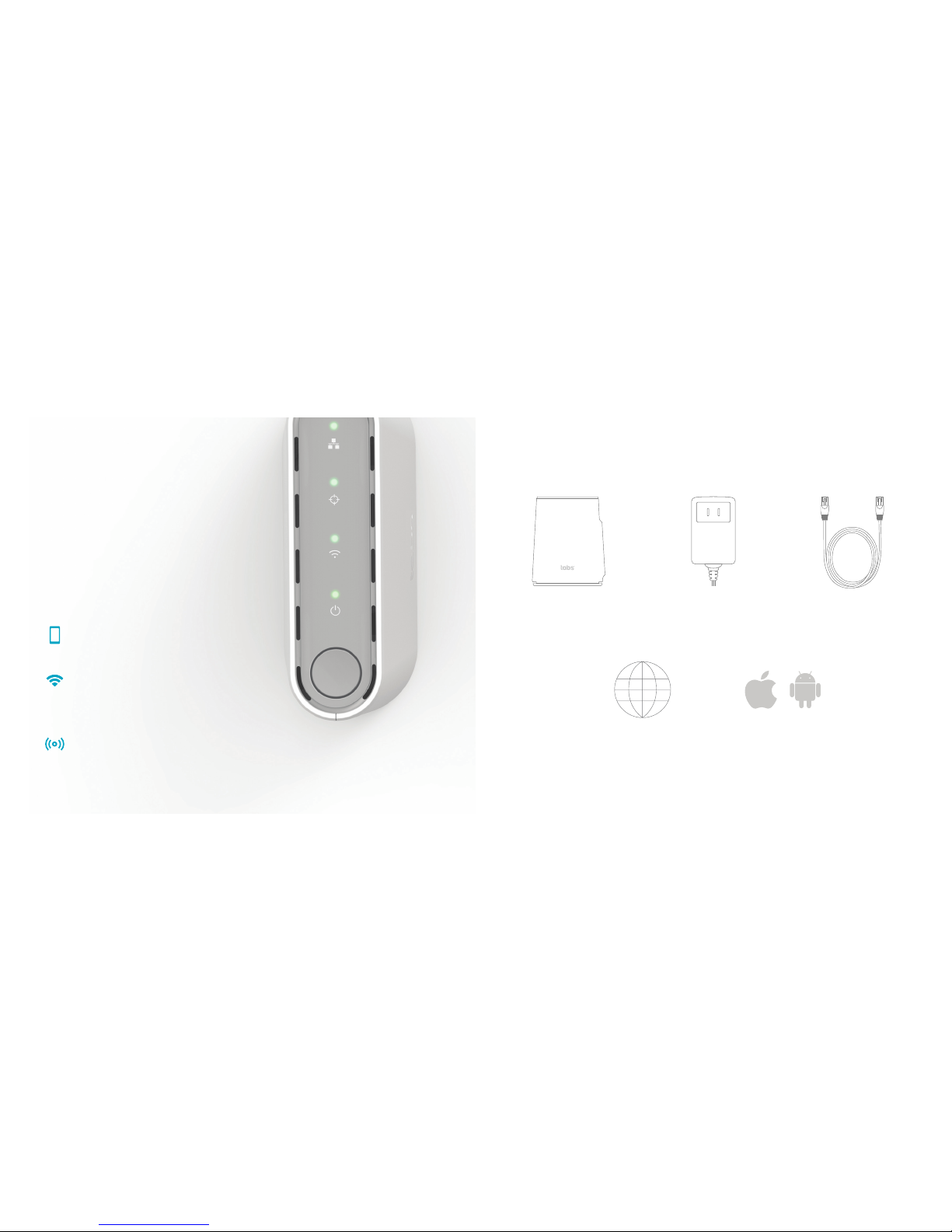
What’s in the Box
Hub
Requirements
Internet Connection iOS 9+ or Android 4.1+
Ethernet CablePower Supply
Control Wi-Fi Usage
Parental Controls shield your children
from inappropriate web content.
In-app purchase required.
Neighborhood Coverage
The Hub creates wide-area coverage
for all of your Tabs devices.
Simple In-App Setup
The Hub is easily set up, using just
your phone and the Tabs app.
Page 4
54 Having trouble? Get technical support at tabs.io/support.
Icons
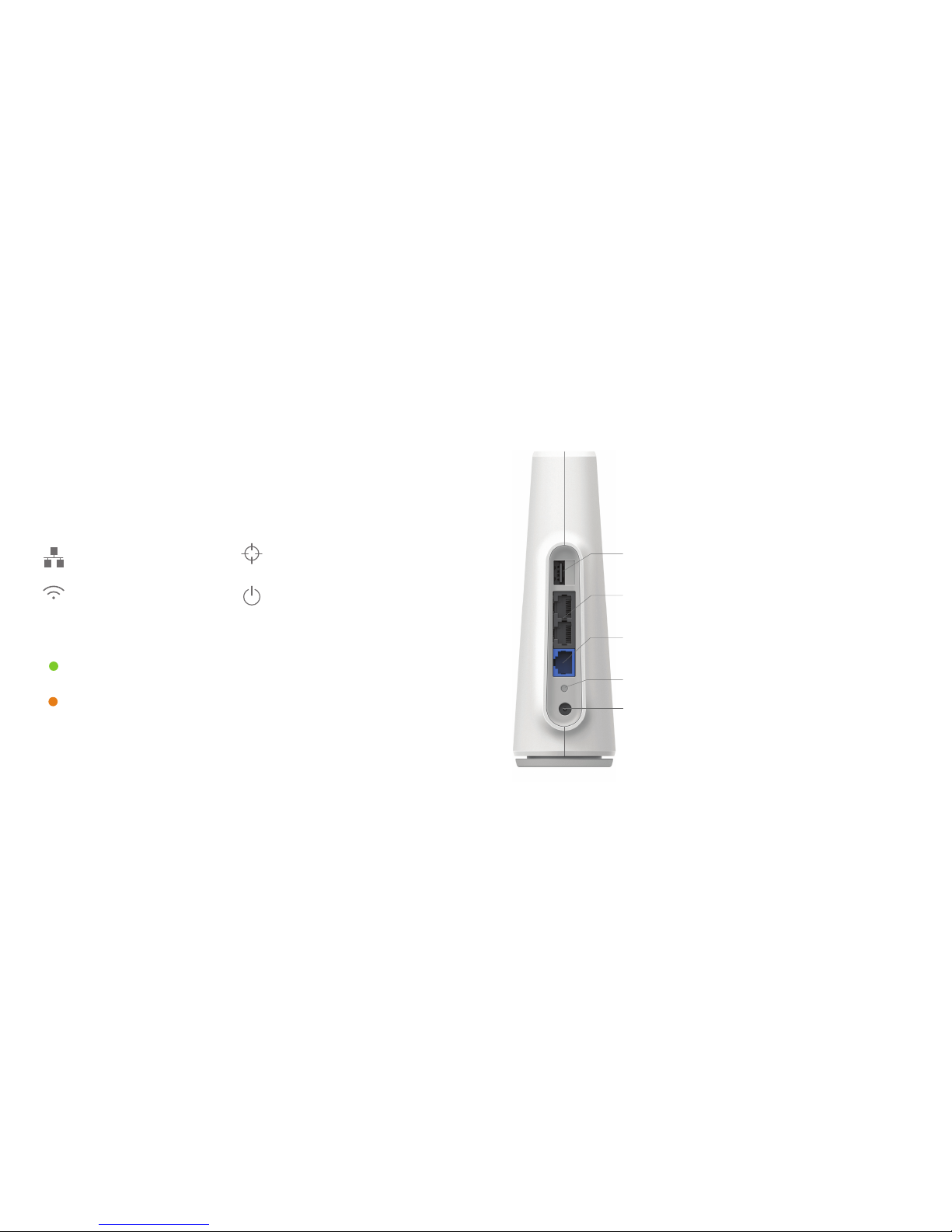
Wired Network
Indicates the state of the WAN
and LAN ports
For optimal performance, the Hub should be placed near a
window in a prominent, elevated position. The highest floor
of a home is ideal for maximizing the distance of your signal.
Wi-Fi
Indicates the state of the Wi -Fi
network
Tabs Network
Indicates the state of the Tabs
network
Power
Indicates that the Hub is
functioning normally
Status Lights
Solid Green
Feature is operating correctly.
Solid Orange
Feature is not operating correctly.
Meet the Hub
The Hub forms the core of your Tabs system, providing coverage
to your devices as well as a secure Wi-Fi network.
USB
The USB 2.1 Type A port can be used for recharging
Tabs devices.
WAN
This ethernet port is used to connect your broadband
Internet modem provided by an Internet Ser vice Provider.
LAN
There are two ethernet por ts for adding other devices to
your Local Area Network.
Power
Connect s to the supplied 12V power supply
Ports
Hub Placement
WPS Button
The large, round button on top of your
hub enables Wi-Fi Protec ted Setup.
WPS can simplify the process of adding
wireless devices to your network. For
more information, visit tabs.io/support.
Reset Button
Pressing for 6 seconds resets your Hub
Page 5

76 Having trouble? Get technical support at tabs.io/support.
Important Product & Safety Instructions
For the most current and more detailed information about Tabs features and settings as
well as safety instruc tions, please download the user manual for the product s online at
tabs.io/support before use of any Tabs products or ser vices.
Certain sensors contain magnets. Keep
away from ALL Ch ildren! Do not put in
nose or mouth. Swallowed magnets can
stick to intestines causing serious injury or
death. Seek immediate medical attention
if magnets are swallowed.
These prod ucts are not toys and co ntain
small parts that can be dangerous to
children u nder 3 years old. Do not al low
children o r pets to play with pro ducts.
Observe proper precautions when
handling batteries. Batteries may leak or
explode if improperly handled.
Observe the following precautions to
avoid a sensor ex plosion or fire:
• Do not drop, disassemble, open,
crush, bend, deform, puncture, shred,
microwave, incinerate or paint the
sensors, Hub or other hardware.
• Do not inser t foreign objects i nto any
opening on t he sensors or Hub, suc h as
the USB por t.
• Do not use the har dware if it has been
damaged—for example, if cracked,
punctured or harmed by water.
Disassembling or puncturing the battery
(whether integrated or removable) can
cause an exp losion or fire.
• Do not dry the s ensors or batter y with
an extern al heat source such as a
microwave ove n or hair dryer.
Warnings
• Do not place naked fl ame sources, such as
lighted candles, on or near the equipment.
• The batter y shall not be exposed to exce ssive
heat such as su nshine, fire or the like.
• Do not dismant le, open or shred batte ry pack
or cells.
• Do not expose bat teries to heat or fire. Avoid
storage in direct sunlight.
• Do not short- circuit the batte ry. Do not store
batteri es in a box or drawer where the y may
short-circuit each other or be short-circuited by
other metal objects.
• Do not remove a bat tery from its orig inal
packaging until required for use.
• Do not subject batteries to mechanical shock.
• In the event of a bat tery leaking, d o not allow
the liquid t o come in contact with the skin
or eyes. If con tact has been made, wa sh the
aected a rea with copious amou nts of water
and seek med ical advice.
• Do not use any charger other than that specifically prov ided for use with the e quipment.
• Observe th e plus (+) and minus (-) mark s on the
battery and equipment and ensure correct use.
• Do not use any whic h is not designed for use
with the product.
• Do not mix cells of d ierent manufact ure,
capacit y, size or ty pe within a device.
• Keep batterie s out of the reach of childre n.
• Seek medical advice immediately if a battery
has been swallowed.
• Always purch ase the correct bat tery for the
equipment.
• Keep batterie s clean and dry.
• Wipe the bat tery terminals wi th a clean dry cloth
if they beco me dirt y.
• Rechargeable batteries need to be charged
before use. A lways use the correc t charger
and refer to the manufacturer’s instructions
or equipment manual for proper charging
instructions.
• Do not leave a recha rgeable batter y on
prolonge d charge when not in use.
Page 6
98 Having trouble? Get technical support at tabs.io/support.
Notices
Avoid exposi ng your sensors or bat teries
to very col d or very hot temperat ures. Low
or high temperature conditions may temporaril y shorten the bat tery life or cause
the sensors to temporarily stop working.
Take care in settin g up the Hub Gateway
and other hardware. Follow all installation
instructions in the User Guide. Failure to
do so may resul t in injury.
Do not install hardware equipment while
standing in water or with wet hands.
Failure to do so c an result in electr ic shock
or death. U se caution when set ting up all
electronic equipment.
When charging the sensors, do not handle
the sensor s with wet hands. Fail ure to
observ e this precaution cou ld result in
electric shock.
Do not check t he GPS via the Tabs
applica tion while drivin g or in other
situations where distractions could be
hazardous. Always be aware of your
surroundings when using the Wristband
Locator or other sensors.
The Wristb and Locator Sensor may c ause
skin irritation. Prolonged contact may
contribute to skin irritation or allergies in
some users. To reduce irritation, follow
four simpl e wear and care tips: (1) Kee p
it clean; (2) kee p it dry; (3) don’t we ar it
too tight , and (4) give your wrist a re st
by removing t he band for an hour aft er
extended wear.
PROP 65 WARNI NG: This product
contains chemicals kn own to the State
of Califor nia to cause cancer and birth
defect s or other reproduc tive harm
Cleaning Tabs Pro ducts: Us e a clean dry
cloth or wi pe to clean Tabs produ cts. Do
not use deter gent or abrasive mater ials
to clean the Tabs pro ducts, as this may
damage the sensors.
Hereby, TrackNe t declares that t he radio equipm ent for Tabs product s is in compliance w ith Directi ve
2014/53/EU.
This devi ce complies wit h Part 15 of the FCC R ules and RSS Stan dards of Indus try Canada . Operation is
subjec t to the followin g two conditio ns: (1) this dev ice may not cause ha rmful interf erence, and (2) thi s device
must accept any interference received, including interference that may cause undesired operation.
For the fu ll FCC/IC Comp liance Statem ents and EU decl aration of confo rmity, visit w ww.tabs.io/legal
Warranty
Limited Warranty: To the extent per mitted by the law i n the country i n which purchase Tabs p roducts, Track Net
warrant s that for a perio d of one (1) year from o riginal date of pu rchase, the prod uct will be fre e from defects i n
materials and workmanship under normal use. In the event of a defect, contact TrackNet Customer Support (tabs.io/
suppor t) for assista nce. TrackNet’s sol e obligation un der this warran ty will be, at it s option, to repa ir or replace the
product. This warranty does not apply to products damaged by misuse, accident, or normal wear and tear. Damage
resulti ng from use with no n-Tracknet’s batt eries, power cab les, or other bat tery chargi ng/rechargin g accessories or
devices is a lso not covered by th is or any warrant y. NO OTHER WARRAN TY OF ANY KIND ( EITHER EXPR ESS OR
IMPLIED) IS PROVIDED AND ARE HEREBY EXPRESSLY DISCLAIMED, INCLUDING BUT NOT LIMITED TO ANY IMPLIED
WARRAN TIES OF MERCHA NTABILITY AND F ITNESS FOR A SPE CIFIC OR GENE RAL PURPOS E AND THOSE ARIS ING
BY STATUTE OR BY LAW, OR FROM A C AUSE OF DEALI NG OR USAGE OF TRA DE.
Limitation of Liability: IN NO EVEN T, REGARDLESS OF C AUSE, SHALL TR ACKNET BE LIA BLE FOR ANY IND IRECT,
SPECIAL, INCIDENTAL, PUNITIVE OR CONSEQUENTIAL DAMAGES OF ANY KIND, WHETHER ARISING UNDER
BREACH O F CONTRACT, TORT (INC LUDING NEGLI GENCE), STR ICT LIABIL ITY OR OTHERWI SE, AND WHETH ER
RELATED TO TH E USE OF THE TABS PRODUC TS OR SERVICE S OR OTHERWISE, E VEN IF ADVISE D OF THE
POSSIBILITY OF SUCH DAMAGES.
This symbol means that according to local laws and regulations your product should be disposed of separately
from hous ehold waste. Wh en this produc t reaches its e nd of life, take it to a col lection poi nt designated b y
local aut horities. S ome collecti on points acce pt products f or free. The separ ate collect ion and recycli ng of your
product at the time of disposal will help conserve natural resources and ensure that it is recycled in a manner
that protects human health and the environment.
Page 7

10
TBUG100-GW1 Rev. A
© 2017 TrackNet Inc, USA and Trackio GmbH, Switzerland. All rights reserved.
Manufactured by Trackio GmbH
Engelhölzlistrasse 7A, 8645 Rapperswil-Jona SG, Switzerland
 Loading...