

Page 1
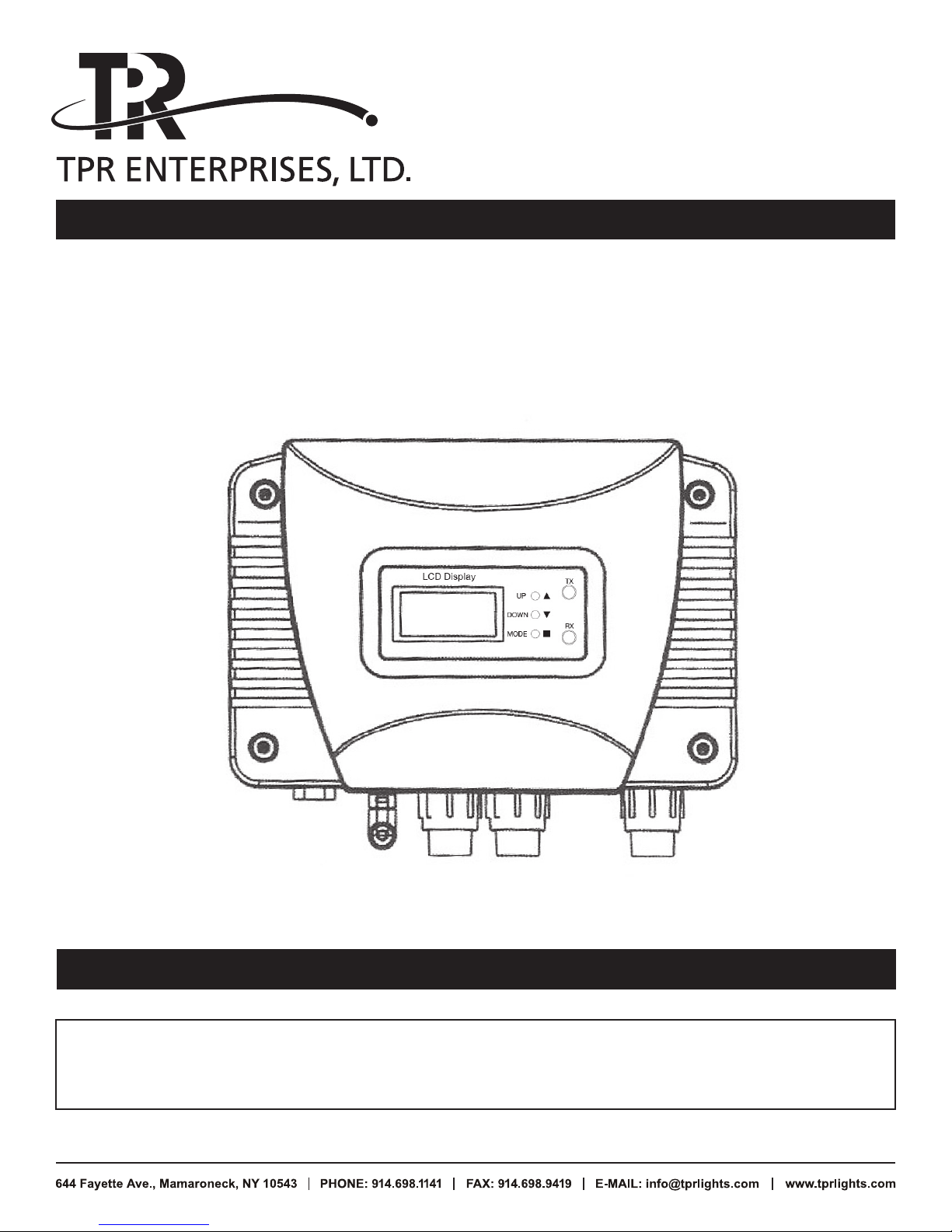
TPR-WDMX-TCVR
DMX 512 Wireless Control System
Version: 1.4 27 JAN 2018
This product manual contains important information about the safe installation and use
of this product. Please read and follow these instructions carefully and keep this manual
in a safe place for future reference.
U S E R M A N U A L
Page 2
2/8
DMX 512 Wireless Control User Manual
CONTINUED
1. Introduction
DMX wireless system is compatible with any DMX512 controller and fixture. Internal data transfer
rate can reach 250K. Speedy transmission and Autocorrect Interference feature. One-to-one or
one transmitter to multiple receivers. Several transmitters can be installed at same location.
Each unit is interchangeable as Transmitter or Receiver.
2. Technology Parameter
• Transmit power: 20DBM
• Transmit distance: 300M (984ft.) (Visible distance)
• Frequency: 2400M–2524MHz
• AC Input: 88–256V 50/60Hz
• Dimension: 210 x 150 x 70MM (8.25 x 6 x 2.75in)
• Net Weight: 0.7kg (1.5lbs)
• Antenna: 4” helical SMA antenna – high gain & low cost with long transmit distance
3. Installation
3.1 What is included
• Outdoor DMX wireless system 1 unit
• User manual 1 piece
• SMA antenna 1 piece
3.2 Unpacking instructions
Immediately upon receiving a fixture, carefully unpack the carton, check the contents to insure
that all parts are included, and have been received in good condition. Notify the shipper
immediately and retain packing material for inspection if any parts appear to have been damaged
during shipping or the carton itself appears mishandled. Keep the carton and all packing
materials. In the case that a fixture must be returned to the factory, it is important that the fixture
be returned with original factory carton and packing.
Page 3

DMX 512 Wireless Control User Manual
CONTINUED
3.3 Safety Instructions
Please read these instructions carefully, which includes important
information about the installation, usage and maintenance.
• Please keep this user manual for further reference.
• Always make sure the unit is connected to proper voltage as rated on product and manual.
• This product is designed for both indoor and outdoor use but is not submersible.
• Keep any flammable materials away from unit.
• The unit must be installed at a well vented location.
• Stop use immediately if operation problems occur. Do not try to repair. Contact factory
for service. Not user serviceable.
• Check power cord before connecting to AC power to make sure it is not damaged.
• Do not disconnect power by pulling power cord.
3/8
Page 4
DMX 512 Wireless Control User Manual
CONTINUED
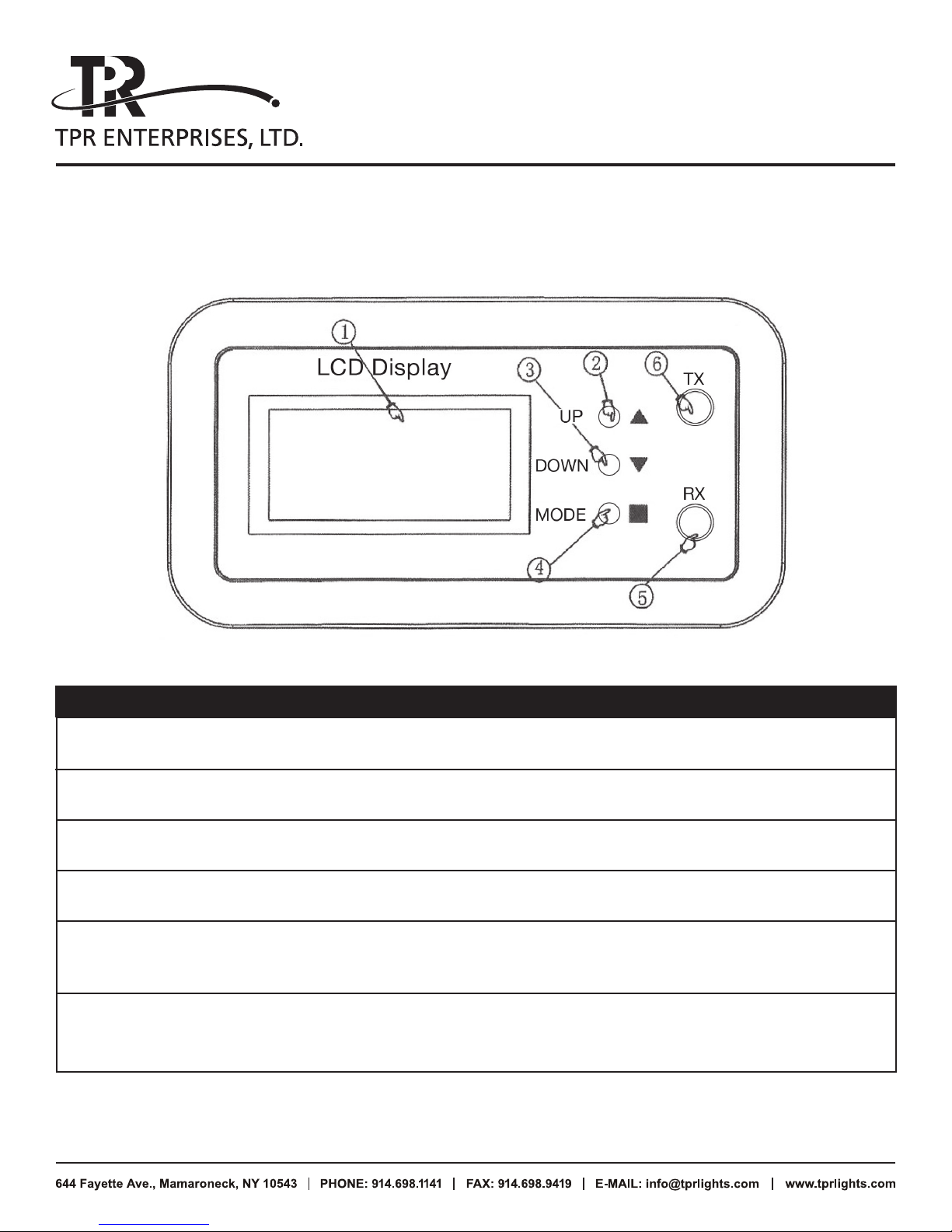
4. Product Overview (Front Panel)
4/8
ITEM DESCRIPTION FUNCTION
1 LCD display Display operation data
2 UP Change setting of LCD display menu
3 DOWN Change setting of LCD display menu
4 MODE Operation menu selection
5 RX (red) Acting as receiver. Red LED will keep flashing
when receiving wireless signal.
6 TX (green) Acting as transmitter. Green LED will keep
flashing when transmitting wireless signal.
Page 5
DMX 512 Wireless Control User Manual
CONTINUED
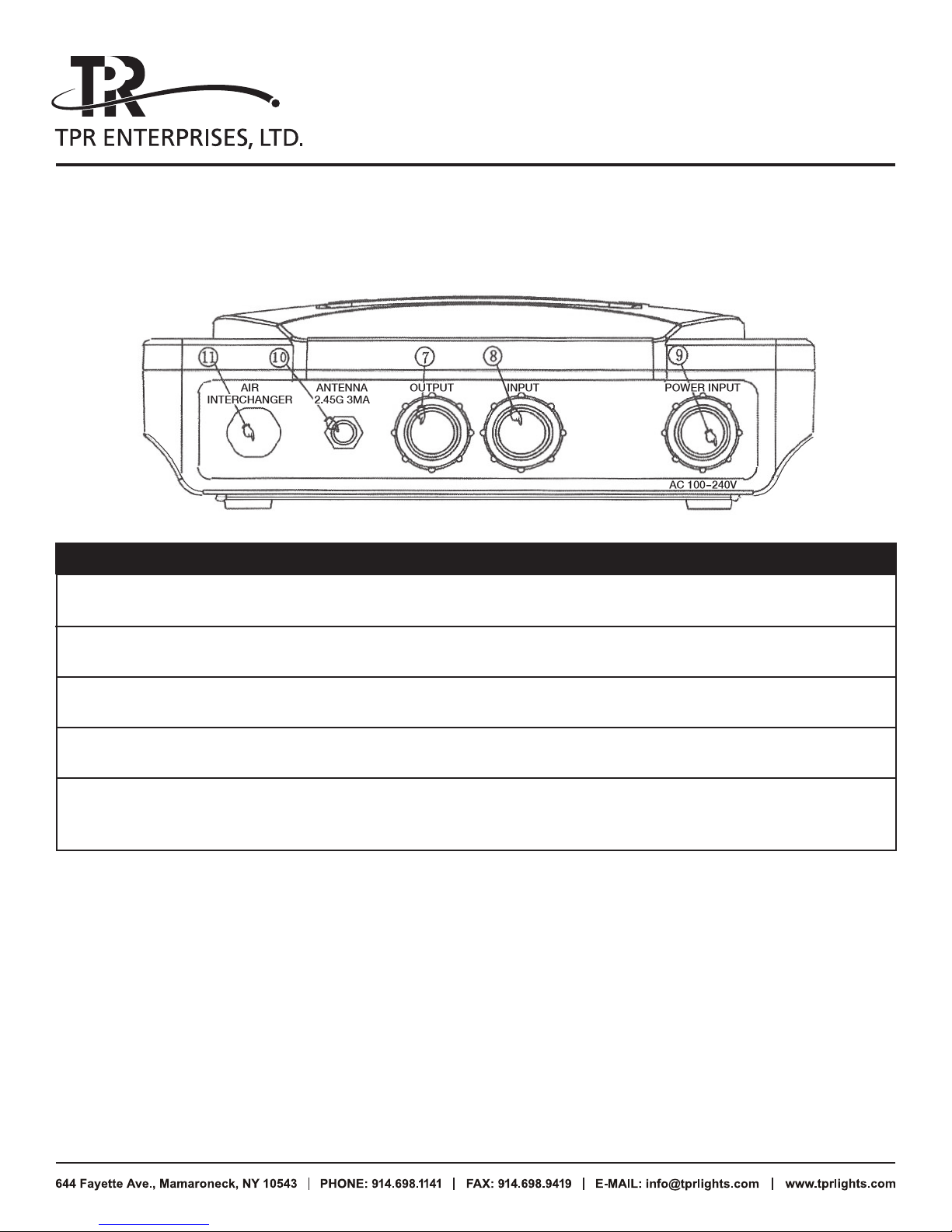
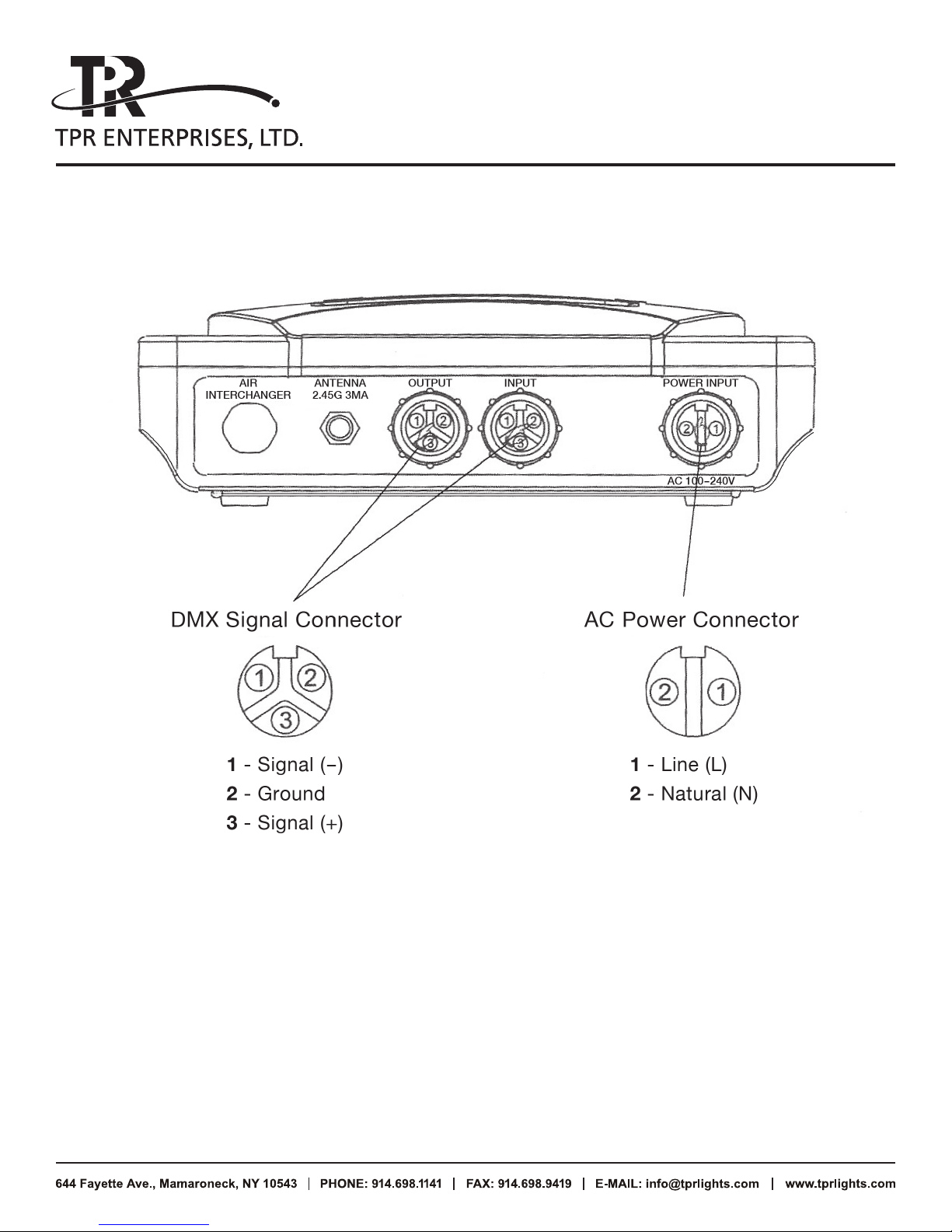
5. Product Overview (Rear Panel)
5/8
ITEM DESCRIPTION FUNCTION
7 DMX OUT DMX 512 signal output
8 DMX IN DMX 512 signal input
9 Power INPUT AC 100-240V 50 /60Hz
10 SMA ANTENNA SMA antenna input
11 AIR INTERCHANGER Balances the pressure inside
and outside of the box
6. LCD Display Menu Instruction
6.1 FREQ: Set frequency between 0-124
6.2 ADDR: Select transfer address code between 0-255
6.3 RADIO: Set direction (TX or RX)
6.4 TX: Set as Transmitter to receive signal from DMX512 controller and then send wireless signal
to Receiver. Green LED will keep flashing while sending wireless signal.
6.5 RX: Set as Receiver to receive wireless signal from Transmitter and then send DMX512 signal
to lighting fixture. Red LED will keep flashing while receiving wireless signal.
Page 6
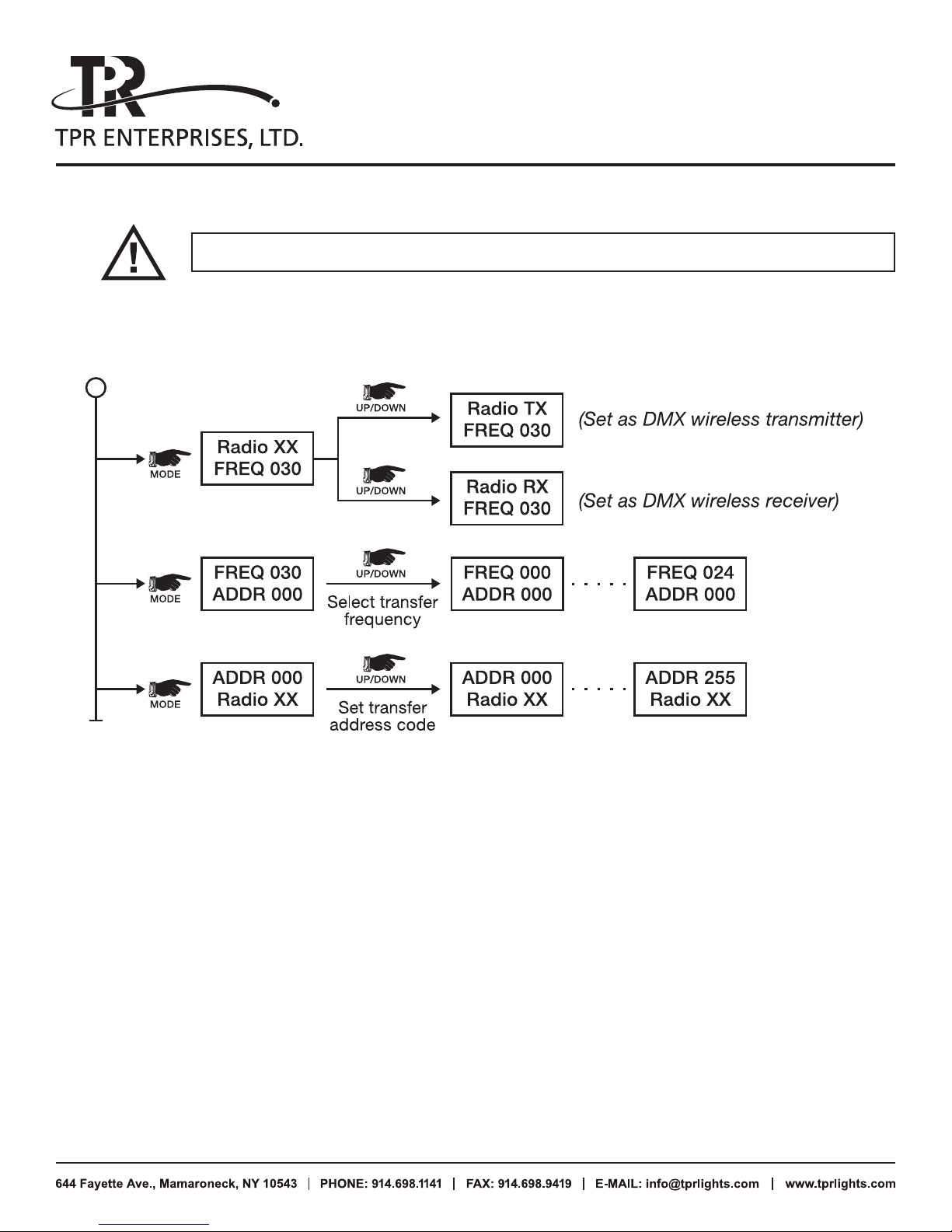
transmitter and Receiver must work at same frequency with same address code.
7. Display Instruction
6/8
DMX 512 Wireless Control User Manual
CONTINUED
8. How to Set Up
8.1 Antenna Installation: High as possible above barriers
8.2 Antenna Direction: transmitter antenna to face receiver antenna
8.3 Antenna Position: As far away from interference
Ex: WLAN antenna and equipment with motor like moving heads etc.
8.4 Obstructions: Avoid putting obstructions between transmitter and receiver. This will affect
the signal transmission. Operation is line of sight between transmitter and receivers.
8.5 High Gain Antenna: Use the optional high gain antenna for longer transmission distances
up to approximately 300 meters (984 ft) and in areas where there may be interference.
8.6 Transmitter Frequency: Set transmitter frequency over 5MHz to improve transmission
when several transmitters are used in same location.
Page 7
DMX 512 Wireless Control User Manual
CONTINUED
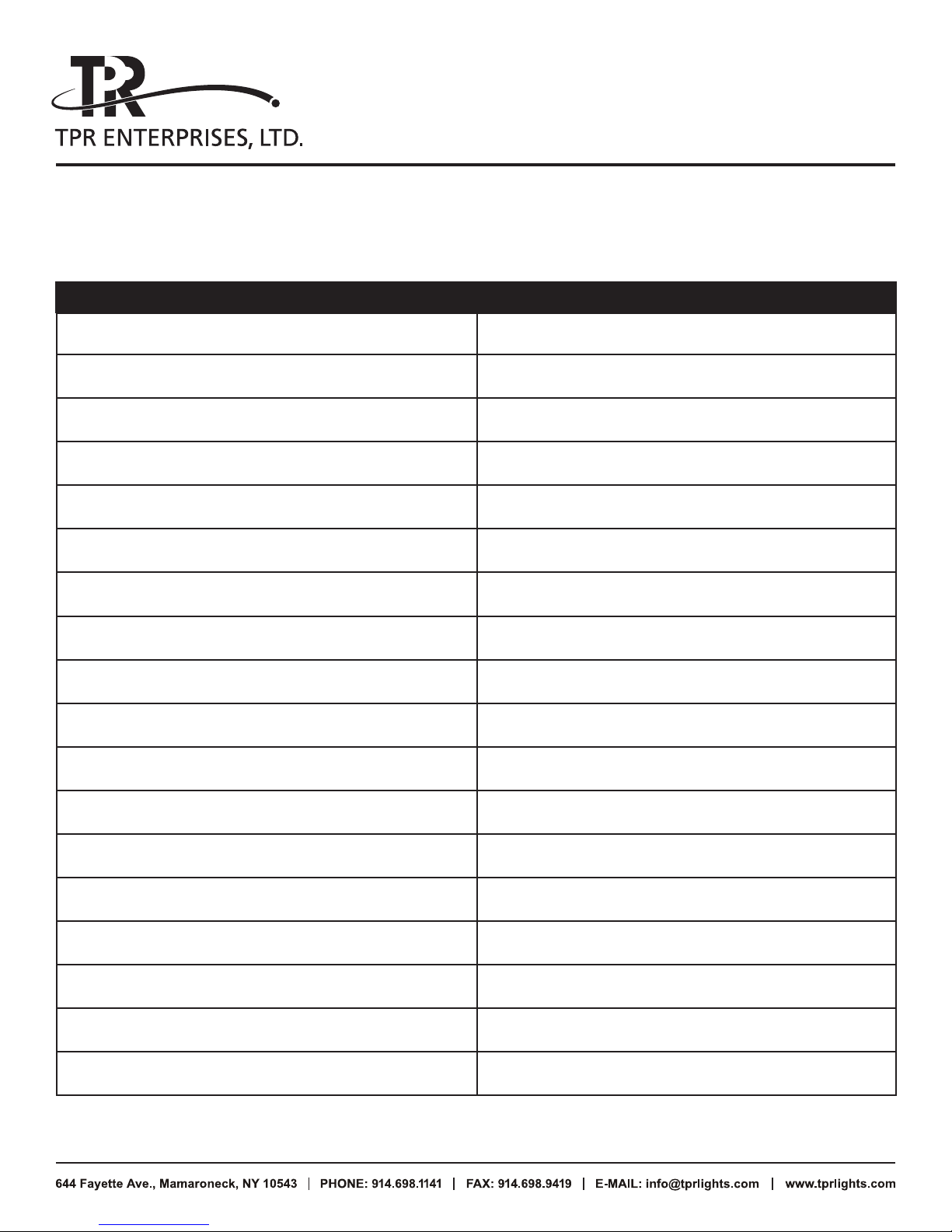
9. Frequency Select
CHANNEL FREQUENCY (MHz)
000 2400
001 2401
002 2402
003 2403
004 2404
7/8
005 2405
006 2406
007 2407
008 2408
009 2409
010 2410
011 2411
012 2412
013 2413
014 2414
015 2415
• •• • • •
12 4 25 24
• •• • • • • •
Page 8
8/8
DMX 512 Wireless Control User Manual
CONTINUED
 Loading...