

Page 1
Owners Manual
17— Inch Multi-Media Monitor
Manual
Part Number: #MO17
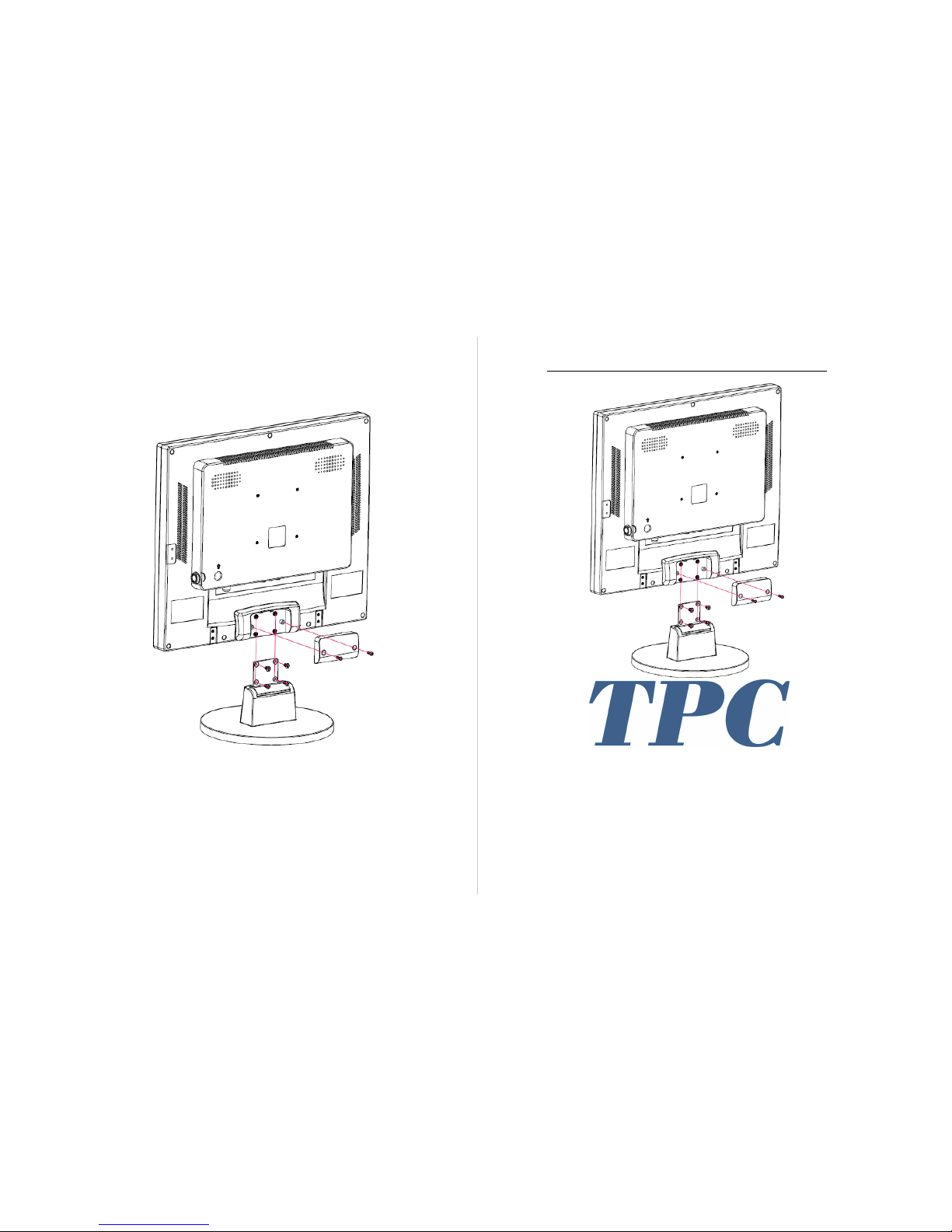
17-Inch Multi-Media Monitor Display
Accessories Assembly Diagram
Page 2

Manual
Manual
Page 5
1. Product Introduction 1
2. Function & Description 2
1. Multimedia Display 2
2. Remote Control 3
3. Troubleshooting 4
4. Precautions 4
5. Storage & Transport 5
6. Warranty Instructions 5
Table Of Contents
5. Storage & Transport
Please be gentle when removing and placing video input cables.
The Monitor is not:
Fire Resistance - plastics will melt and warp with excessive heat
Impervious to Corrosive Solutions - plastic will warp when exposed to
harsh chemicals
Storage temperature relative humidity indoors at or below 93%
Store in ambient pressure, between 50Kpa & 106Kpa
Avoid excessive vibrations and jolts during transport.
Avoid direct sunlight, rain, or snow exposure during transport.
6. Warranty Instructions
The MO17 comes with a 2-year limited warranty. Under standard TPC Terms
& Conditions, a user has 7-day from the delivery of the unit to return for a full
refund. Shipping is not covered under warranty. If you experience any difficulties or need help troubleshooting the unit please call our technical support
line at 800-560-8222; otherwise please visit our website for additional information: http://www.tpcdental.com/terms.html
Page 3

Manual
Manual
Page 5
3. Troubleshooting
If you experience any issues when operating your MO17 monitor please refer
to the following chart; if you are still experiencing any issues please call our
technical support line at 800-560-8222
Item Issue Solution
1 The monitor
does not turn on
Check to see that the monitor power cord is plugged
and power switch is turned on
2 Permanent
(black) spots on
image
Check to see if the screen is stained, check to see if the
camera lens is tainted; if it is, clean gently with clean
cotton swab to wipe debris away
4. Precautions
Please read the following precautions before using this product, and keep for
future reference.
Do not use sharp objects, corrosive solution or abrasive materials on any electrical contacts.
Please unplug monitor and camera when not in use.
Do no disassemble any portion of the Monitor.
Do not use force when connecting components or cables.
Use the original components such as the power adapter and cord.
Do not use, if any of the components is damaged or broken; please order origi-
nal manufacturer components from an authorized TPC dealer.
Do not force any power cord or power adapter into position.
Do not use a wet power cord or adapter.
Use MO17 monitor in a well ventilated, dry place.
Monitor will not work in extreme cold, hot or humid conditions, do not place
in direct sunlight or dusty environment.
1. Product Introduction
Congratulations on your new TPC MO17 monitor & intra-oral camera
solution purchase. To get the maximum benefit from your monitor, read
these instructions before making any adjustments, and retain them for
future reference. We hope you will experience many years of enjoyment
from your new monitor.
For further assistance, please call: 800-560-8222 or visit our website:
www.tpcdental.com
Purchase Date: _________________
From Authorized Dealer: _______________________
2. Product Descriptions
Display x1 Display Remote x1
Power Adapter x1
Power Cord x1
Manual x1
Display Mode Single, Four
Resolution 1280 x 1024
System Operations Touch, Remote Control
Ambient Temperature 32° - 131°F
Power Consumption <35W
3. Product Features & Technical Specifications
Page 4
Page 4
Manual
Manual
Page 3
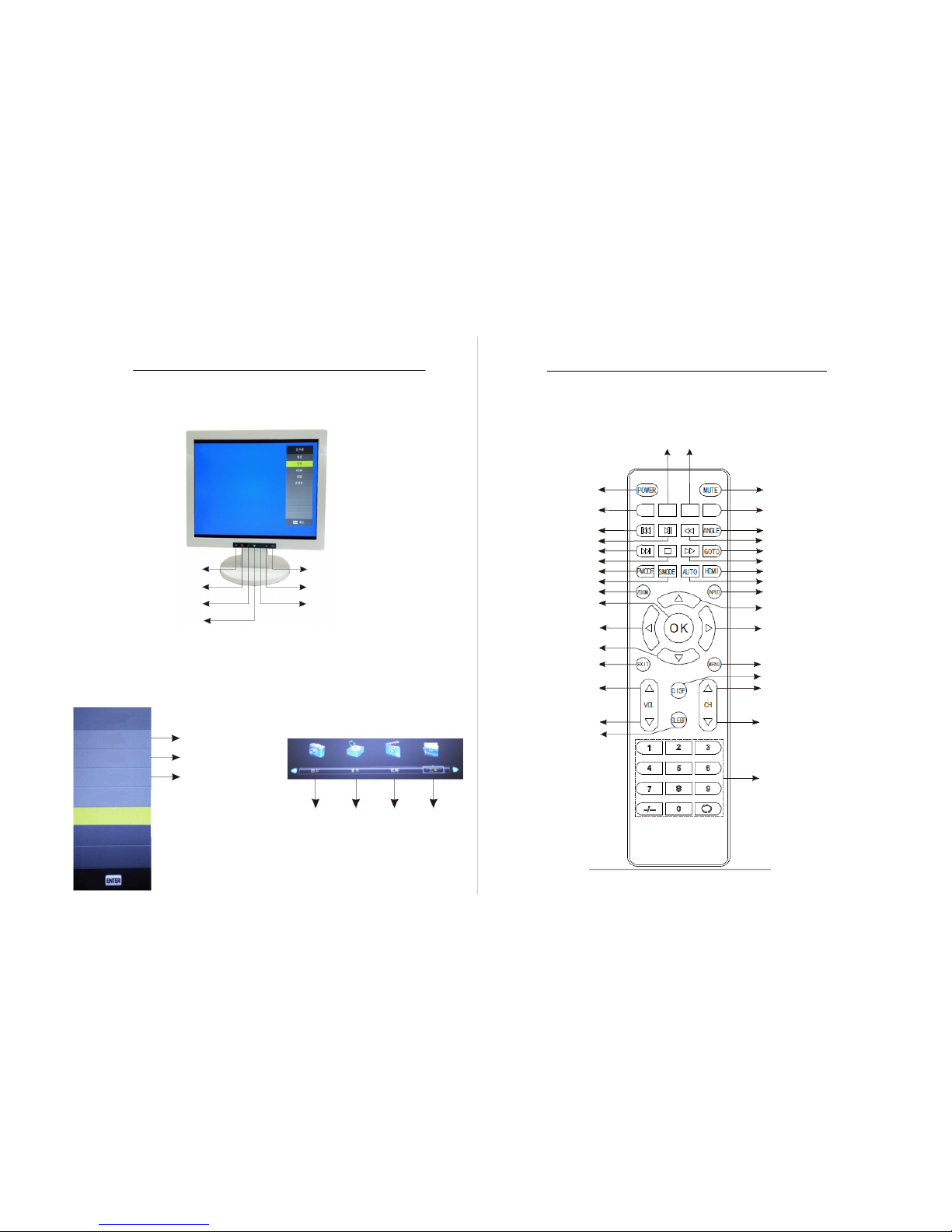
Source
Main Menu
To Select
Power Button
Volume Down
Volume Up
Back
Source
TV
Camera Music
Video File
2. Function & Description
1. Multimedia Display
Source
TV
Video
HDMI
HDMI
TV Input
Video
Page 2
Programmable Commands
Mute
Programmable Commands
Programmable Commands
Fast Reverse
Fast Forward
Stop
Next Chapter
Power Mode
Sleep Mode
Zoom
OK / Select
Exit
Volume Up
Volume Down
Sleep
Angle
Go To
Scrub Reverse
Scrub Forward
HDMI Input
Input
Up
Right
Right
Down
Menu
Display
Channel Up
Channel Down
Channel Number Buttons
3. Multimedia Display Remote Control
 Loading...