

Page 1
Installation Guide
Panel
Page 2

Copyright Information
Panel
TP1871
Issue 02 © 2013 Promethean Limited. All rights reserved.
Promethean is owner of a number of trademarks in several jurisdictions across the world. The Promethean products documented
in this guide include aspects which are protected under their respective patent, copyright, design copyright, registered design and
trademark laws.
All other trademarks remain the property of their respective owners.
This guide is distributed online. It may only be reproduced for use within the institution in which the product is used. For use
outside of your institution, no part of this guide may be reproduced, transmitted, stored in a retrieval system or translated into any
other language without the prior permission of Promethean Limited.
Please note that the content in this guide is protected under copyright law. Although every care has been taken in the compilation of this guide, Promethean Limited accepts no responsibility for errors or omissions, or for damages resulting from the use of
information contained within the following pages.
Page 3

Contents
Safety Information 4
Environmental Considerations 6
Box Contents 6
You Will Need 7
Installation 8
Notes 12
Page 4
Safety Information
Panel
Read and understand all safety information, operating instructions, and product labels
before operating the ActivPanel Touch.
Keep this guide in a safe place for future reference.
To reduce the risk of fire or electric shock,
WARNING:
do not expose this product to smoke, rain,
dust or moisture!
CAUTION
Risk of electric shock
do not open
Caution: To reduce the risk of electric shock, do
not remove cover (or back).
No user-serviceable parts inside.
Refer servicing to qualified service
personnel.
This product is designed and manufactured to operate within defined design limits, and misuse may result in electric shock or fire.
The installation of this product should be completed by a Promethean Certified Installer.
Use of components not supplied by Promethean or not meeting minimum specifications may impact performance and affect the
warranty. For Promethean Warranty Terms and Conditions, please visit www.PrometheanWorld.com/ActivCare
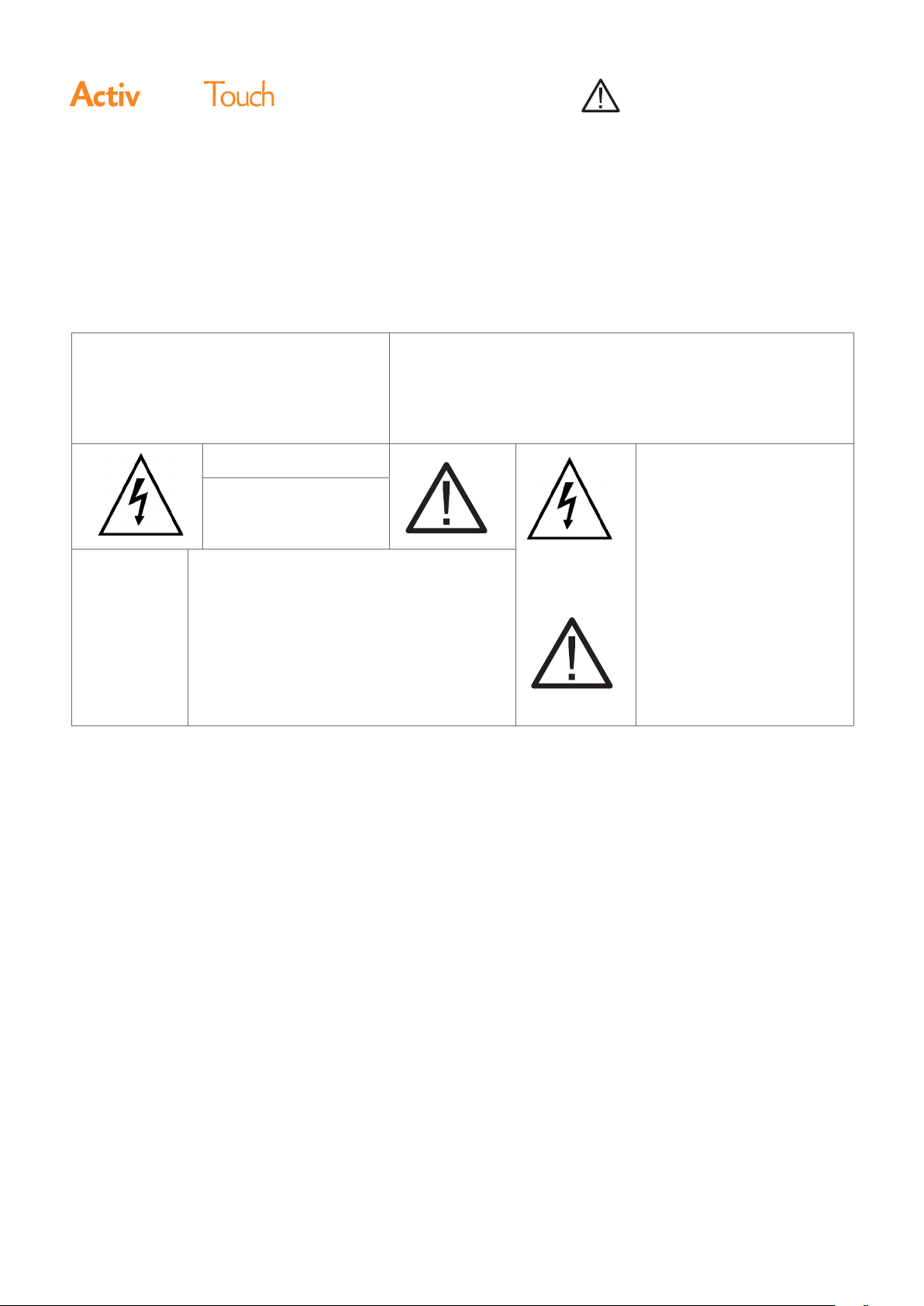
The lightning flash with
arrow-head symbol, within an
equilateral triangle, is intended
to alert the user to the presence
of “dangerous voltage” within
the product’s enclosure that
may be
sufficient to constitute a risk of
electric shock to persons.
The exclamation point within a
triangle is intended to alert the
user to the presence of important operating and maintenance (servicing ) instructions.
•
Inspect the ActivPanel Touch for any physical damage to the
casing before use. If damage is apparent, take care to avoid
contact with any potentially live parts.
•
Do not under any circumstances try to gain access to
internal parts of the ActivPanel Touch. If you suspect
that the device is damaged or faulty, you should contact
Technical Support, or an authorised Promethean service
agent for advice.
•
Always use accessories recommended by Promethean to
ensure compatibility.
•
Only use the power cable that is compatible with your mains
outlet socket. If you are unsure of the electrical compatibility
of your equipment, please contact Promethean or an
authorised Promethean service agent before attempting to
connect the device to the mains supply.
4 ActivPanel Touch Installation Guide
•
Use a wall socket that is close to the ActivPanel Touch and
that is easily accessible.
•
Firmly insert the power plug into the wall socket. Partial
connection could cause sparks or fire.
•
To avoid the risk of electric shock or component damage,
disconnect the ActivPanel Touch from the power supply
before plugging in any other cables.
•
To avoid the risk of electric shock, do not touch the power
plug with wet hands.
•
Hold the power plug when unplugging the device. Pulling
the power cable may damage the wires inside the cable and
cause fire or electric shock.
•
Unplug the power plug before cleaning the ActivPanel
Touch.
Page 5

Safety Information
•
Do not use any liquid or a spray cleaner when wiping the
device. Use a slightly damp cloth. Never use any alcohol-,
solvent-, or ammonia-based liquid when wiping the screen.
Do not use abrasive cleaners.
•
When moving the ActivPanel Touch from an area of low
temperature to one of high temperature, condensation
may form on the housing. Do not power on the device
immediately after this to avoid causing fire, electric shock or
component damage.
•
To avoid electric shock, avoid handling the power cable
during electrical or thunder storms.
•
Unplug the ActivPanel Touch during a lightning storm or
when it will not be used for a long period of time. This will
protect the device from damage due to power surges.
•
Do not place the ActivPanel Touch in front of an air
conditioning unit to avoid condensation which could cause
fire, electric shock or component damage.
•
The ventilation holes in the housing are designed to protect
the ActivPanel Touch against overheating. Be careful not to
block them.
using the remote control and keep it away from children.
•
If you think batteries might have been swallowed or
placed inside any part of the body, seek immediate medical
attention.
If any of the following occurs, please contact Technical
Support:
•
The power cable fails or frays.
•
Liquid sprays, or any object drops, into the ActivPanel
Touch.
•
The ActivPanel Touch is exposed to rain or moisture.
•
The ActivPanel Touch is dropped or damaged in any way.
•
The ActivPanel Touch emits abnormal sounds.
•
The ActivPanel Touch emits smoke or odour.
•
The performance of the ActivPanel Touch changes
substantially.
Environmental Considerations
•
Do not embed the ActivPanel Touch in a cabinet, unless the
cabinet is well ventilated.
•
Do not put the ActivPanel Touch on or beside any radiator
or heater.
•
Never insert any sharp or metal objects into the ventilation
holes or signal joints of the ActivPanel Touch.
•
Never place, spill or pour any liquid on any part of the
ActivPanel Touch. The device could short circuit causing a
fire or electric shock.
•
Do not use your fingers or any other hard object to knock,
press on or scratch the screen of the ActivPanel Touch.
•
Do not put any flammable or explosive objects near the
ActivPanel Touch.
The remote control operates on 2 x AAA alkaline batteries.
•
Risk of explosion if batteries are replaced with incorrect
type!
•
Incorrect polarity may cause damage or leakage of the
batteries, operating injury and contamination of the remote
control.
Temperature:
•
Operating: 5°C to ~ +40°C
•
Storage: -20°C to ~ +55°C
Relative Humidity (non condensing):
•
Operating: 10% to ~85%
•
Storage: 5% to ~95%
•
Keep new and used batteries away from children and pets.
•
If the battery compartment does not close securely, stop
ActivPanel Touch Installation Guide 5
Page 6
Box Contents
Panel
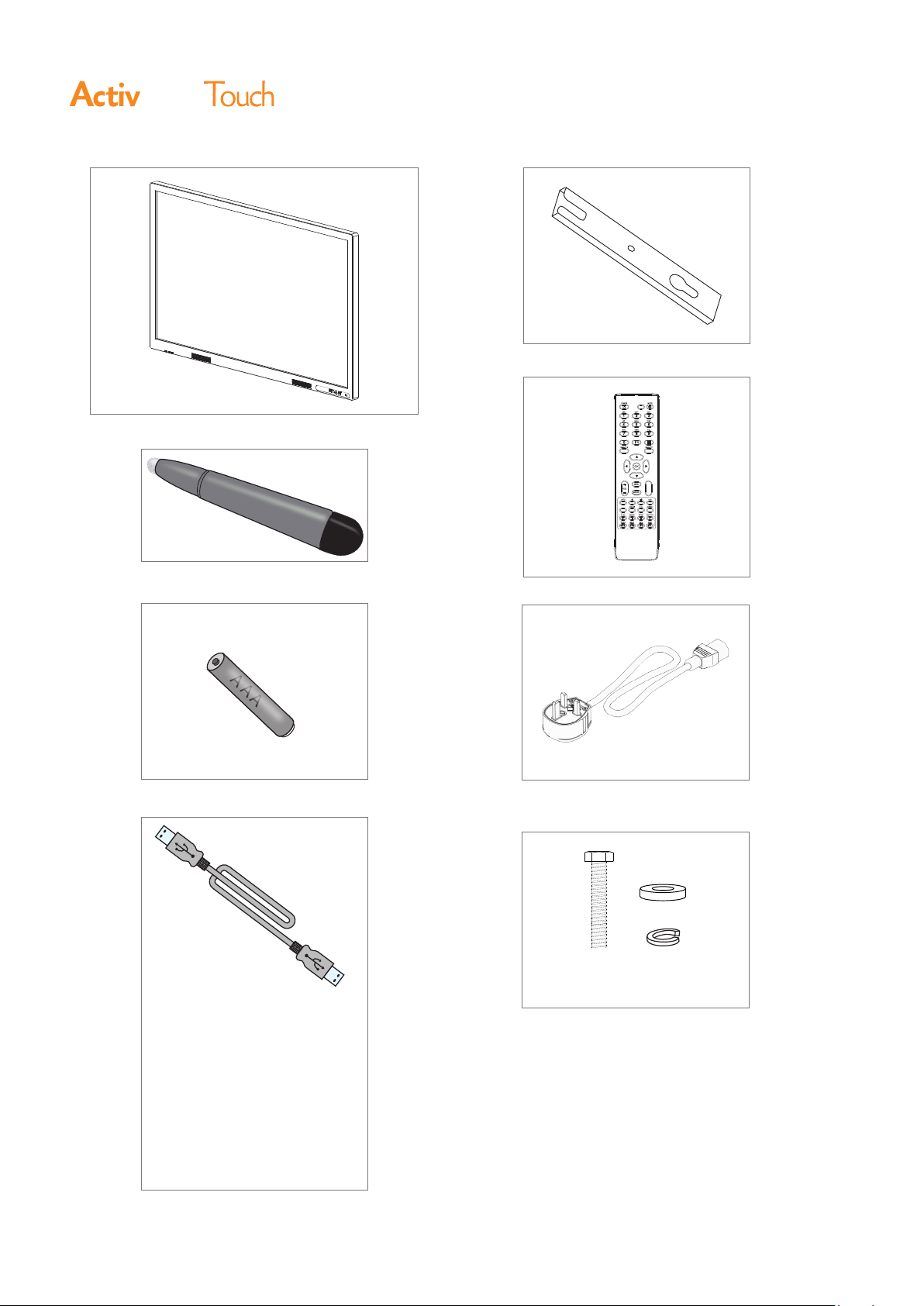
C
E
A
x2
B
x2
x1
D
x1
F
•
USB
•
HDMI
•
VGA
A A A
G
x2
* Plug specific to region
M8x30mm
*
H
x1
x4
•
AUDIO
6 ActivPanel Touch Installation Guide
4x1
Page 7
Box Contents
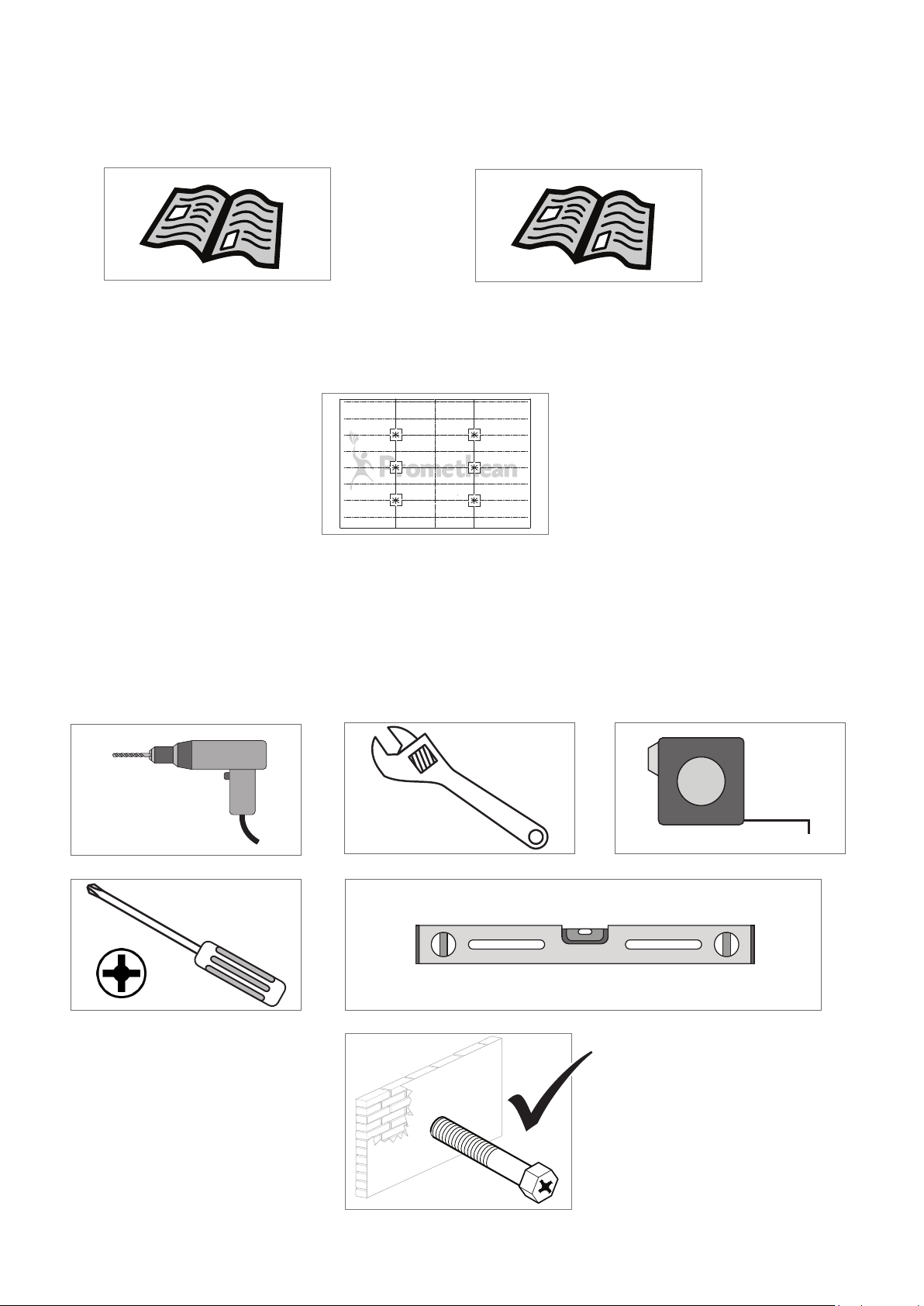
Ø 6mm
TP1871
ActivPanel Touch Installation
Guide
x1
TP1874
ActivPanel Touch Wall
Drilling Template
x1
TP1872
ActivPanel Touch User
Guide
x1
You Will Need
Ø 6mm
x6
ActivPanel Touch Installation Guide 7
Page 8
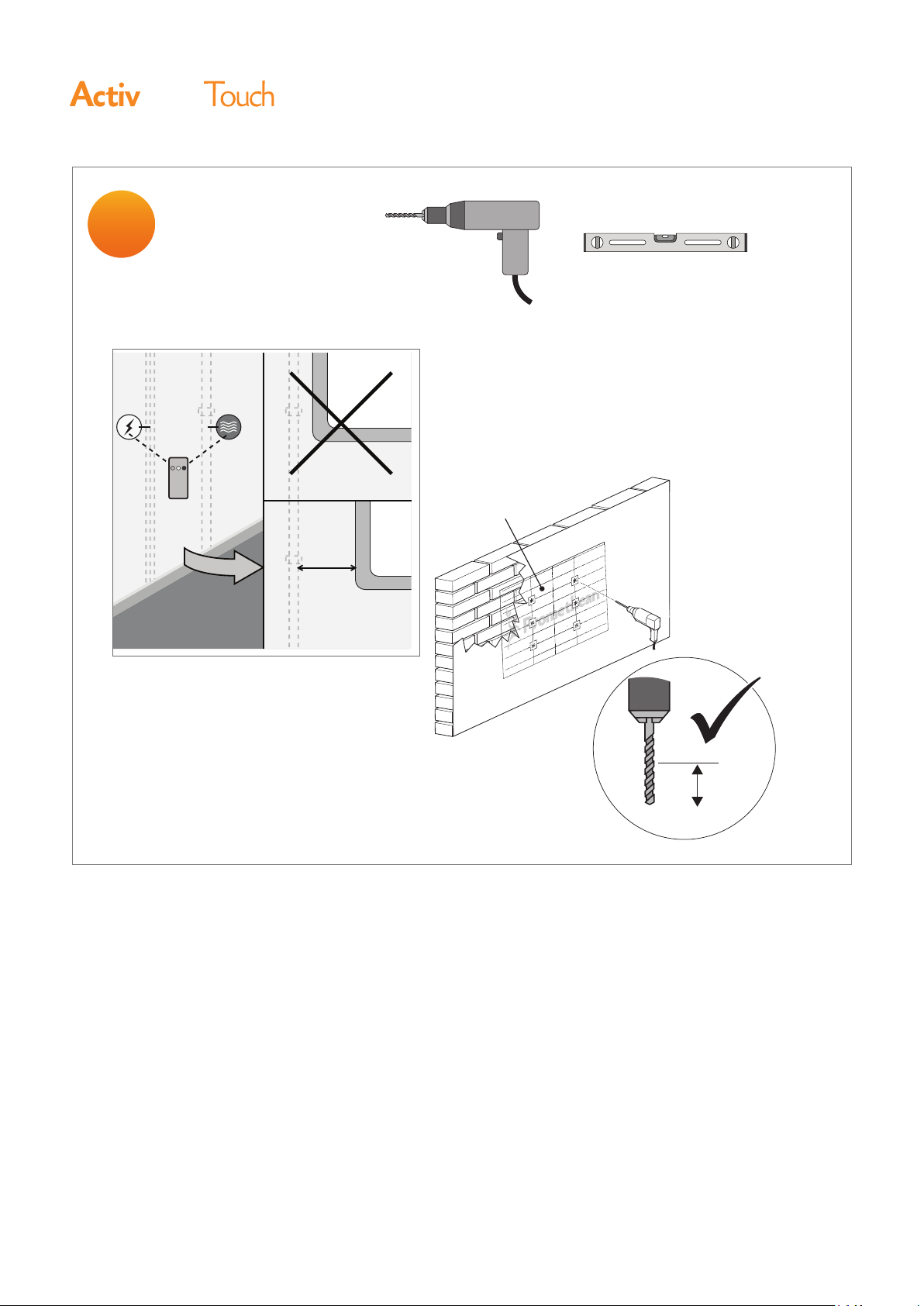
Ø 6mm
1
Panel
Installation
Ø 6mm
TP1874
150mm (6”)
x6
85mm
Ø 6mm
8 ActivPanel Touch Installation Guide
Page 9
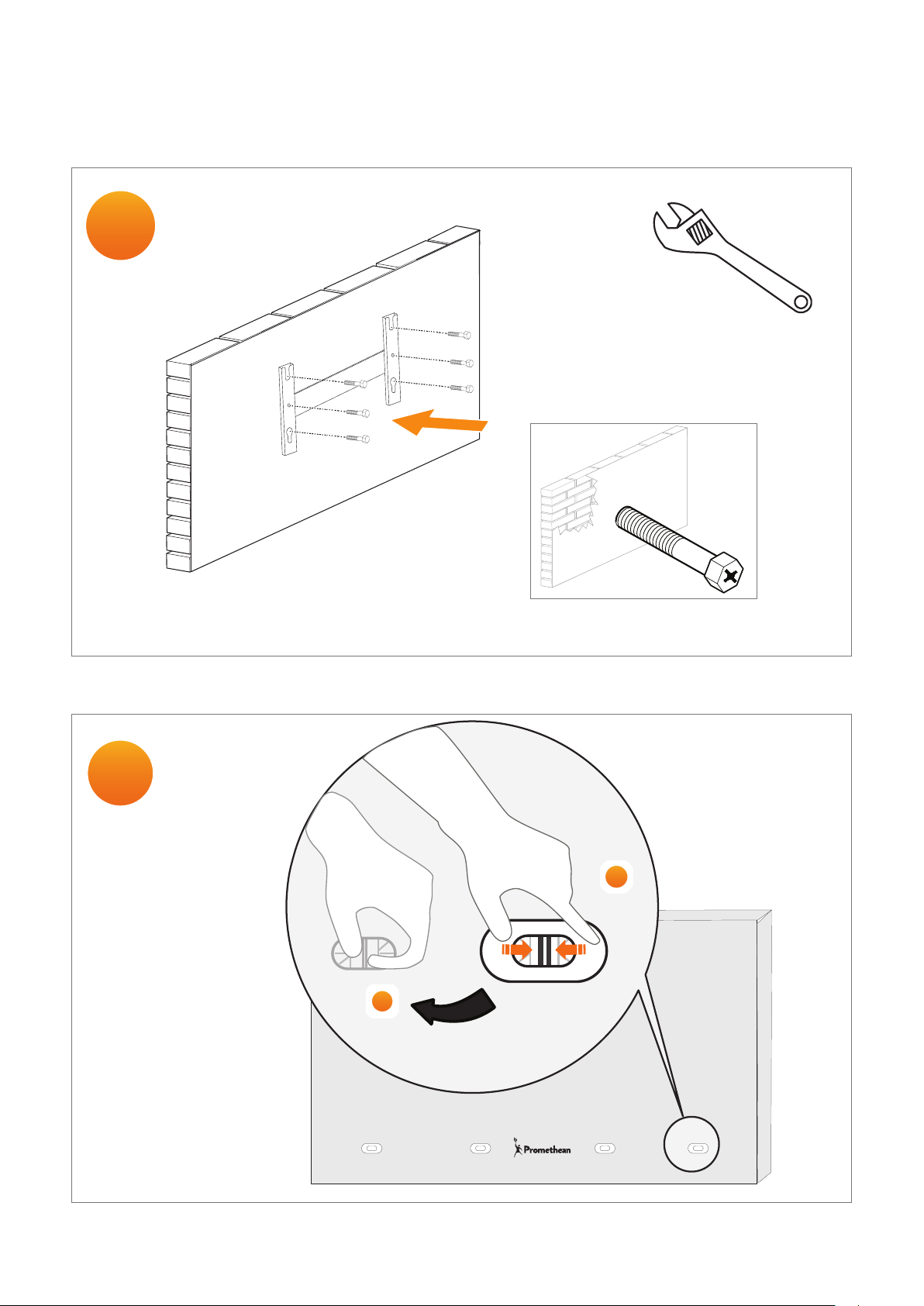
2
B
x2 &
Installation
3
x8
x6
1
2
ActivPanel Touch Installation Guide 9
Page 10
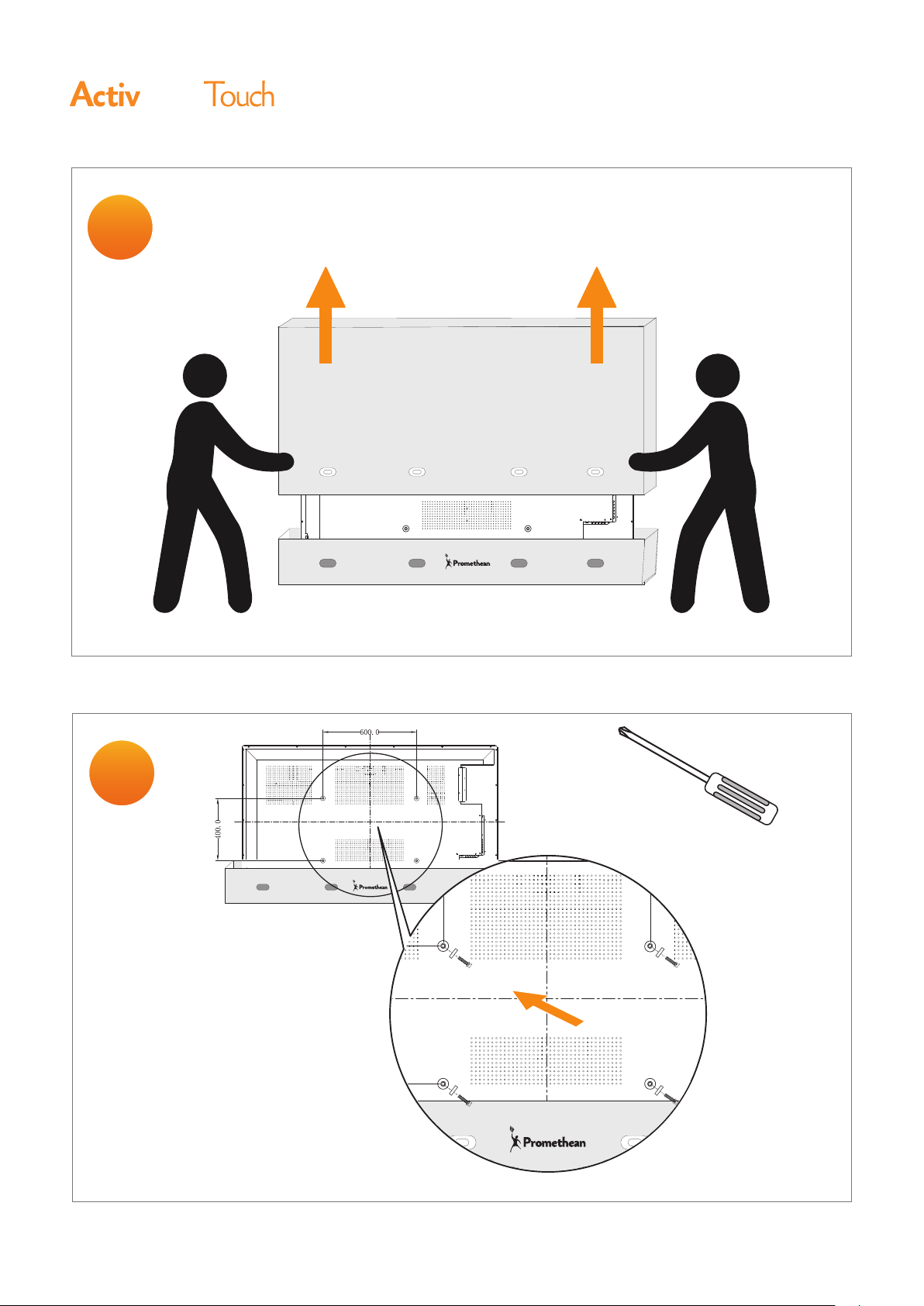
4
Panel
Installation
5
H
x4
10 ActivPanel Touch Installation Guide
Page 11
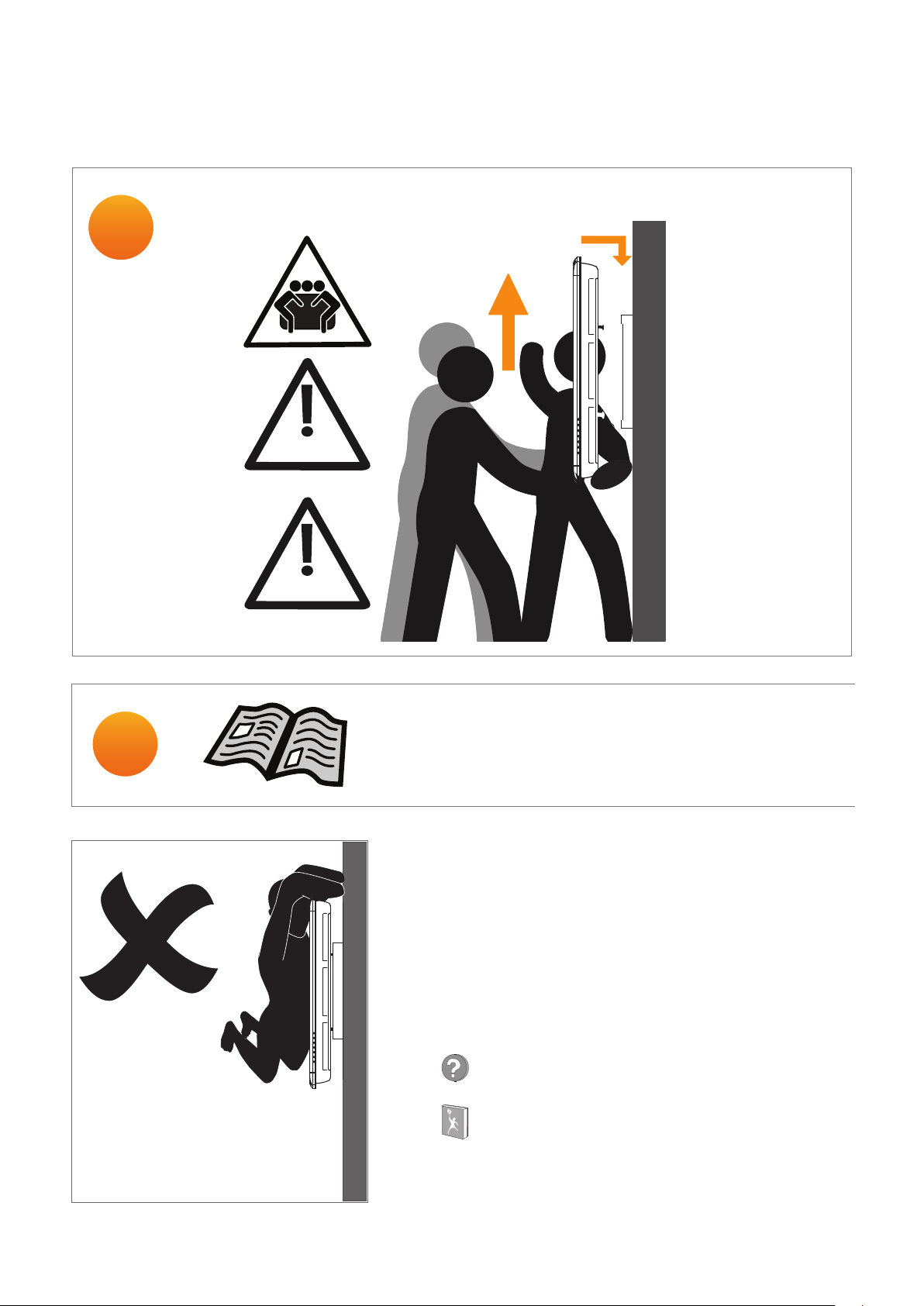
6
71.5kg +/- 1
157.5lbs +/- 2.2
65”
Installation
7
81kg +/- 1
178.5lbs +/- 2.2
70”
TP1872 ActivPanel Touch User Guide
www.PrometheanKB.com
www.PrometheanWorld.com
ActivPanel Touch Installation Guide 11
Page 12
Notes
Panel
12 ActivPanel Touch Installation Guide
TP1871 10/13 v2.0
©2013 Promethea n Ltd. All Right s Reserved. Pr oducts are subject to availabilit y by country.
Produc t Specifications are subj ect to change with out notice.
 Loading...