

Page 1
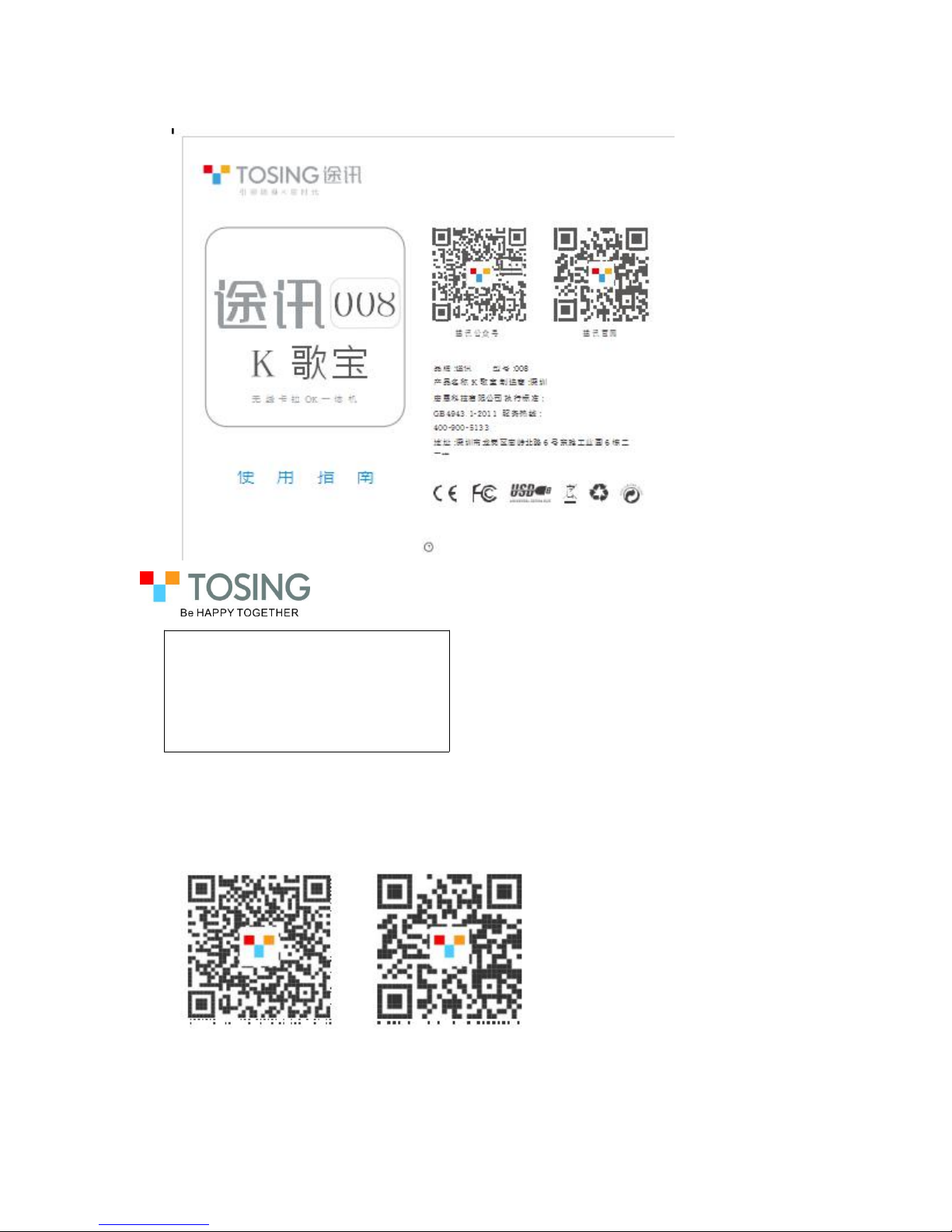
Tosing 008
Wireless Karaoke Player
User Guide
Tosing Wechat Tosing Website
Page 2
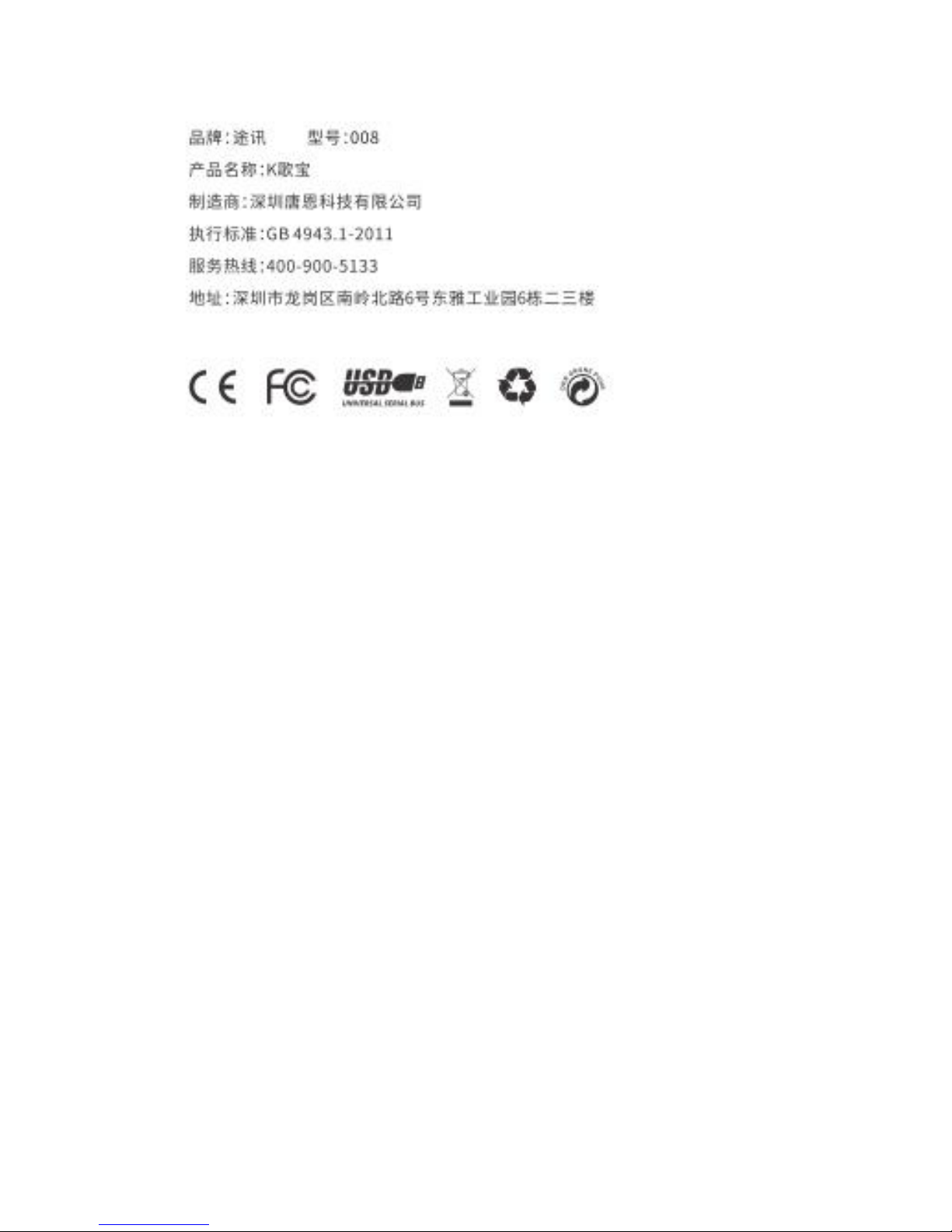
Brand: Tosing
Model: Tosing 008
Product name: Wireless Karaoke Player
Manufacturer: Shenzhen Teana Technology Co., Ltd.
GB Standard: GB 4943.1-2011
Service line:400-900-5133
Address: 2F/3F 6th Buliding ,East Asia Industrial Park ,No.6
Nanling north Road ,Nanling Village ,Nanwan street,Longgang
District ,Shenzhen, China
Page 3
1.Technical Parameter and Button Instruction
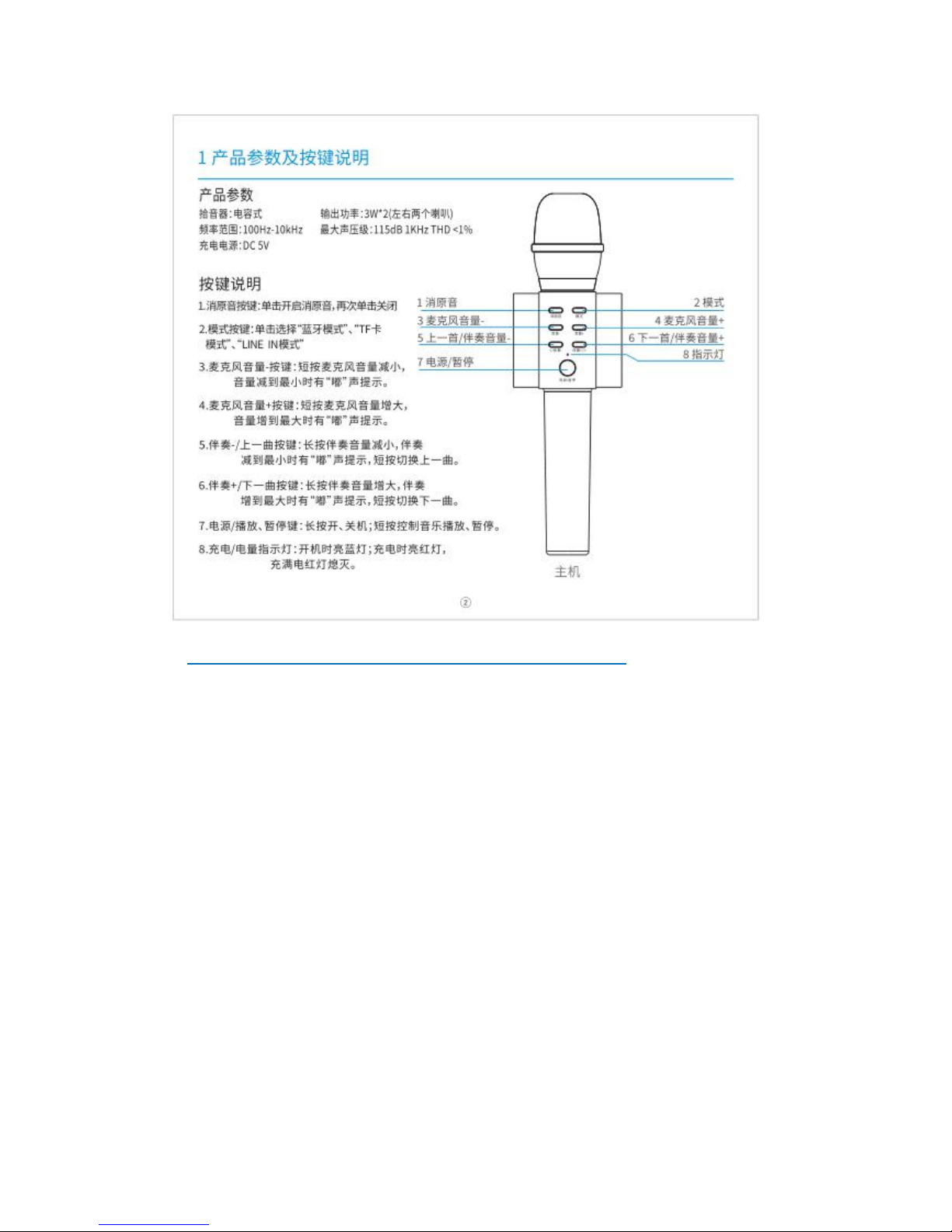
Technical Parameter
Audio Monitor:Capacitor type
Power Output:5W*2
Frequency Range:100Hz-10KHz
SPL:115dB 1KHz THD<1%
Charging Power:DC 5V
Battery Capacity:1000mAh/2600mAh available
Button Instruction
1. EOV: first press to start to eliminate the original voice, second press to close.
2. Mode: press to choose bluetooth, TF card or line in mode.
3. Volume - of microphone: short press to turn down microphone volume, will hear
the heat of “beep” when the volume is in the minimum.
4. Volume + of microphone: short press to turn up microphone volume, will hear the
heat of “beep” when the volume is in the maximum.
5. Previous song/Volume - of accompany: long press to turn down the volume of
accompany, will hear the heat of “beep” when the volume is in the minimum. Short
press back to previous song.
6. Next song/Volume + of accompany: long press to turn up the volume of
Page 4
accompany, will hear the heat of “beep” when the volume is in the maximum. Short
press go to next song.
7. Power/play/stop: long press to be power on or off; short press to play or stop.
8. Charging indicator light: when power on the light is blue; when charging, the light
is red, and red light off when fully charge.
备注:蓝色字体为按键上的英文名称
2.Connection Jack & Accessories/Charging Instruction
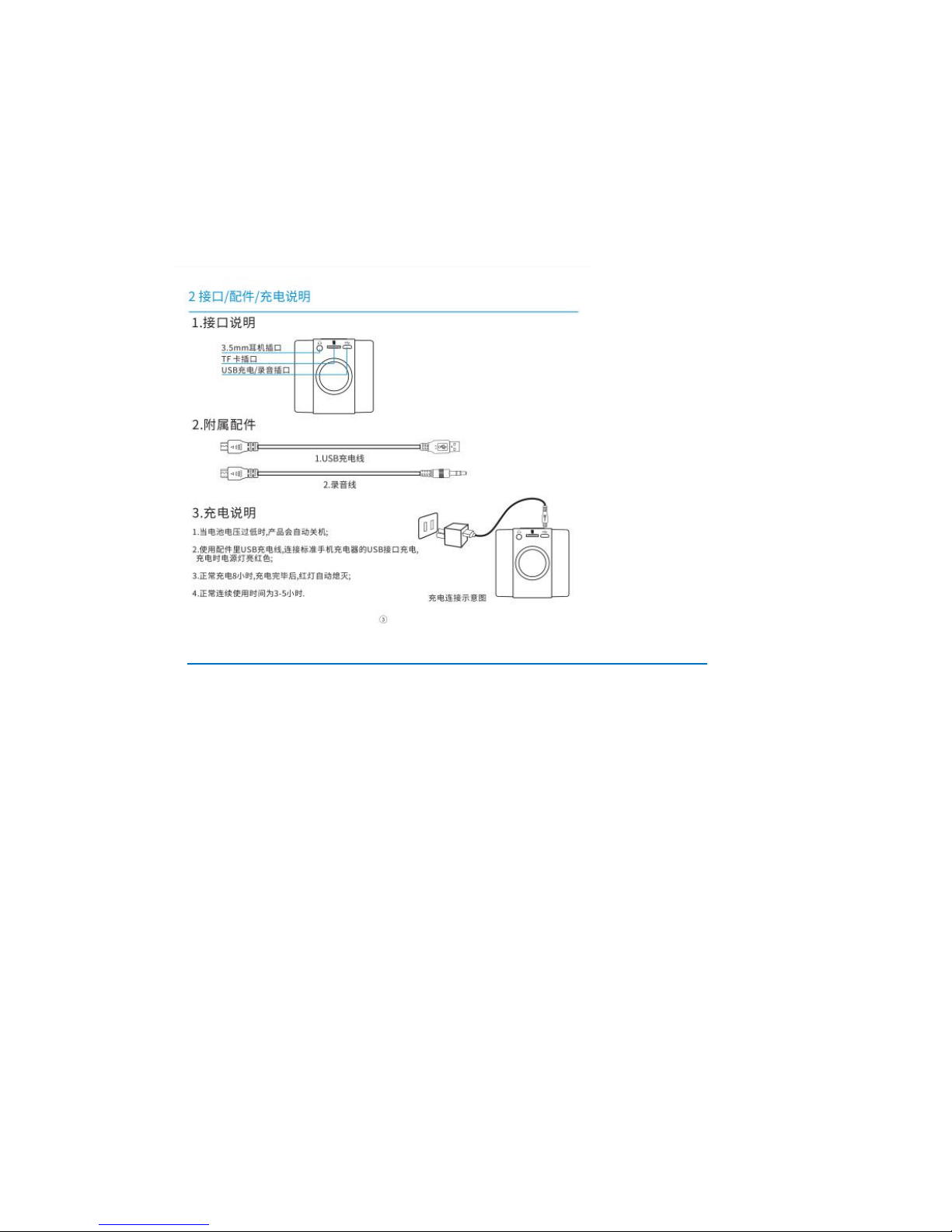
1. Connection Jack Instruction
3.5mm earphone port, TF card port, USB charging/recording port
2. Accessories: 1. USB charging cable; 2. Recording cable
3. Charging Instruction
1.the unit will be power off automatically when the voltage of battery is too low.
2.Recharging the unit by USB charging cable, and it is under charging with red light
is flashing. 3. In normal condition, 8 hours charging required.When it finished, the
red light will turn off.
4. The normal continue playback time is 5-8 hours in the using period.
充电连接示意图:Recharging Diagram
Page 5
3. Operation
1) Bluetooth Mode
1.Turn on microphone,indicator is blue and a indicated sound reminds that the
bluetooth function is on.
2.Search bluetooth ID “Tosing-008” by mobile phone/tablet connect it. When
the unit is matched the bluetooth Device, a Reminding “Di” sound will become
out from microphone.
3.Open the APP software/karaoke software in your smartphone to select
your favor music file,and adjust mobile phone/tablet volume.
4.Adjust microphone’s volume and echo.
5.Start to sing.
Note: 1.if need password in the bluetooth connection, please use “0000”.
2. because the Microphone had memories function for Bluetooth, it
will resume to connect automatically . If you want to refresh your bluetooth
connection, it need to be off the bluetooth function from your smartphone.
3. In order to keep high audio quality in music listing mode, please
adjust the Microphone Volume in Min station
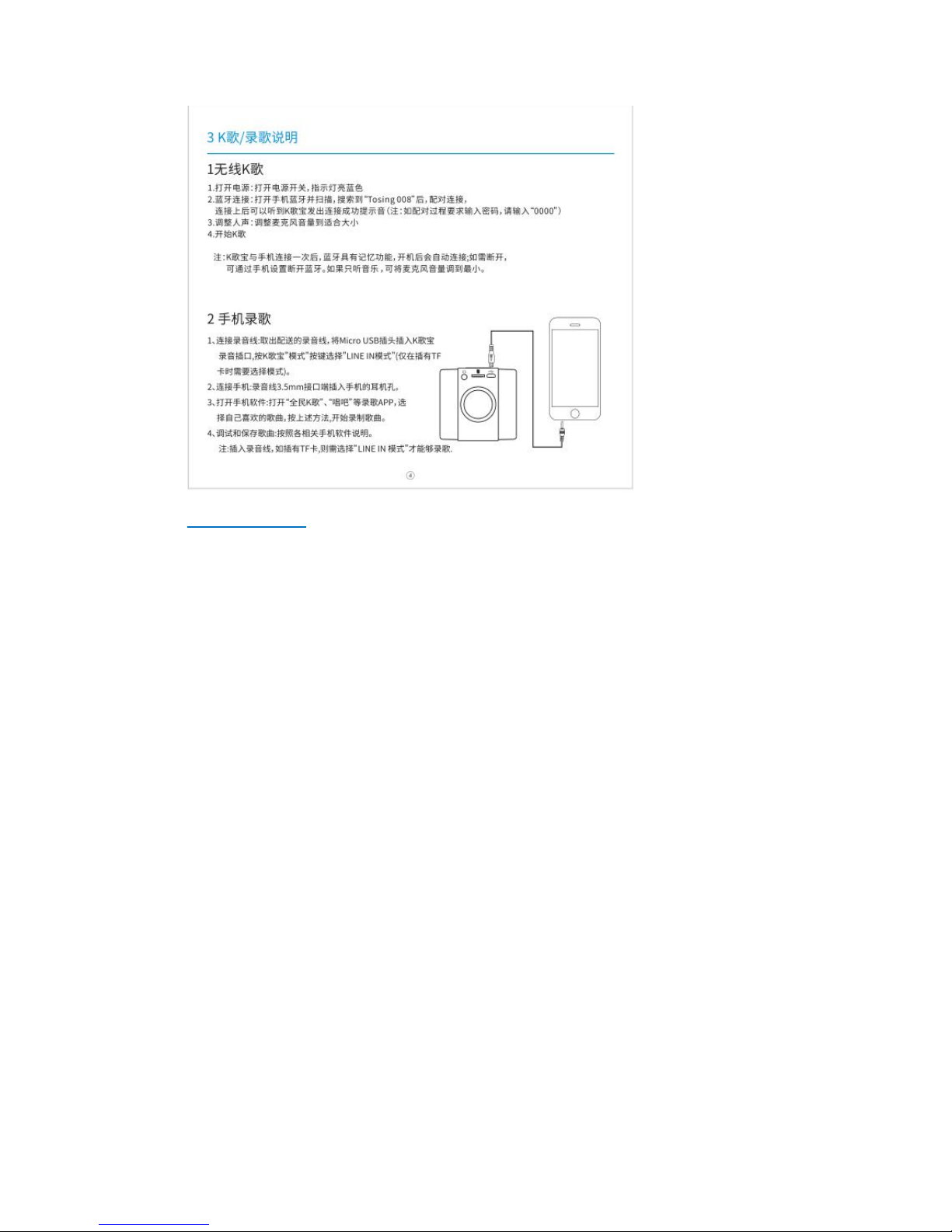
2) Wired Mode( singing recording same time function)
1. Connect by recording wire: connect Micro USB jack into the recording port,
press “mode”button to choose “LINE IN” mode (only choose when inserting TF
card)
2. Connect with mobile phone: insert 3.5mm recording cable jack to earphone
hole of mobile phone.
3. Download APP karaoke software to mobile phone, open App karaoke
software to choose favorable songs and sing, record song as app karaoke
Page 6
software instruction.
4. Test and save songs: according to the instruction of APP karake software.
REMARK: WHEN INSERTING the recording wire, if there is TF card inside,
only choose “LINE IN” mode that can record songs.
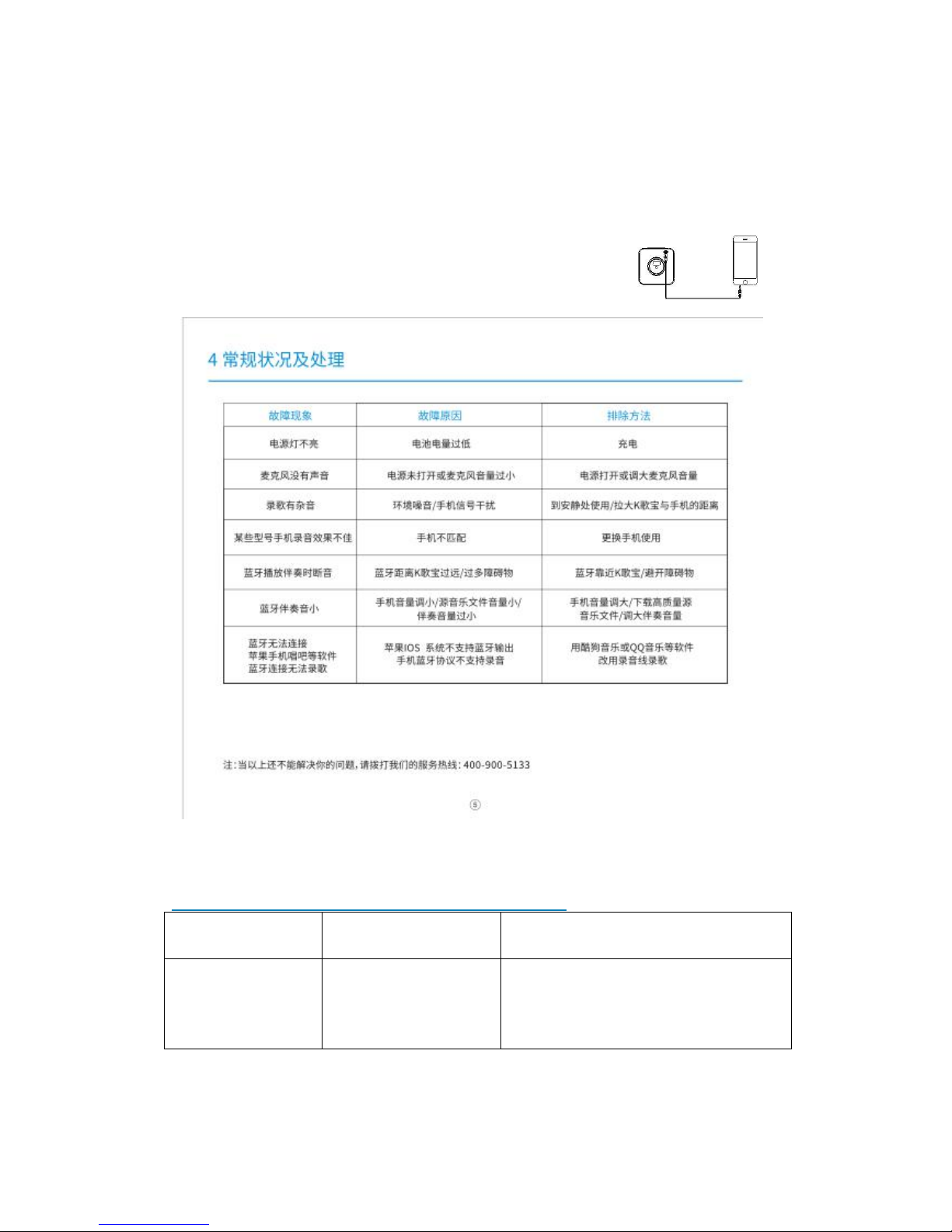
4.Common problems and solutions
Problem
Reason
Solution
Power indication
is not on
Power is low
Charging
Check cable connecting
Page 7

Microphone
without voice
Microphone is not
power on, volume is
low
Turn on microphone
Turn up microphone volume
Noice when
singing or
recording
Environment noice,
Mobile signal
interference,
karaoke APP’ setting
problems
Move to quite place,keep proper
distance between microphone and
mobile phone, reset karaoke APP
Poor recording of
Some phones
Not compatible with
certain mobile phone
restart the phone or change to
another phones
Sounds breaking
in bluetooth mode
Too far from
microphone to
mobile/Excessive
obstruction
Move closer/avoid obstacles
Accompany
sound too small
The volume of
phones/original
music
file/accompaniment
too small
Turn up the volume of
phones/accompaniment, download
the high quality music file
Bluetooth cannot
connect to the
iphone and other
software or
cannot be
recorded.
Apple IOS does not
support bluetooth
output, or bluetooth
protocol does not
support recording.
Use Kugoo, QQ music or other
software, change to record songs
with recording wire.
REMARKS: if all above ways can’t solve your problems, pls call our service line:
400-900-5113. Thanks.
Page 8
5.Chemical Substances (China) and warning
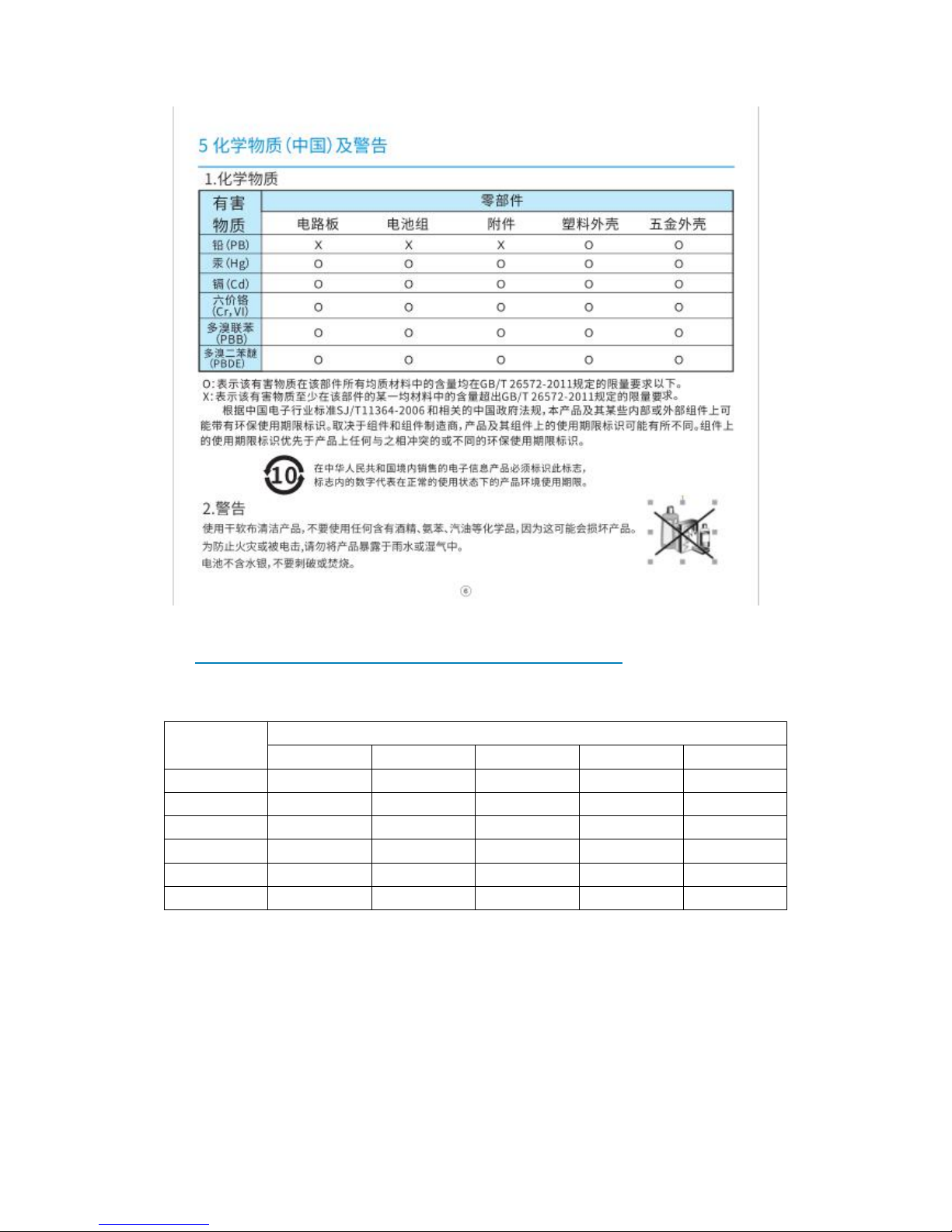
1. Chemical Substances
Harmful
Substance
Elements
PCB
Batteries
Accessories
Plastic Cabinet
Metal Cabinet
PBXXXO
O
HgOOOO
O
CdOOOO
O
Cr, VIOOOO
O
PBBOOOO
O
PBDEOOOO
O
O:Indicates that the content of the hazardous substance in all homogeneous materials of the
part is below the limit specified in ISO / IEC 6572-2011 standards.
X:Iindicates that the hazardous substance is at least in the content of one of the materials in the
part exceeding the limits specified in GB / T 26572-201standards.
According to the China Electronic Industry Standard SJ / T11364-2006 and the relevant Chinese
government regulations, this product and some of its internal or external components can be
used with environmental protection period.
Depending on the component and component manufacturer, the warranty period on the product
and its components may vary. The expiry date on the component takes precedence over any
Page 9
conflicting or different environmental expiry date on the product.
⑩in the markings indicate the life of the product environment. Electronic products must
identify this symbol in China.
2. Warning
Use a soft and dry cloth to clean the product. Do not use any alcohol, benzene,
benzine or other chemicals as this may cause damage to the product.
To prevent the risk of fire or electric shock, do not expose the product to rain or
moisture.
Battery does not contain mercury, do not puncture or burn.
6.Warranty and Serice
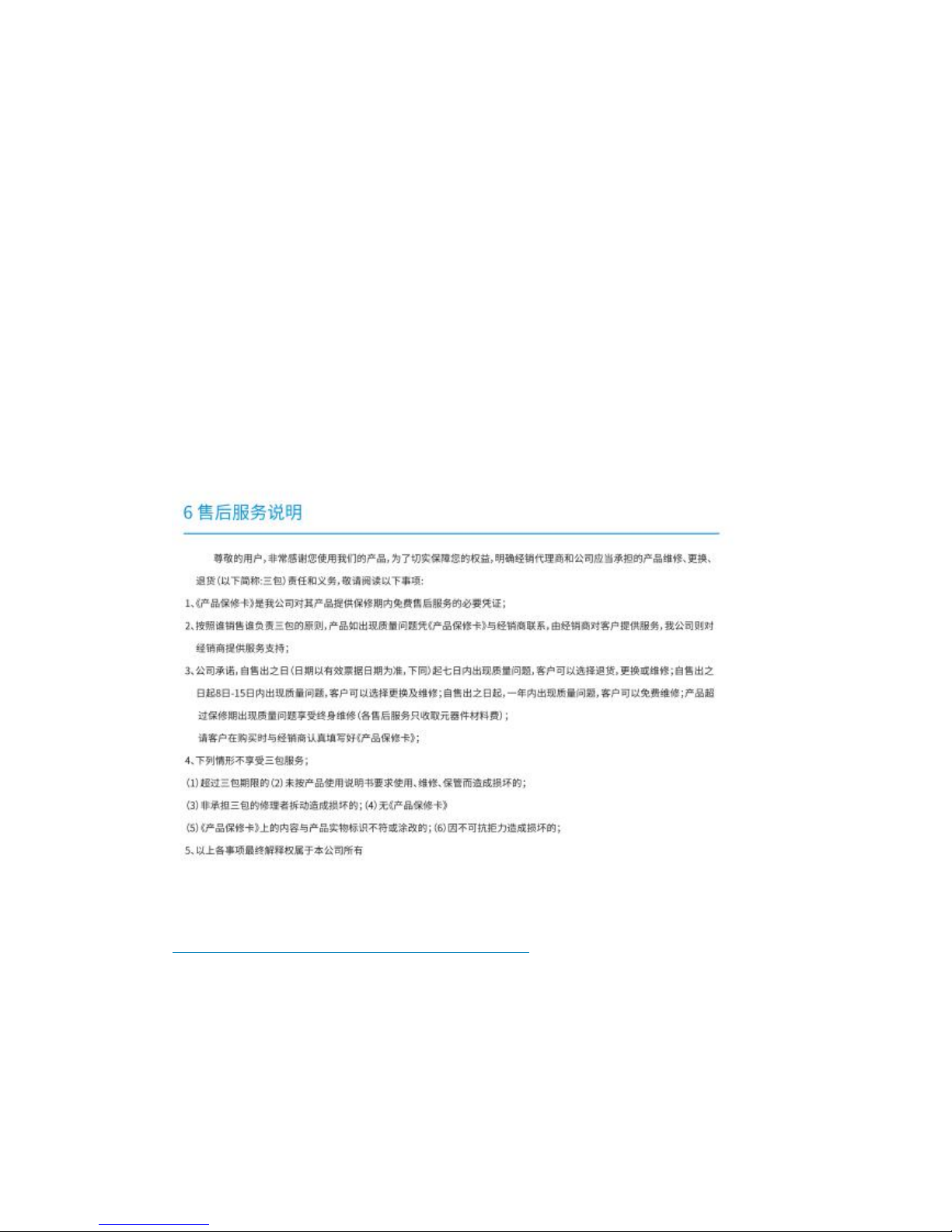
Warranty & Service
TOSING one-year warrant is from the date of original retail purchase.
If there is quality problem within the following period, consumer can get
return&refund, exchange and repair service.
Within 7 days,return&refund, exchange or repair.
Within 60 days,exchange or repair.
Page 10
Within one year,repair.
Over one year, repair(but component material is charged)
2. Keep“Warranty Card”well. It is essential evidence for warrant.
3.To obtain warrant service, call TOSING, or visit TOSING authorized dealers
where this product was sold. The dealer will offer all service for stand of
TOSING , or pass on feedback to it.
The following condition without one year warrant Period,
Abusing use change or modifications to this product not authorized by
TOSING Warranty Card is modified,The final explanation is belong to TOSING.
7. Service Instruction
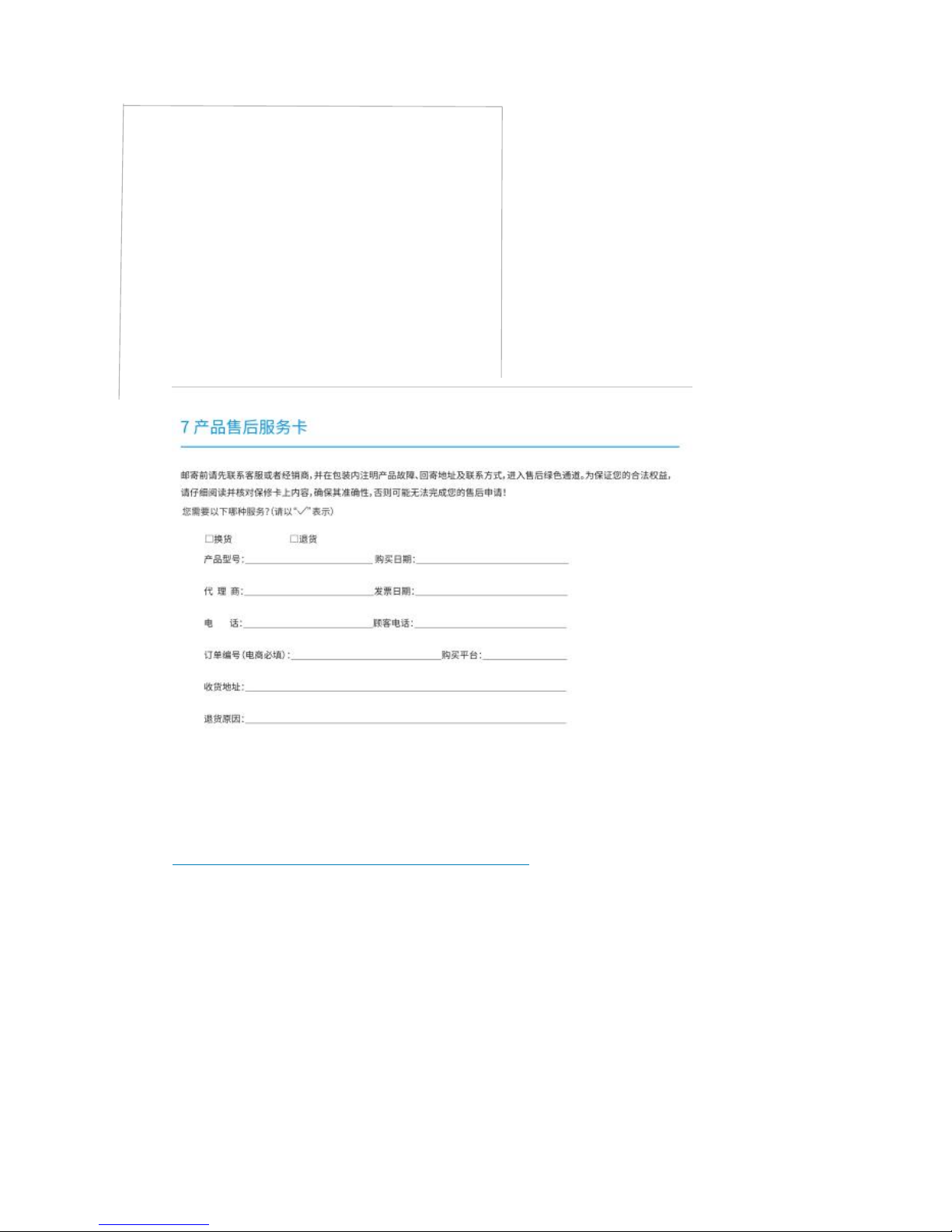
Warranty card
Please contact the customer service or dealer before mailing, and indicate the
product’ failure, mailing address and contact information in the package, enter
the after-sales green channel, in order to ensure your legal rights and interests,
please read carefully and check the contents of the warranty card to ensure
that its accuracy, or may not be able to complete your after-sale application.
Page 11

Which of the following services do you need? Please indicate
√
□
Exchange products
□
Return products
Tosing Brand
Model No: Tosing 008 wireless karaoke player
Purchasing time:
Dealer: Date of receipt:
Tel.: Tel.of customers:
Serial no.(E-commerce Required):
Purchase from:
Shipping address:
Reasons of return:
 Loading...