

Page 1
Pill Counting - Quick Reference Guide - DRX-4C
Counting Prescription Drugs for the first time (DRX-4C)
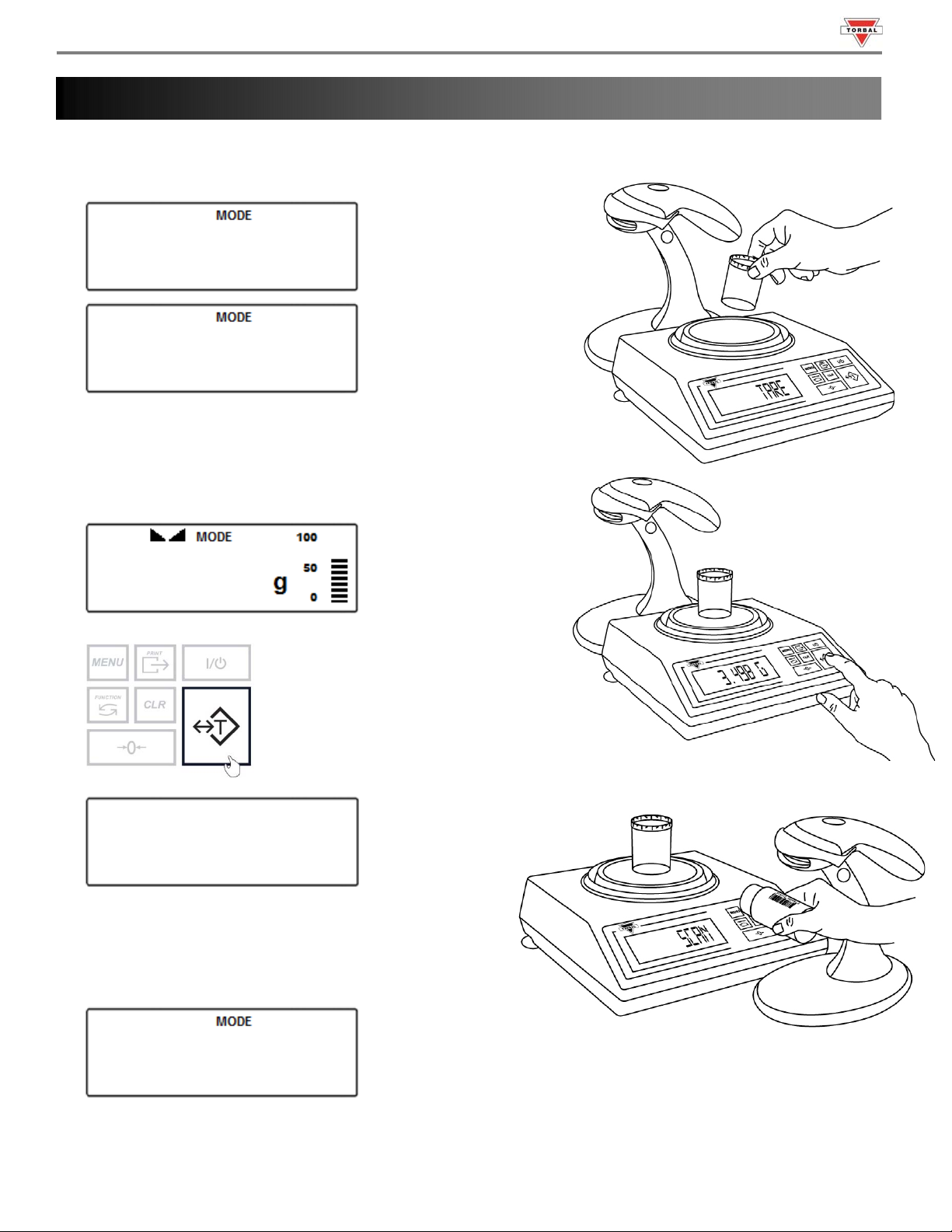
1. “Press Tare” will appear on the scale’s display, indicating to tare a counting container.
PRESS
TARE
2. Place an empty vial or counting container on the pan. The
container’s weight will be displayed. Wait for the weight to
stabilize and press the T key to tare.
3.498
-------
3. Once the scale has finished taring “Scan Bottle” will
appear on the display indicating you should scan the
NDC code associated with the drug.
scan
Page 2
Pill Counting - Quick Reference Guide - DRX-4C
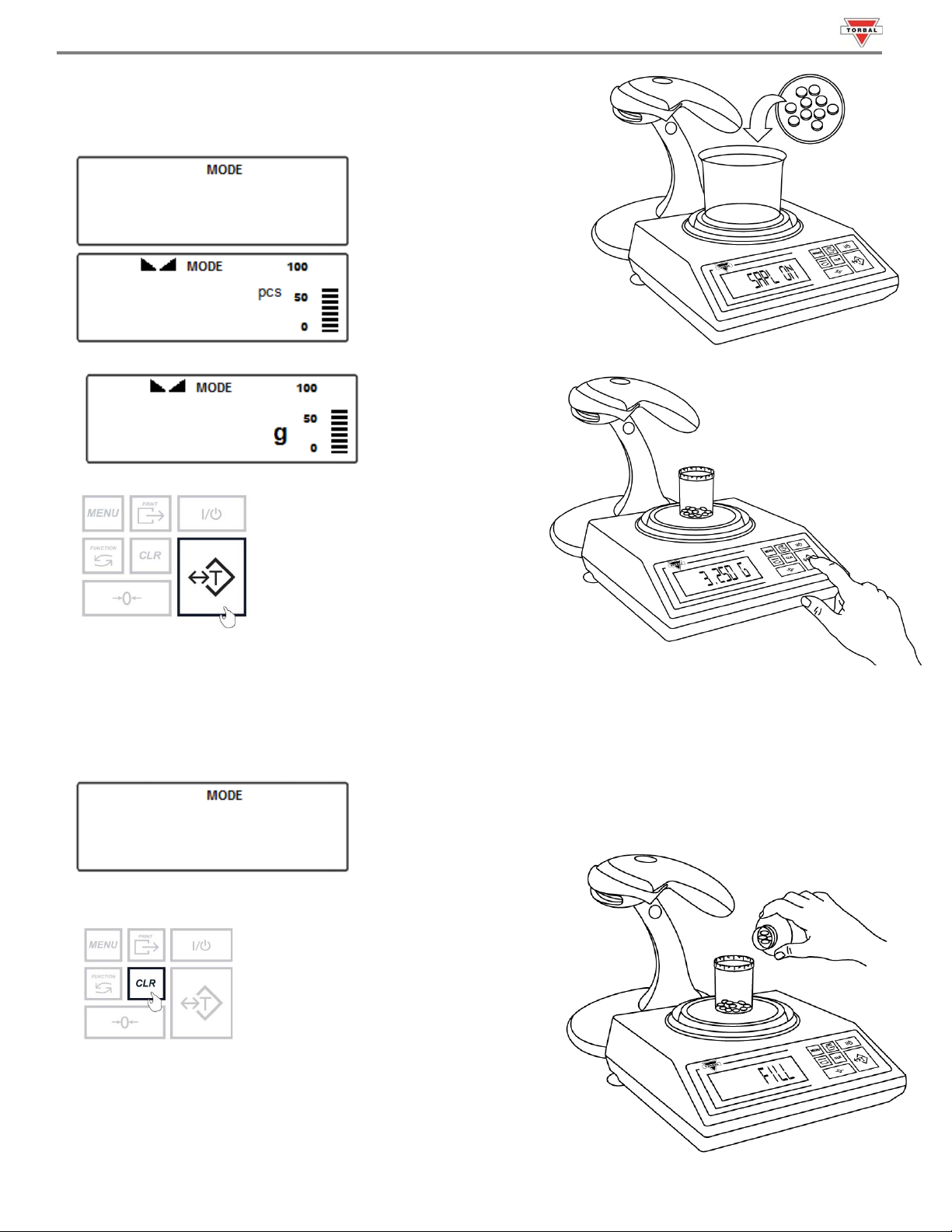
4. Scan the NDC code by slowly placing it under the scanner light.
5. The scale will display SAPL On (sapl On). Manually count the
required piece sample and place it in the container on the pan.
SAPL ON
10
6. The scale will display the weight of the sample. Press the T key to confirm the sample weight.
3.250
7. The scale will display FILL indicating to begin filling the
remainder of the count. Begin to pour the pills into the
container.
8. Once an accurate piece count has been taken, the container and it’s content may be removed from the scale.
After removing the container, done will appear on the screen.
done
9. To finish the count and begin a new one, press the Clear key.
Page 3
Pill Counting - Quick Reference Guide - DRX-4C
Counting Prescription Drugs Stored in the Database (DRX-4C Only)
: Advanced Pill Counting Accuracy (APA)
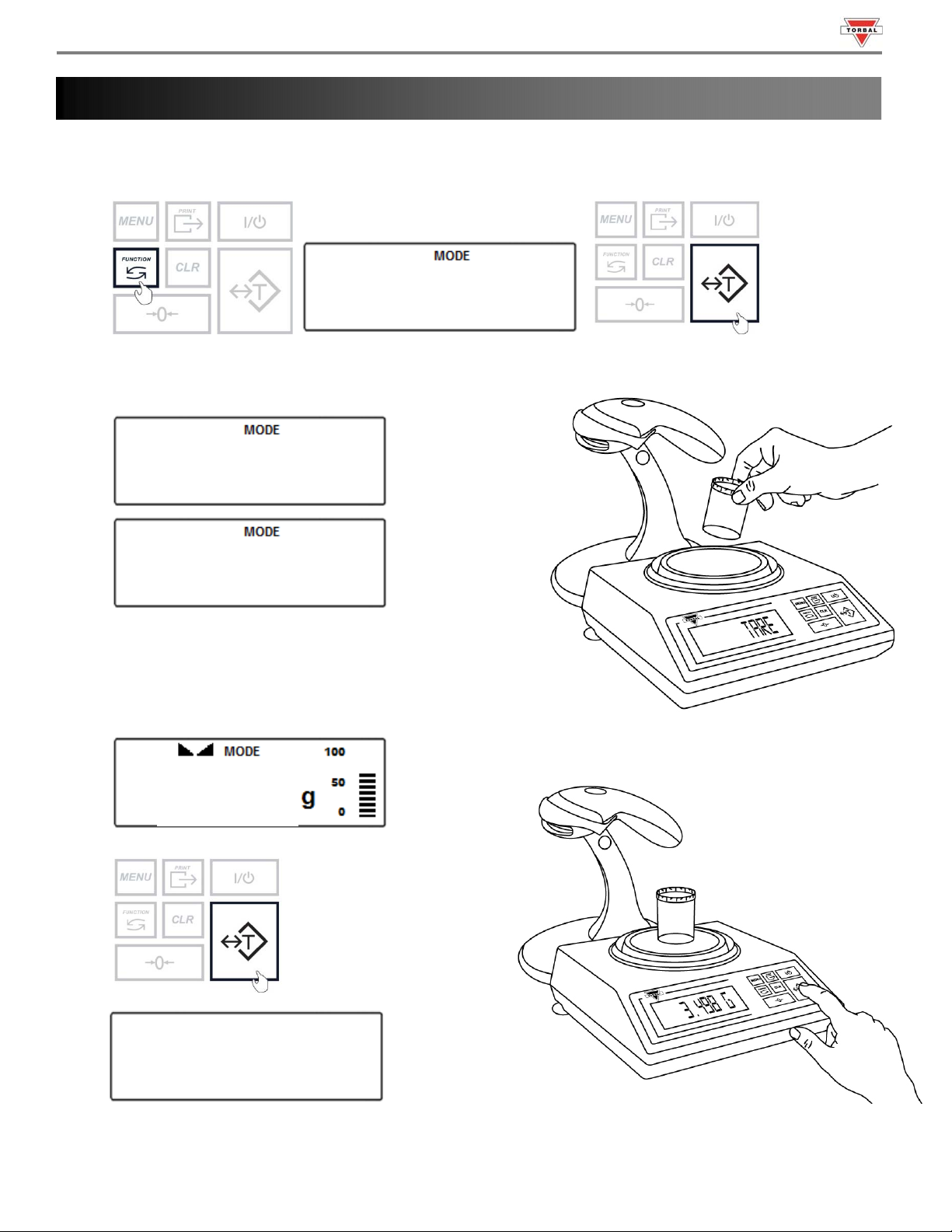
1. To enter Pill Counting Mode, press the function key. Select “count” by pressing the T key.
count
2. “Press Tare” will appear on the scale’s display, indicating to tare a counting container.
PRESS
TARE
3. Place an empty vial or counting container on the pan.
The container’s weight will be displayed. Wait for the
weight to stabilize and press the T key to tare.
3.498
-------
Page 4
Pill Counting - Quick Reference Guide - DRX-4C
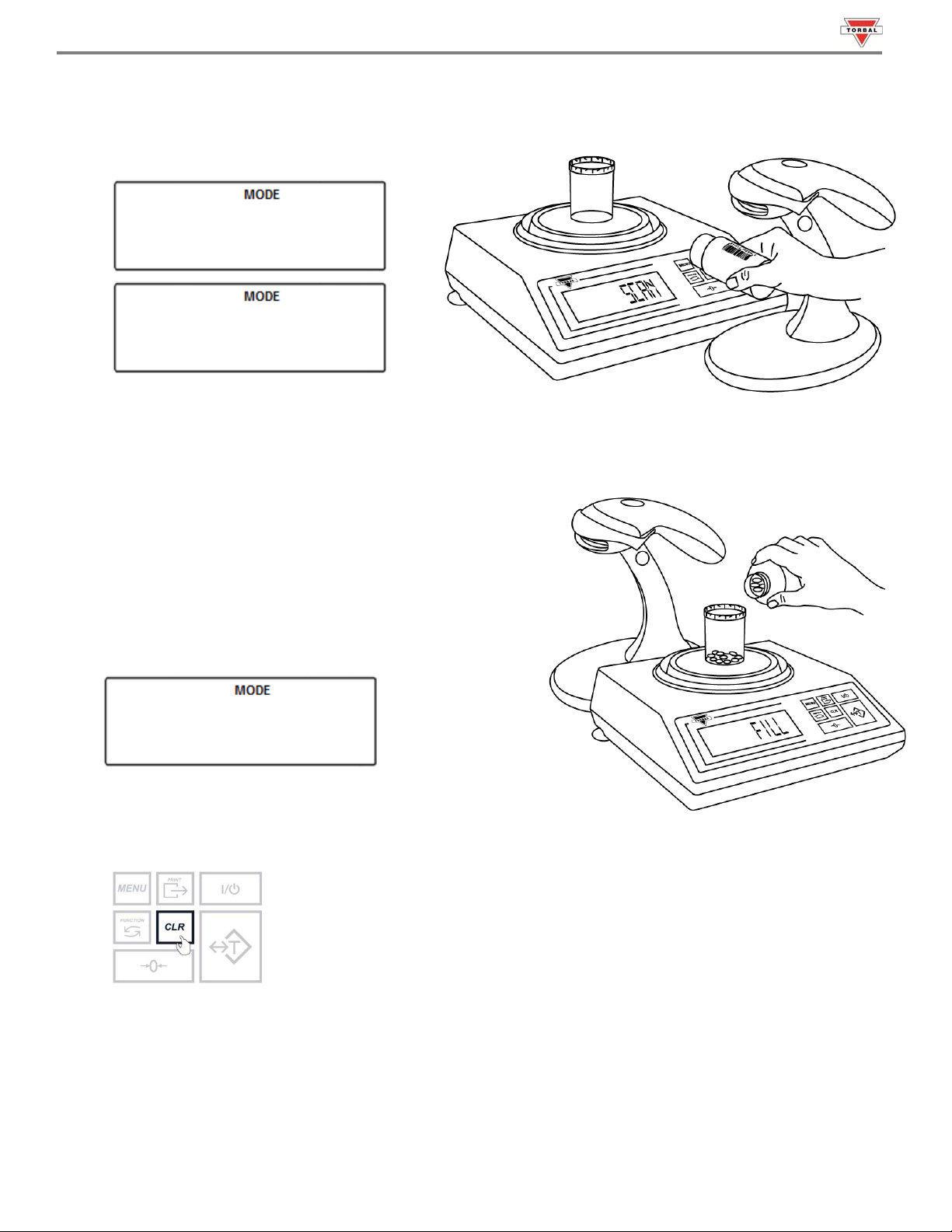
4. Once the scale has finished taring “Scan Bottle” will appear on the display indicating you should scan
the NDC code associated with the drug.
scan
bottle
Note: If Rx Verification has been enabled, the bottle NDC and Rx NDC label must be scanned to
allow the scale to check whether there is a match between the two codes.
5. The scale will display FILL indicating to begin filling.
Begin to pour the pills into the container.
6. Once an accurate piece count has been taken, the
container and it’s content may be removed from the
scale. After removing the container, done will appear on
the screen.
done
7. To finish the count and begin a new one, press the Clear key.
 Loading...