

Page 1
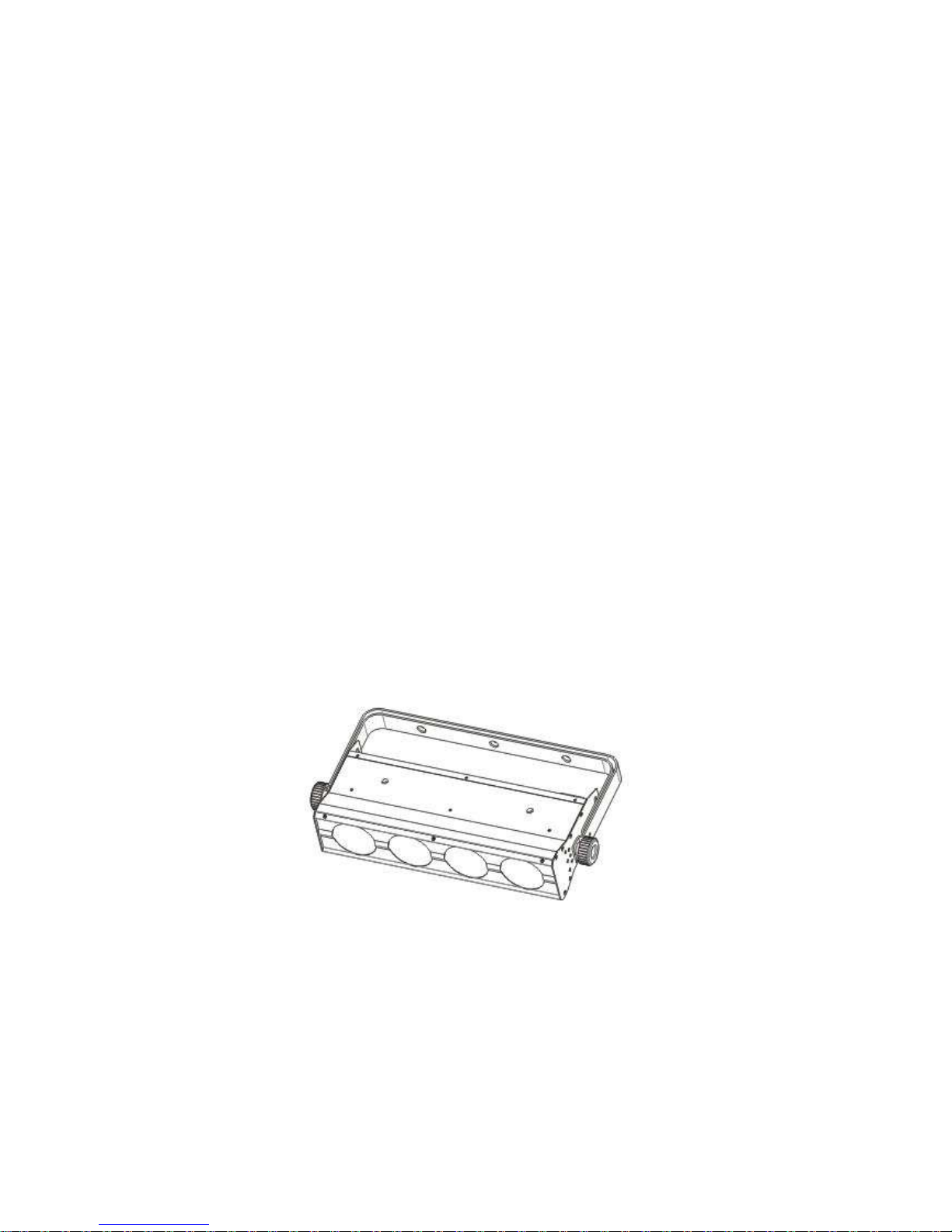
MYLED-064A
User Manual
Our COB light offers many possibilities to achieve very nice laser effects which you want. It is specially designed
for the stages, disco, night clubs and etc. Please read the manual before operation.
A. SPECIFICATION
1. Voltage: AC 110V/240V, 50Hz/60Hz
2. Power consumption: 60W
3. Current: 0.95A@110V, 0.4A@240V
4. LED: COB Tri-15W 4pcs LED
5. Beam angle: 55 degree
6. Operation mode: LED display
7. Working environment: -10~40℃
8. DMX channels: 2, 3, 5, 6, 12 CH
9. Working mode: DMX mode, master/slave mode, built-in programs mode, auto running mode, static color,
sound-active mode
10. Lumen: R 135lux@2m
G 150lux@2m
B 170lux@2m
RGB 450lux@2m
11. Power linking: 8pcs@110V, 18pcs@240V
B. OPERATION
This series of product has rich effect programs, there are six working modes:
·Built-in programs mode
·Auto running mode
·Sound-active mode
·DMX mode
·Master-slave mode
Page 2
·Static color
1. Built-in Programs Mode
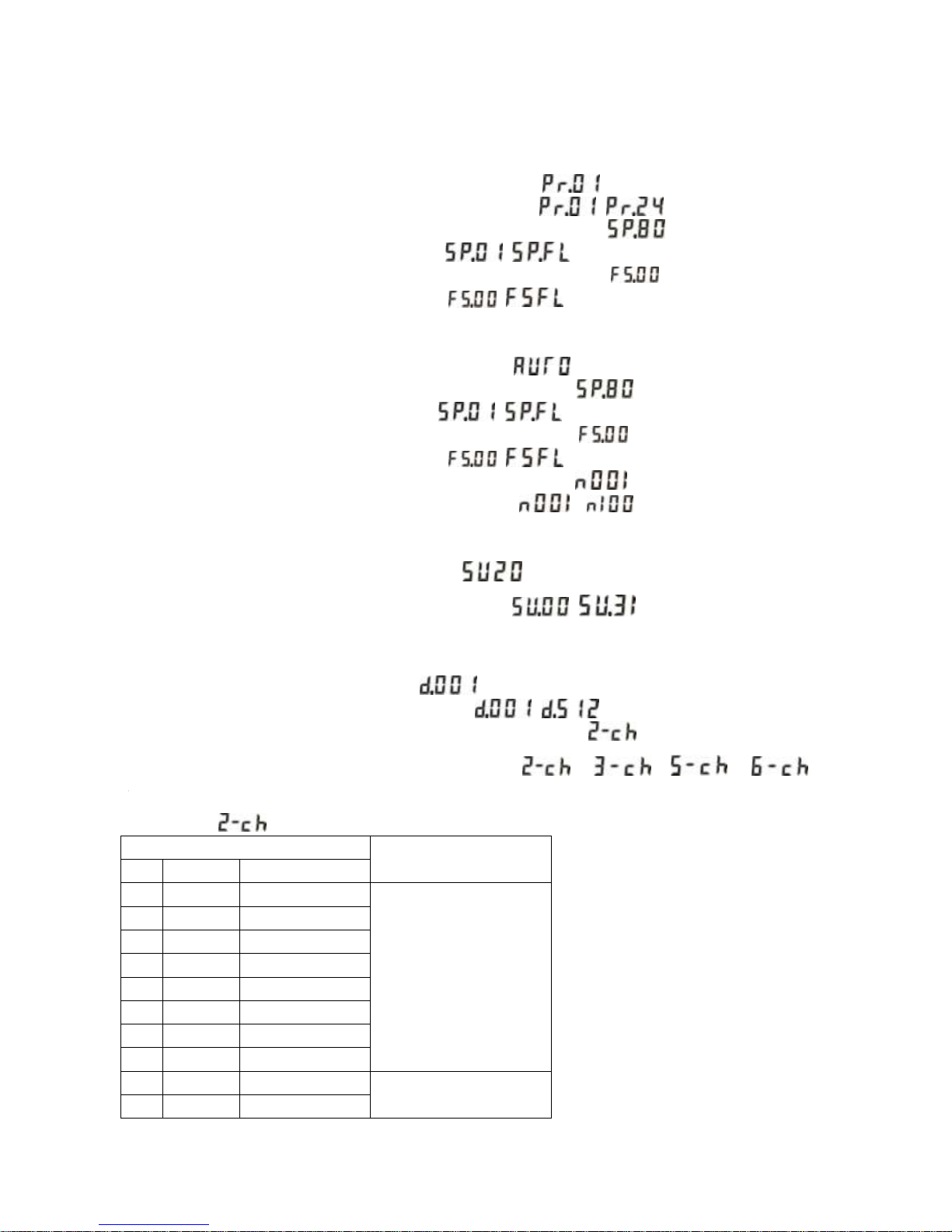
1) Press the “MODE”, enter into built-in programs operation menu “ ”;
2) Press the “UP” or “DOWN”, select the running programs effect “ – ”.
3) Press the “SETUP”, enter into the setting menu of programs running speed “ ”;
4) Press the “UP” or “DOWN”, set the speed value “ – (SP100)”.
5) Press the “SETUP”, enter into the setting menu of programs running strobe “ ”;
6) Press the “UP” or “DOWN”, set the strobe value “ – (FS100)”.
2. Auto Running Mode
1) Press the “MODE”, enter into auto running programs menu “ ”.
2) Press the “SETUP”, enter into the setting menu of auto running speed “ ”;
3) Press the “UP or “DOWN”, set the speed value “ – (SP100)”.
4) Press the “SETUP”, enter into the setting menu of auto running strobe “ ”;
5) Press the “UP” or “DOWN”, set the strobe value “ – (FS100)”.
6) Press the “SETUP”, enter into the setting menu of auto running times “ ”;
7) Press the “UP” or “DOWN”, to set auto running times value “ – ”.
3. Sound-active Mode
1) Press the “MODE”, enter sound-active mode menu “ ”;
2) Press the “UP” or “DOWN”, to set sound-active sensitivity “ – ”.
4. DMX Mode
1) Press the “MODE”, enter DMX mode menu “ ”;
2) Press the “UP” or “DOWN”, to set the DMX address “ – ”.
3) Press the “SETUP”, enter into the setting menu of DMX working mode “ ”;
4) Press the “UP” or “DOWN”, to set the DMX working mode: “ ”, “ ”,“ ”, “ ”,
“ ”
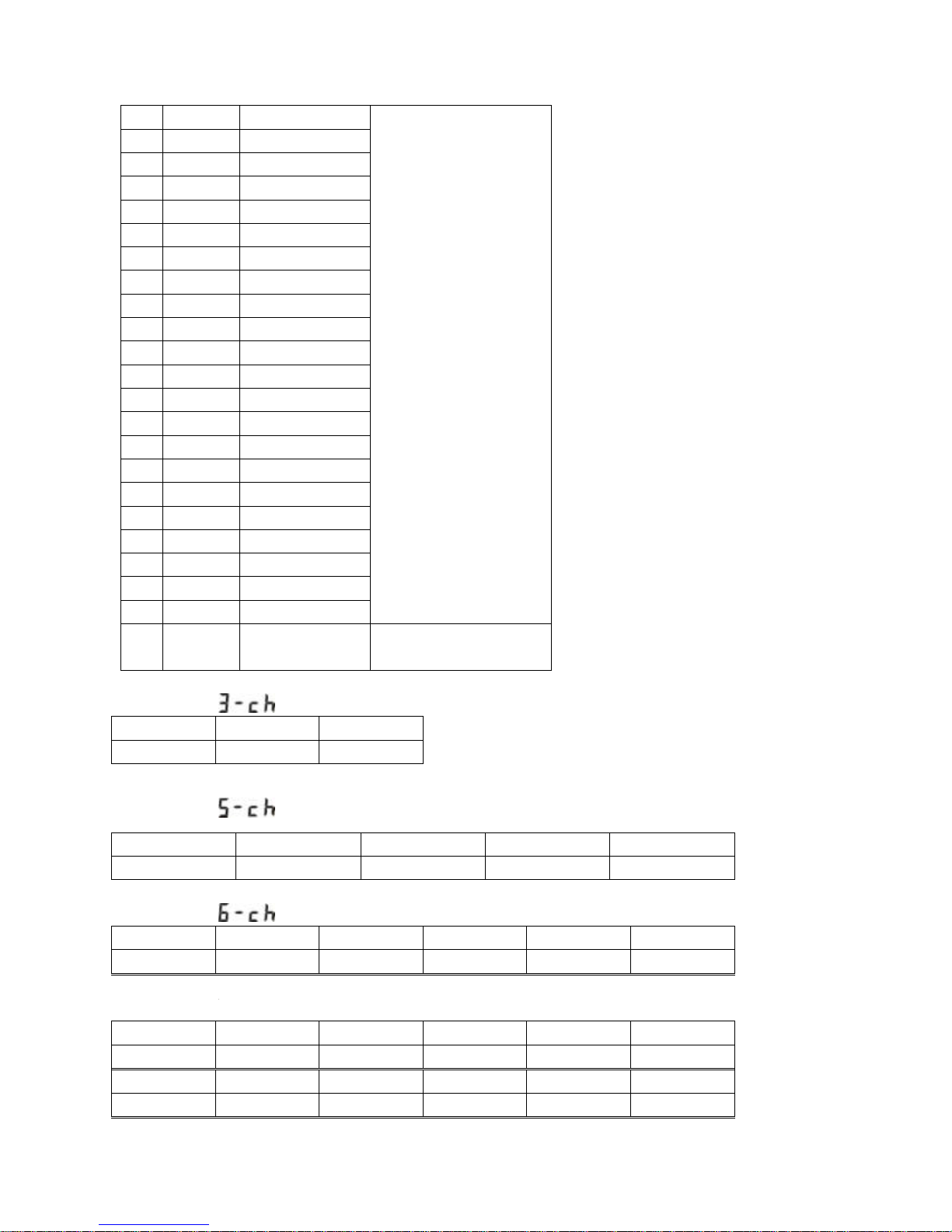
DMX mode 1:
CH1
CH2
NO.
Value
FUNCTION
1 0 OFF
--
2
1—7 R 3
8—15
RG
4
16—23
G
5
24—31
GB
6
32—39
B
7
40—47
RB
8
48—55
RGB
9
56—63
PROGRAM01
SPEED
0—255
10
64—71
PROGRAM02
Page 3
11
72—79
PROGRAM03
12
80—87
PROGRAM04
13
88—95
PROGRAM05
14
96—103
PROGRAM06
15
104—111
PROGRAM07
16
112—119
PROGRAM08
17
120—127
PROGRAM09
18
128--135
PROGRAM10
19
136—143
PROGRAM11
20
144—151
PROGRAM12
21
152—159
PROGRAM13
22
160—167
PROGRAM14
23
168—175
PROGRAM15
24
176—183
PROGRAM16
25
184—191
PROGRAM17
26
192—199
PROGRAM18
27
200--207
PROGRAM19
28
208—215
PROGRAM20
29
216—223
PROGRAM21
30
224—131
PROGRAM22
31
232—239
PROGRAM23
32
240—247
PROGRAM24
33
248—255
SOUND
Sensitivity
0—255
DMX mode 2:
CH1
CH2
CH3
Red
Green
Blue
DMX mode 3:
CH1
CH2
CH3
CH4
CH5
Red 0-255
Green 0-255
Blue 0-255
Dim 0-255
Flash 0-255
DMX mode 4:
CH1
CH2
CH3
CH4
CH5
CH6
Red 1
Green 1
Blue 1
Red 2
Green 2
Blue 2
DMX mode 5:
CH1
CH2
CH3
CH4
CH5
CH6
Red 1
Green 1
Blue 1
Red 2
Green 2
Blue 2
CH7
CH8
CH9
CH10
CH11
CH12
Red 3
Green 3
Blue 3
Red 4
Green 4
Blue 4
Page 4

5. Master-slave Mode
Press the “MODE”, enter into master-slave mode “SLAv”.
6. Static Color Mode
1) Press the “MODE”, enter into static color mode “clor”.
2) Press the “SETUP”, enter into the settings menu or red brightness “r255”;
3) Press the “UP” or “DOWN”, to set the red brightness value “r000 – r255”.
4) Press the “SETUP”, enter into the setting menu of green brightness “G255”;
5) Press the “UP” or “DOWN”, to set the green brightness value “G000 - G255”.
6) Press the “SETUP”, enter into the setting menu of blue brightness “b255”;
7) Press the “UP” or “DOWN”, to set the blue brightness value “b000- b255”.
NOTE: If no operation in 20s, the LED display will darken (no display); when in this state, press down any button,
will display the current state; when in display state, can adjust the operation mode or operating state.
 Loading...