

Page 1
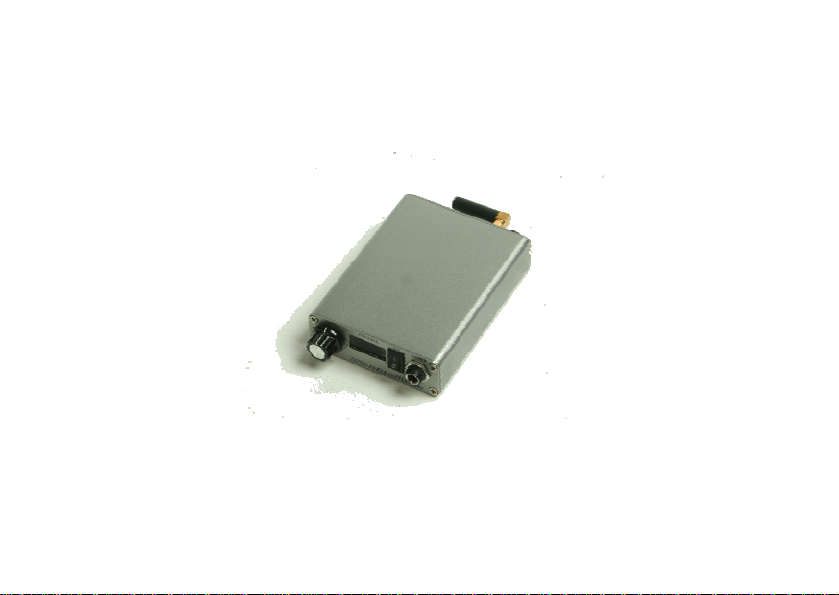
PORTABLE WIRELESS RECHARGEABLE
TATTOO POWER SUPPLY
OPERATING INSTRUCTION
MODEL: TPS-02
PLEASE READ THIS INSTRUCTION BOOK CAREFULLY BEFORE USING THIS PRODUCT.
Page 2

CONTENTS
Functions And Features …………………….. 2
Safety Instructions…… ……………………. 4
Caution……………………………………..... 4
Prohibitions… …….. 5
Accessories List…………………………….…… 6
Operation Panel………………………………… .. 9
PICTURES FOR REFERENCE ONLY, SUBJECT TO OUR AVAILABLE PRODUCTS.
……
……
…………………………
1
Page 3

Functions And Features
z Simple ope
z Digital volta
z Built-in 2A overload current protection.
z Accurate and stable output voltage: Accuracy: 0.1V, Voltage range: 1V-14V.
z Long working h
Continuous
z Smarter Size
Weight: 0.32Kg
Volu
ration: Suitable for various stages of tattoo master.
ge display: IC control circuit.
ours: Built-in polymer lithiumion battery.
working hour: 5 or 8 hours opti onal.
, Lighter Weight, More Portable.
me: 150 *84*28mm.
2
Page 4

z Portability: Work ing without external power supply.
z Independent encoding recognition: Guarantee that each machine can be operated
independently.
z Wireless foot pedal switch operating range: Maximum control distance-3 Metres.
z Compatibility: Compatible with wired foot switch.
z Material: High-quality aluminum alloy casing.
z Color: silver/black
3
Page 5

Safety Instructions
z Follow all warnings and instructions marked on the product or
z
When you operate your wireless power supply, the basic safety
Caution
refer to the attached printing copies.
precaution should reduce the
harmless to the people wh
problems that you meet, please ask for help immediately.
risk of fire or electric shock and
o use it. If you can’t solve the
4
Page 6

Prohibitions
z Do not use the u rstorm weather and it is recommended
that you unplug it, keep it aw from electrical noise generating
ces.
devi
Do not place any objects on the
z unit as they may touch
dangerous voltage points or shor t-circuit our parts that could result
in a fire or electric shock. Never spill any liquid on it.
Do not place the unit on uneven surface to avoid falling or serious
z
age.
dam
Do not place the unit in direct
z
If you
z need any service, please consult to the qualified professional
personnel for help.
5
nit in thunde
ay
sunlight.
Page 7
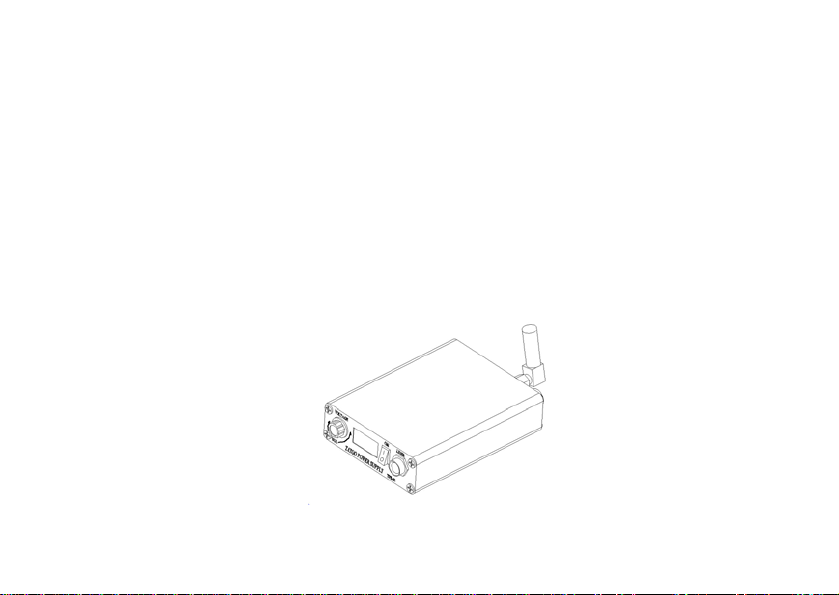
Accessories List
No
1 Wireless Rech
2 Wireless Foot 1
3 Battery C ge
4 Leather Case
5 Instruction Bo 1
argeable Tattoo Power Supply 1
Pedal Switch
har r 1
ok
Item
Quantity
Wireless Rechargeable Tattoo Power Supply
6
1
Page 8
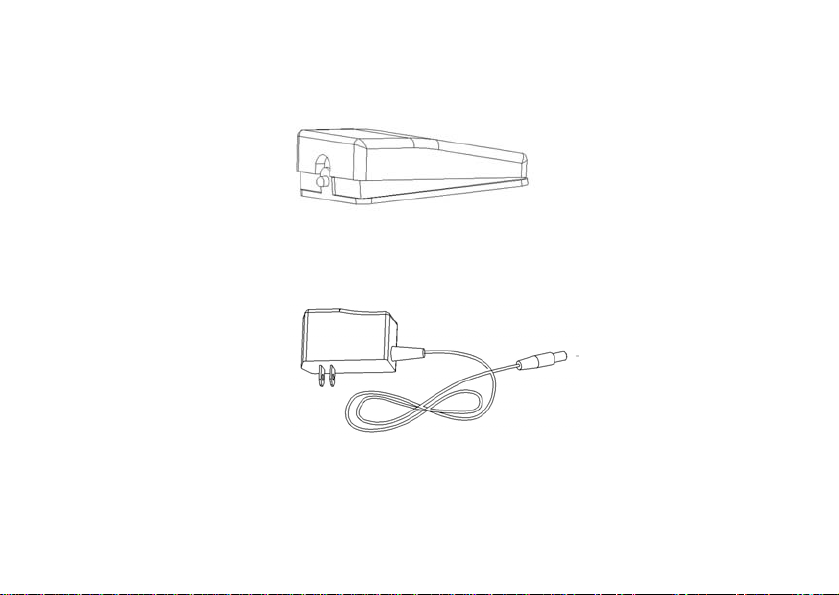
Wireless Foot Pedal Switch
Battery Charger
7
Page 9

Leather Case
I k
nstruction Boo
8
Page 10
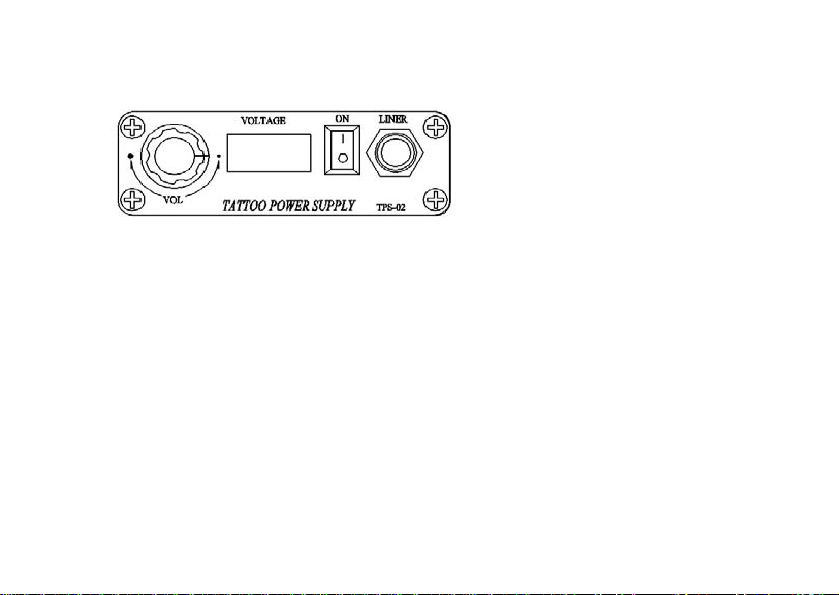
Operation Panel
z VOL: Adj t the output voltage by knob. Output voltage could be adjusted 0.5V by
each circle. DC 1V-14V Maxim 2A.
z
VOLTAGE: Output voltage could be displayed on the LED screen.
DC 1V-14V; Accurate to 0.1V.
z
ON: Before any work starts, please press the “ON” button.
z LINER: Connect to Clip-Cord and Output voltage.
us
um output current
9
Page 11
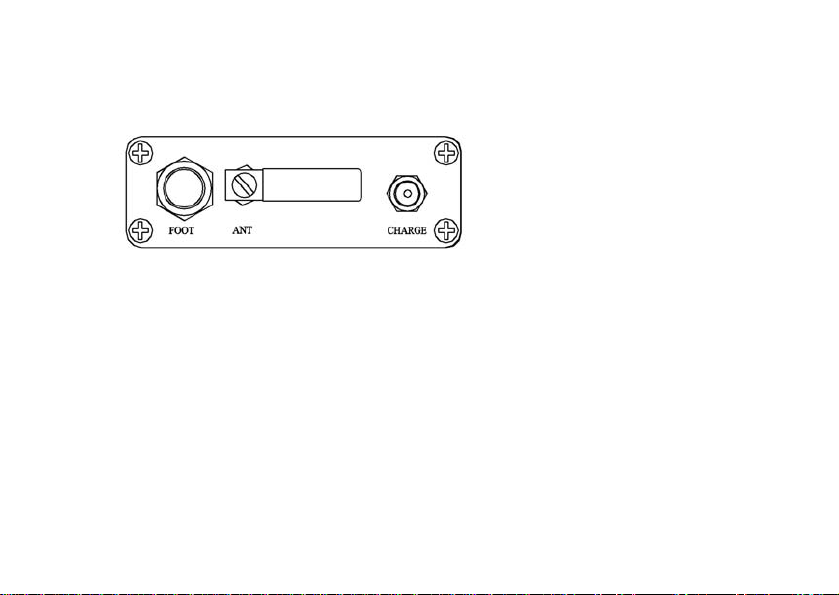
z
FOOT : Connect to wire foot pedal switch.
z ANT: Receive wireless signals from wireless foot pedal switch.
z
CHARGE: connect to battery charger.
10
Page 12

FCC warning statement
his equipment has been tested and found to comply with the limits for a
T
lass B digital device, pursuant to part 15 of the FCC Rules. These limits
C
re designed to provide reasonable protection against harmful interference
a
n a residential installation. This equipment generates, uses and can radiate
i
radio frequency energy and, if not insta
he instructions, may cause harmful interference to radio communications.
t
However, there is no guarantee that interference will
rti ful interference to
a cular installation. If this equipment does cause harmp
di h can be determined by turning the
ra o or television reception, whic
ui raged to try to correct the
q pment off and on, the user is encoue
nterference by one or more of the following measures:
i
lled and used in accordance with
not occur in a
11
Page 13

• Reorient or relocate th
Increase the separation between the equipm
e receiving antenna.
ent and receiver. •
• Connect the equipment into an outlet on a circuit different from that to
which the receiver is connected.
• Consult the dealer or an experienced radio/TV technician for help.
Caution: Any changes or modifications to this device not explicitly
approved by manufacturer could void your authority to operate this
equipment.
This device complies with part 15 of the FCC Rules. Operation is subject
to the following two conditions: (1) This device may not cause harmful
interference, and (2) this device must accept any interference received,
ncluding interference that may cause undesired operation. i
12
Page 14

TOEC TECHNOLOGY CO.,LTD
Add: No 6, Taishan Road, Hexi District, Tianjin, China
Tel: 0086-22-28261583
Fax: 0086-22-28266176
Zip Code: 300211
Email: [email protected]
13
 Loading...