

Page 1
Latest Version: 01/07/16
Assembly Instruction
49, 6
23, 6
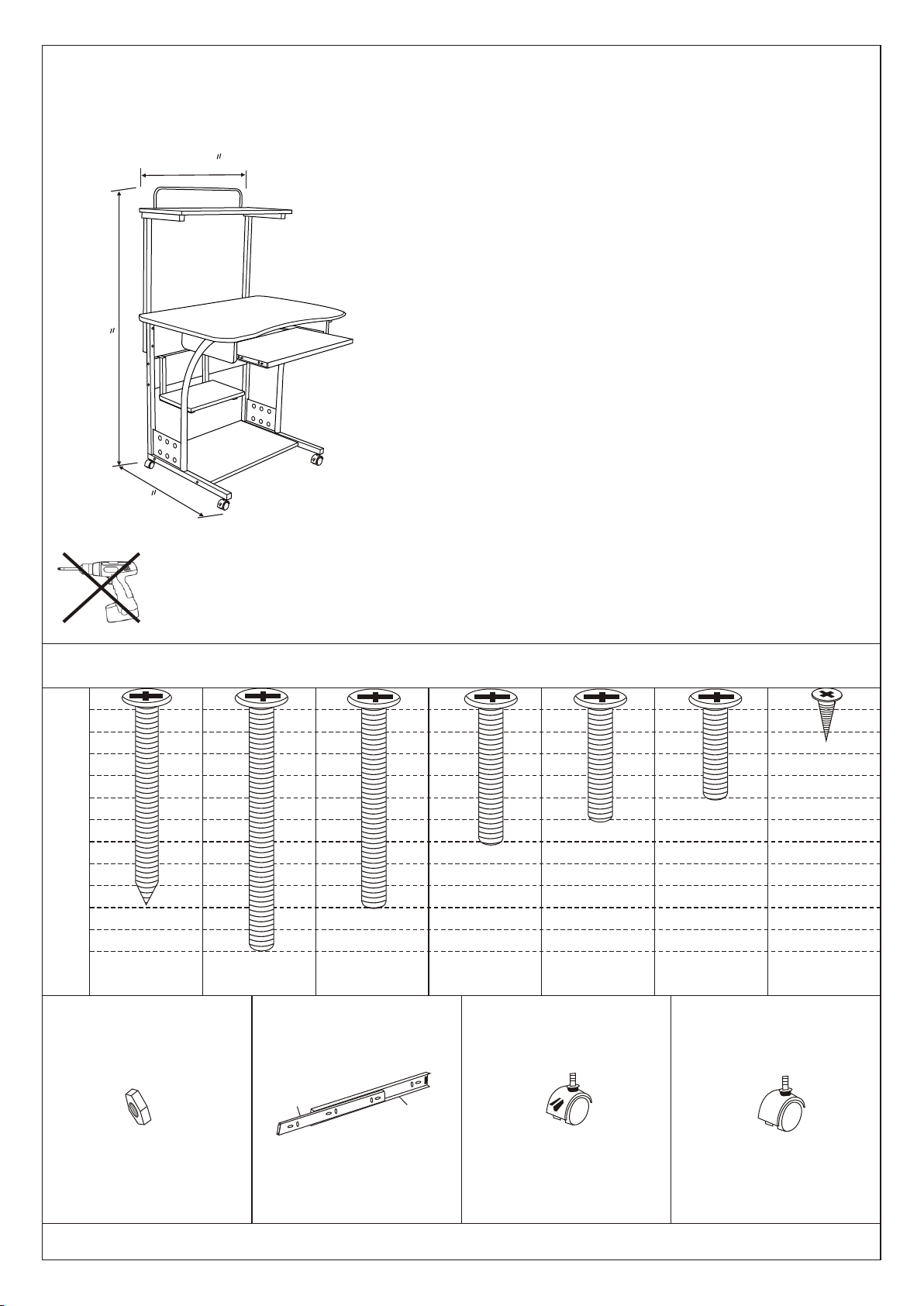
Mobile Computer Tower with Storage
31, 5
Thank you for purchasing our product!
We appr eci ate your busi ness!
Assem bly Requi rement s:
(1)Appr oxi mate Assem bly Time:60 minut es
(2)2P er son Assem bl y
Do Not Use Power Stool
Tool s Requi red: Phillips Scr ew Driver Adjust abl
e Wrench
Item# : 50163
5mm5mm
10mm10mm
15mm15mm
20mm20mm
25mm25mm
30mm30mm
35mm35mm
40mm40mm
45mm45mm
50mm50mm
55mm55mm
60mm60mm
DD
AA
Screw
ST5 X 5 0mm
8pc s
BB
Bolt
M6X 6 0 mm
4pc s
EE
E2E2
Hardware ListHa r d w a re List
B1B1
Bolt
Attached to side panelAttached to side panel
M6X 5 0 mm
4pc s
Bolt
E1E1
B2B2
FF
M6X 3 5 mm
8pc s
B3B3
Bolt
M6X 3 0 mm
4pc s
B4B4
Bolt
GG
Shipped in bracketShipped in bracket
M6X 2 5 mm
2pc s
CC
Screw
ST3 . 5 X12 m m
4pc s
Nut
M6M6
8pcs8pcs
Runner
Caster with brakeCaster with brake
2pcs2pcs
2pcs2pcs
Caster Caster
2pcs2pcs
Page 2
Latest Version: 01/07/16
Assembly Instruction
Mobile Computer Tower with Storage
44
1111
22
22
55
99
1212
88
33
33
77
Item# : 50163
1010
66
11
11
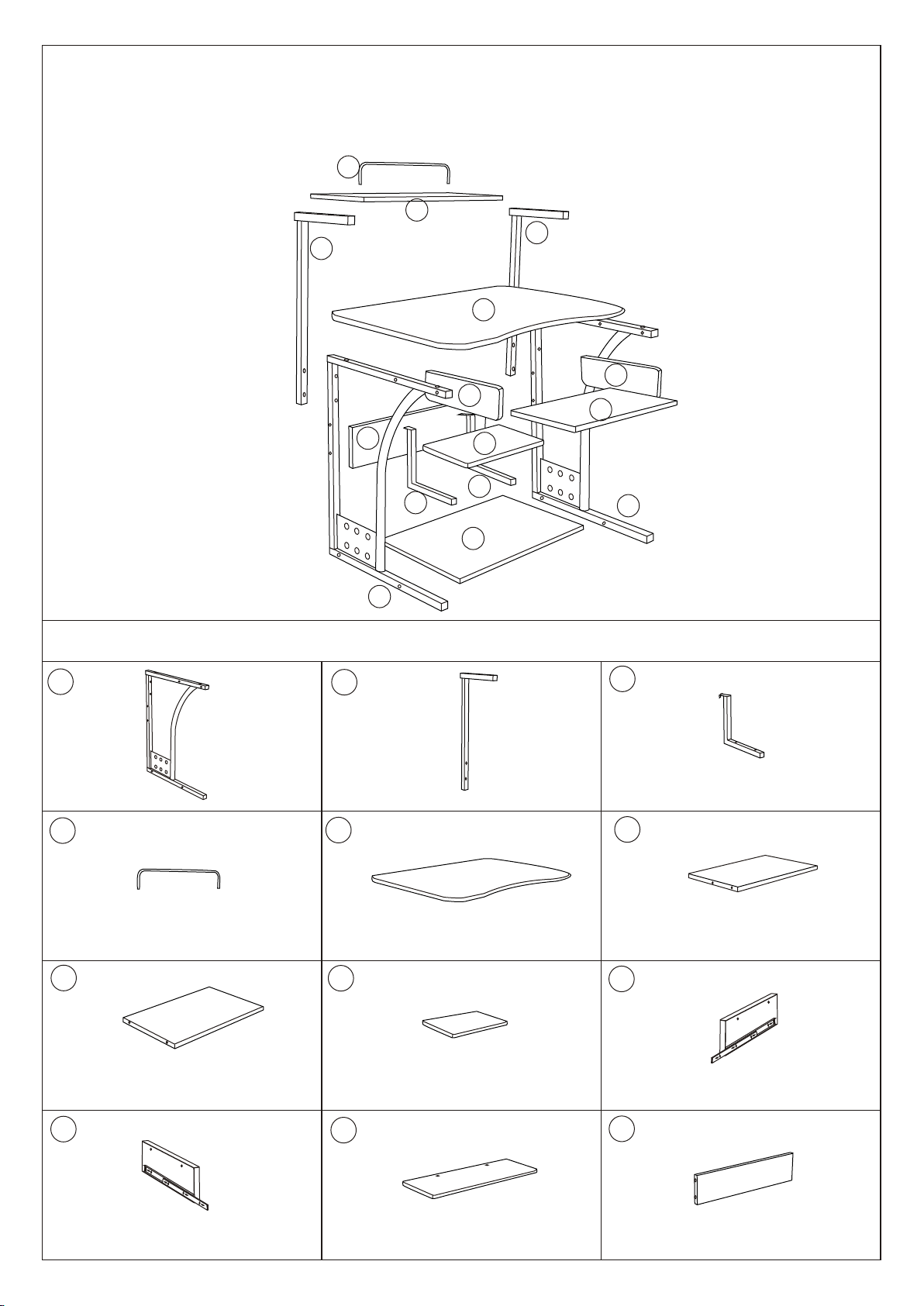
Metal frame
44
Bracket
77
2pcs2 p c s
1pc1pc
11
Pa r t s L i stPa r t s L i st
22
Part frame
55
Main panel
88
2pcs2 p c s
1pc1pc
33
Metal tube
66
Keyboard panel
99
2pcs2 p c s
1pc1pc
Bottom panel
1010
Right side panel
Upper panel
1pc1pc
1pc1pc
1111
Top panel
1pc1pc
1pc1pc
Left side panel
1212
Back panel
1pc1pc
1pc1pc
Page 3
Latest Version: 01/07/16
Assembly Instruction
Mobile Computer Tower with Storage
Item# : 50163
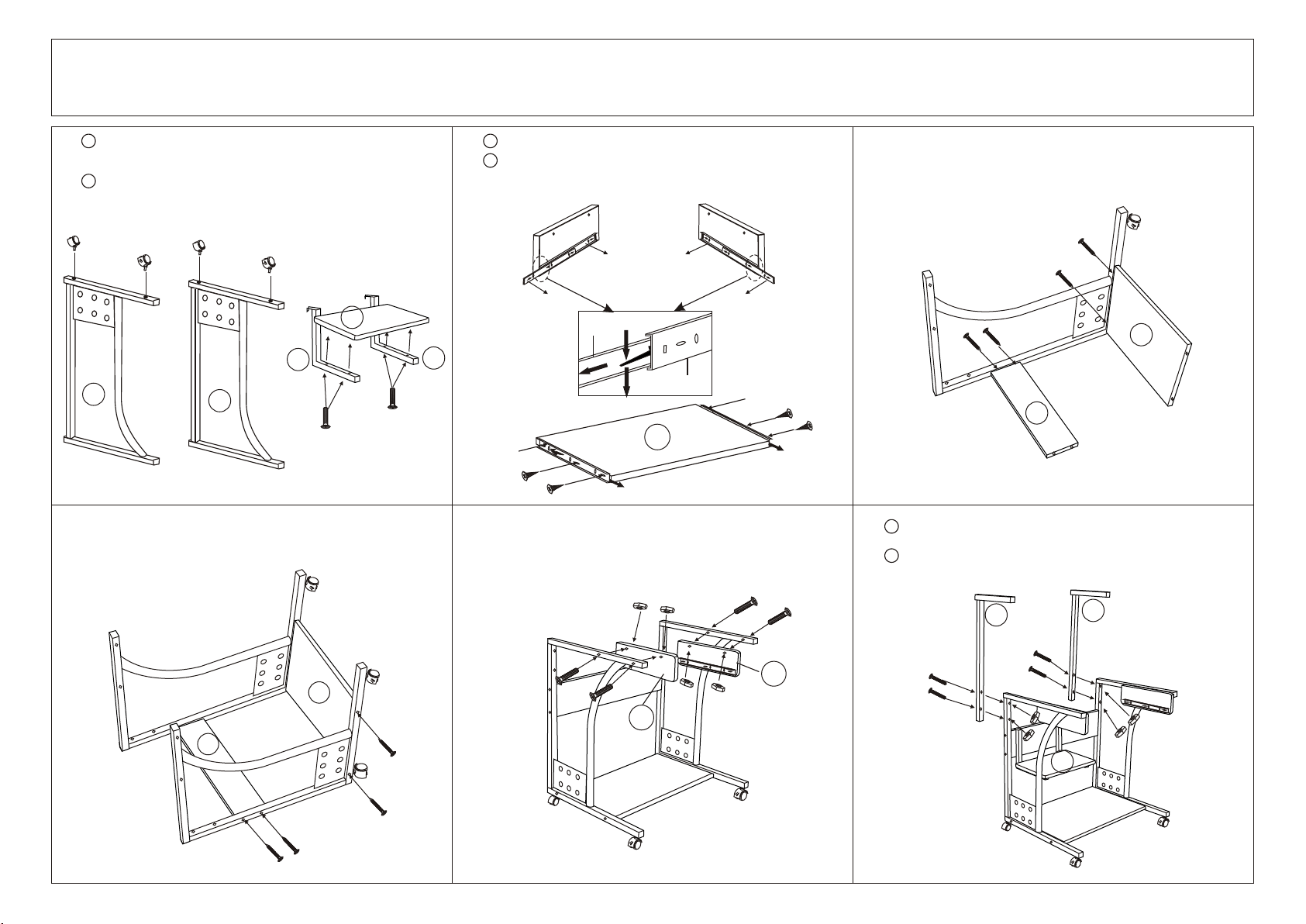
Screw- on c aster with brak e( F)a nd c aster( G) to metal
1
1 2 3
frame( 1) as shown. Tig hten the hexago n nu t on the
caster with a n ad justable wren ch .
Install upp er p anel(8) to metal tube (3) us in g bolt(B3) .
2
GG
FF
GG
FF
88
33
11
11
B3B3
33
B3B3
Push down pla st ic lever and slid e ou t inner runne r( E2) .
1
Attach runn er (E2)t o th e keyboard pa ne l( 6) usi ng
2
screw( C) .
E1E1
E2E2
E2
E1E1
E1
E2E2
E2E2
CC
CC
66
E2E2
CC
CC
Use screw( A) to insta ll t he metal fram e( 1)t o bo ttom
4 5
panel( 7) and back pan el (12).
Attach side p an el(9) an d( 10) as shown usin g bo lt(B1)
and nut( D) .
DD
DD
B1B1
B1B1
6
Use screw( A) to insta ll b ottom panel (7) an d ba ck panel(1 2)
to the metal fr am e( 1).
AA
AA
AA
AA
1212
1
Attach part f ra me(2) to m etal frame( 1) using bol t( B)
and nut( D) .
Attach meta l tu be(3) on u pper panel( 8)to ba ck
2
panel( 12 ).
22
22
77
121 2
BB
77
B1B1
DD
DD
B1B1
101 0
BB
BB
99
AA
AA
AA
AA
BB
DD
DD
DD
DD
88
Page 4
Latest Version: 01/07/16
Assembly Instruction
Mobile Computer Tower with Storage
Item# : 50163
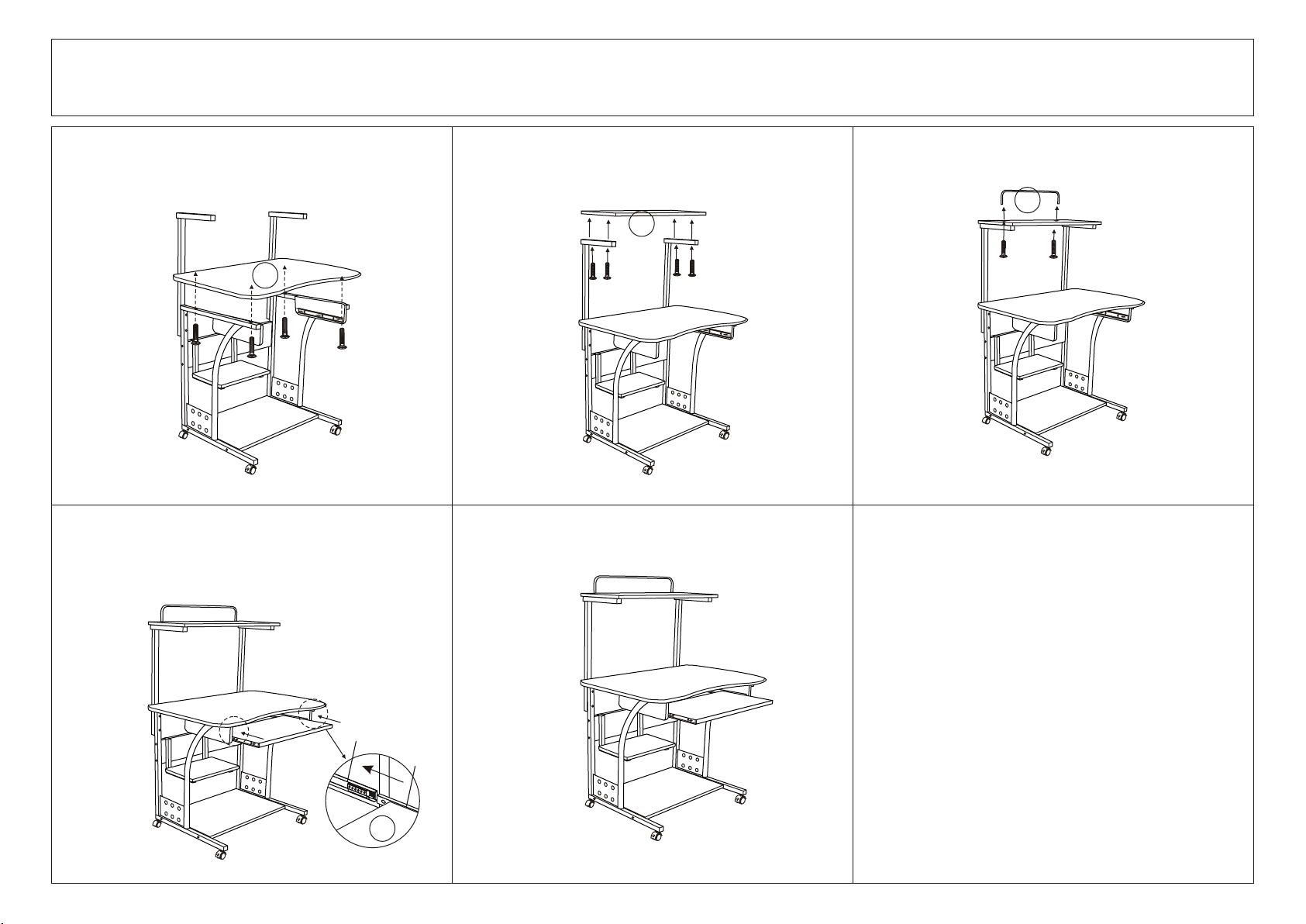
Install mai n pa nel( 5)u sing bolt( B2).
7
55
B2B2
Align runne r( E2) on k ey board panel (6) to t he r unner( E1 )
10
on side panel (9) , (10)a nd p ush keyboar d pa nel( 6)
gently into p os iton.
B2B2
B2B2
B2B2
Attach top pa ne l( 11) to part fram e( 2)u si ng b olt( B2 ) Attach brac ke t( 4)t o to p panel( 11) us in g bo lt(B4)
8 9
44
1111
B4B4
B4B4
11
B2B2
B2B2
Completed A ss embly
B2B2
B2B2
E1
E2
66
 Loading...