

Page 1
1
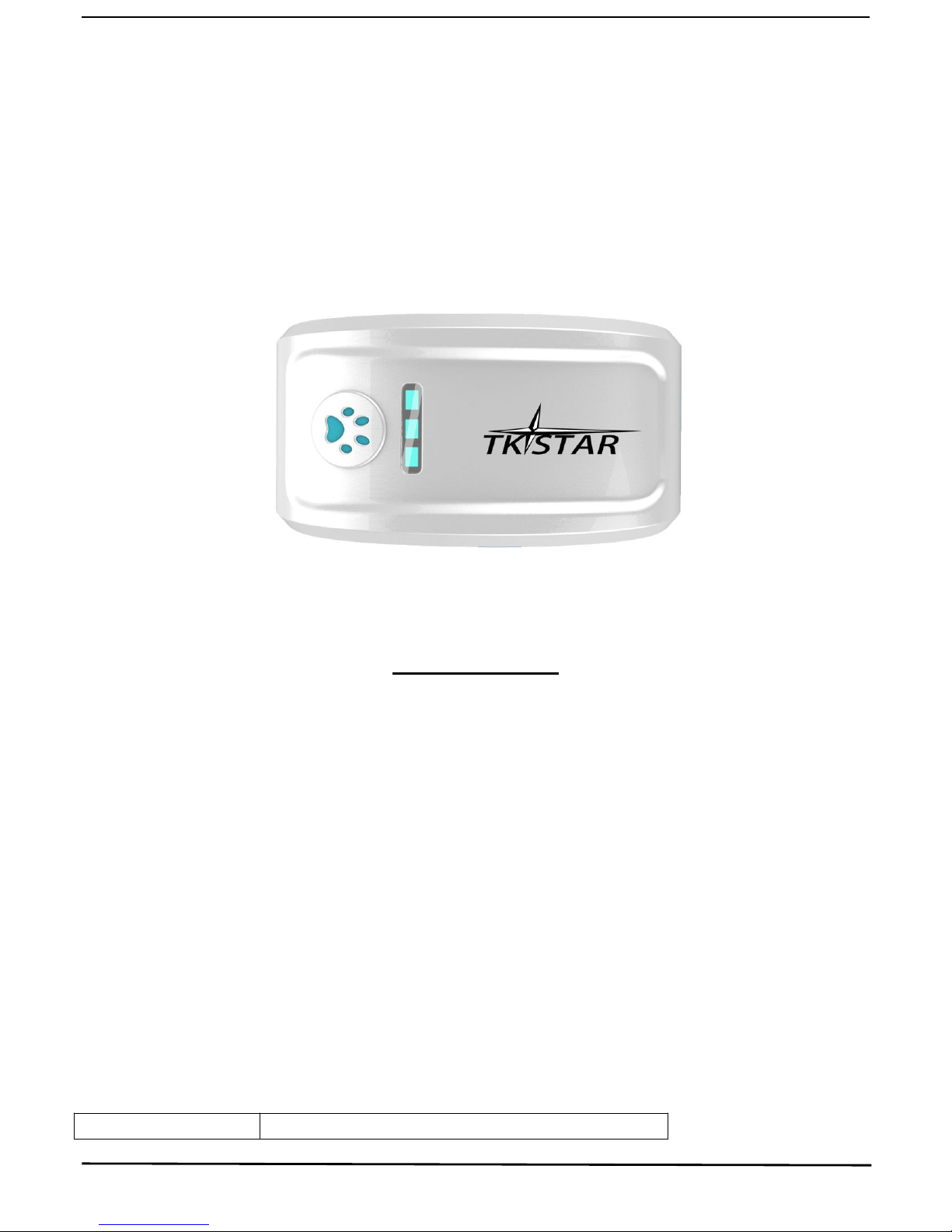
TK-STAR PET GPS TRACKER
USER MANUAL
PREFACE
Thank you for purchasing the GPS tracker. This manual shows how to operate the device smoothly
and correctly. Make sure to read this manual carefully before using this product. Please note that
specification and information are subject to changes without prior notice in this manual. Any change
will be integrated in the latest release. The manufacturer assumes not to be responsible for any errors
or omissions in this document.
1. SUMMARY
Working Based on existing GSM/GPRS network and GPS satellites, this product can locate and
monitor any remote targets by SMS or internet. The most advanced technology of GPS and GSM dual
positioning.
Content Specs.
Page 2
2
Dim. 70mm x 37mm x 20mm(2.7”*1.4”*0.78”)
Weight 65g
Network GSM/GPRS
Band 850/900/1800/1900Mhz
GPS sensitivity -159dBm
GPS accuracy 5m
Time To First Fix
Cold status 45s
Warm status 35s
Hot status 1s
Car charger
12—24V input
5V output
Wall charger
110-220V input
5V output
Battery Chargeable changeable 3.7V 1000mAh Li-ion battery
Stand by 300hours
Storage Temp. -40°C to +85°C
Operation Temp. -20°C to +55°C
Humidity 5%--95% non-condensing
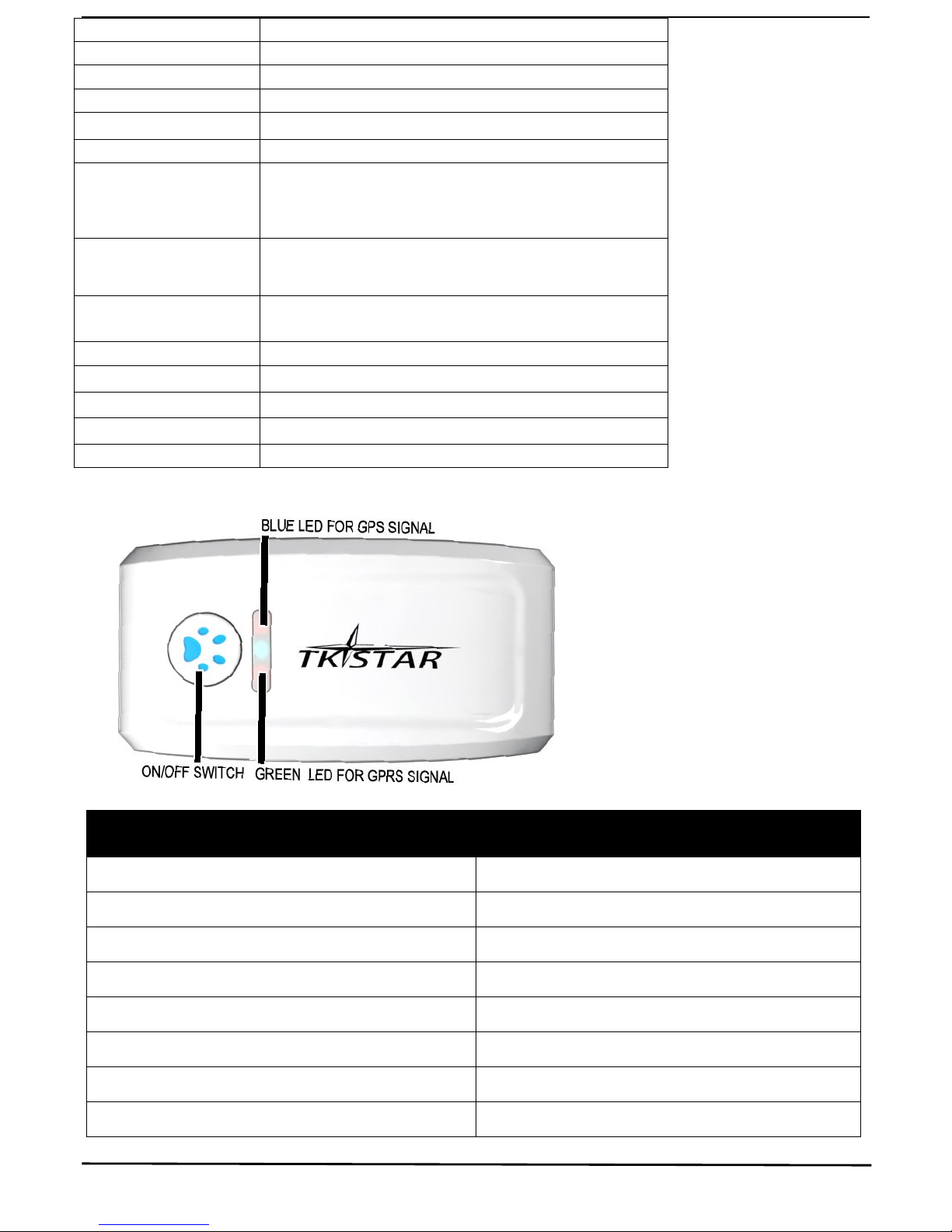
LED INDICATOR STATUS MEANING
GREEN-Not lit Device fault or dormant.
GREEN-Continuously lit No GPRS signal.
GREEN-Flashing GPRS communication established.
Center-RED-Not lit Fully charged.
Center-RED-Solid red Charging.
BLUE-Not lit No power to the unit or the unit can’t start.
BLUE-Continuously lit Searching for GPS signal.
BLUE-Flashing GPS location successful.
Page 3
3
2. INSTALLATION
2. 1 SIM-CARD INSTALLATION
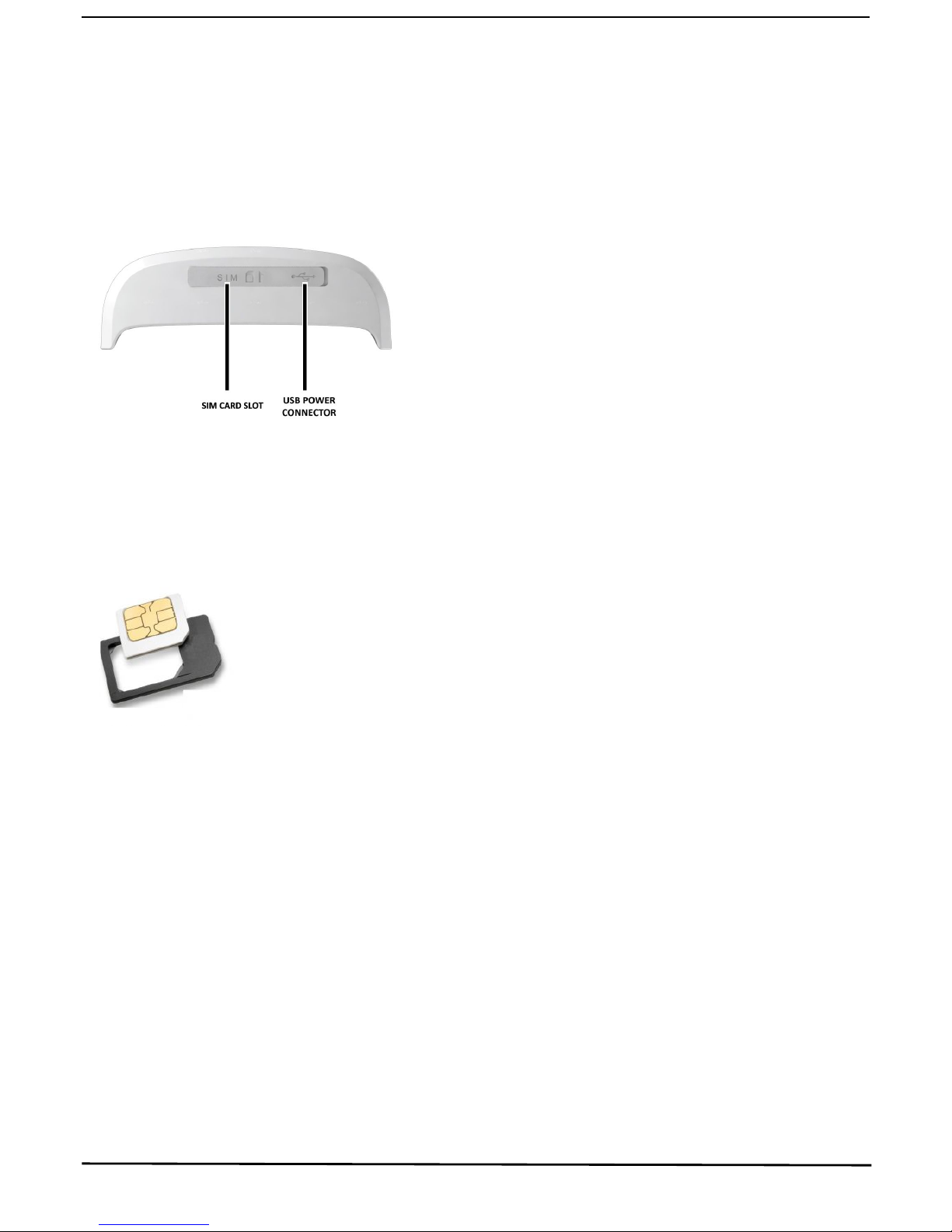
Open the rubber cover on the side of device ,insert the sim card into sim card slot , i
f you have purchased a
MICRO SIM , you will need to use the Micro SIM adapter enclosed, like this:
2.2 USE THE GPS DEVICE
Turn on the unit outdoors by pressing the “on/off” button until the indicator is on.
For first use, please initialize the unit and restore it to default setting. (Please refer to 3.1 for
instruction.)
In 10 or 40 seconds, the unit will begin to work and acquire the GSM signals as well as the GPS
signals. The indicator will keep flashing every 3 seconds when the unit has received the signals.
When this unit receives GPS signals normally, you can use it and do any setting as the
instructions of this manual.
Page 4
4
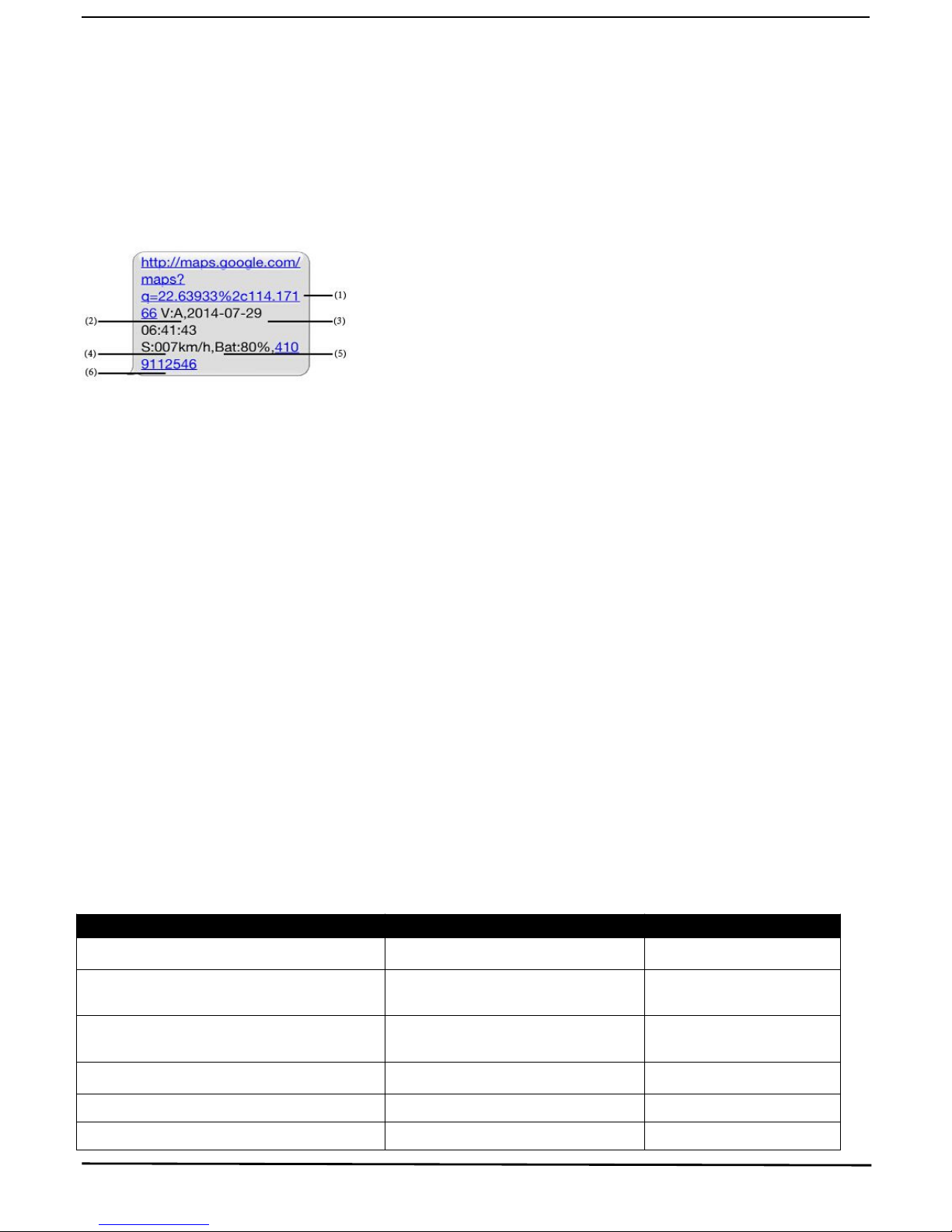
2.3 EXPLANATION OF PARAMETERS/CODES IN SMS MESSAGE
1. Google Maps link: This is the link to the Google map showing the position of the tracker unit.When
click the link, if a map is displayed, there is GPS information for the unit. If there is no may, there is
no GPS information for the tracker.
2. V:A/V: Indicates GPS signal. V:A indicates there is a GPS signal; V:V indicates there is no GPS
signal.
3. 2014-07-29 06:41:43 The date and time stamp when the unit last received a GPS signal.
4. S: 007km/h: This indicates the last known speed of the unit.
5. Bat:80% The approximate amount of battery charge remaining. The value is between5%and
100%, with 100% being fully charged.
6. 4109112546: The IMEI code of tracker device. This number is used for tracking website and the
app.
3. SMS Tracking
1) Call the SIM-card phone number in the device by other cell phone
2) Receive a Google Maps link by SMS to your mobile phone
3) Click on the Google Maps link
4) Now it displays the position of device.
3.1 Command Instruction
INSTRUCTION COMMAND REPLY
Reboot the device begin123456 begin ok
Set authorized number admin123456+space+phone
number
admin ok
Cancel authorized number noadmin123456+space+phone
number
noadmin ok
SMS Track G123456# Google link
Set GMT time zone number timezone123456+space+ 8 time ok
Sleep by time (default mode-save much sleep123456+space+time sleep time ok
Page 5
5
3.2 ONLINE TRACKING
3.2.1 COMMAND INSTRUCTION TO SET THE ACCES POINT NAME (APN)
3.2.2 START ONLINE TRACKING
Note:Must turn on GPRS function (send comand “gprs123456 to the device ) and set the apn first
Platform : http://www.tkstargps.net/
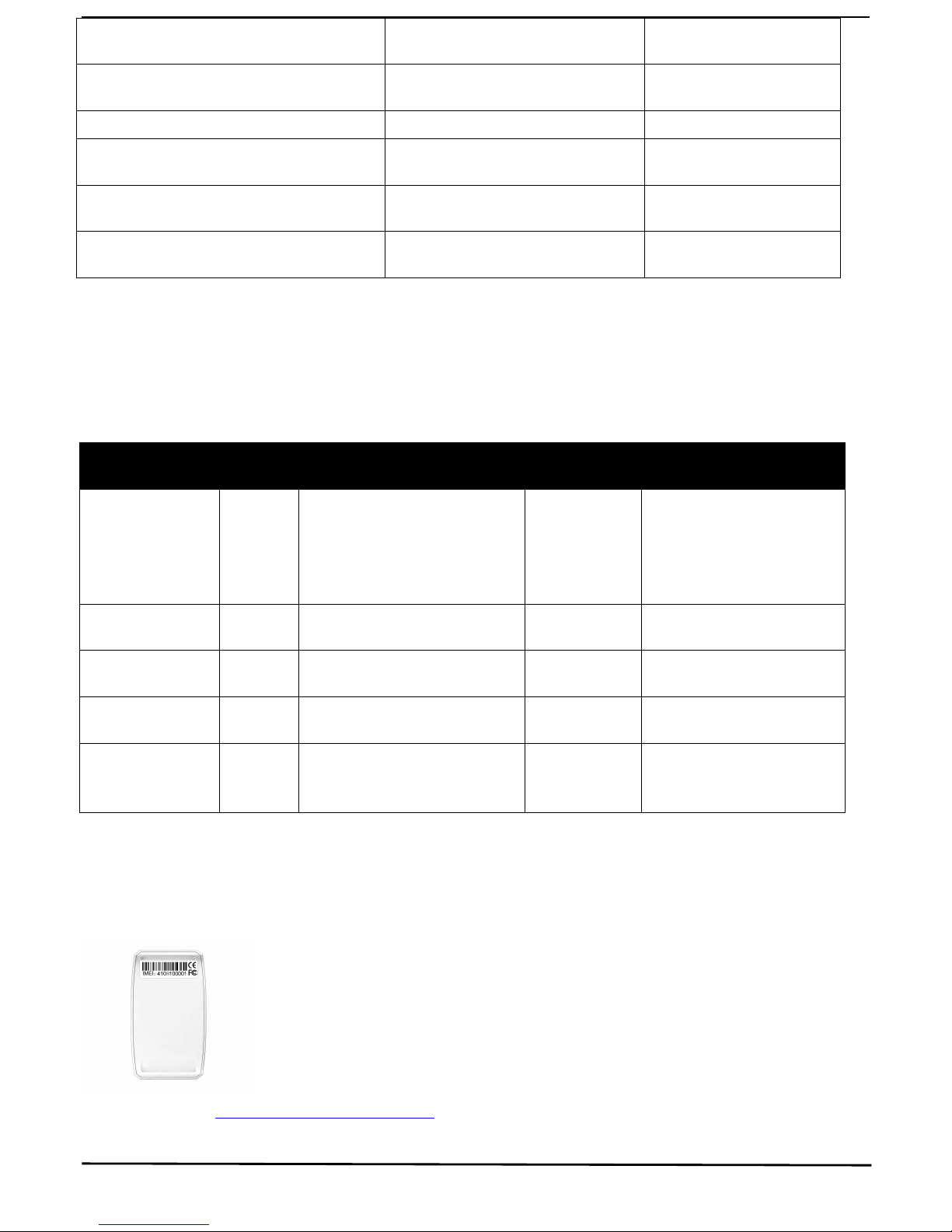
IMEI No. : In the back side of cover
power,tracker will fall asleep in 5
minutes)
Sleep by shock sensor(Suits for
tracking on platform)
sleep123456+space+shock Sleep shock ok
No sleep(tracker will continuou working) sleep123456+space+off sleep off ok
Switch to the NO GPRS mode(default
mode)
Nogprs123456 Nogprs ok
Switch to the GPRS mode(for tracking
online )
gprs123456 gprs ok
Format the device ( must send by
authorized number)
format
NAME
INSTRU
CTION
COMMAND REPLY FOR EXAMPLE
APN
Set new
APN
( old one
will be
replaced)
apn+123456+space+apn content apn ok apn123456 apn
APN user
Set APN
username
apnuser+123456+space+content apnuser ok apnuser123456 user
APN password
Set APN
password
apnpasswd+123456+space+content apnpasswd ok apnpasswd123456 password
Switch to the
GPRS mode
Open the
GPRS
gprs123456
gprs ok gprs123456
Set Upload the
frequency
Default
120 seconds Upload+123456+space+30 Upload ok Upaload123456 30
Page 6

6
Password: 123456
3.2.3 APPLICATIONS FOR ANDROID/iOS
Search TKSTAR in the Apple App Store/Google Play Store to install the applications on your
device.
Select “Log in by IMEI”
Server: www.tkstargps.net
IMEI : In the back side of cover
Password: 123456
Note:
when the device has no GPS signal, or on sleeping mode,it reply 2 SMS, the rst of history record V: V,
the second of real time tracking information after get GPS signal V: A.
Make sure that all the symbol“+”in sms commends is just for quick understanding, which don’t need to
enter “+” in sms, and “space” means press the space bar button of the cell phone.
When the device location show different with map, there are two kinds of circumstances, 1.Device in sleep condition, 2 No GPS
signal;Solution: Dial SIM Card Number in the Device, if only reply one SMS with "V:V", it means no GPS Signal; If reply one SMS,
with "V:A", it means device in sleep model;
(Note: We advice use Shock Sleep Model when driving)
 Loading...