

Page 1
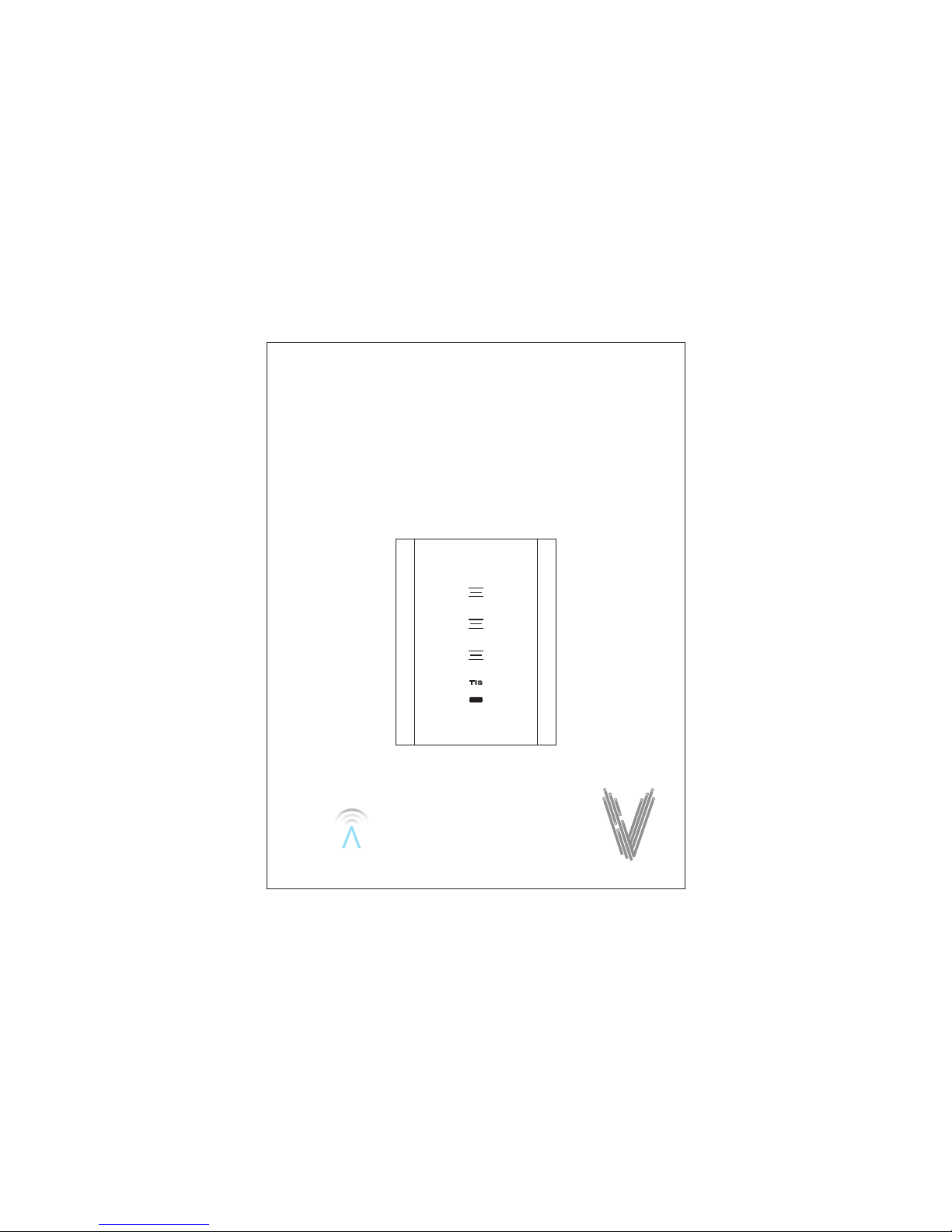
VENERA SWITCH
VENERA
TIS
IR
Installation and programming manual
Page 2

IC This device complies with Industry Canada’s licence-exempt RSSs. Operation is subject to the following two conditions:
(1)This device may not cause interference; and
(2)This device must accept any interference, including interference that may cause undesired operation of the device.
FCC:
This device complies with Part 15 of the FCC Rules. Operation is subject to the following two conditions: (1) this device may
not cause harmful interference, and (2) this device must accept any interference received, including interference that may
cause undesired operation.
Caution: The user is cautioned that changes or modifications not expressly approved by the party responsible for compliance
could void the user's authority to operate the equipment.
Note: This equipment has been tested and found to comply with the limits for a Class B digital device, pursuant to part 15 of
the FCC Rules. These limits are designed to provide reasonable protection against harmful interference in a residential
installation. This equipment generates, uses and can radiate radio frequency energy and, if not installed and used in
accordance with the instructions, may cause harmful interference to radio communications. However, there is no guarantee
that interference will not occur in a particular installation. If this equipment does cause harmful interference to radio or
television reception, which can be determined by turning
the equipment off and on, the user is encouraged to try to correct the interference by one or more of the following measures:
—Reorient or relocate the receiving antenna.
—Increase the separation between the equipment and receiver.
—Connect the equipment into an outlet on a circuit different from that to which the receiver is connected.
—Consult the dealer or an experienced radio/TV technician for help.
Le présent appareil est conforme aux CNR d'Industrie Canada applicables aux appareils radio
exempts de licence. L'exploitation est autorisée aux deux conditions suivantes :
(1)l'appareil ne doit pas produire de brouillage, et
(2) l'utilisateur de l'appareil doit accepter tout brouillage radioélectrique subi, même si le brouillage est susceptible
d'en compromettre le fonctionnement.
FCC Radiation Exposure Statement
This equipment complied with FCC radiation exposure limits set forth for an uncontrolled environment. This equipment should
be installed and operated with minimum distance 20cm between the radiator & your body.
Déclaration d'exposition aux radiations:
Cet équipement est conforme aux limites d'exposition aux rayonnements IC établies pour un environnement non contrôlé.
Cet équipement doit être installé et utilisé avec un minimum de 20 cm de distance entre la source de rayonnement et votre corps.
This equipment complies with IC radiation exposure limits set forth for an uncontrolled environment.This equipment should
Radiation Exposure Statement
be installed and operated with minimum distance 20cm between the radiator & your body.
RF Exposure
Page 3

WIFI Switch Wiring Diagram
Switch Panel 3G
Switch Panel 2G
L
N
NLCS1S2
S3
L
N
NLCS1S2
VEN-3S-3R-HC
VEN-2S-2R-HC
Page 4
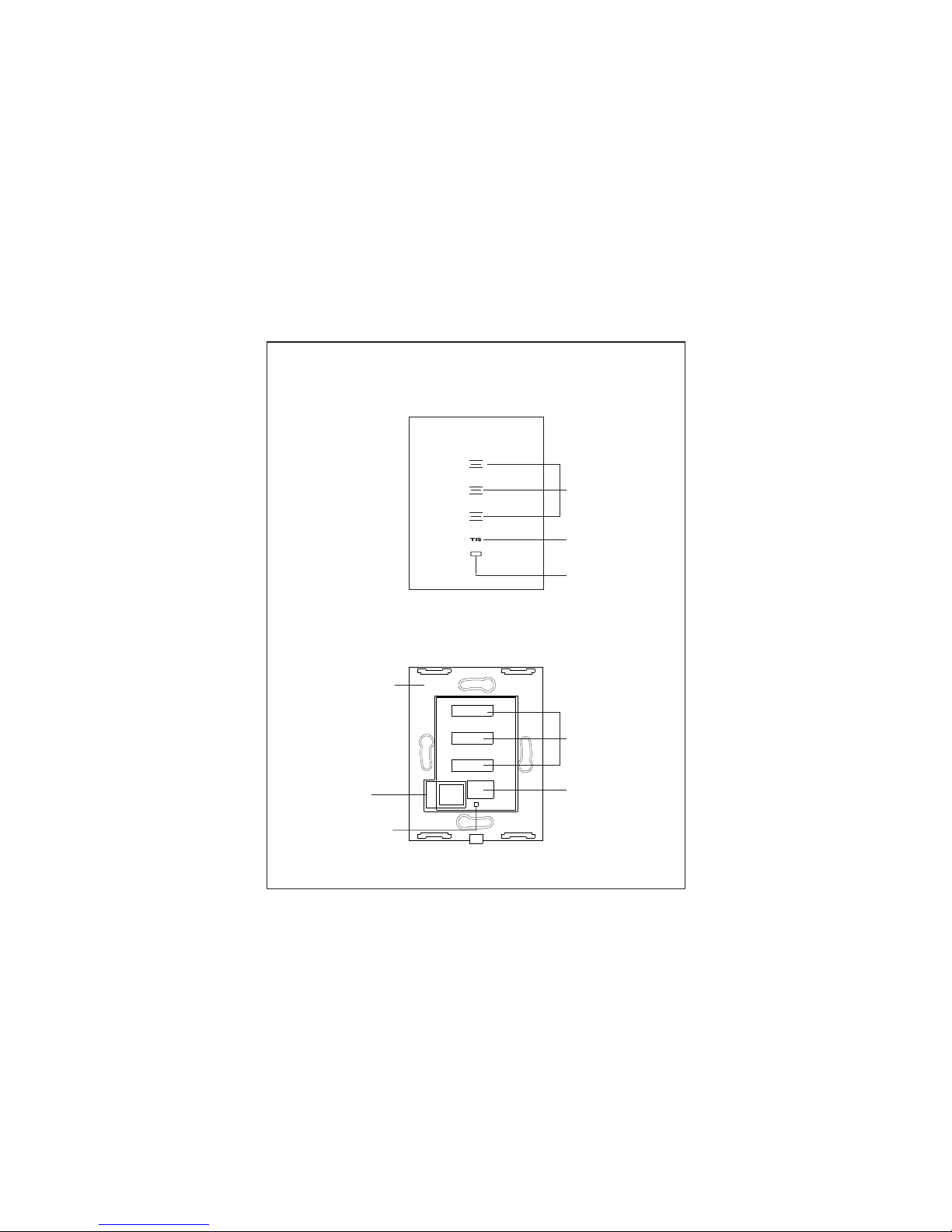
Front
Inside
Touch Key
WIFI signal
indicator &
Programming key
Touch Key
WIFI signal
indicator &
Programming key
PC retardant
materaial
IR receiver
IR receiver
TIS-AIR
Module
Page 5
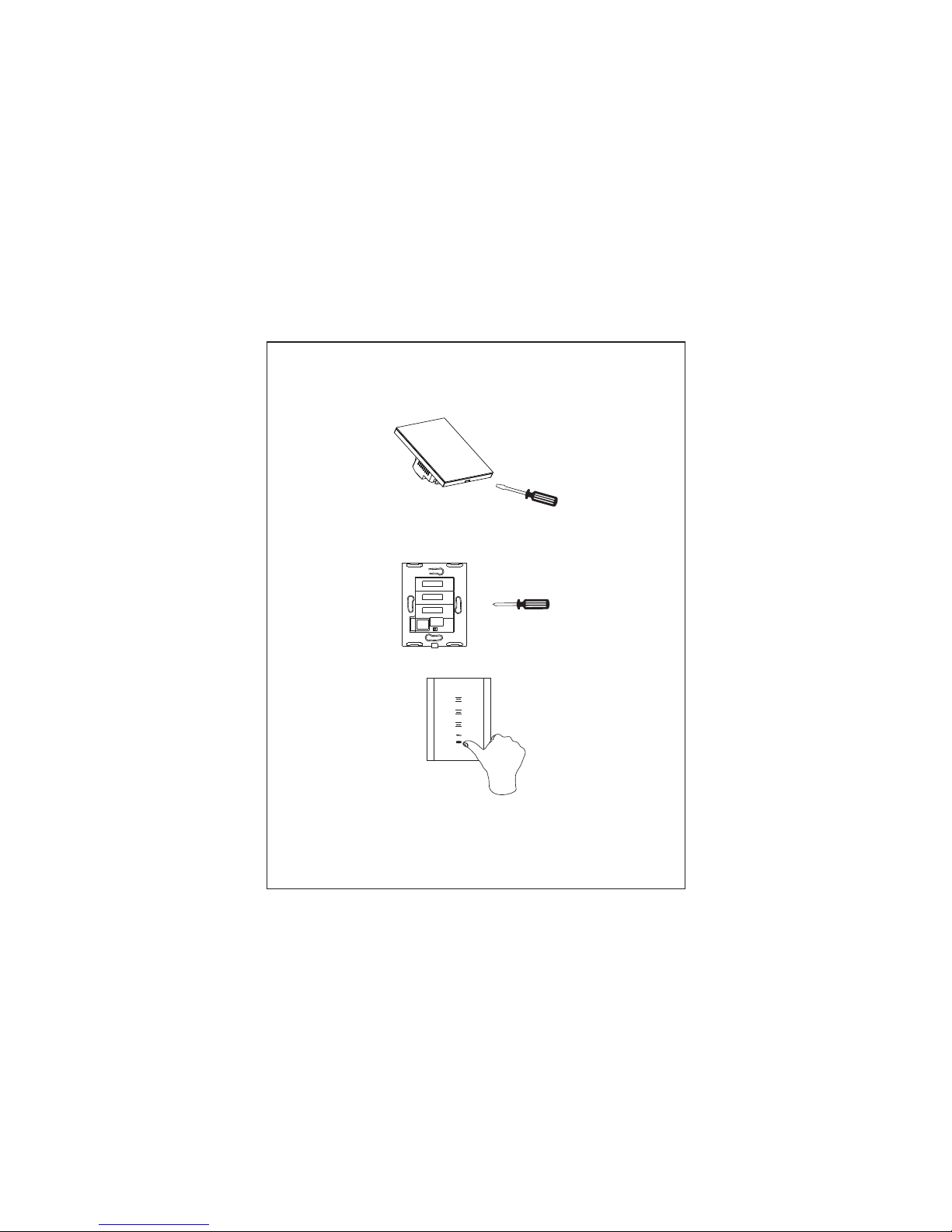
Installation Steps
Remove the glass cover
Connect the wires, and install the
panel on the junction box by screws
Push the glass cover to be installed
You sh ould co nfigu re the mo dule outputs in
application to the correct mode as lighting,
motorization or air conditioning before
connecting it to load
War ning
Page 6
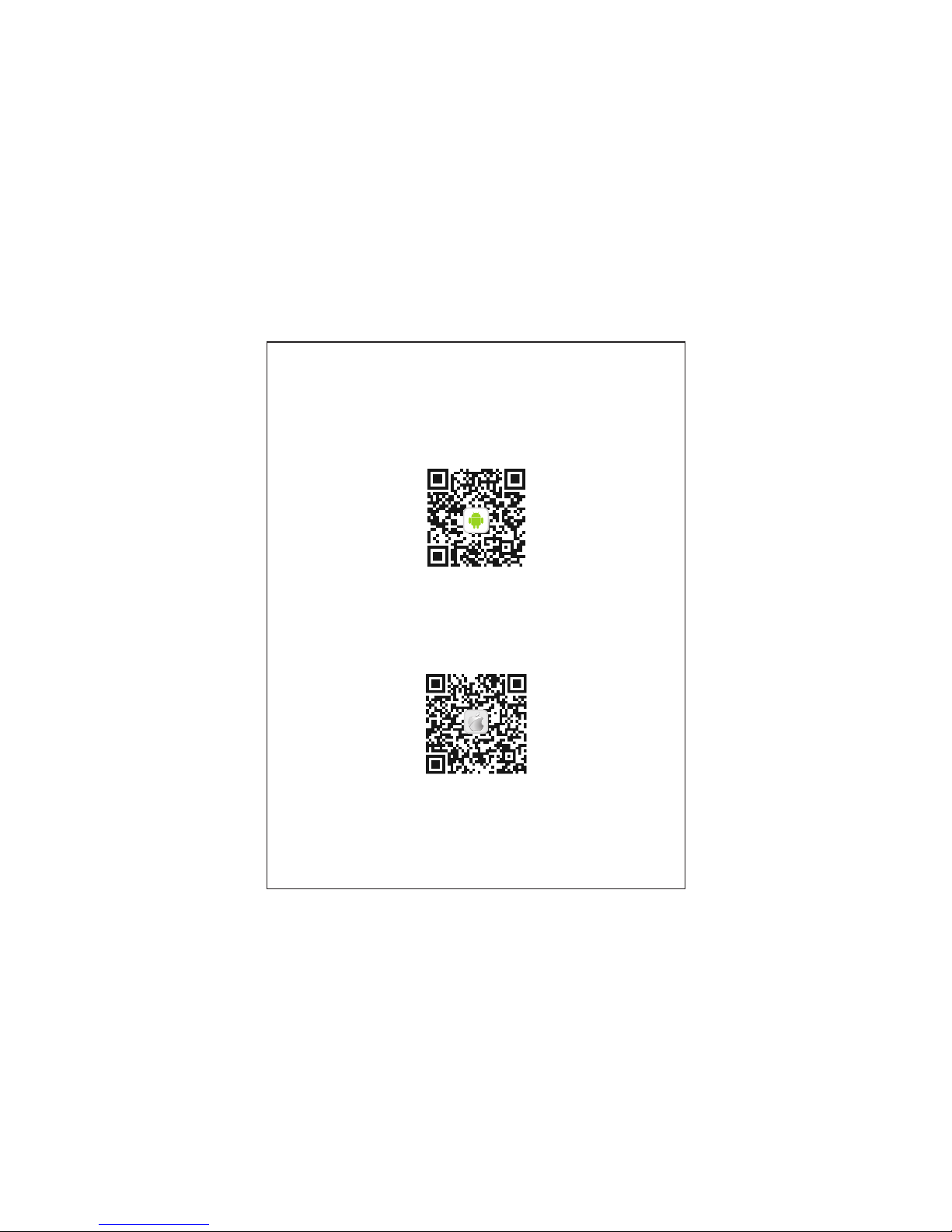
Operation Instruction
IOS
Download and install APP
Android
Page 7
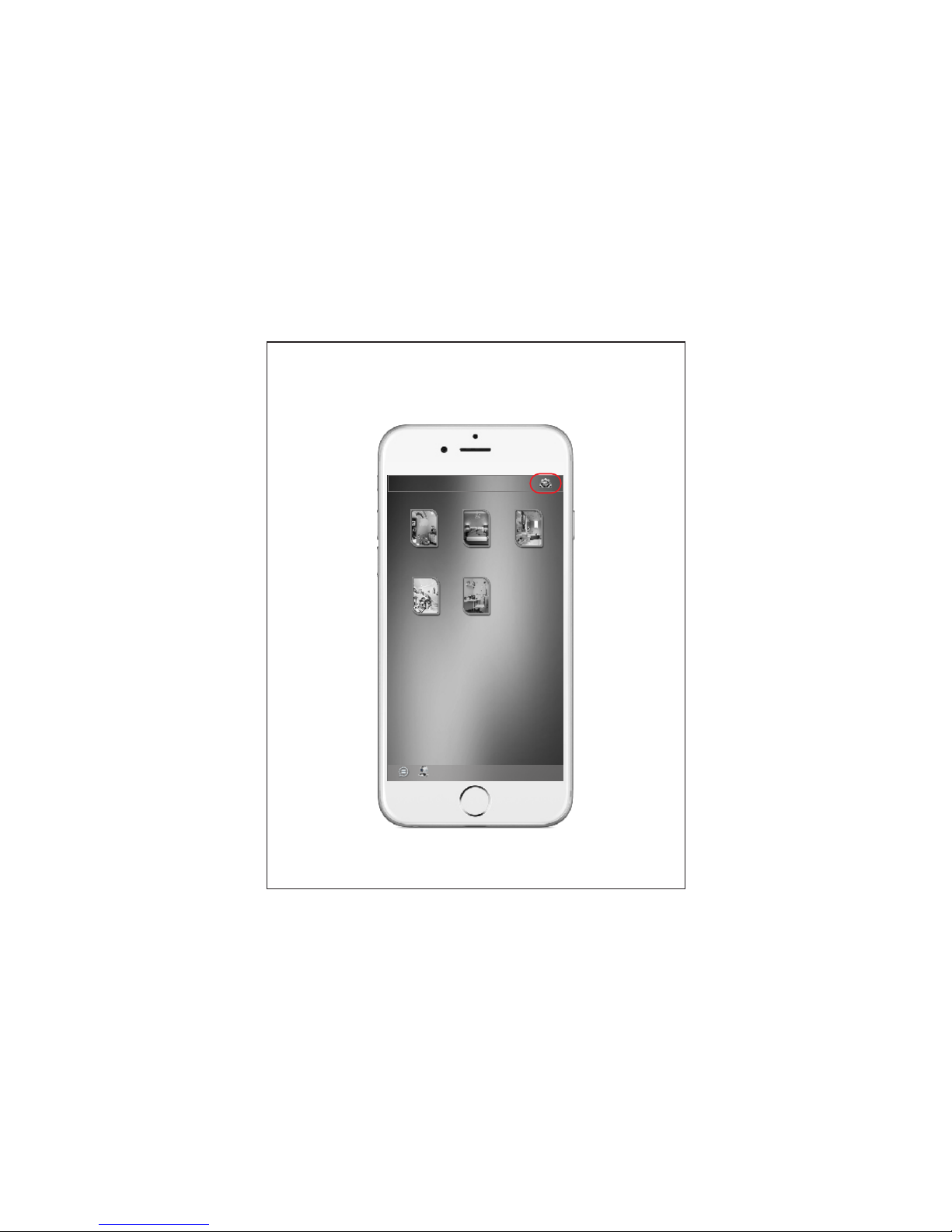
Open the APP inte rface a nd clic k the Set tings
icon
TIS Smar t con trol
Bath R oomMast er Roomkids R oom
Livi ng Room kids R oom
Page 8
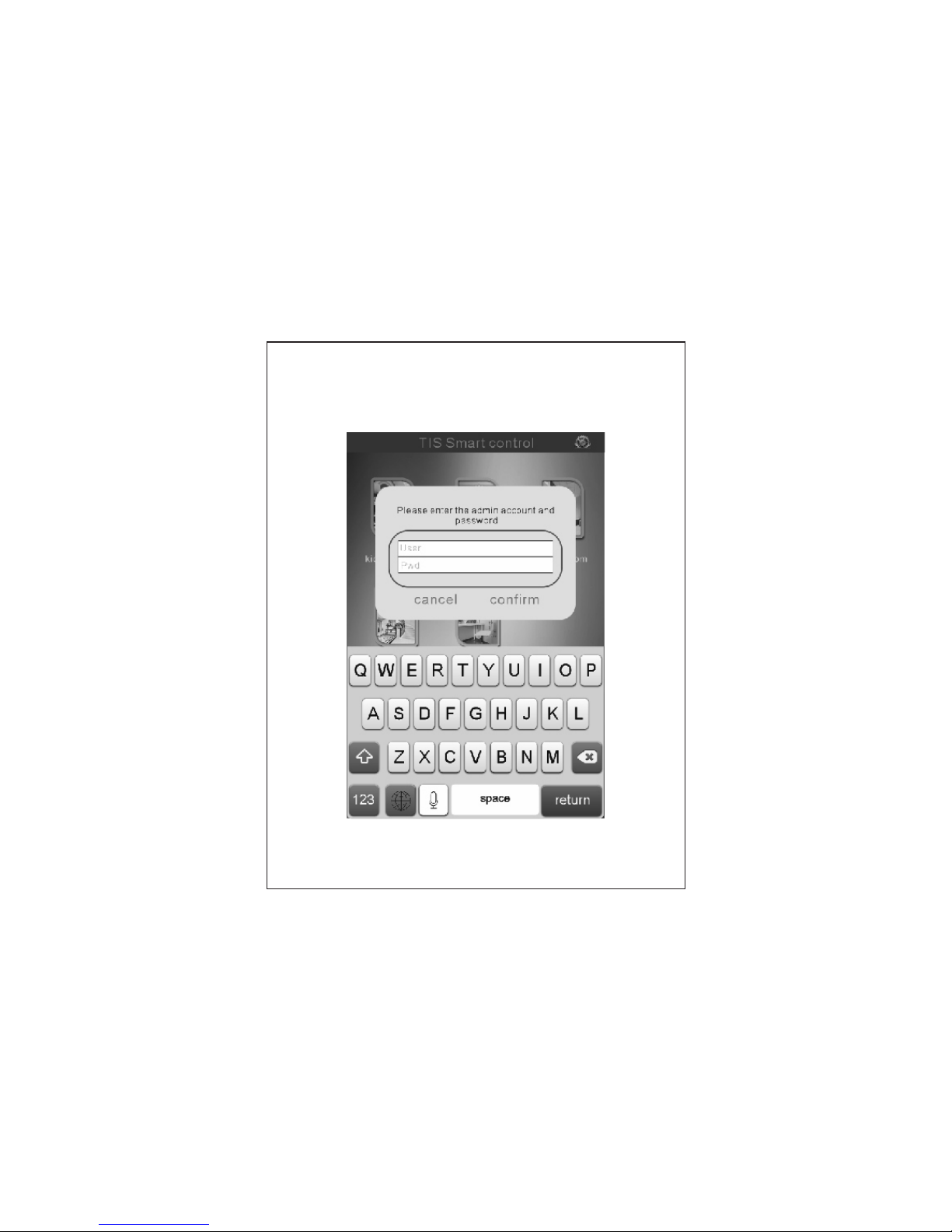
Enter the administrator account and password,
default username: user
default password: tis777
Page 9
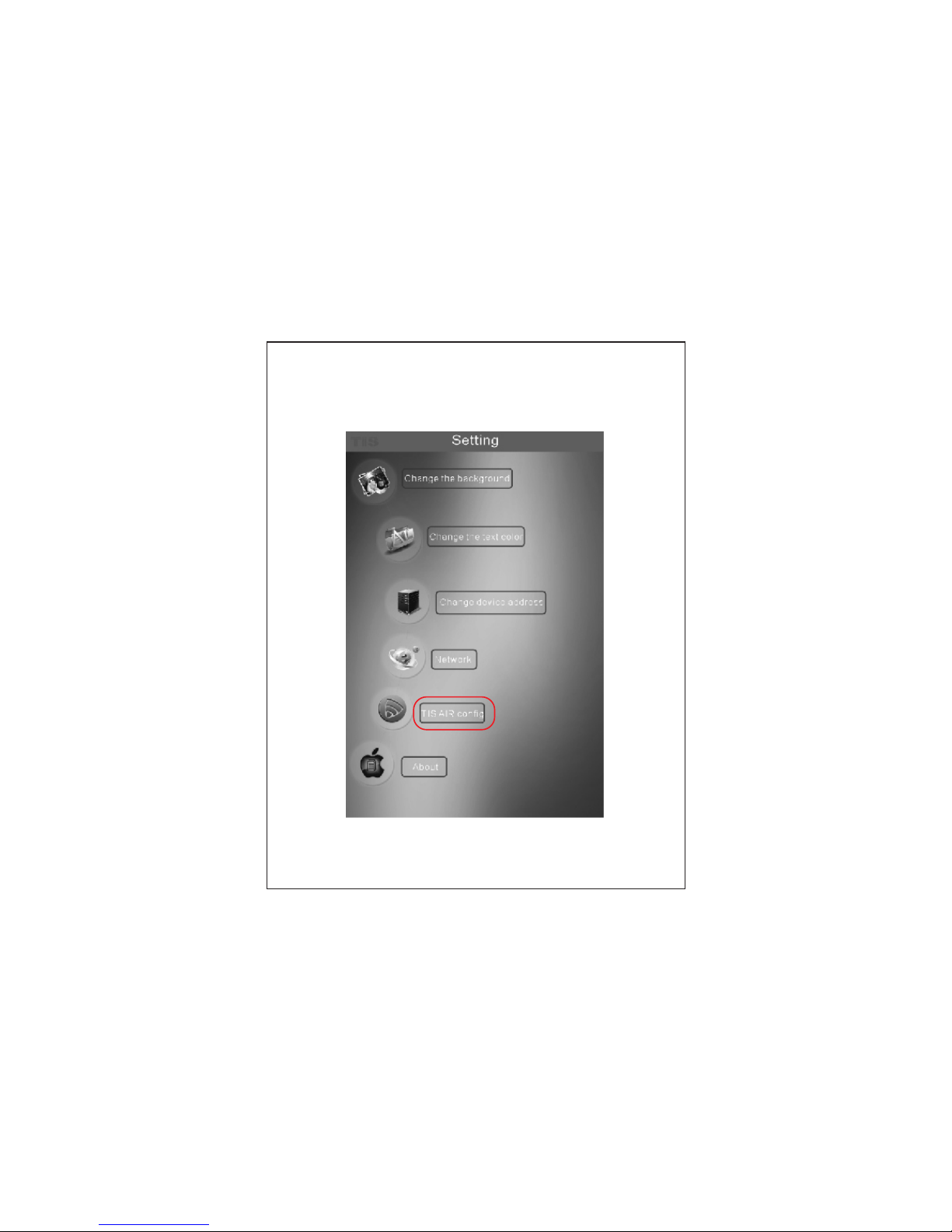
Enter the settings interface, select "TIS AIR
CONFIG".
Page 10
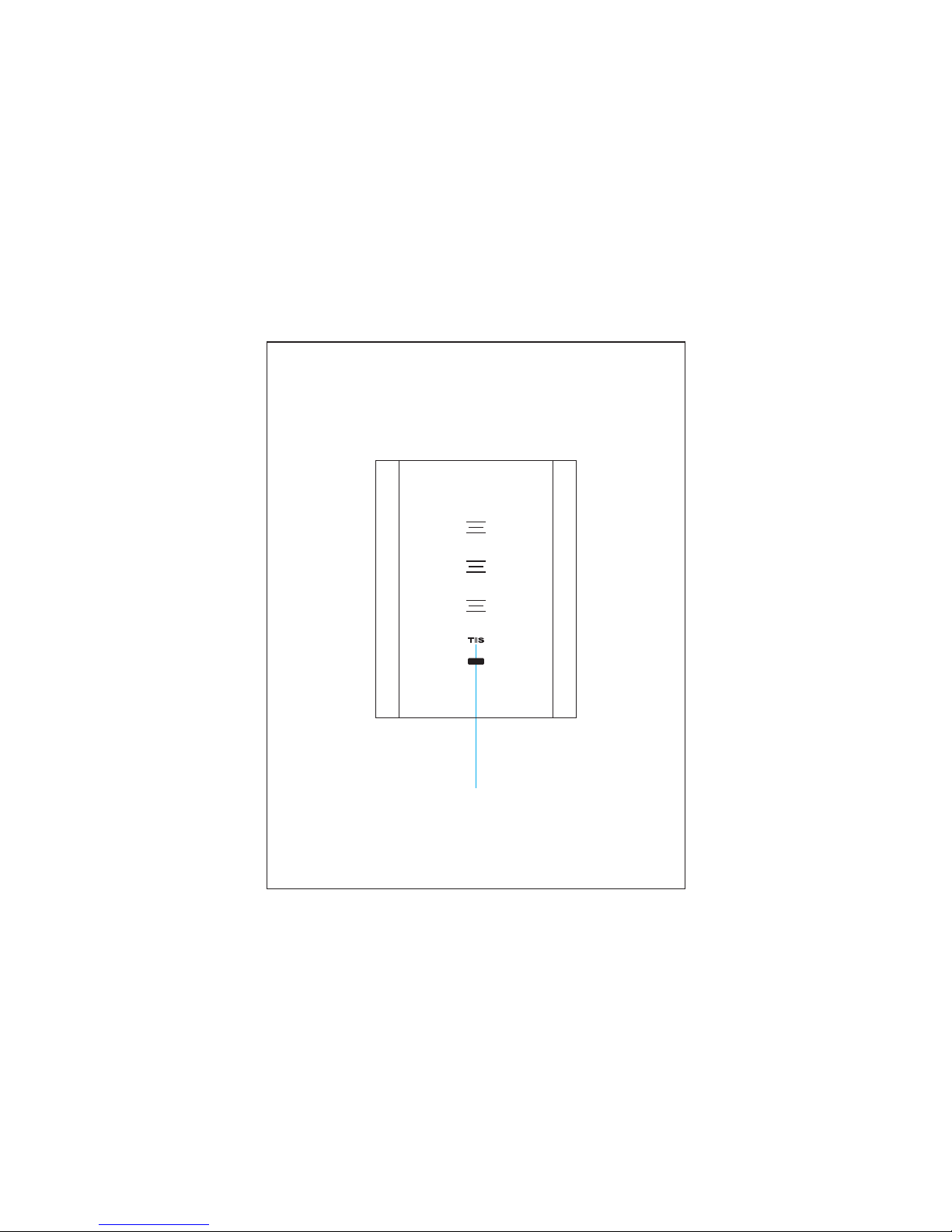
Power the smart switch, press the
TIS key for 5 second till it starts blinking
Configuration
Configuration key
WIFI Signal Indicator
Page 11
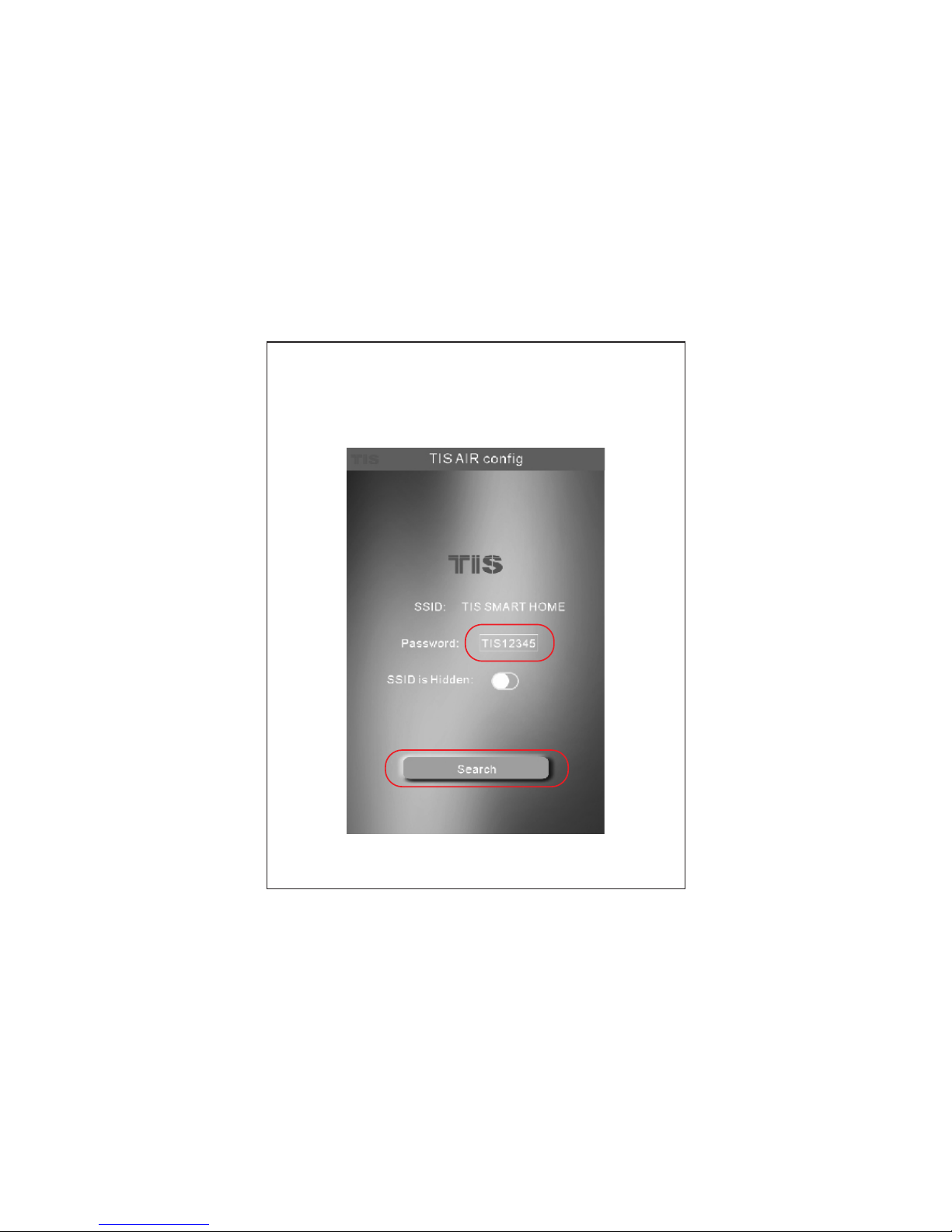
Enter your WiFi router password then click
"SEARCH", the device will be configured
within 50 seconds
Page 12
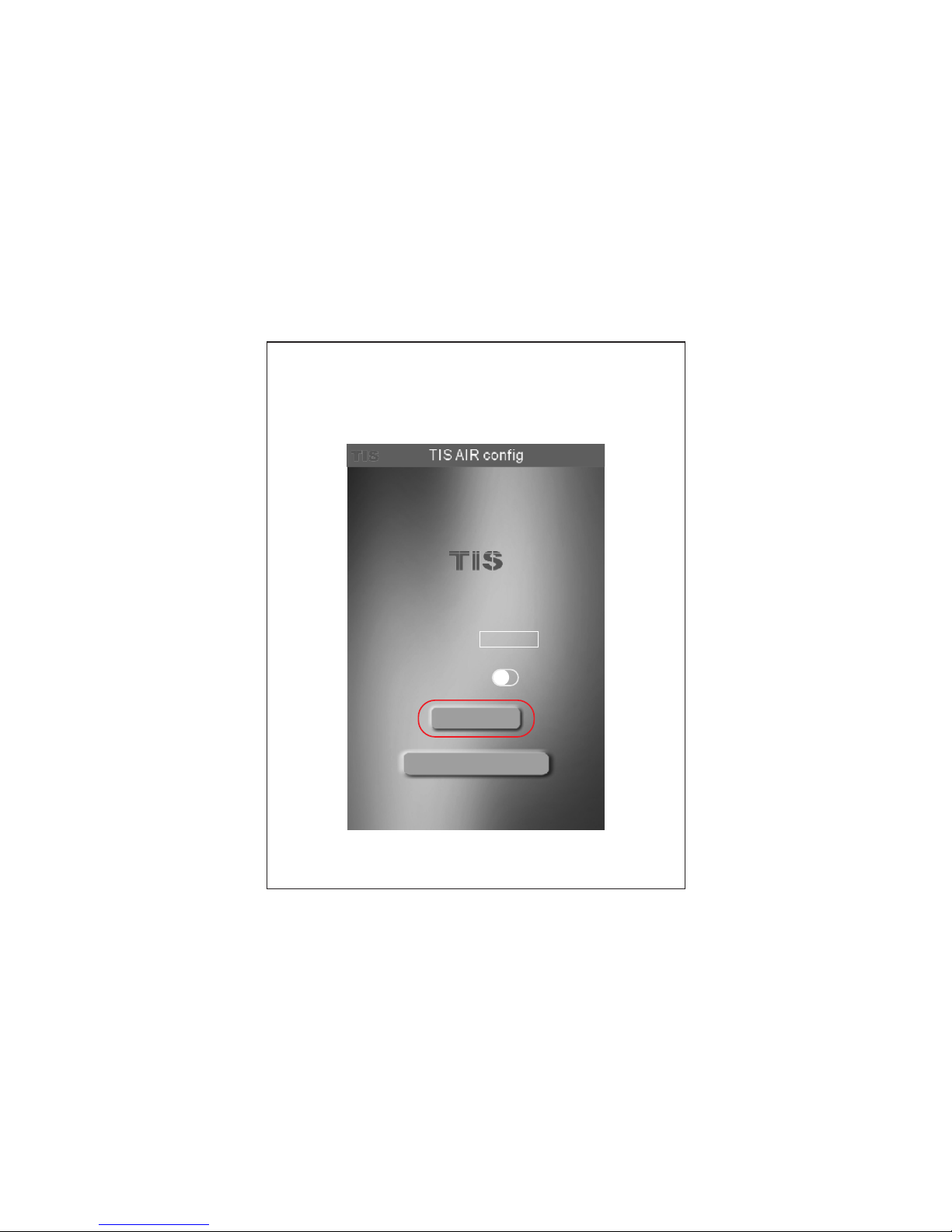
will be turned to blue once
it successfully configured, and the following
page will be shown. click on "GO TO MOD IFY "
Configuration key
SSID:
TIS SMART HOM E
Password:
TIS12345
SSID is Hidden:
Search
Go to modify
Page 13
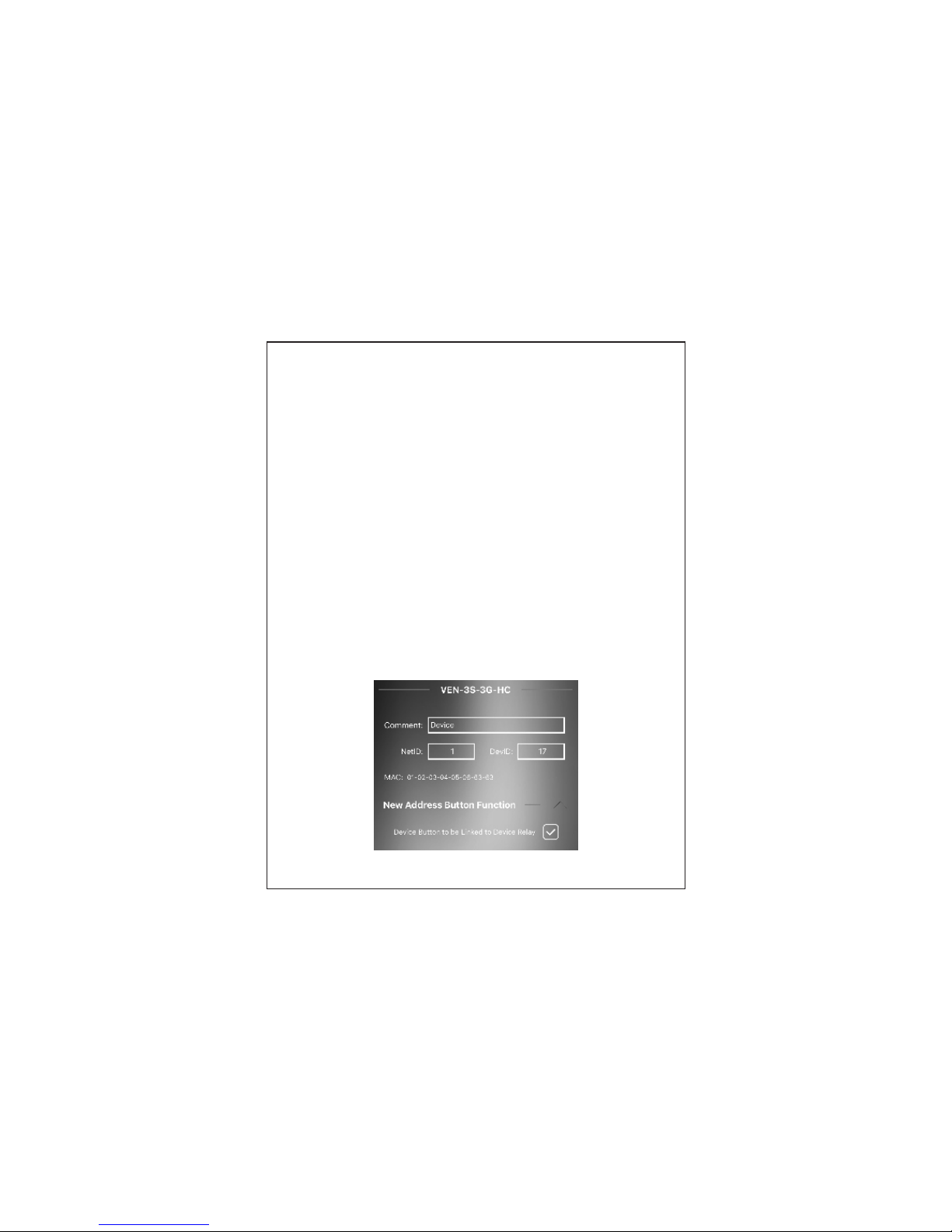
Enter your panel setting
Net id & Device ID:
Enter unique Subnet ID and Device ID
for your panel.
MAC ADDRES S:
Each device has its MAC address to
use it later in Network Setting to be able
to link your mobile to the device and
internet remote control setting.
New ADD butt on func tion
when you saved the panel to new
address it is important to link its
touch buttons to control the panel
relays new address.
Device comment: any comment like
device installed location, it helps
programmer in advanced programming
and settings in Device Search software.
Page 14
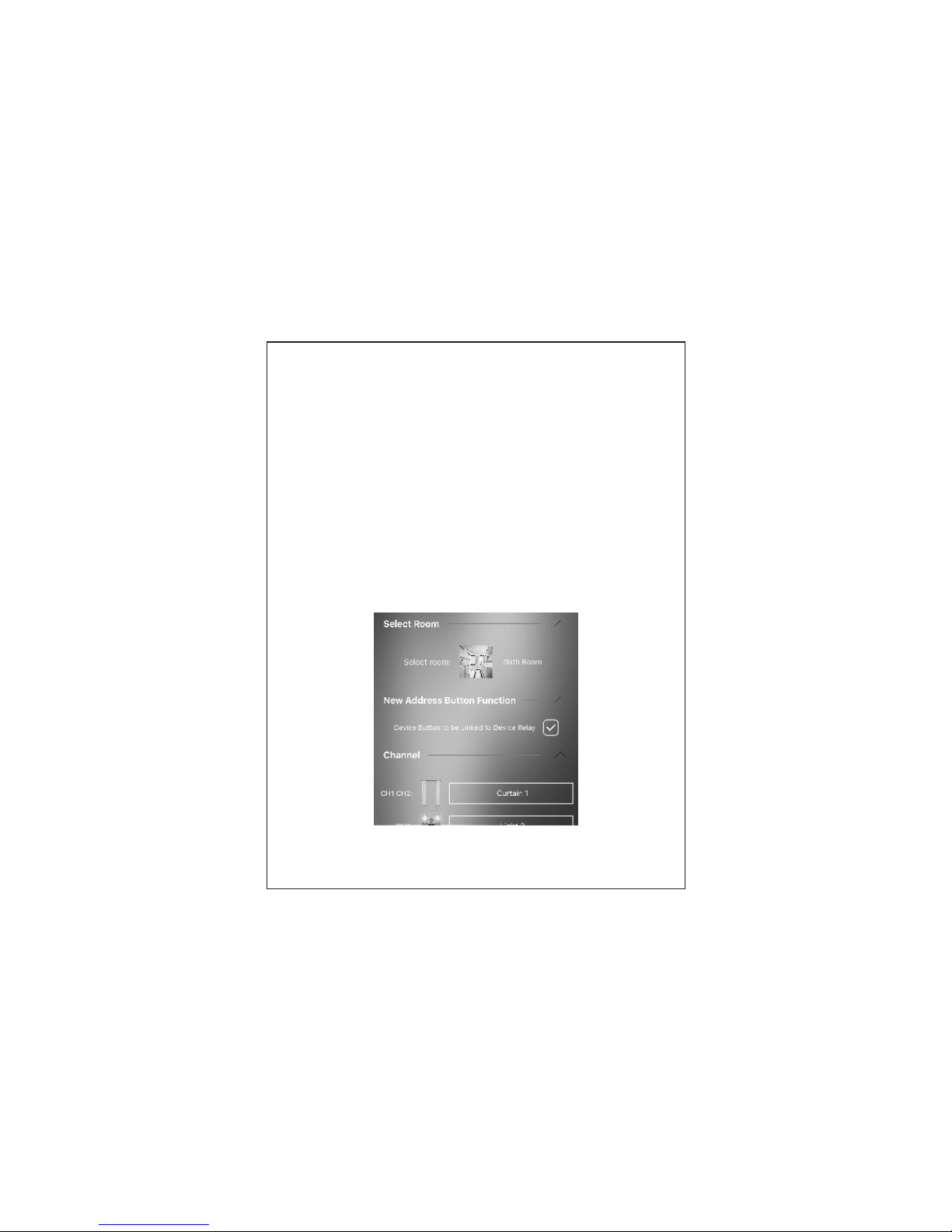
Select Room: press on the select room
icon and select the location of where
you had installed your device, if the room
is not exist, you can add it from the
main setting page.
Relay setting
You Sh ould se lect yo ur load type as
Lighting , Curtain Motor, Fan speeds, or
HVAC Air co nditi oning .
Channel Icons: press on the channel
icon and select the icon from the
default library or from your own gallery
or just take new picture from your phone.
Channel comment: type the name of your
lighting channels.
Page 15
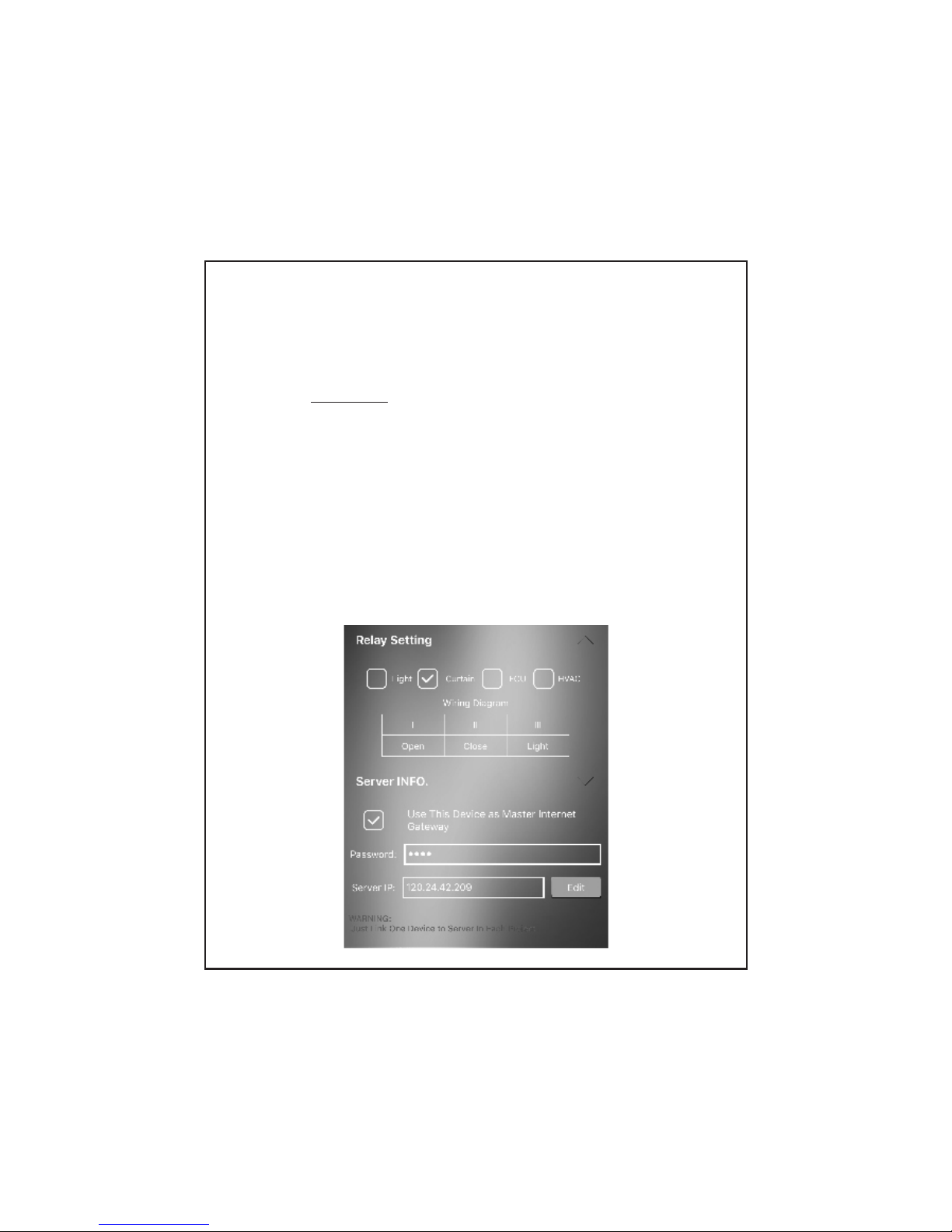
Server Info
you can use one device in each project
as master gateway for server internet
connection.
Warning: just enable the nearest
device to your router as master device
for internet connection
Enter your own 4 digit password.
Keep the default setting of TIS
Server address as 120.24.42.209. or
modify it with other TIS server depends
on your country location.
Page 16
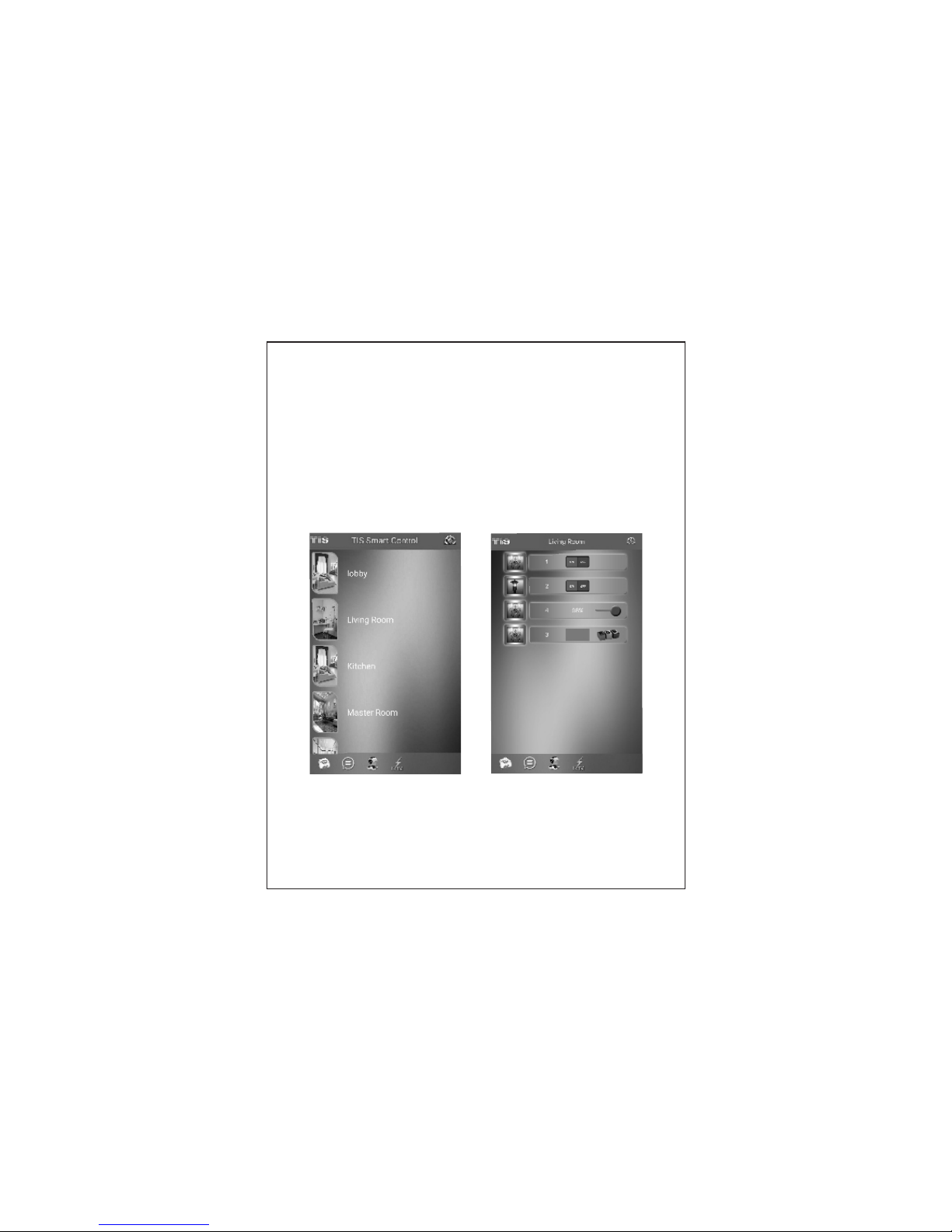
Control Section
select your room and start control
your lights, AC , curtain and others
Page 17
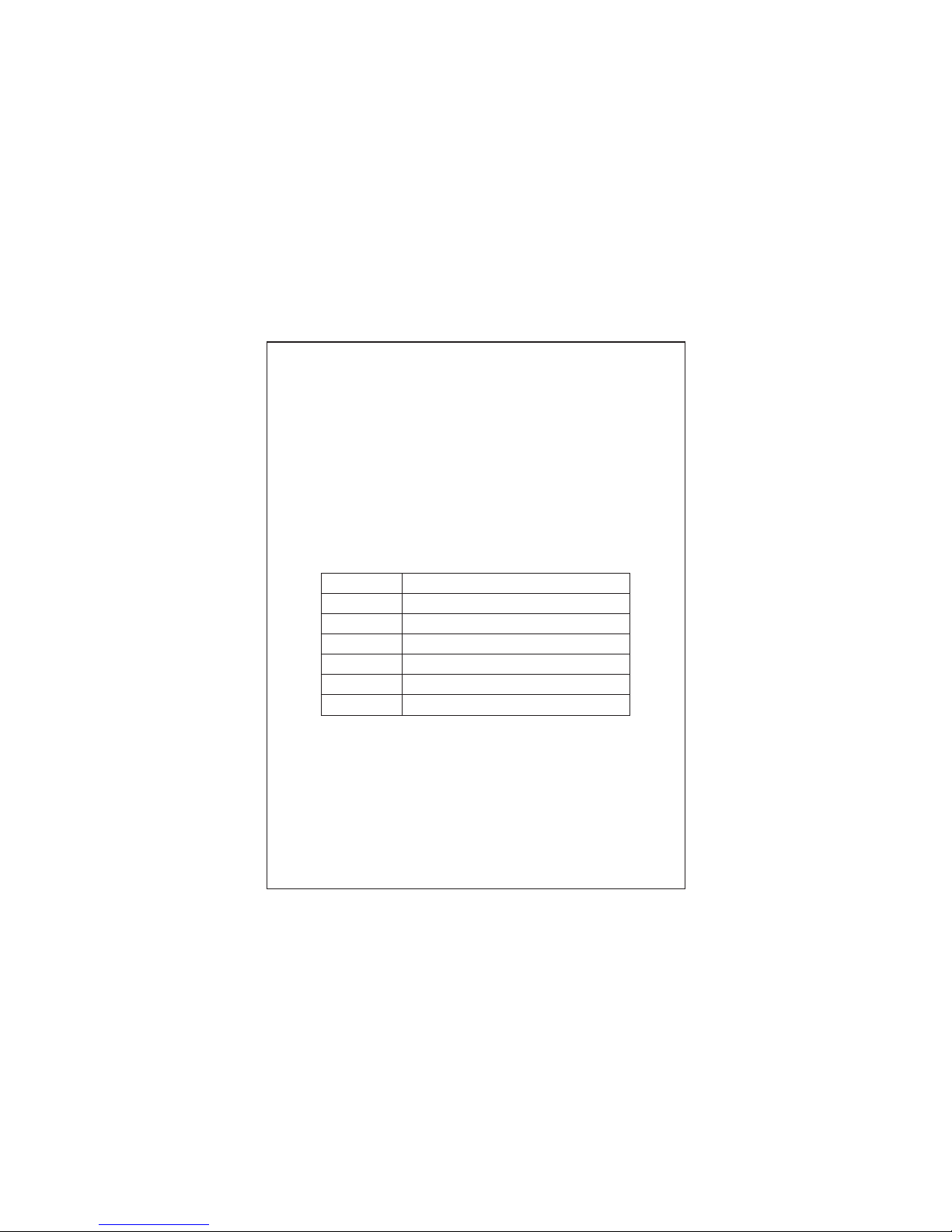
Warranty Card
From the date of purchase,
Damage caused by wrong installation ,
physical damaged , users dismantle
repair and other man-made damage will
be out of warranty
1 year limited
warranty.
Use r name
Pho ne numb er
Pro duct SN
Add ress
Off icia l Dea ler
Pur chase d ate
Rep airin g recor d
www.tissmarthome.com
 Loading...