

Page 1
2017 TigerStop, LLC
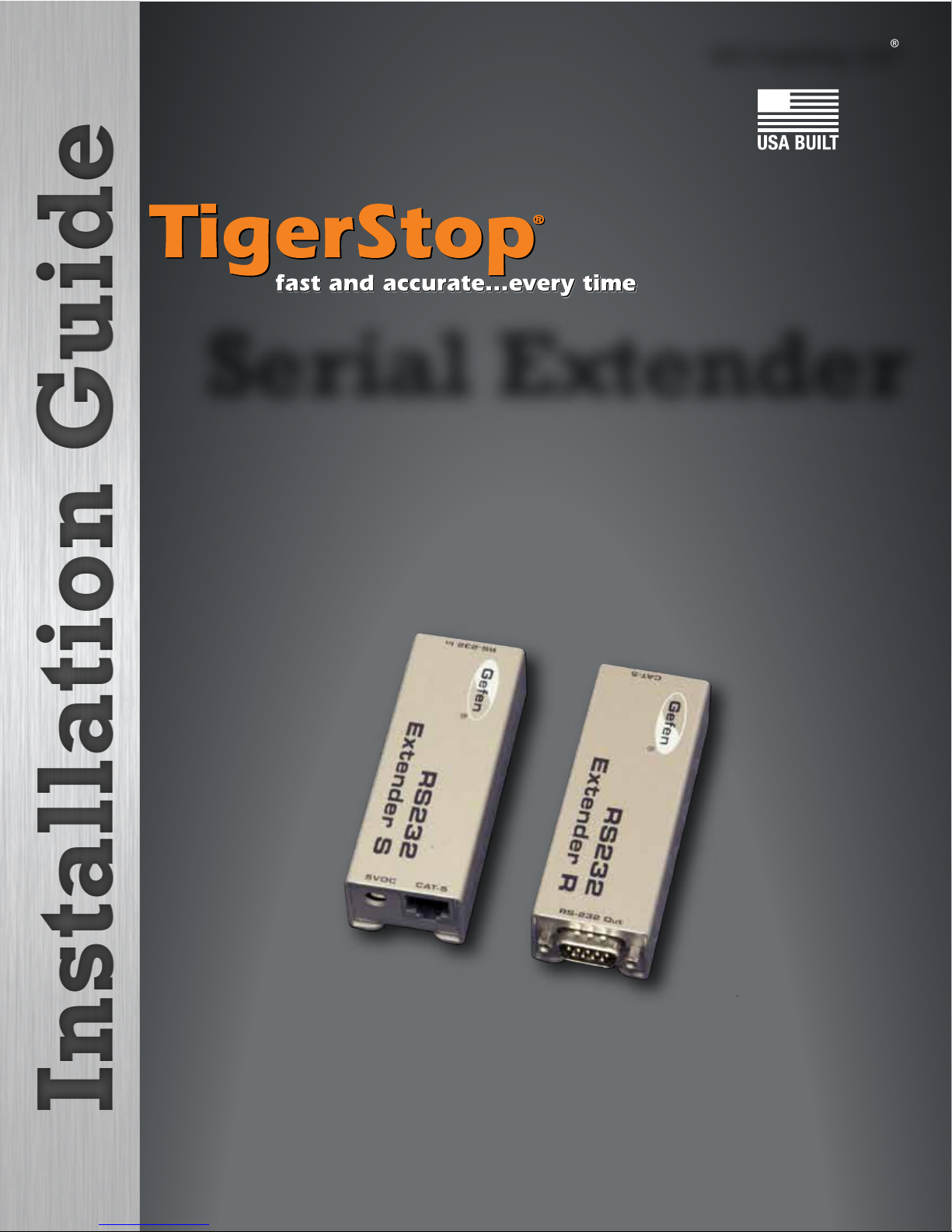
Serial Extender
®
February 2017 Mk1
Page 2
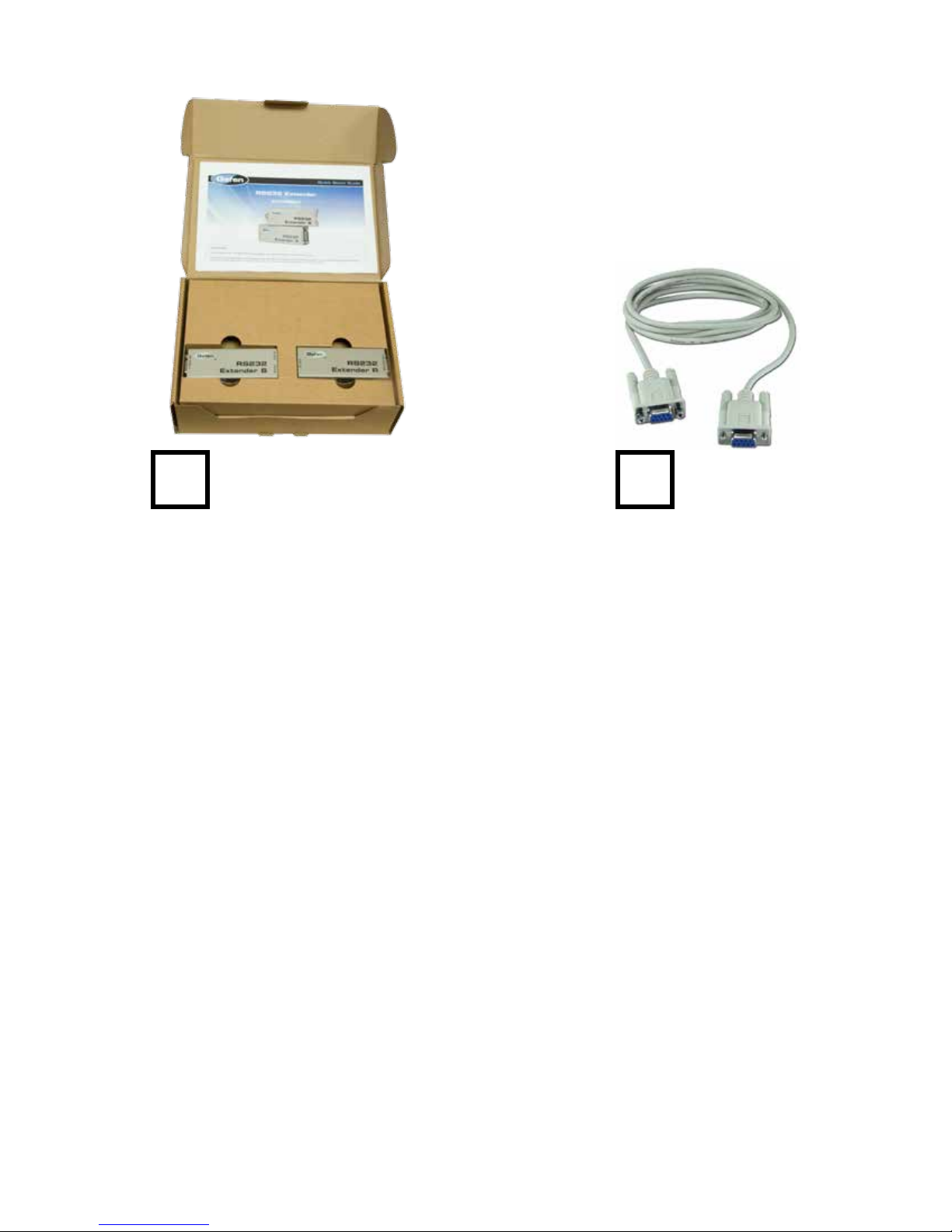
Serial Extender
Kit
Serial Cable
(Inside box)
Page 3

Page 4
Safety First!
WARNINGS
INSTALLATION
WARNINGS
INTERCONNECTS
OPERATION
IMPORTANT SAFETY INFORMATION. READ ALL WARNINGS BEFORE OPERATING THIS PRODUCT.
WARNING: Installation of your TigerStop Product must be done by a person trained in the safe
design and installation of automation products, and in the safe operation of power equipment. Ensure
that such installation meets all legally required safety requirements and guidelines, and that proper
guarding and safety devices are provided on all sides of the equipment to preclude unintended access
during operation. Consult with and follow the recommendations of a qualifi ed safety engineer.
GENERAL
WARNING: TigerStop Products are components intended for use in conjunction with potentially
dangerous machinery. The use of TigerStop Products does not make other machinery safe. TigerStop
Products are not intended to substitute, in any manner, for safe operating practices in general, or for
safety features present in other machines designed to make those machines as safe as possible.
TIGERSTOP PRODUCTS, IF USED OR INSTALLED IMPROPERLY, MAY CAUSE PERSONAL
INJURY OR DEATH AND SHOULD ONLY BE OPERATED BY PERSONS TRAINED IN THEIR
SAFE OPERATING PROCEDURES. Illustrations of TigerStop Products in use do not show, and are
not intended to show, all safety features and practices necessary for their safe operation.
WARNING: TigerStop Products must be installed in accordance with all local, state, and federal
regulations. Only personnel properly trained in the safe design and installation of automation
machinery and related power equipment should install TigerStop Products onto other equipment, to
ensure a safe and proper work station. TigerStop Products should not be operated without proper
training, both in the operation of TigerStop Products, and in the operation of related equipment.
IMPORTANT CAUTION:
The motor box (compartment) contains DC voltage with potentially FATAL amperage. NEVER attempt
any unauthorized actions inside the motor box.
WARNING: Using a TigerStop interconnect does not relieve you of the responsibility for making sure
that your saw or other tool has all the necessary safety equipment in place. All installations must
meet all legally required safety requirements and guidelines. Installation and training should be done
following the recommendations of a qualifi ed safety engineer.
DANGER: This machine can start, move and stop automatically. Keep hands and loose clothing
clear of moving parts while operating. Moving parts can crush and cut. When used with a saw or
other cutting equipment, bodily injury and death may result if operated without safety guards on
all machines. Do not operate with guards removed. Operators must wear adequate eye and ear
protection.
DANGER! Don’t get pinched by the push feeder. Keep your hands away when in motion!
Page 5
IMPORTANT SAFETY INFORMATION. READ ALL WARNINGS BEFORE OPERATING THIS PRODUCT.
Keep the work area clean and well lighted to avoid accidental injury.
Do not use TigerStop machines in a dangerous environment. Using power tools in damp or wet
locations or in rain can cause shock or electrocution.
Do not operate near fl ammable liquids or in gaseous or explosive atmospheres!
Wear proper apparel, no loose clothes, long hair or jewelry which could get pulled into moving
machinery or materials.
Wear non slip footwear, safety glasses, ear protection and a dust mask.
Use only 3- wire extension cords that have 3-prong grounding type plugs and 3-pole receptacles that
accept the tools plug for 120VAC. Use only 5-wire cords and plugs when using 3 phase.
Do not open motor compartment or controller keypad. DC Voltage with potentially FATAL amperage!
Disconnect power before servicing. No user-serviceable parts inside.
DO NOT operate this or any machine under the infl uence of drugs or alcohol!
No one should operate this machine except for fully qualifi ed personnel.
Read the manual!
Page 6
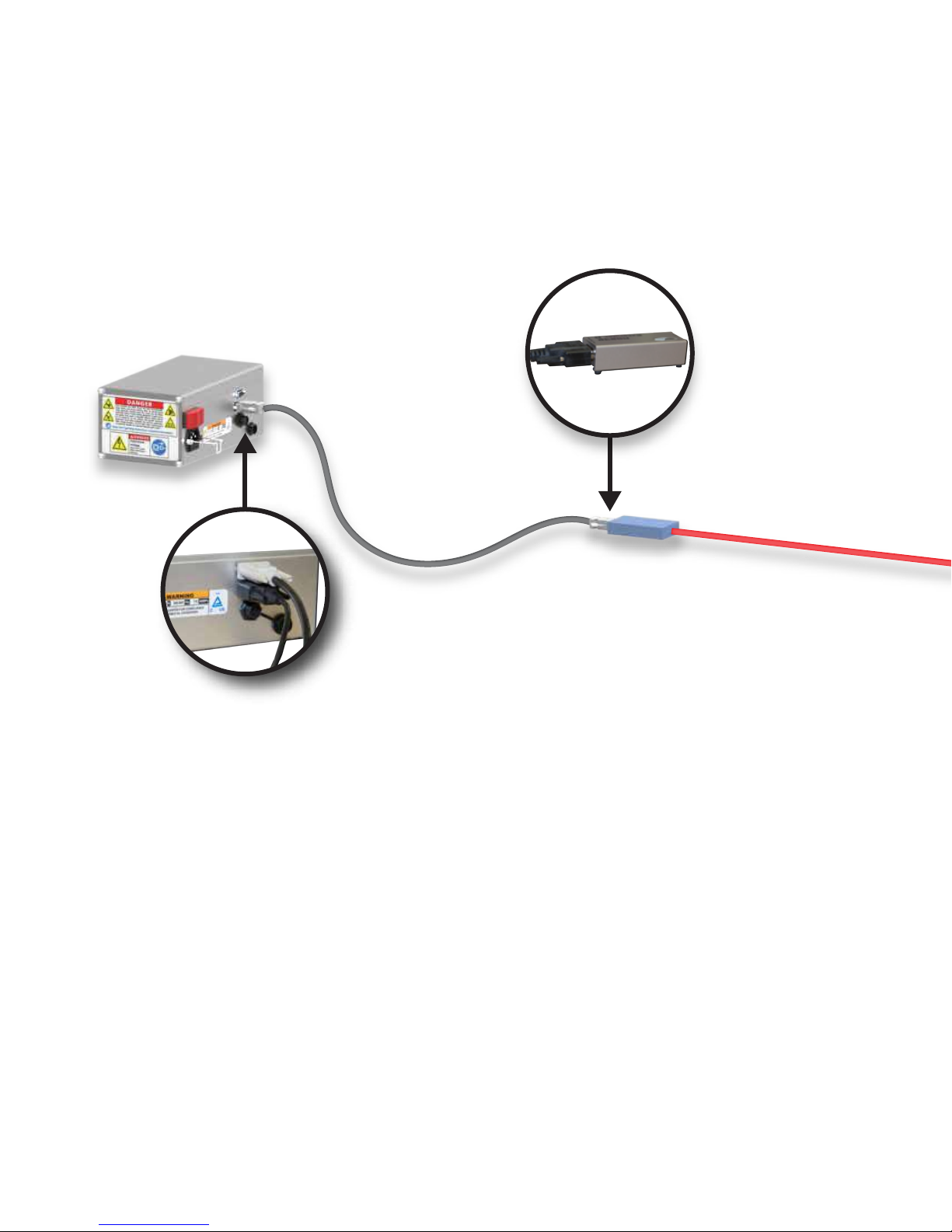
Cat-5 Ethernet Cable -
Install Serial Extender
Install Serial Extender
TigerStop Amplifier
Receiver
“R”
Included RS232
Serial Cable
up to 1000 feet
(not included)
1. Locate the 9-pin serial port on your TigerStop motor box.
Note: The serial port will have a protective cap over it.
2. Connect the black serial cable to the TigerStop 9-pin port. Connect the opposite end of this cable to
the Serial Extender receiver unit “RS-232 Out” port.
Note: The receiver is labeled with an “R” on the top of the case.
3. Connect a Cat-5 cable with an RJ45 connector to the Ethernet port on the extender receiver unit.
Note: This cable can be up to 1000 feet long.
4. Run the Cat-5 cable so that it’s within a few feet of your computer.
5. Connect the opposite end of the Cat-5 cable to the Ethernet port on the extender sender unit.
Note: The sender is labeled with an “S” on the top of the case.
6. Connect one end of the tan serial cable to the “RS-232 In” port on the Extender sender unit.
Connect the opposite end of this cable to your computers RS-232 port.
7. Connect the power adapter to the “5VDC” port on the Extender sender unit. Connect the opposite
end to a 120vac wall outlet.
Page 7
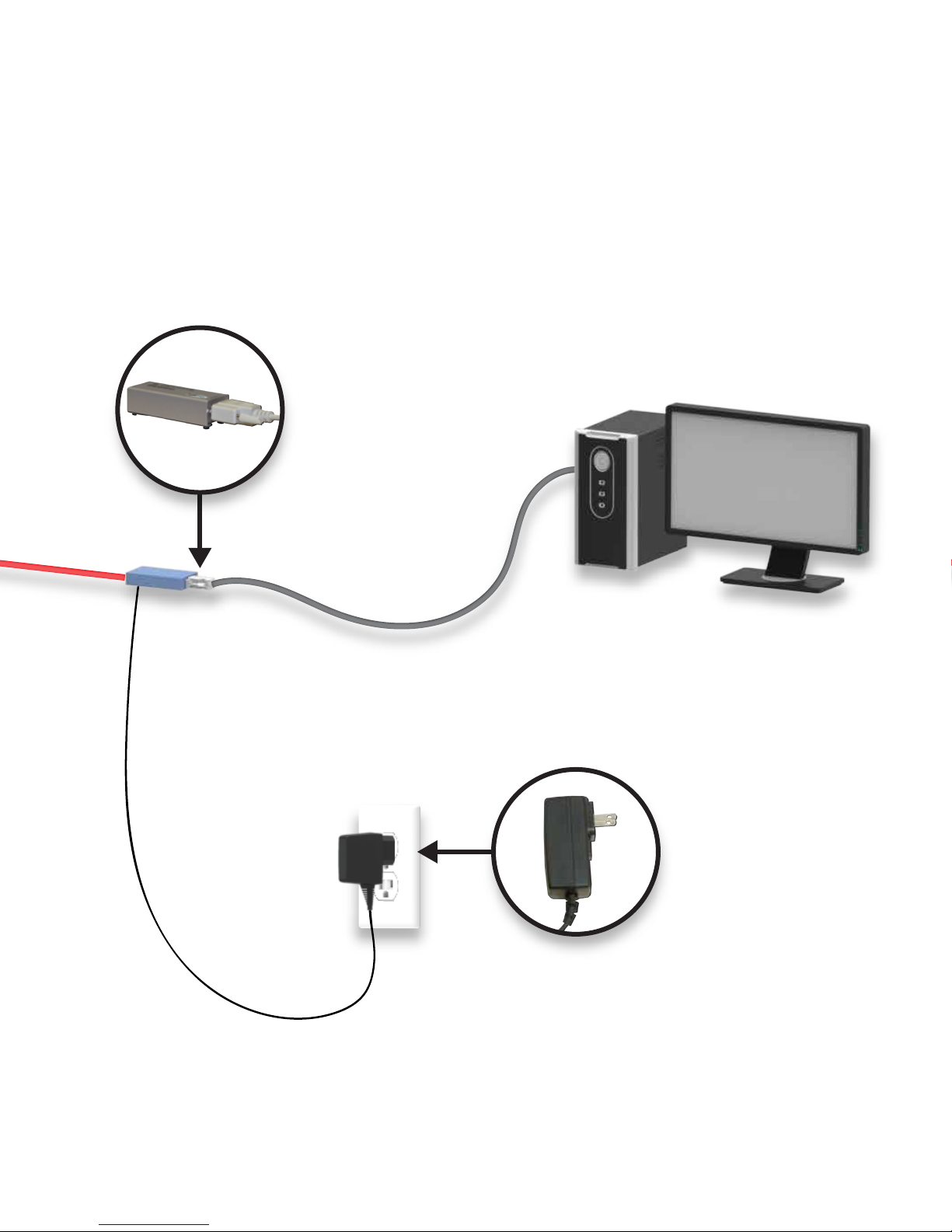
Sender
“S”
Included RS232
Serial Cable
Your Computer
Included Power
Adapter
Page 8
FIND US ONLINE AT
www.tigerstop.com
12909 NE 95th Street
Vancouver, WA 98682-2426
TigerStop B.V. Holland
1.360.254.0661
31 546 575 171
 Loading...