

Page 1
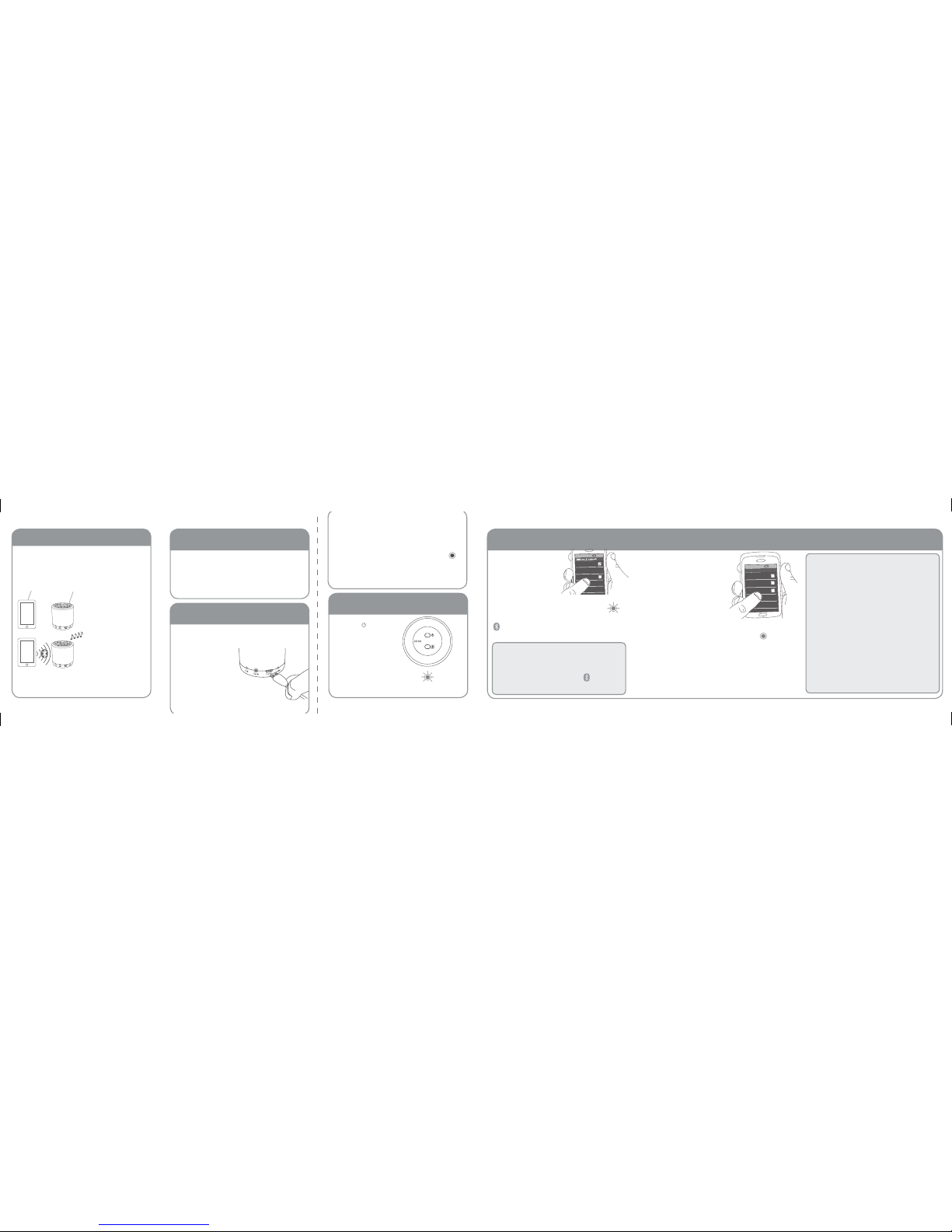
Plug the included
USB charging cable
into the DC IN jack
on the back of
the speaker.
Before you start using your Thump speaker,
you need to charge its built-in battery.
Back of the
speaker
Back of the
speaker
Enable Bluetooth on
your smartphone or
other device.
Make sure the PAIR light on the
back of the speaker is blinking rapidly.
(If it isn’t, press and hold the
button on the bottom of the
speaker until the speaker beeps.)
Make sure the following items came in
this package.
• Thump wireless speaker
• Micro USB charging cable
Step 1: Unpack
Bluetooth Wireless Connection Tips
• Make sure the Bluetooth capability of your
phone is turned on.
• Make sure there’s nothing plugged into the
Thump speaker’s AUX IN jack when you’re
trying to use Bluetooth.
• The speaker’s Bluetooth wireless connection
works up to a range of roughly 33 feet (10
meters). This range may vary, however, based on
other factors, such as room layout, wall material,
obstacles, your device’s Bluetooth performance,
etc. If you’re having problems connecting to
the Thump speaker, move closer to it.
• If your device asks you for a password
to connect, use “0000”.
Step 2: Charge up!
Getting to know Bluetooth
CHARG
E
Step 3: Turn on
Press the button
on the bottom of the
speaker to turn the
speaker on.
Step 4: Pair + Connect
PAIR
The speaker beeps and
the PAIR light on the
front of the speaker
starts blinking.
PAIR
Choose 808 THUMP from the
pairing options on your
smartphone. (If it’s not
in the list, choose “Scan”
from your phone’s
Bluetooth menu.)
The speaker beeps when
it’s finished pairing and
connecting to your smartphone.
The PAIR light on the front of
the speaker turns solid blue.
Note: The process of enabling Bluetooth and connecting varies from
device to device. See your device’s owners manual for more information
and specific instructions.
PAIR
Back of the speaker
Back of the
speaker
Back of the
speaker
If you’ve previously paired your phone or other
Bluetooth device with this speaker, the speaker will
automatically attempt to reconnect to that device
when you switch the speaker on. If you want to pair
to a new device, press and hold the button on
the bottom of the speaker until the speaker beeps.
Bluetooth wireless is a quick and easy way
to connect a smartphone to a speaker or
headset. There are basically two steps to
making it work.
PAIRING:
The two devices get
to know each other.
CONNECTING:
The two devices do
something together
(like play music).
This guide takes you through the steps
to get started.
“Hi. I’m a phone.” “Hi, phone. I’m a speaker.”
Plug the other end of the charging cable
into a USB power source (like a computer
or a USB charger).
The charging indicator on the back
of the speaker illuminates while
the speaker is charging. It turns o
when the speaker is fully charged.
Headset
808 Thump
Computer
8:45PM
Bluetooth devices
Wi-Fi
Bluetooth
Bluetooth Settings
VPN Settings
Wi-Fi Settings
8:45PM
Page 2
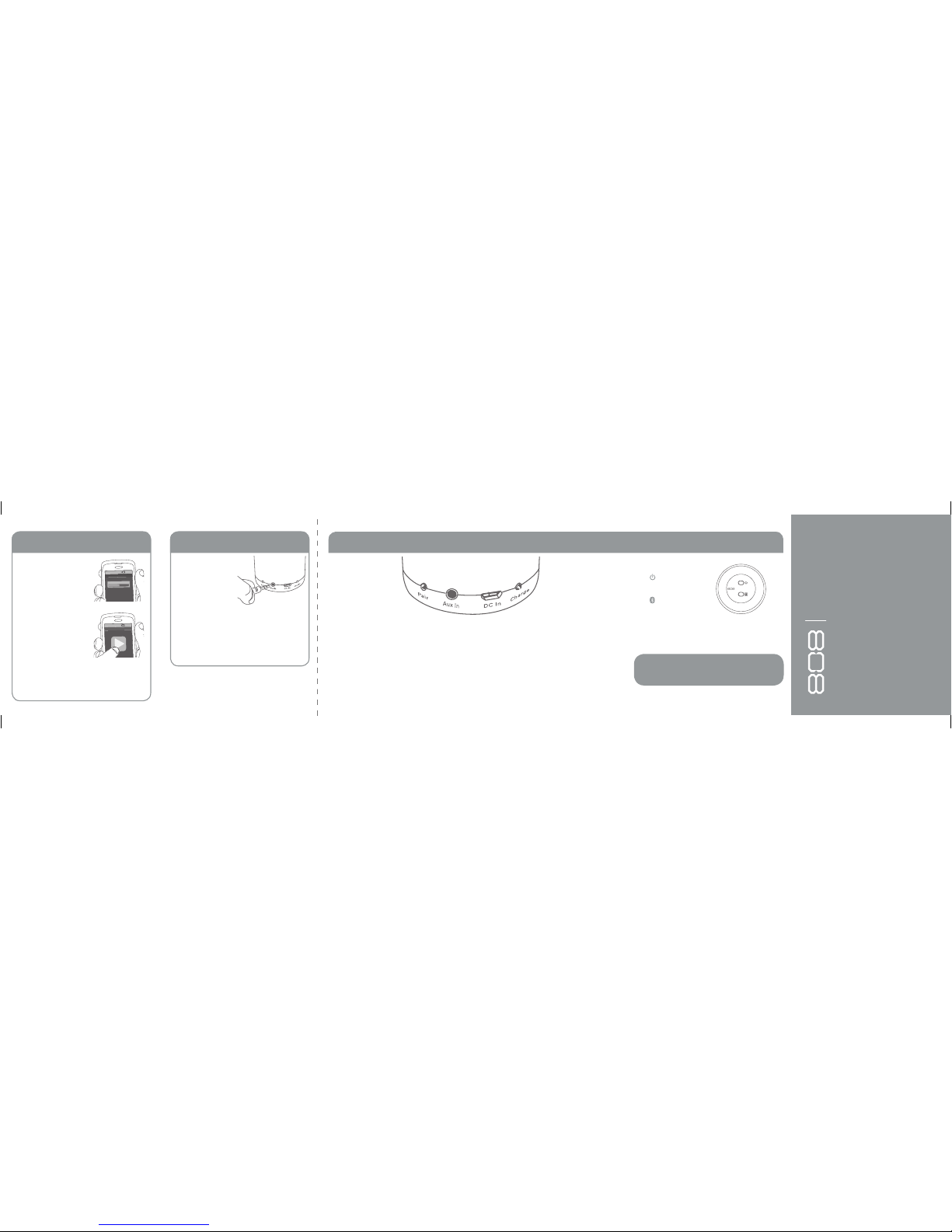
To adjust the volume of your audio: Use
the Volume controls on your phone.
8:45PM
Now playing
Media volume
Set your device’s volume for
music to 75%.
Note: This is to make
sure the sound from the
speaker isn’t too loud
when you start streaming.
Start playing music or
other audio on your device.
Within seconds, the
speaker starts streaming
the audio wirelessly via
Bluetooth.
8:45PM
Now playing
Use a 3.5mm
audio cable (not
included) to connect
the audio output
from your device to
the AUX IN audio
input on the speaker’s back panel.
The speaker automatically switches to the
AUX IN audio.
To listen to Bluetooth audio again, unplug
the cable from the speaker’s AUX IN jack.
Welcome!
Thank you for choosing the 808 Thump Wireless Speaker.
This Quick Start Guide has all the info
you’ll need to get started.
Step 5: Play music Using the Aux In input Tour of the Thump speaker
PAIR indicator light shows
the status of the speaker:
• fast blinking blue while pairing
• slow blinking blue while reconnecting
• very slow blinking blue when disconnected and
in standby mode
• solid blue when paired
• o when the speaker’s o
• solid white when the AUX IN jack is in use
For more information about your new Thump
speaker, visit 808Audio.com or call our tollfree help line at 1-800-732-6866.
SP200 QSG 00
Bottom of the speaker
AUX IN jack lets you connect an audio
device directly to the Thump speaker
using a 3.5mm audio cable.
DC IN jack connects to the provided
micro USB charging cable to recharge
the speaker’s battery.
CHARGE indicator light shows the charging
status of the speaker: illuminated while
charging, o when full (or unplugged).
Back of the speaker
button turns the
speaker on or o.
button puts the
speaker into pairing
mode to connect to a new
Bluetooth device, like a smartphone.
THUMP
™
WIRELESS SPEAKER
 Loading...