

Page 1
Quick Reference
Thorlabs Instrumentation
Optical Power and Energy Meter
PM100USB
2009
Page 2
r
y
Safety
All statements regarding safety of operation and technical data in
Sensor, photodiode and control inputs and outputs must only be
Attention
the instruction manual will only apply when the unit is operated
corectly.
The power meter PM100D must not be operated in explosion
endangered environments!
connected with duly shielded connection cables.
Only with written consent from Thorlabs may changes to single
components be carried out or components not supplied by
Thorlabs be used.
Do not remove covers!
Refer servicing to qualified personal!
1 General Information and Physical Overview
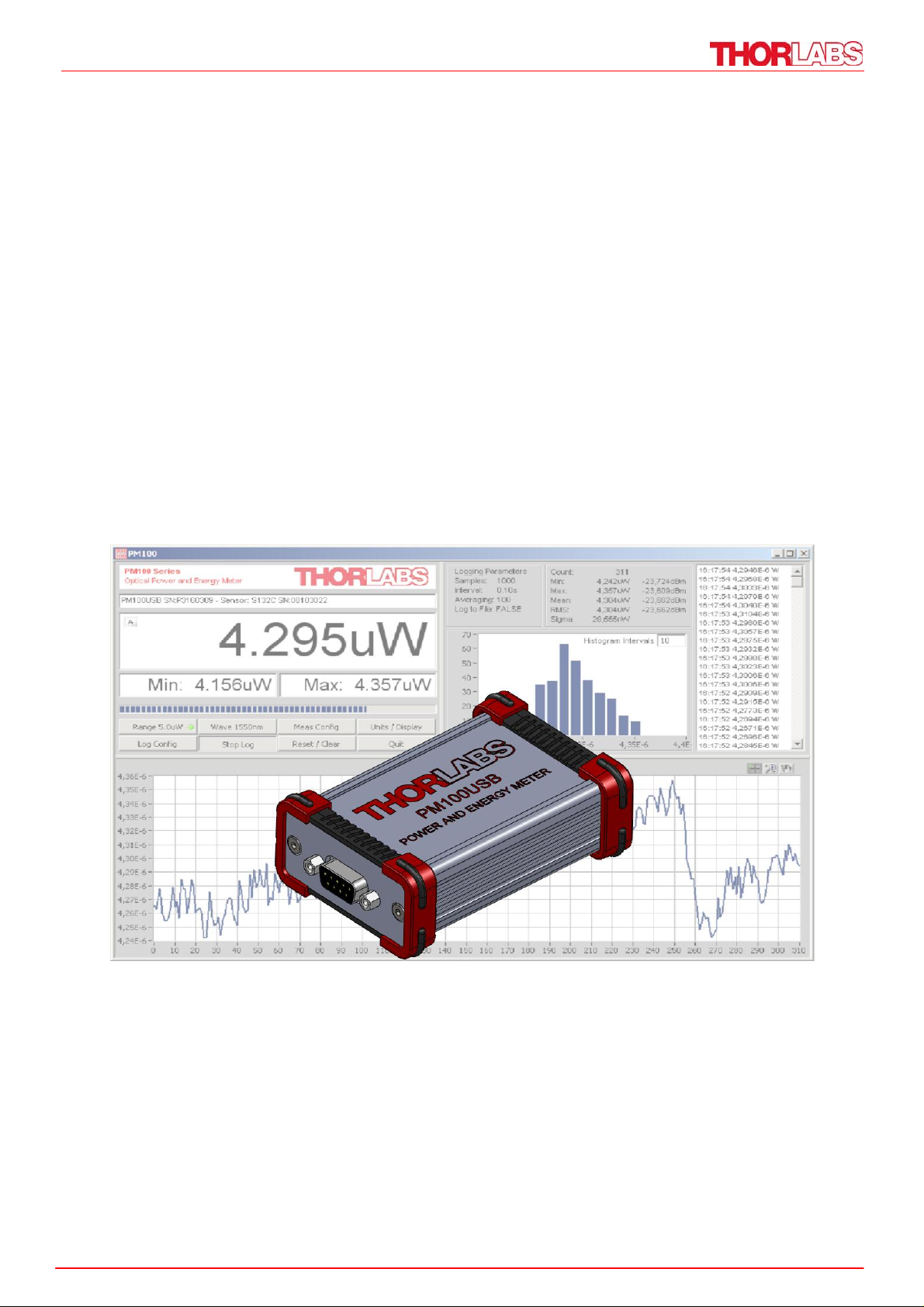
The PM100USB Optical Power and Energy Meter is designed to measure the
optical power of laser light or other monochromatic or near monochromatic light
sources and the energy of pulsed light sources with an external PC that is
connected via USB interface.
The PM100USB is compatible to all Thorlabs “C-Type” Photodiode, Thermal,
Pyroelectric sensors, and custom Photodiode, Thermal and Pyroelectric detectors.
The provided software, including drivers and applications for LabVIEW and C
makes it easy to integrate the instrument in test and measurement systems.
All software and commands are compatible and interchangeable with the PM100D
handheld power and energy meter and with the PM100A handheld optical power
meter.
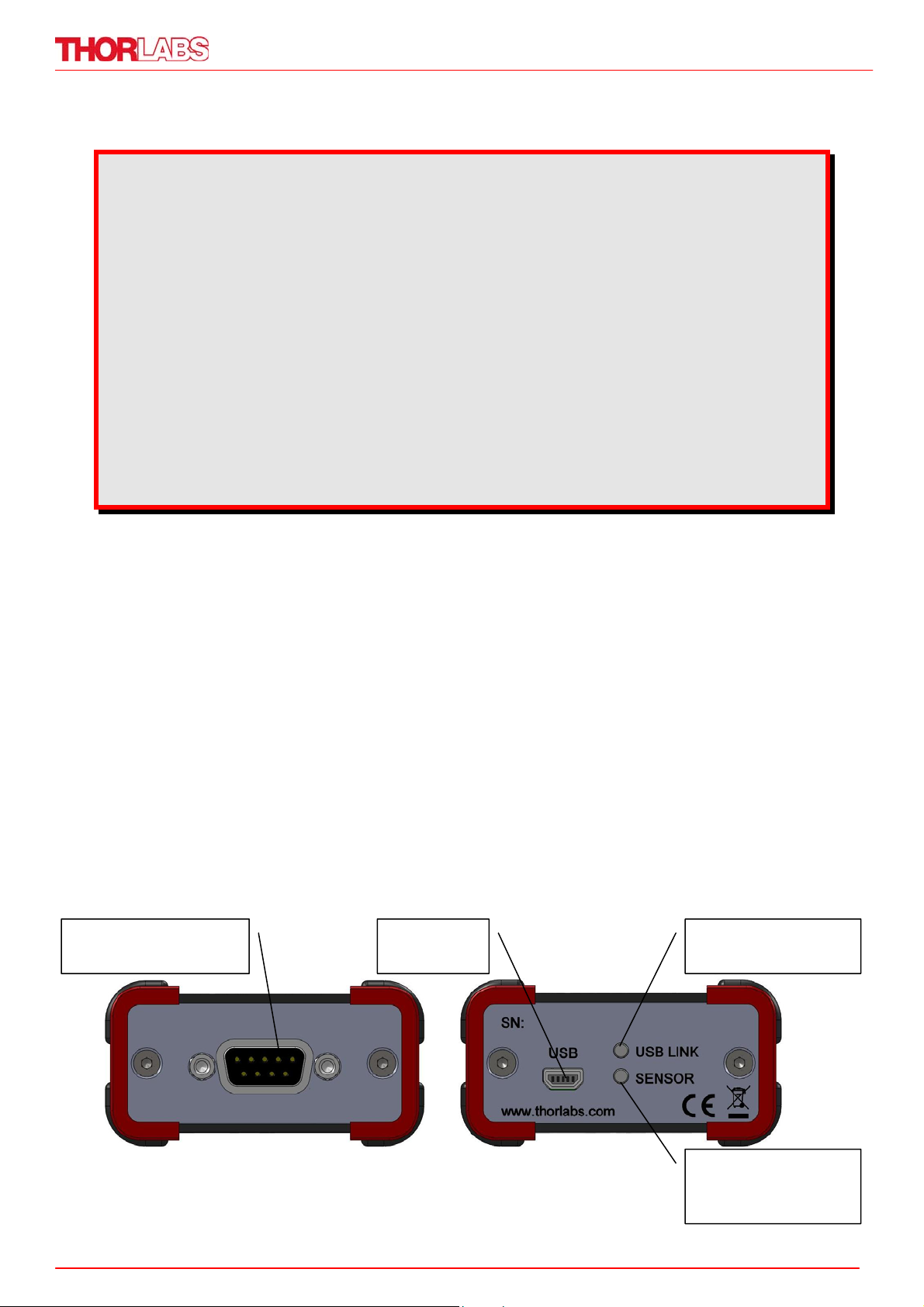
Power / Energy Sensor Connector
USB
Connecto
USB Device is
to operate
read
Front View Rear View
Sensor detected
and ready for
operation
Page 3

2 Getting Started
2.1 Unpacking
Inspect the shipping container for damage.
If the shipping container seems to be damaged, keep it until you have inspected
the contents and you have inspected the PM100USB mechanically and electrically.
Verify that you have received the following items.
1. PM100USB power/energy meter
2. USB cable, type ‘A’ to ‘mini-B’
3. Quick-start guide
4. USB memory stick with instrument drivers, user application and operation
manual
5. Certificate of Calibration
2.2 Installation and Preparation
1. For proper installing the PM100USB it requires a NI-VISA runtime version on
the PC (available on the National Instruments website www.ni.com
or from the
data carrier that comes with the instrument. Allow installing and follow the
dialog instructions.
2. Install the PM100 Utility software from the data carrier. You can chose a
convenient auto-run function of the data carrier by browsing to the folder
‘Autorun’ and executing ‘autorun.exe’.
3. Interlink the USB cable with its male type ‘A’ connector at the PC side and the
‘Mini B’ type connector on the instrument side. The PM100USB gets its operation power from the PC via the USB cable. When connecting the PM100USB
first time to a PC, sequent a new hardware ‘PM100USB test and measurement
device’ and a ‘DFU device’ will be recognized; please allow installing. After
successful installation the ‘USB LINK’ LED in the rear panel lights up and the
unit is ready to operate.
4. Connect a suitable power or energy sensor. The sensors are ‘hot swappable’
and have a self-fixing mechanism. To plug or unplug a sensor slightly press
from both sides on the pins in the connector housing. After recognizing a valid
sensor and downloading its information and calibration data the ‘SENSOR’ LED
in the rear panel lights up.
5. Run the PM100 Utility software and confirm the connected PM100USB.
For more information, please refer to the detailed user manual that is provided on
the data carrier that shipped with the PM100USB.
Page 4

3 Addresses
Our Company is represented by several distributors and sales offices throughout
the world.
Europe
Thorlabs GmbH
Hans-Boeckler-Str. 6
D-85221 Dachau
Germany
Sales and Support
Phone: +49 (0) 8131 / 5956-0
Fax: +49 (0) 8131 / 5956-99
Email: [email protected]
Web: www.thorlabs.com
Japan
Thorlabs, Inc.
Higashi Ikebukuro Q Building 1st floor
2-23-2, Higashi Ikebukuro, Toshimaku
USA
Thorlabs, Inc.
435 Route 206 North
Newton, NJ 07860
USA
Sales and Support
Phone: 1-973-579-7227
Fax: 1-973-300-3600
Email: [email protected]
Email: [email protected]
Web: www.thorlabs.com
Tokyo 170-0013
Japan
Sales and Support
Phone: +81-3-5979-8889
Fax: +81-3-5979-7285
Email:
Web: www.thorlabs.jp
Please call our hotlines, send an Email to ask for your nearest distributor or just
visit our homepage
http://www.thorlabs.com
Copyright© 2009, Thorlabs, Germany
19570-D02 Rev B M0009-510-614
 Loading...