

Page 1

v1.0
I
User manual
Page 2
v1.0
1
1、 Product Overview
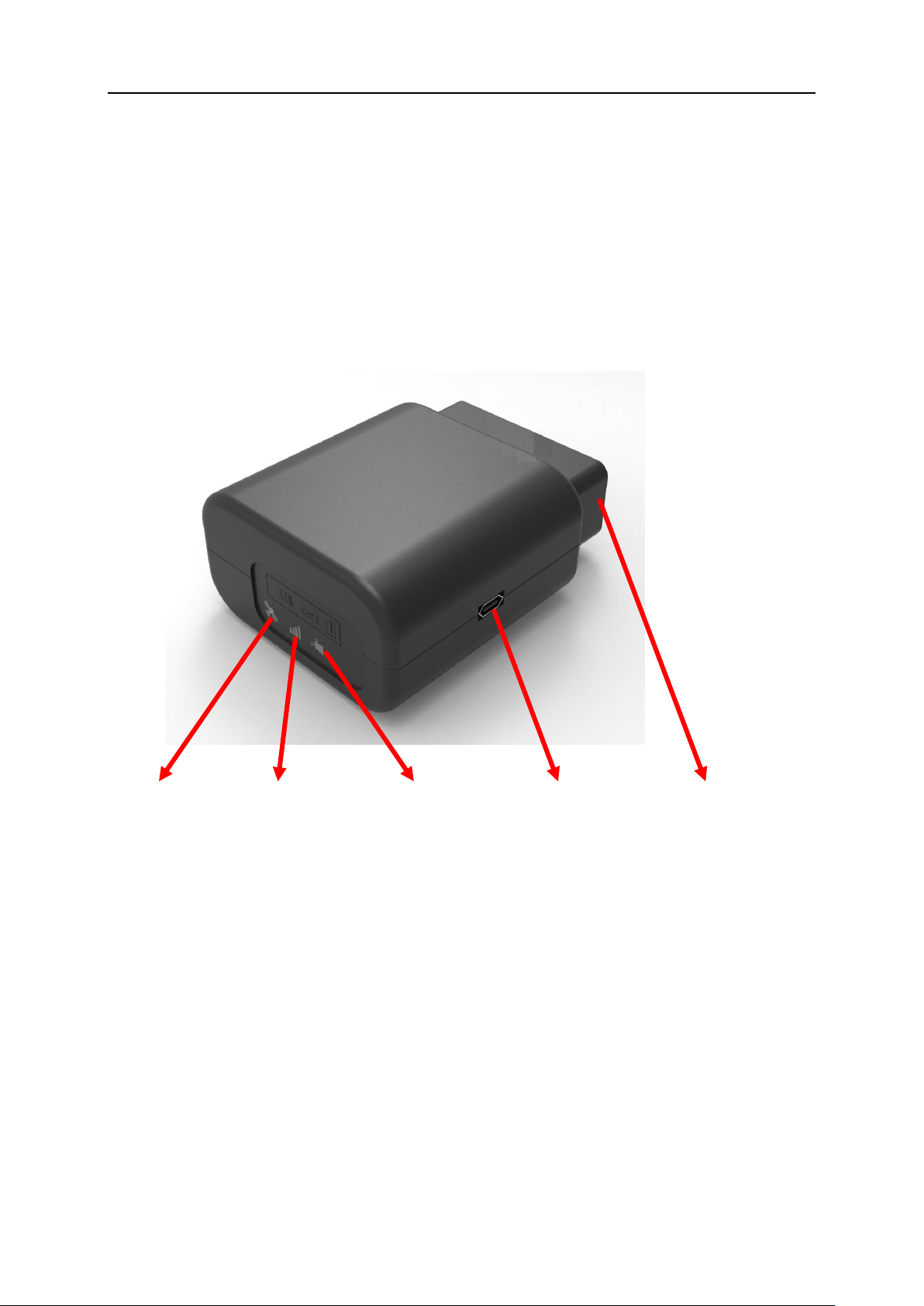
VT460 are industrial class devices for telematics,It Reads vehicle live
data from ECU、GPS data and G-sensor data, Then sends these data
to server by 4G .
GPS LED GSM LED OBD LED USB interface OBD connector
Page 3
v1.0
2
2、 Installation Instruction
SIM card installation
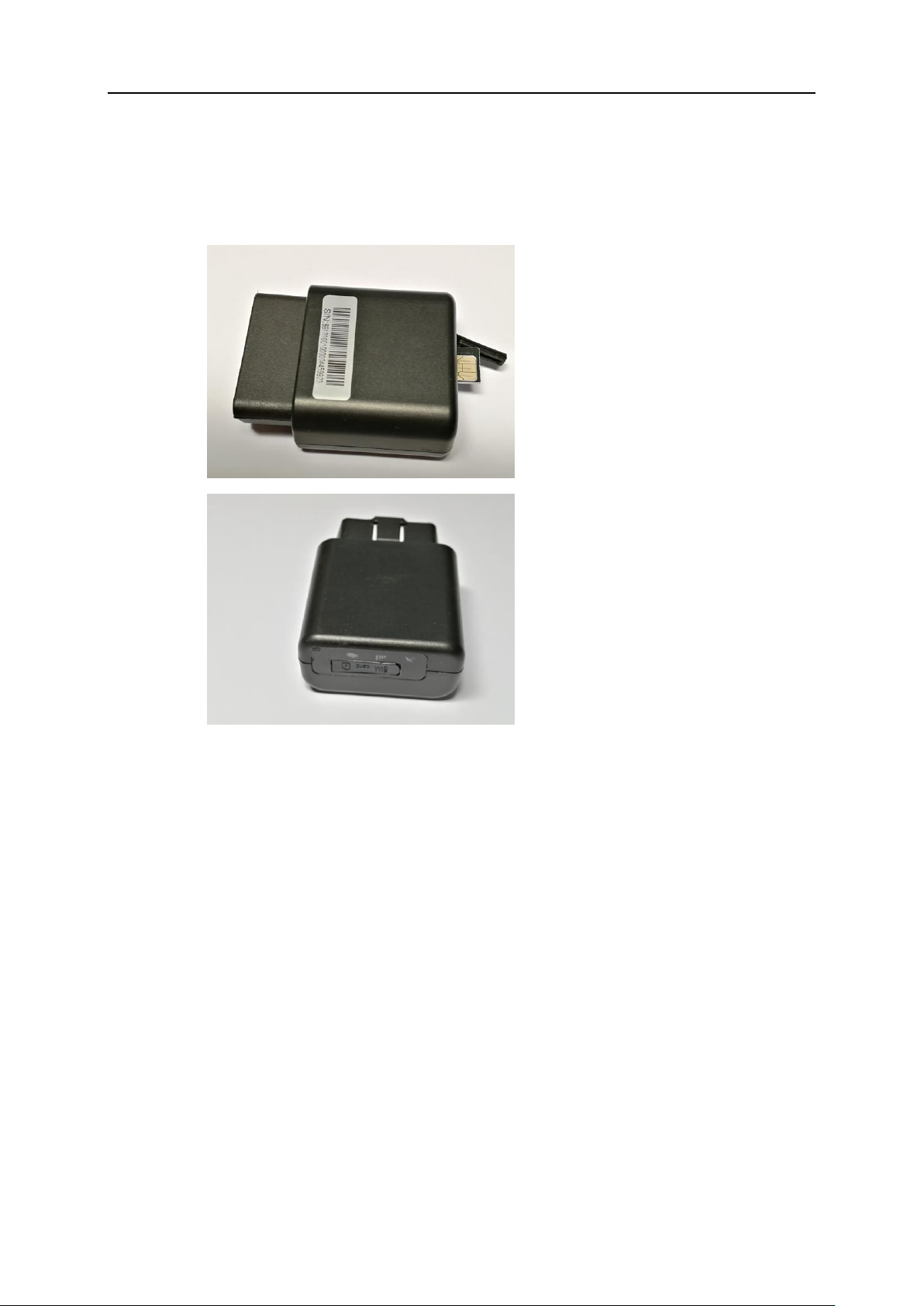
First, remove the SIM card cover.
Then insert the Micro SIM card and press gently,a click will be heard
upon successfully placing the SIM card in its place, please follow the
insert direction marked on the SIM card cover.
At the end, put SIM card cover back.
Device installation
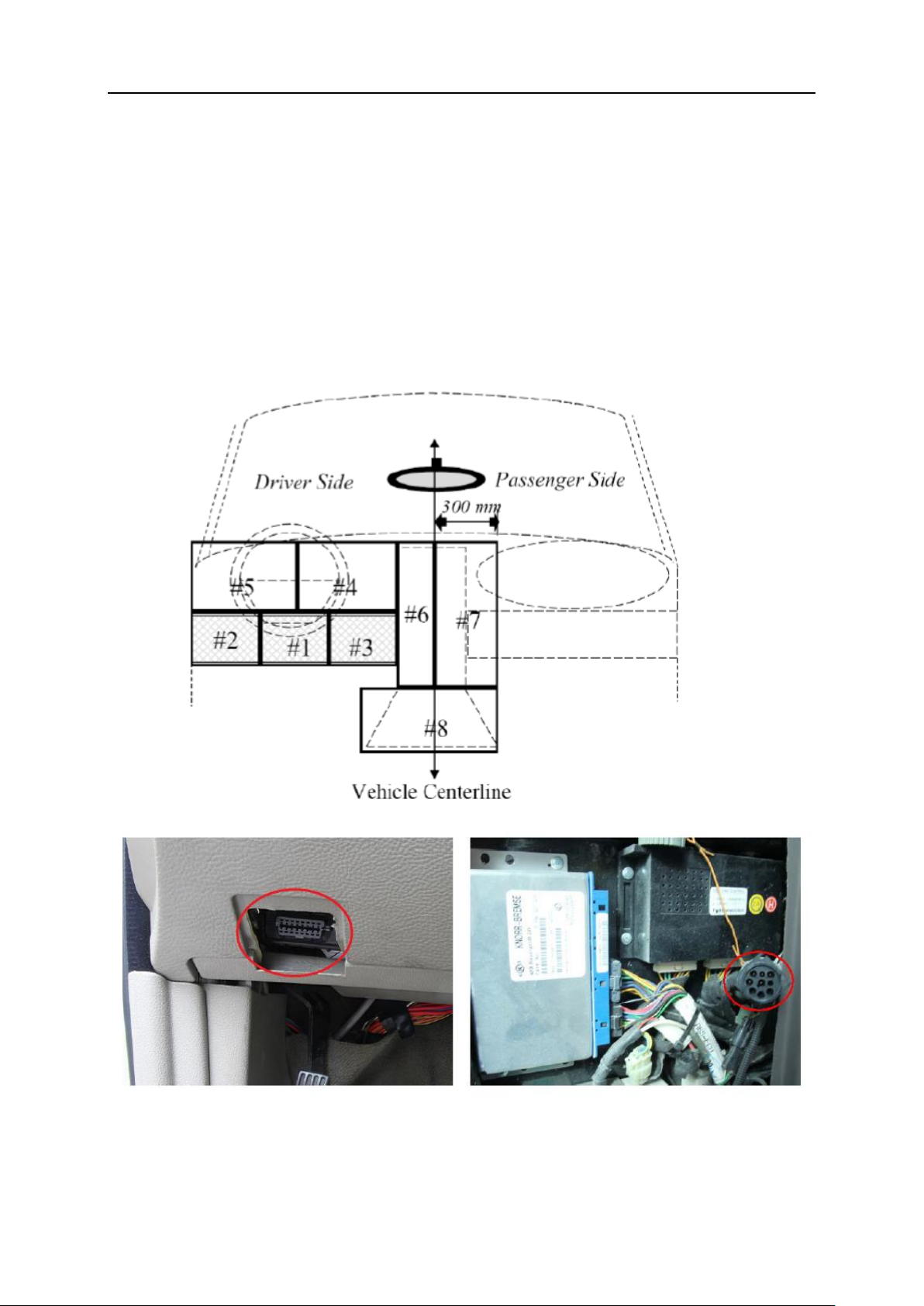
First, find the OBD port at vehicle:
Page 4
v1.0
3
In general,the OBD port is located in the driver or passenger cabin,
from the edge of dashboard on driver side to the border of
300mm,It is easy to touch by sitting in the driver’s seat; the
preferred location is within the area from steering post to the
vehicle centerline
Then device installation:
Page 5

v1.0
4
Before installing the device,please make sure device has been
configured with necessary parameters including network
parameters.
Park the car and make sure engine is off, align the OBD connector of
the device with the engine diagnostic port and simply push in place,
ensuring the device is secure.
If the OBD port cover can not be closed back after device plugged in,
please use OBD extension cable and mount the device in proper
place. Some heavy duties may need 9-pin or 6-pin deutsch wiring
harness.
For vehicle do not heave an OBD port, please use power cable to
connect vehicle battery.
Start engine the device starts OBD communication, various can be
indicated by lights, or APP log information.
 Loading...