

Page 1
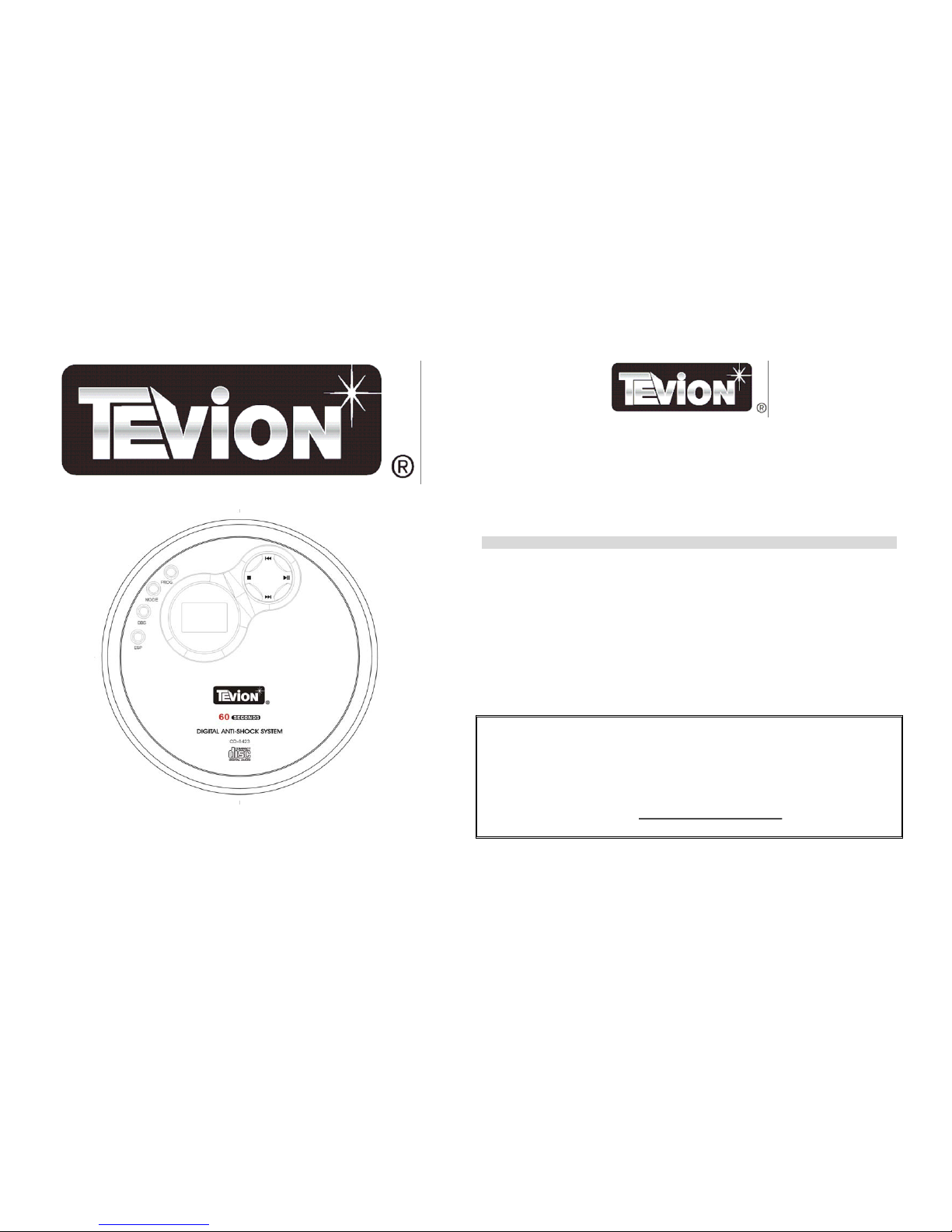
USERS MANUAL Portable CD Player with Car Kit
Model: CD-8423 07/05
Portable CD Player
Thank you for choosing to purchase one of our TEVION products, we appreciate your business and believe that
we have provided you with a product that is both reliable and value for money. We encourage you and your
friends to choose from our range of TEVION products again in future.
PACKAGE CONTENTS
1 Tevion Portable CD Player
1 Power Adaptor
1 Car Cassette Adaptor
1 Car Cigarette Lighter Adaptor
1 In-Line Remote Control
1 Set of Earphones
2 Alkaline (non-rechargeable) Batteries
1 Instruction manual
Confirm all parts before disposing of gift box.
For any customer query or in the unlikely event of a product failure, please phone or
email the helpline contact details below for assistance.
DO NOT RETURN THE PRODUCT TO THE RETAILER.
Toll Free Help line: 1300 366 144
Email: [email protected]
1
Page 2
BEFORE INITIAL USE
Remove all packaging. Carefully wipe the outer case with a soft cloth. Do not immerse the equipment in water or
any other liquid. Check for any damage that may have occurred during transit. Do not use if the equipment is
damaged in any way or if the supply cord is damaged. Immediately return to supplier for replacement or repair.
Note! Remove the cardboard protection pad located inside the disc area of the CD and retain for future use.
SAFETY INSTRUCTIONS
Carefully read this manual before using this equipment.
Make sure that you know how the equipment functions and
how to operate it. Maintain the equipment in accordance
with the instructions to ensure that it functions properly.
Keep this manual with the equipment. If the equipment is to
be used by a third party, this instruction manual must be
supplied with it. The safety instructions, by themselves, do
not eliminate danger completely, and proper accident
prevention measures must always be used.
Battery Installation
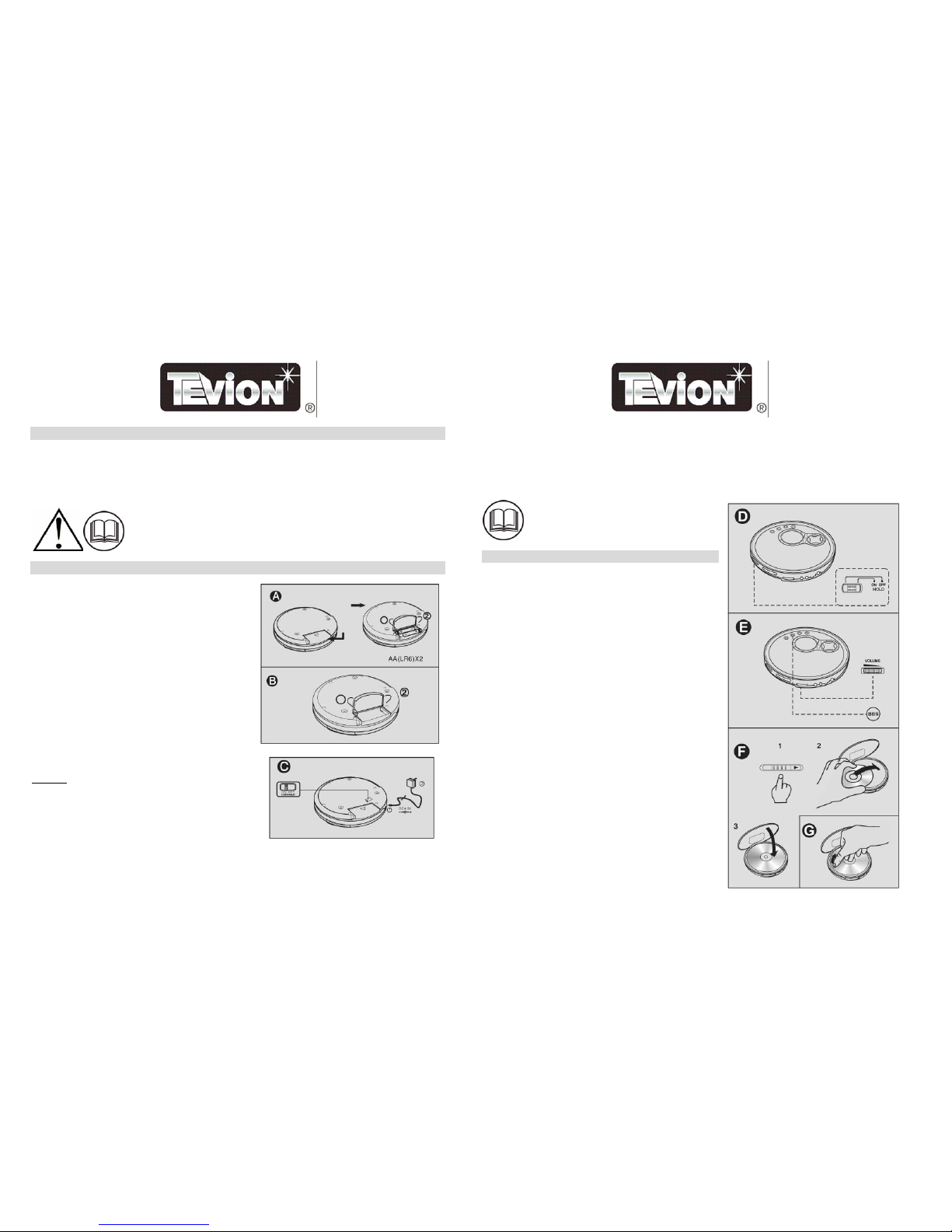
Open the rear battery cover (Fig A) by sliding in the
direction of the indicating arrow. Fit two UM-3 (AA Size
1.5V batteries - supplied) as indicated inside the rear batter
compartment.
y
Warning! If using non-rechargeable batteries, ensure that
the charge switch (Fig C) located on the rear of the
product is switched to “OFF”. Failure to carry out this
instruction will result in damage to the equipment and
batteries. Never attempt to charge non-rechargeable type
batteries
2
Battery Tips
Always use batteries of the same type and brand. Always change both batteries at the same time.
Warning! Do not leave batteries inside this equipment when not in use. Batteries may leak and damage this
product.
OPERATION
Before use, ensure that the HOLD button (Fig D) is OFF.
When not in use set the HOLD button to ON. This will
protect the player from accidental operation.
Assembly
Plug the remote control (optional use) connection plug into the
PHONES socket. Plug the earphones connection plug into
remote control output socket. The player is now ready for use.
Note. Earphones may be used when connected directly to the
player.
Use
Insert a disc into the player. To release lid press the OPEN
(Fig F) button, lay disc label side up.
Set Volume (Fig E) to a low level. Warning! Use at high
volume levels over an extended period may damage hearing.
Press PLAY/PAUSE button once. Disc will automatically play
from track one.
To pause play, simply press PLAY/PAUSE once more.
To adjust volume level simply adjust VOLUME button.
To stop play, simply press STOP button once.
To scroll to the next track simply press NEXT or BACK button.
Note. These functions can be performed either on the remote
control or the main unit controls.
3
Page 3
Bass Boost
For extra bass simply press the BBS button (Fig E) once. ‘Boost 1’ will appear on the display. To add more bass,
press the BBS button a second time. Press the BBS button once again to deactivate this function.
Mode Function
In MODE function there are various play options.
Repeat One: Press MODE button once, then press PLAY/PAUSE. The CD Player will play the desired track
and then repeat-play the same track until this operation is cancelled.
Repeat All: Press MODE button twice then PLAY/PAUSE to repeat all tracks.
Intro: Press MODE button three times then PLAY/PAUSE button to play the first 10 seconds of each track.
Shuffle: Press MODE button four times then press PLAY/PAUSE button to play all tracks randomly.
Program Function
Up to twenty tracks may be programmed to play in a set order:
Press PLAY/PAUSE button once, then press STOP button.
Press PROG button once to enter program mode.
Use the forward and back keys to select desired track. Press PROG button to confirm. Repeat these steps until all
desired tracks are programmed. Press PLAY/PAUSE button to commence play.
Electronic Shock Protection (ESP)
The ESP function prevents the sound from skipping by using a buffer memory that stores music data. To apply
the ESP function, press the ESP button once. Press this button again to deactivate this function.
External Power Supply
To connect to a suitable external power source simply plug adaptor into a suitable mains power supply socket
and connect the input plug into the DC input socket located on the side of player.
Remove any non-rechargeable batteries if using external power source. Do not leave batteries in this
equipment if not in use for any length of time.
4
Recharge Function
Set the CHARGE switch to the ON position. Connect the unit to
external power supply with the adaptor as described above. After
charging is completed always switch the CHARGE switch to the
OFF position.
Warning! Do not attempt to charge non-rechargeable batteries.
This will cause damage to the batteries and this equipment.
Discard of used batteries carefully. Follow manufacturers
instructions when disposing of any battery.
External Equipment.
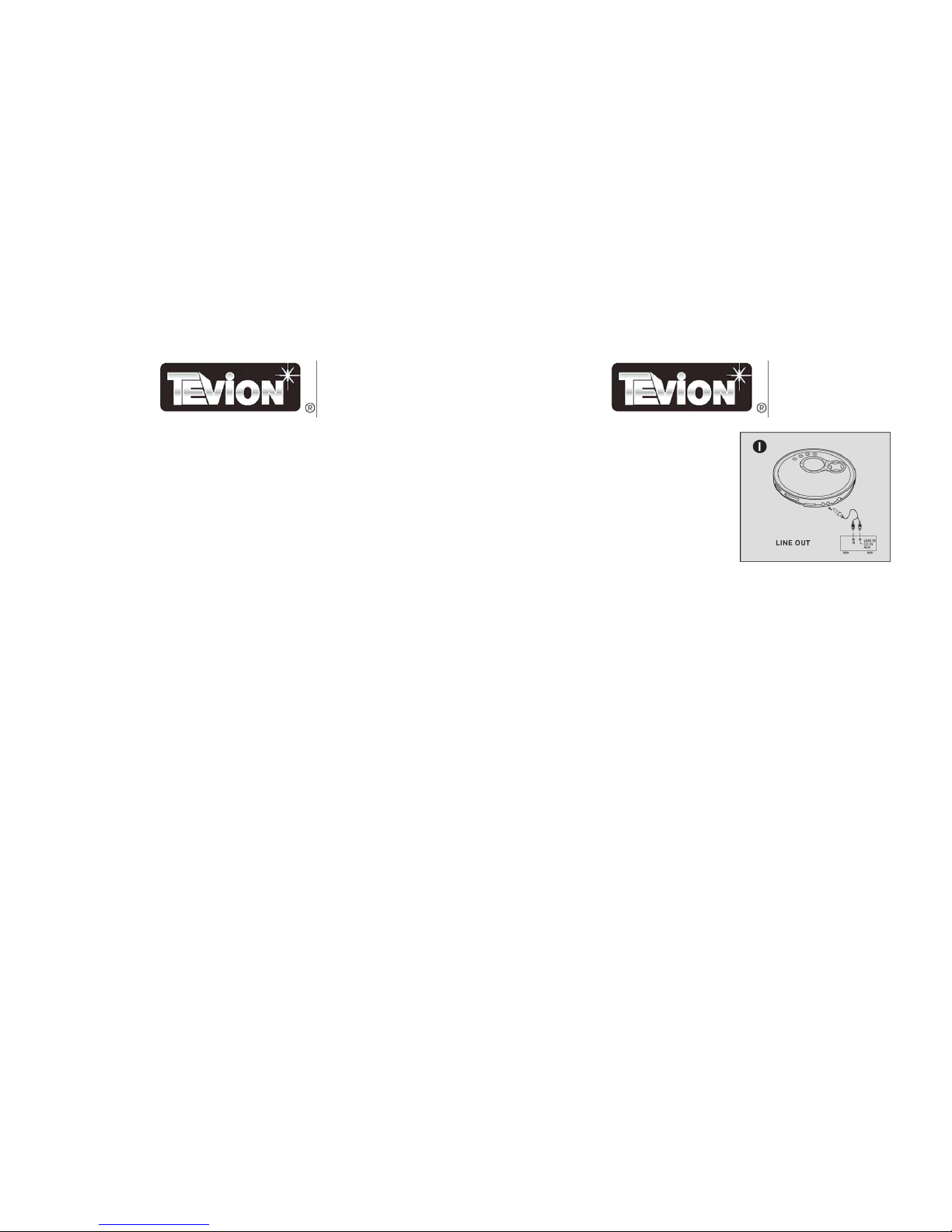
This player may be connected to external audio equipment (Fig I). To connect, simply plug a suitable connection
lead into the LINE OUT socket of this player and connect to the auxiliary INPUT sockets of the auxiliary
equipment.
Car Kit
To use with a cassette player in a car, simply plug the Car Cassette Adaptor plug into the Portable CD Player
PHONES socket. Insert the cassette into the car audio tape player. Select TAPE function on car audio system,
and use the Portable CD Player as normal.
The Car Cigarette Lighter adaptor can be used to power the unit. Remove batteries then plug the input plug into
the DC input socket on the side of the unit, and plug the lighter adaptor into the cigarette lighter.
5
Page 4

SAFETY
Read, Keep and Follow these instructions, heeding all Warnings.
When using electrical products always observe safety regulations where applicable to reduce the risk of fire,
electric shock and personal injury.
Always check that the power supply corresponds to the voltage on the rating plate. When using any electrical
apparatus always observe safety regulations and use basic safety precautions to reduce the risk of fire, electric
shock and personal injury, including the following
.
Keep out of reach of young children. This apparatus is not suitable for use by young children or infirm persons
without supervision. Young children must be supervised to ensure that they do not play with the apparatus.
WARNING! Class 1 Laser product. Do not attempt to disassemble this equipment. Laser rays from the optical
pickup may damage the eyes.
WARNING! Do not insert any objects into any openings of an electrical apparatus.
WARNING! Do not touch any moving parts of any electrical apparatus.
WARNING! Do not use this apparatus near water. To avoid the risk of fire or electric shock, do not expose this
apparatus to rain or moisture. The apparatus shall not be exposed to dripping or splashes.
WARNING! No objects filled with liquid, such as vases, shall be placed on any electrical apparatus. Do not
immerse in any liquid whilst in use or in cleaning. Clean only with a damp cloth, dry with a dry towel. Do not
use harsh abrasives as these may damage plastic parts.
DO NOT block any ventilation openings. Keep away from curtains, newspapers and restricted areas. Install in
accordance with any specific manufacturer’s instructions. Always allow a sufficient gap around the apparatus to
avoid overheating.
DO NOT install near any heat sources such as radiators, gas heaters, stoves or other apparatus (including
amplifiers) that produce heat. Do not leave in direct sunlight.
6
SAFETY (Continued)
WARNING! Do not place any naked flame source, such as lighted candles on any electrical apparatus.
WARNING! Connect any adaptor to a suitable 230-240 ~ 50 Hz power supply only. If a class 1 product it must
be connected to a suitably earthed mains socket.
CARE AND CLEANING
Before cleaning.
When not in use or before cleaning, always disconnect the equipment from the mains supply.
Cleaning guide.
Regularly clean the outside of the equipment with a soft damp cloth and dry it with a dry towel. Do not immerse
in water. Do not use harsh solvents to clean the plastic components.
If the lens becomes dirty, the player may skip or fail to play. To remove dust or dirt from the lens, use a camera
lens blower or similar to blow particles away.
To clean discs, wipe from the centre out with a disc cleaning cloth. Always store discs in a suitable case.
Storage
When not in use store the equipment, accessories and these instructions in a dry place.
SPECIFICATIONS
Adaptor Supply Voltage: 230-240V ~ AC 50 Hz
Adaptor output: 4.5 V 500 mA
DC Supply: 2 x UM-3 (AA size) 1.5 volt batteries.
60 Seconds Electronic Shock Protection.
CD/CD-R/CD-RW Playback
Re-chargeable battery function
Earphone Jack
Hold Function
Bass Boost
Pro
g
ram play function
7
Page 5
8
Warranty Card
This product is guaranteed against faulty materials and workmanship for a period of twelve months from the date
of purchase. This warranty becomes void if the product has been tampered with, damaged by accident, damaged
in any other way by improper use or has been purchased second hand. All production orders have quality
inspections.
For any customer query or in the unlikely event of a product failure, please phone or
email the helpline contact details below for assistance.
DO NOT RETURN THE PRODUCT TO THE RETAILER.
WARRANTY FOR APPLIANCES USED COMMERCIALLY LIMITED TO 90 DAYS
Product: ______________________________________________________
Model No.: _____________________________________ Purchase Date:_________
Product Purchased From: ________________________________________________
_________________________________________________________________________
Your Name: _____________________________________________________________
Address: ________________________________________________________________
______________________________________________ Phone Number: __________
IMPORTANT!
Please retain this warranty card along with your purchase receipt. Please do not post to the
retailer
Toll Free Help line: 1300 366 144
Email: [email protected]
CAUTION: To reduce the risk of electric shock, do not remove cover (or back). No user-
serviceable parts inside. Refer servicing to qualified personnel.
LASER SAFETY: This unit employs a laser. Only qualified service personnel should
attempt to service this device due to possible eye injury.
CAUTION: Use of controls, adjustments or performance procedure herein may result in
hazardous radiation exposure.
Page 6

 Loading...