

Page 1
TECEVO.CO.UK
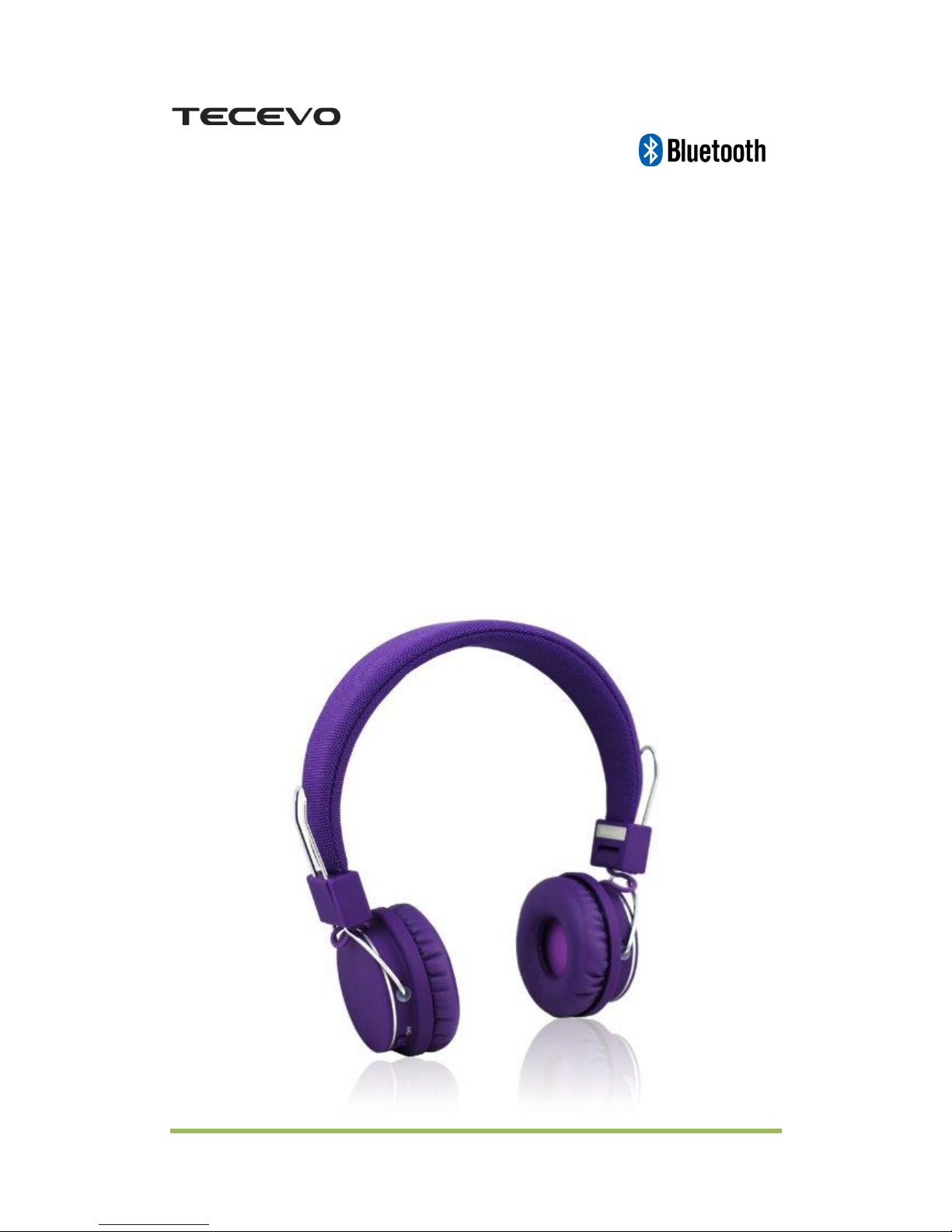
F6 POP
WIRELESS
BLUETOOTH STEREO
HEADSET
USER’S GUIDE
Page 2

TECEVO.CO.UK
Thank you for purchasing Tecevo F6 Bluetooth headset. Before
getting start, please ready the user manual carefully so as to
ensure proper operation and optimized performance of this
product. Tecevo F6 was designed to provide high quality
wireless sound for your ipad, iphone, ipod, computer, mobile
phone, tablet and other Bluetooth enabled audio device.
This user guide explains basic operations and care of the unit.
Please read and keep for future reference.
INTRODUCTION
The Tecevo F6 can be easily paired with your phone or tablet with
Bluetooth technology, transmitting a digital audio signal wirelessly via
Bluetooth.
The integrated microphone and control buttons make it possible to
answer phone calls hands-free.
The Tecevo F6 is Bluetooth 2.1+EDR compliant and it is compatible with
all Bluetooth compliant devices using HFP and A2DP profiles, such as
mobile phones, music players or computers.
This headset also features USB audio-in function, so it can still be used
with non-Bluetooth devices.
Rich bass, clear sound, foldable design, comfort fabric headband, PU
leather ear cushions make F6 best music mate for your all day activities.
Page 3

TECEVO.CO.UK
PRODUCT SPECIFICATION
Product Name:Tecevo F6 POP Wireless Bluetooth Headset
Model Number:F6
Weight:154g
Material:silicone plastic
Bluetooth Version:Bluetooth 2.1+ EDR
Speaker feature: noise cancelling, DSP (Digital signal processors)
Headset Driver Diameter: 40mm
Fitting Style: headband, extendable
Working Distance: 10M
Compatibility:All Bluetooth audio devices
Battery: 400mAh rechargeable Li-polymer
Talk Time: up to 35 hours
Music Time: up to 18 hours
Ports: Micro USB
Standby Time:up to 15 days
Charging Voltage:DC 5V ± 0.25V
Page 4
TECEVO.CO.UK
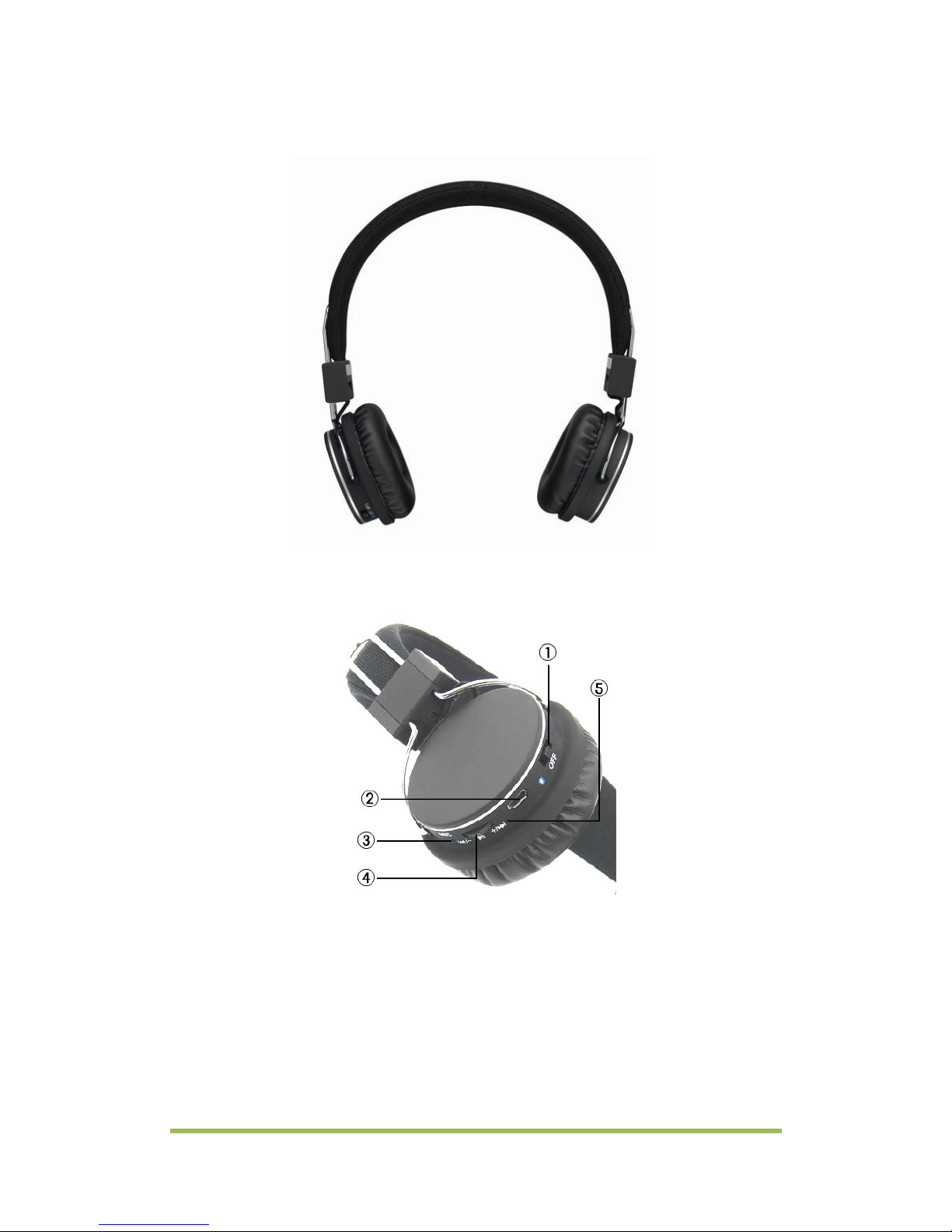
PRODUCT OUTLOOK
Ports and buttons:
1. Power switch
2. Micro USB port (charging and AUX)
3. Microphone
4. Multi-function Wheel (MFB)*
5. LED indicator
*MFB: Pause/resume music; answer/stop phone call, turn volume up/down,
skip/previous track
Page 5

TECEVO.CO.UK
LED STATUS
1. Single blinking blue: Bluetooth connected
2. Blinking red/blue: Bluetooth pairing mode
3. Solid red: charging
4. Double flashing red: low battery
BASIC BUTTON OPERATION
1. Switch device on: switch Power Switch ① to position
2. Single push MFB ④ straight in:
a. Turn device into Bluetooth pairing mode
b. Pause/resume music
c. Answer/end call
3. Long press MFB④ for at least 2 seconds: Reject a call
4. Double push MFB④ straight in: redial last number
5. Single push MFB ④ to +/-: skip/previous track
6. Push MFB ④ to +/- and hold: turn volume up/down
CHARGE THE DEVICE
The Tecevo F6 headset can be charged from any working USB port. The
headset must be fully charged for about 3 hours before first time use.
Connect the USB cable provided to a working USB port and the other
end to the charging port② on the back of F6 headset.
The LED indicator is solid red when charging. The red LED goes off upon
the device being fully charged.
PAIRING GUIDE – BLUETOOTH
1. Switch the F6 headset on, make sure there is no previously paired
device in range.
Page 6
TECEVO.CO.UK
Note: If previously paired device found in range, F6 headset will try to connect to
it and won’t enter pairing mode, so please make sure other device’s Bluetooth
has been turned off first.
2. Single push the MFB④ straight in, the LED indicator⑤ is flashing
red/blue and the headset is now under Bluetooth pairing mode.
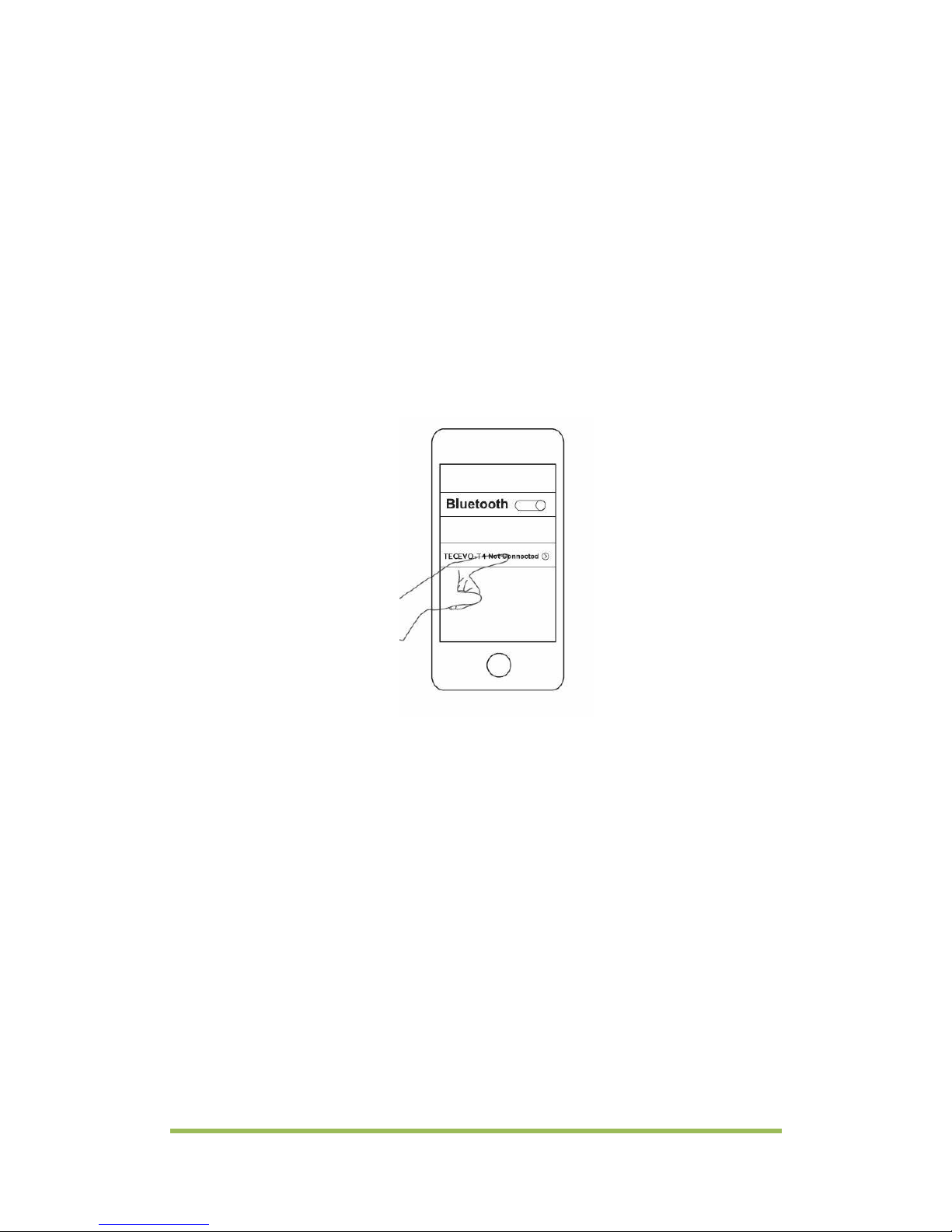
3. Turn on your phone’s Bluetooth and search for new device. Upon
a new device being found (Digital Gadgets), press the device's
name to pair. If it’s asking for a code, please enter: 0000. *
*Operations may vary depending on your device type, please refer to the
Bluetooth pairing procedures in your device’s user manual
4. The LED indicator will blink blue upon a Bluetooth link being
established and the headset is now ready to use.
5. To pair with another device, turn off the F6 headset and your first
device’s Bluetooth and repeat the procedure above.
CONNECTION AND USE
- The Tecevo F6 will automatically connect to the last connected device
at power on.
- In case the connection has been lost, please follow above instructions
to pair again.
Page 7

TECEVO.CO.UK
- The multi function controller (MFB) can be used to answer and end
calls.
Note: when using both Hands-Free and Music profiles, hands-free will always have
priority, the music being muted in case of incoming or outgoing calls and resumed
afterwards.
WIRED CONNECTION
The Tecevo F6 can also be used as wired headset.
The micro USB port ② allows you to play music from device without
Bluetooth technology. Simple connect your device with F6 with the
provided micro USB to 3.5mm jack patch cable and switch power switch
① to OFF position.
TROUBLESHOOTING
You can quickly solve most problems with your Tecevo F6 headset by
following the advice in this section.
My music is not coming out of the stereo headset.
Solutions:
• Make sure the headset has been fully charged and switch to
correct mode.
• Make sure an audio cable is correctly and firmly connected to the
Bluetooth headset.
• Make sure cable has been correctly and firmly connected to the
headset and your phone.
• Make sure the stereo volume is set to a comfortable listening level.
• Make sure you are within range of the headset.
My headset cannot be ‘found’ by my phone
Solutions:
• Make sure the headset has been switched to (Bluetooth) mode
Page 8

TECEVO.CO.UK
• If you are trying to pair the device for first time use, please make
sure the headset is under ‘Pairing’ mode.
• Make sure the Bluetooth headset is not connected or trying to
connect with another device, if so please switch off Bluetooth
function on your other device.
• Charge the battery.
• Make sure you are within range of the headset.
PACKAGE CONTENTS
• Tecevo F6 POP Wireless Bluetooth Headset
• Micro USB to 3.5MM jack audio patch cable
• Micro USB charging cable
• User manual
TAKE CARE OF YOUR DEVICE
Handle your device, battery, charger and accessories with care. The
following suggestions help you protect your warranty coverage.
• Keep the device dry. Precipitation, humidity, and all types of liquids or
moisture can contain minerals that corrode electronic circuits. If your
device gets wet, remove the battery, and allow the device to dry.
• Do not use or store the device in dusty or dirty areas. Moving parts and
electronic components can be damaged.
• Do not store the device in high temperatures. High temperatures can
shorten the life of the device, damage the battery, and warp or melt
plastics.
• Do not store the device in cold temperatures. When the device warms
to its normal temperature, moisture can form insidethe device and
damage electronic circuits.
• Do not attempt to open the device.
Page 9
TECEVO.CO.UK
• Unauthorised modifications may damage the device and violate
regulations governing radio devices.
• Do not drop, knock, or shake the device. Rough handling can break
internal circuit boards and mechanics.
• Only use a soft, clean, dry cloth to clean the surface of the device.
• Do not paint the device. Paint can clog the moving parts and prevent
proper operation.
• Switch off the device and remove the battery from time to time for
optimum performance.
European Union Directives Conformance Statement
Hereby, TECEVO declares that this product is in compliance with:
• The essential requirements and other relevant provisions of Directive
1999/5/EC
• All other relevant EU Directives
Caring for the environment by recycling
Page 10

TECEVO.CO.UK
Do not dispose of electrical devices or accessories with your household
waste.
In some countries or regions, collection systems are set up to handle
electrical and electronic waste items. Contact your regional authorities
for more details.
TECEVO
TECEVO is a registered trademark. Other trademarks mentioned herewith are owned
by their proprietors. All other product or service names are the property of their
respective owners.
The use of wireless devices and their accessories may be prohibited or restricted in
certain areas. Always obey the laws and regulations on the use of these products.
Need more help?
Visit: www.tecevo.co.uk
 Loading...