

Page 1
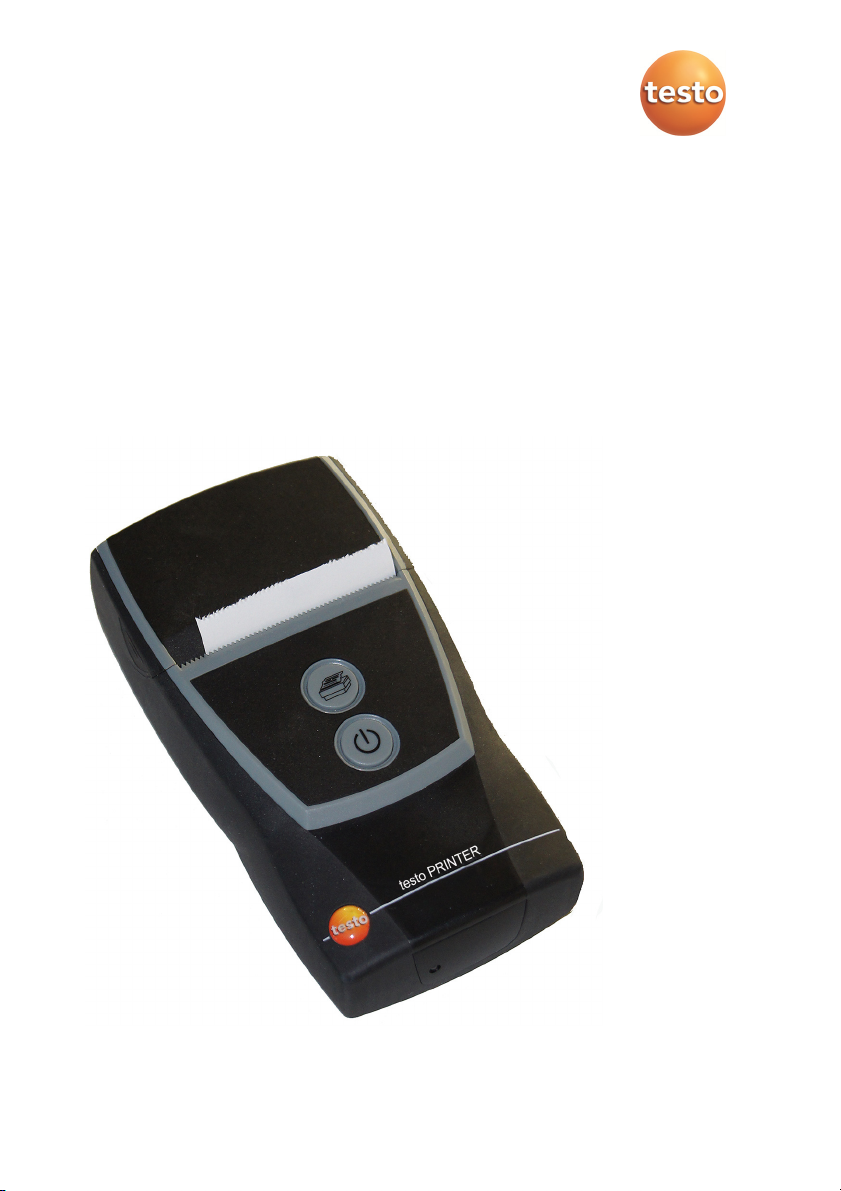
Bluetooth®/IRDA printer
0554 0620/ 0554 0621
Instruction manual
Page 2

2
Page 3

1 Contents
Pos: 1 /TD/Überschriften/1. Inhalt @ 0\mod_11775878 17070_79.docx @ 1243 @ 1 @ 1
1 Contents
1 Contents ................................................................................................... 3
2 Safety and the environment .................................................................... 4
3 Specifications .......................................................................................... 4
3.1. Use .................................................................................................. 4
3.2. Technical data ................................................................................. 4
EC declaration of conformity 0554 0620 ..................................................................... 10
EC declaration of conformity 0554 0621 ..................................................................... 11
4 Product description ............................................................................... 12
4.1. Overview........................................................................................ 12
4.2. Operating mode indicator .............................................................. 13
4.3. Control key functions ..................................................................... 13
5 First steps .............................................................................................. 14
5.1. Charging the rechargeable battery ................................................ 14
5.2. Inserting paper ............................................................................... 14
6 Using the product .................................................................................. 15
Pos: 2 /TD/--- Seitenwechsel --- @ 0\mod_1173774430601_0.docx @ 283 @ @ 1
3
Page 4
3 Specifications
Pos: 3 /TD/Überschriften/2. Sicherheit und Umwelt @ 0\m od_1173774719351_79.d ocx @ 292 @ 1 @ 1
2 Safety and the environment
Pos: 4 /TD/Sicherheit und Umwelt/Umwelt schützen/Akku s/Batterien entsor gen @ 0\mod_11756936370 07_79.docx @ 619 @ @ 1
> Dispose of faulty rechargeable batteries/spent batteries in
Pos: 5 /TD/Sicherheit und Umwelt/Umwelt schützen/Pr odukt entsorgen @ 0\mod_1 173780307072_79.doc x @ 357 @ @ 1
accordance with the valid legal specifications.
> At the end of its useful life, send the product to the separate
collection for electric and electronic devices (observe local
Pos: 6 /TD/Überschriften/3. Leistungsbeschr eibung @ 0\mod_1173774791 554_79.docx @ 301 @ 1 @ 1
3 Specifications
Pos: 7 /TD/Überschriften/3.1 Verwendung @ 0\mod_1176 211016437_79.docx @ 695 @ 2 @ 1
3.1. Use
Pos: 8 /TD/Leistungsbeschreibung/Verwendung/Pr inter/Bluetooth D rucker 0554 0620/0554 062 1 @ 15\mod_1389342934570_ 79.docx @ 180623 @ @ 1
regulations) or return the product to Testo for disposal.
The testo Bluetooth®/IRDA printer is used to produce report
printouts, in conjunction with compatible devices:
E.g. testo 330 (0632 3306 - 3307 from firmware 2.02 onwards),
testo 320 (from firmware 1.06 onwards), testo 324 (from firmware
Pos: 9 /TD/00-WICHTIG, prüfen, ggf. einfügenFunk-Modu l Verwendung (BT) @ 17\mod_1 435043854314_79.d ocx @ 214068 @ @ 1
1.08 onwards), testo 330i (0554 0621 only)
The use of the wireless module is subject to the regulations and
stipulations of the respective country of use, and the module may only
be used in countries for which a country certification has been granted.
The user and every owner has the obligation to adhere to these
regulations and prerequisites for use, and acknowledges that the resale, export, import etc. in particular in countries without wireless
Pos: 10 /TD/Überschriften/3.2 Technische Daten @ 0\mod_ 1176211088437_79. docx @ 704 @ 2 @ 1
permits, is his responsibility.
3.2. Technical data
Pos: 11 /TD/Leistungsbeschreibung/Technische Dat en/Printer/0554 0 620/0554 0621 Allgemein @ 15\ mod_1389099822986_7 9.docx @ 180164 @ 5 @ 1
General data
Feature Values
Model
Printing speed 30 mm/s
Operating
temperature
Storage
temperature
Dimensions
(LxWxH)
4
Thermal printer with Bluetooth
interface
0 to +50 °C / 32 to 122 °F
-20 to +50 °C / -4 to 122 °F
150 mm x 80 mm x 41 mm
®
and IrDA
Page 5
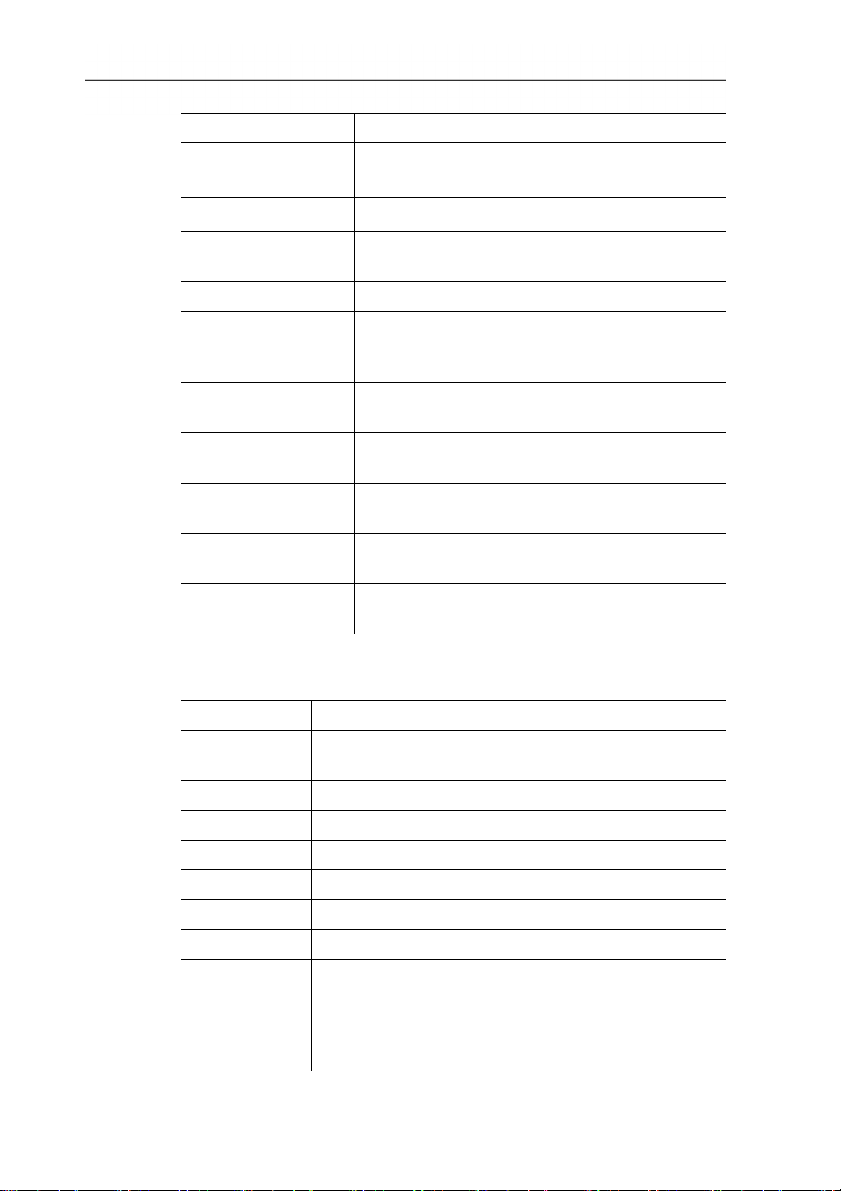
Feature Values
Weight
EU Directive
Power supply
Thermal paper roll 56.5 mm x 34 mm x 12 mm
Rechargeable
battery storage
temperature
Rechargeable
battery charge time
Rechargeable
battery life
Bluetooth®
(optional)
Warranty
Warranty terms
Pos: 12 /TD/Leistungsbeschreibung/Technische Dat en/Printer/0554 0 620/0554 0621 @ 15\mod_138 9099957572_79.doc x @ 180198 @ 55 @ 4
3 Specifications
approx. 400 g (including rechargeable battery
pack, paper roll, mains unit)
2014/30/EC
Lithium-Ion rechargeable battery pack,
2600 mAh, 3.7 V
±0 to 35 °C / 32 to 95 °F
approx. 5-6 h
approx. 50 m report printouts
Range < 10 m
2 years (excl. printer mechanism,
rechargeable battery pack)
Warranty terms: see website
www.testo.com/warranty
Bluetooth® data 0554 0620
Feature Values
Type
Bluegiga WT12
designation
Specification 2.0
Radio class Class 2
Coverage < 10 m / < 32.8 ft.
Product note WT12
Identification B011198
Company 10274
Certification
EU countries:
Belgium (BE), Bulgaria (BG), Denmark (DK),
Germany (DE), Estonia (EE), Finland (FI), France
(FR), Greece (GR), Ireland (IE), Italy (IT), Latvia
(LV), Lithuania (LT), Luxembourg (LU), Malta
5
Page 6
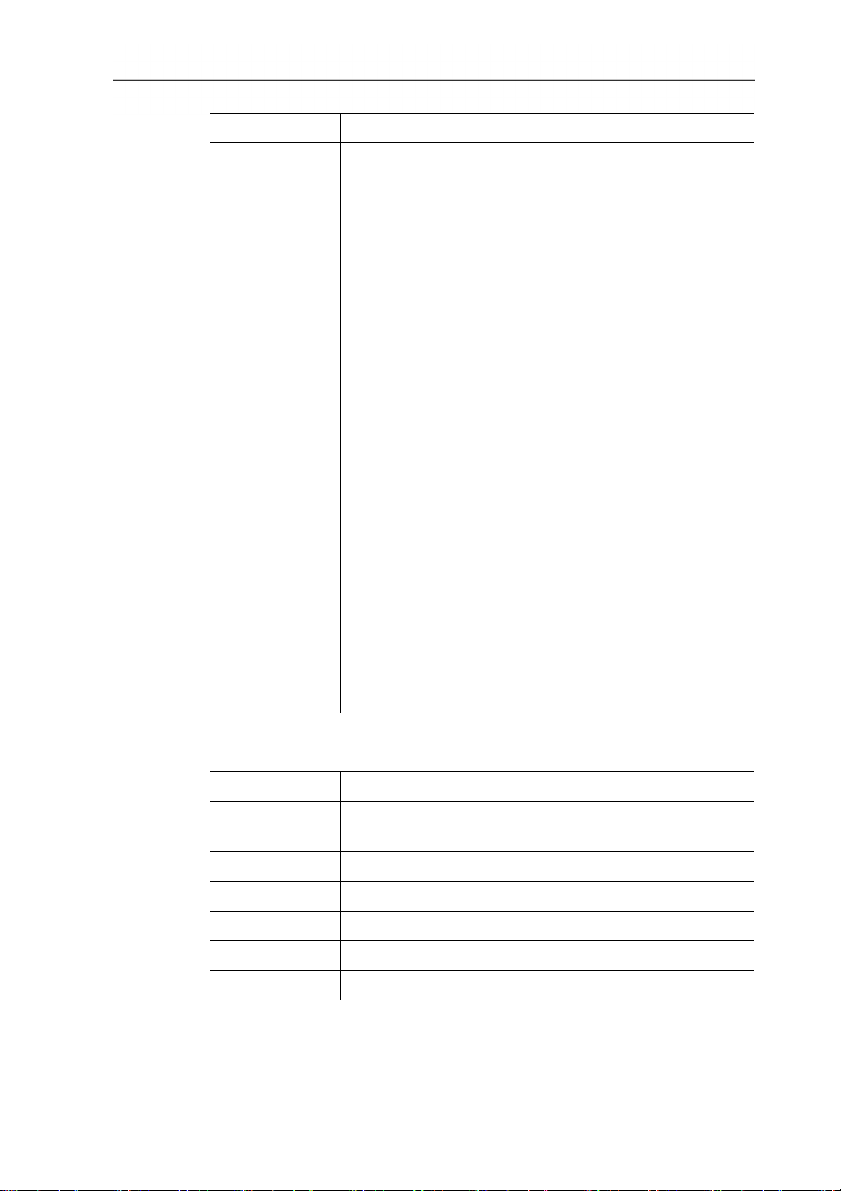
3 Specifications
Feature Values
(MT), Netherlands (NL), Austria (AT), Poland (PL),
Portugal (PT), Romania (RO), Sweden (SE),
Slovakia (SK), Slovenia (SI), Spain (ES), Czech
Republic (CZ), Hungary (HU), United
Kingdom (GB), Republic of Cyprus (CY).
EFTA countries:
Iceland, Liechtenstein, Norway, Switzerland
Other countries:
Colombia, El Salvador, Turkey, Ukraine, Australia,
USA, Canada
FCC (Federal Communications Commission)
notice
- This instrument fulfils part 15 of the FCC Rules
- Its commissioning is subject to the following
two conditions:
1. this instrument must not cause any harmful
interference and
2. this instrument must be able to cope with
interference, even if this has undesirable
effects on operation.
Changes
The FCC demands that the user be informed that
any changes or modifications to the instrument
that are not explicitly approved by testo AG may
void the user's right to use this instrument.
Bluetooth® data 0554 0621
Feature Values
Type
designation
Stollmann E+V GmbH BlueMod+SR (August
2013)
Specification 4.0, Bluetooth® Classic / LowEnergy
Coverage < 10 m / < 32,8 ft.
Product note BlueMod+SR
Identification B021281
Company 44784
6
Page 7
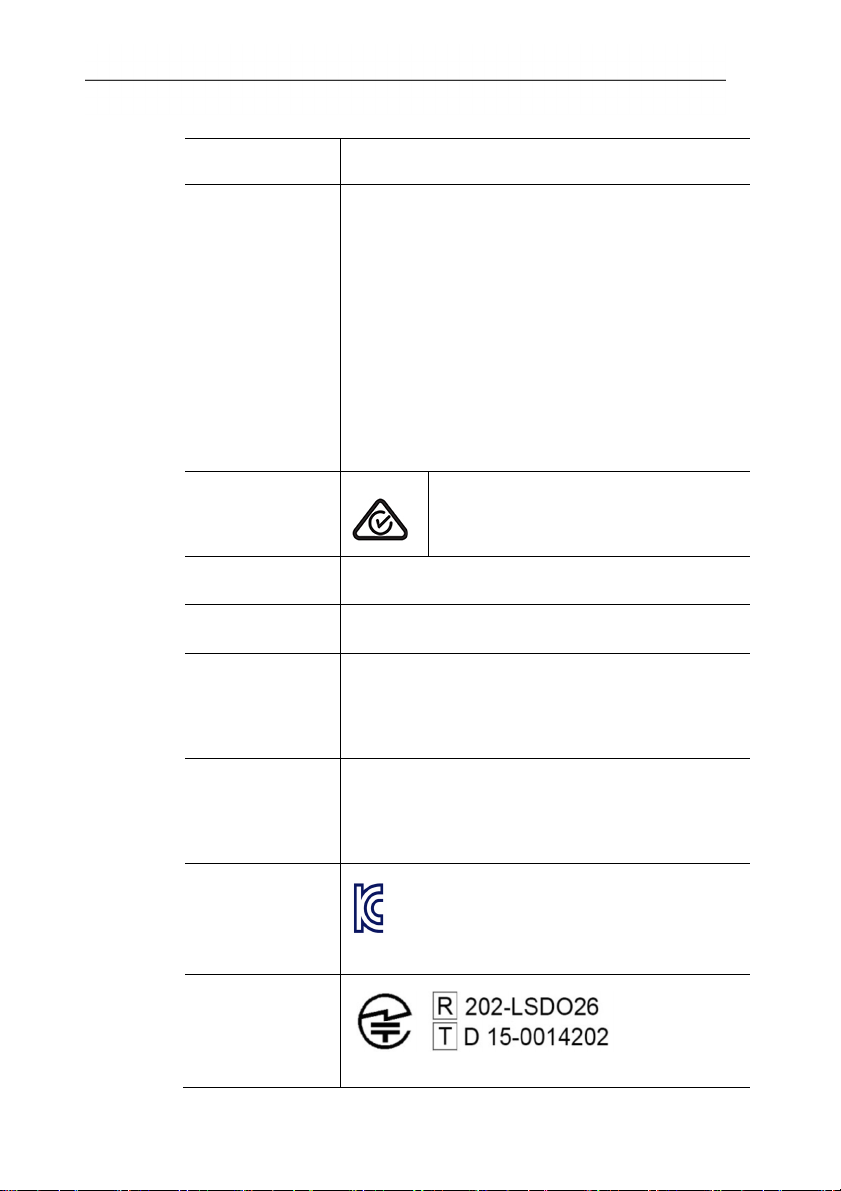
Certification
Country Comments
3 Specifications
EU + EFTA
EU countries:
Belgium (BE), Bulgaria (BG), Denmark (DK),
Germany (DE), Estonia (EE), Finland (FI),
France (FR), Greece (GR), Ireland (IE), Italy
(IT), Latvia (LV), Lithuania (LT), Luxembourg
(LU), Malta (MT), Netherlands (NL), Austria
(AT), Poland (PL), Portugal (PT), Romania
(RO), Sweden (SE), Slovakia (SK), Slovenia
(SI), Spain (ES), Czech Republic (CZ), Hungary
(HU), United Kingdom (GB), Republic of Cyprus
(CY).
EFTA countries:
Iceland, Liechtenstein, Norway, Switzerland
Australia
E1561
Turkey Authorized
India Authorized
Canada Contains FCC ID: 4957A-MSR
Product IC ID: -20160621
IC Warnings
USA Contains FCC ID: RFRMS
Product FCC ID: WAF-20160621
FCC Warnings
Korea
MSIP-RMM-TE1-BTIRDA
KCC Warning
Japan
Japan Information
7
Page 8

3 Specifications
IC Warnings
This instrument complies with Part 15C of the FCC Rules and
Industry Canada RSS-210 (revision 8). Commissioning is subject to
the following two conditions:
(1) This instrument must not cause any harmful interference and
(2) this instrument must be able to cope with interference, even if
this has undesirable effects on operation.
Cet appareil satisfait à la partie 15C des directives FCC et au
standard Industrie Canada RSS-210 (révision 8). Sa mise en
service est soumise aux deux conditions suivantes :
(1) cet appareil ne doit causer aucune interférence dangereuse et
(2) cet appareil doit supporter toute interférence, y compris des
interférences qui provoquerait des opérations indésirables.
FCC Warnings
Information from the FCC (Federal Communications Commission)
For your own safety
Shielded cables should be used for a composite interface. This is to
ensure continued protection against radio frequency interference.
FCC warning statement
This equipment has been tested and found to comply with the limits
for a Class B digital device, pursuant to Part 15 of the FCC Rules.
These limits are designed to provide reasonable protection against
harmful interference in a residential installation. This equipment
generates, uses and can radiate radio frequency energy and, if not
installed and used in accordance with the instructions, may cause
harmful interference to radio communications. However, there is no
guarantee that interference will not occur in a particular installation.
If this equipment does cause harmful interference to radio or
television reception, which can be determined by turning the
equipment off and on, the user is encouraged to try to correct the
interference by one or more of the following measures:
• Reorient or relocate the receiving antenna.
• Increase the separation between the equipment and receiver.
• Connect the equipment into an outlet on a circuit different from
that to which the receiver is connected.
• Consult the dealer or an experienced radio/TV technician for help.
8
Page 9
Caution
Changes or modifications not expressly approved by the party
responsible for compliance could void the user's authority to
operate the equipment. Shielded interface cable must be used in
order to comply with the emission limits.
Warning
This device complies with Part 15 of the FCC Rules.
Operation is subject to the following two conditions:
(1) this device may not cause harmful interference, and
(2) this device must accept any interference received,
including interference that may cause undesired operation.
KCC Warning
해당 무선 설비는 운용 중 전파혼신 가능성이 있음
Japan Information
当該機器には電波法に基づく、技術基準適合証明等を受けた特定
無線設備を装着している。
Pos: 13 /TD/Leistungsbeschreibung/Technische Dat en/Printer/0554 0 620/0554 0621 Zubehör_Er satzteile @ 15\mod_1394 171902221_79.doc x @ 181793 @ 5 @ 1
3 Specifications
Accessories/spare parts
Description Item no.
Mains unit 5 V / 1.0 A with micro USB cable 0554 1105
Spare thermal paper, 6 rolls 0554 0568
9
Page 10
3 Specifications
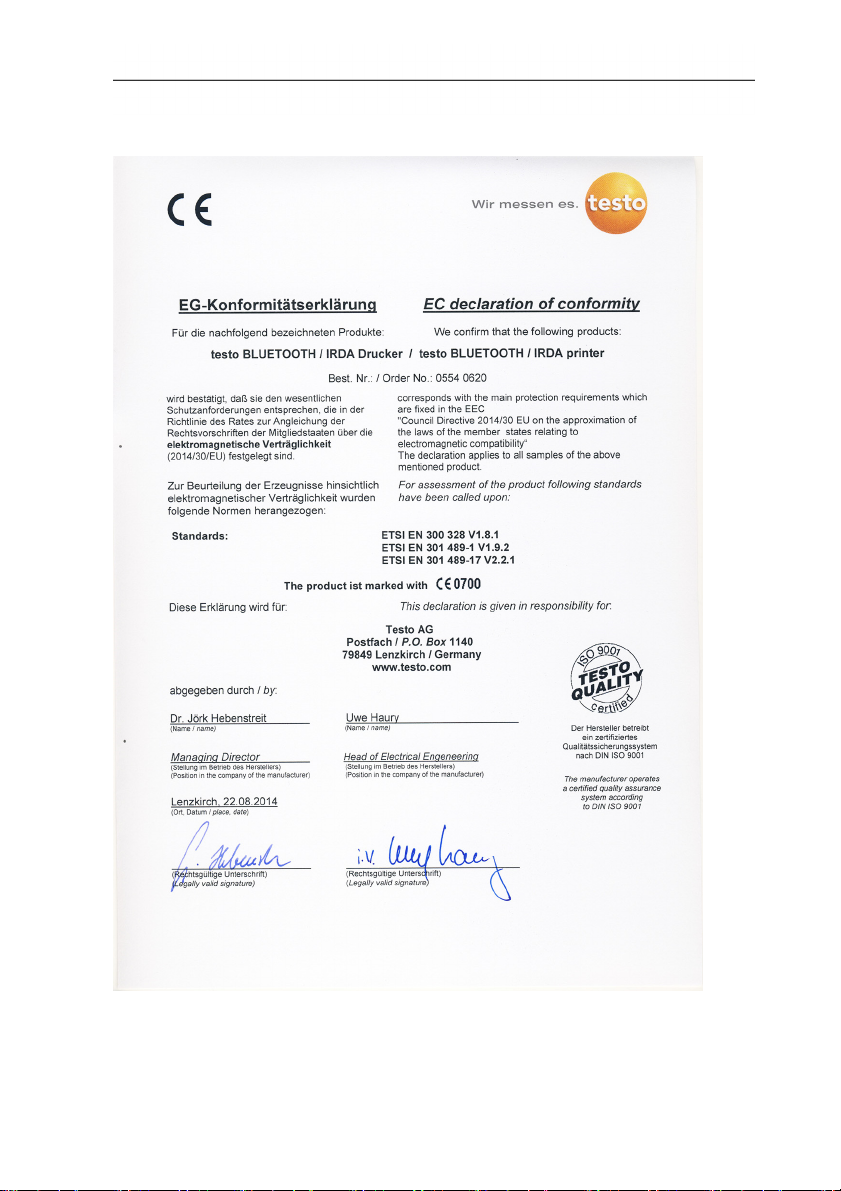
Pos: 14 /TD/Leistungsbeschreibung/Technische Dat en/Printer/0554 0 620/0554 0621 Konformit ätserklärung @ 15\mod_ 1389102872708_79. docx @ 180232 @ 53 @ 1
EC declaration of conformity 0554 0620
10
Page 11
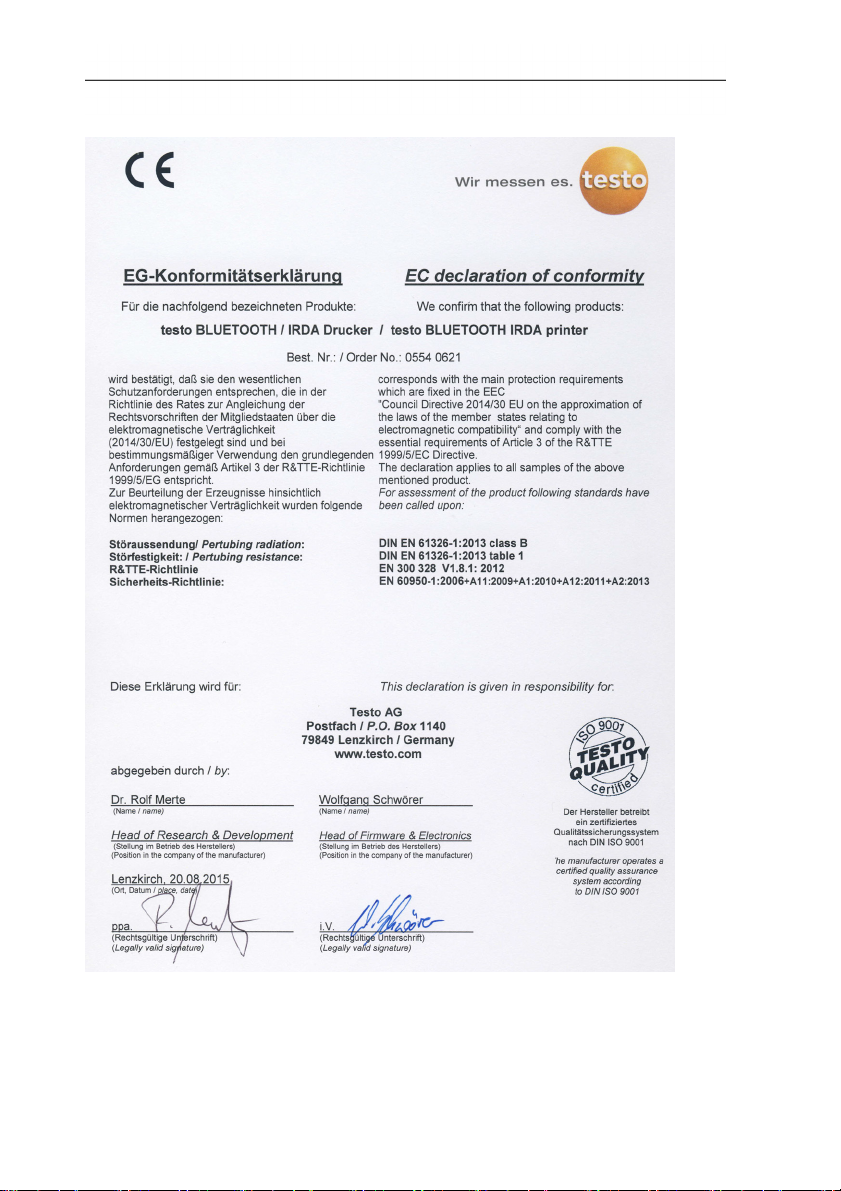
EC declaration of conformity 0554 0621
3 Specifications
11
Page 12
4 Product description
Pos: 15 /TD/Überschriften/4. Produktbeschreibung @ 0\mod_117377484667 9_79.docx @ 310 @ 1 @ 1
4 Product description
Pos: 16 /TD/Überschriften/4.1 Übersicht @ 0\mod_1176 379946003_79.doc x @ 733 @ 2 @ 1
4.1. Overview
Pos: 17 /TD/Produktbeschreibung/Übersicht/Pr inter/0554 0620/0554 062 1 Übersicht @ 15\mod_13 89166960309_79.doc x @ 180338 @ @ 1
12
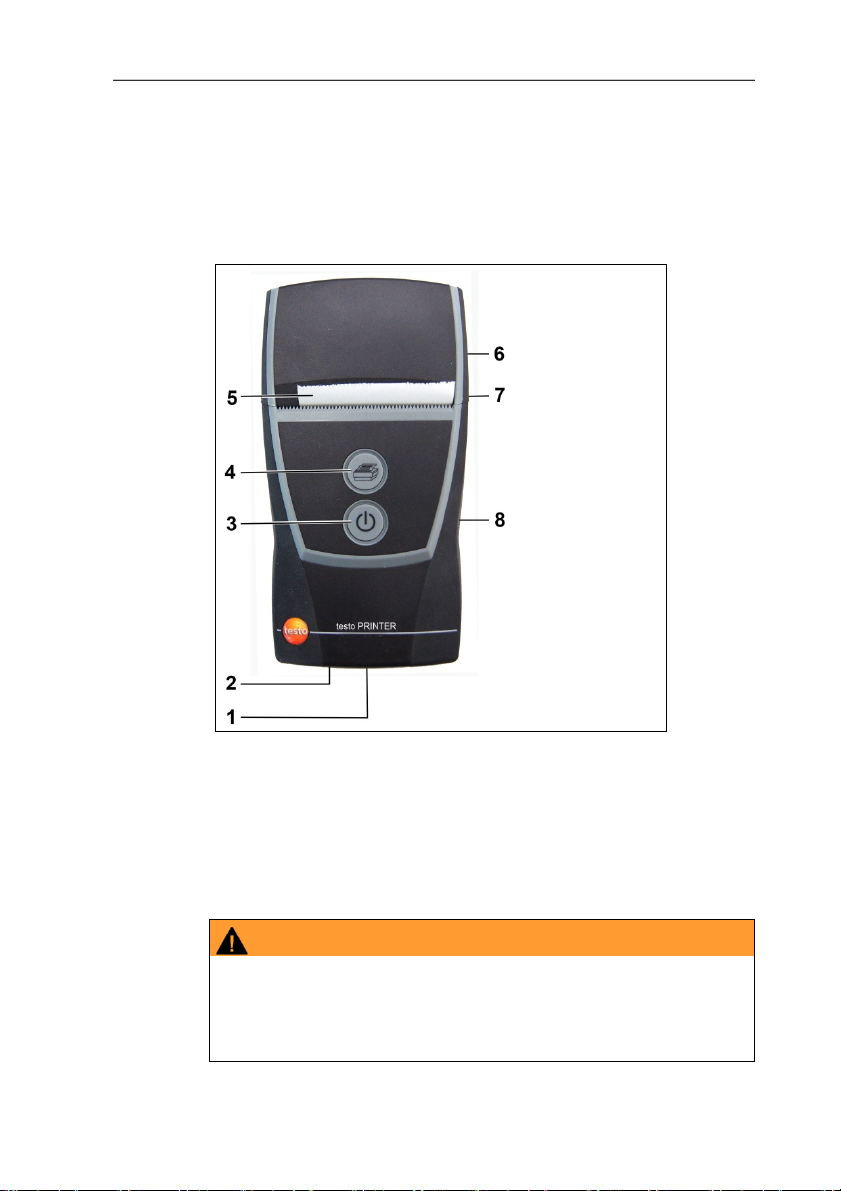
1 Bluetooth®/infrared interface
2 Operating mode indicator
3 On/Off control key
4 Paper feed control key
5 Paper roll (printable side out)
6 Paper compartment cover
7 Magnetic holder (on back)
WARNING
Magnetic field
May be harmful to those with pacemakers.
> Keep a minimum distance of 10 cm between pacemaker and
printer.
Page 13
CAUTION
Magnetic field
Damage to other devices!
> Keep a safe distance away from products that could be
damaged by the effects of magnetism (e.g. monitors,
computers or credit cards).
8 Micro USB connection for connecting to the mains unit or the
Pos: 18 /TD/Produktbeschreibung/Grundlegende Eige nschaften/Pri nter/Anzeige Betri ebsmodus 0554 0620/0554 06 21 @ 15\mod_1389167175837_7 9.docx @ 180373 @ 2 @ 1
4.2. Operating mode indicator
PC.
LED Function
Steady green light
• Standby mode
• Printing out print data
Flashing green light
Steady red light
• Receiving print data
• Not ready for operation
• Paper compartment cover open
• No paper inserted.
Flashing red light
Flashing red/green
• Rechargeable battery low
• Rechargeable battery is charging
light
Off
• Sleep mode, automatically activated 2
minutes after a button was last pressed
4 Product description
Pos: 19 /TD/Produktbeschreibung/Grundlegende Eige nschaften/Pri nter/Funktionen der B edientasten 0554 0620/0554 06 21 @ 15\mod_13891672955 22_79.docx @ 180406 @ 2 @ 1
4.3. Control key functions
Control keys Functions
• Switch on printer:
[]
[]
13
press key < 2 s
• Switch off printer:
press key > 2 s
• Short paper feed:
press key < 1 s
• Paper feed for as long as the key is
pressed:
press key > 1 s
Page 14
5 First steps
Control keys Functions
• Start a test print (printer is switched off):
[] and []
press keys < 1 s simultaneously
• Bluetooth
press keys
®
module test (printer is off):
> 1 s simultaneously
Pos: 20 /TD/Überschriften/5. Erste Schritte @ 0\mod_117 3774895039_79.doc x @ 319 @ 1 @ 1
5 First steps
Pos: 21 /TD/Erste Schritte/Printer/Akku laden @ 15\ mod_1389185163805_79. docx @ 180440 @ 255 @ 1
5.1. Charging the rechargeable battery
The rechargeable battery can only be charged at an ambient
temperature of ±0 to +35 °C. If the rechargeable battery has been
completely discharged, charging time at room temperature using
the testo mains unit is approx. 6 h.
> Connect battery charger (0554 1105) to a mains socket and
Pos: 22 /TD/Erste Schritte/Printer/Papier ei nlegen @ 15\mod_1389185219612 _79.docx @ 180473 @ 2 @ 1
connect the printer.
If stored for a prolonged period of time, the battery should
be charged every once in a while because otherwise this
may result in damage due to deep discharge.
Charging in the measuring instrument
1. Plug the mains unit instrument plug into the instrument's micro
USB socket.
2. Plug the mains plug of the mains unit into a mains socket.
- The charging process will start. The charging process will stop
automatically when the battery is fully charged.
Battery care
> Do not fully exhaust rechargeable batteries.
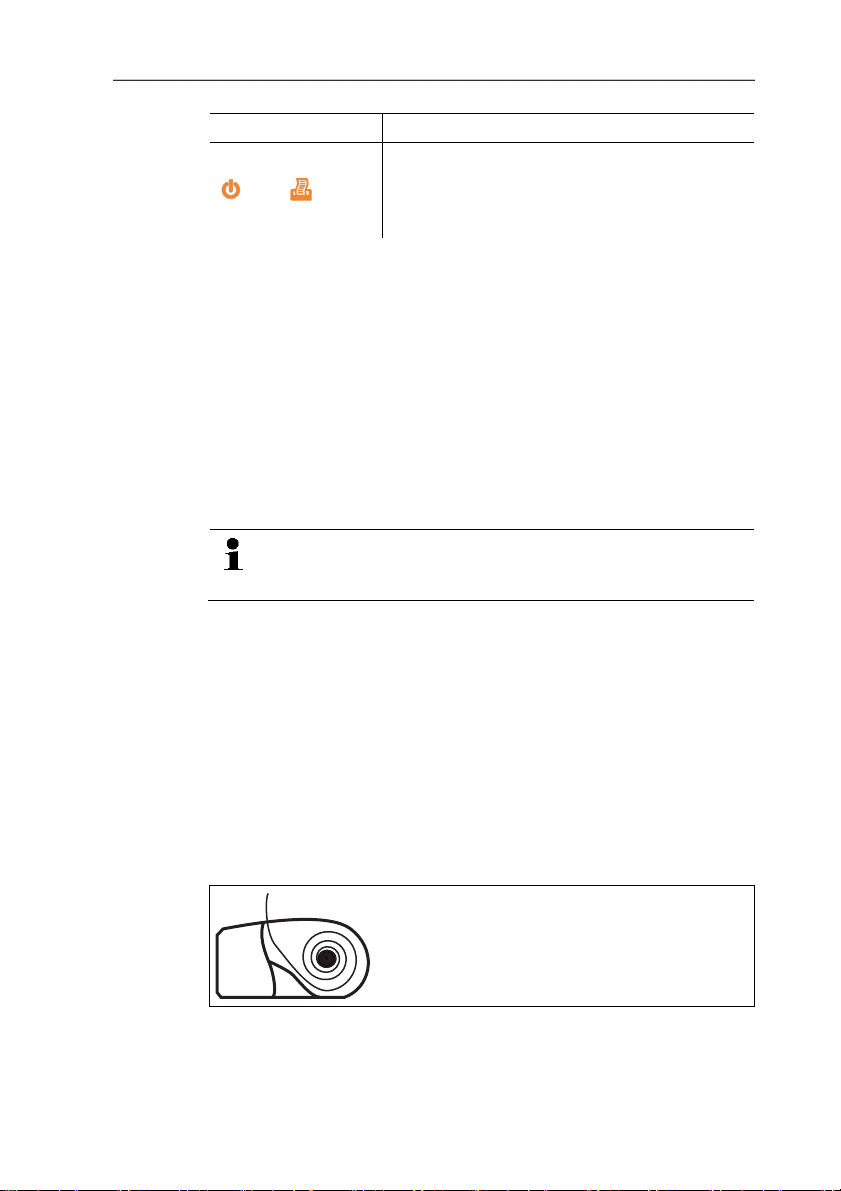
5.2. Inserting paper
1. Flip paper compartment cover up.
2. Insert paper roll, see illustration.
3. Close paper compartment cover.
14
Page 15

Pos: 23 /TD/Überschriften/6. Produkt verwenden @ 0\mod_ 1173774928554_79. docx @ 328 @ 2 @ 1
6 Using the product
Pos: 24 /TD/Produkt verwenden/Printer/Daten druc ken BT_IRDA @ 15\mod_139029764 4383_79.docx @ 181133 @ 2 @ 1
6 Using the product
=== Ende der Liste für Textmarke Inhalt ===
Printing data
When first setting up a connection between a testo
measuring instrument and the Bluetooth / IRDA printer, the
initialization phase can last up to 30 seconds.
✓ Printer is switched on.
> Start the print process from the instrument transmitting the data.
- Data is printed out (LED flashes green).
15
Page 16

0973 0518 en 03a
 Loading...