

Page 1

QUICK
START
GUIDE
SMARTHONE 6.1
Page 2
ENG
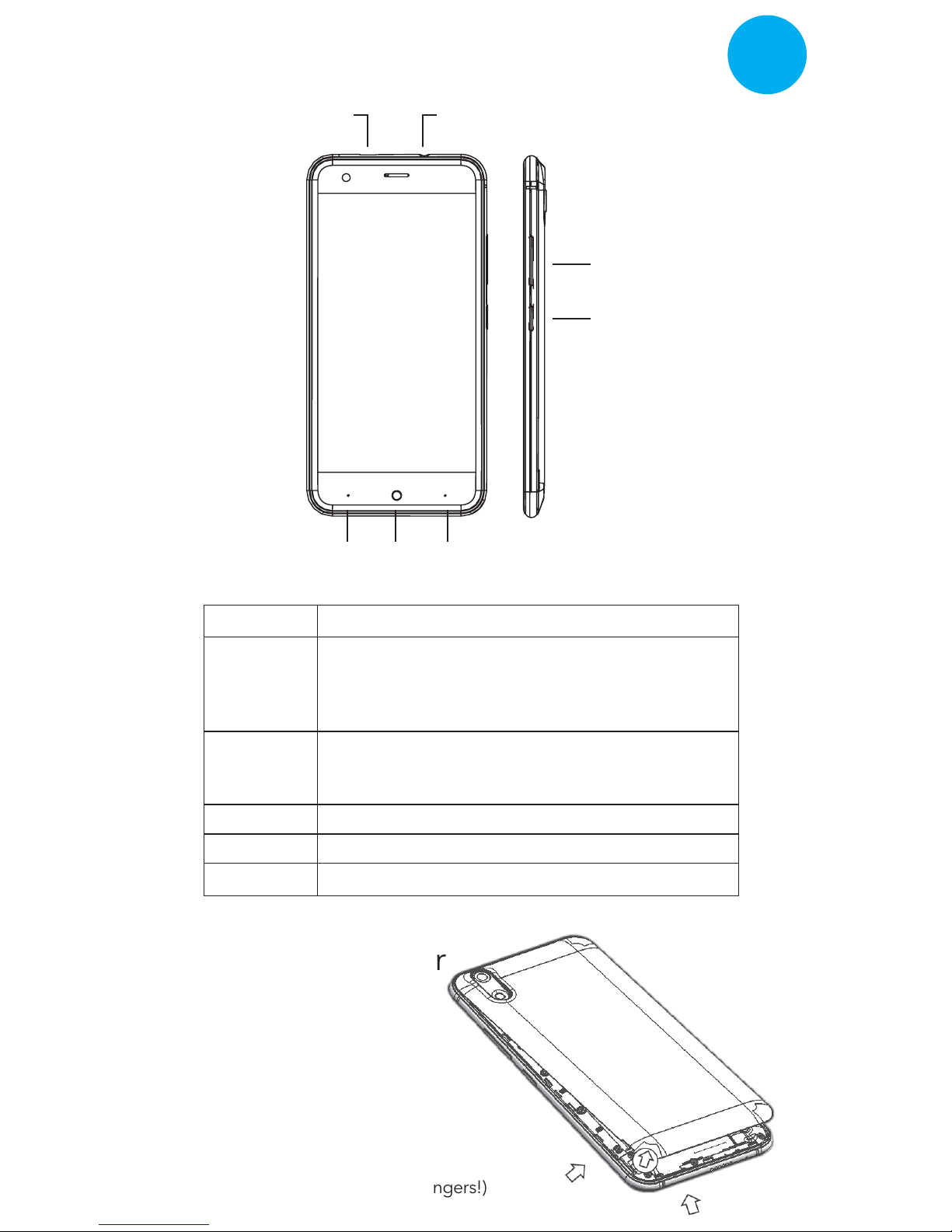
Keys Explained
Open the Rear Cover
EarphoneCharge/USB
Power/Lock
Volume
Menu Home Back
Open the back cover
as per the arrows direction.
(Hint: be careful not to injure your fingers!)
Key Function
Power Key
Home Key
Menu Key
Back Key
Volume Keys
• Hold to switch audio profiles, or to turn on or off
Airplane mode, or to power off.
• Press to switch your phone to Sleep mode.
• Press to wake up your phone.
• Press to return to the Home Screen from any
application or screen.
• Hold to see recently used applications.
Press to get the options for the current screen.
Press to go to the previous screen.
Press or hold to turn the volume up or down.
Page 3
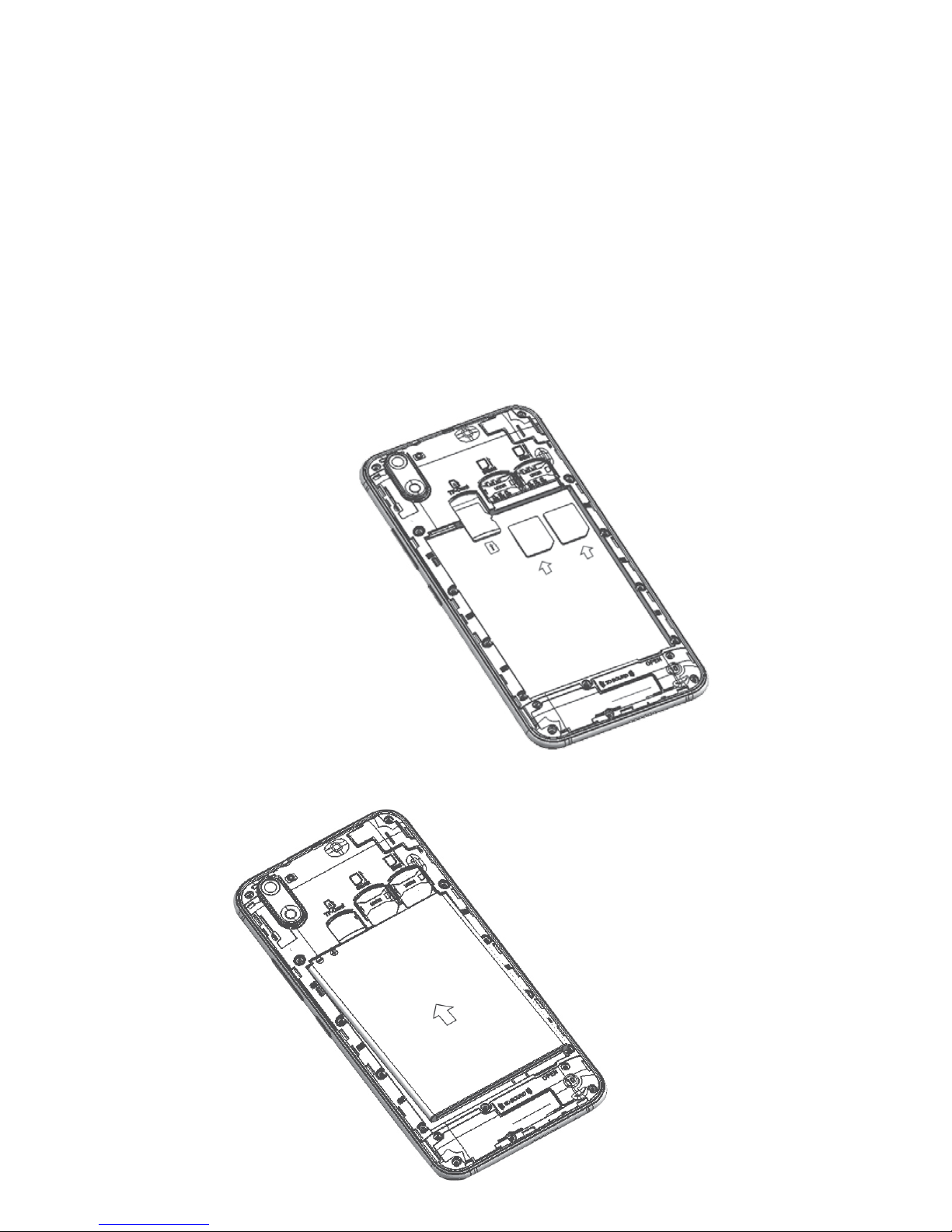
Installing the SIM/SD Card and Battery
Inserting Sim card & SD card:
Inserting the Battery:
Switch off your phone before installing or replacing the battery, SIM, or memory
card.
1. Remove the back cover.
2. Hold the SIM card with the cut corner oriented as shown and slip it into the
card holder.
3. Insert the memory card into the card slot with the metal contacts facing
down until it inserts to the right position.
4. Insert the battery by aligning the gold contacts on the battery with the gold
contacts in the battery compartment. Gently push down on the battery until
it clicks into place.
5. Press the cover gently back into place until you hear a click.
 Loading...