

Page 1

QUICK
START
GUIDE
SMARTPHONE 6.2
Page 2
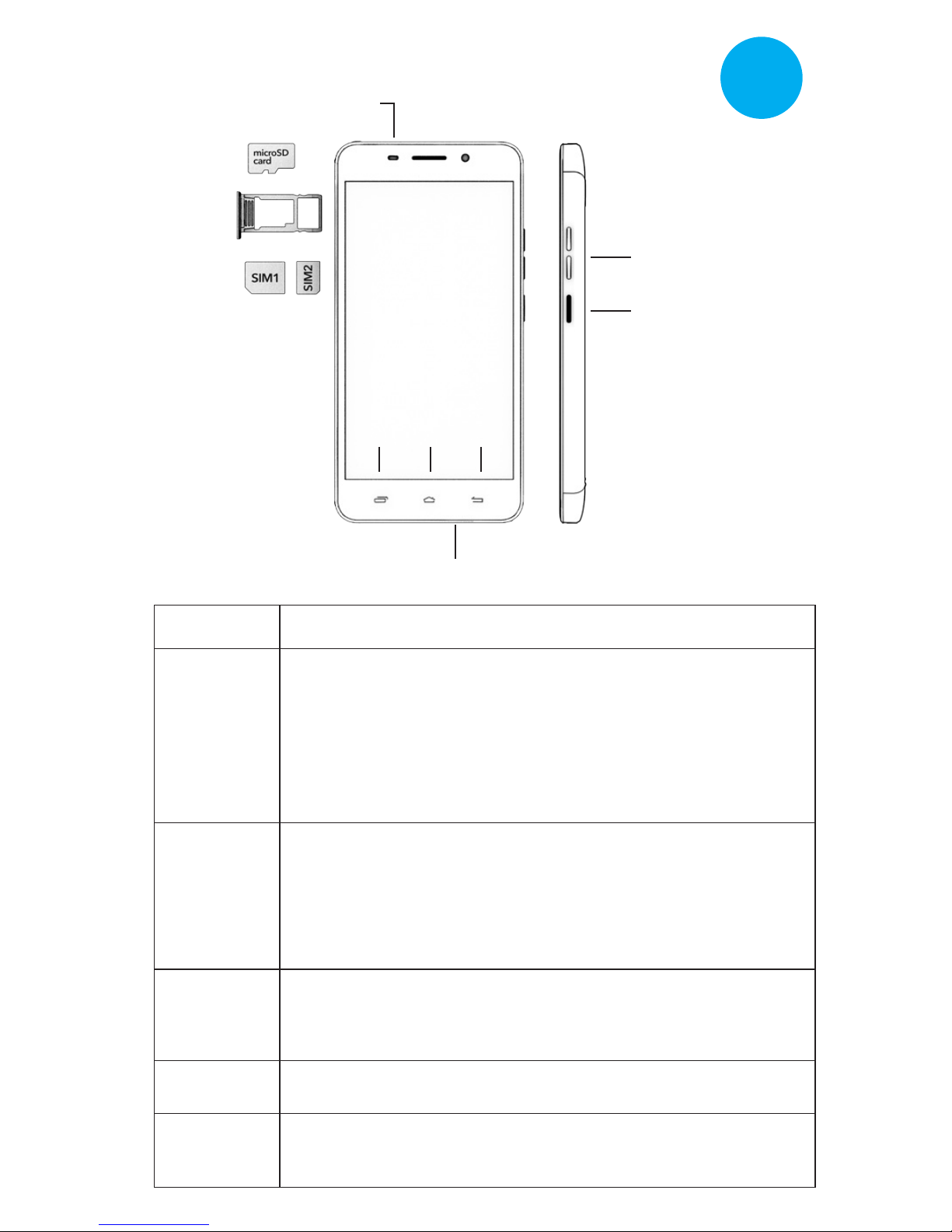
Earphone
Charge/USB
Power/Lock
Volume
Menu Home Back
ENG
Keys Explained
Key Function
Power
Key
Home
Key
Menu
Key
Back Key
Volume
Keys
• To turn the phone on and off, switch to Airplane
mode, take a screenshot and change audio profile
settings, press and hold the “Power” button and
select an option.
• Press to switch your phone to Sleep mode.
• Press to wake up your phone.
• Press to return to the Home Screen from any
application or screen.
• To activate Google Now on Tap, press and hold
the “Home” button while in the active browser or
application window.
To see a list of recently used applications, press
and hold the “Menu” button.
Press to get the options for the current screen.
Press to go to the previous screen.
Press and hold the “Volume” button to increase/
decrease the sound and to adjust the audio profile.
Page 3
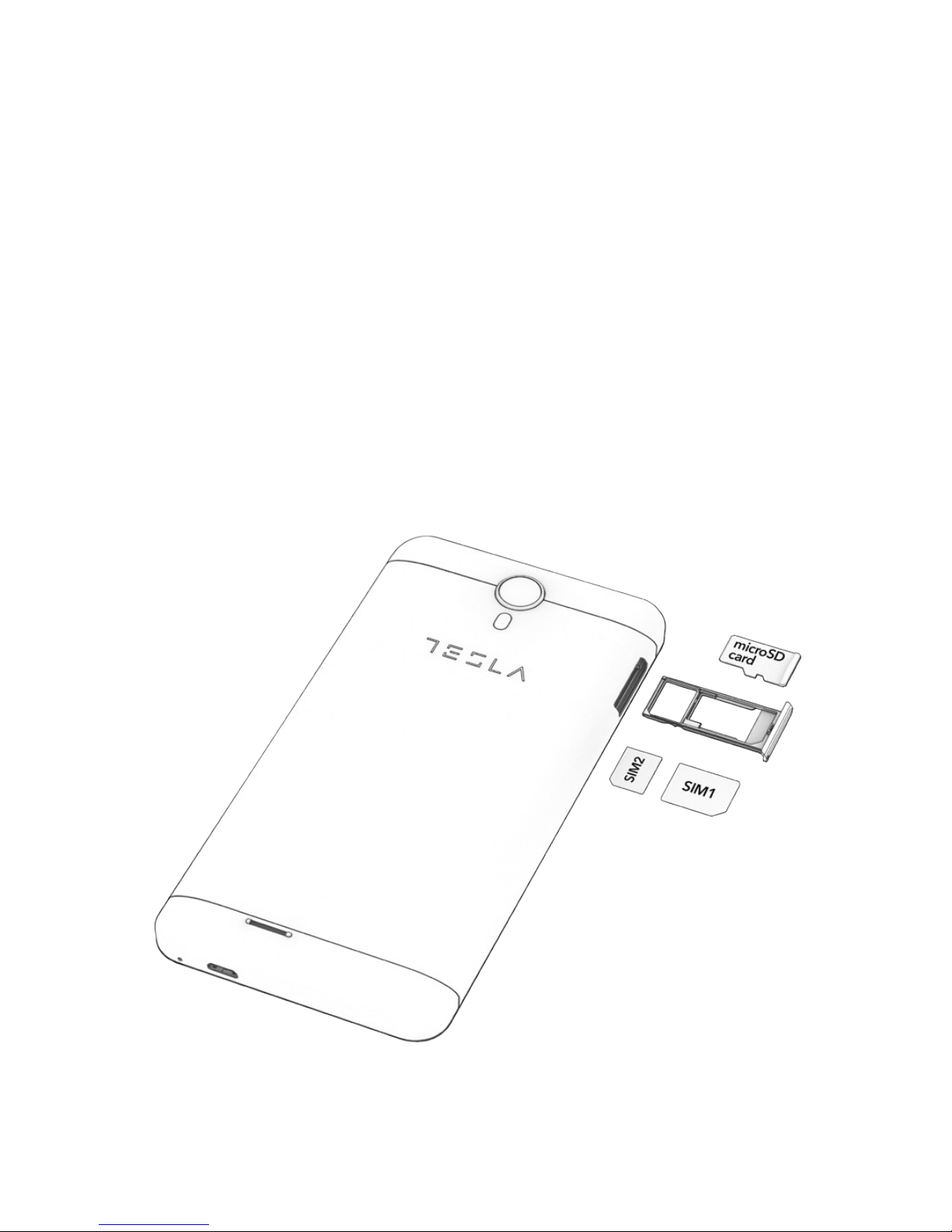
Installing the SIM Card
Switch off your phone before installing SIM card.
1. Take the needle included in the package
2. Insert it into the hole beside the SIM tray
3. Put the SIM card inside the tray as shown on the
picture
4. Return the SIM tray back in the hole
Instead of a SIM card, you insert an SD card into the
SIM1 slot. Instructions on how to insert an SD card are
shown in the illustration. The phone supports SD cards
of up to 32 GB.
 Loading...