

Page 1
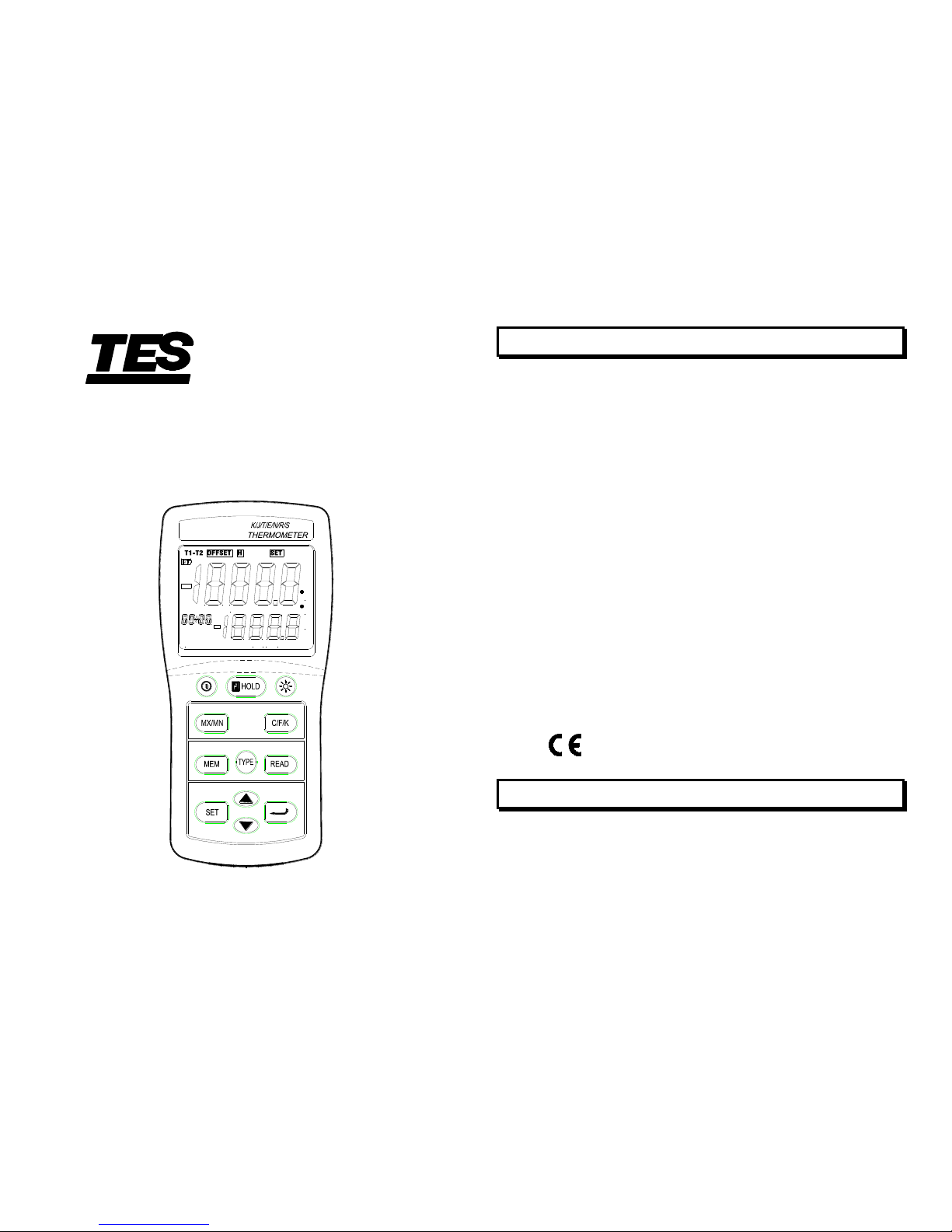
K/J/T/E/N/R/S
THERMOMETER
TES-1313
INSTRUCTION MANUAL
T1
ALM LoHi
AVG-MX MN
C
K
F
T1
KJTERSN
min:sec
hour:min
TYPE
INTERVAL
TES ELECTRICAL ELECTRONIC CORP.
1. INTRODUCTION
This instrument is a digital thermometer for working
with any J, K, T, E, N, R and S-type thermocouple as
temperature sensor.
Temperature indication follows the international
temperature scale of 1990. (ITS-90)
Read the following safety information carefully before
attempting to operate or service the meter.
Use the meter only as specified in this manual;
otherwise, the protection provided by the meter may
be impaired
Environment conditions
Altitude up to 2000 meters
Relatively humidity 80% max.
Operation Ambient 0~50℃(32℉~122℉)
U.S. Pat. No. Des. 446,135
Safety symbols
When servicing, use only specified replacement
parts.
Comply with EMC
2. SPECIFICATIONS
2-1 Electronical Specifications
Measurement Range :
J - type : -150.0℃ to +1090.0℃ (-200.0℉ to +1994.0℉)
K - type : -150.0℃ to +1370.0℃ (-200.0℉ to +1999.9℉)
Page 2

1
T - type : -150.0℃ to +400.0℃ (-200.0℉ to +752.0℉)
E - type : -150.0℃ to +870.0℃ (-200.0℉ to +1598.0℉)
N - type : -150.0℃ to +1300.0℃ (-200.0℉ to +1999.9℉)
R - type : 2.0℃ to +1767.0℃ (+35℉ to +1999.9℉)
S - type : 2.0℃ to +1767.0℃ (+35℉ to +1999.9℉)
Display Effect Resolution :
J-, K-, T-, E-, and N-type : 0.1℃/℉/K
R- and S-type : 1.0℃/℉/K (0.1℃/℉/K only for
reference)
Measurement Accuracy :
J-, K-, T-, E-, and N-type :
[0.05% of reading +0.5℃ (0.9℉)]
[ Below -100℃ (-148℉) : add 0.15% of reading for J,
K, E, and N ; and 0.45% of reading for T ]
R-and S-type : [0.05% of reading +2℃(4℉)]
NOTE
This basic accuracy specification does not include
the error of the temperature probe. Please refer
to the temperature probe accuracy specification
for additional details.
Temperature Coefficient :
0.01% of reading +0.03℃ per ℃ (0.06℉ per ℉)
outside the specified +18℃ to 28℃ (+64℉ to 82℉)
range.
[ Below -100℃ (-148℉) : add 0.04% of reading for J-,
K-, E- and N-type ; and 0.08% of reading for T-type ]
2
Input Protection : 20V maximum input voltage on input
connector.
Manual Data Memory capacity : 44 sets.
2-2 General Specifications
Power Supply : 6 pcs size AAA battery.
Battery life : approx. 200 hours (carbon zinc battery).
Auto Power off : 30 minutes. ( If no key is pressed ).
Low Battery Indication : The ( ) is displayed when
the battery voltage drops
below the operating voltage.
Measurement Rate : One time per 1.5 seconds.
Weight : 235 gm (8.29 oz)
Dimension : 5.91”Lx 2.83”Wx 1.38”H (150x72x35mm)
Operating Temperature : 0 to 50℃ (32 to 122℉)
and Humidity below 80% RH
Storage Temperature : -10 to 60℃ , 14 to 140℉
and Humidity below 70% RH
Accessories: 6 pcs Battery, Instruction Manual.
Page 3
3
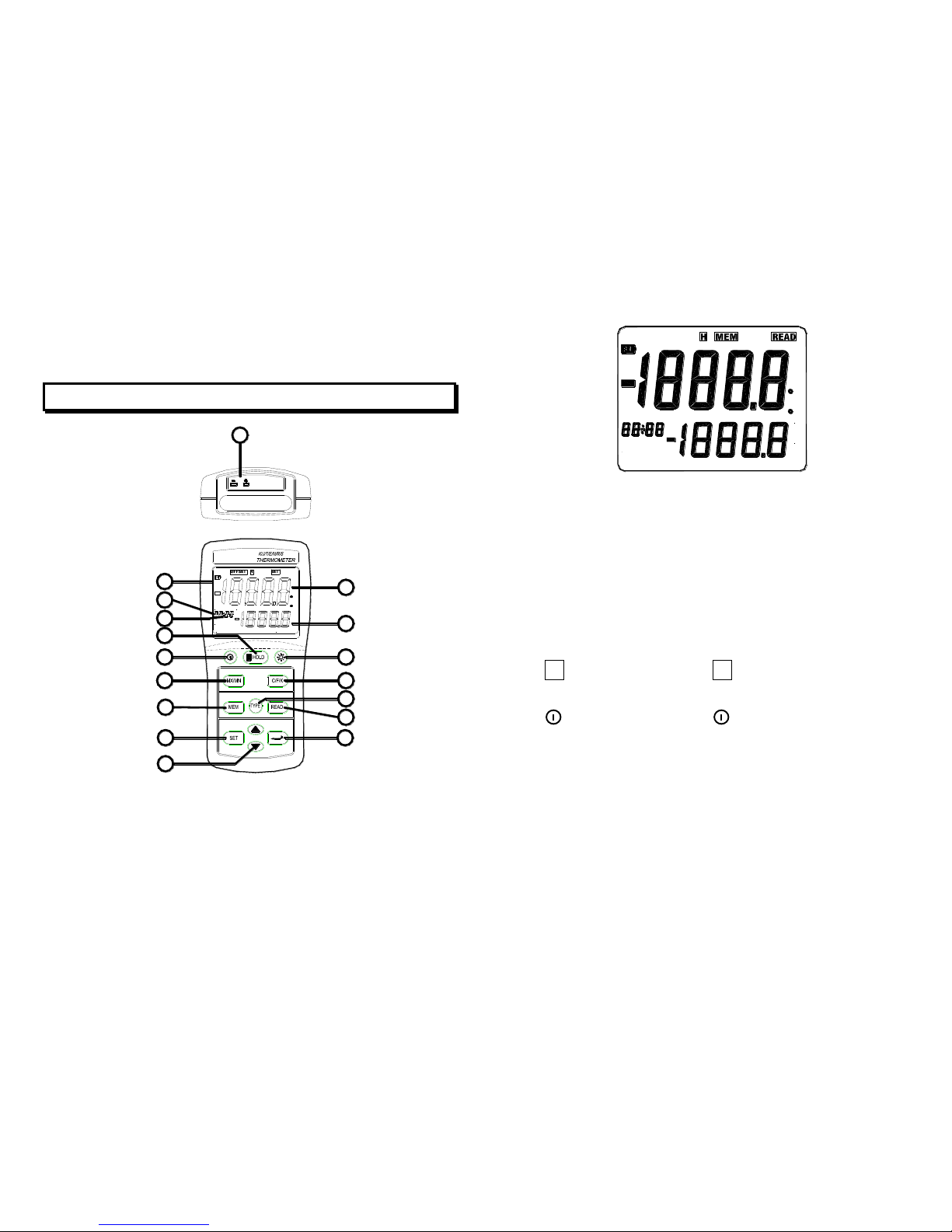
3. FRONT PANEL DESCRIPTION
T1
KJTERSN
min:sec
hour:min
TYPE
INTERVALT1ALM LoHi
AVG-MX MN
C
K
F
13
4
6
7
5
3
D
2
1
C
11
8
10
9
12
B
A
min:sec
hour:min
TYPE
KJTERSN
Hi
ALM
F
K
AVG
MN
MX
C
4
(1). LCD Display :
A. Main display : Temperature reading.
B. Secondary display : MAX, MIN, AVG reading.
C. Time display : Time display (100-hour clock),
shows elapsed time when MAX,
MIN or AVG is on.
D. Auto power off mark (:).
(2). H HOLD key : Press H HOLD key to freeze or
unfreeze the display reading.
(3).
Power key : Press key to turn the meter on
or off.
(4). MX/MN key :
Press "MX/MN" key to step through the maximum,
minimum, and average readings.
Press "MX/MN" key for 2 seconds to exit MX/MN
mode.
(5). MEM key : Press "MEM" key each time, stores a
single set of logged reading in memory.
Page 4
(6). SET key :
Press "SET" key to enter alarm setting mode.
Press "SET" key for 2 seconds to enter or exit
alarm mode.
5
(7). Key :
Press or
key to increase or decrease the
value for high/lower alarm settings.
Press or key to increase or decrease the
READ mode memory location.
(8).
key :
Press " " key to store alarm limit value setting.
Press "
" key to toggle showing the "hour : min"
and " min : sec" elapsed time in the MX/MN
mode.
(9). TYPE key: Press "TYPE" key to select the
thermocouple type (K, J, E, T, R, S,
N).
(10). READ key : Press "READ" key to show manual
memory logged reading, press
again to exit this mode.
(11). C/F/K key : Press C/F/K key to select Celsius
(℃), Fahrenheit (℉) or Kelvin (K)
temperature scale.
(12). key : Press backlight key to turn the
backlight on and off. The backlight
turns off after 13 seconds.
(13). Input : Thermocouple input.
6
4. OPERATION INSTRUCTIONS
WARNING
To avoid electrical shock or personal injury, do
not apply more than 20Vrms, between the
thermocouples, or between any thermocouple
and earth ground.
4-1 Temperature Measurement
Press " " key to turn on the thermometer.
Plug the thermocouple into the thermocouple input.
If no thermocouple is plugged into the selected
input or the thermocouple is "open", the display will
show "- - - -.-".
Press "C/F/K" key to the desired temperature
scale.
Press "TYPE" key to select the thermocouple you
Page 5

want.
Perform measurements by contacting the object
being measured with the probe sensor.
Read the temperature on the display. The display
shows "OL" (overload) when the temperature being
measured is outside the meter valid range.
7
4-2 MAX, MIN and AVG Function Operations
Press "MX/MN" key to enter to MX/MN mode, to
step through the maximum (MAX), minimum (MIN)
or the true average (AVG-true 9.7 hours recording
average) readings, and disable auto power off
function.
Press " " key for 2 seconds to toggle showing the
elapsed time "hour : min" and "min : sec" on LCD.
The elapsed time since entering reading mode, or
the time at which the MAX, MIN or AVG occurred,
appears on the time display.
Press "MX/MN" key, the MAX, MIN and AVG reading
will appear on the secondary display.
C
K
TYPE
min:sec
AVGMNMX
Press "MX/MN" key for 2 seconds to exit MX/MN mode.
In MX/MN mode, the "C/F/K" and "TYPE" key are
not active.
8
4-3 To Erase the Memory of Datalogger
Press and hold down "MEN" key until the beeper
sounds twice, all memory will be cleared.
4-4 To Trigger "One by One Datalogging"
Press "MEM" key each time, stores one set logged
reading in memory, LCD shows " MEM " and
memory location numbers (01 to 44).
Page 6
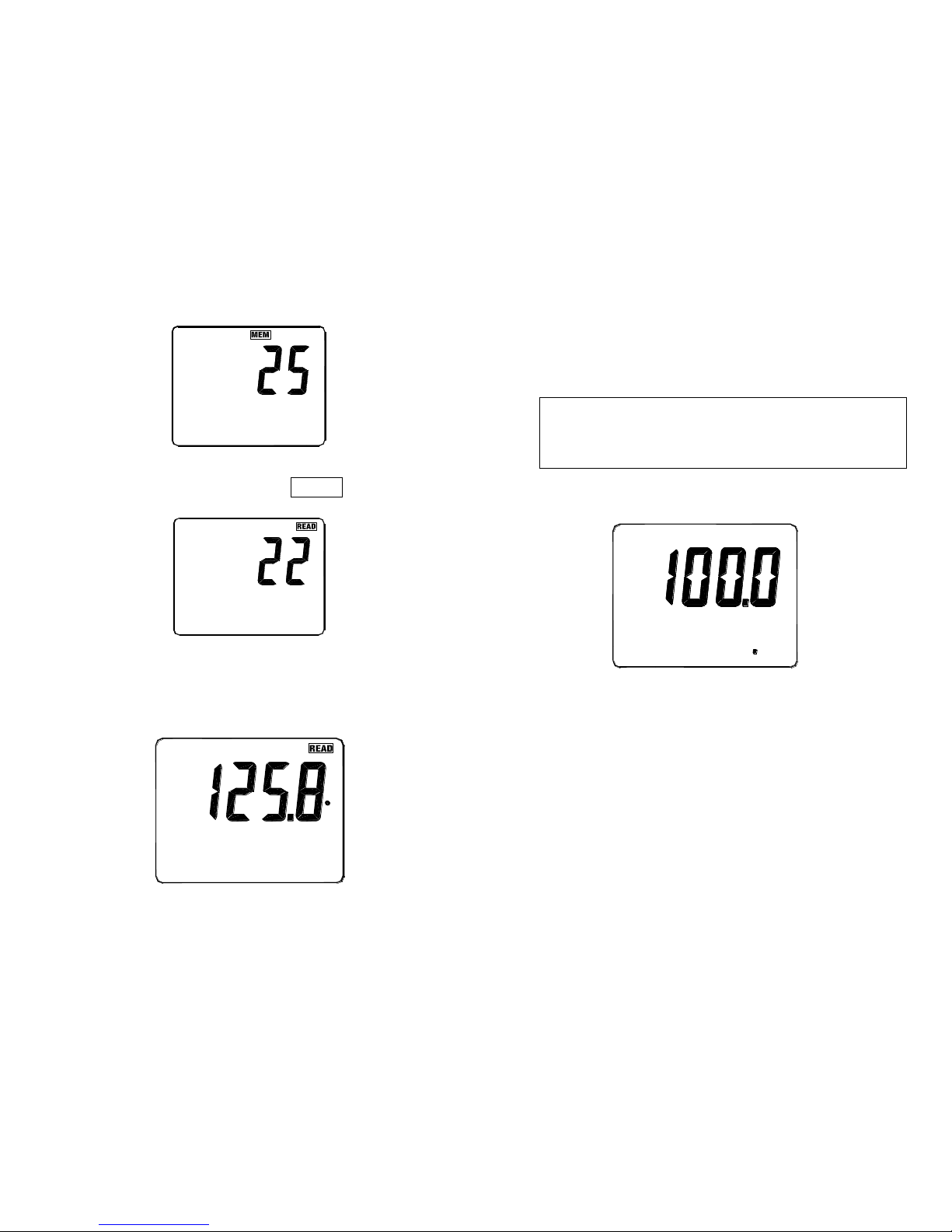
Press "READ" key to enter the manual memory
data mode. LCD will show " READ " and memory
location numbers.
Press "" or "" key to scroll through the logged
readings.
9
Press "READ" key again to exit READ mode.
TYPE
K
C
4-5 Alarm Function Operations
The ALARM function only perform on the main display
temperature value, the resolution of setting value is one
degree and regardless the temperature units.
Press "SET" key one time, enter to Alarm High limit
value setting mode, LCD will show "ALM Hi" mark.
Hi
ALM
10
Press "" or "" key until the display shows the
alarm High limit values you want, and then press " "
key to store the high limit value and enter to Alarm
Low limit value setting, LCD will show "ALM Lo" mark.
Page 7
ALM
Lo
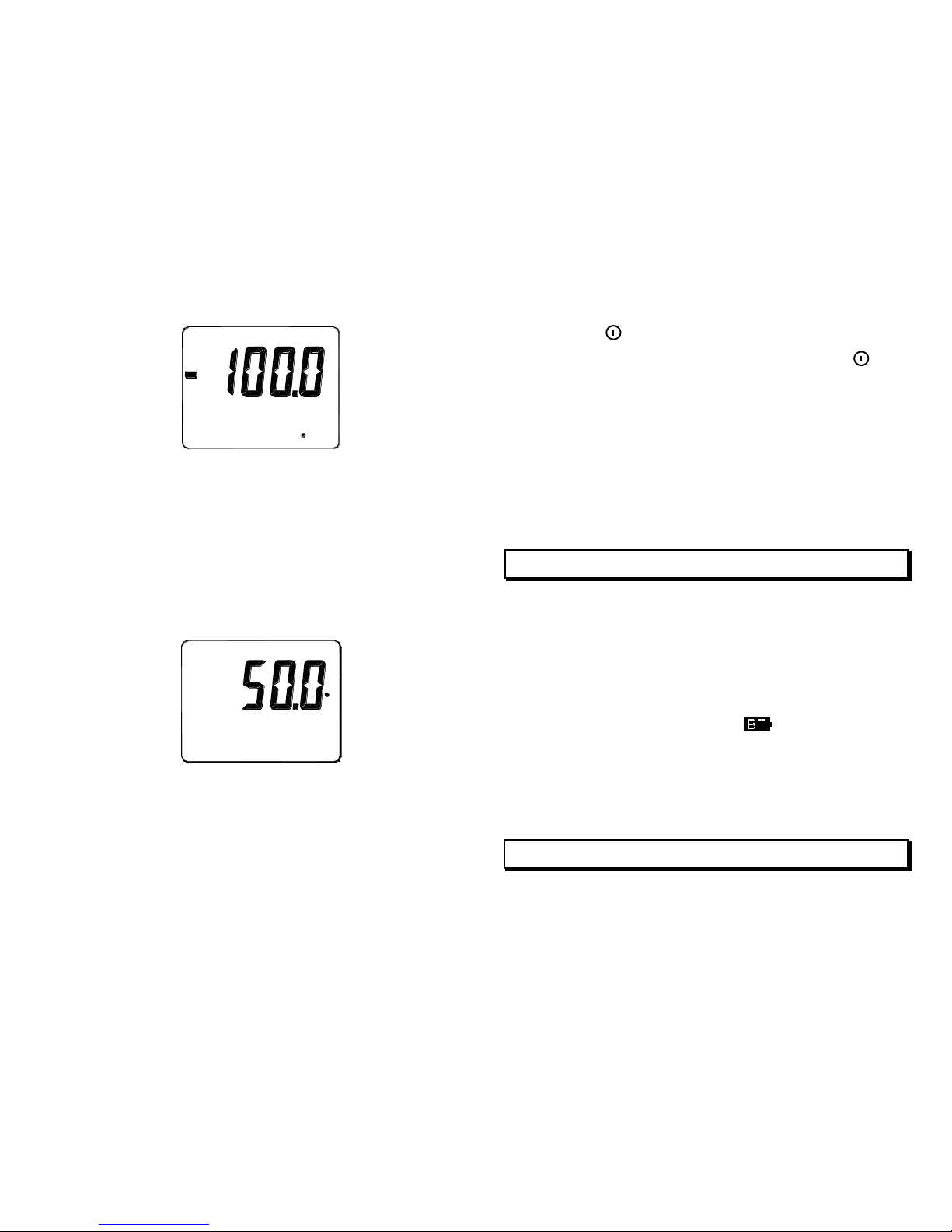
Press "" or "" key until the display shows the alarm
Low limit values you want, then press "" key to store
the Low limit value and finish the setting mode.
Press "SET" key for 2 seconds then release it,
enter to ALARM function LCD will show "ALM"
mark, when main display measured temperature
value exceeds the setting high temperature value
or below the setting Low temperature value, the
beeper will continuously sound.
ALM
C
Press "SET" key for 2 seconds then release it to
exit the ALARM function.
11
4-6 How to Disable Auto Power off Function
The meter will enter to the sleep mode if no key
pressed occurs for 30 minutes.
Press " " key to turn off the meter.
Press and hold down " " key then press " "
key to turn on the meter, the auto power off
function will be disabled.
The auto power off mark " : " on the time display
will disappeared.
Auto power off mode is enabled each time you
turn on the meter and is automatically.
5. MAINTENANCE
5-1 Cleaning :
Periodically wipe the case with a damp cloth and
mild detergent.
Do not use abrasives or solvents. Clean and dry
as required.
5-2 Battery Replacement :
When LCD display shows “
”, the battery has
had insufficient power to support an accurate test.
At this moment, replace it with new battery from the
battery compartment.
12
6. OPTIONAL ACCESSORY
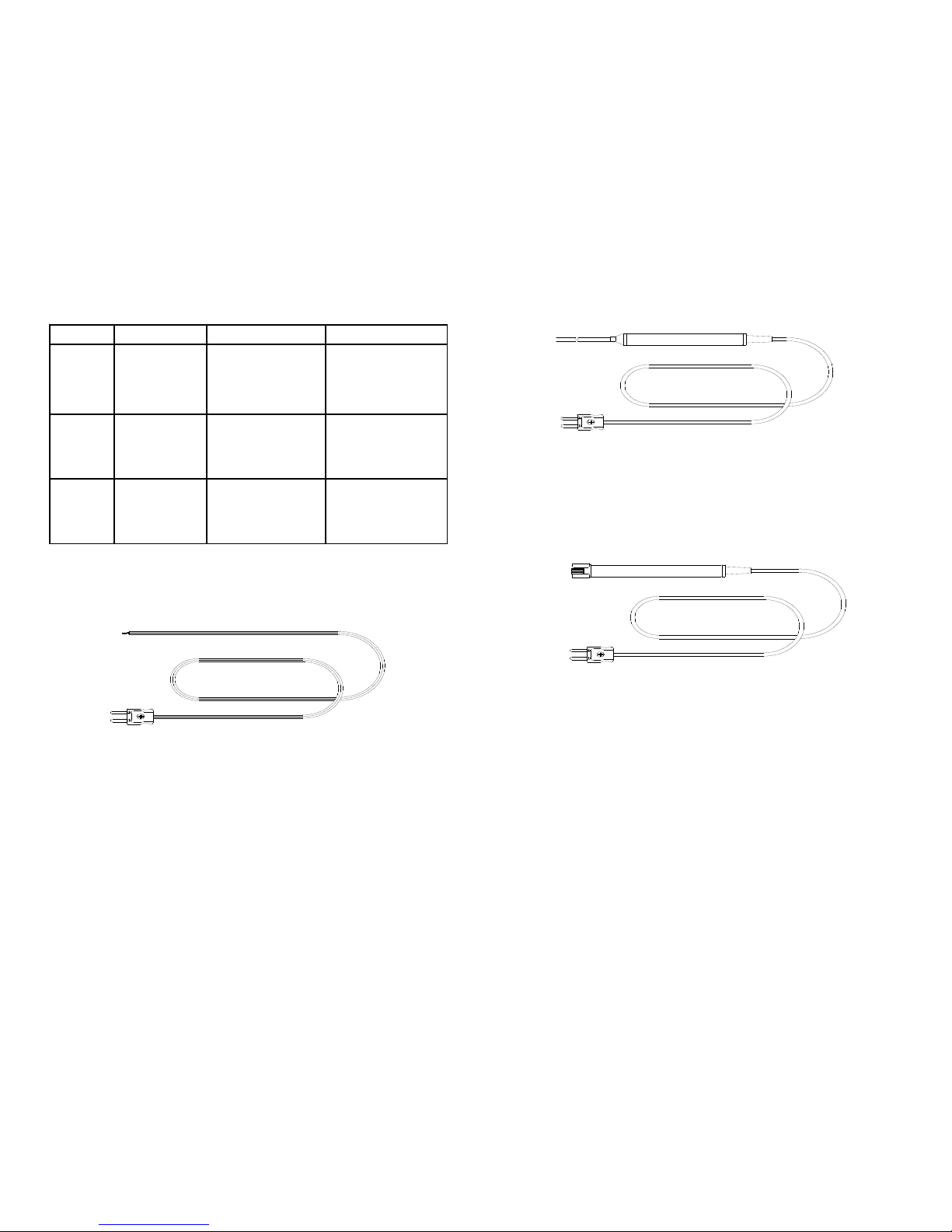
K ( CA ) type thermocouple.
Page 8
Model
Range
Tolerances
Description
TP-K01
Bead
probe
-50℃ to 200℃
-58℉ to 392℉
2.2℃ or 0.75%
(3.6℉ or 0.75%)
with Teflon tape
insulation. Maximum
insulating
temperature: 260℃
TP-K02
immersion
probe
-50℃ to 1000℃
-58℉ to 1832℉
2.2℃ or 0.75%
(3.6℉ or 0.75%)
3.2φ×150 ㎜ metal
sheath 100 ㎝
Compensating wire
TP-K03
Surface
probe
-50℃ to 750℃
-58℉ to 1382℉
2.2℃ or 0.75%
(3.6℉ or 0.75%)
100 ㎝ Compensating
wire 12.5φx 94 ㎜
handle
TP-K01: Available for general condition, especially for
complex and any place hard to reach.
13
TP-K02: Available for temperature measurement of liquid,
gels or air.
TP-K03: Available for flat or curved surface measurement.
14
Page 9

TES ELECTRICAL ELECTRONIC CORP.
7F, No. 31, Lane 513, Rui Guang Road, Neihu Dist.
Taipei.
Taiwan, R. O. C.
Tel : (02) 2799-3660 Fax : 886-2-2799-5099
E-Mail : [email protected] http://www.tes.com.tw
Sep-2004-1
 Loading...