

Page 1
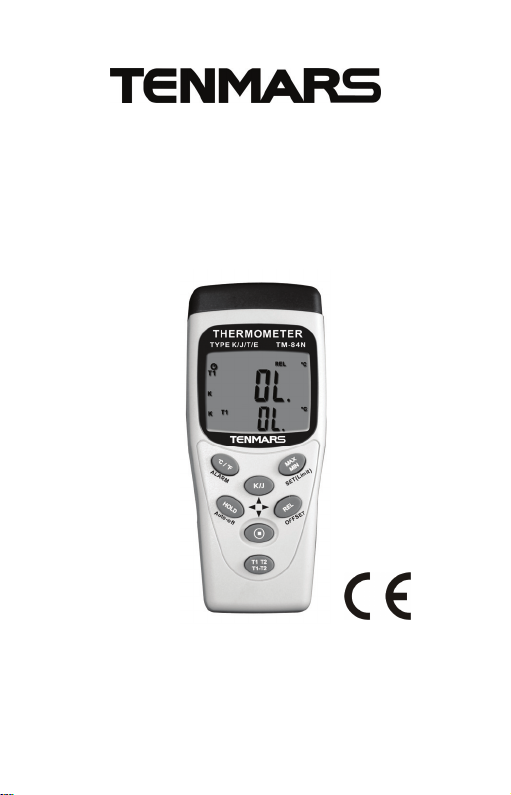
Thermometer
TM-80N TM-82N
TM-83N TM-84N
Users Manual
HB2TM80N0000
Page 2

Table of Contents
1 Introduction ........................................................ 1
2 Components....................................................... 2
3 Display Element................................................. 3
4 Buttons Introduction........................................... 4
5 Instruction for Use.............................................. 5
6 Specification......................................................11
7 Battery Replacement ....................................... 13
8 Safety Precaution ............................................ 13
9 End of Life........................................................ 13
Page 3

1 Introduction
Tenmars TM-8X series thermometer is a digital
thermometer use for thermocouple type. Build in
microprocessor and high resolution analog to digital
converter chip. The thermocouple probe has fast
response, measure wide ranges, easy change shape
and popular prices. This popular used to industry and
homes.
1
Page 4
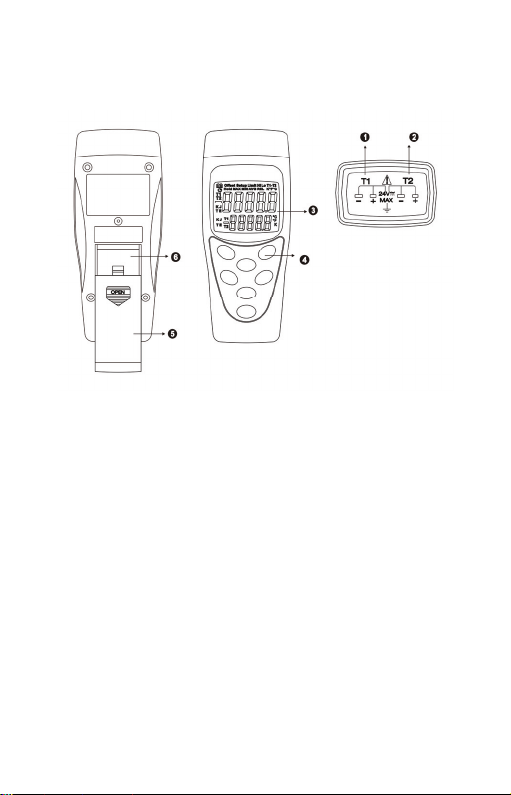
2 Components
1. Thermocouple T1 input.
2. Thermocouple T2 input. (TM-82N/84N)
3. Display
4. Function keys
5. Battery cover
6. Battery placement
2
Page 5
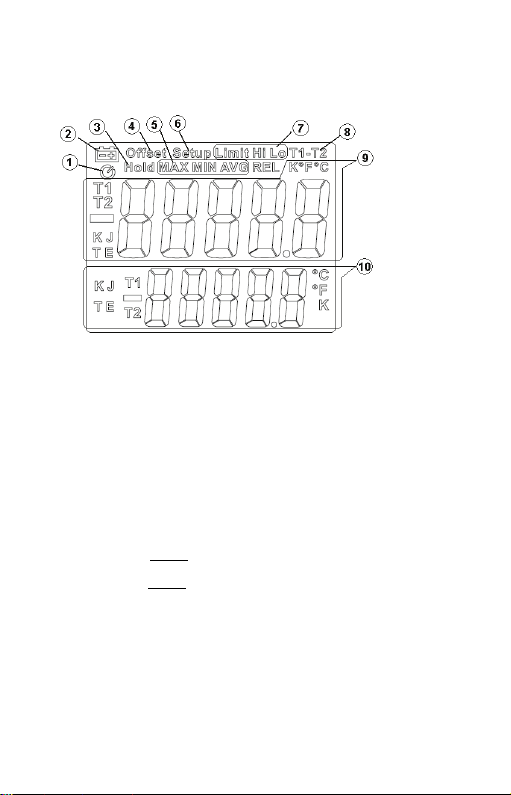
3 Display Element
1. Auto power off symbol indication.
2. Lower battery indication.
3. Freeze display and stop update.
4. Offset changed (≠0.0)。
5. Enable maximum, minimum and average record, and
current mode indication.
6. Enter the SETUP mode symbol.
7. Symbol of Limit
Symbol of Hi Lo
8. T1 subtract to T2 function enabled.
9. Primary display and state of channels, temperature
unit and thermocouple type.
10.Secondary display and state of channels,
temperature unit and thermocouple type.
is ALARM function enabled.
is state of alarm detonated.
3
Page 6

4 Buttons Introduction
Temperature Unit Select.
Press and hold, Alarm function enable or
disable.
Freeze display and update function enable or
disable.
Press and hold, auto power off function
enable or disable.
In the setup mode, “left” select function.
(TM-83N/84N)
Thermocouple Type Select.
In the setup mode, “up” select function.
MAX, MIN and AVG record.
Press and hold, enter setup mode.
In the setup mode, “ENTER” function.
Deducting relative reading function enable or
disable.
Press and hold, enter offset setup mode
In the setup mode, “right” select function.
(TM-83N/84N)
Power turn the on or off
In the setup mode, “down” select function.
T1 minus T2 Temperature function enable or
disable.
Press and hold, T1 with T2 display location
swap.
4
Page 7
5 Instruction for Use
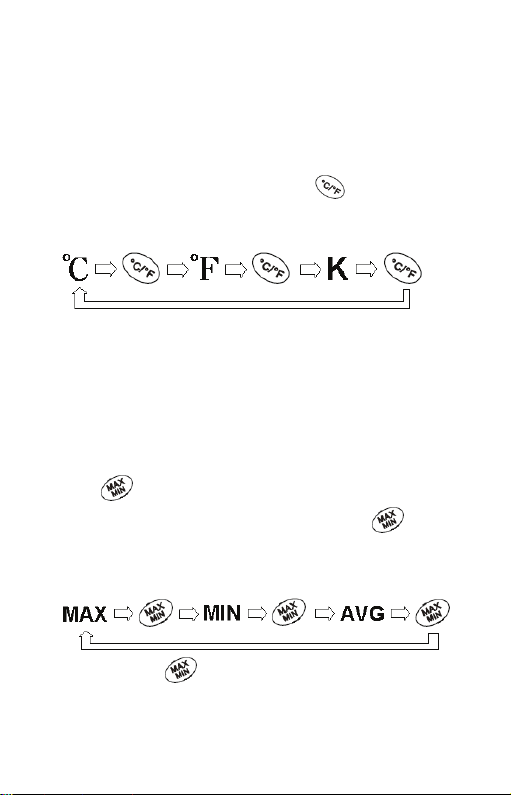
z Temperature Unit Select (°C/°F/K):
User can change temp unit to between Celsius(°C),
Fahrenheit(°F), and Kelvin(K).Press key to change,
follow the figure circles.
(K only TM-83N/84N)
The device will auto save unit before shutdown, being
as default for next power on.
z MAX, MIN and AVG record :
This function record maximum, minimum, and average.
User can select viewing.
Press
Show the max reading to display. Press
switch viewing between MAX, MIN, and AVG. Follow the
figure circles.
key to start record MAX, MIN, and AVG.
key to
Press and hold
key to disable this function.
The primary display showed current channel reading of
5
Page 8
MAX、MIN and AVG. The secondary display showed
current channel reading of real temperature.
If want to show another channel reading of MAX, MIN,
and AVG. Please press and hold
key to swap T1
with T2. (TM-82N/84N)
If device auto power off and this function is enable,
device will auto save record value, and showed for next
power on.
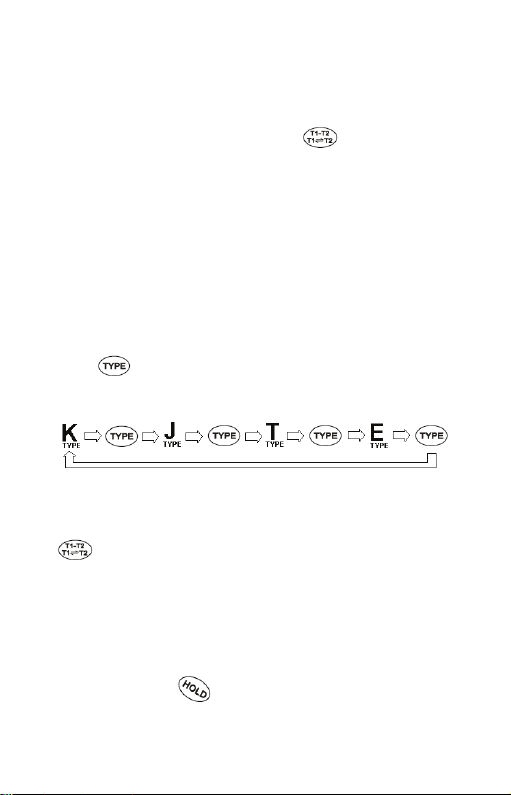
z Thermocouple Type Select :
User must choice correctness thermocouple type. If
choice the wrong type will caused inaccuracy
temperature reading.
Press
key to switch type between K, J, T, and E.
Follow the figure circles.
(T、E only TM-83/84)
If want to setting T2 type, Please press and hold
key to swap T2 being primary
display.(TM-82N/84N)
The device will auto save type before shutdown, being
as default for next power on.
z Freeze Display and Stop Update (HOLD):
User can press
key to freeze display and stop
6
Page 9

update temperature read. Press key again to
unfreeze.
When the HOLD function is enable, all function keys
was useless except for power key.
z Deducting Relative Reading Function (REL):
User can press
reading. This function provides display becomes”0”.
Save the previous reading as the standard relative
reading.
For example:
If the reading display is 25°C, press
a reading of “0” °C. Save the reading of 25°C as the
standard relative reading, if the temperature up to
30 °C, the display will be 30.0-25.0=5 °C, if the
temperature down to 20 °C the display will be
25.0-30.0= -5°C.
Press
The primary display showed current channel reading
of REL. The secondary display showed current
channel reading of real temperature.
If want to show another channel reading of REL.
Please press and hold
(TM-82N/84N)
key to show deducting relative
key to have
key again to disable function.
key to swap T1 with T2.
7
Page 10

z T1 minus T2 Temperature (T1-T2):
This function provides display T1 minus T2 temperature
value.
User press
key to display T1 minus T2 temperature
value.
Press
key again to disable this function.
The primary display showed T1-T2 temperature. The
secondary display showed current channel reading of
real temperature.
If secondary display want to show another channel
reading of real temperature. Please press and
hold
key to swap T1 with T2. (TM-82N/84N)
z T1 with T2 Display Location Swap : (TM-82N/84N)
User can swap display location of T1 with T2.
Press and hold
key to swap display location.
z Auto Power Off Function :
The device will auto power off if there is no action for 15
minutes.
If want to disable or enable the auto power off function,
Please press and hold
(Auto-off) key.
8
Page 11
z Power On/Off :
Press
key to turn on or turn off the power.
*In the SETUP mode, can’t turn off the power, Please
leave the SETUP mode.
*If can’t turn on the power, please check battery connect
normal and power enough.
z Changing the Offset :
User can adjust the offset to compensate for the
error of specific thermocouple.
1. Press and hold
(OFFSET) key to setting offset.
2. Press and key to increase or decrease
offset value.
The allowable
adjustment range is ±5℃, ±5K, and
±9℉. once 0.1℃/℉/K.
3. Press (SET) key to save and leave setup
mode.
If want to adjust another channel the offset, please
press
key to setting, and repeat step 2,3.
(TM-82N/84N)
The device will auto save offset value before
shutdown, being as default for next power on.
*When you change the thermocouple probe or don’t
need offset compensate, please adjust value to be
0.0℃.
9
Page 12
z Alarm Function :(TM-83N/84N only)
User can setting a Hi and Lo limit, when temperature
read over limit range, the buzzer will be sounded until
the reading come back in the limit range or disable this
function.
Press and hold
(ALARM) key to turn the alarm
enable or disable.
z Setting Limit Range for Alarm: (TM-83N/84N only)
User can enter setup mode to set limit hi and lo for alarm
function.
1. Press and hold
(Limit) key to set T1 Hi
2. Press up
and down key to increase or
decrease temperature.
Press left
and right key to select digit
and negative symbol.
3. Press
(SET) Key to save setting value.
Into set T1 Lo.
4. Repeat step 2 to set T1 Lo temperature.
5. Press
(SET) Key to save setting value and
leave setup mode. (TM-82N/84N into the set T2 Hi)
6. Repeat step 2 to set T2 Hi temperature.
7. Press
(SET) Key to save setting value.
10
Page 13

Into set T2 Lo.
8. Repeat step 2 to set T2 Lo temperature.
9. Press
(SET) Key to save setting value and
leave setup mode.
6 Specification
z Display: dual 5 digit LCD
z Temp Unit: ℃、℉、K(TM-83N//84N)
z Resolution: 0.1
z Measurement Range:
K-TYPE:-200℃~1370℃(-328℉~2498℉)
J-TYPE:-200℃~1050℃(-328℉~1922℉)
(TM-83N/84N only)
T-TYPE:-250℃~400℃(-418℉~752℉)
E-TYPE:-210℃~1000℃(-346℉~1832℉)
11
Page 14

z Accuracy: (at 23±5℃ Relative humidity<80%RH)
±(0.05% reading+0.7℃)
±(0.05% reading+1.4℉)
0.01% of reading + 0.03°C per °C
(0.01% of reading+ 0.06°F per °F)
outside the specified +18 °C to+28°C(+64 °F to+82°
F)range
z Overload index:
“OL” stands for positive temperature
“-OL” stands for negative temperature
z Input protection: Maximum 24V DC or AC
z Battery: 9V (NEDA 1604、IEC 6F22 或 JIS 006P)
z Battery Life: Approx. 200 hours。
z Shutdown Rated Power: 9uW
z Operate Rated Power: 26mW
z Operating temperature & humidity:
5℃to 40℃,below 80% RH.
z Storage temperature & humidity:
-10℃ to 60℃, below 70%.
z Weight: About 170g.
z Dimensions: 130(L)*56(W)*38(H)mm.
Accessories:
User’s manual, 9V battery, K Type thermocouple.
12
Page 15
7 Battery Replacement
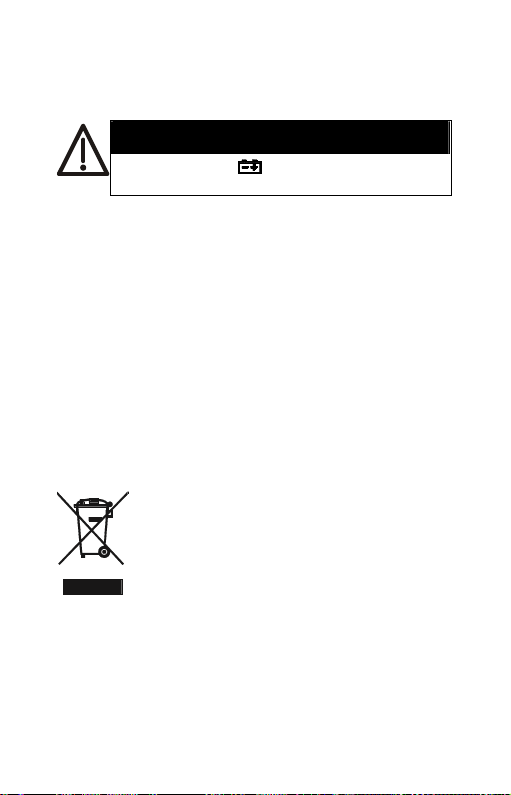
If the symbol “
WARNING
” appears on the LCD,
please replace the battery immediately
z Turn off the instrument.
z Remove the battery cover
z Replace the battery.
z Install the battery cover.
8 Safety Precaution
z For cleaning the instrument use a soft dry cloth.
Never use a wet cloth, solvents or water, etc..
z Operation Altitude: Up to 2000M.
9 End of Life
Caution: this symbol indicates that
equipment and its accessories shall be
subject to a separate collection and
correct disposal
13
Page 16

TENMARS ELECTRONICS CO., LTD
6F, 586, RUI GUANG ROAD, NEIHU,
TAIPEI 114, TAI WAN.
E-mail: [email protected]
http://www.tenmars.com
 Loading...