

Page 1
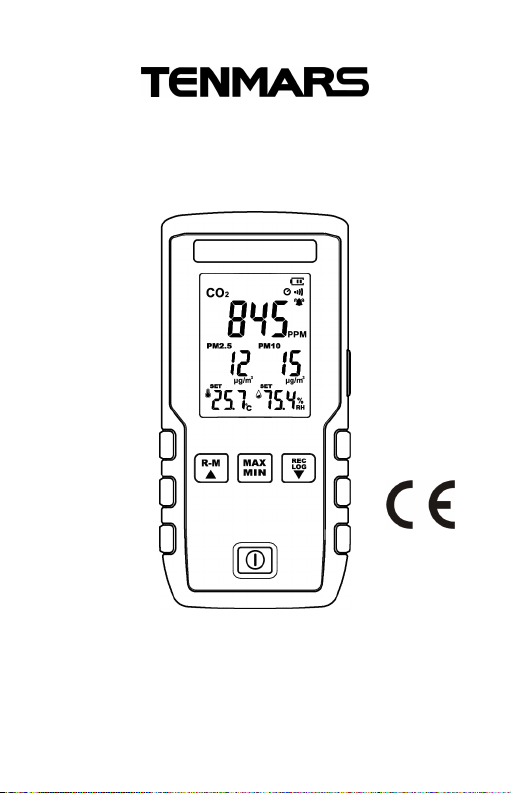
Multi IAQ Monitor
TM-380
User’s Manual
HB2TM3800000
Page 2

Page 3
1 Application.................................................................. 1
Contents:
2 Accessories................................................................. 1
3 Safety Precaution........................................................ 1
4 Instrument Description ............................................... 2
4.1 Feature and function...................................... 2
4.2 Indication on the LCD display ....................... 3
5 Operation..................................................................... 4
5.1 Power on/off................................................... 5
5.2 Auto Power Off............................................... 5
5.3 Backlight mode .............................................. 5
5.4 MAX/MIN,AVG and MAN MIN ................. 5
5.5 RECManual record................................ 5
5.6 LOG starts the auto-recording function 6
5.7 Readthe data recorded in the memory. 6
5.8 °C or °F units.................................................. 6
5.9 Clear memory................................................. 6
5.10 Turn on / off the key sound.................... 7
5.11 Resume the factory settings.......................... 7
5.12 Function settings........................................... 7
6 General Specifications.............................................. 12
7 General Specifications.............................................. 14
7.1 PM2.5............................................................ 14
7.2 PM10............................................................. 14
7.3 CO2................................................................ 14
7.4 Temperature................................................. 15
7.5 Humidity....................................................... 15
8 Maintenance or Repair.............................................. 16
9 Product disposal....................................................... 16
Page 4
TM-380
lithium
b
attery
)
1
User’sManu
al
1
Micro USB cable
1 Application
This air quality meter can measure and display CO2,
PM2.5, Humidity and Temperature measurements and is
ideal for monitoring indoor air quality in a variety of
environments.
2 Accessories
1 Meter (with a 3.7V Rechargeable
3 Safety Precaution
Caution! Please refer to this manual.
Improper use may damage the meter
and its components.
Complies with European Directive.
Do not operate in environments with flammable gas or humid
environments.
Operating altitude: up to 2000M.
Operating environment: Indoor use; Pollution degree 2.
Clean with soft cloth when dirty, such as glasses cloth. Do not
clean with chemicals and other solvents.
EMC: EN61326-1:CISPR 11:Group 1, Class B
Class B – Equipment for use in all establishments other than
domestic.
Group 1 – RF energy generated is needed for internal
functioning.
1
Page 5
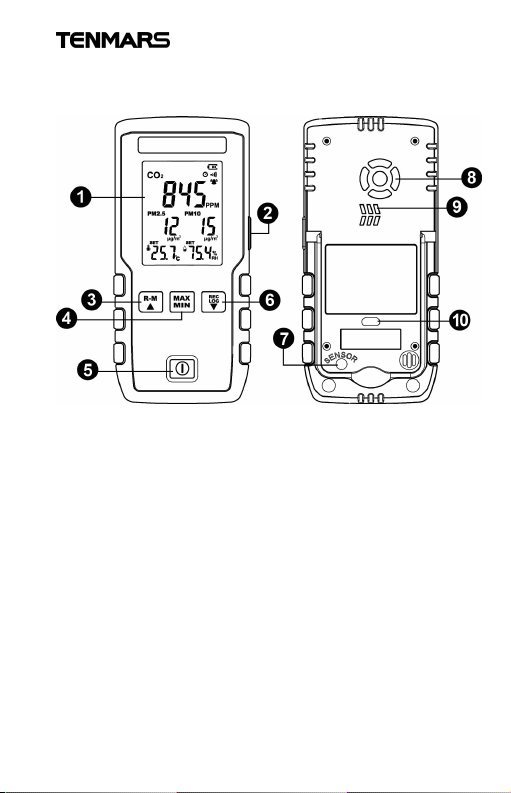
4 Instrument Description
1.
LCD2.R
ight-side
button
4.MAX / MIN /
AVG
button
5.
Power button
button
7.
Temperature and humidity
sens
ing
port8.A
ir outlet
for sensor
9.Air inlet
for sensor
10.
Micro USB
jack
4.1 Feature and function
3. Memory reading / Up button
6. Single log and auto-record button/Down
TM-380
2
Page 6
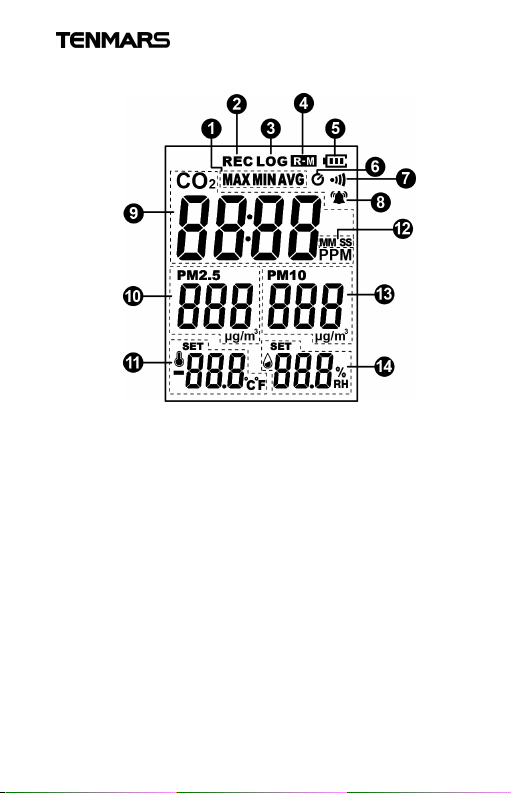
4.2 Indication on the LCD display
TM-380
1.MAX / MIN /AVG
/MAN MIN
2.Manual recording
3.Auto-recording
4.Read record
5.Battery indicator
6.Auto-power off
7.Buzzer
8.Alarm
9.CO
10.PM2.5
11.Temperature
12.MM minute,
SS second
13.PM10
14.Humidity
3
2
Page 7
TM-380
described in Section 7.
time may affect the accuracy.
humidity sensors.
se
nsors.
5 Operation
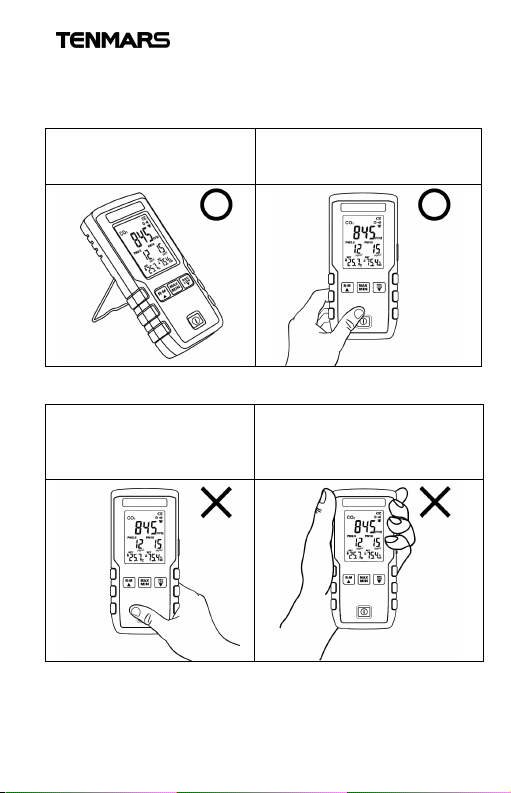
Please hold the meter in the following way for the correct
measured value:
The placement follows the
electrical specifications
This is a suitable way to hold
the meter, holding for a long
This is not a proper way to
hold the meter, it will block
the temperature and
This is not a proper way to
hold the meter, it will block
the PM2.5, PM10 and CO2
4
Page 8
TM-380
5.1 Power on/off
Press to turn the power on or off.
5.2 Auto Power Off
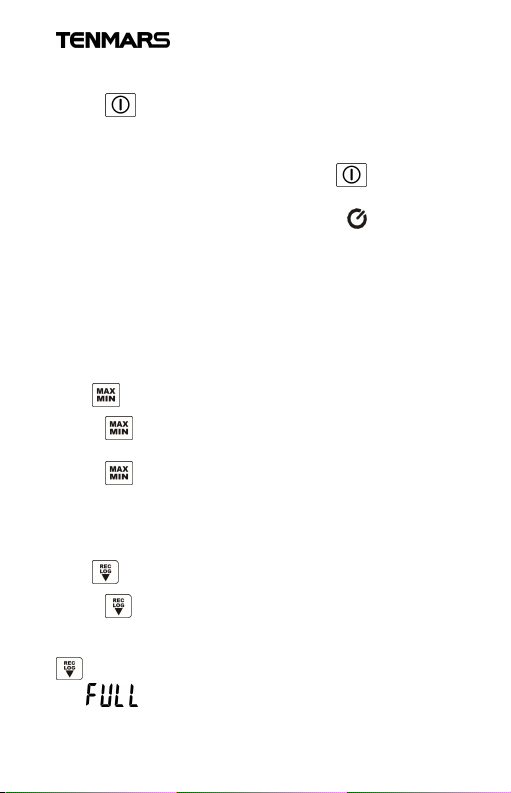
At the power-on status, press and hold for more than 2
seconds to disable or resume auto power off function. When
auto power off is activated, the indicator appearing, and
it will automatically turn off after 30 minutes.
5.3 Backlight mode
Press “right-side button” to turn on or off the backlight.
(When the red backlight for alarm is on, this button is invalid)
The backlight mode is turned off automatically after 15
seconds.
5.4 MAX/MIN AVG and MAN MIN
Press to enter this function, the MAX is shown on the
screen and it displays the maximum value.
Press repeatedly to select the function of
MIN/AVG/MAX MIN/MAX and update the displayed value.
When select MAX MIN function, it displays the current
measured value.
5.5 RECManual record
Press to save one data log, the “REC” and the log
number appear on the LCD for one second. For an example
of the log number 10, it will increase by 1 when pressing
every time. When reaching the maximum log number
20, appears.
5
Page 9
TM-380
5.6 LOGstarts the auto-recording function
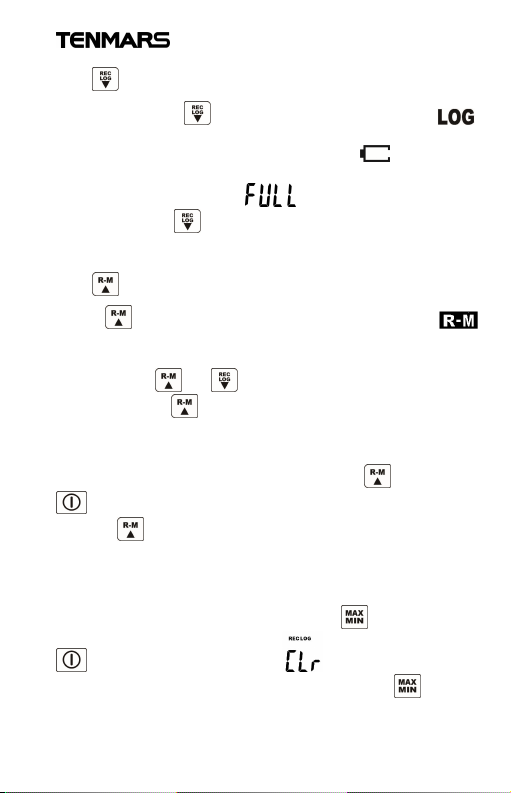
Press and hold for more than 2 seconds, “ ”
appears on the LCD, and auto-recording starts. If the power
is insufficient during auto-recording, appearing,
auto-recording will be forcibly stopped. When reaching the
maximum log number 20, appears.
Press and hold again for more than 2 seconds to exit
the auto-recording function.
5.7 Read the data recorded in the memory
Press to enter the memory-reading mode, while
and the log number appear on the LCD for one second, the
record is then displayed. Read the data recorded in the
memory with or .
Press and hold to exit this mode.
5.8 °C or °F units
At the shutdown status, press and hold , then press
to turn on the meter, after the software version appears,
release .
Repeat the above steps to switch the unit.
5.9 Clear memory
At the shutdown status, press and hold and then press
to turn on the meter, the and software version
appears successively on the LCD, release the to clear
the memory.
6
Page 10
TM-380
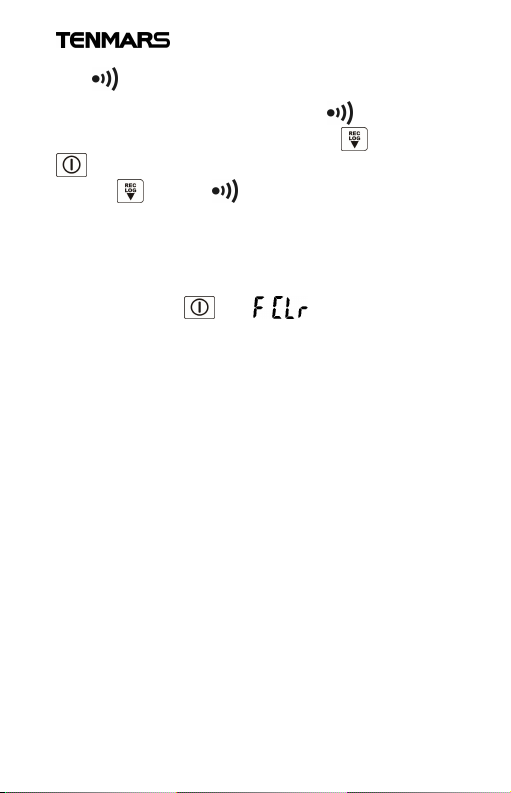
5.10 Turn on / off the key sound
The sound is defaulted as on and the is displayed.
At the shutdown status, press and hold and then press
to turn on the meter, after the software version appears,
release and the disappears, the key sound is off.
Repeat the above step to tun on the key sound.
5.11 Resume the factory settings
At the shutdown status, press and hold “right-side button”
and then press , the and software version
appears successively on the LCD, release the “right-side
button” to complete the process of resuming to the factory
settings and clearing the memory.
Auto-shutdown: OFF
Key sound: On
The calibration value resumed to 0
CO2Abc OFF
Memory cleared
5.12 Function settings
Press “right-side button” for more than 2 seconds to enter
the setting mode.
Press the “right-side button” repeatedly to enter the setting
function 1 ~ 8 in sequence:
7
Page 11
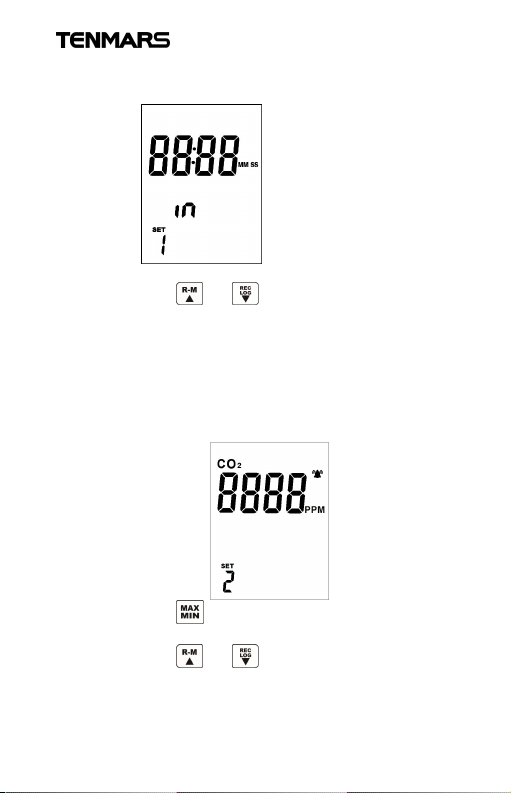
SET 1. Time interval setting
1. The LCD displays:
2. Press or to select the interval 5
seconds / 10 seconds / 5 minutes / 10 minutes /
20 minutes / 30 minutes / 60 minutes; the default
value is 5 seconds.
3. Press the “right-side button” again to enter set 2.
SET 2. CO2alarm setting
1. The LCD displays:
2. Press to move the digit, and the selected
digit will flash.
3. Press or to increase or decrease the
CO2value.
4. Press the “right-side button” again to enter set 3.
TM-380
8
Page 12
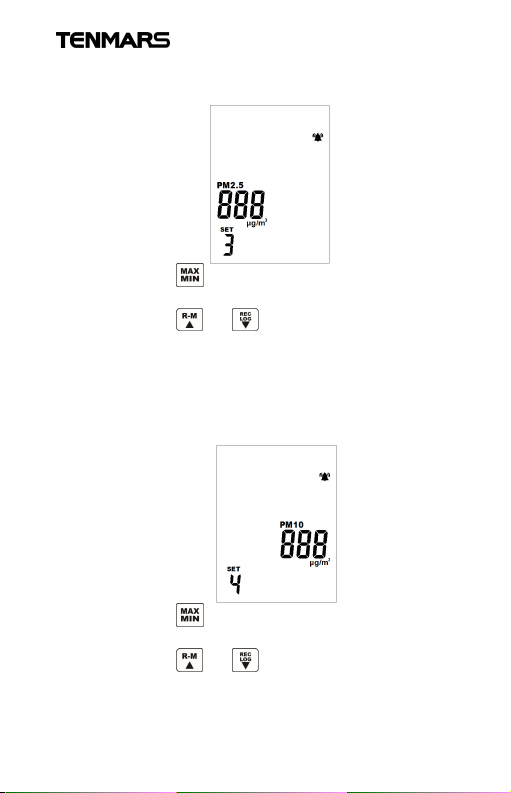
SET 3. PM2.5 alarm setting
1. The LCD displays:
2. Press to move the digit, and the selected
digit will flash.
3. Press or to increase or decrease the
CO2value.
4. Press the “right-side button” again to enter set 4.
SET 4. PM10 alarm setting
1. The LCD displays:
2. Press to move the digit, and the selected
digit will flash.
3. Press or to increase or decrease the
CO2value.
4. Press the “right-side button” again to enter set 5.
TM-380
9
Page 13
TM-380
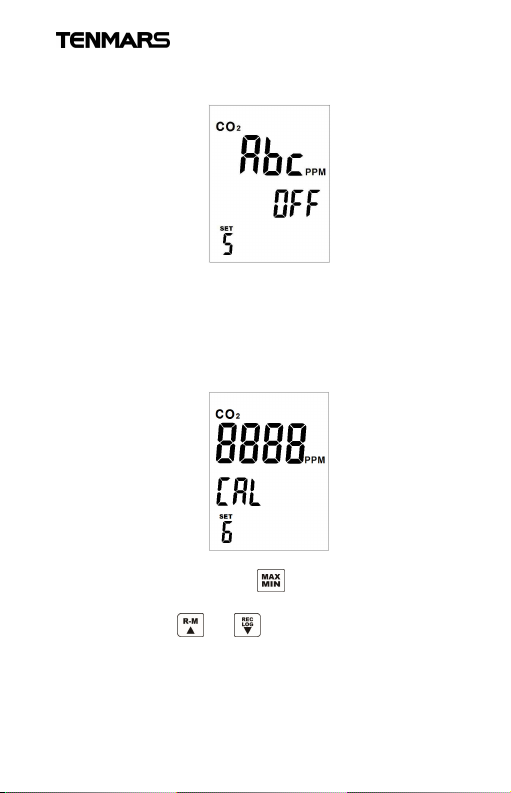
SET 5. (Factory use only) CO2Abc self-calibration mode
1. The LCD displays:
2. This is for factory calibration use only.Please do
not change it.
3. Click the “right-side button” again to enter set 6.
SET 6. CO2manual calibration
1. The LCD displays:
2. Directly increase or decrease the displayed value
of CO2, press the to move the digit, and the
selected digit will flash.
3. Press or to modify the value.
4. Press the “right-side button” again to enter set 7.
10
Page 14
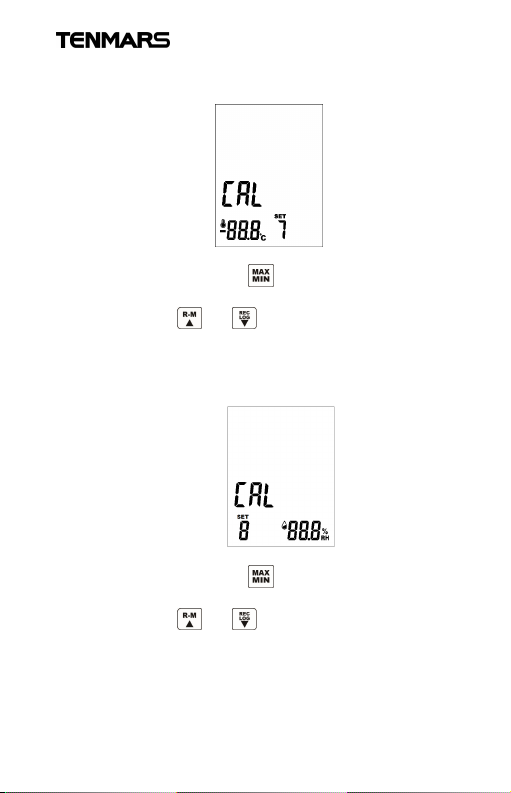
SET 7. Temperature calibration
1. The LCD displays:
2. Directly increase or decrease the temperature
value, press the to move the digit, and the
selected digit will flash.
3. Press or to modify the value.
4. Press the “right-side button” again to enter set 8.
SET 8. Humidity calibration
1. The LCD displays:
2. Directly increase or decrease the temperature
value, press the to move the digit, and the
selected digit will flash.
3. Press or to modify the value.
4. Press the right-side button again to return to the
measurement mode.
TM-380
11
Page 15
TM-380
6 General Specifications
Real-time measurement of
CO2/PM2.5/PM10/temperature/humidity.
Maximum / minimum / average value.
Auto-power on / off function.
Adjustment and calibration function
(CO2/temperature/humidity).
CO2/PM2.5/PM10 red backlight alarm.
Manual record and auto-record.
Key sound assists to ensure the operation works.
Overload indication .
Battery: 3.7V 2000mAh rechargeable lithium battery
Transformer for charging: 1A/5V
Battery life: continuous use for approximately 6 hours
5V micro USB interface for external power supply
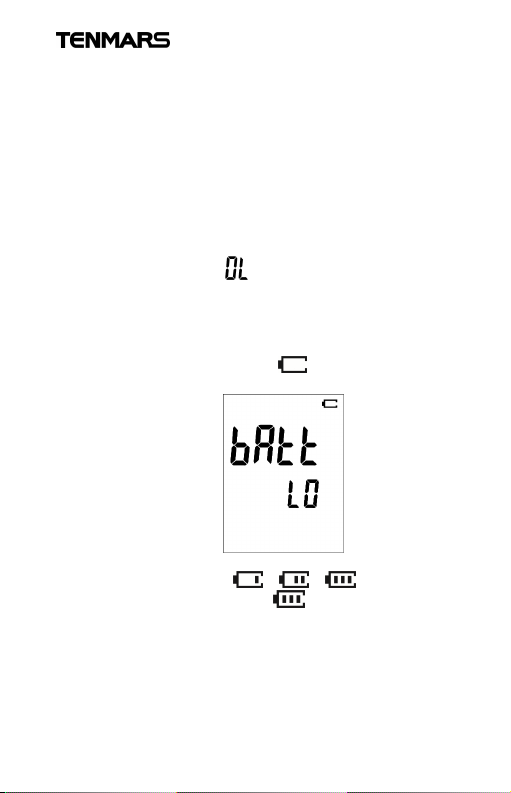
When battery-low indicator shows as the following
figure, the power will be turned off after 5 seconds.
Charging indication: The battery indicator will
sequentially vary as from right to left
during charging and keep when fully charged.
°C or °F unit selection.
When the external power supply is connected, the
auto-power off is disabled, and the white backlight is
always on.
12
Page 16
TM-380
Caution
,
humidity
environment for 24 hours after use.
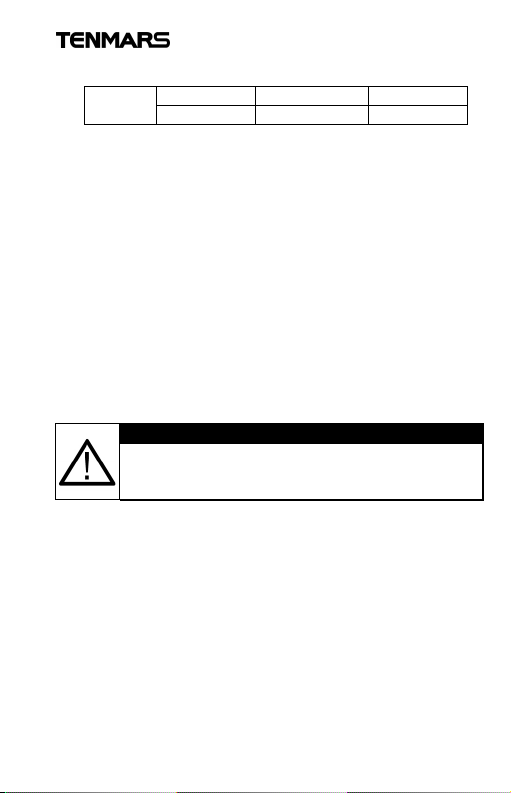
CO2/PM2.5/PM10 red backlight alarm setting function
Setting
value
When the measured value reaches the setting value for
alarm, the LCD backlight shines in red and related
measurement items flash.
20 logs for manual and automatic recording values.
Auto-recording time interval setting: 5 seconds, 10
seconds, 5 minutes, 10 minutes, 20 minutes,
30 minutes, 60 minutes.
Sampling time: 2.5 seconds (5 types, 0.5 seconds for
each).
Dimensions: 150x65x22mm (L x W x H).
Weight: 190 g.
Operating temperature and humidity: 0°C ~ +50°C,
<80%RH (no condensation).
Storage temperature and humidity: 0°C ~ +60°C,
<70%RH (no condensation).
Display size: 52mm (L) x 40mm (W).
If to use the meter in a high-humidity environment
please place the meter in a low-
CO2 PM2.5 PM10
1000PPM 35µg/m³ 75µg/m³
13
Page 17

TM-380
3
3
Non-Dispersion Infrared(NDIR)
(400-2000ppm)
±1pp
m
7 General Specifications
Ambient temperature range for accurate measure: 18°C
(64°F) ~ 28°C (82°F)
7.1 PM2.5
Sensor Laser particulate matter sensor
Measuring
range
Accuracy
±10% of reading value:>50µg/m
0-500 μg/m
±8μg :<=50µg/m
Resolution 1
Reaction
time
<10seconds
7.2 PM10
Sensor Laser particulate matter sensor
Measuring
range
Accuracy
±15% of reading value:>50µg/m
0-500 μg/m
±10μg :<=50µg/m
Resolution 1
Reaction
time
<10 seconds
3
3
3
3
7.3 CO
2
Sensor
Measuring
range
Accuracy
Resolution
Reaction
time
400 to 9999ppm
±70ppm ±3% of readings.
90% during about 2 minutes
14
Page 18

7.4 Temperature
Sensor
Band
gap temperature se
n
sor
range
charging)
(Above 100°C /°F or below
-
10°C /°F)
time
Sensor
Capacitive humidity sensor
range
condensation,
at 25°C
Resolution
0.1%
time
TM-380
Effective
Accuracy
Resolution
Reaction
7.5 Humidity
Effective
Accuracy
Reaction
-10°C~50°C / 14°F~122°F
±1.0°C/±1.8°F
(Non-charging and 30 minutes after
0.1°C / 0.1F (0~35°C / 32°F~95°F) ;
1°C / 1°F
About 1 second
1-99%
±5.0%RH(10~90%);
±8.0%RH(<10%,>90%) no
About 4 seconds
15
Page 19
TM-380
environmental pollution.
Caution
indicator
, please charge it
in time.
8 Maintenance or Repair
1.For the battery-low indicator: indicates the battery
full; indicates the battery low, please charge it in
time.
2.If dirty, please wipe it with a soft cloth, such as a glasses
cloth. Do not wipe it with chemical solvents.
3.If fault on the meter, it can only be sent to the authorized
service suppliers or sent back to the original factory for
maintenance.
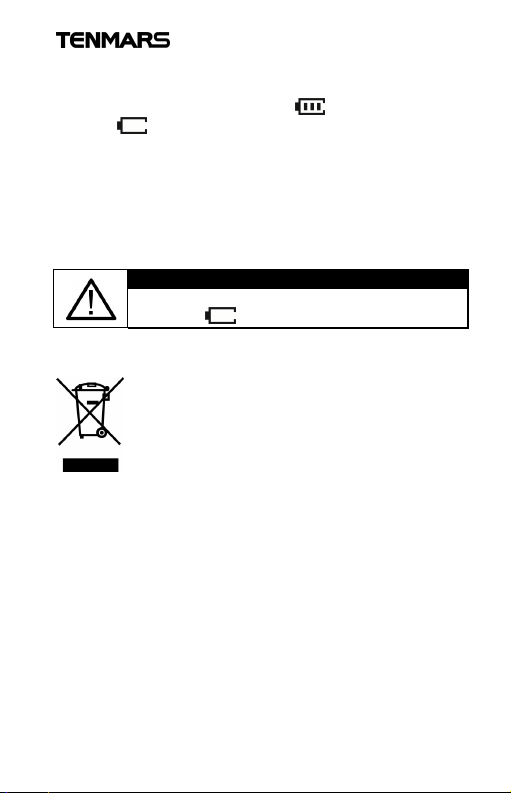
When the LCD shows the battery-low
9 Product disposal
Caution: This symbol indicates that
this product and its accessories shall
be subject to a separate collection
and correct disposal, please not
throw it away directly to avoid
16
Page 20

Professional Electrical and Environment Test &
Measurement Instruments:
LED light meter, Temperature & Humidity
meter,Infrared Thermometer,Sound level
meter, Light meter, EMF meter, UV Light
meter, RF meter, Hot wire Anemometer, Co
meter,Anemometer, Lan cable tester, Co2
meter, Solar power meter, Radiation meter,
Clamp meter, Multimeter, Phase Rotation
test, Digital Insulation tester
Our products of high quality are selling well all
over the world
TENMARS ELECTRONICS CO., LTD.
6F, NO.586 Ruiguang Rd, Neihu Dist.
Taipei City, Taiwan
E-mail: [email protected]
http://www.tenmars.com
 Loading...