

Page 1

Printing Details:
Pages 2 & 3 are for printing, this information is NOT to be
printed.
Font Type: Prometo Bold (Headings & Subheadings), Saira
Regular (Body Text)
Format:
Page size: 150 mm x 85 mm
Artwork printed on both sides
Paper/Ink Details:
80 lb. standard paperweight, printed Black and White on
both Front and Back, laminated.
NAME OPM QUICK REFERENCE CARD
Part # QR-OPM
CONFIDENTIAL Proprietary information property of Tempo Communications Inc.,
not to be disclosed, copied or reproduced without permission.
Page 2
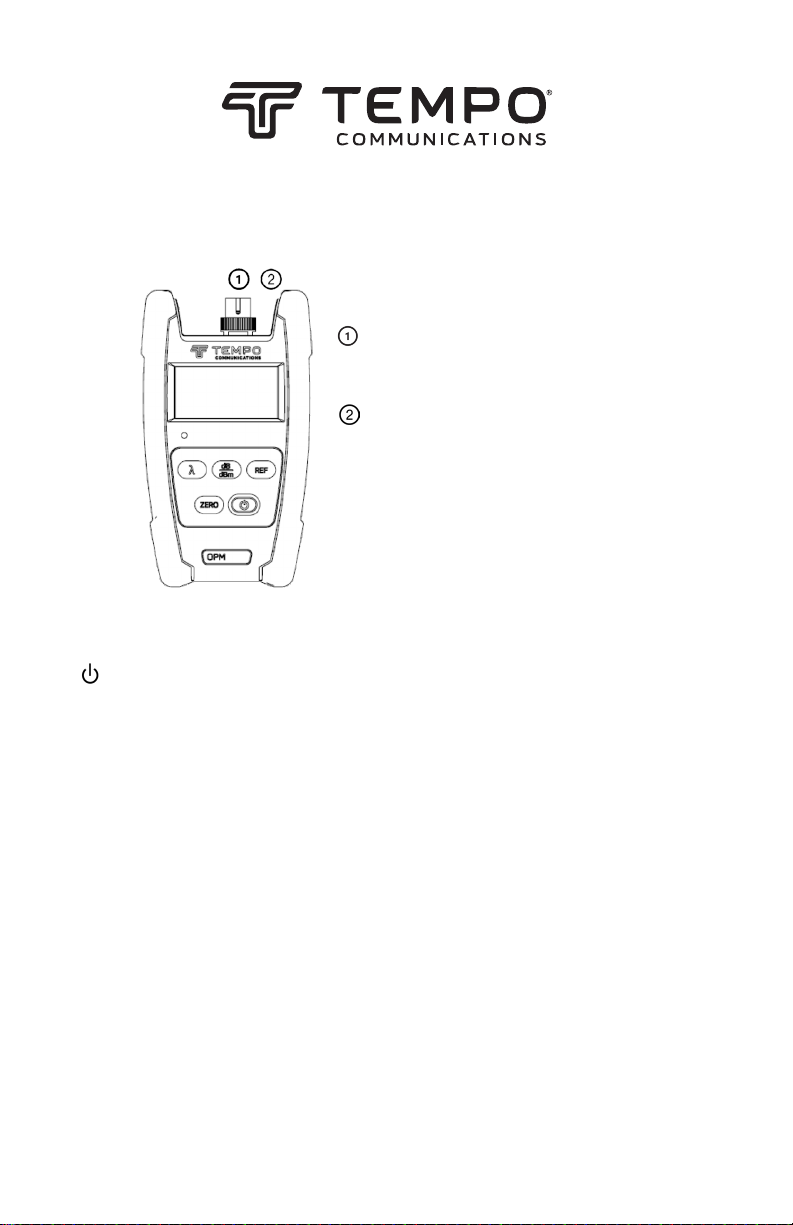
①① Fiber Optic Input
OPM510 & OPM520 is available with SC fiber optic connector
(Interchangeable LC/ST/FC).
②② Ext. AC Power Jack
OPM510 & OPM520 can be operated with an External Power Adapter 9V
DC@250mA.
OPM5XX Optical Power Meter
Quick Reference
External Connector Instruction
Fiber Optic Input
OPM510 & OPM520 is available with
SC ber optic connector (Interchangeable
LC/ST/FC).
Ext. AC Power Jack
OPM510 & OPM520 can be operated
Keypad Functions
[ ]
Push the power button to turn the OPM on or o. The default setting will turn the
OPM o after ve minutes of inactivity. Hold the power button for two seconds to
place the OPM into a constant on mode. Holding the power button again for two
seconds will revert to the auto o mode.
[ dB/dBm ]
Press this key to switch the measurement mode between absolute power (dBm) and
relative loss (dB). Hold the key until “HELD” is displayed.
[ Zero ]
Press the Zero key to zero the OPM with the input port protected from ambient light.
A message of “SUCC” will be displayed upon successful zeroing. If an “ERR” message
appears check that the input port was in fact covered properly and repeat the zeroing
procedure.
[ REF ]
Press this key to display the reference value stored in memory. Hold the key down
until “HELD” appears in the display. When the OPM is switched to dB mode, the LCD
displays the dierence in dB between the reference level and the current input signal.
[ ]
Press this key to select the desired wavelength. The current wavelength will be
displayed on LCD.
with an External Power Adapter 9V
DC@250mA.
The External Power LCD Indicator will illuminate when the unit is supplied from the
external power adapter.
QR-OPM
© 2019 Tempo Communications Inc. 10/19
Page 3

Specications
MODEL OPM510 OPM520
Cal. Wavelength 850, 1300, 1310, 1490, 1550,1625nm
Measure range -65 to +10dBm -50 to +27dBm
Detector type InGaAs
Accuracy
Resolution 0.01dB
Functions
Connector Type SC (Interchangeable LC, FC and ST)
Fiber Type Singlemode & Multimode
Battery Life > 100 hours
Power Supply
Operating Temperature -10°C ~ 50°C
Storage Temperature -20°C ~ 70°C
Relative Humidity 0 to 95% (non-condensing)
Weight 0.68lbs (310g)
Dimensions (H × W × T) 6.1 × 3.5 × 1.3” (155 × 88 × 33mm)
IP Rating IP54
Vibration 5Hz to 150Hz, Amplitude = 0.15mm
Shock Peak acceleration 25g at a pulse duration of 6ms
Compliance CE, FCC
(1) The lower limit of 850nm measurement is -60 dBm for OPM510.
Specications subject to change without notice.
±5% ±0.01nW
(±0.5dB@850nm)
W/mW/µW/dBm/dB(REF)/
MOD tone detection 270Hz, 1kHz, 2kHz
9V Alkaline or 1000mAh Lithium Battery / 9V AC
adapter
(±0.5dB@850nm)
±5% ±1nW
© 2019 Tempo Communications Inc. 10/19QR-OPM
 Loading...