

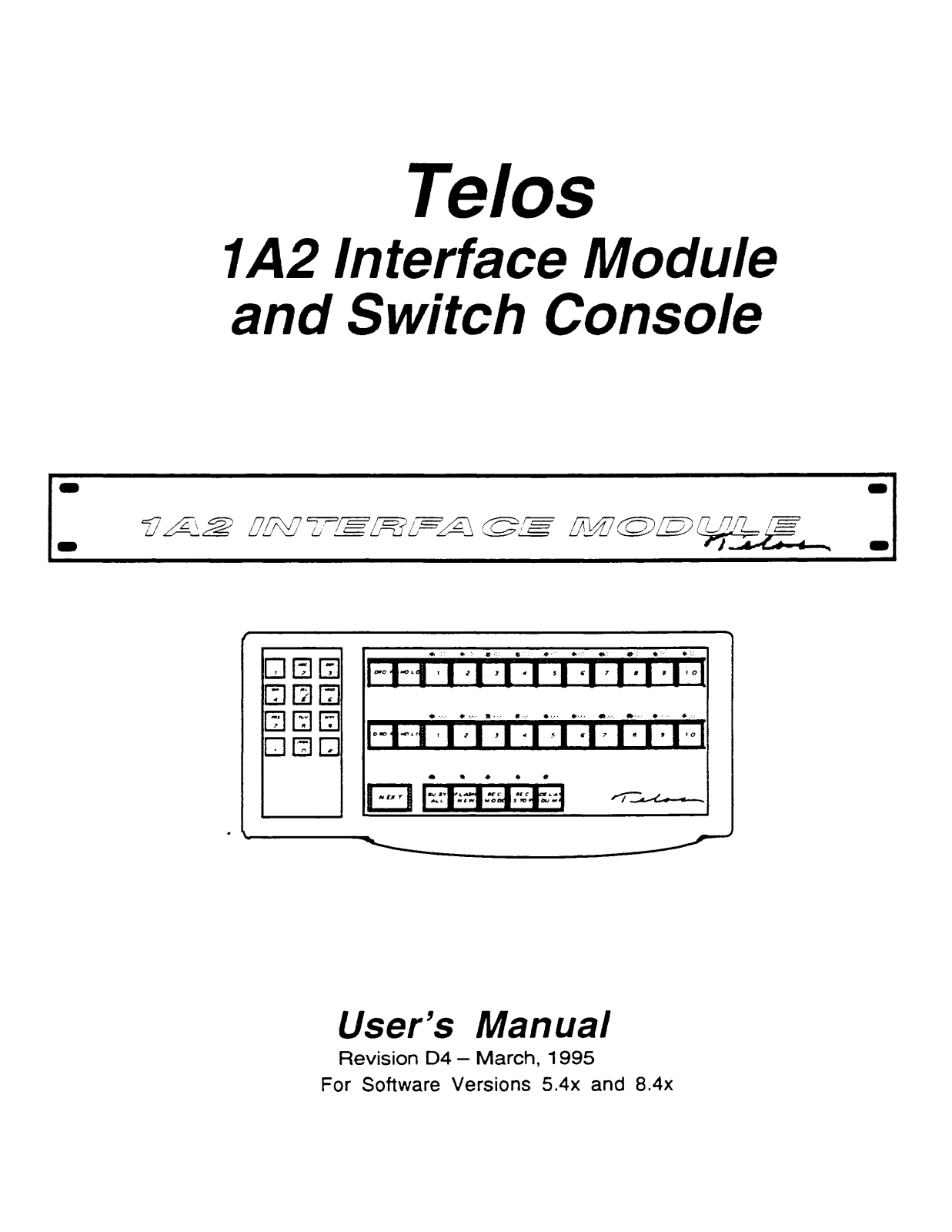
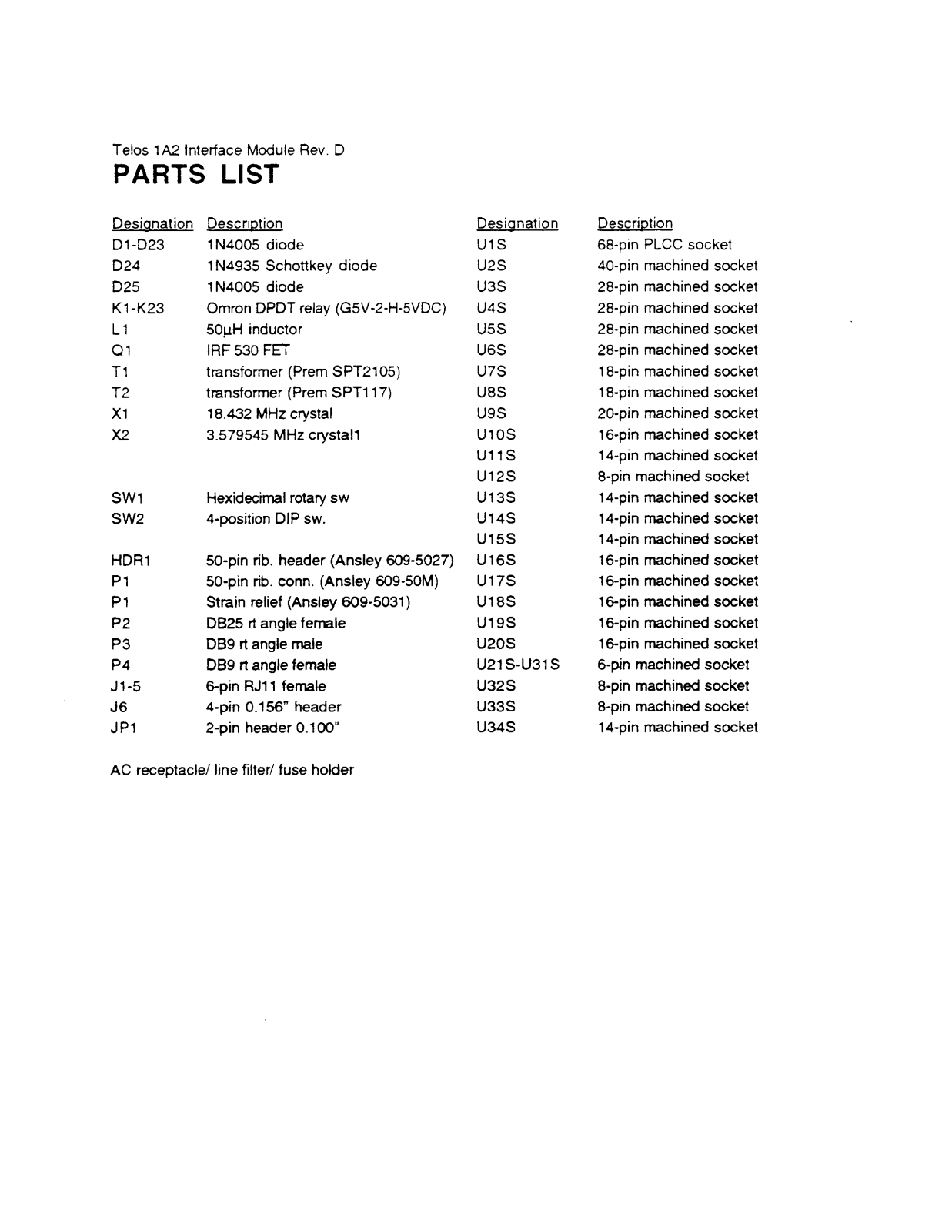
- Model Name: Telos 1A2 Interface Module
- Model: Revision D4
- Supported Software Versions: 5.4x and 8.4x
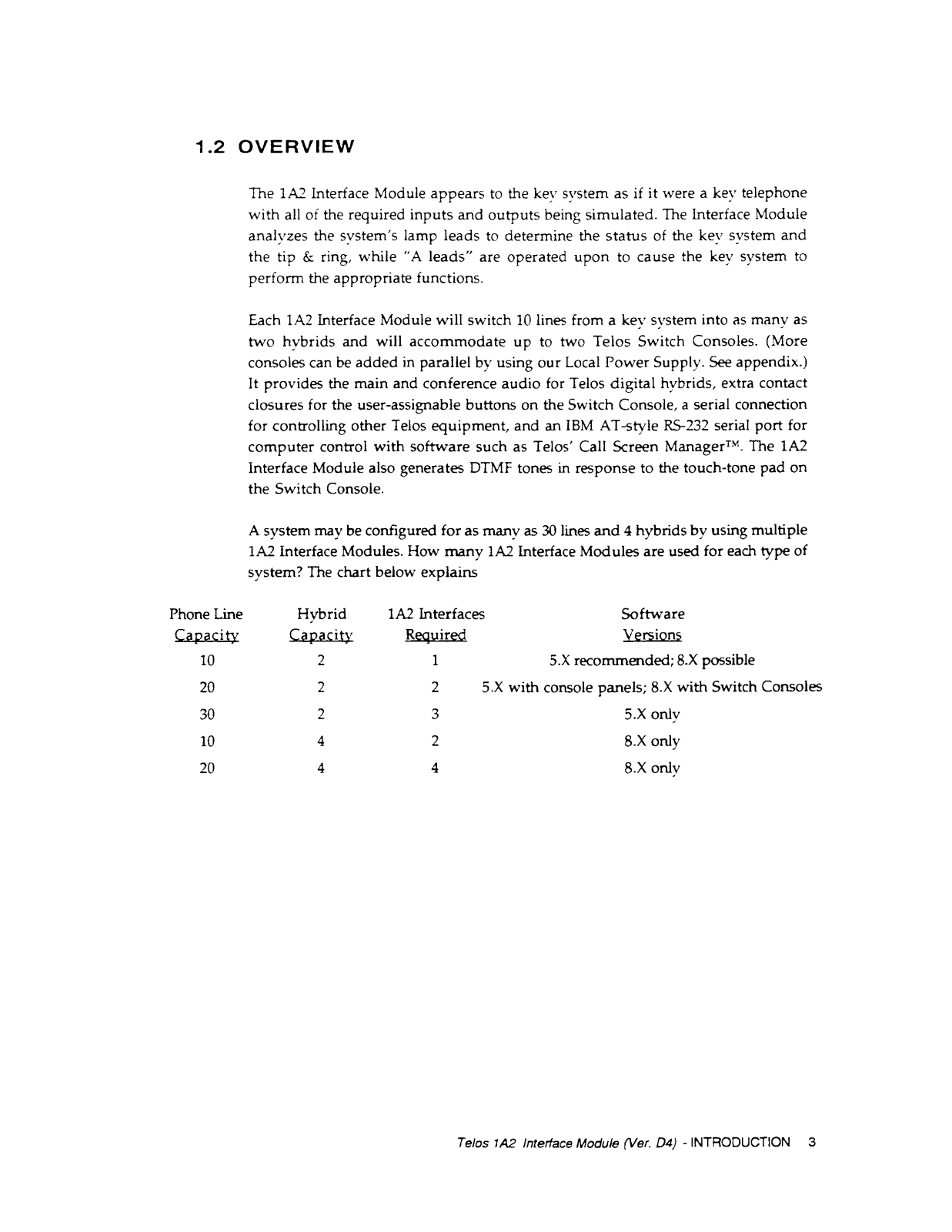
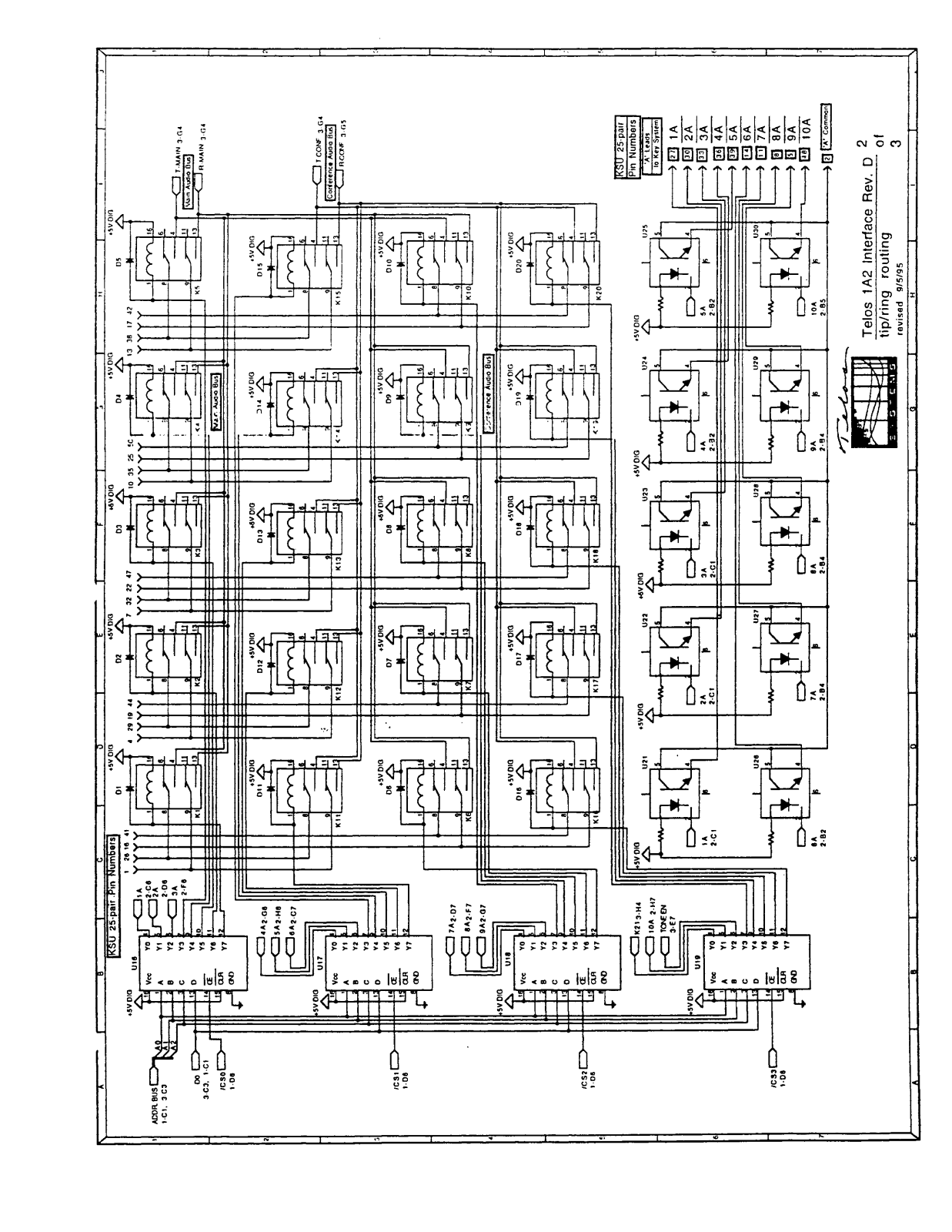
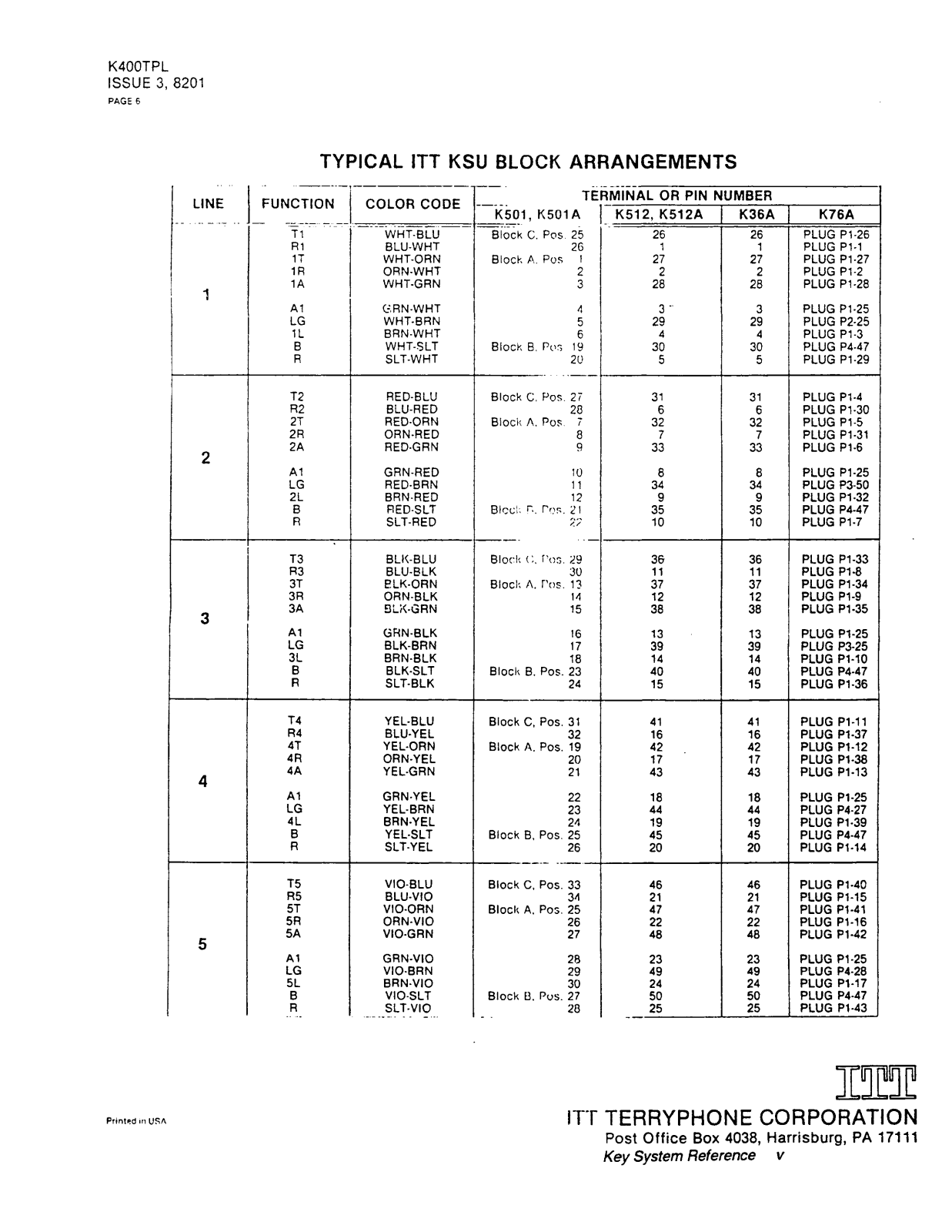
- Phone Line Capacity: Up to 10,20,30 lines
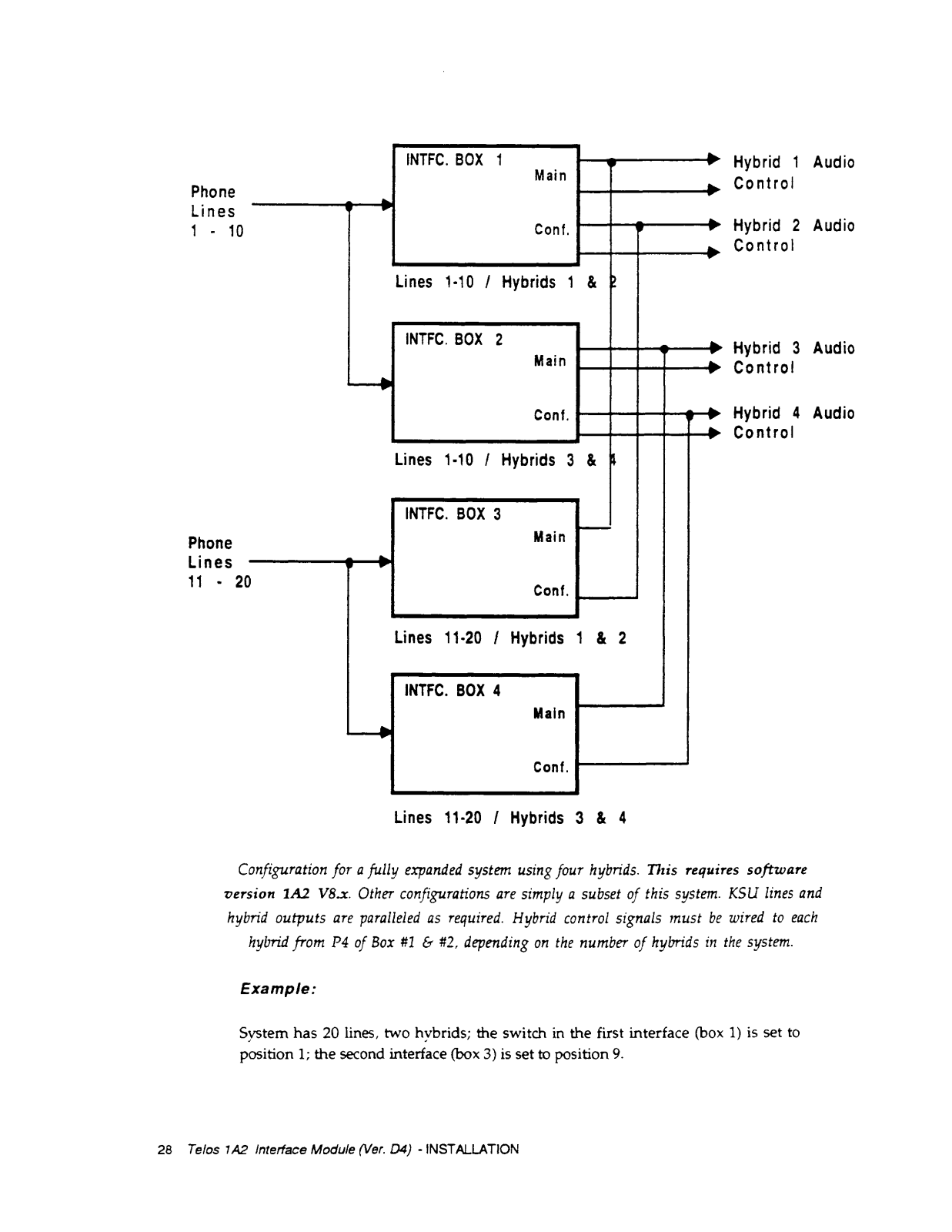
- Hybrid Capacity: 1-4 hybrid support
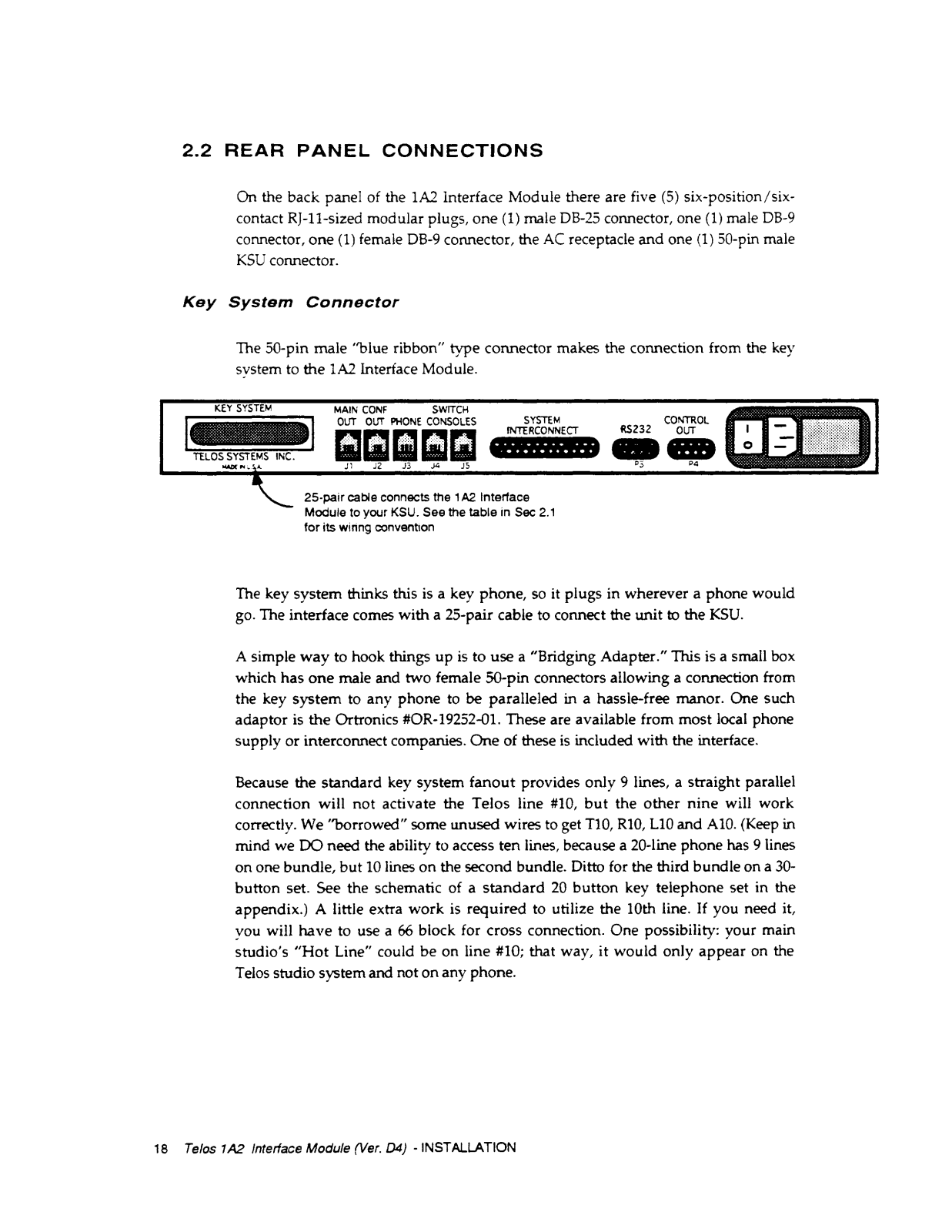
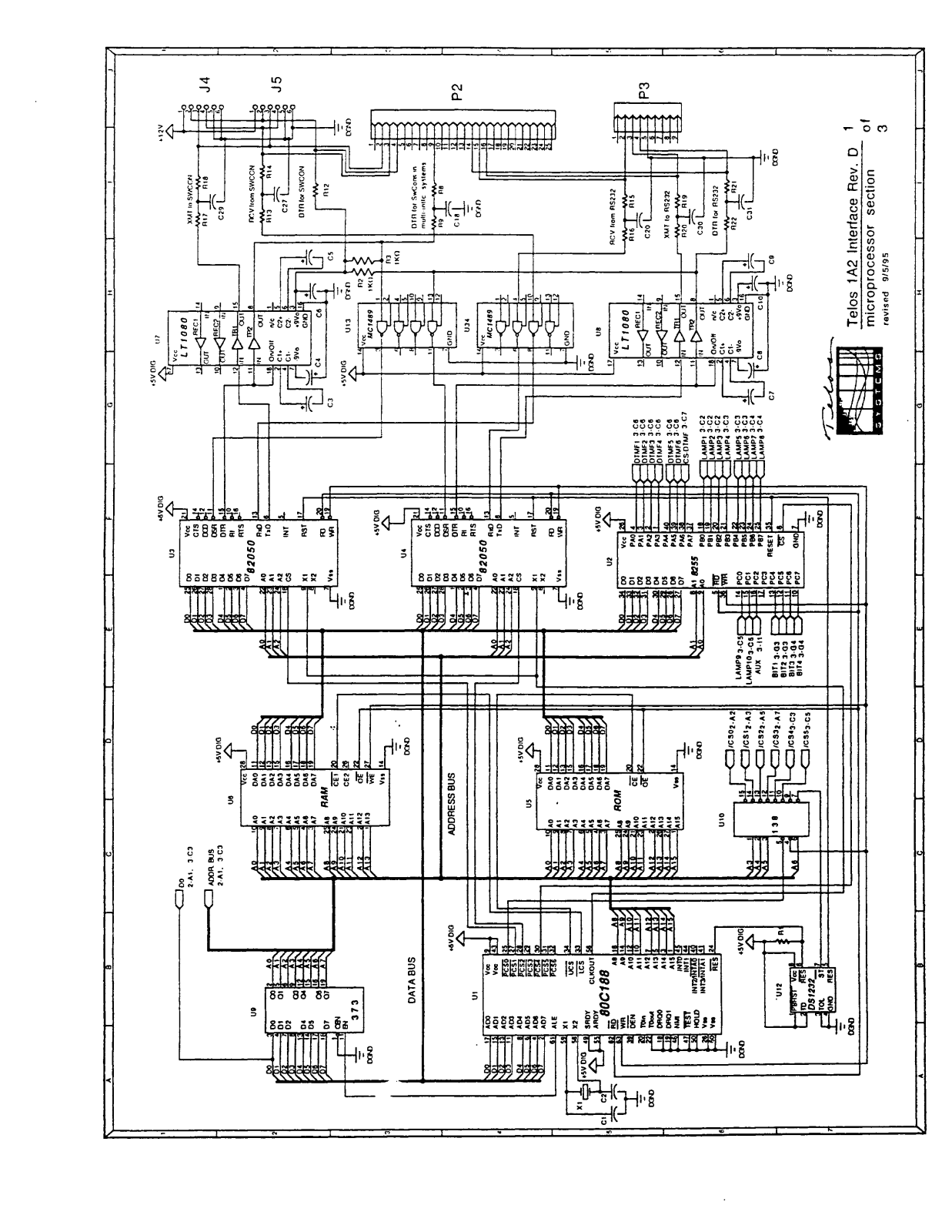
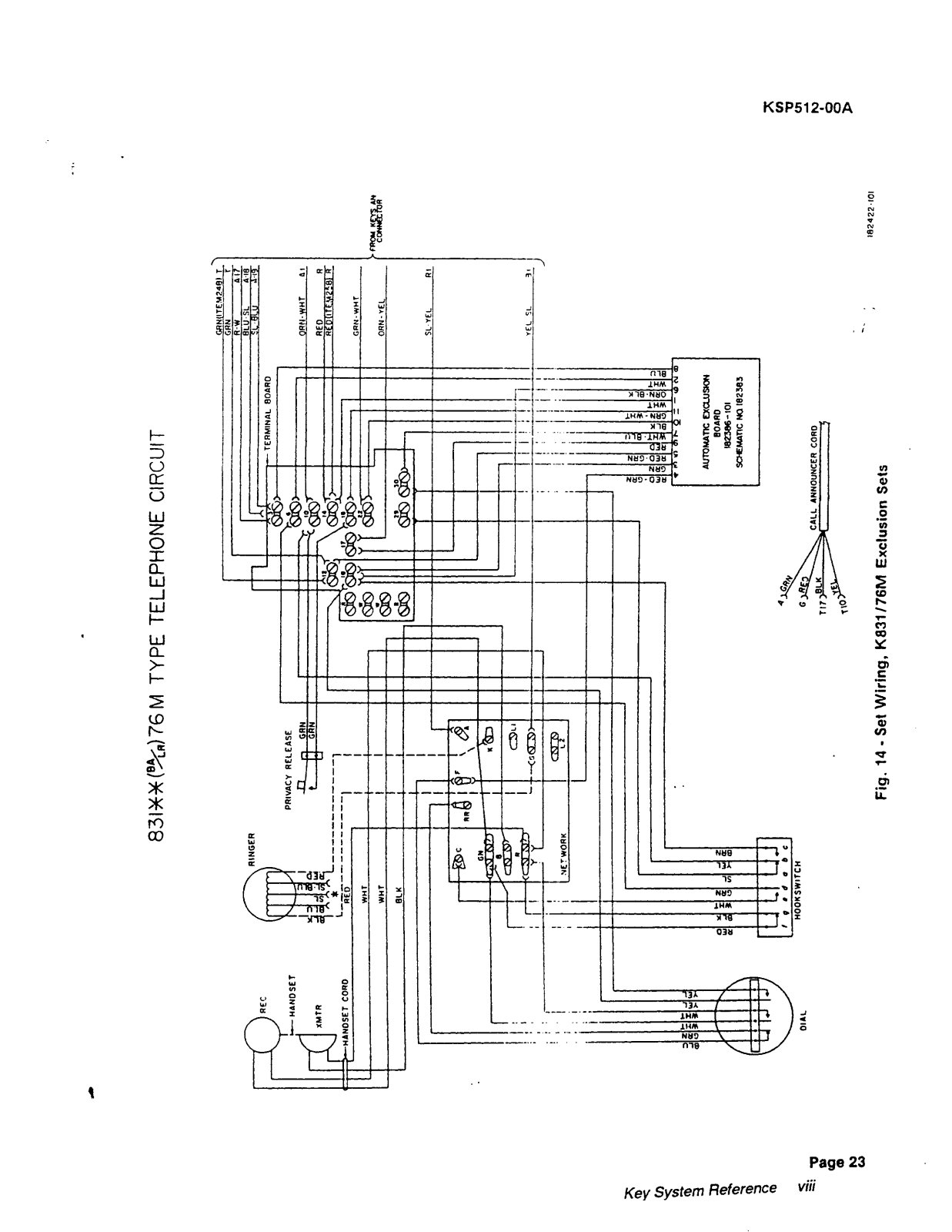
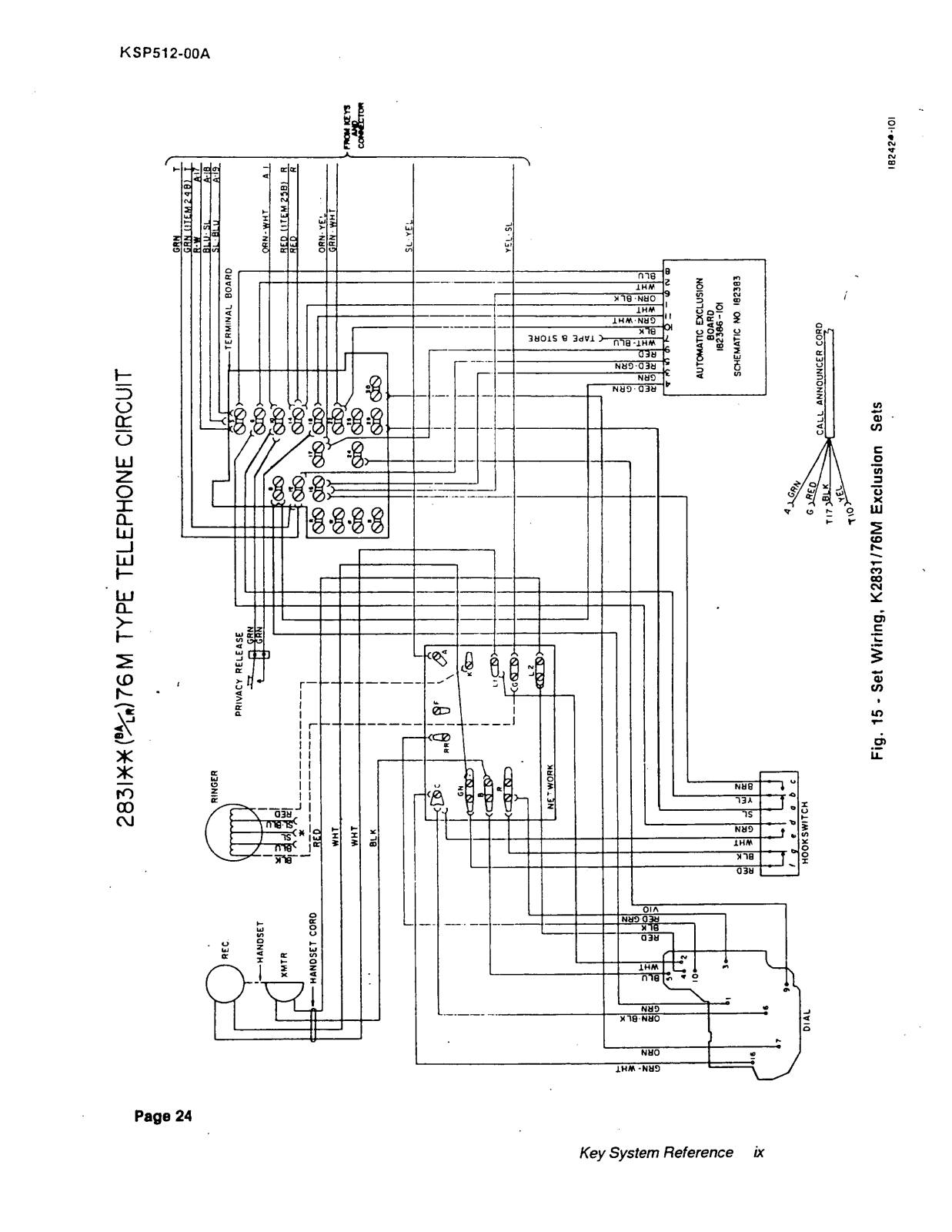
- Connection Type: 50-pin modular connector
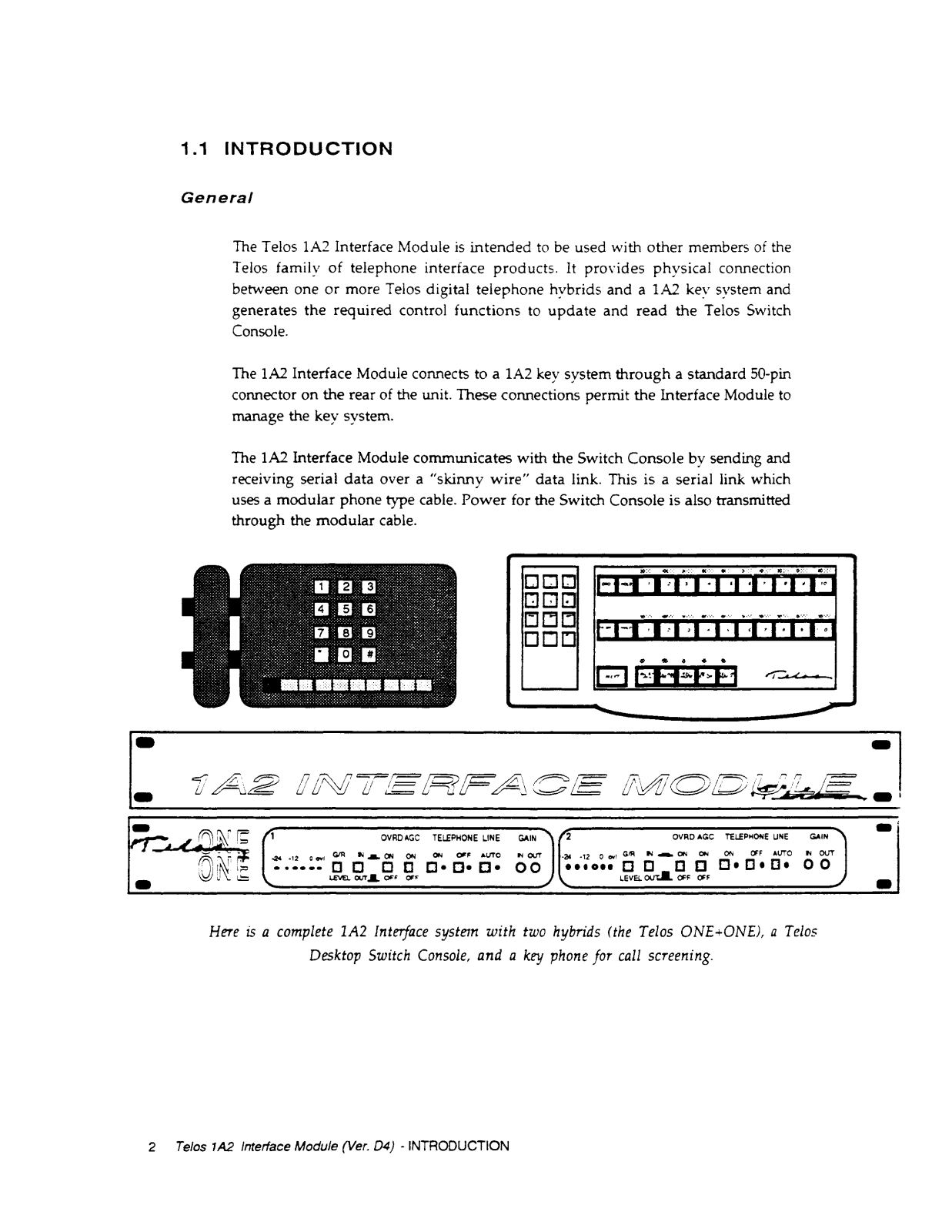
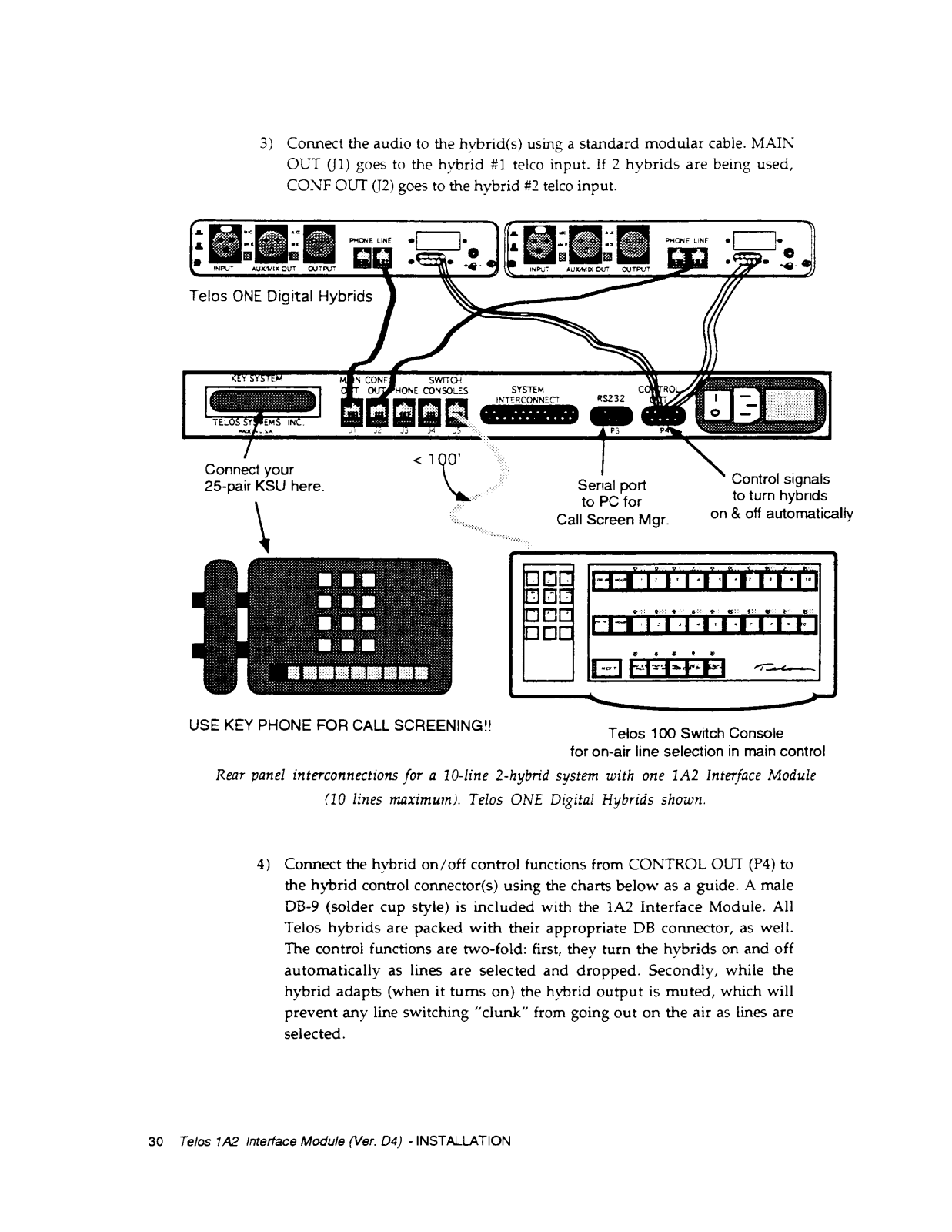
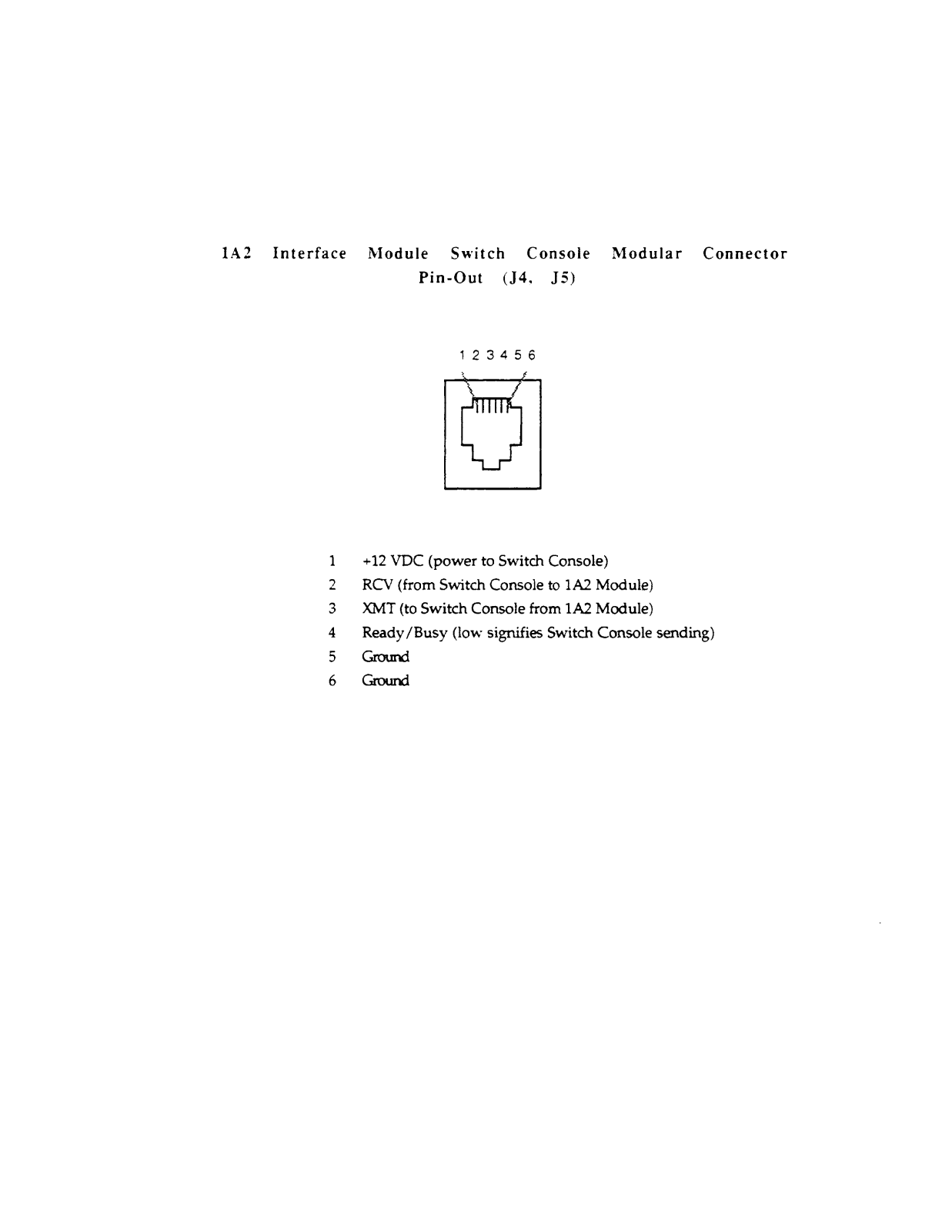
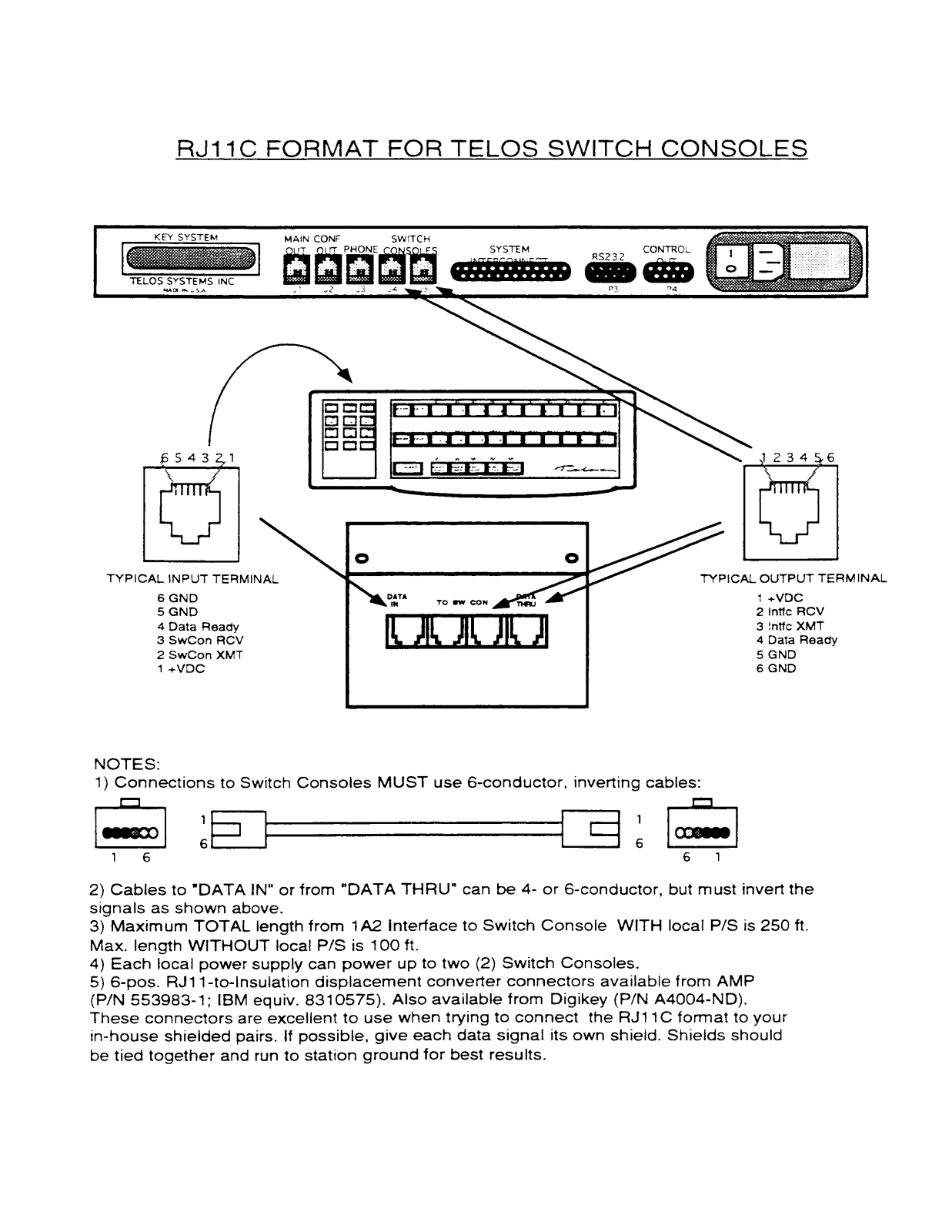
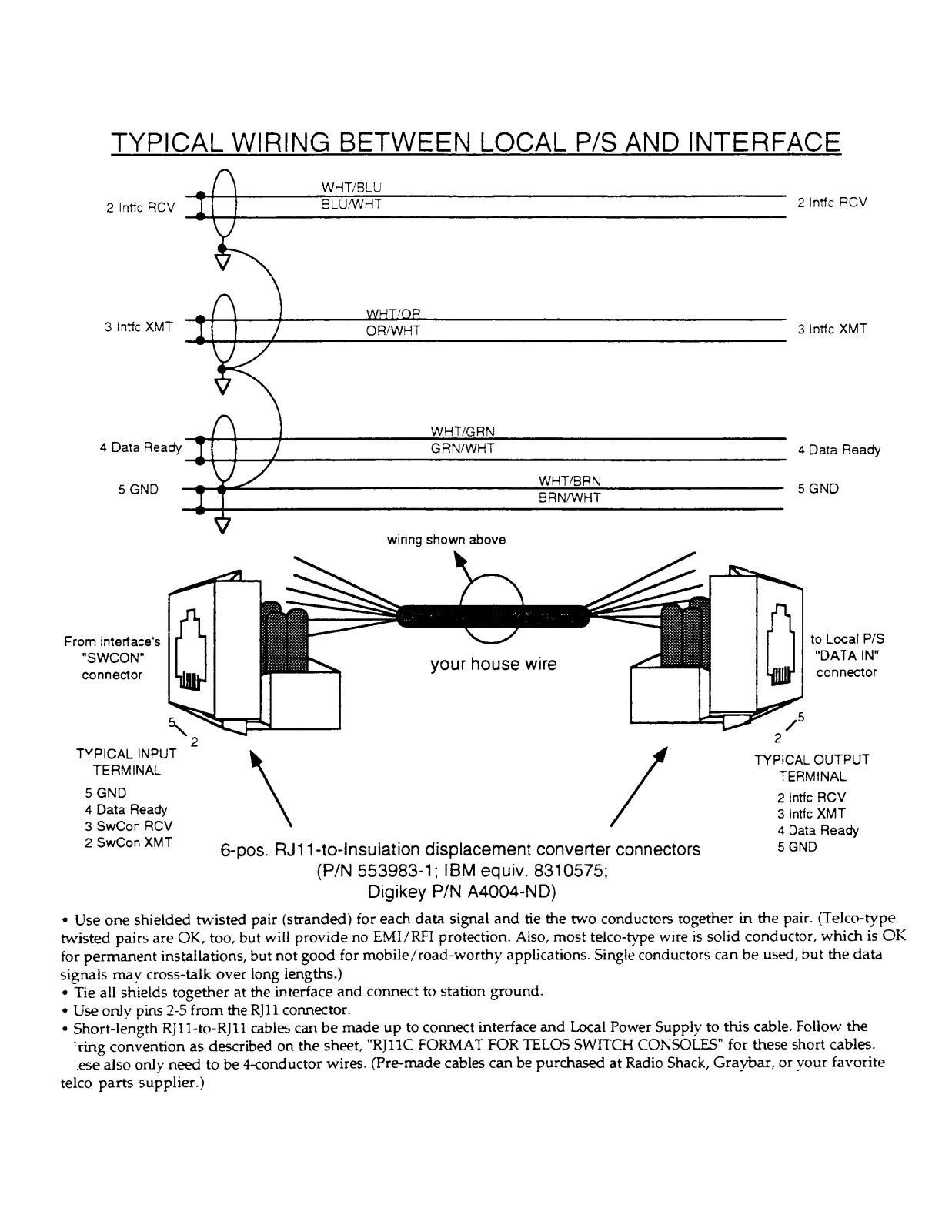
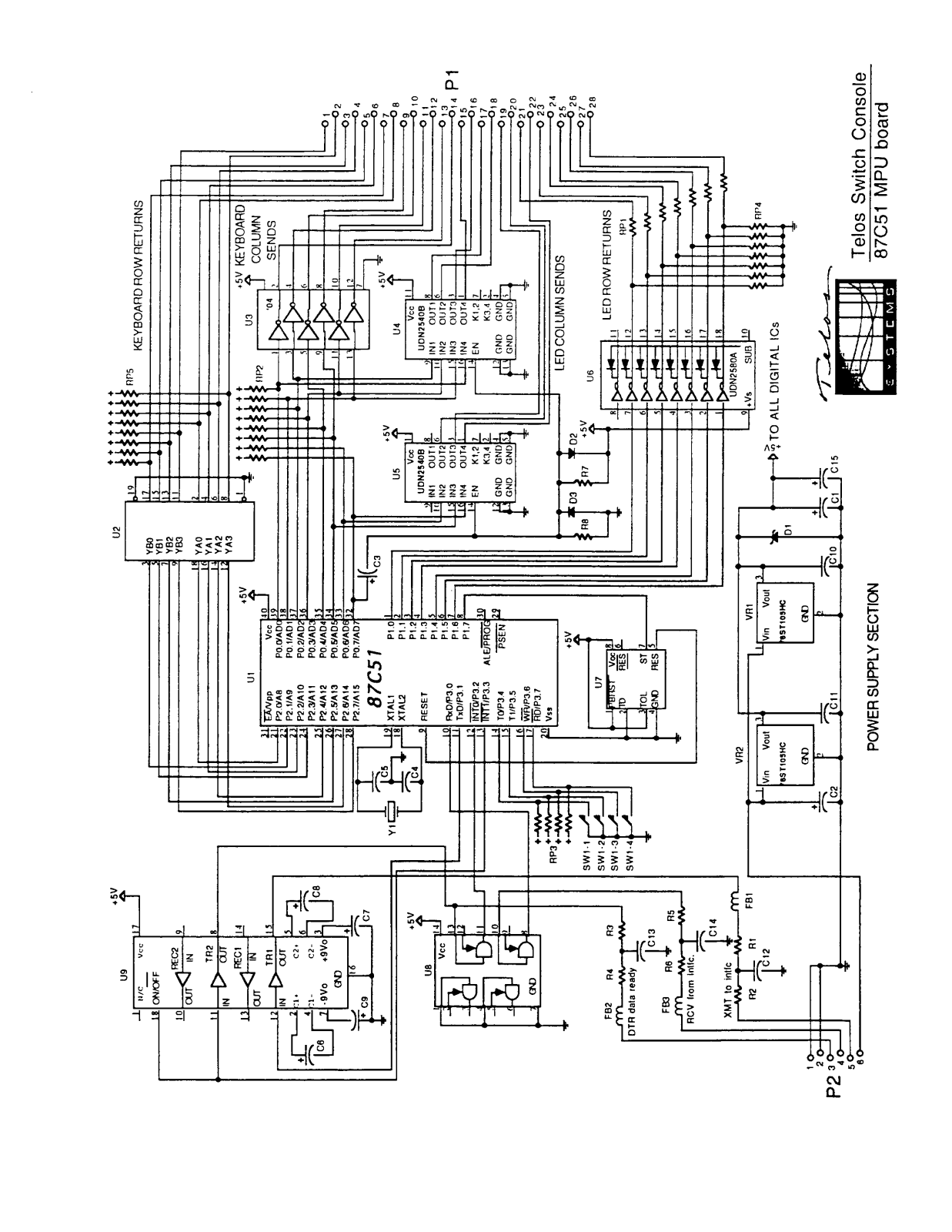
- Serial Data Link: Communicates with Switch Console using modular handset type cable
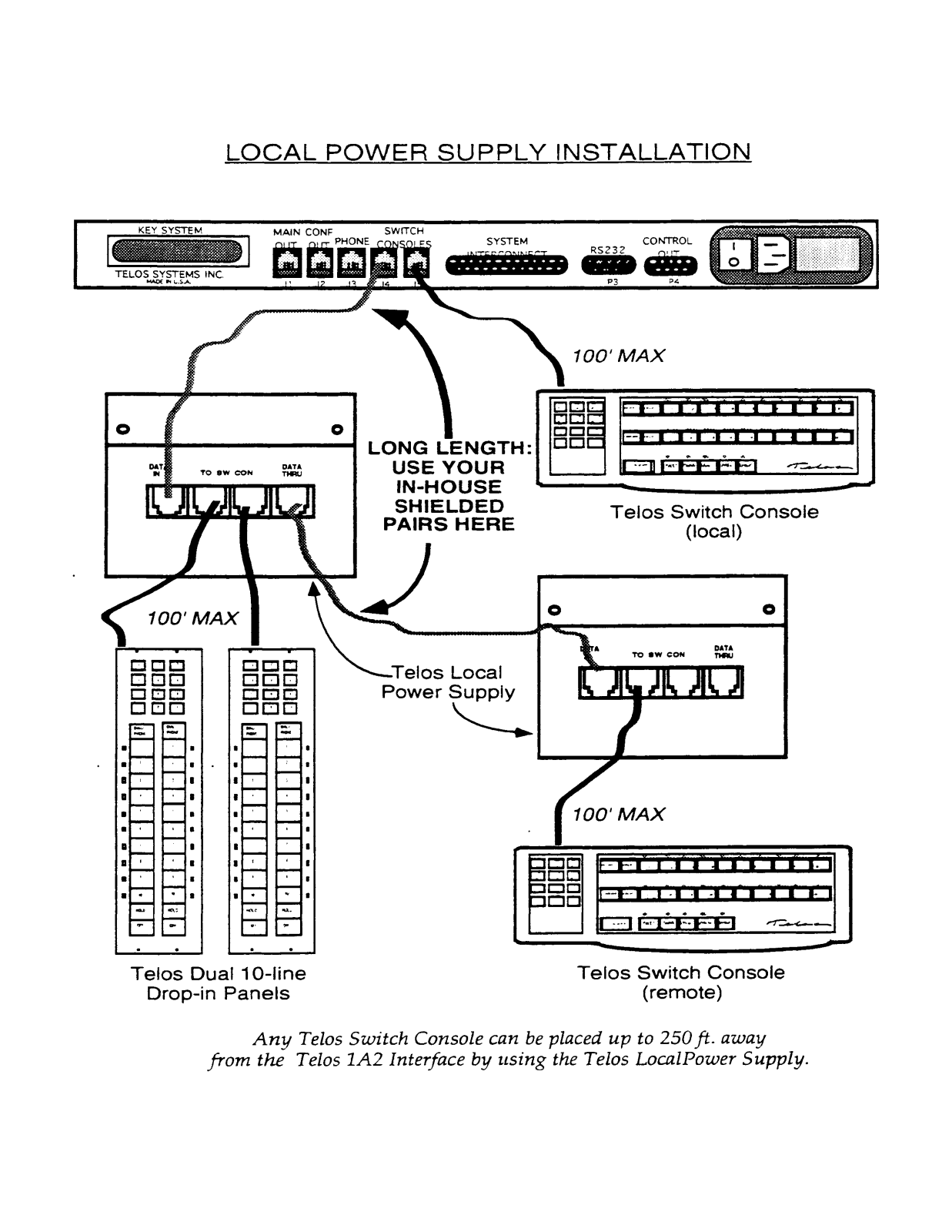
- Power Supply: Sends local power via modular cable to Switch Console
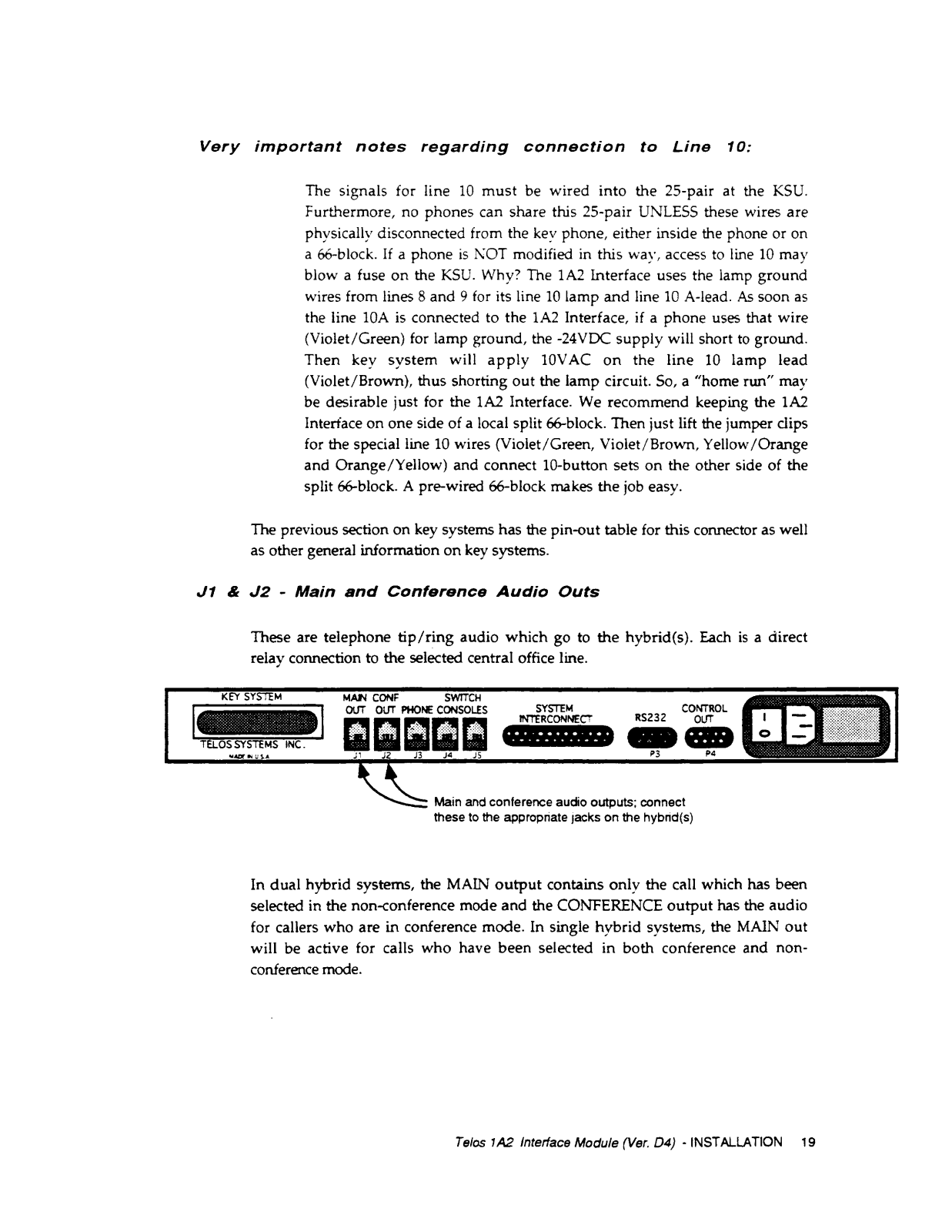
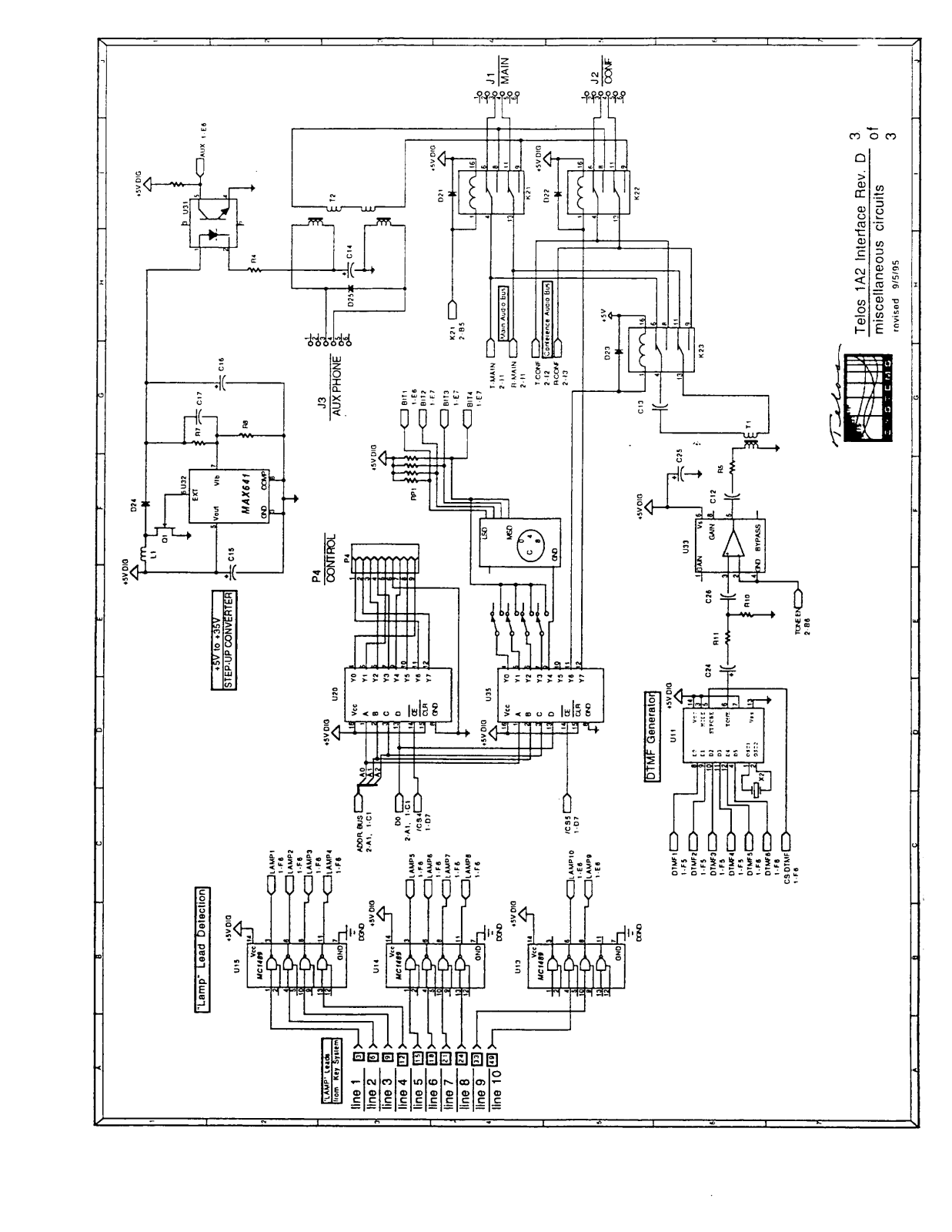
- Audio Output: Audio Output for Hybrid Main and Conference Outputs
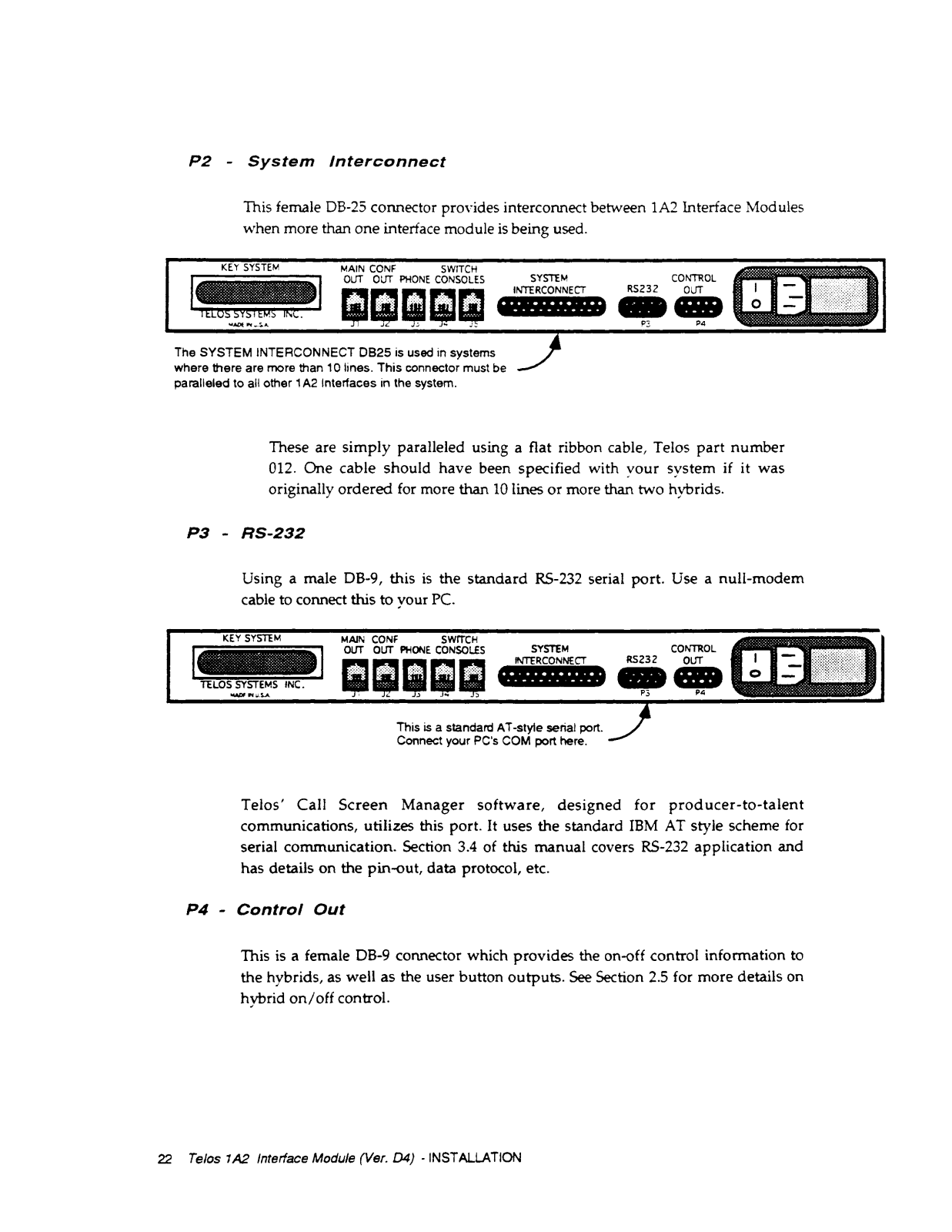
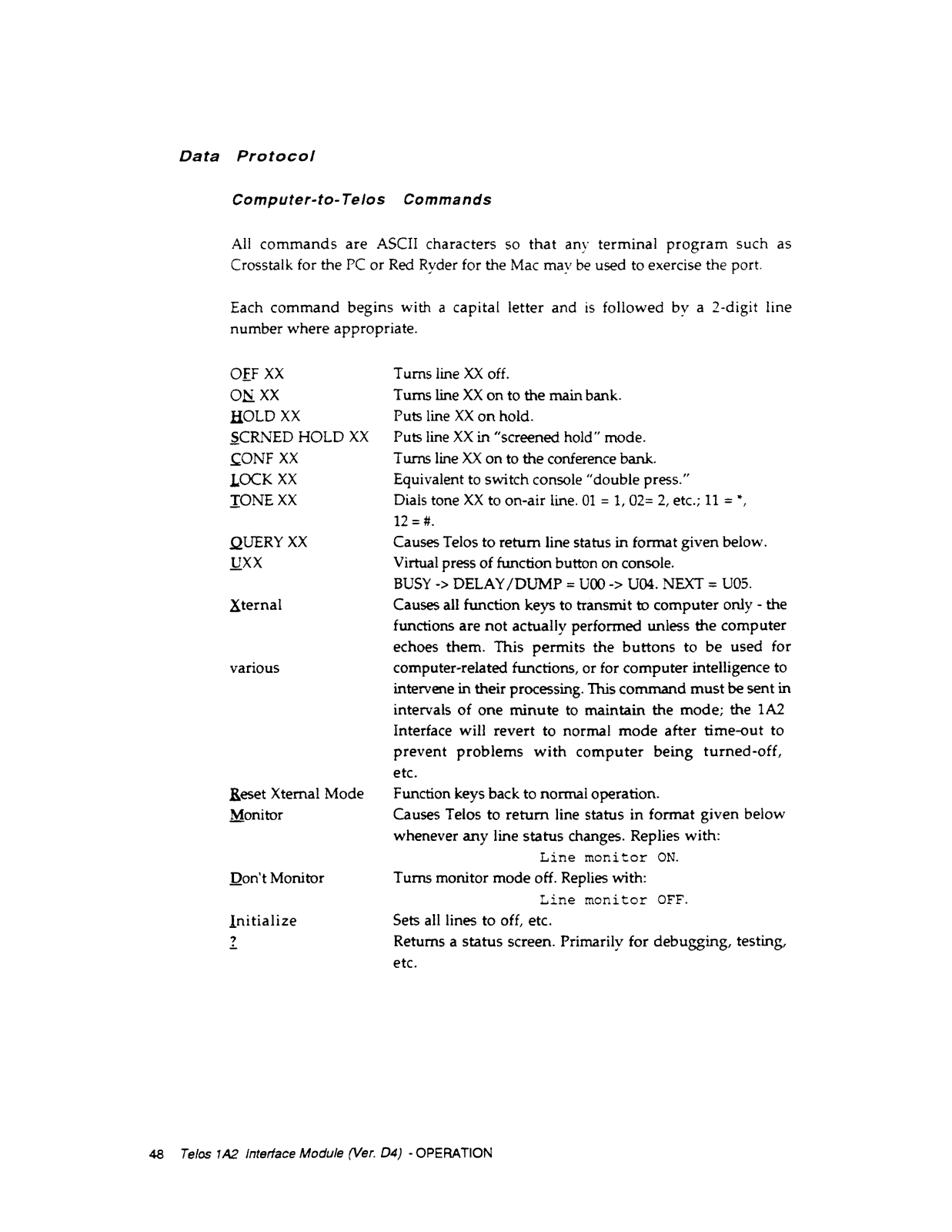
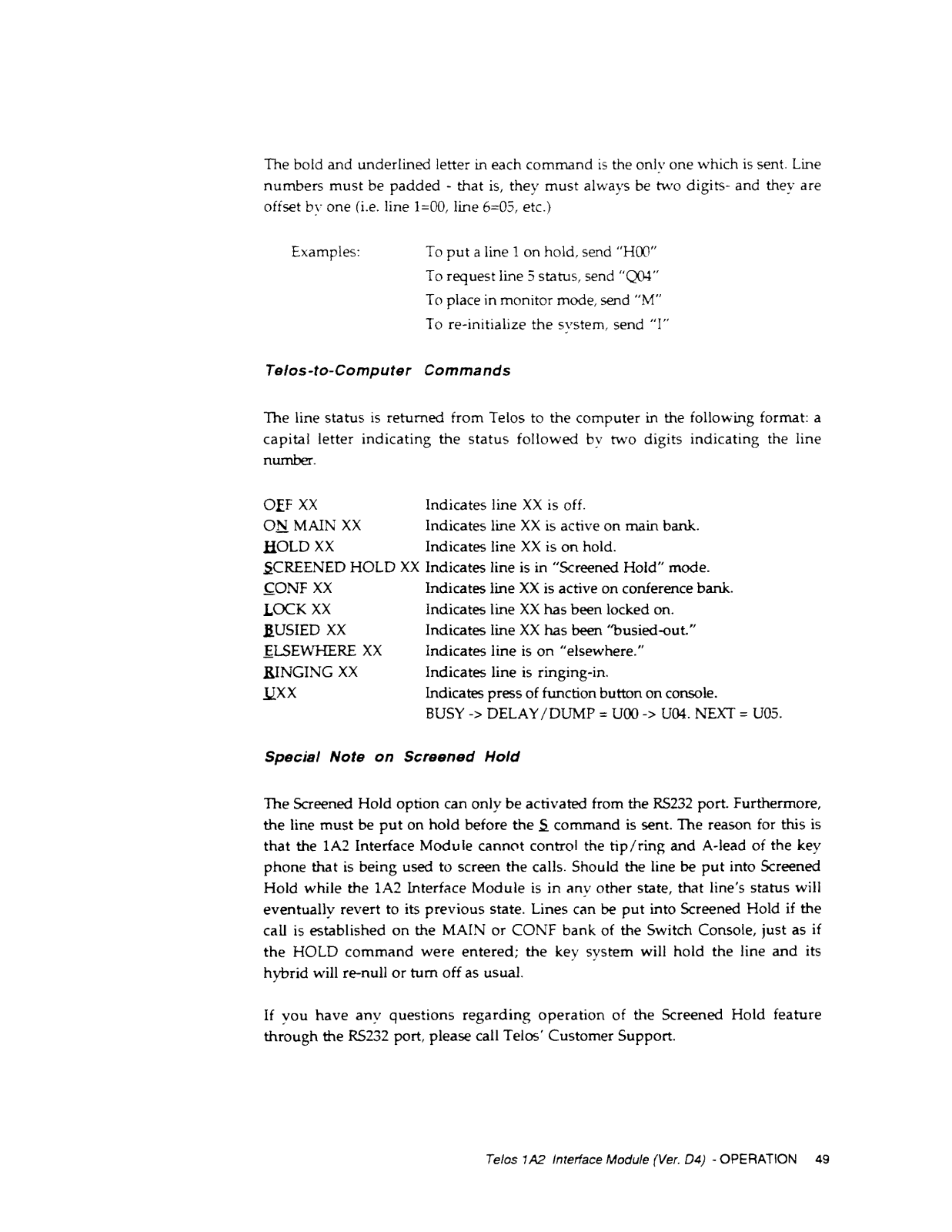
- Control: Supports serial port computer control (RS-232 IBM AT)
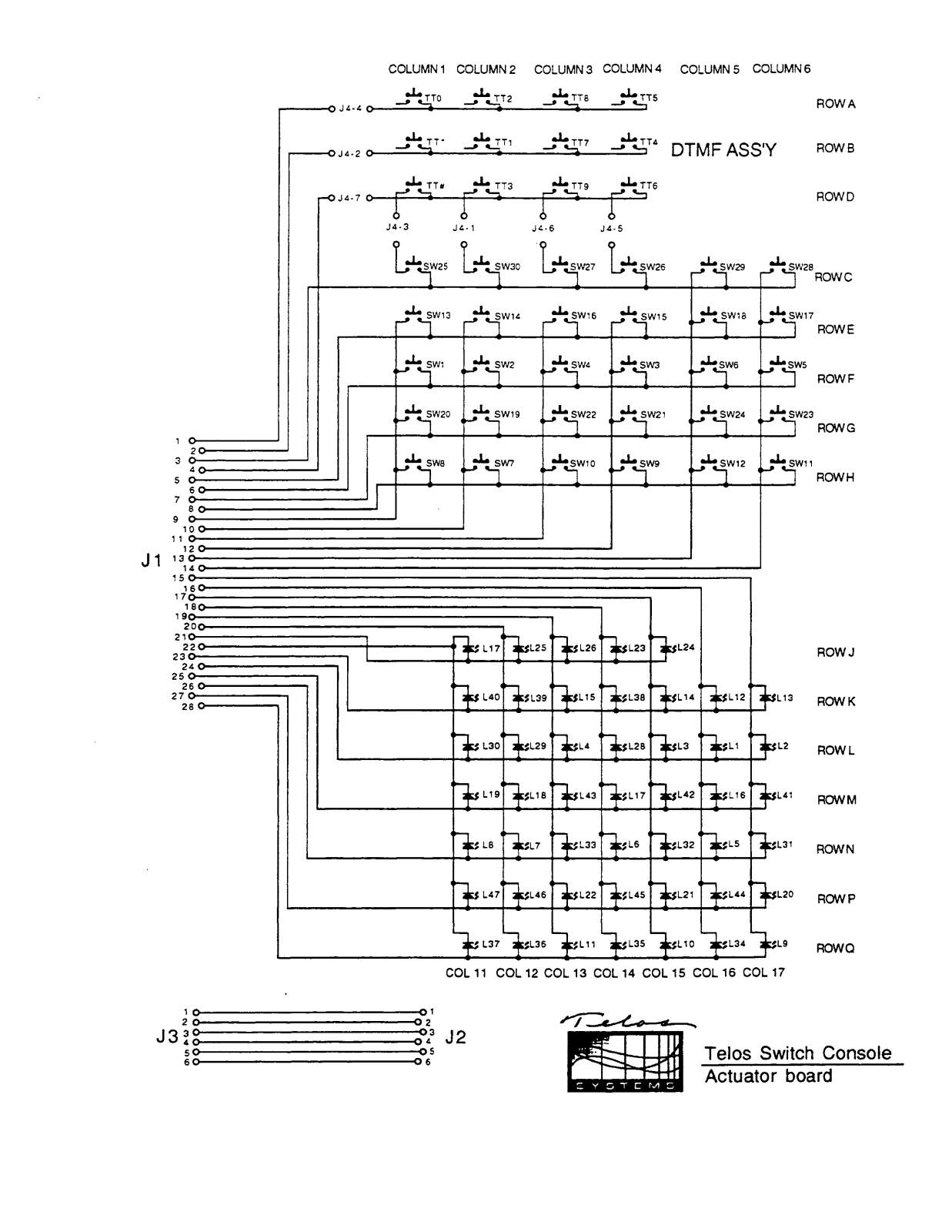
- Extra Contact Closures: Customizable buttons for Switch Console
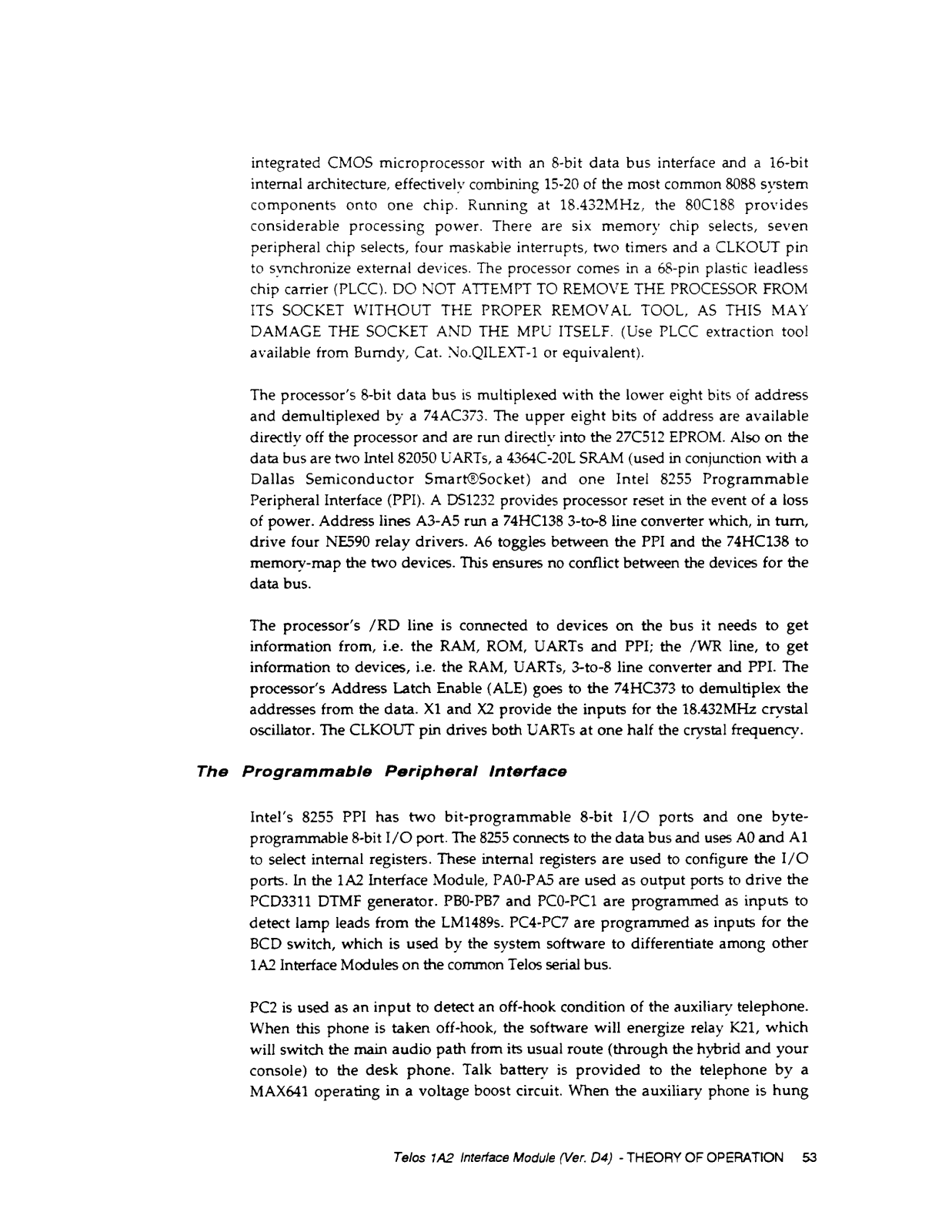
- DIMF Tone Generation: Respond to touch tones on Switch Console
- Education Dual Functionality: Functions in both standard and special operational modes
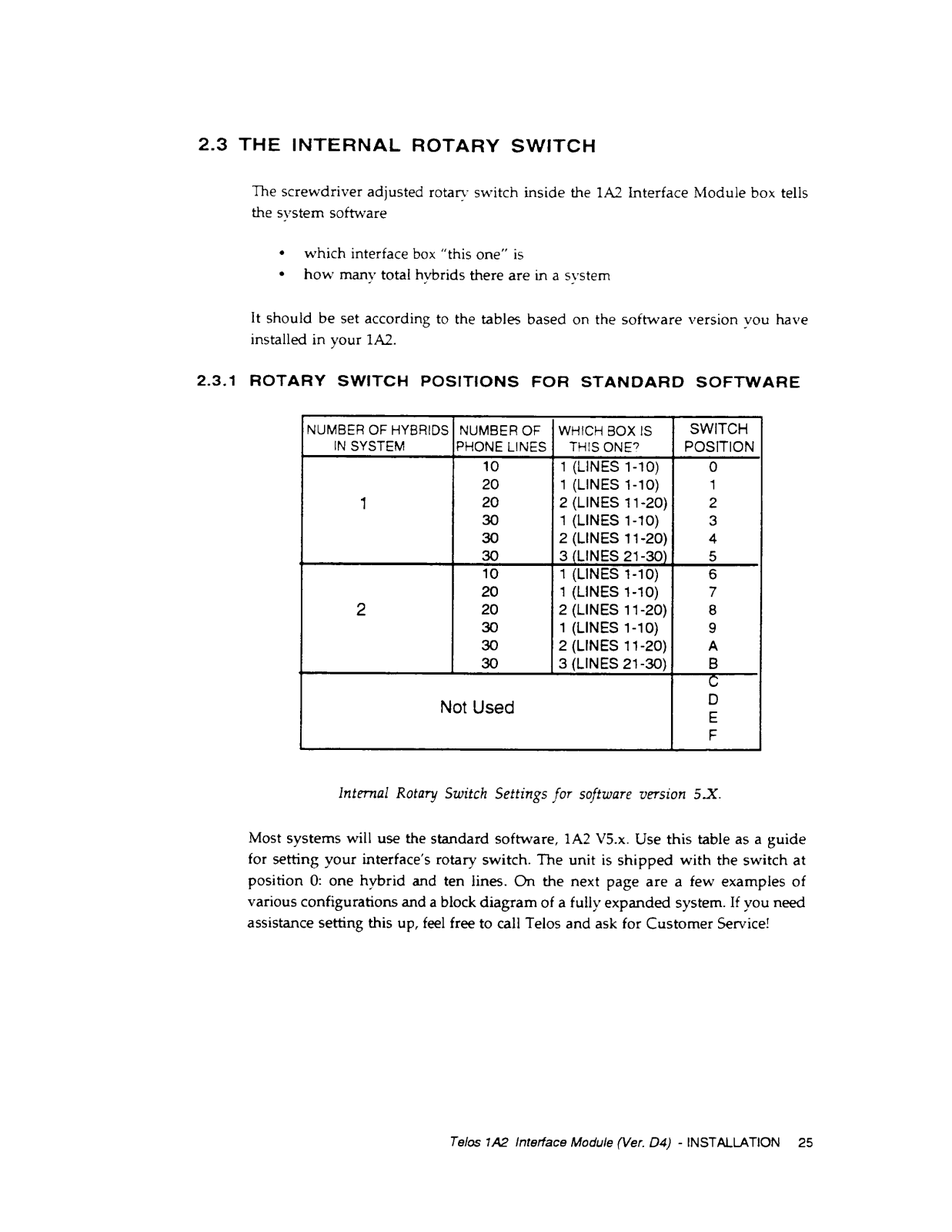
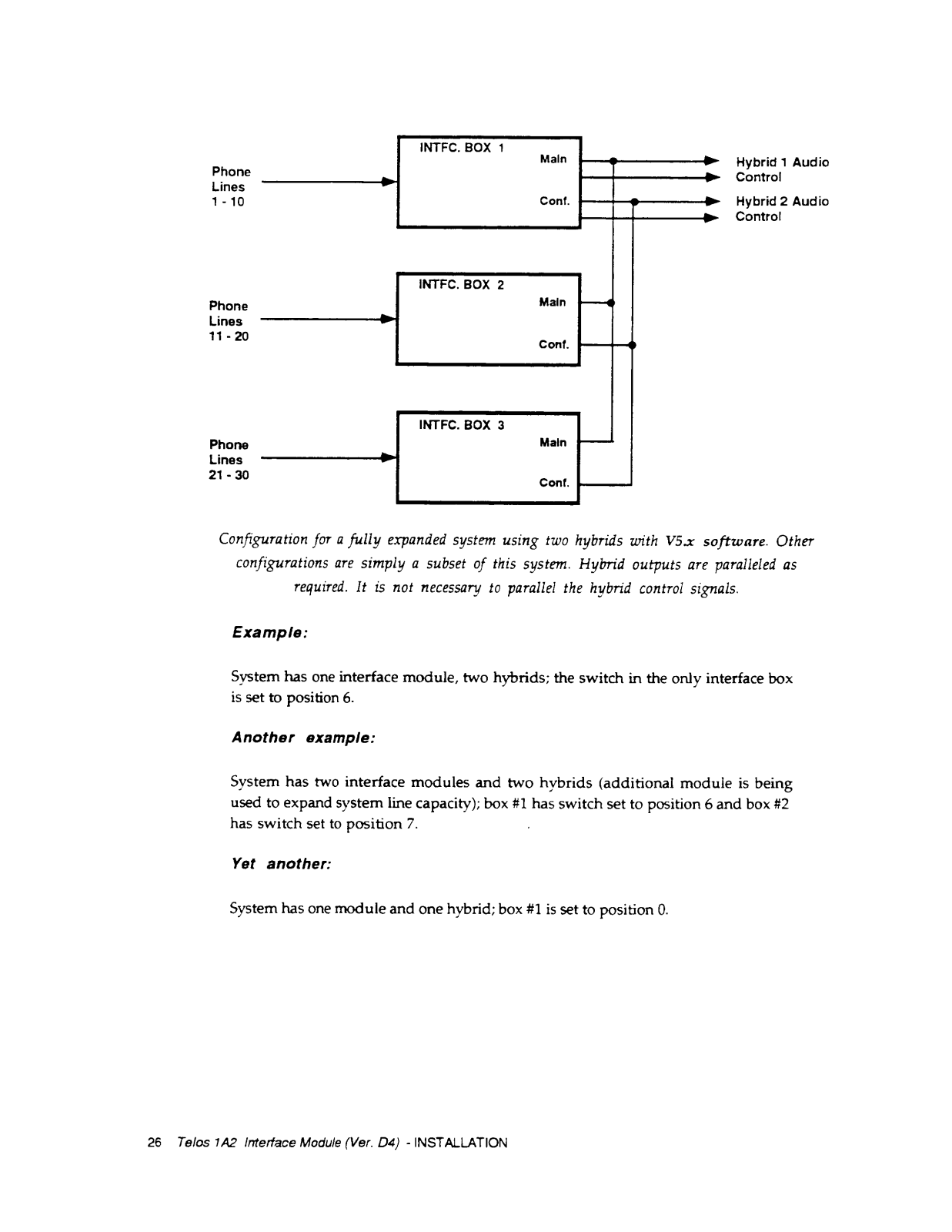
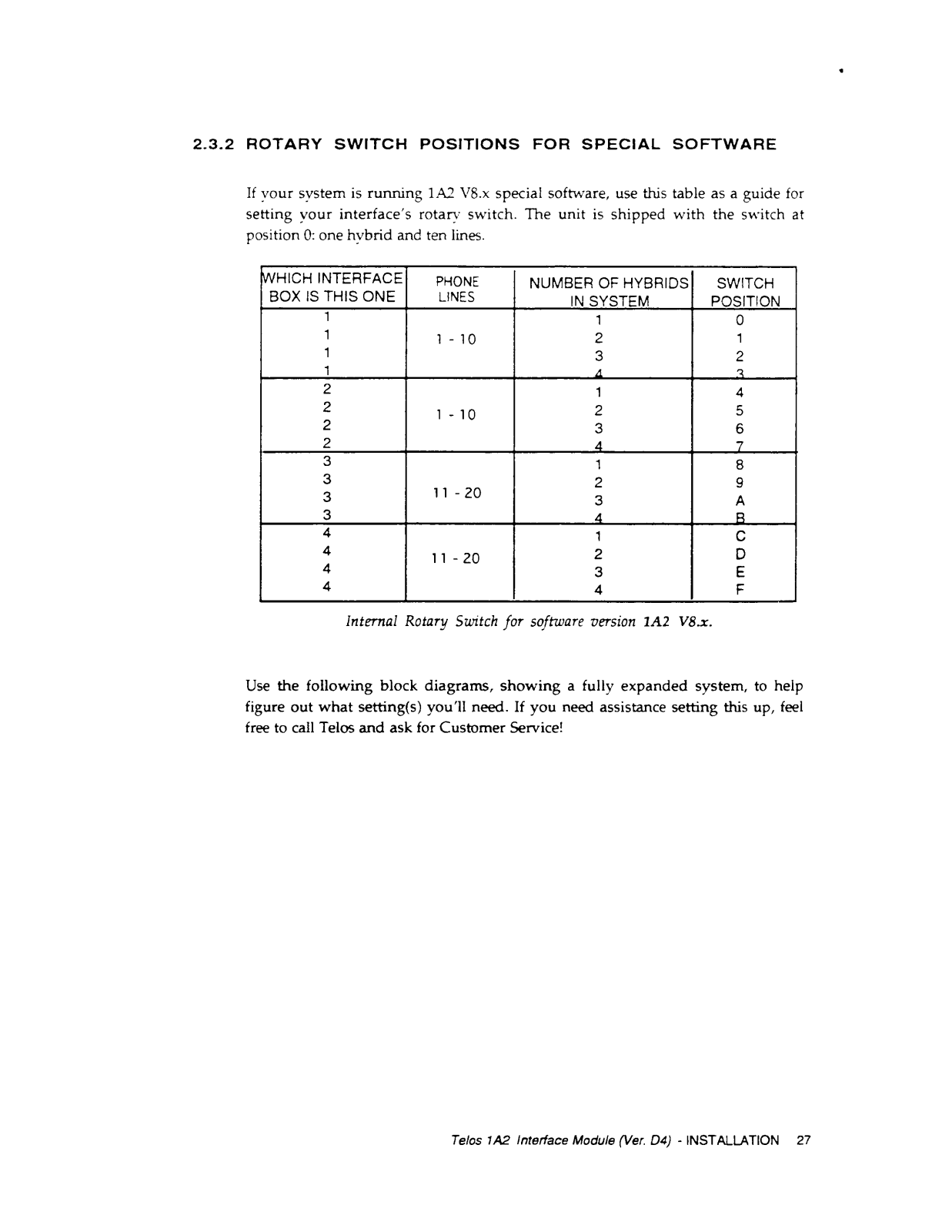
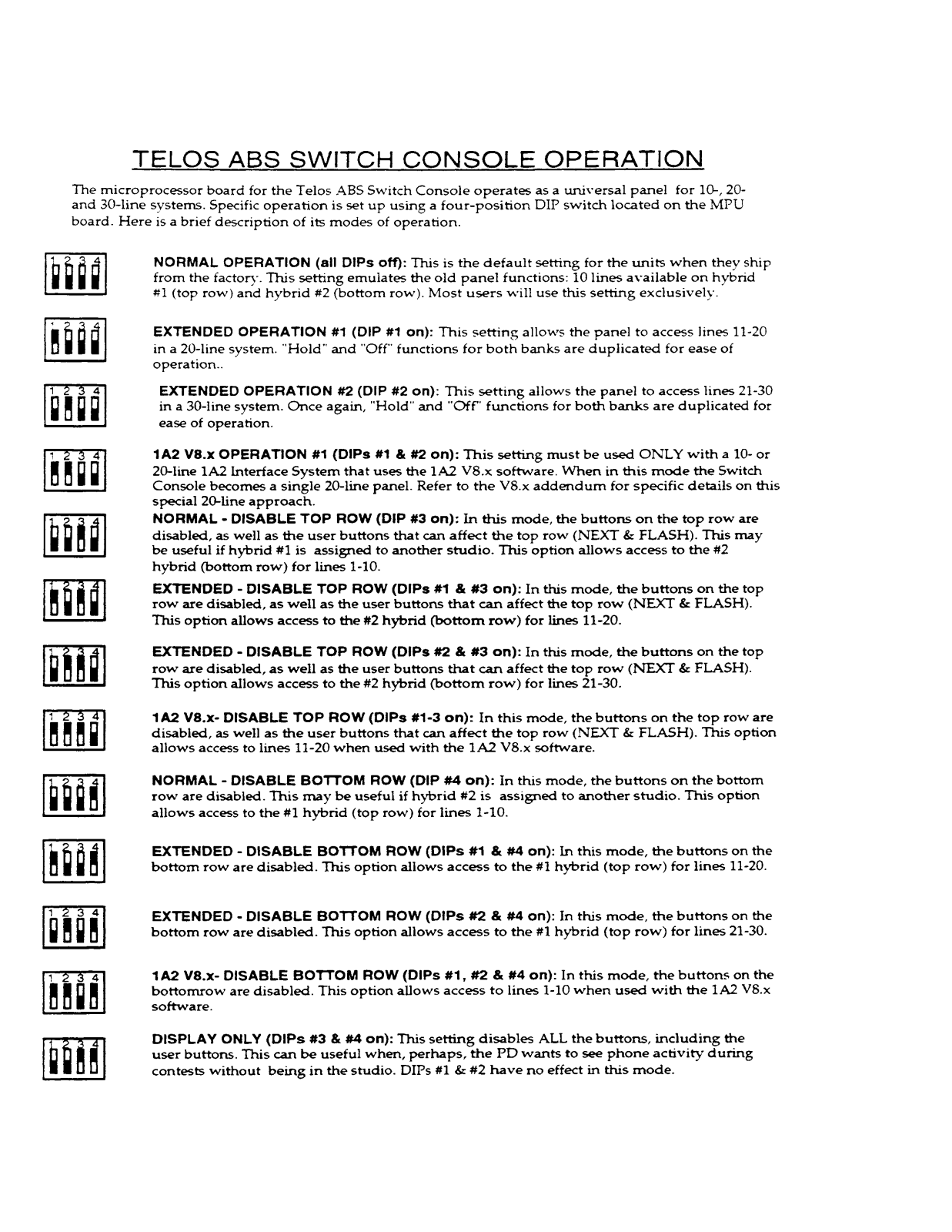
- Installation Requirements: Has internal rotary switch for set up and configuration and a DIP switch for options selection
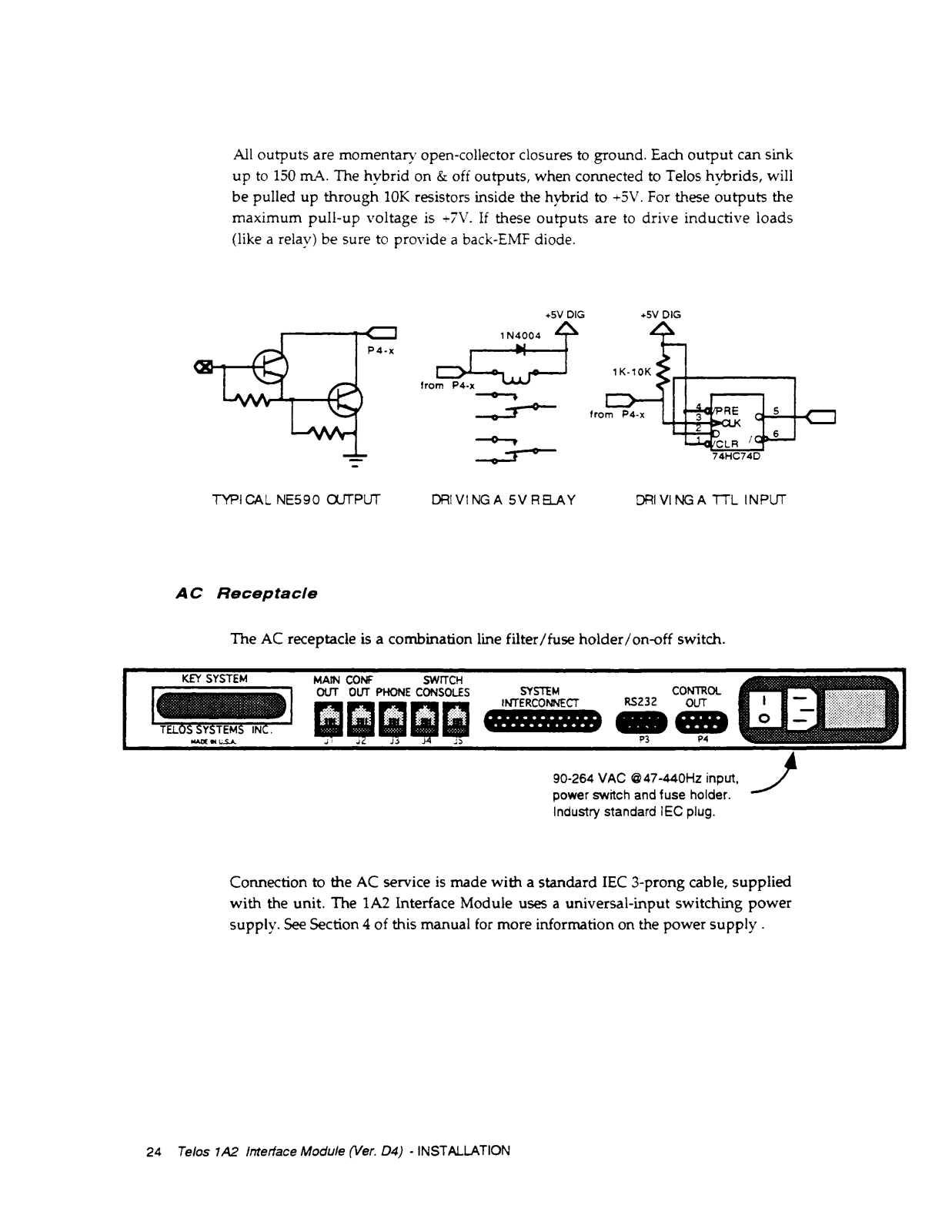
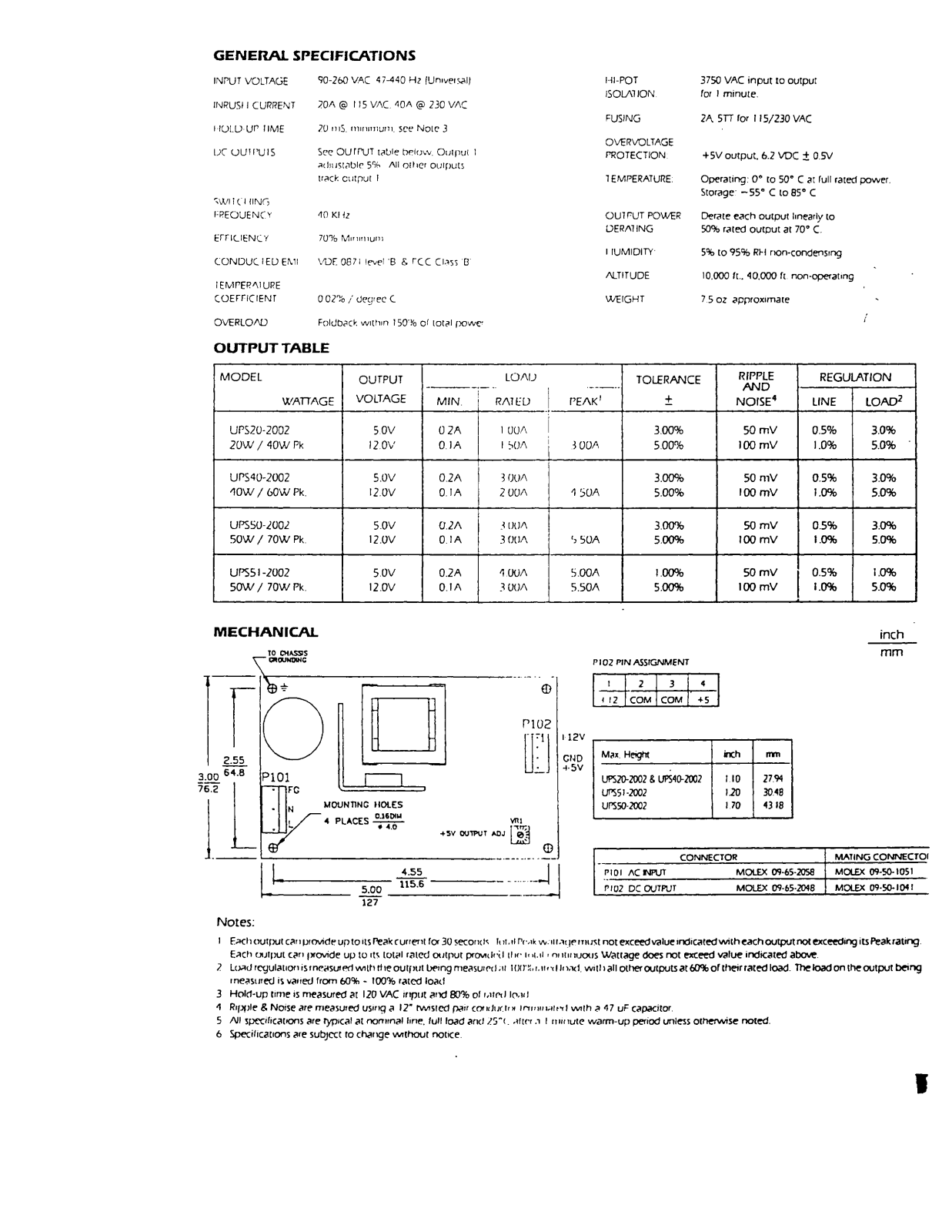
- Power Input: 90-264 VAC @ 47-440Hz
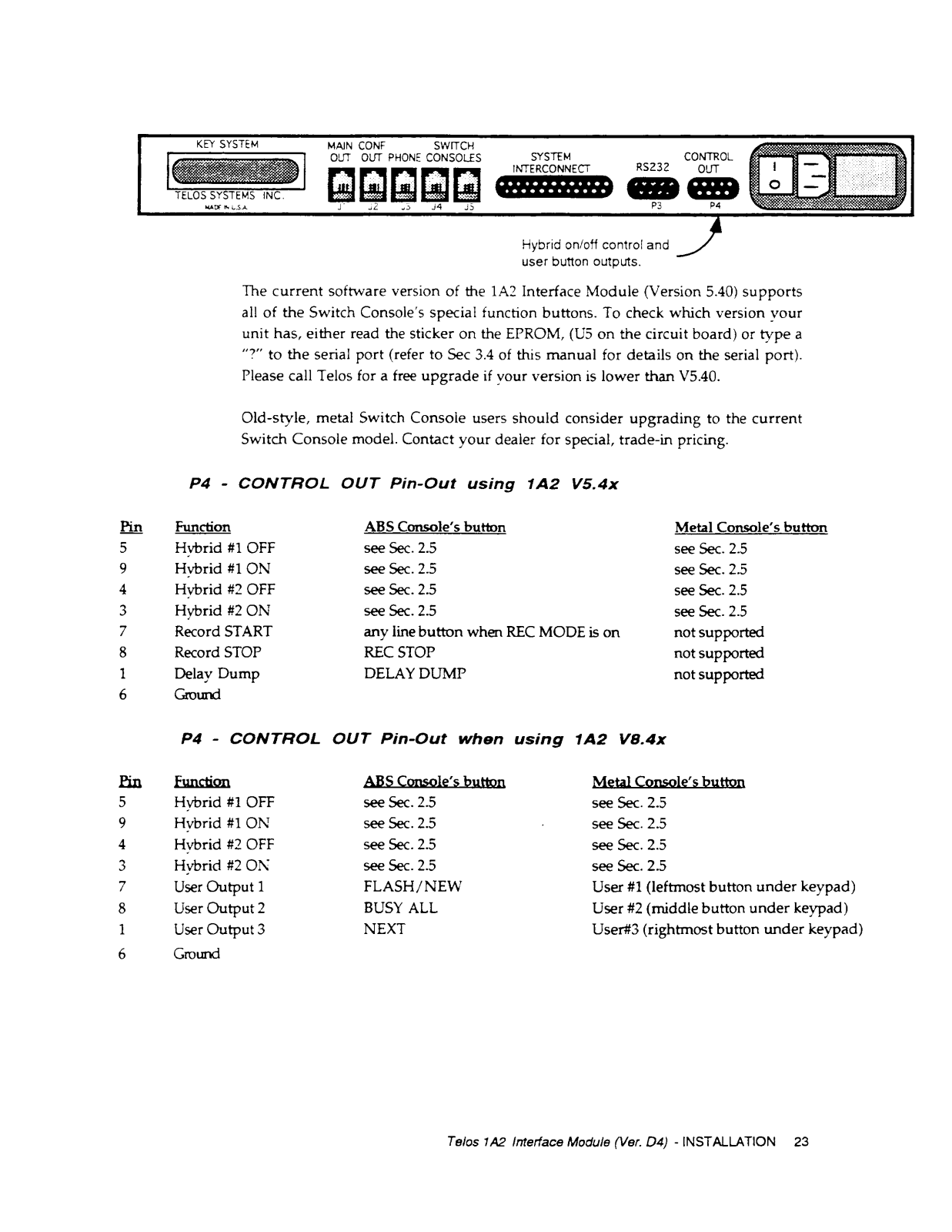
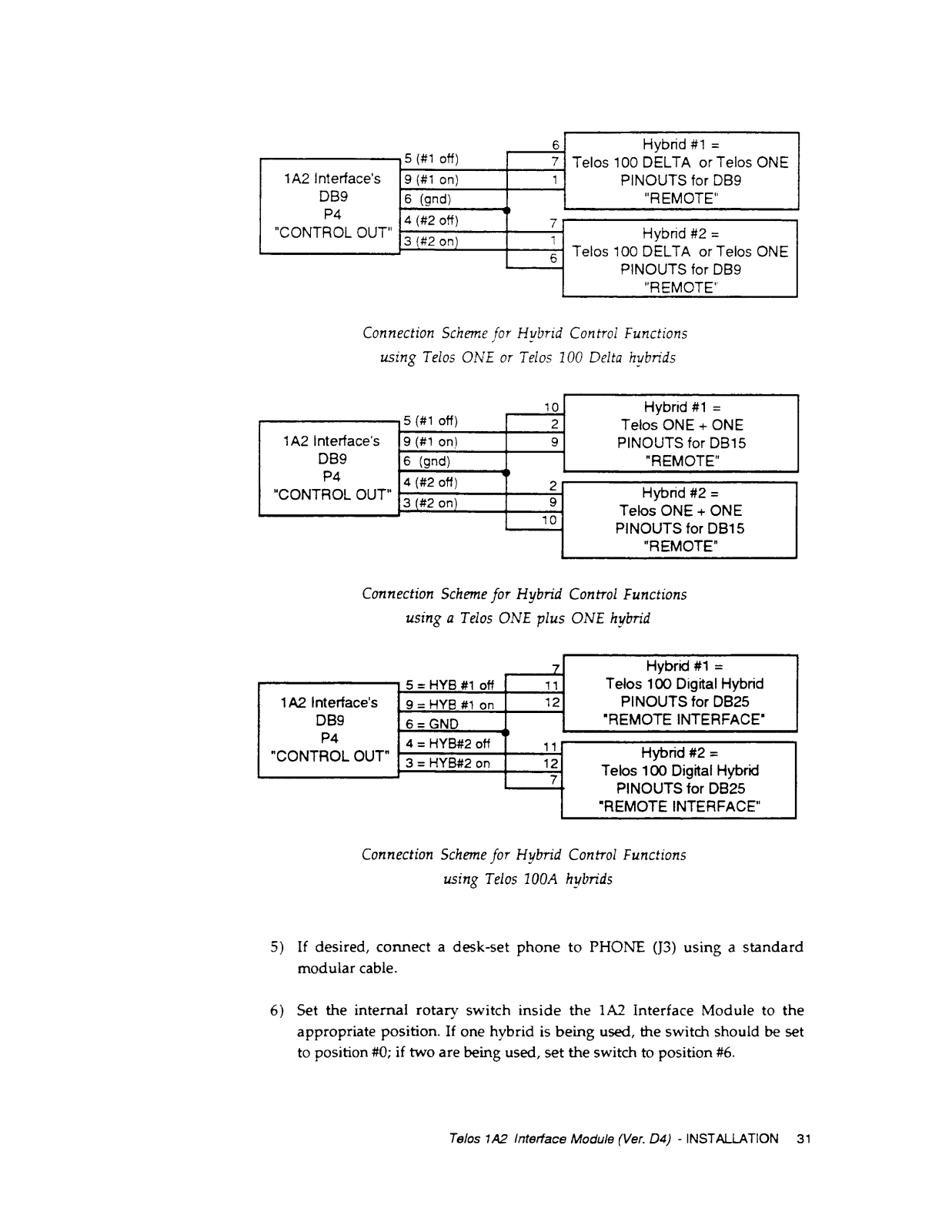
- Control Outputs: Hybrid on/off control information and user button outputs and more
- This is a pretty straightforward one. To sum it all up in one brief statement it outlines the purpose and working of Telos 1A2 Interface module: A: The Telos 1A2 Interface Module connects a Telos digital telephone hybrid system to a 1A2 telephone system and takes care of control functions for the Switch Console.
- Q: How many lines can the 1A2 Interface Module accommodate?
A: The 1A2 Interface Module can accommodate a maximum of 30 lines, with the provision of connecting multiple modules.
- Q: Is it possible to connect multiple hybrids to one single 1A2 Interface Module?
A: Yes, hybrids can be connected in the range of 1 to 4 based on the configuration of your system.
- Q: What is the operating power of the 1A2 interface module?
A: The operating power is within the range of 90-264VAC @ 47-440Hz.
- Q: Are there other methods through which the interface can talk to the Switch Console?
A: If there are other methods, it is through the gelastic using serial data, sending and receiving information for line selection and status updating via a modular phone type cable.
- Q: Is installation a complicated process?
A: Installation is easiest as you only set an internal rotary switch and configure a dip switch if required, detailed instructions are provided in the manual.
- Q: How are the options of tone generation of DIMF implemented?
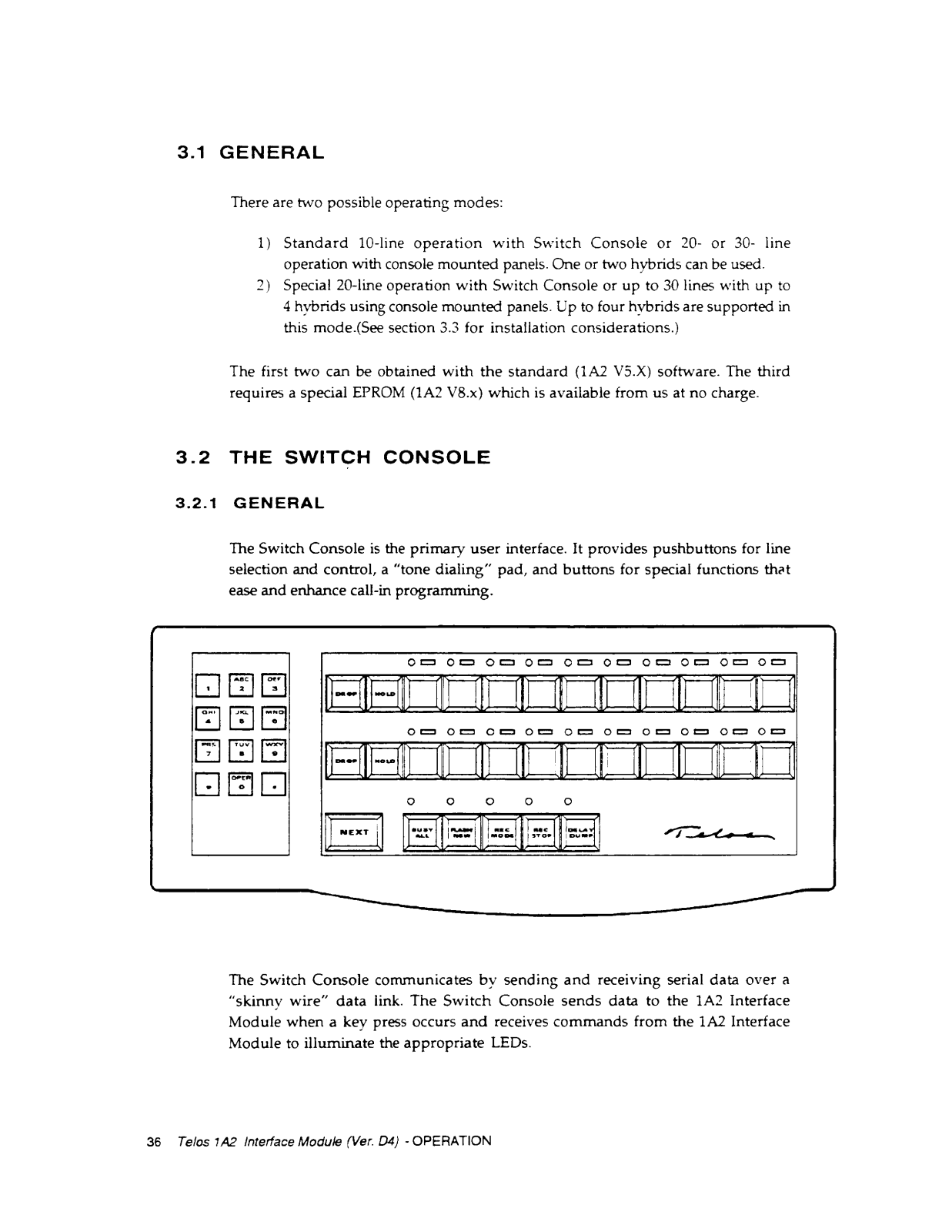
A: In the myriad of features, the DIMF tone generation feature complements the touch tone dial pad on the Switch Console for the facilitation of dialing OUT.
- Q: Am I able to plug a normal mobile phone in the 1A2 Interface Module?
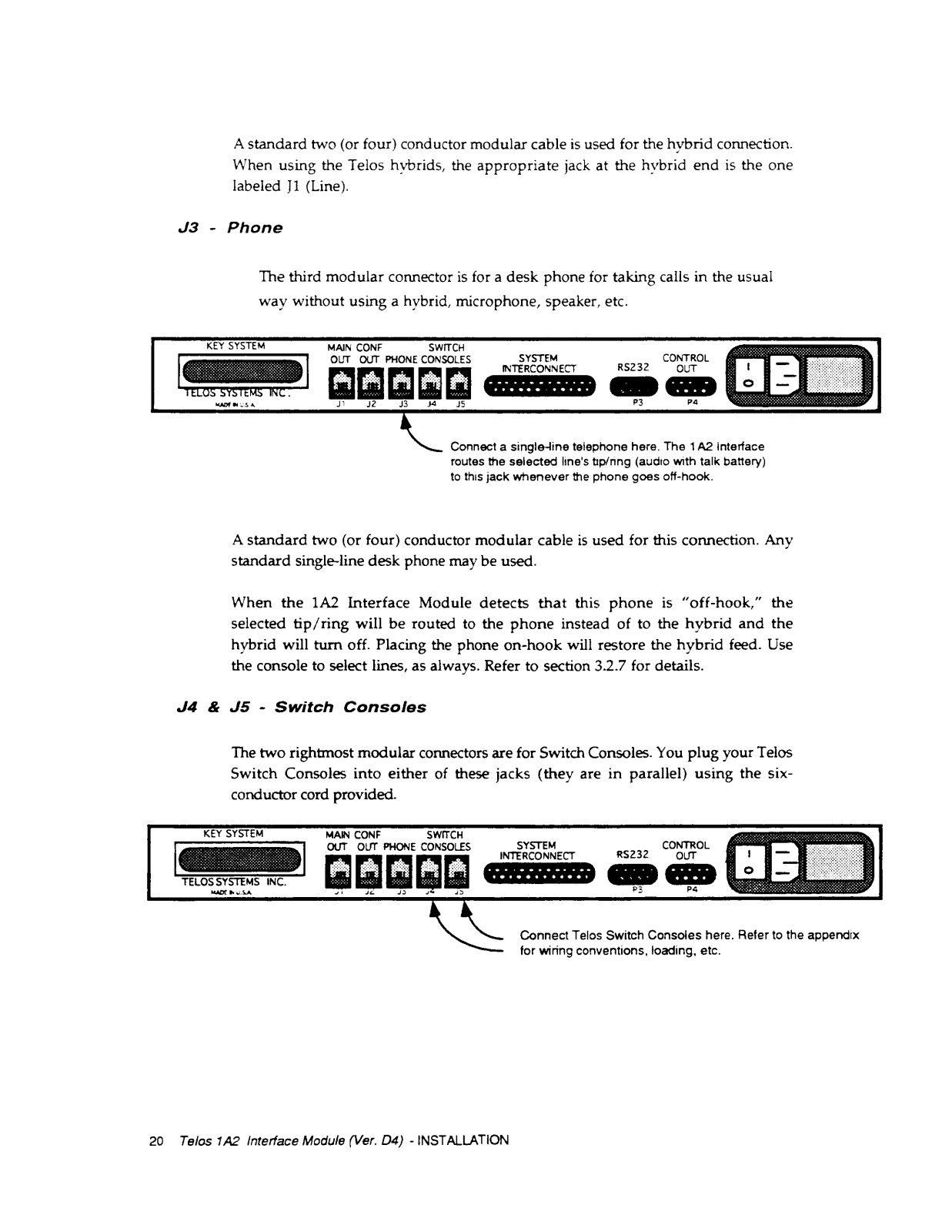
A: Yes, a regular call can be handled my connecting a standard single line desk phone in the 1A2 interface module.






 Loading...