

Page 1
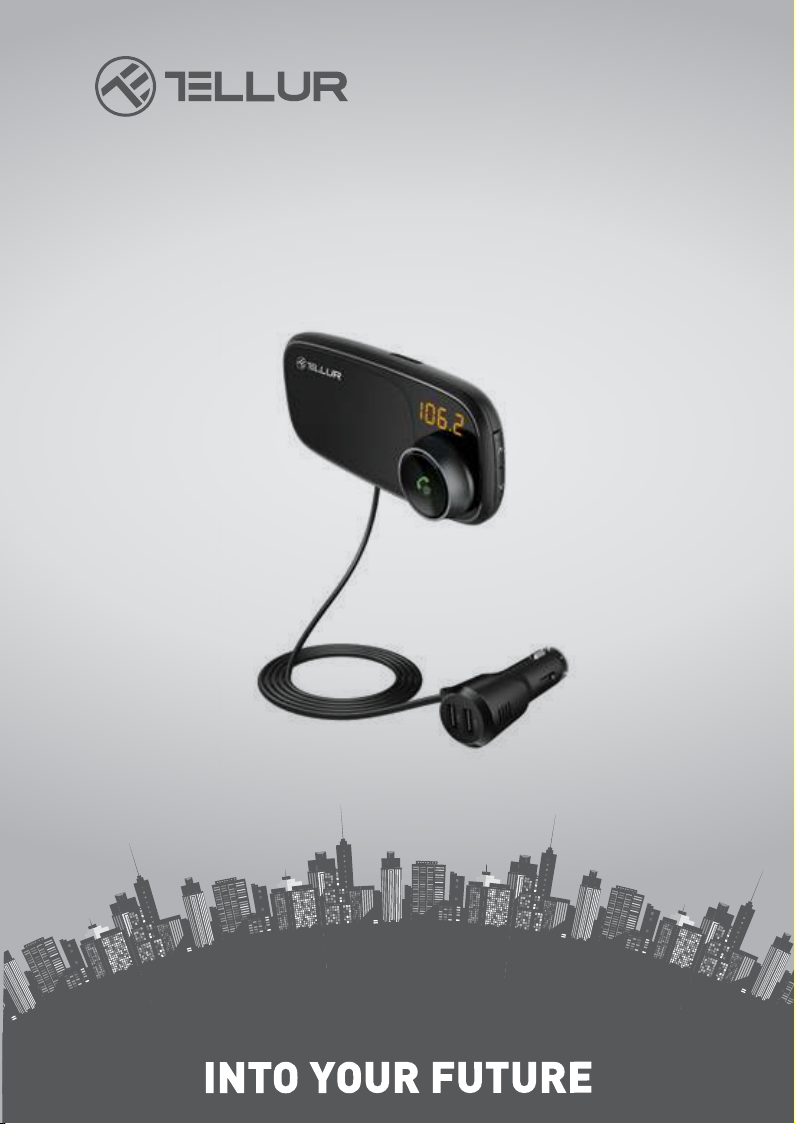
Bluetooth FM Transmitter
FMT-B6
TLL171082-User manual
Page 2

This device lets you stream music and calls directly from your Bluetooth device to
your car FM stereo system. The built-in microphone provides you with an amazing
hands-free function, it also features dual USB to charge your phone or other external
device. The Bluetooth chip can be used with a wide range of device which can make
can your driving more interesting.
SPECIFICATIONS:
• Bluetooth Version: 4.2
• Bluetooth pairing name: FMT-B6
• Screen: 20*8mm; LED digital display
• Frequency range: 87.5-108.0 MHz
• Product input: DC 12-24V
• Charger output: 3.4A
• Music format: MP3, WMA, WAV, FLAC
• MicroSD card (Max capacity): 64GB
• Transmit Distance: about 3 meters
• Product dimension: 107.8*49.9*87.8 mm
• Product weight: 125g
Compatibility:
This device can be paired as a hands-free kit with compatible Bluetooth enabled
smartphones.
Precautions:
Please read all safety instruction and warnings carefully before using this product.
Improper use of this product may result in damage. To ensure it works well, please
never use this in the following conditions:
1.Moist or underwater conditions.
2.Conditions near heater or high-temperature service.
3.Conditions with direct and strong sunshine.
4.Never dismantle the product without due permission, otherwise it may nullify the
warranty clause.
Page 3
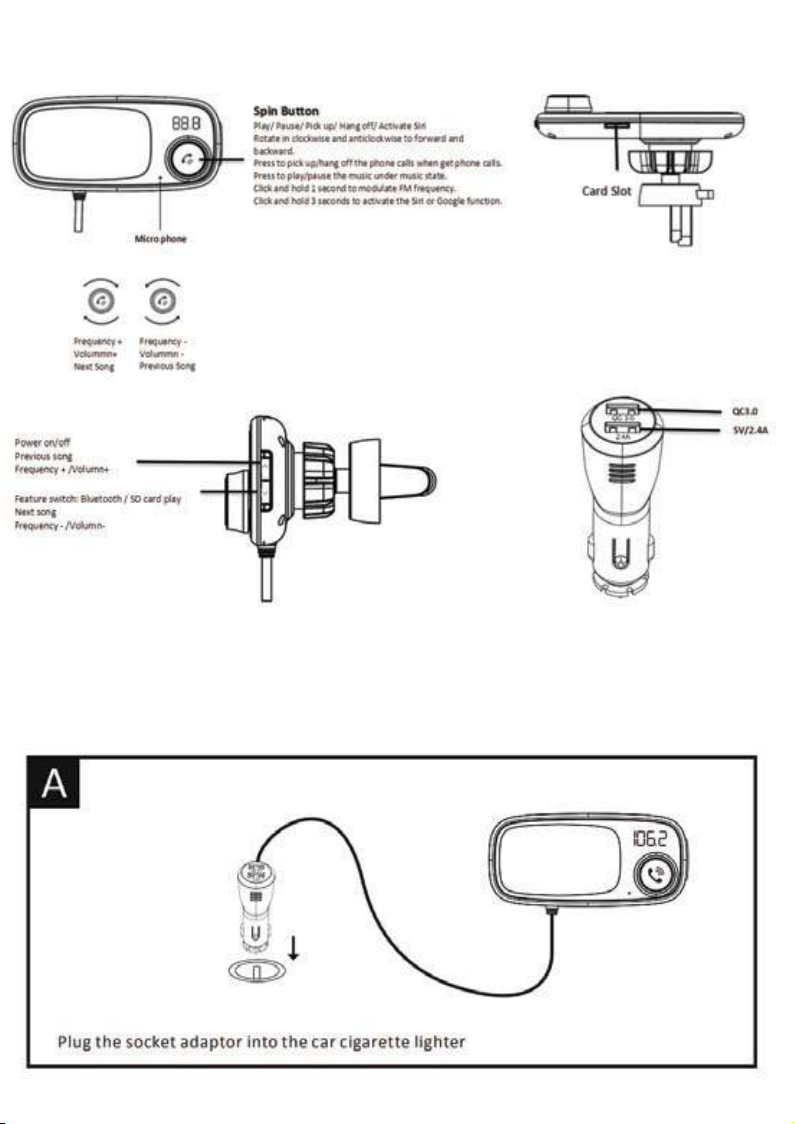
PRODUCT DESCRIPTION
INSTALLATION
Page 4
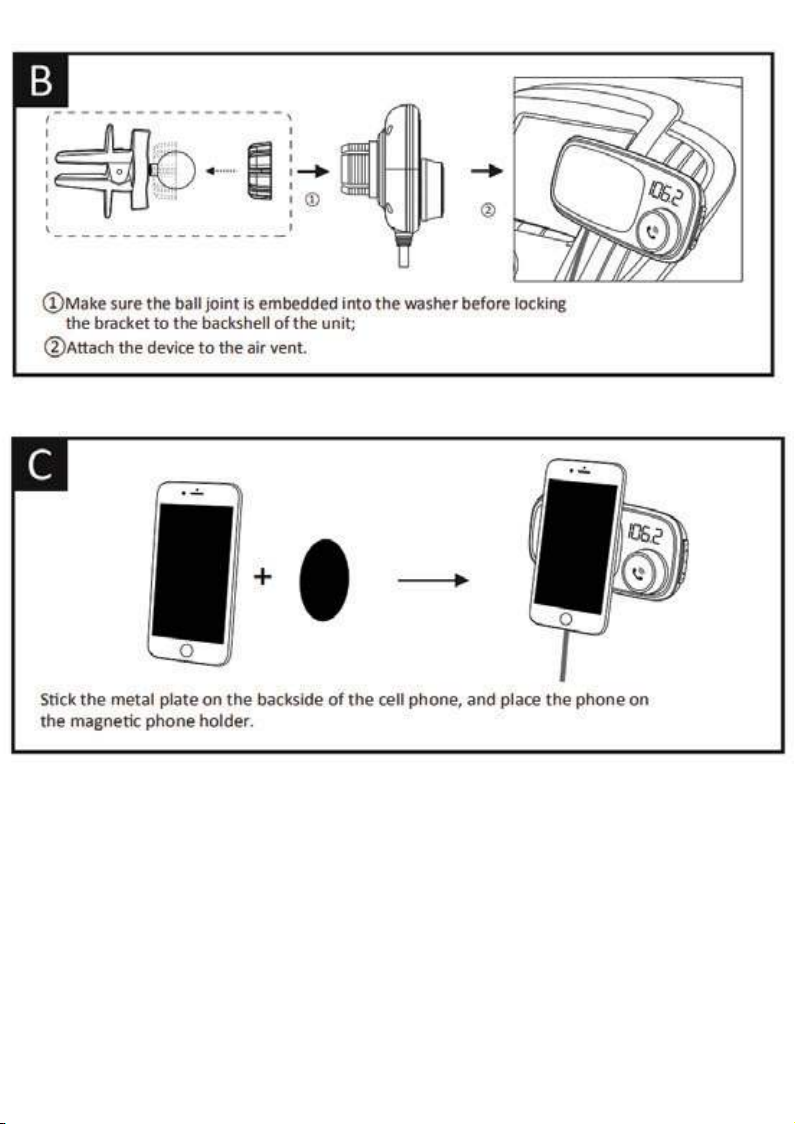
OPERATION INSTRUCTIONS:
Using FM transmitter function:
1.Turn your car radio to an unoccupied FM frequency, click the spin button and hold
for one second until the LED screen flash the frequency, rotate the spin button or
press the “” and ”” to match the same frequency
2.Insert the micoSD card which containing the MP3/WMA/WAV/ FLAC files into the
card slot, it will play and transmit the MP3 files automatically.
Using the Bluetooth function:
1.Pair the Bluetooth for the first time, you need to activate your mobile phone’s
Bluetooth function, and then search the new device. When the mobile phone
detects this unit (named as “FMT-B6”), click this name to connect.
Page 5

2.In the music playing mode, when there is an incoming call, this device will automatically switch to telephone mode. Press the spin button to answer/reject/redial the
phone call.
Using USB charger function:
This device has dual USB port for charging. When this unit powered from car lighter
socket, connect the USB Charger port to your mobile phone or others device with a
special USB cable (not included).
The charger will detect the phone voltage automatically and output accordingly.
Using the Siri or Google function:
Press the spin button and hold for 3 seconds, the Siri or Google function will be
activated automatically.
QUICK GUIDE
1.Answer / hang up the call:
Press to answer the call
Press to hang off the call
2.Ignore call
Press and hold for 3 seconds to reject incoming calls
3.Call last number
Presstwice to dial the last number automatically
4.Private calling
When answering a call, press and hold for 3 seconds to switch to private call mode.
5. Play and Pause the music:
Press Button Play the music
Press again Pause playing
6. Adjust the volume:
Press or rotate the spin button clockwise and hold a while to increase the volume
Press or rotate the spin button anticlockwise and hold a while to decrease volume
7. Set frequency:
Press and hold till frequency keep flashing, then press or rotate the spin button
clockwise to increase the frequency; press or rotate the spin button anticlockwise to
decrease the frequency
8. Choose music:
Press to Play the previous song
Press to Play the next song
9.Power on/off
Press and hold for 2 seconds to power on or power off the product.
10. Feature switch
Press and hold for 2 seconds to switch the modes between the Bluetooth and
microSD card reading.
Page 6
Disposal and recycling information
The crossed-out wheeled-bin symbol on your product, battery, literature or packaging
reminds you that all electronic products and batteries must be taken to separate
waste collection points at the end of their working lives; they must not be disposed of
in the normal waste stream with household garbage. It is the responsibility of the
user to dispose of the equipment using a designated collection point or service for
separate recycling of waste electrical and electronic equipment (WEEE) and batteries
according to local laws. Proper collection and recycling of your equipment helps
ensure EEE waste is recycled in a manner that conserves valuable materials and
protects human health and the environment, improper handling, accidental breakage,
damage, and/or improper recycling at the end of its life may be harmful for health and
environment.
Page 7

DECLARATION OF CONFORMITY
We, ABN SYSTEMS INTERNATIONAL S.R.L., Bucharest, District 1,
Marinarilor street, no. 29, we declare on own responsibility that the
product below:
Product name: Bluetooth FM Transmitter FMT-B6
Trademark: Tellur
Model: TLL171082
It does not endanger life, health, work safety, does not have a negative
impact on the environment and corresponds to the standards stated in
the manufacturer's declaration of conformity.
The product is in compliance with the following standards and / or
other normative documents:
EMC – 2014/30/EU
Applied standards
EN 50498:2010
RoHS – 2011/65/EU
The product bears CE mark, applied in 2018
Name:George Barbu
Function: General Manager
Plac
e and date:
Bucharest, 10-11-2018
Signed:
 Loading...