

Page 1

www.telexper.com
Quick Installation Guide
IP Dome Camera
Page 2
1
IP Camera Introduction
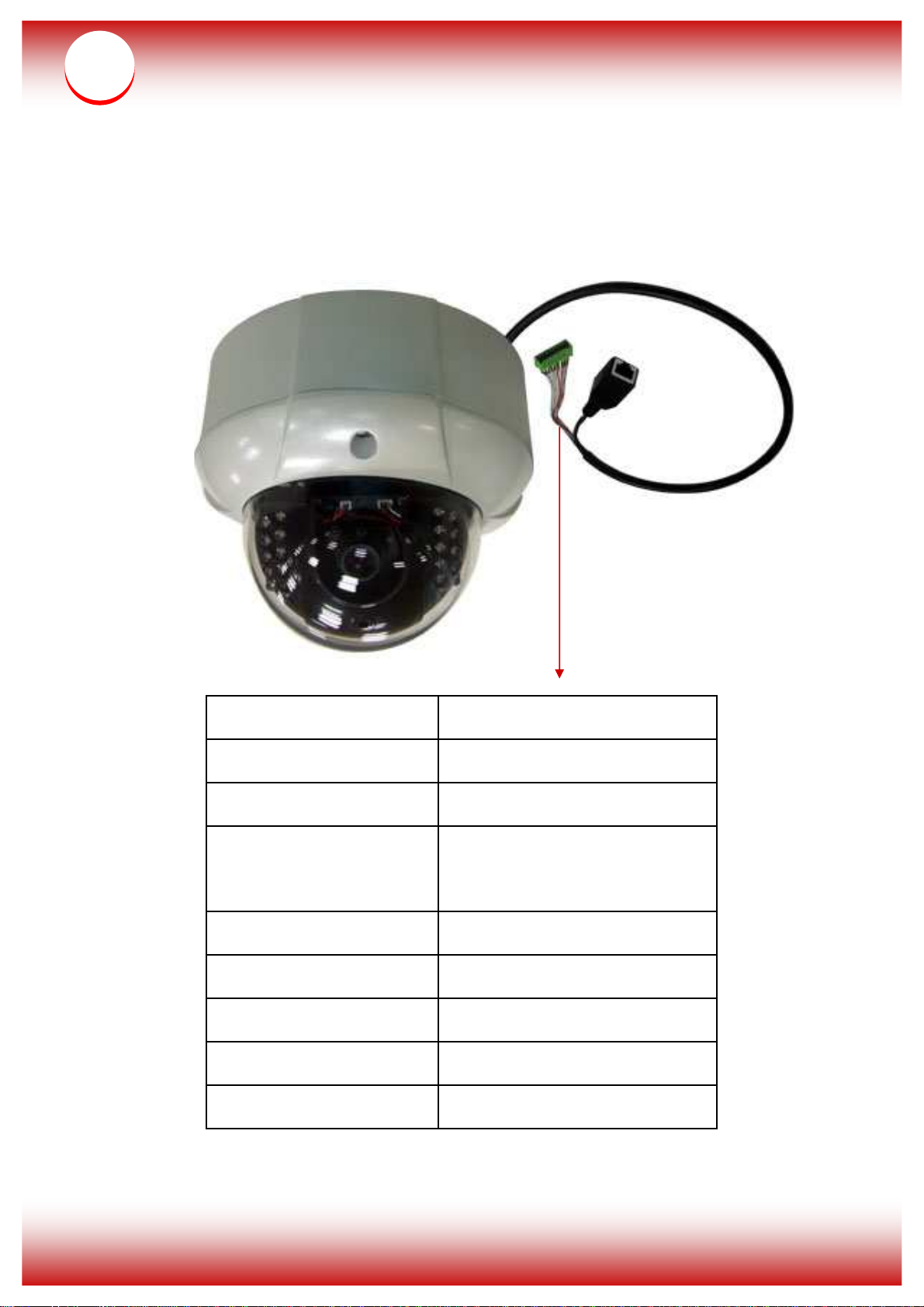
Product Overview
9. Gnd Gnd
8. Alarm In Alarm In
7. Audio Out Alarm Out
6. Audio Gnd Audio Gnd (for audio in &
out)
5. Audio In Audio In
4. GND GND
3. DC12V In DC12V In
2. D-(RS485) RS485 (D-)
1. D+(RS485): RS485 (D+)
Page 3
Connect the
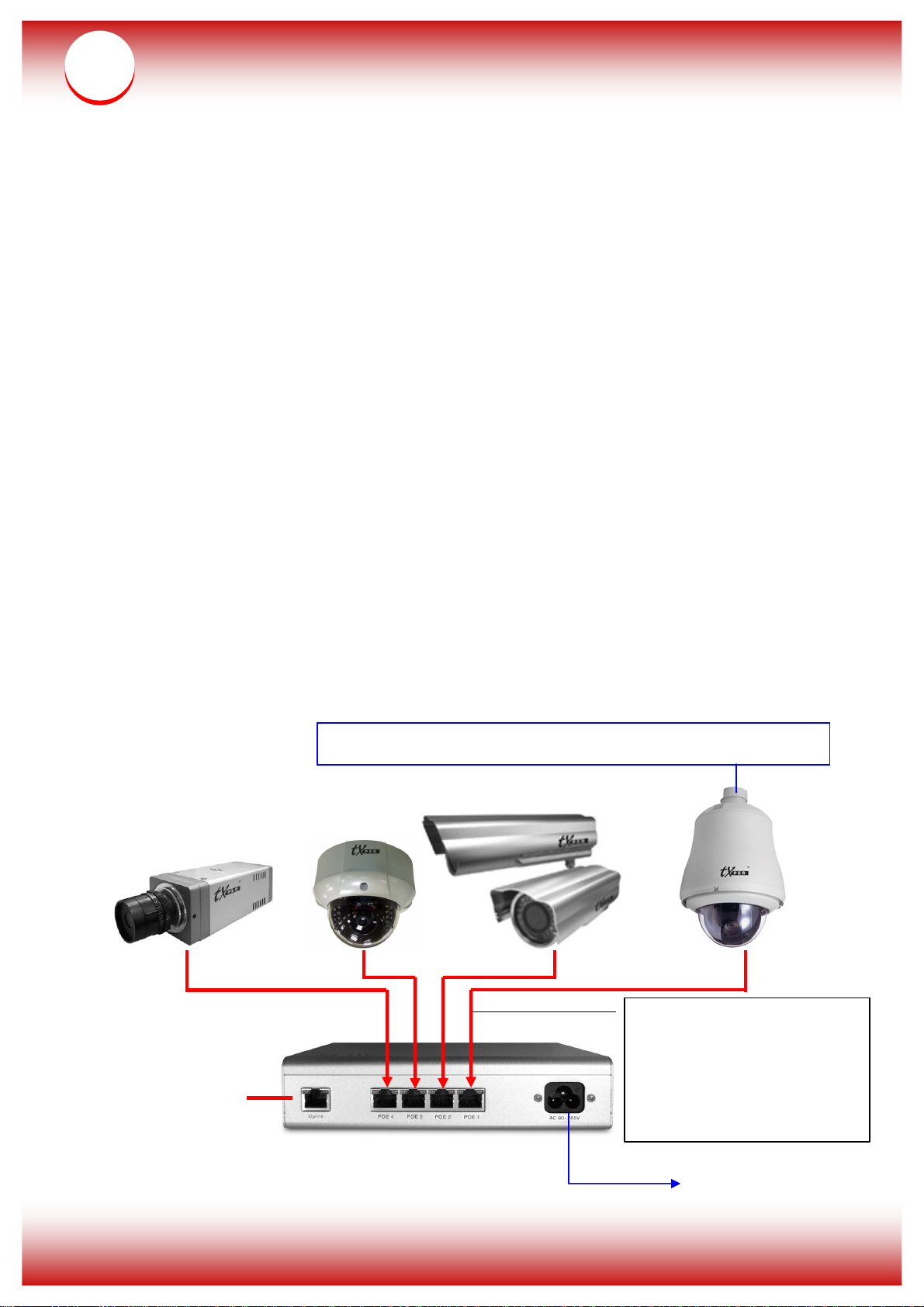
Connect DC 12V or AC 24V power
Up
link to
2
Notice:
* You can provide power to nCam Series cameras via
Telexper PoE Gigabit Hub or you can connect DC12V
In (pin-3) and GND (pin-4) for power supply (refer to
above pictures).
* Please use the CAT-6/CAT-5e RJ-45 cable to connect
each Telexper camera.
* The effective distance between the PoE Hub and IP
camera is up to 100 meter.
IP CCTV Installation Diagram
network
nCAM using the
CAT-6 RJ-45
cable
Power Cord
Page 4
3
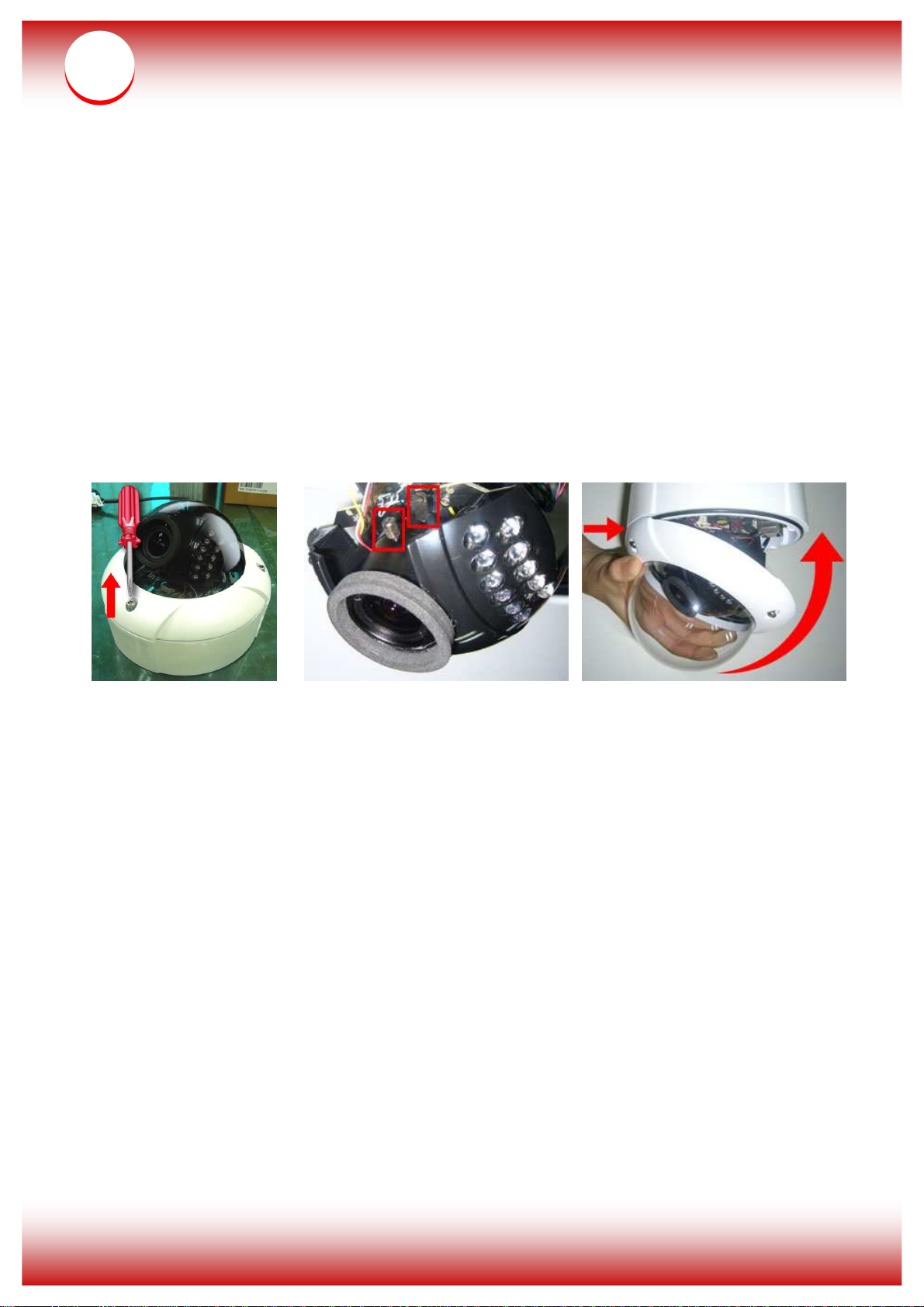
Focal adjustment for manual vari-focal cameras:
* Dome Camera:
(1) Unscrew screws on the lens cover and remove the lens cover.
(2) Loosen the two knobs on the lens to adjust the focus. Tighten
the knobs after adjustment.
(3) Place the lens cover back starting with the front screw hole.
Tighten the screws back to the lens cover.
(1) (2) (3)
 Loading...