

Page 1
Instructions for Use
Place iPhone into the Case
1. Place iPhone in the bottom case plate.
2. Place the top plate over the top of
iPhone and press each side tab to
click into place.
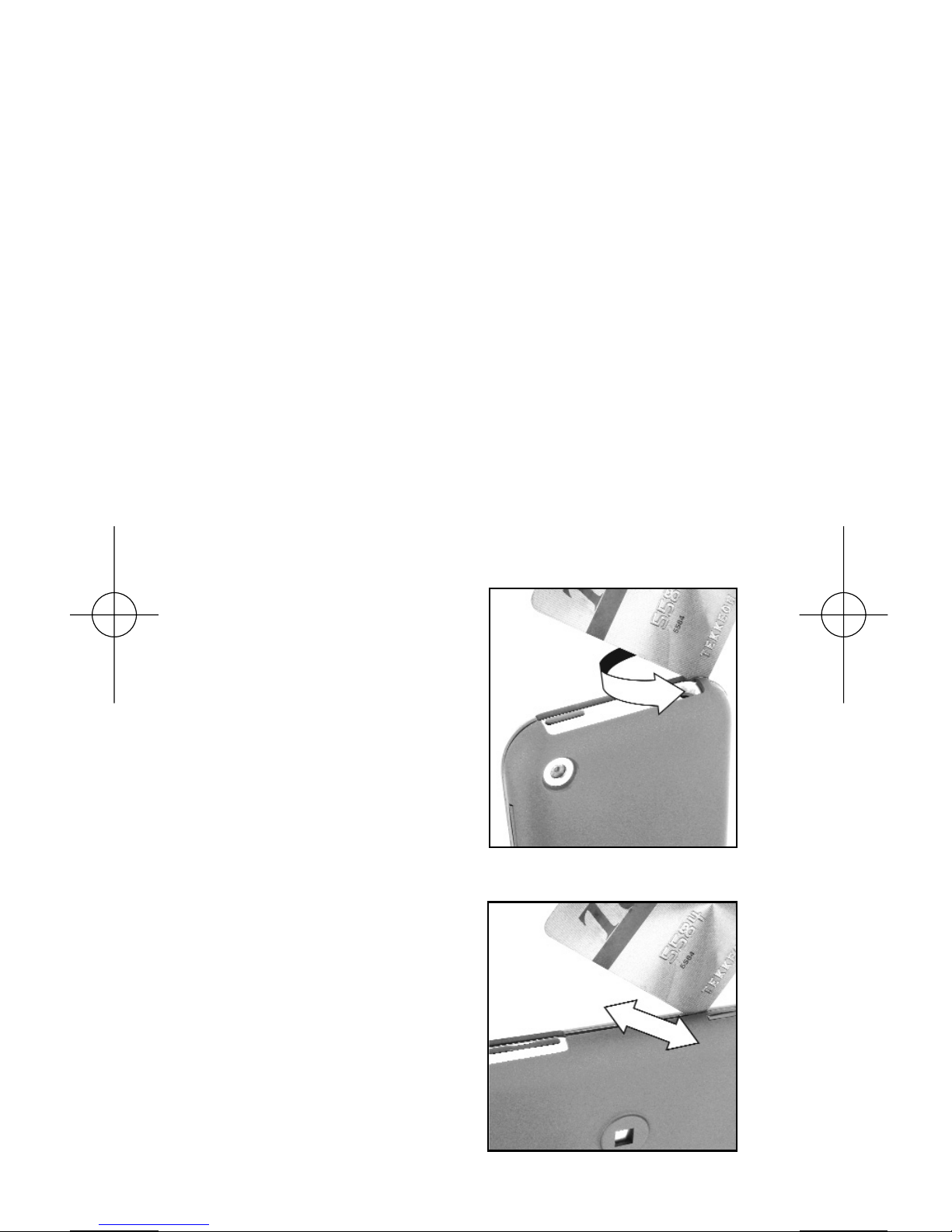
Remove the Case
1. Starting at the
upper left corner
near the audio
jack, slide a
credit card in
the gap and
twist. The tab
will open.
2. Using the credit
card as leverage,
separate the
lower left tab.
The tab will open
and the cover
will pop off.
Continued on back
HARD CASE
WITH SOFT TOUCH
for iPhone
Twist
Separate
Page 2
Belt Clip Instructions
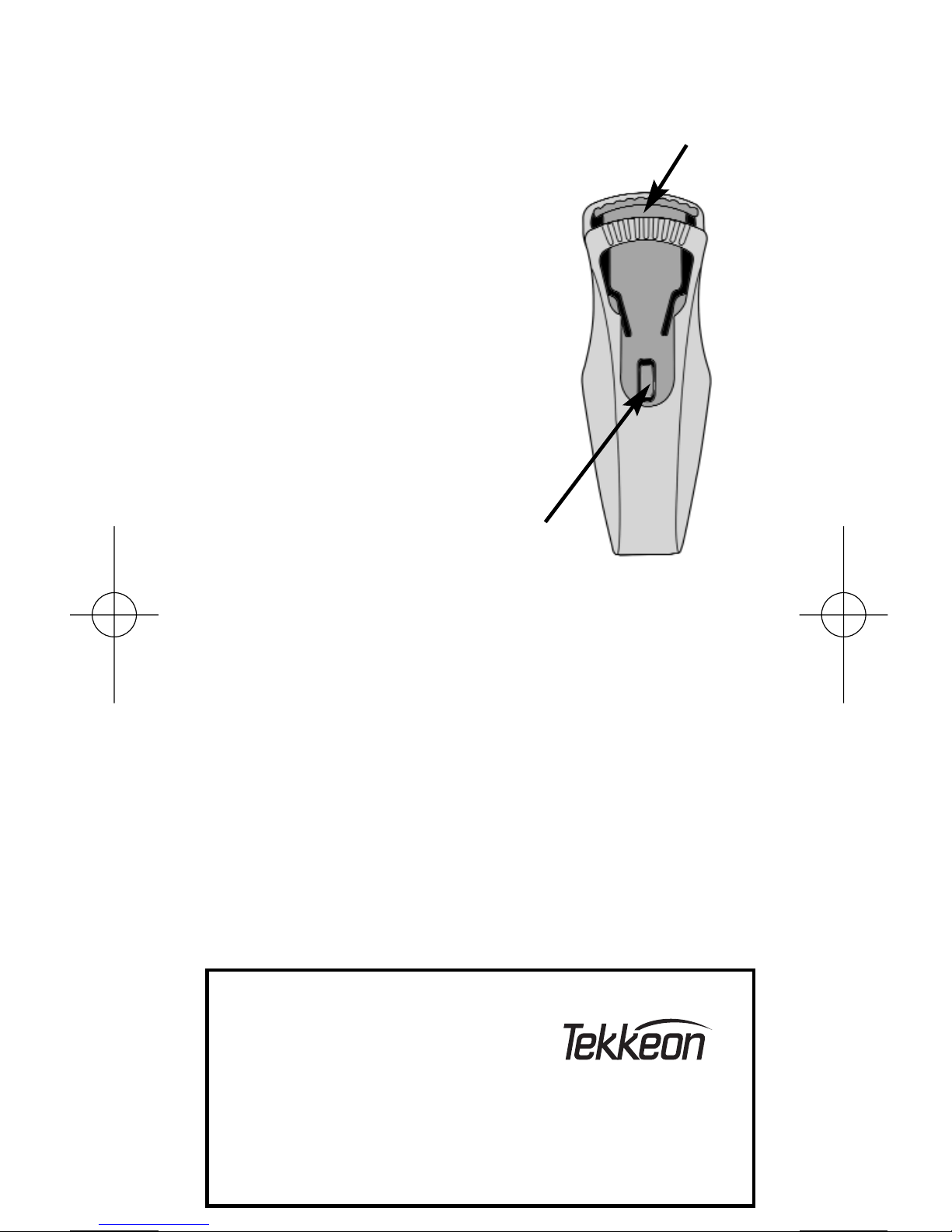
To Remove the Belt Clip
1. Push down on the
top lever to release
the clip, and pull the
clip downward.
2. To remove the mounting
screw, use a Phillips
screwdriver to remove
the screw from inside
the case.
To Add the Belt Clip
1. Place the provided mounting screw in
the hole on the rear of the case, and
insert the small screw from inside the
case. Tighten the small screw with a
Phillips screwdriver.
2. With the groove (shown) over the
screw, pull up until the clip snaps
into place.
Tekkeon, Inc.
3002 Dow Avenue, #134
Tustin, CA 92780
888-787-5888 / 714-832-1266
© 2007 Tekkeon, Inc. All rights reserved. iPhone is a
trademark of Apple Inc. Specifications are subject to
change without notice. 1107
www.tekkeon.com
Lever
Groove
 Loading...