

Page 1
U S E R I N S T R U C T I O N S
Page 2
IU_BasicLine_01_eng 2
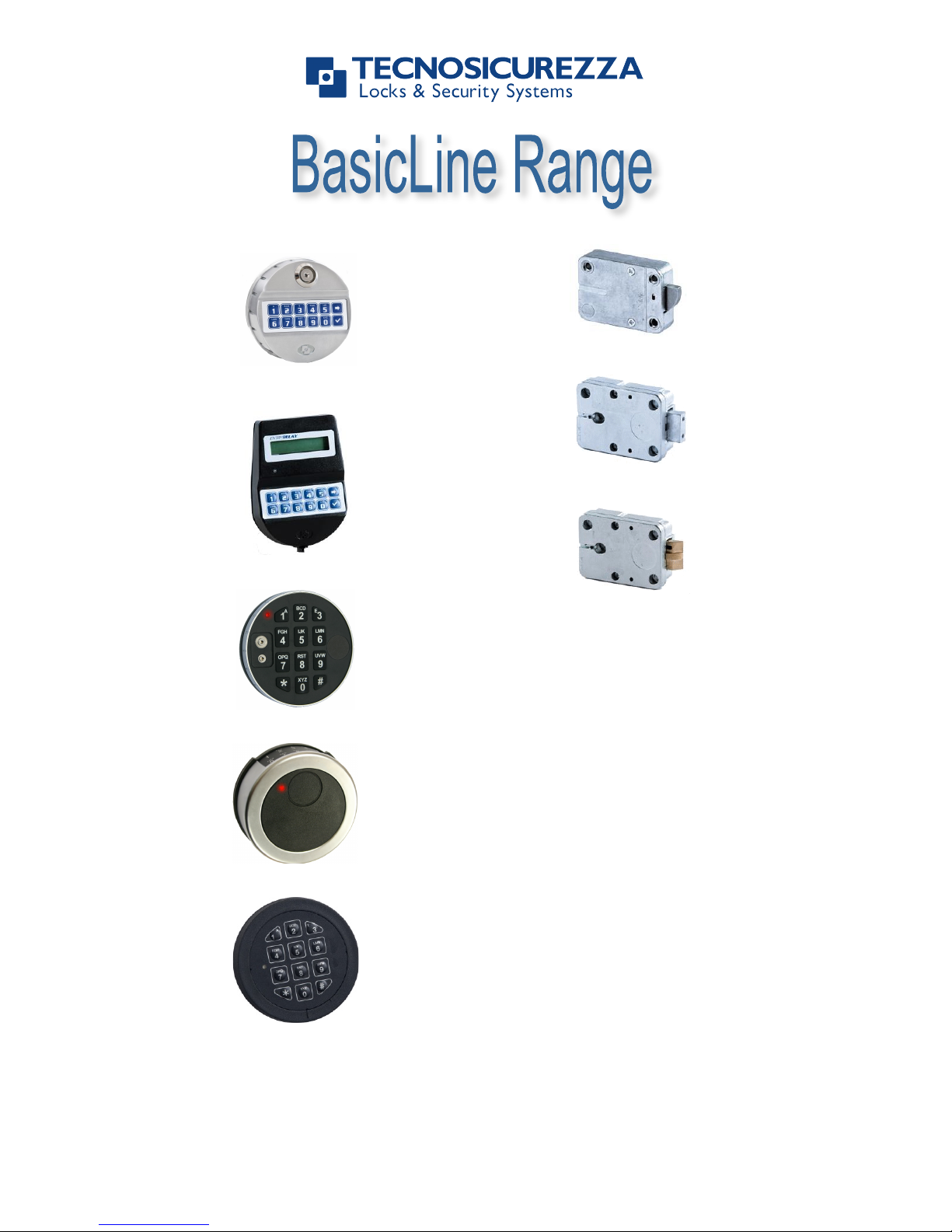
T6530/DL
T8530
EM35•20 Technical Manual rev. 160223
© 2016 Lock Technology Page ! of !1 2
Delta Series: DE20 Bravo: BR50
Premier: PI20
(with separate knob)
StraightBolt
Bolt work requirements
Lock bolt operations only allowed as described
into the drawing and max load should not
exceed 1KN.
Important:
•
Modifications to the lock (including lock bolt attachments) are not
allowed, and will void the manufacturer’s warranty and Standards
approvals.
•
No through holes on the safe door are allowed within the lock body area beside
the spindle/cable hole.
•
Lock body area should be protected against destructive attacks
DE20xx
Delta Series: DE20 Bravo: BR50
Premier: PI20
(with separate knob)
!
Bolt work requirements
Lock bolt operations only allowed as described
into the drawing and max load should not
exceed 1KN.
Br50xx
ST40xx
EM2050/A
EM3550/A
EM3550/A/S (not VdS)
Page 3

IU_BasicLine_01_eng 3
LOCK FEATURES
Codes
One Manager: can open, changes his code, manage users, program time delay, audit
users and lock.
User: can open and change their own codes.
New codes are rejected when less than 2 digits are different from existing codes.
Time Delay
Time delay programmable from 0 (no time delay) to 99 minutes. Open window from 1 to 19
minutes.
During time delay enabled LED flashes at two seconds intervals. Open window is indicated
by LED then buzzer at 1 seconds intervals alternately (once LED, once beep).
Battery low warning
If battery low (<6V) during motor activation, multiple beeps.
Time penalty
When entering code, a time penalty of 5 minutes will be started after the 4th consecutive
wrong code entered. During time penalty, LED flashes at 10s interval, no access possible
to lock.
Any key pressed during time penalty emits a long beep.
After time penalty, two consecutive wrong codes will start it again.
Additional features
TD override user #9 – When TD active, user #9 always override TD in “dual mode”.
Basic Input/Output features – If standard I/O is activated, silent alarm (+1 on combination
last digit will trigger an alarm output signal) and disable input features are active through
additional 4-wires on-board connector.
Recommandations
• It is strongly recommended to immediately change the factory codes
• For security reasons, do not chose codes which could be easy to guess (e.g. 1 2 3
4 5 6)
• For your new code, do not use any personal data like birthdays or any other data,
that could be derived by knowledge of your person.
• After code changing, the lock must be tested several times with door in open state.
• Do not open the lock case, otherwise you compromise the function of the lock and
warranty will be void.
• In order to prevent any possibility that the code become public or known by
unauthorized persons we strongly recommend to store any data and/or code in a
safety place, where only its rightful owner can access.
Page 4
IU_BasicLine_01_eng 4
USERS INSTRUCTIONS
Open
• Enter a six digits valid code (factory code 1-2-3-4-5-6).
o A valid code is followed by a double signal.
o An invalid code is followed by a long signal.
• If time delay is not active open the door.
• If time delay is active the counting starts (during time delay counting the light flashes
every 2 seconds). When time delay elapses, open window counting starts (during
open window counting the buzzer beeps every 2 seconds). Enter the code again and
open the door.
• Note: If the door is not opened within 3 (three) seconds, the lock secures
automatically.
Manipulation protection
• The entry of 4 (four) consecutives invalid codes, will cause a 5 (five) minutes lock
blocking. During this period, the light flashes every 10 seconds and any key pressed
will produce a long signal. After expiration, the entry of 2 (two) more invalid codes,
will restart the 5 minutes blocking period.
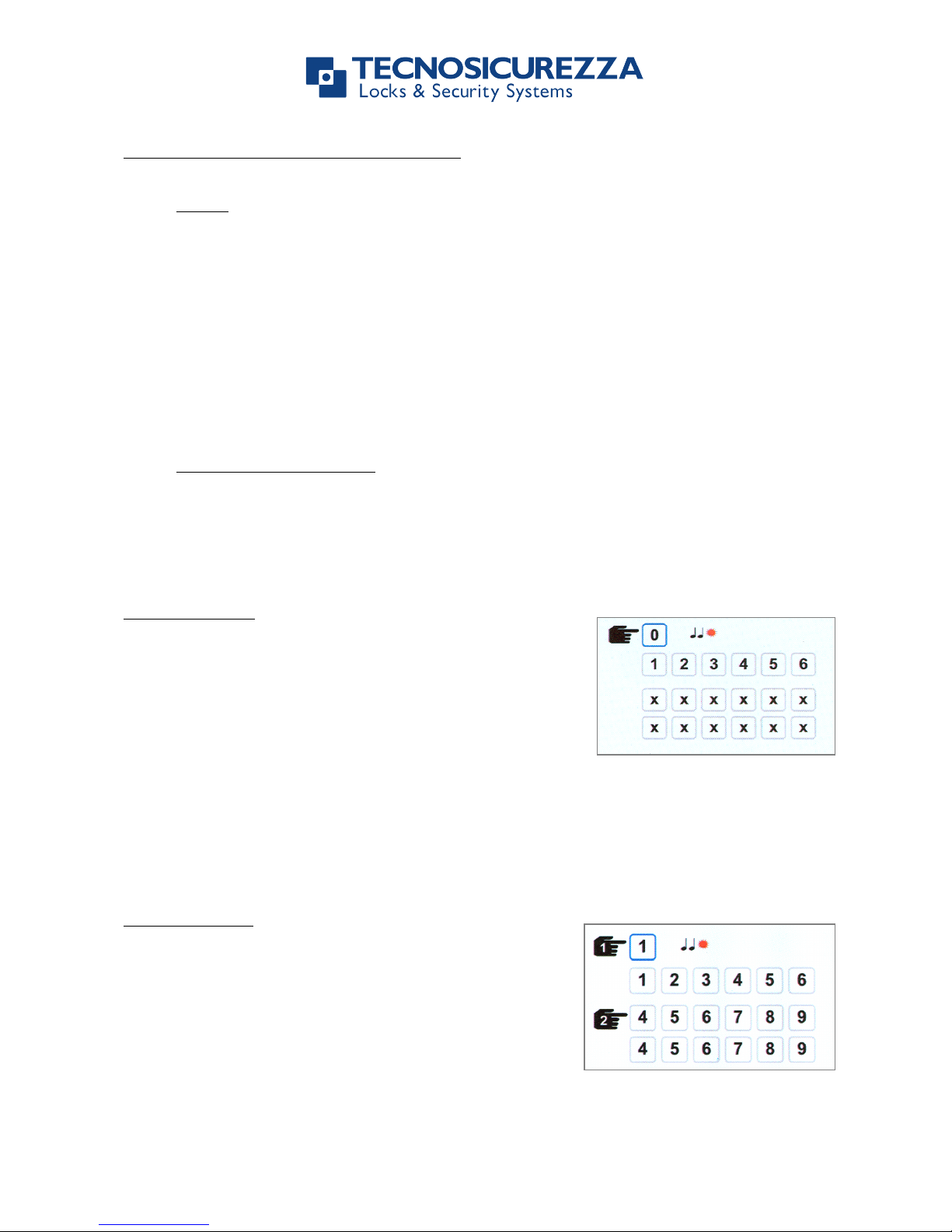
Change code
! Press and hold key “0” until double signal.
! Enter the old code (double signal).
! Enter the new code (double signal).
! Repeat the new code (double signal).
Note: In case of errors (long signal) the old code remains valid.
Always perform this operation with the door opened.
Test lock operation several times before closing the door.
Add the user
! Press and hold key “1” until double signal;
the light remains switched on during the
following actions.
! Enter the main code.
! Enter the new opening code (double signal).
! Confirm the new opening code (double
signal).
Note: If the lock features only two codes there will not be the need to select a position for
the new user.
Page 5
IU_BasicLine_01_eng 5
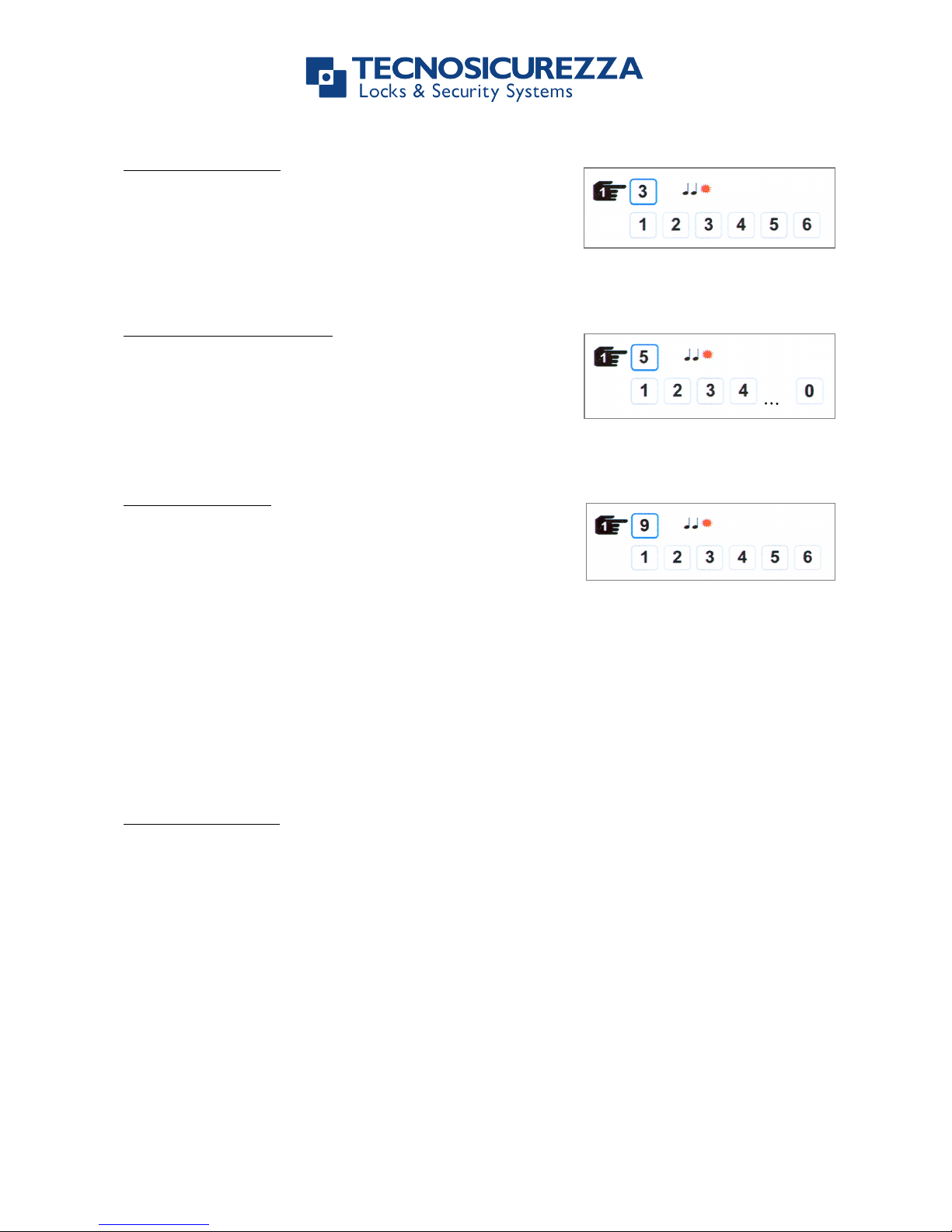
Delete the user
! Press and hold key “3” until double signal;
the light remains switched on during the
following actions.
! Enter the main code.
! The user is now deleted.
Membrane check-up
! Press and hold key “5” until double signal.
! Enter the following sequence of numbers:
1-2-3-4-5-6-7-8-9-0.
o Double signal = key correctly working.
o Long signal = key not working.
Set time delay
! Press and hold key “9” until double signal;
the light remains switched on during the
following actions.
! Enter the main code.
! Enter time delay value (2 digits, from 00 to 99 minutes) and open window value (2
digits, from 01 to 19 minutes) (double signal).
o For instance if you want to program 26 minutes delay and 12 minutes open
window, enter: “2612”.
! Confirm time delay value and open window value (double signal).
Note: Time delay value can be increased in every moment; to decrease it, lock must be in
open window.
Battery change
A series of signals during opening indicates that the battery is weak and must be replaced.
Only use fresh 9V-ALKALINE batteries from brand name manifacturers like DURACELLTM.
Page 6
IU_BasicLine_01_eng 6
Before operating the unit,
please read this manual thoroughly,
and retain it for future reference.
Correct disposal of this product:
(Waste Electrical & Electronic Equipment)
Applicable in the European Union and other European countries with separate
collection systems.
This marking shown on the product or its literature indicates that it
should not be disposed with other wastes at the end of its working
life. To prevent possible harm to the environment or human health
from uncontrolled waste disposal, please separate this from other
types of wastes and recycle it responsibly to promote the sustainable
reuse of material resources.
Certified ISO 9001 : 2000
TECNOSICUREZZA s.r.l.
Via Cesare Battisti, 276 – 37057 S. Giovanni Lupatoto (VR) – Italy
Tel. +39 045 826 64 70 - Fax +39 045 826 64 69
mail: [email protected] - web: www.tecnosicurezza.it
 Loading...