

Page 1
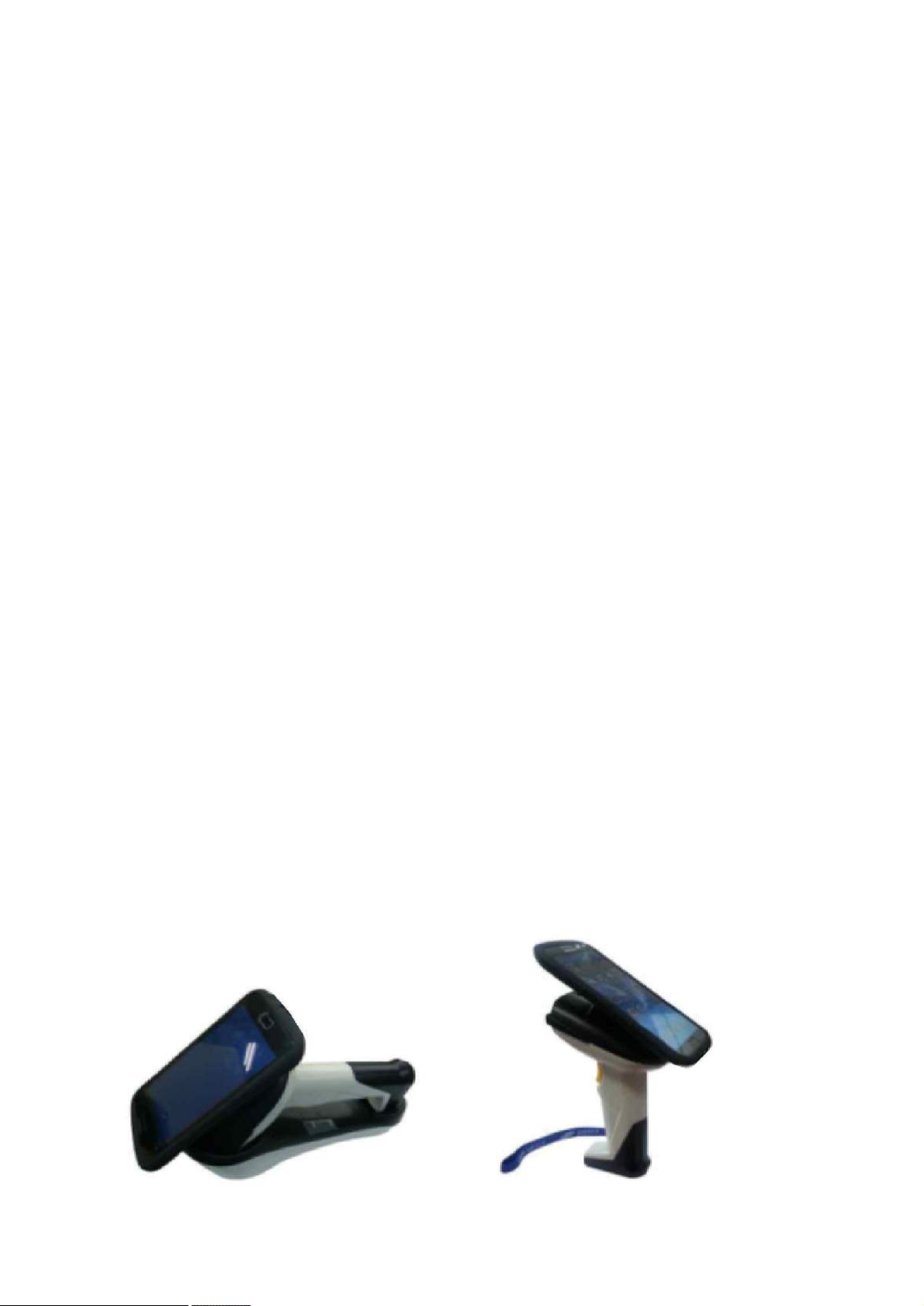
TSK-4500 Plus Manual
l PERFORMANCE
CPU : 32Bit
Scan rate : 120 Scans per Second
Resolution : 3Mil (0.076mm)
Light Source : Visible Laser Diode
670nm ± 10nm
Sensor : Photo sensor
Skew Angle : ±65 Degree
Pitch Angle : ±50 Degree
Field Width : 170mm (15mil)
Depth of field : 30~450mm
Symbologies : UPC/EAN/JAN, Code39,
Interleaved 2 of 5 Standard 2 of 5,
Matrix 2 of 5, Industrial 2 of 5,
Codabar, Code128, MSI, Plessey,
Code93, Code 3 of 5 (Korean Postage)
Interface : : BLUETOOTH “HID”/ ”SPP”
Data storage Memory : 32 Kbyte.
(ex. UPC/EAN 5,000 events)
l MECHANICAL
Dimensions : 80mmX 135mm X208mm
Weight : 352g
Body Material : ABS Plastic
lELECTRICAL
Power Supply : AA X 2 (2.4 Voltage)
Ni-MH 2700mA
Power Consumption : Normal 70mA
150Max Power down 420uA
Battery Life : Up to 70,000 Scans.
l DURABILITY
Trigger Switch : 1 million Actuations
Shock Resistance : 1.5 meter drop
onto Concrete Surface.
l BLUETOOTH CLASS1
Carrier Frequency : 2400MHz to
2483.5MHz
Modulation Method : GFSK,1Mbps,
0.5BT Gaussian.
Transmission Power : Class 1(max 9dbm)
Hopping : 1600 hops/sec, 1MHz channel
space
Receiving Signal Range : -84 to -20dbm
Receiver IF Frequency : 1.5MHz center
frequency
Compliant : Bluetooth Specification v2.1
EDR
l ENVIRONMENTAL
Temperature : Operating : 0 ~ 50°C,
Storage : -10 ~ 60°C
Humidity : Operating : 10% ~ 80%,
Storage : 10% ~ 95%
Mechanical Shock : Functional after
1.5m( 5ft) drops
Page 2
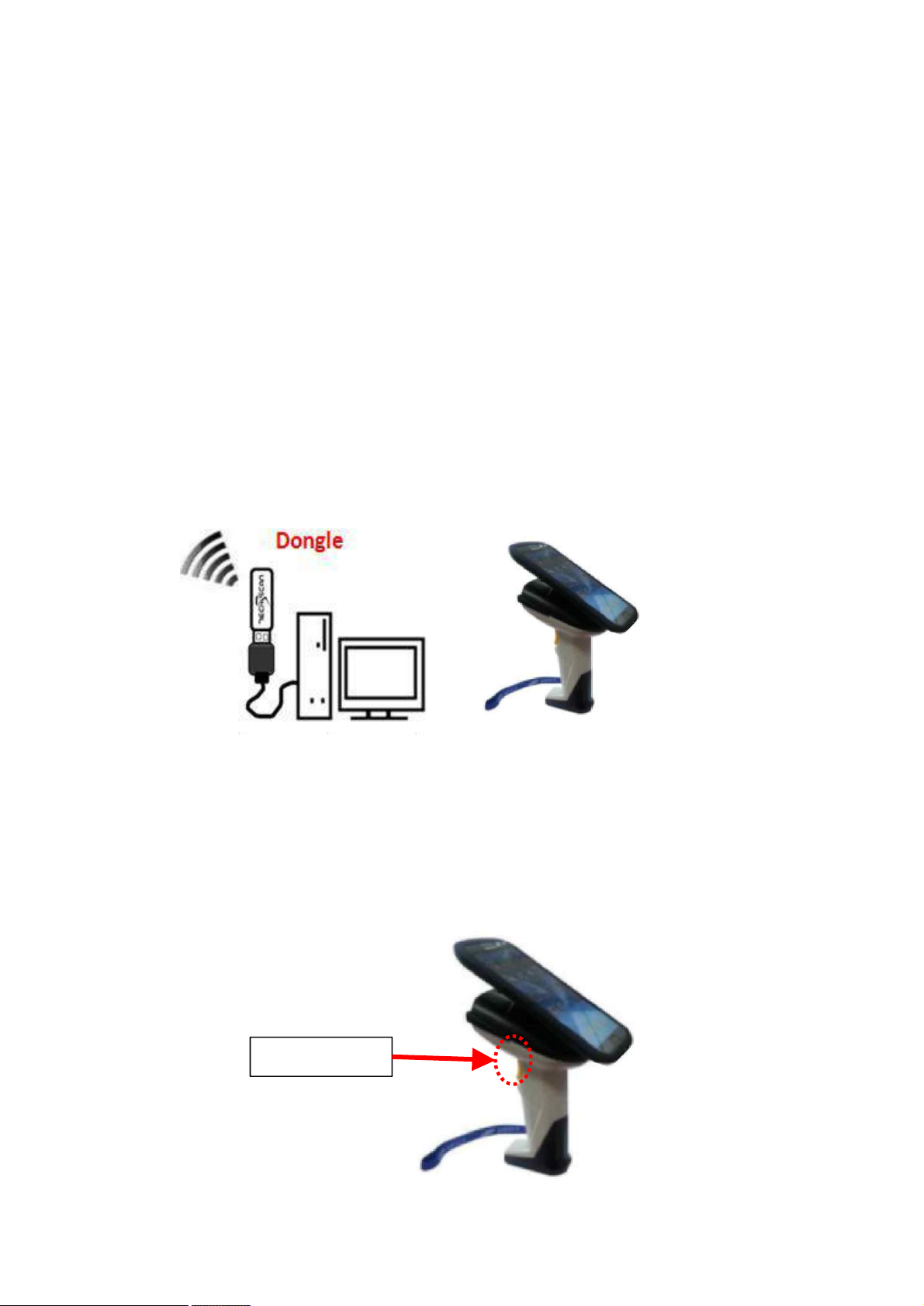
2. Product installation diagram.
3.Description of operation.
3.1-1 Press the yellow scan button.
3.1-2 'Beep' sounds.
TSK-4500 Operation Description
1. Introduction to TSK-4500
TSK-4500 is a wireless barcode data transmission
product.
A supply input power is 2.4V/2400mAh
and a Cradle charger output is 5V.
Scan button
Page 3
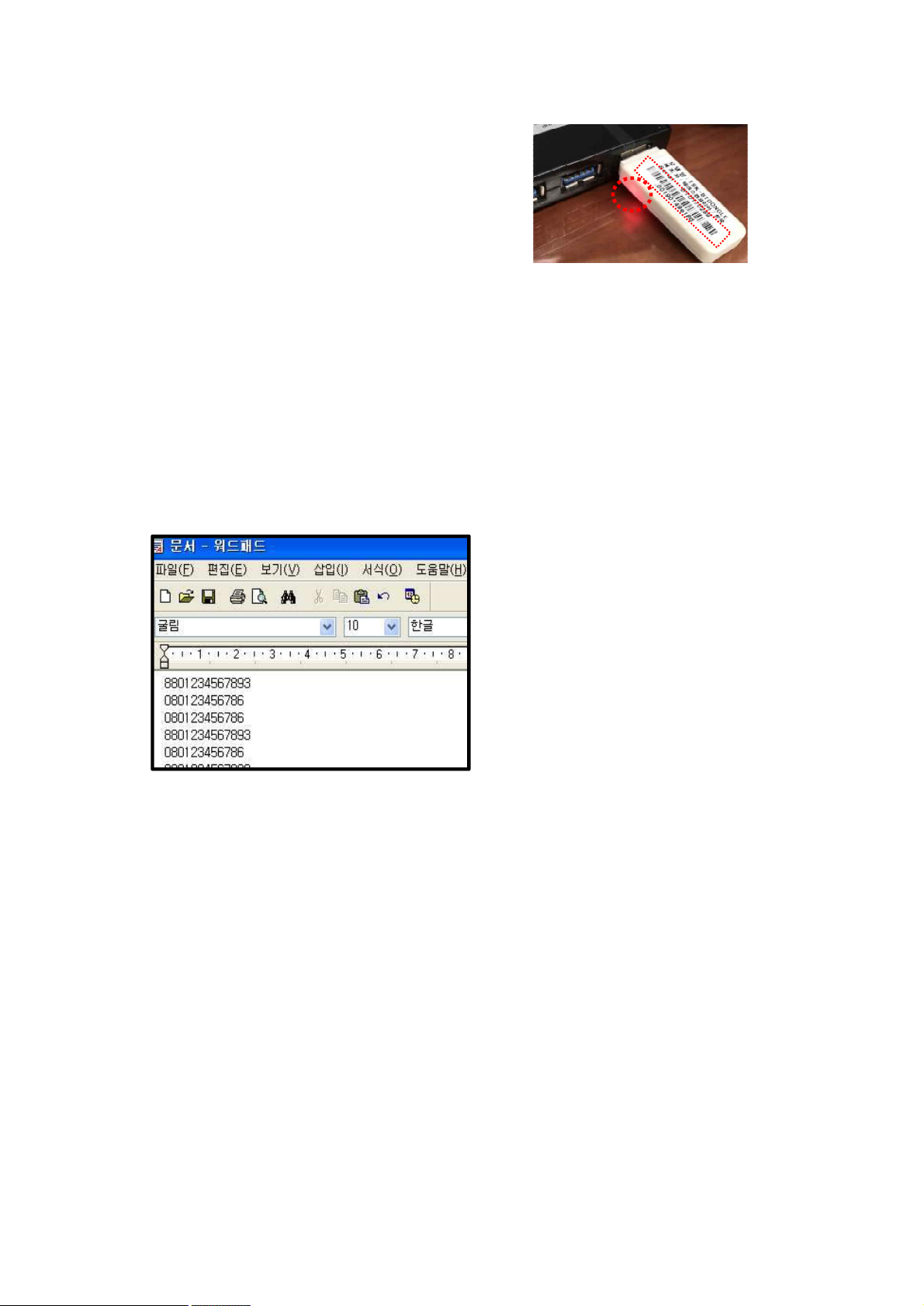
3.2-1 Plug the dongle into the USB port.
3.2-2 Scan the Barcode address of the dongle.
3.2-3 When the scanner and the dongle are connected, the back light comes on
in the dongle.
3.3-1 Open your work screen ( Note pad, word, Excel etc.) on your PC or laptop.
3.3-2 Scan the barcode.
3.3-3 You can check the data on your PC or laptop.
Page 4

FCC Compliance Statement
This device complies with part 15 of the FCC rules. Operation is subject to the following two
conditions: (1) This device may not cause harmful interference, and (2) this device must accept any
interference received, including interference that may cause undesired operation.
FCC Interference Statement
This equipment has been tested and found to comply with the limits for a Class B digital device,
pursuant to part 15 of the FCC Rules. These limits are designed to provide reasonable protection
against harmful interference in a residential installation. This equipment generates, uses and can
radiate radio frequency energy and, if not installed and used in accordance with the instructions,
may cause harmful interference to radio communications. However, there is no guarantee that
interference will not occur in a particular installation. If this equipment does cause harmful
interference to radio or television reception, which can be determined by turning the equipment
off and on, the user is encouraged to correct the interference by one of the following measures:
• Reorient or relocate the receiving antenna.
• Increase the separation between the equipment and receiver.
• Connect the equipment into an outlet on a circuit different from which the receiver is connected.
• Consult the dealer or an experienced radio/TV technician for help.
FCC Caution
Any changes or modifications not expressly approved by the par ty responsible for compliance could
void the user's authority to operate this equipment. This transmitter must not be co-located or
operating in conjunction with any other antenna or transmitter.
 Loading...